') + ')', 'gi'); if (regex.test(text)) { found = true; var frag = document.createDocumentFragment(); var parts = text.split(regex); parts.forEach(function(part, i) { if (i % 2 === 0) { frag.appendChild(document.createTextNode(part)); } else { var span = document.createElement('span'); span.className = 'userscript-highlight'; span.textContent = part; frag.appendChild(span); } }); node.parentNode.replaceChild(frag, node); } }); } else if (node.nodeType === 1 && node.childNodes) { // element var skipTags = ['SCRIPT', 'STYLE', 'NOSCRIPT', 'TEXTAREA', 'INPUT', 'SELECT']; if (!skipTags.includes(node.tagName)) { Array.from(node.childNodes).forEach(highlight); } } } highlight(document.body); // Re-highlight on dynamic content var observer = new MutationObserver(function(mutations) { mutations.forEach(function(m) { m.addedNodes.forEach(function(node) { if (node.nodeType === 1 || node.nodeType === 3) highlight(node); }); }); }); observer.observe(document.body, { childList: true, subtree: true }); })(); } } catch(__e) { console.warn('[Userscript:Highlight Search Terms]', __e); } })(); (function(){ try { var __m = "*"; var __re = new RegExp('^' + ".*" + ', 'i'); if (__m === '*' || __re.test(location.href)) { // Strip utm_, fbclid, gclid, etc. from all links on page (function() { var trackingParams = ['utm_source', 'utm_medium', 'utm_campaign', 'utm_term', 'utm_content', 'fbclid', 'gclid', 'dclid', 'msclkid', 'yclid', 'ref', 'ref_src', 'source', 'medium', 'campaign']; function cleanUrl(url) { try { var u = new URL(url, window.location.origin); var changed = false; trackingParams.forEach(function(p) { if (u.searchParams.has(p)) { u.searchParams.delete(p); changed = true; } }); return changed ? u.toString() : url; } catch (e) { return url; } } function cleanLinks() { document.querySelectorAll('a[href]').forEach(function(a) { var clean = cleanUrl(a.href); if (clean !== a.href) a.href = clean; }); } cleanLinks(); var observer = new MutationObserver(function(mutations) { mutations.forEach(function(m) { m.addedNodes.forEach(function(node) { if (node.nodeType === 1) { if (node.tagName === 'A') cleanLinks(); node.querySelectorAll('a[href]').forEach(function(a) { var clean = cleanUrl(a.href); if (clean !== a.href) a.href = clean; }); } }); }); }); observer.observe(document.body, { childList: true, subtree: true }); })(); } } catch(__e) { console.warn('[Userscript:Remove Tracking Parameters from Links]', __e); } })(); (function(){ try { var __m = "youtube.com"; var __re = new RegExp('^' + "youtube\\.com" + ', 'i'); if (__m === '*' || __re.test(location.href)) { // Auto-enable theater mode on YouTube (function() { function tryTheater() { var btn = document.querySelector('button[aria-label="Theater mode"], ytd-player #player button[title="Theater mode"]'); if (btn && !btn.classList.contains('activated')) { btn.click(); } } // Try immediately tryTheater(); // Try after navigation (SPA) var lastUrl = location.href; setInterval(function() { if (location.href !== lastUrl) { lastUrl = location.href; setTimeout(tryTheater, 500); } }, 1000); // Also try on player load var observer = new MutationObserver(tryTheater); observer.observe(document.body, { childList: true, subtree: true }); })(); } } catch(__e) { console.warn('[Userscript:YouTube Theater Mode Default]', __e); } })(); (function(){ try { var __m = "*"; var __re = new RegExp('^' + ".*" + ', 'i'); if (__m === '*' || __re.test(location.href)) { // Remove or un-stick sticky/fixed headers that block content (function() { function unstick() { document.querySelectorAll('header, nav, [role="banner"], .header, .navbar, .sticky, .fixed-top, [style*="position: fixed"], [style*="position:sticky"]').forEach(function(el) { if (el.style.position === 'fixed' || el.style.position === 'sticky' || getComputedStyle(el).position === 'fixed' || getComputedStyle(el).position === 'sticky') { el.style.position = 'static'; el.style.top = 'auto'; el.style.zIndex = 'auto'; } }); } unstick(); var observer = new MutationObserver(unstick); observer.observe(document.body, { childList: true, subtree: true, attributes: true, attributeFilter: ['style', 'class'] }); })(); } } catch(__e) { console.warn('[Userscript:Kill Sticky Headers]', __e); } })(); })(); GitHub - UnleashSpirit/sqlite-web: Web-based SQLite database browser written in Python · GitHub
Skip to content

Repository files navigation

sqlite-web is a web-based SQLite database browser written in Python.

Project dependencies:

Installation

$ pip install sqlite-web

Usage

$ sqlite_web /path/to/database.db

Features

  • Works with your existing SQLite databases, or can be used to create new databases.
  • Add or drop:
    • Tables
    • Columns (yes, you can drop and rename columns!)
    • Indexes
  • Export data as JSON or CSV.
  • Import JSON or CSV files.
  • Browse table data.

Screenshots

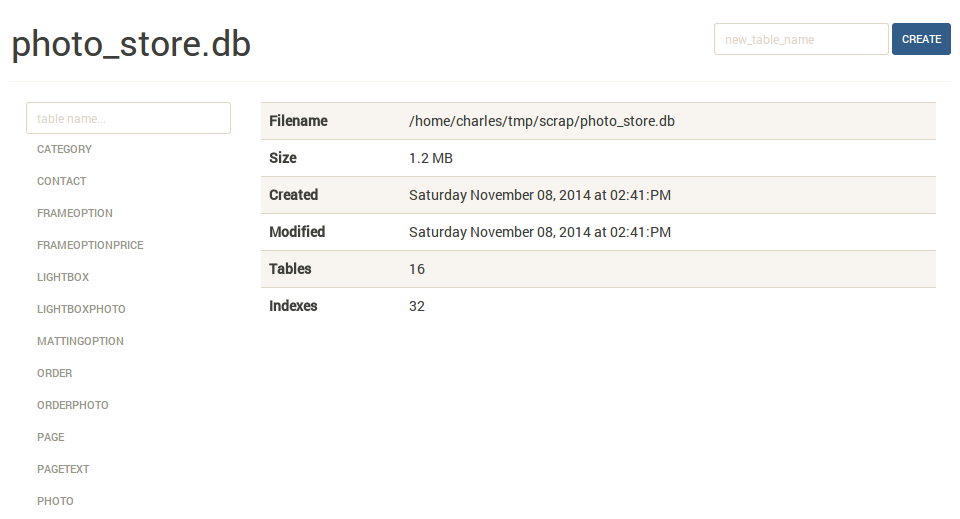
The index page shows some basic information about the database, including the number of tables and indexes, as well as its size on disk:
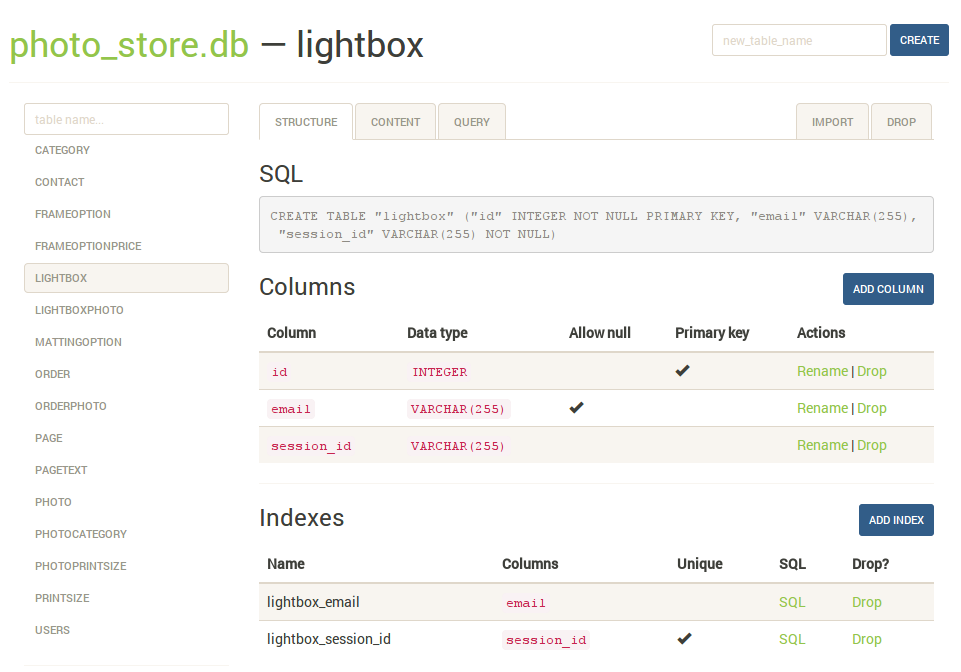
The structure tab displays information about the structure of the table, including columns, indexes, and foreign keys (if any exist). From this page you can also create, rename or drop columns and indexes.
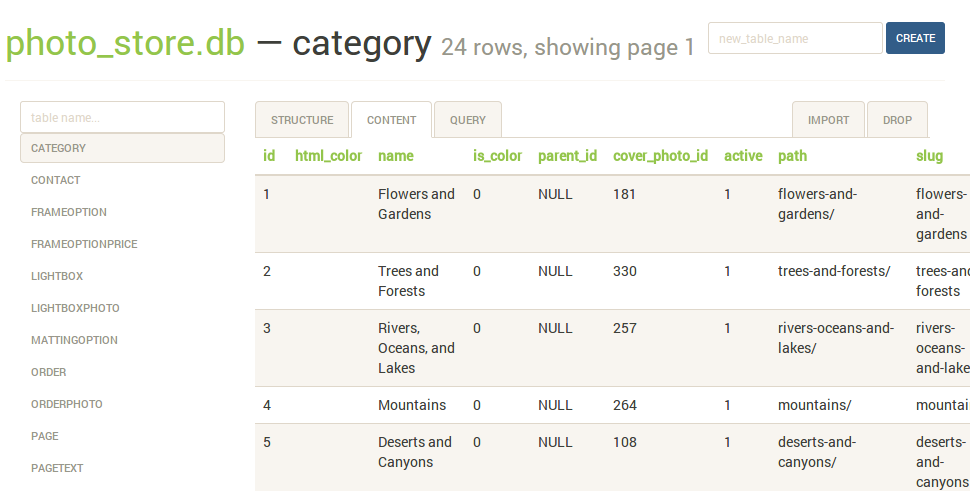
The content tab displays all the table data. Links in the table header can be used to sort the data:
The query tab allows you to execute arbitrary SQL queries on a table. The query results are displayed in a table and can be exported to either JSON or CSV:

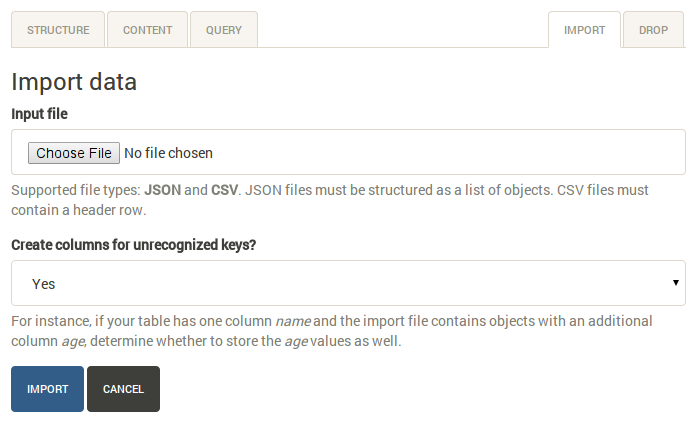
The import tab supports importing CSV and JSON files into a table. There is an option to automatically create columns for any unrecognized keys in the import file:
Command-line options

The syntax for invoking sqlite-web is:

$ sqlite_web [options] /path/to/database-file.db

The following options are available:

  • -p, --port: default is 8080
  • -H, --host: default is 127.0.0.1
  • -d, --debug: default is false
  • -x, --no-browser: do not open a web-browser when sqlite-web starts.
  • -P, --password: prompt for password to access sqlite-web. Alternatively, the password can be stored in the "SQLITE_WEB_PASSWORD" environment variable, in which case the application will not prompt for a password, but will use the value from the environment.
  • -r, --read-only: open database in read-only mode.
  • -u, --url-prefix: URL prefix for application, e.g. "/sqlite-web".

Using docker

A Dockerfile is provided with sqlite-web. To use:

$ cd docker/ # Change dirs to the dir containing Dockerfile
$ docker build -t coleifer/sqlite-web .
$ docker run -it --rm \ -p 8080:8080 \ -v /path/to/your-data:/data \ -e SQLITE_DATABASE=db_filename.db \ coleifer/sqlite-web

About

Web-based SQLite database browser written in Python

Resources

Stars

0 stars

Watchers

0 watching

Forks

Releases

Packages

Contributors

Languages