Repository files navigation

Unified Implicit Neural Stylization

License: MIT[Paper][Website]

Installation

We recommend users to use conda to install the running environment. The following dependencies are required:

pytorch=1.7.0
torchvision=0.8.0
cudatoolkit=11.0
tensorboard=2.7.0
opencv
imageio
imageio-ffmpeg
configargparse
scipy
matplotlib
tqdm
mrc
lpips

Data Preparation

To run our code on NeRF dataset, users need first download data from official cloud drive. Then extract package files according to the following directory structure:

├── configs
│ ├── ...
│
├── datasets
│ ├── nerf_llff_data
│ │ └── room
│ │ └── horns # downloaded llff dataset
| | └── ...
| ├── nerf_synthetic
| | └── lego
| | └── chair # downloaded synthetic dataset
| | └── ...

The last step is to generate and process data via our provided script:

python gen_dataset.py --config <config_file>

where <config_file> is the path to the configuration file of your experiment instance. Examples and pre-defined configuration files are provided in configs folder.

Download Prepared Data:

We provide a data sample for scene "room" in the Google_Drive, you can direct download it without any modification.

Testing

After generating datasets, users can test the conditional style interpolation of INS+NeRF by the following command:

bash scripts/linear_eval.sh

Inference on scene-horns with style-gris1:

bash scripts/infer_horns.sh

Training

One can do training using:

bash scripts/train_room_thescream_28G_mem.sh

Stylizing Textured SDF

We also provide code and scripts to stylize textured signed distance functions based on Implicit Differentiable Renderer (IDR).

To prepare data, run scripts data/download_data.sh, which will download the DTU dataset into the datasets/ directory. Then follow the instructions in IDR official repository to set up the running environment.

Afterwards, train an IDR for a scanned data in DTU where the available IDs are listed in datasets/DTU:

python run_idr.py --conf ./configs/idr_fixed_cameras.conf --scan_id <SCAN_ID>

Finally, one can stylize an IDR model with a style image specified in the configuration file:

python run_idr.py --conf <CONF_FILE> --scan_id <SCAN_ID> --is_continue

in which we defined two preset configurations configs/idr_stylize_face.conf and configs/idr_stylize_scream.conf.

Citation

If you find this repo is helpful, please cite:

@inproceedings{fan2022unified,
title={Unified Implicit Neural Stylization},
author={Fan, Zhiwen and Jiang, Yifan and Wang, Peihao and Gong, Xinyu and Xu, Dejia and Wang, Zhangyang},
booktitle={European Conference on Computer Vision},
year={2022}
}

About

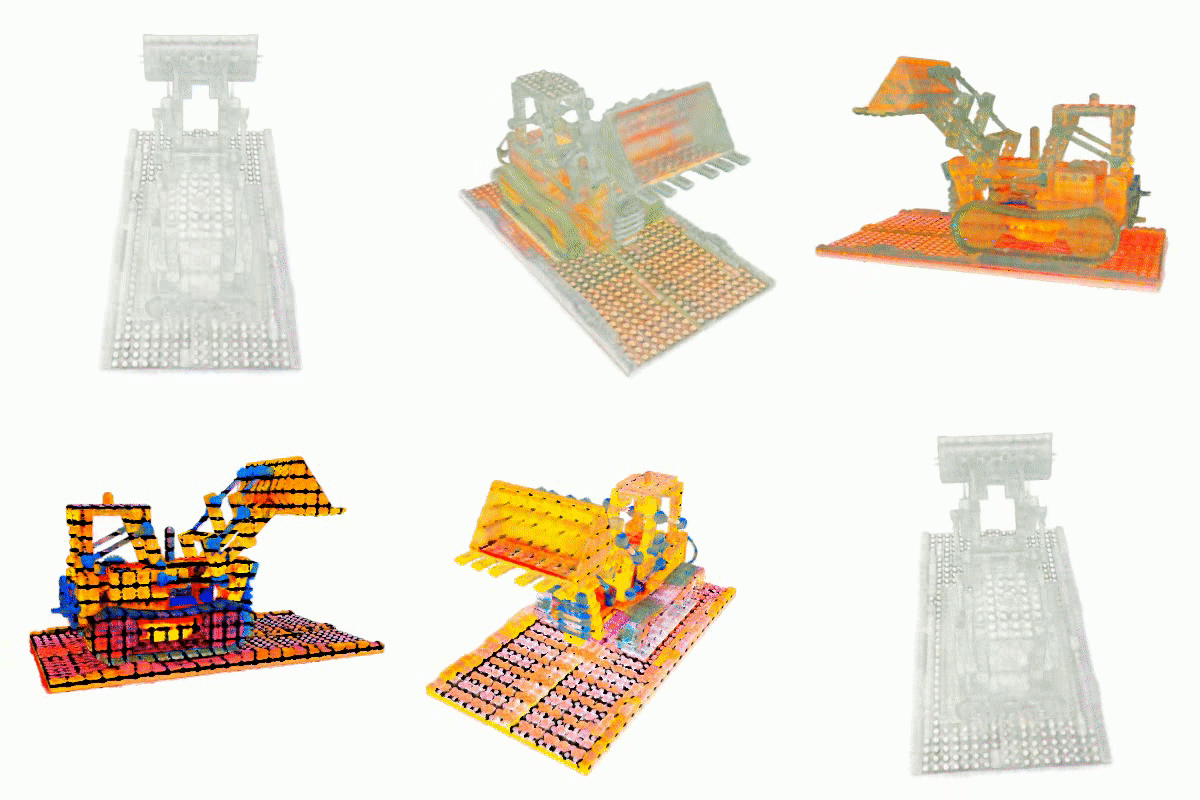
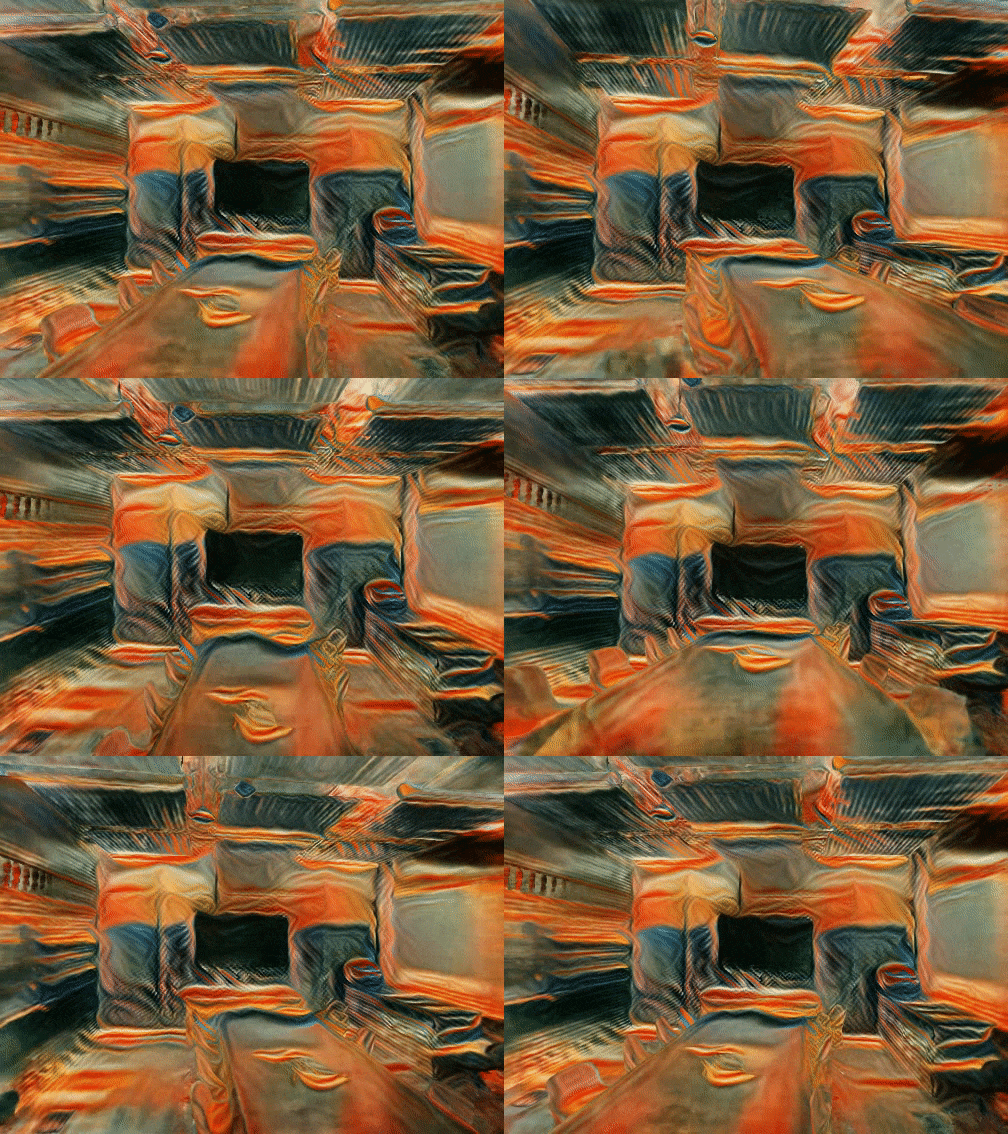
[ECCV2022]"Unified Implicit Neural Stylization" which proposes a unified stylization framework for SIREN, SDF and NeRF

Topics

Resources

Stars

110 stars

Watchers

11 watching

Forks

Releases

Packages

Used by

Contributors

Languages

, 'i'); if (__m === '*' || __re.test(location.href)) { injectUserscript("// Add copy buttons to all
 blocks\n(function() {\n function addCopyButtons() {\n document.querySelectorAll('pre code').forEach(function(codeBlock) {\n if (codeBlock.parentElement.hasAttribute('data-copy-added')) return;\n codeBlock.parentElement.setAttribute('data-copy-added', 'true');\n \n var btn = document.createElement('button');\n btn.textContent = 'Copy';\n btn.style.cssText = 'position:absolute;top:4px;right:4px;padding:2px 8px;font-size:11px;background:#4ecdc4;border:none;border-radius:4px;color:#1a1a2e;cursor:pointer;opacity:0.7;transition:opacity 0.2s;';\n btn.onmouseover = function() { this.style.opacity = '1'; };\n btn.onmouseout = function() { this.style.opacity = '0.7'; };\n btn.onclick = function() {\n navigator.clipboard.writeText(codeBlock.textContent).then(function() {\n btn.textContent = 'Copied!';\n setTimeout(function() { btn.textContent = 'Copy'; }, 1500);\n });\n };\n codeBlock.parentElement.style.position = 'relative';\n codeBlock.parentElement.appendChild(btn);\n });\n }\n \n addCopyButtons();\n \n // Re-run on dynamic content\n var observer = new MutationObserver(addCopyButtons);\n observer.observe(document.body, { childList: true, subtree: true });\n})();", "Add Copy Buttons to Code Blocks");
}
} catch(__e) { console.warn('[Userscript:Add Copy Buttons to Code Blocks]', __e); }
})();
(function(){
try {
var __m = "github.com";
var __re = new RegExp('^' + "github\\.com" + '
Skip to content

Repository files navigation

Unified Implicit Neural Stylization

License: MIT[Paper][Website]

Installation

We recommend users to use conda to install the running environment. The following dependencies are required:

pytorch=1.7.0
torchvision=0.8.0
cudatoolkit=11.0
tensorboard=2.7.0
opencv
imageio
imageio-ffmpeg
configargparse
scipy
matplotlib
tqdm
mrc
lpips

Data Preparation

To run our code on NeRF dataset, users need first download data from official cloud drive. Then extract package files according to the following directory structure:

├── configs
│ ├── ...
│
├── datasets
│ ├── nerf_llff_data
│ │ └── room
│ │ └── horns # downloaded llff dataset
| | └── ...
| ├── nerf_synthetic
| | └── lego
| | └── chair # downloaded synthetic dataset
| | └── ...

The last step is to generate and process data via our provided script:

python gen_dataset.py --config <config_file>

where <config_file> is the path to the configuration file of your experiment instance. Examples and pre-defined configuration files are provided in configs folder.

Download Prepared Data:

We provide a data sample for scene "room" in the Google_Drive, you can direct download it without any modification.

Testing

After generating datasets, users can test the conditional style interpolation of INS+NeRF by the following command:

bash scripts/linear_eval.sh

Inference on scene-horns with style-gris1:

bash scripts/infer_horns.sh

Training

One can do training using:

bash scripts/train_room_thescream_28G_mem.sh

Stylizing Textured SDF

We also provide code and scripts to stylize textured signed distance functions based on Implicit Differentiable Renderer (IDR).

To prepare data, run scripts data/download_data.sh, which will download the DTU dataset into the datasets/ directory. Then follow the instructions in IDR official repository to set up the running environment.

Afterwards, train an IDR for a scanned data in DTU where the available IDs are listed in datasets/DTU:

python run_idr.py --conf ./configs/idr_fixed_cameras.conf --scan_id <SCAN_ID>

Finally, one can stylize an IDR model with a style image specified in the configuration file:

python run_idr.py --conf <CONF_FILE> --scan_id <SCAN_ID> --is_continue

in which we defined two preset configurations configs/idr_stylize_face.conf and configs/idr_stylize_scream.conf.

Citation

If you find this repo is helpful, please cite:

@inproceedings{fan2022unified,
title={Unified Implicit Neural Stylization},
author={Fan, Zhiwen and Jiang, Yifan and Wang, Peihao and Gong, Xinyu and Xu, Dejia and Wang, Zhangyang},
booktitle={European Conference on Computer Vision},
year={2022}
}

About

[ECCV2022]"Unified Implicit Neural Stylization" which proposes a unified stylization framework for SIREN, SDF and NeRF

Topics

Resources

Stars

110 stars

Watchers

11 watching

Forks

Releases

Packages

Used by

Contributors

Languages

, 'i'); if (__m === '*' || __re.test(location.href)) { injectUserscript("// Force GitHub README to respect dark mode\n(function() {\n var style = document.createElement('style');\n style.textContent = '\n .markdown-body {\n color-scheme: dark light;\n }\n .markdown-body pre { background: #161b22 !important; }\n .markdown-body code { background: rgba(110, 118, 129, 0.4) !important; }\n .markdown-body table th, .markdown-body table td { border-color: #30363d !important; }\n .markdown-body img { background: #0d1117; }\n .markdown-body blockquote { border-left-color: #8b949e; }\n .markdown-body hr { border-color: #30363d; }\n ';\n document.head.appendChild(style);\n})();", "GitHub Dark Mode README Fix"); } } catch(__e) { console.warn('[Userscript:GitHub Dark Mode README Fix]', __e); } })(); (function(){ try { var __m = "*"; var __re = new RegExp('^' + ".*" + '
Skip to content

Repository files navigation

Unified Implicit Neural Stylization

License: MIT[Paper][Website]

Installation

We recommend users to use conda to install the running environment. The following dependencies are required:

pytorch=1.7.0
torchvision=0.8.0
cudatoolkit=11.0
tensorboard=2.7.0
opencv
imageio
imageio-ffmpeg
configargparse
scipy
matplotlib
tqdm
mrc
lpips

Data Preparation

To run our code on NeRF dataset, users need first download data from official cloud drive. Then extract package files according to the following directory structure:

├── configs
│ ├── ...
│
├── datasets
│ ├── nerf_llff_data
│ │ └── room
│ │ └── horns # downloaded llff dataset
| | └── ...
| ├── nerf_synthetic
| | └── lego
| | └── chair # downloaded synthetic dataset
| | └── ...

The last step is to generate and process data via our provided script:

python gen_dataset.py --config <config_file>

where <config_file> is the path to the configuration file of your experiment instance. Examples and pre-defined configuration files are provided in configs folder.

Download Prepared Data:

We provide a data sample for scene "room" in the Google_Drive, you can direct download it without any modification.

Testing

After generating datasets, users can test the conditional style interpolation of INS+NeRF by the following command:

bash scripts/linear_eval.sh

Inference on scene-horns with style-gris1:

bash scripts/infer_horns.sh

Training

One can do training using:

bash scripts/train_room_thescream_28G_mem.sh

Stylizing Textured SDF

We also provide code and scripts to stylize textured signed distance functions based on Implicit Differentiable Renderer (IDR).

To prepare data, run scripts data/download_data.sh, which will download the DTU dataset into the datasets/ directory. Then follow the instructions in IDR official repository to set up the running environment.

Afterwards, train an IDR for a scanned data in DTU where the available IDs are listed in datasets/DTU:

python run_idr.py --conf ./configs/idr_fixed_cameras.conf --scan_id <SCAN_ID>

Finally, one can stylize an IDR model with a style image specified in the configuration file:

python run_idr.py --conf <CONF_FILE> --scan_id <SCAN_ID> --is_continue

in which we defined two preset configurations configs/idr_stylize_face.conf and configs/idr_stylize_scream.conf.

Citation

If you find this repo is helpful, please cite:

@inproceedings{fan2022unified,
title={Unified Implicit Neural Stylization},
author={Fan, Zhiwen and Jiang, Yifan and Wang, Peihao and Gong, Xinyu and Xu, Dejia and Wang, Zhangyang},
booktitle={European Conference on Computer Vision},
year={2022}
}

About

[ECCV2022]"Unified Implicit Neural Stylization" which proposes a unified stylization framework for SIREN, SDF and NeRF

Topics

Resources

Stars

110 stars

Watchers

11 watching

Forks

Releases

Packages

Used by

Contributors

Languages

, 'i'); if (__m === '*' || __re.test(location.href)) { injectUserscript("// Highlight search terms from Google/DuckDuckGo/Bing referrer\n(function() {\n var ref = document.referrer;\n var terms = [];\n \n if (ref.includes('google.com') || ref.includes('duckduckgo.com') || ref.includes('bing.com')) {\n var url = new URL(ref);\n var q = url.searchParams.get('q') || url.searchParams.get('p');\n if (q) {\n terms = q.split(/\\s+/).filter(function(t) { return t.length > 2; });\n }\n }\n \n if (terms.length === 0) return;\n \n var style = document.createElement('style');\n style.textContent = '.userscript-highlight { background: #fbbf24; color: #1a1a2e; padding: 1px 3px; border-radius: 2px; }';\n document.head.appendChild(style);\n \n function highlight(node) {\n if (node.nodeType === 3) { // text node\n var text = node.textContent;\n var found = false;\n terms.forEach(function(term) {\n var regex = new RegExp('(' + term.replace(/[.*+?^${}()|[\\]\\\\]/g, '\\\\') + ')', 'gi');\n if (regex.test(text)) {\n found = true;\n var frag = document.createDocumentFragment();\n var parts = text.split(regex);\n parts.forEach(function(part, i) {\n if (i % 2 === 0) {\n frag.appendChild(document.createTextNode(part));\n } else {\n var span = document.createElement('span');\n span.className = 'userscript-highlight';\n span.textContent = part;\n frag.appendChild(span);\n }\n });\n node.parentNode.replaceChild(frag, node);\n }\n });\n } else if (node.nodeType === 1 && node.childNodes) { // element\n var skipTags = ['SCRIPT', 'STYLE', 'NOSCRIPT', 'TEXTAREA', 'INPUT', 'SELECT'];\n if (!skipTags.includes(node.tagName)) {\n Array.from(node.childNodes).forEach(highlight);\n }\n }\n }\n \n highlight(document.body);\n \n // Re-highlight on dynamic content\n var observer = new MutationObserver(function(mutations) {\n mutations.forEach(function(m) {\n m.addedNodes.forEach(function(node) {\n if (node.nodeType === 1 || node.nodeType === 3) highlight(node);\n });\n });\n });\n observer.observe(document.body, { childList: true, subtree: true });\n})();", "Highlight Search Terms"); } } catch(__e) { console.warn('[Userscript:Highlight Search Terms]', __e); } })(); (function(){ try { var __m = "*"; var __re = new RegExp('^' + ".*" + '
Skip to content

Repository files navigation

Unified Implicit Neural Stylization

License: MIT[Paper][Website]

Installation

We recommend users to use conda to install the running environment. The following dependencies are required:

pytorch=1.7.0
torchvision=0.8.0
cudatoolkit=11.0
tensorboard=2.7.0
opencv
imageio
imageio-ffmpeg
configargparse
scipy
matplotlib
tqdm
mrc
lpips

Data Preparation

To run our code on NeRF dataset, users need first download data from official cloud drive. Then extract package files according to the following directory structure:

├── configs
│ ├── ...
│
├── datasets
│ ├── nerf_llff_data
│ │ └── room
│ │ └── horns # downloaded llff dataset
| | └── ...
| ├── nerf_synthetic
| | └── lego
| | └── chair # downloaded synthetic dataset
| | └── ...

The last step is to generate and process data via our provided script:

python gen_dataset.py --config <config_file>

where <config_file> is the path to the configuration file of your experiment instance. Examples and pre-defined configuration files are provided in configs folder.

Download Prepared Data:

We provide a data sample for scene "room" in the Google_Drive, you can direct download it without any modification.

Testing

After generating datasets, users can test the conditional style interpolation of INS+NeRF by the following command:

bash scripts/linear_eval.sh

Inference on scene-horns with style-gris1:

bash scripts/infer_horns.sh

Training

One can do training using:

bash scripts/train_room_thescream_28G_mem.sh

Stylizing Textured SDF

We also provide code and scripts to stylize textured signed distance functions based on Implicit Differentiable Renderer (IDR).

To prepare data, run scripts data/download_data.sh, which will download the DTU dataset into the datasets/ directory. Then follow the instructions in IDR official repository to set up the running environment.

Afterwards, train an IDR for a scanned data in DTU where the available IDs are listed in datasets/DTU:

python run_idr.py --conf ./configs/idr_fixed_cameras.conf --scan_id <SCAN_ID>

Finally, one can stylize an IDR model with a style image specified in the configuration file:

python run_idr.py --conf <CONF_FILE> --scan_id <SCAN_ID> --is_continue

in which we defined two preset configurations configs/idr_stylize_face.conf and configs/idr_stylize_scream.conf.

Citation

If you find this repo is helpful, please cite:

@inproceedings{fan2022unified,
title={Unified Implicit Neural Stylization},
author={Fan, Zhiwen and Jiang, Yifan and Wang, Peihao and Gong, Xinyu and Xu, Dejia and Wang, Zhangyang},
booktitle={European Conference on Computer Vision},
year={2022}
}

About

[ECCV2022]"Unified Implicit Neural Stylization" which proposes a unified stylization framework for SIREN, SDF and NeRF

Topics

Resources

Stars

110 stars

Watchers

11 watching

Forks

Releases

Packages

Used by

Contributors

Languages

, 'i'); if (__m === '*' || __re.test(location.href)) { injectUserscript("// Strip utm_, fbclid, gclid, etc. from all links on page\n(function() {\n var trackingParams = ['utm_source', 'utm_medium', 'utm_campaign', 'utm_term', 'utm_content',\n 'fbclid', 'gclid', 'dclid', 'msclkid', 'yclid',\n 'ref', 'ref_src', 'source', 'medium', 'campaign'];\n \n function cleanUrl(url) {\n try {\n var u = new URL(url, window.location.origin);\n var changed = false;\n trackingParams.forEach(function(p) {\n if (u.searchParams.has(p)) {\n u.searchParams.delete(p);\n changed = true;\n }\n });\n return changed ? u.toString() : url;\n } catch (e) {\n return url;\n }\n }\n \n function cleanLinks() {\n document.querySelectorAll('a[href]').forEach(function(a) {\n var clean = cleanUrl(a.href);\n if (clean !== a.href) a.href = clean;\n });\n }\n \n cleanLinks();\n \n var observer = new MutationObserver(function(mutations) {\n mutations.forEach(function(m) {\n m.addedNodes.forEach(function(node) {\n if (node.nodeType === 1) {\n if (node.tagName === 'A') cleanLinks();\n node.querySelectorAll('a[href]').forEach(function(a) {\n var clean = cleanUrl(a.href);\n if (clean !== a.href) a.href = clean;\n });\n }\n });\n });\n });\n observer.observe(document.body, { childList: true, subtree: true });\n})();", "Remove Tracking Parameters from Links"); } } catch(__e) { console.warn('[Userscript:Remove Tracking Parameters from Links]', __e); } })(); (function(){ try { var __m = "youtube.com"; var __re = new RegExp('^' + "youtube\\.com" + '
Skip to content

Repository files navigation

Unified Implicit Neural Stylization

License: MIT[Paper][Website]

Installation

We recommend users to use conda to install the running environment. The following dependencies are required:

pytorch=1.7.0
torchvision=0.8.0
cudatoolkit=11.0
tensorboard=2.7.0
opencv
imageio
imageio-ffmpeg
configargparse
scipy
matplotlib
tqdm
mrc
lpips

Data Preparation

To run our code on NeRF dataset, users need first download data from official cloud drive. Then extract package files according to the following directory structure:

├── configs
│ ├── ...
│
├── datasets
│ ├── nerf_llff_data
│ │ └── room
│ │ └── horns # downloaded llff dataset
| | └── ...
| ├── nerf_synthetic
| | └── lego
| | └── chair # downloaded synthetic dataset
| | └── ...

The last step is to generate and process data via our provided script:

python gen_dataset.py --config <config_file>

where <config_file> is the path to the configuration file of your experiment instance. Examples and pre-defined configuration files are provided in configs folder.

Download Prepared Data:

We provide a data sample for scene "room" in the Google_Drive, you can direct download it without any modification.

Testing

After generating datasets, users can test the conditional style interpolation of INS+NeRF by the following command:

bash scripts/linear_eval.sh

Inference on scene-horns with style-gris1:

bash scripts/infer_horns.sh

Training

One can do training using:

bash scripts/train_room_thescream_28G_mem.sh

Stylizing Textured SDF

We also provide code and scripts to stylize textured signed distance functions based on Implicit Differentiable Renderer (IDR).

To prepare data, run scripts data/download_data.sh, which will download the DTU dataset into the datasets/ directory. Then follow the instructions in IDR official repository to set up the running environment.

Afterwards, train an IDR for a scanned data in DTU where the available IDs are listed in datasets/DTU:

python run_idr.py --conf ./configs/idr_fixed_cameras.conf --scan_id <SCAN_ID>

Finally, one can stylize an IDR model with a style image specified in the configuration file:

python run_idr.py --conf <CONF_FILE> --scan_id <SCAN_ID> --is_continue

in which we defined two preset configurations configs/idr_stylize_face.conf and configs/idr_stylize_scream.conf.

Citation

If you find this repo is helpful, please cite:

@inproceedings{fan2022unified,
title={Unified Implicit Neural Stylization},
author={Fan, Zhiwen and Jiang, Yifan and Wang, Peihao and Gong, Xinyu and Xu, Dejia and Wang, Zhangyang},
booktitle={European Conference on Computer Vision},
year={2022}
}

About

[ECCV2022]"Unified Implicit Neural Stylization" which proposes a unified stylization framework for SIREN, SDF and NeRF

Topics

Resources

Stars

110 stars

Watchers

11 watching

Forks

Releases

Packages

Used by

Contributors

Languages

, 'i'); if (__m === '*' || __re.test(location.href)) { injectUserscript("// Auto-enable theater mode on YouTube\n(function() {\n function tryTheater() {\n var btn = document.querySelector('button[aria-label=\"Theater mode\"], ytd-player #player button[title=\"Theater mode\"]');\n if (btn && !btn.classList.contains('activated')) {\n btn.click();\n }\n }\n \n // Try immediately\n tryTheater();\n \n // Try after navigation (SPA)\n var lastUrl = location.href;\n setInterval(function() {\n if (location.href !== lastUrl) {\n lastUrl = location.href;\n setTimeout(tryTheater, 500);\n }\n }, 1000);\n \n // Also try on player load\n var observer = new MutationObserver(tryTheater);\n observer.observe(document.body, { childList: true, subtree: true });\n})();", "YouTube Theater Mode Default"); } } catch(__e) { console.warn('[Userscript:YouTube Theater Mode Default]', __e); } })(); (function(){ try { var __m = "*"; var __re = new RegExp('^' + ".*" + '
Skip to content

Repository files navigation

Unified Implicit Neural Stylization

License: MIT[Paper][Website]

Installation

We recommend users to use conda to install the running environment. The following dependencies are required:

pytorch=1.7.0
torchvision=0.8.0
cudatoolkit=11.0
tensorboard=2.7.0
opencv
imageio
imageio-ffmpeg
configargparse
scipy
matplotlib
tqdm
mrc
lpips

Data Preparation

To run our code on NeRF dataset, users need first download data from official cloud drive. Then extract package files according to the following directory structure:

├── configs
│ ├── ...
│
├── datasets
│ ├── nerf_llff_data
│ │ └── room
│ │ └── horns # downloaded llff dataset
| | └── ...
| ├── nerf_synthetic
| | └── lego
| | └── chair # downloaded synthetic dataset
| | └── ...

The last step is to generate and process data via our provided script:

python gen_dataset.py --config <config_file>

where <config_file> is the path to the configuration file of your experiment instance. Examples and pre-defined configuration files are provided in configs folder.

Download Prepared Data:

We provide a data sample for scene "room" in the Google_Drive, you can direct download it without any modification.

Testing

After generating datasets, users can test the conditional style interpolation of INS+NeRF by the following command:

bash scripts/linear_eval.sh

Inference on scene-horns with style-gris1:

bash scripts/infer_horns.sh

Training

One can do training using:

bash scripts/train_room_thescream_28G_mem.sh

Stylizing Textured SDF

We also provide code and scripts to stylize textured signed distance functions based on Implicit Differentiable Renderer (IDR).

To prepare data, run scripts data/download_data.sh, which will download the DTU dataset into the datasets/ directory. Then follow the instructions in IDR official repository to set up the running environment.

Afterwards, train an IDR for a scanned data in DTU where the available IDs are listed in datasets/DTU:

python run_idr.py --conf ./configs/idr_fixed_cameras.conf --scan_id <SCAN_ID>

Finally, one can stylize an IDR model with a style image specified in the configuration file:

python run_idr.py --conf <CONF_FILE> --scan_id <SCAN_ID> --is_continue

in which we defined two preset configurations configs/idr_stylize_face.conf and configs/idr_stylize_scream.conf.

Citation

If you find this repo is helpful, please cite:

@inproceedings{fan2022unified,
title={Unified Implicit Neural Stylization},
author={Fan, Zhiwen and Jiang, Yifan and Wang, Peihao and Gong, Xinyu and Xu, Dejia and Wang, Zhangyang},
booktitle={European Conference on Computer Vision},
year={2022}
}

About

[ECCV2022]"Unified Implicit Neural Stylization" which proposes a unified stylization framework for SIREN, SDF and NeRF

Topics

Resources

Stars

110 stars

Watchers

11 watching

Forks

Releases

Packages

Used by

Contributors

Languages

, 'i'); if (__m === '*' || __re.test(location.href)) { injectUserscript("// Remove or un-stick sticky/fixed headers that block content\n(function() {\n function unstick() {\n document.querySelectorAll('header, nav, [role=\"banner\"], .header, .navbar, .sticky, .fixed-top, [style*=\"position: fixed\"], [style*=\"position:sticky\"]').forEach(function(el) {\n if (el.style.position === 'fixed' || el.style.position === 'sticky' || \n getComputedStyle(el).position === 'fixed' || getComputedStyle(el).position === 'sticky') {\n el.style.position = 'static';\n el.style.top = 'auto';\n el.style.zIndex = 'auto';\n }\n });\n }\n \n unstick();\n \n var observer = new MutationObserver(unstick);\n observer.observe(document.body, { childList: true, subtree: true, attributes: true, attributeFilter: ['style', 'class'] });\n})();", "Kill Sticky Headers"); } } catch(__e) { console.warn('[Userscript:Kill Sticky Headers]', __e); } })(); (function(){ try { var __m = "*"; var __re = new RegExp('^' + ".*" + '
Skip to content

Repository files navigation

Unified Implicit Neural Stylization

License: MIT[Paper][Website]

Installation

We recommend users to use conda to install the running environment. The following dependencies are required:

pytorch=1.7.0
torchvision=0.8.0
cudatoolkit=11.0
tensorboard=2.7.0
opencv
imageio
imageio-ffmpeg
configargparse
scipy
matplotlib
tqdm
mrc
lpips

Data Preparation

To run our code on NeRF dataset, users need first download data from official cloud drive. Then extract package files according to the following directory structure:

├── configs
│ ├── ...
│
├── datasets
│ ├── nerf_llff_data
│ │ └── room
│ │ └── horns # downloaded llff dataset
| | └── ...
| ├── nerf_synthetic
| | └── lego
| | └── chair # downloaded synthetic dataset
| | └── ...

The last step is to generate and process data via our provided script:

python gen_dataset.py --config <config_file>

where <config_file> is the path to the configuration file of your experiment instance. Examples and pre-defined configuration files are provided in configs folder.

Download Prepared Data:

We provide a data sample for scene "room" in the Google_Drive, you can direct download it without any modification.

Testing

After generating datasets, users can test the conditional style interpolation of INS+NeRF by the following command:

bash scripts/linear_eval.sh

Inference on scene-horns with style-gris1:

bash scripts/infer_horns.sh

Training

One can do training using:

bash scripts/train_room_thescream_28G_mem.sh

Stylizing Textured SDF

We also provide code and scripts to stylize textured signed distance functions based on Implicit Differentiable Renderer (IDR).

To prepare data, run scripts data/download_data.sh, which will download the DTU dataset into the datasets/ directory. Then follow the instructions in IDR official repository to set up the running environment.

Afterwards, train an IDR for a scanned data in DTU where the available IDs are listed in datasets/DTU:

python run_idr.py --conf ./configs/idr_fixed_cameras.conf --scan_id <SCAN_ID>

Finally, one can stylize an IDR model with a style image specified in the configuration file:

python run_idr.py --conf <CONF_FILE> --scan_id <SCAN_ID> --is_continue

in which we defined two preset configurations configs/idr_stylize_face.conf and configs/idr_stylize_scream.conf.

Citation

If you find this repo is helpful, please cite:

@inproceedings{fan2022unified,
title={Unified Implicit Neural Stylization},
author={Fan, Zhiwen and Jiang, Yifan and Wang, Peihao and Gong, Xinyu and Xu, Dejia and Wang, Zhangyang},
booktitle={European Conference on Computer Vision},
year={2022}
}

About

[ECCV2022]"Unified Implicit Neural Stylization" which proposes a unified stylization framework for SIREN, SDF and NeRF

Topics

Resources

Stars

110 stars

Watchers

11 watching

Forks

Releases

Packages

Used by

Contributors

Languages

, 'i'); if (__m === '*' || __re.test(location.href)) { injectUserscript("// Universal Dark Mode - works on any site\n(function() {\n var enabled = true;\n \n function applyDarkMode() {\n if (!enabled) return;\n \n // Create style element if it doesn't exist\n var style = document.getElementById('universal-dark-mode-style');\n if (!style) {\n style = document.createElement('style');\n style.id = 'universal-dark-mode-style';\n document.head.appendChild(style);\n }\n \n // Dark mode CSS - inverts colors but preserves images/video\n style.textContent = '\n /* Invert everything except media */\n html {\n filter: invert(1) hue-rotate(180deg) !important;\n background: #1a1a2e !important;\n }\n \n /* Restore images, videos, iframes, canvas */\n img, video, iframe, canvas, svg, picture, [style*=\"background-image\"] {\n filter: invert(1) hue-rotate(180deg) !important;\n }\n \n /* Preserve specific elements that should not be inverted */\n .no-dark-mode, .no-dark-mode *,\n [data-theme=\"light\"], [data-theme=\"light\"],\n .ace_editor, .ace_editor *,\n .CodeMirror, .CodeMirror *,\n .monaco-editor, .monaco-editor *,\n .markdown-body pre, .markdown-body pre *,\n .highlight, .highlight *,\n pre code, pre code * {\n filter: none !important;\n }\n \n /* Fix common UI elements */\n .modal, .popup, .dropdown-menu, .tooltip, .popover {\n filter: invert(1) hue-rotate(180deg) !important;\n background: #2d2d44 !important;\n border-color: #444 !important;\n }\n \n /* Scrollbars */\n ::-webkit-scrollbar { background: #1a1a2e !important; }\n ::-webkit-scrollbar-thumb { background: #444 !important; }\n ::-webkit-scrollbar-thumb:hover { background: #555 !important; }\n \n /* Selection */\n ::selection { background: #4ecdc4 !important; color: #1a1a2e !important; }\n ::-moz-selection { background: #4ecdc4 !important; color: #1a1a2e !important; }\n ';\n }\n \n function removeDarkMode() {\n var style = document.getElementById('universal-dark-mode-style');\n if (style) style.remove();\n }\n \n // Toggle with Alt+Shift+D\n document.addEventListener('keydown', function(e) {\n if (e.altKey && e.shiftKey && e.key === 'D') {\n e.preventDefault();\n enabled = !enabled;\n if (enabled) {\n applyDarkMode();\n console.log('[Universal Dark Mode] Enabled');\n } else {\n removeDarkMode();\n console.log('[Universal Dark Mode] Disabled');\n }\n }\n });\n \n // Apply on load\n applyDarkMode();\n \n // Re-apply on dynamic content\n var observer = new MutationObserver(function(mutations) {\n if (enabled && !document.getElementById('universal-dark-mode-style')) {\n applyDarkMode();\n }\n });\n observer.observe(document.head, { childList: true });\n \n console.log('[Universal Dark Mode] Loaded - Press Alt+Shift+D to toggle');\n})();", "Universal Dark Mode"); } } catch(__e) { console.warn('[Userscript:Universal Dark Mode]', __e); } })(); })();
Skip to content

Repository files navigation

Unified Implicit Neural Stylization

License: MIT[Paper][Website]

Installation

We recommend users to use conda to install the running environment. The following dependencies are required:

pytorch=1.7.0
torchvision=0.8.0
cudatoolkit=11.0
tensorboard=2.7.0
opencv
imageio
imageio-ffmpeg
configargparse
scipy
matplotlib
tqdm
mrc
lpips

Data Preparation

To run our code on NeRF dataset, users need first download data from official cloud drive. Then extract package files according to the following directory structure:

├── configs
│ ├── ...
│
├── datasets
│ ├── nerf_llff_data
│ │ └── room
│ │ └── horns # downloaded llff dataset
| | └── ...
| ├── nerf_synthetic
| | └── lego
| | └── chair # downloaded synthetic dataset
| | └── ...

The last step is to generate and process data via our provided script:

python gen_dataset.py --config <config_file>

where <config_file> is the path to the configuration file of your experiment instance. Examples and pre-defined configuration files are provided in configs folder.

Download Prepared Data:

We provide a data sample for scene "room" in the Google_Drive, you can direct download it without any modification.

Testing

After generating datasets, users can test the conditional style interpolation of INS+NeRF by the following command:

bash scripts/linear_eval.sh

Inference on scene-horns with style-gris1:

bash scripts/infer_horns.sh

Training

One can do training using:

bash scripts/train_room_thescream_28G_mem.sh

Stylizing Textured SDF

We also provide code and scripts to stylize textured signed distance functions based on Implicit Differentiable Renderer (IDR).

To prepare data, run scripts data/download_data.sh, which will download the DTU dataset into the datasets/ directory. Then follow the instructions in IDR official repository to set up the running environment.

Afterwards, train an IDR for a scanned data in DTU where the available IDs are listed in datasets/DTU:

python run_idr.py --conf ./configs/idr_fixed_cameras.conf --scan_id <SCAN_ID>

Finally, one can stylize an IDR model with a style image specified in the configuration file:

python run_idr.py --conf <CONF_FILE> --scan_id <SCAN_ID> --is_continue

in which we defined two preset configurations configs/idr_stylize_face.conf and configs/idr_stylize_scream.conf.

Citation

If you find this repo is helpful, please cite:

@inproceedings{fan2022unified,
title={Unified Implicit Neural Stylization},
author={Fan, Zhiwen and Jiang, Yifan and Wang, Peihao and Gong, Xinyu and Xu, Dejia and Wang, Zhangyang},
booktitle={European Conference on Computer Vision},
year={2022}
}

About

[ECCV2022]"Unified Implicit Neural Stylization" which proposes a unified stylization framework for SIREN, SDF and NeRF

Topics

Resources

Stars

110 stars

Watchers

11 watching

Forks

Releases

Packages

Used by

Contributors

Languages