Express.NET is a lightweight, low-ceremony Domain Specific Language (DSL) for building HTTP based services easily. It is based-on .NET / ASP.NET 5. With the use of concise language constructs, this allows you to focus on important bits.. your code and your application! Express.NET handles DELETE, GET, HEAD, POST, PUT and PATCH requests and provides a simple, elegant syntax for returning a response with just a couple of keystrokes.
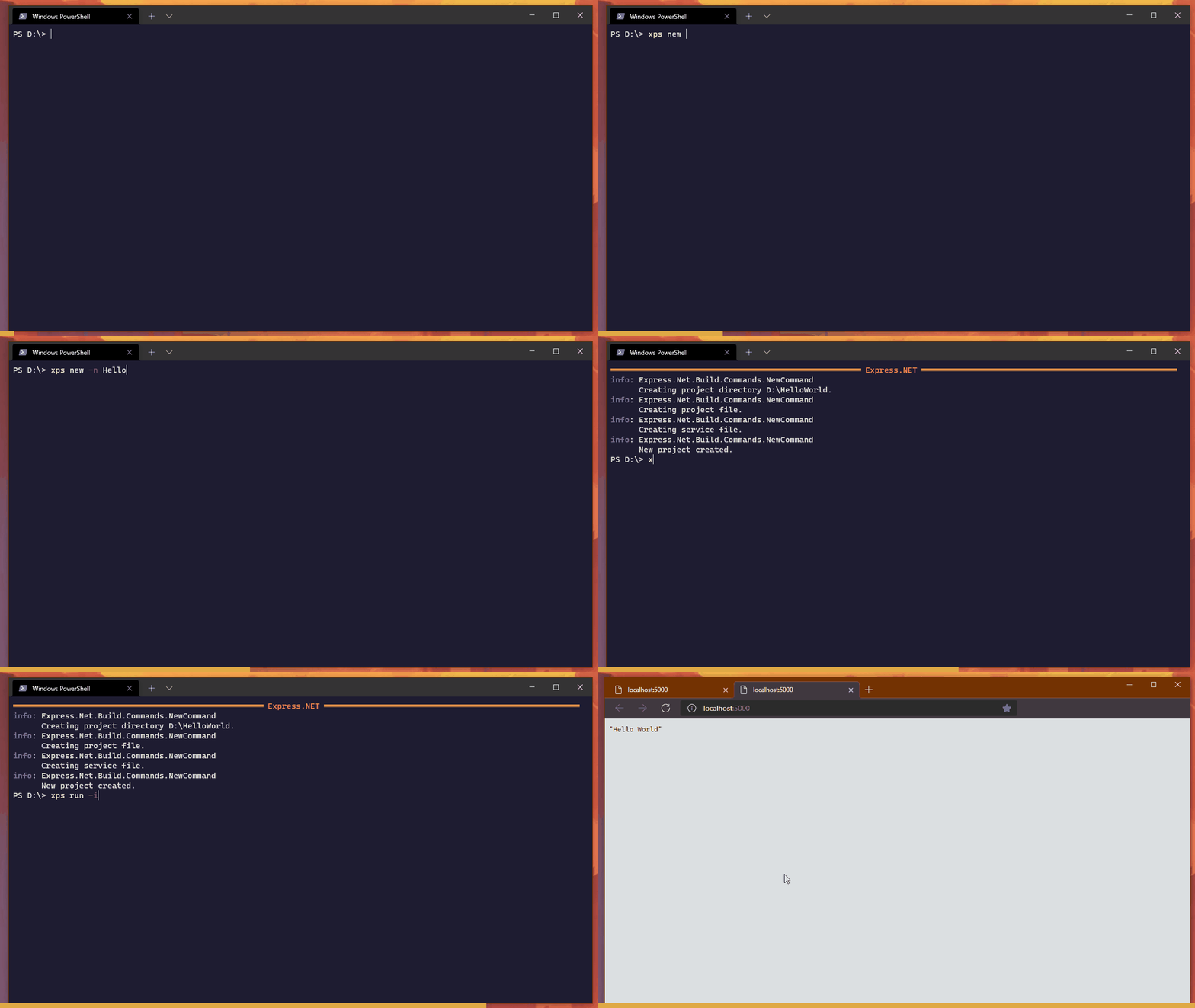
serviceHelloWorldService;getOk(){returnOk("Hello World from Express.NET!");}To get started download the xps binary from the releases section and run
xps new -n HelloWorld
xps run -i .\HelloWorld\
When the web service is started it should display the port the service is running on, this is usually port 5000 for HTTP and port 5001 for HTTPS.
Express.NET generates OpenAPI documents and has built-in swagger support. No extra code required!
servicePersonService;csharp{publicrecordPerson(stringName,intAge);publicrecordError(stringDescription);}getOk<Person>| NotFound<Error>(querystring name){if(name=="Vishvaka")returnOk(newPerson("Vishvaka",28));elsereturnNotFound(newError($"Person with {name} not found."));}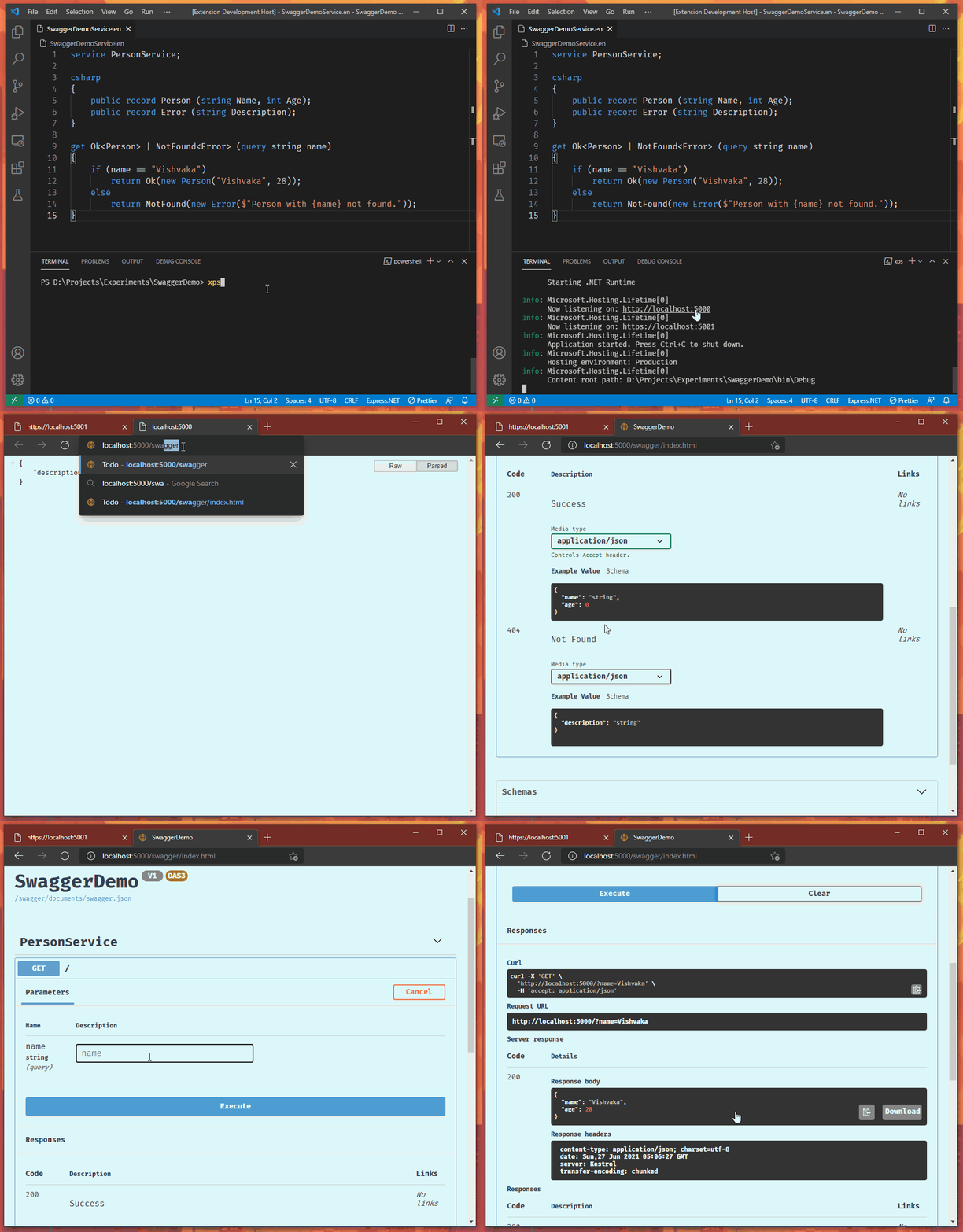
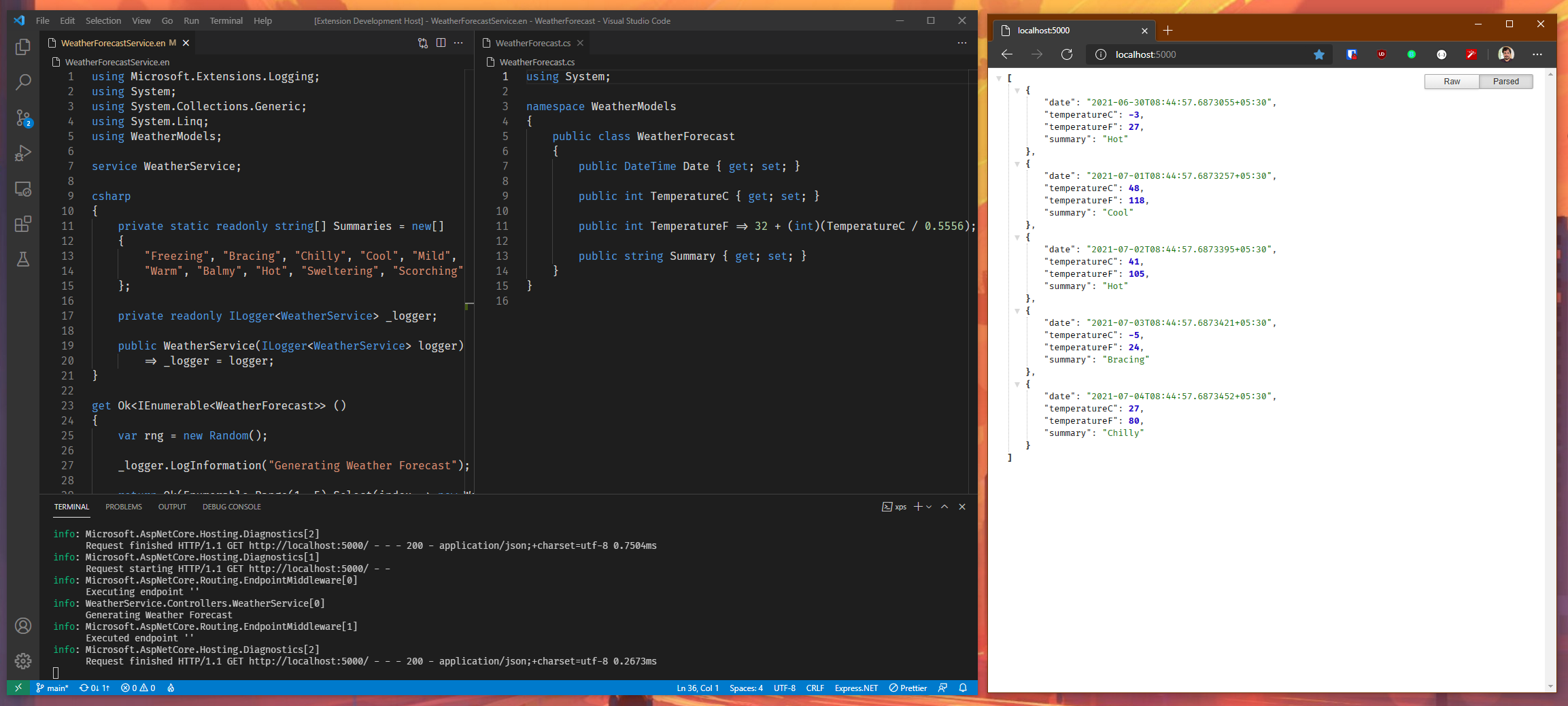
You can have Express.NET DSL and C# source files in the same project! In the weather forecast example, there is a combination of Express.NET DSL and C# source files. Select the language which best suites your need.
Bring in your favorite NuGet packgers.
Here is an example using StackExchange.Redis
Project File:
{
"packageReferences": [
{
"name": "StackExchange.Redis",
"version": "2.2.4"
}
],
"libraryReferences": [],
"generateSwaggerDoc": true,
"addSwaggerUI": true
}
Service File:
usingSystem;usingStackExchange.Redis;serviceNuGetDemoService;csharp{privatestaticConnectionMultiplexerredis=ConnectionMultiplexer.Connect("localhost:6379");}
get "ping"Ok<TimeSpan>(){vardb=redis.GetDatabase();varpong=awaitdb.PingAsync();returnOk(pong);}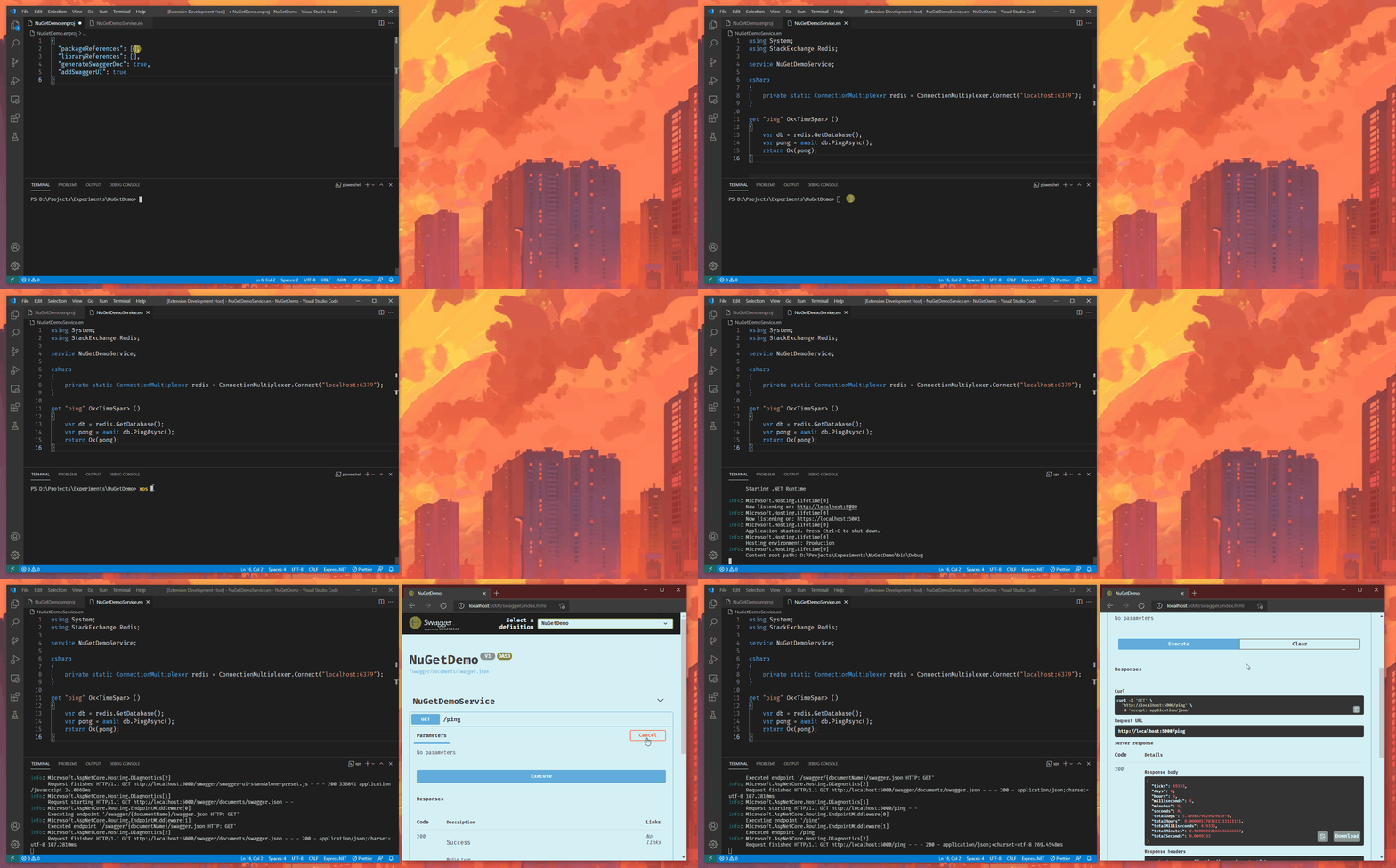
With watch command Express.NET will re-build your project as and when the changers are saved.
Just run your project as
xps watch
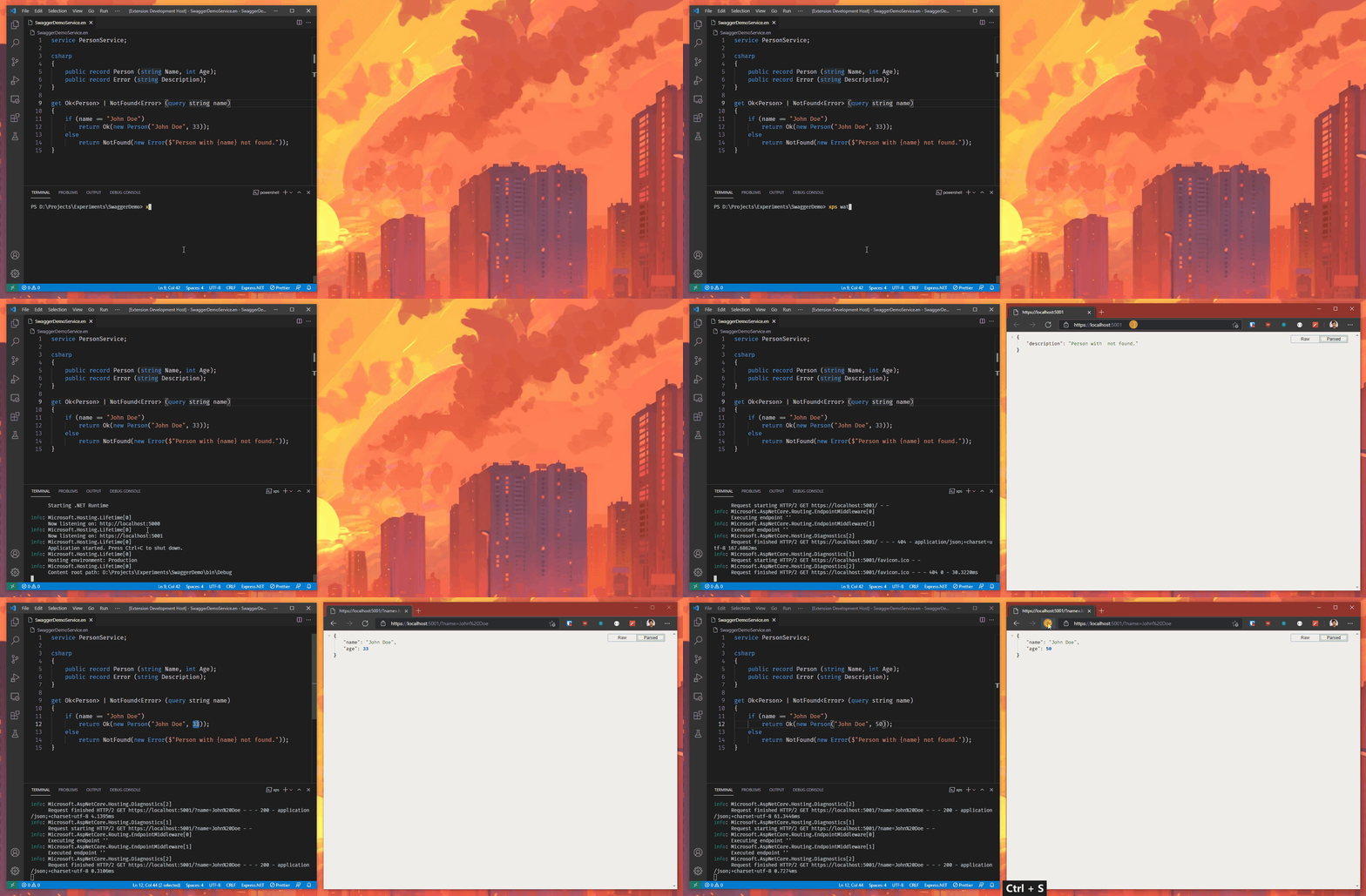
More examples can be found here
This project is work in progress. Following imporments are still required:
- Better diagnostic messages.
- Write documentation on DSL syntax.
- Hooks into service startup.
- VS Code Extension.
- Target .NET 6.