


Daily habit tracker and counter
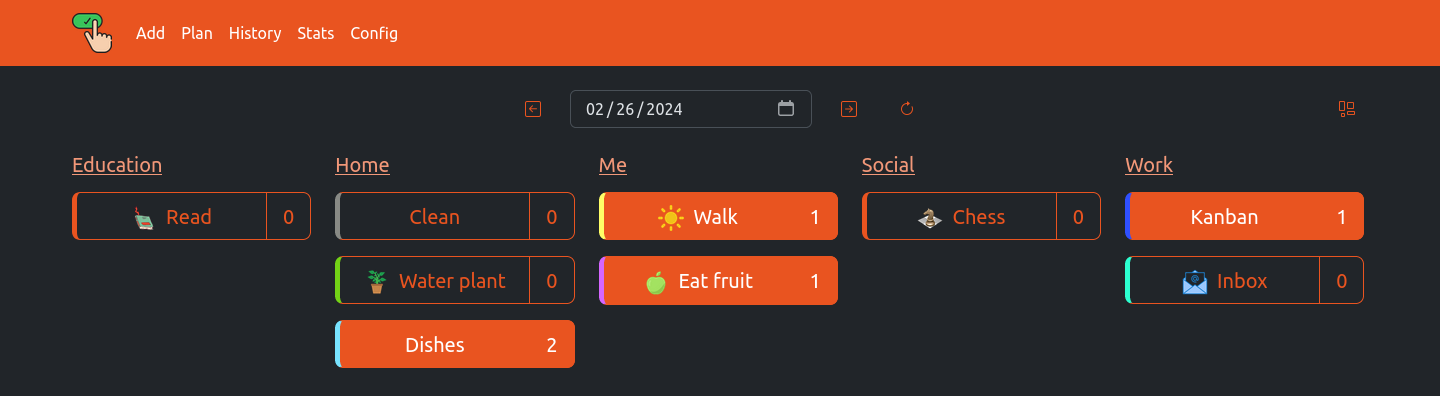
More Themes


docker run --name clickahabit \
-e "TZ=Asia/Novosibirsk" \
-v ~/.dockerdata/ClickAHabit:/data/ClickAHabit \
-p 8852:8852 \
aceberg/clickahabit
Or use docker-compose.yml
Configuration can be done through config file or environment variables
| Variable | Description | Default |
|---|---|---|
| HOST | Listen address | 0.0.0.0 |
| PORT | Port for web GUI | 8852 |
| THEME | Any theme name from https://bootswatch.com in lowcase or additional (emerald, grass, sand) | united |
| COLOR | Background color: light or dark | light |
| BTNWIDTH | Adjust buttons to theme | 195px |
| TZ | Set your timezone for correct time | "" |
| Key | Description | Default |
|---|---|---|
| -d | Path to config dir | /data/ClickAHabit |
| -n | Path to local JS and Themes (node-bootstrap) | "" |
By default, this app pulls themes, icons and fonts from the internet. But, in some cases, it may be useful to have an independent from global network setup. I created a separate image with all necessary modules and fonts.
docker run --name node-bootstrap \
-v ~/.dockerdata/icons:/app/icons \ # For local images
-p 8850:8850 \
aceberg/node-bootstrap
docker run --name clickahabit \
-v ~/.dockerdata/ClickAHabit:/data/ClickAHabit \
-p 8852:8852 \
aceberg/clickahabit -n "http://$YOUR_IP:8850"Or use docker-compose
- Auth
- History filter
- Statistics page
- All go packages listed in dependencies
- Bootstrap
- Themes: Free themes for Bootstrap
- Favicon and logo: Flaticon