Android PinLayout for auth screens.



Step 1. Add the JitPack repository to your build file
allprojects {
repositories {
...
maven { url 'https://jitpack.io' }
}
}
Step 2. Add the dependency
dependencies {
implementation 'com.github.akndmr:PinLayout:LatestVersion'
}Screen.Recording.2022-12-04.at.03.44.57.mov
Progressbar is for visual purposes; not part of PinLayout.
You can add pin by providing a data source like keyboard.
addPinCode(code:String)You can add whole pin from a clipboard.
pasteFullPinCode(fullCode:String)You can remove the last added pin.
removePinCode()You can clear PinLayout completely.
clearPinCode()You can register a listener for pin change and pin complete events.
 setOnPinChangeListener(
onPinChange = { pin ->//todo
},
onPinComplete = {
//todo
}
)
You can customize PinLayout with custom attributes.
 app:pin_count="8"
app:pin_view_active_color="@color/bg3"
app:pin_view_default_color="@color/bg4"
app:pin_view_gap="12dp"
app:pin_view_radius="16dp"
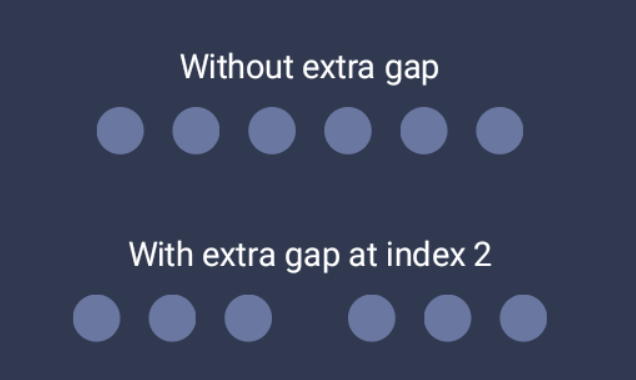
app:pin_view_extra_gap="@dimen/margin_32"
app:pin_view_extra_gap_index="3"
You can use extra gap attribute to group pin views to fit with your UI requirements.
- Add custom animation support.