
🤗 Hugging Face - Here

📚 Product & Resources - Here
🛟 Help Center - Here
💼 KYC Verification Demo - Here
🙋♀️ Docker Hub - Here
This repository demonstrates both face liveness detection and face recognition technology developed by KBY-AI.
In this repository, we integrated
KBY-AI's both face liveness detection and face recognition technology intoAndroidnative platform.
| Basic | 🔽 Standard | Premium |
|---|---|---|
| Face Detection | Face Detection | Face Detection |
| Face Liveness Detection | Face Liveness Detection | Face Liveness Detection |
| Pose Estimation | Pose Estimation | Pose Estimation |
| Face Recognition | Face Recognition | |
| 68 points Face Landmark Detection | ||
| Face Quality Calculation | ||
| Face Occlusion Detection | ||
| Eye Closure Detection | ||
| Age, Gender Estimation |
| No. | Repository | SDK Details |
|---|---|---|
| 1 | Face Liveness Detection - Android | Basic SDK |
| 2 | Face Liveness Detection - iOS | Basic SDK |
| ➡️ | Face Recognition - Android | Standard SDK |
| 4 | Face Recognition - iOS | Standard SDK |
| 5 | Face Recognition - Flutter | Standard SDK |
| 6 | Face Recognition - Ionic-Cordova | Standard SDK |
| 7 | Face Recognition - React-Native | Standard SDK |
| 8 | Face Attribute - Android | Premium SDK |
| 9 | Face Attribute - iOS | Premium SDK |
| 10 | Face Attribute - Flutter | Premium SDK |
To get
Face SDK(server), please visit products here.

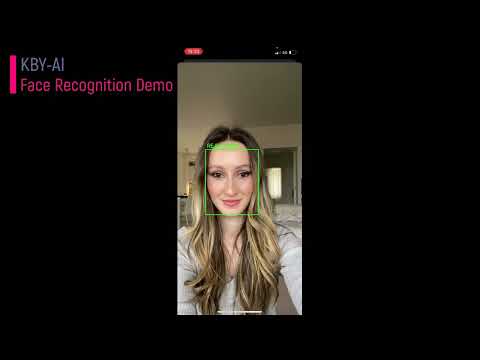
You can visit our YouTube video here to see how well our demo app works.


The code below shows how to use the license: https://github.com/kby-ai/FaceRecognition-Android/blob/4b071e04766d6b6a46882c0fc87cd7e2bcdc395d/app/src/main/java/com/kbyai/facerecognition/MainActivity.kt#L33-L43
To request a license, please contact us:
🧙Email:contact@kby-ai.com
🧙Telegram:@kbyai
🧙WhatsApp:+19092802609
🧙Skype:live:.cid.66e2522354b1049b
🧙Facebook:https://www.facebook.com/KBYAI
Copy the SDK (
libfacesdkfolder) to therootfolder in your project.Add SDK to the project in
settings.gradle.
include ':libfacesdk'- Add dependency to your
build.gradle.
implementation project(path: ':libfacesdk')- Step One
To begin, you need to activate the SDK using the license that you have received.
FaceSDK.setActivation("...")If activation is successful, the return value will be SDK_SUCCESS. Otherwise, an error value will be returned.
- Step Two
After activation, call the SDK's initialization function.
FaceSDK.init(getAssets());If initialization is successful, the return value will be SDK_SUCCESS. Otherwise, an error value will be returned.
FaceDetectionParam
This class serves as the input parameter for face detection, allowing the inclusion of face liveness detection and specifying the desired liveness detection level.
Feature Type Name Check liveness boolean check_liveness Check liveness level int check_liveness_level When check_liveness_level is set to
0, the liveness detection achieves high accuracy. When check_liveness_level is set to1, the liveness detection operates with light weight.
The FaceSDK offers a single function for detecting faces, allowing the inclusion of face liveness detection and specifying the desired liveness detection level.
FaceSDK.faceDetection(bitmap, param)This function requires two parameters: a Bitmap object and a FaceDetectionParam object that enables various processing functionalities.
The return value of the function is a list of FaceBox objects. Each FaceBox object contains the detected face rectangle, liveness score, and facial angles such as yaw, roll, and pitch.
The FaceSDK provides a function that can generate a template from a Bitmap image. This template can then be used to verify the identity of the individual image captured.
byte[] templates =FaceSDK.templateExtraction(bitmap, faceBox);The SDK's template extraction function takes two parameters: a Bitmap object and an object of FaceBox.
The function returns a byte array, which contains the template that can be used for person verification.
The similarityCalculation function takes a byte array of two templates as a parameter.
float similarity =FaceSDK.similarityCalculation(templates1, templates1);It returns the similarity value between the two templates, which can be used to determine the level of likeness between the two individuals.
The SDK provides a function called yuv2Bitmap, which converts a yuv frame to a Bitmap. Since camera frames are typically in yuv format, this function is necessary to convert them to Bitmap. The usage of this function is as follows:
Bitmap bitmap =FaceSDK.yuv2Bitmap(nv21, image.getWidth(), image.getHeight(), 7);The first parameter is an nv21 byte array containing the yuv data.
The second parameter is the width of the yuv frame, and the third parameter is its height.
The fourth parameter is the conversion mode, which is determined by the camera orientation.
To determine the appropriate conversion mode, the following method can be used:
1234567888888888888888888888888888888888888888888888888888888888888888888888888888888888888888888888888888888888888888888888888888888888