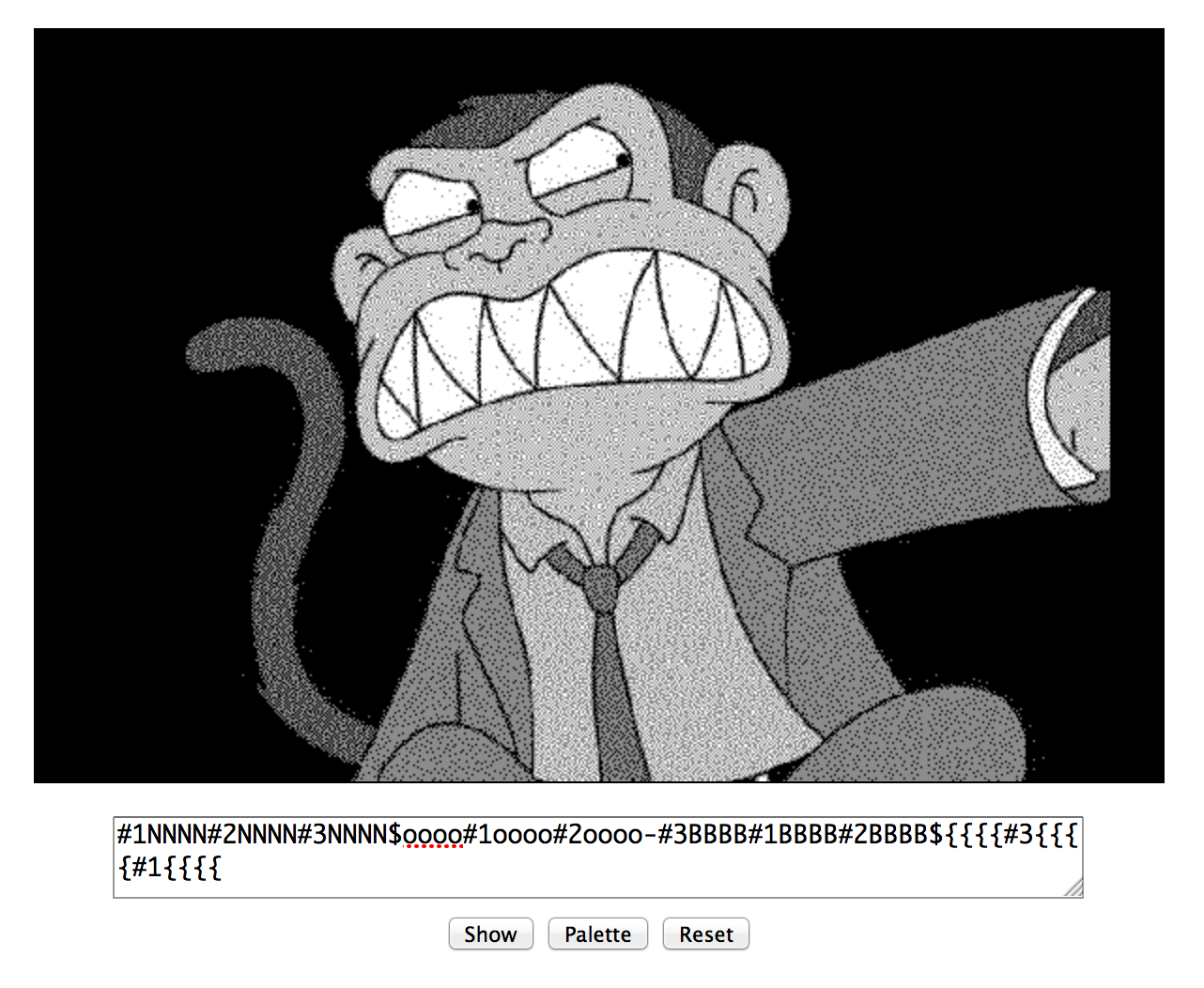
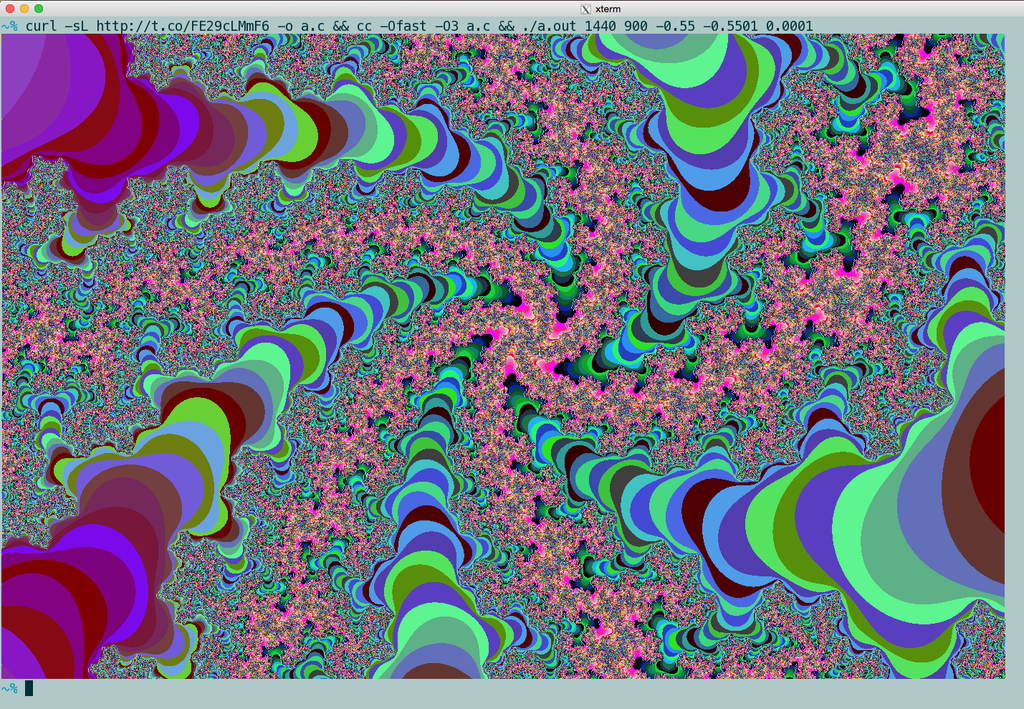
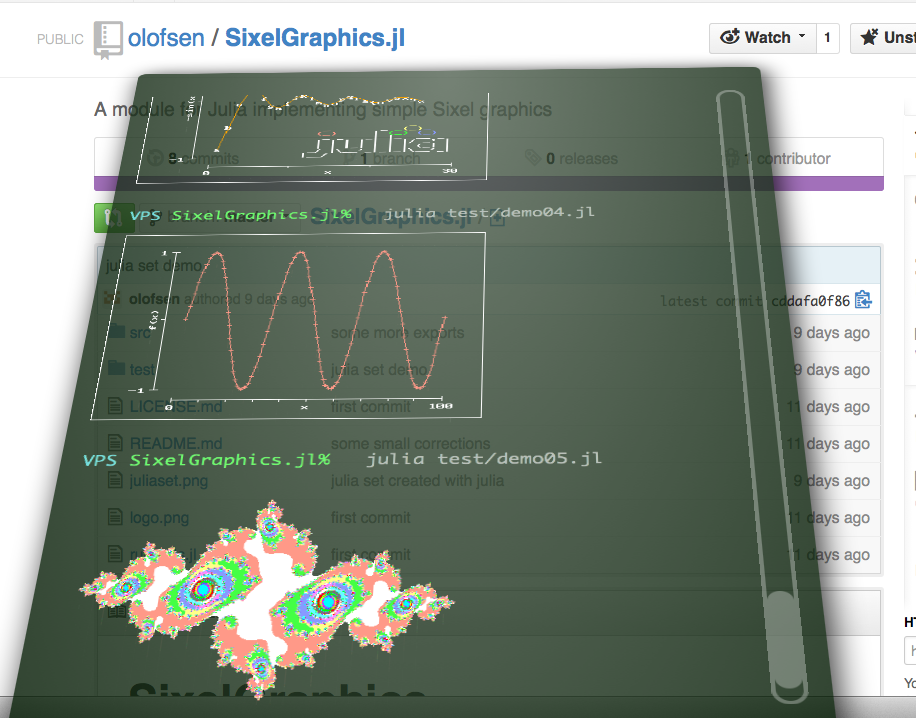
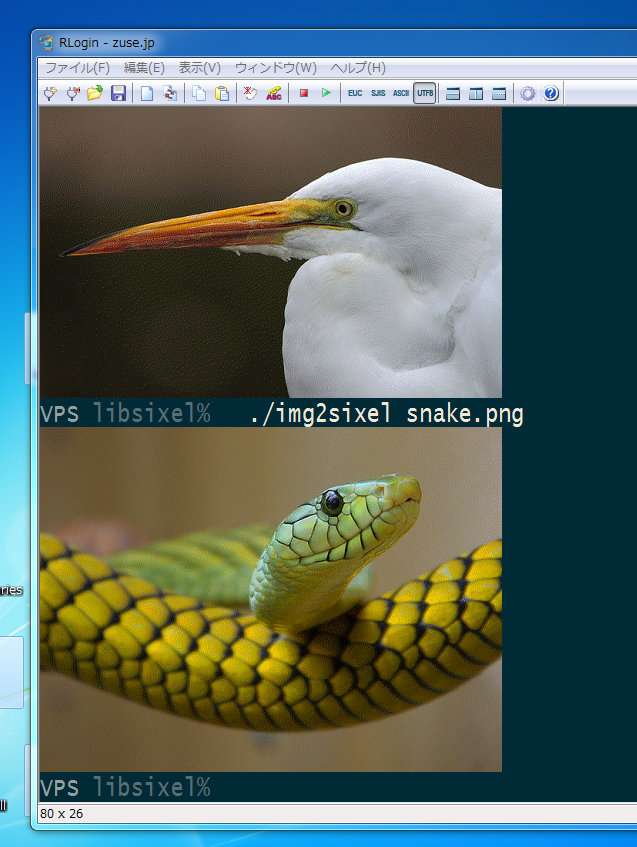
This package provides encoder/decoder implementation for DEC SIXEL graphics, and some converter programs.
 (https://youtu.be/0SasrQ7pnbA)
SIXEL is one of image formats for printer and terminal imaging introduced by Digital Equipment Corp. (DEC). Its data scheme is represented as a terminal-friendly escape sequence. So if you want to view a SIXEL image file, all you have to do is "cat" it to your terminal.
On 80's real hardware terminals, it tooks unbearable long waiting times to display images.

But nowdays, with high-speed CPU and broadband network, we got the chance to develop a new scope of SIXELs.
img2sixel(1) can decode GIF animation.
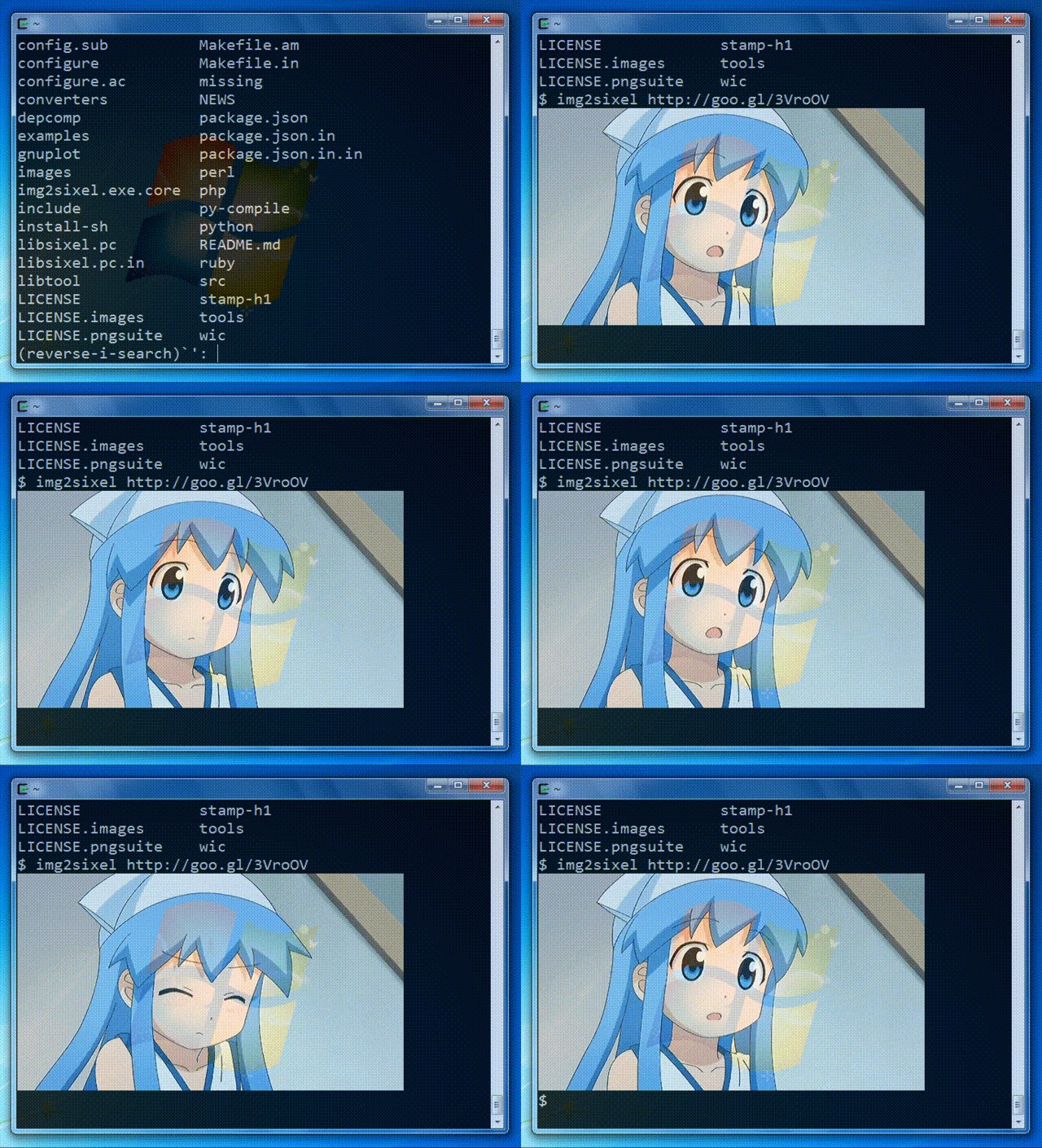
Now Youtube video streaming is available over SIXEL protocol by FFmpeg-SIXEL project.

Above demo only uses 16 color registers.
SDL1.2-SIXEL project makes enable you to operate various GUI applications on the terminal.
You can play "The Battle for Wesnoth" over SIXEL protocol.

You can run QEMU on SIXEL terminals.

SDL1.2-SIXEL can collaborate with XSDL-SIXEL.

Furthermore some information of SIXEL-ready SDL applications are reported.
converter.py example depends on it.
Used by mruby-webcam.
A perl6 bindings for libsixel
Rust FFI bindings for libsixel
A safe Rust wrapper for libsixel
img2sixel(1) can be integrated with Debian's w3m(maintained by Tatsuya Kinoshita) that includes patches for -sixel option derived from Arakiken's w3m fork(remoteimg branch).
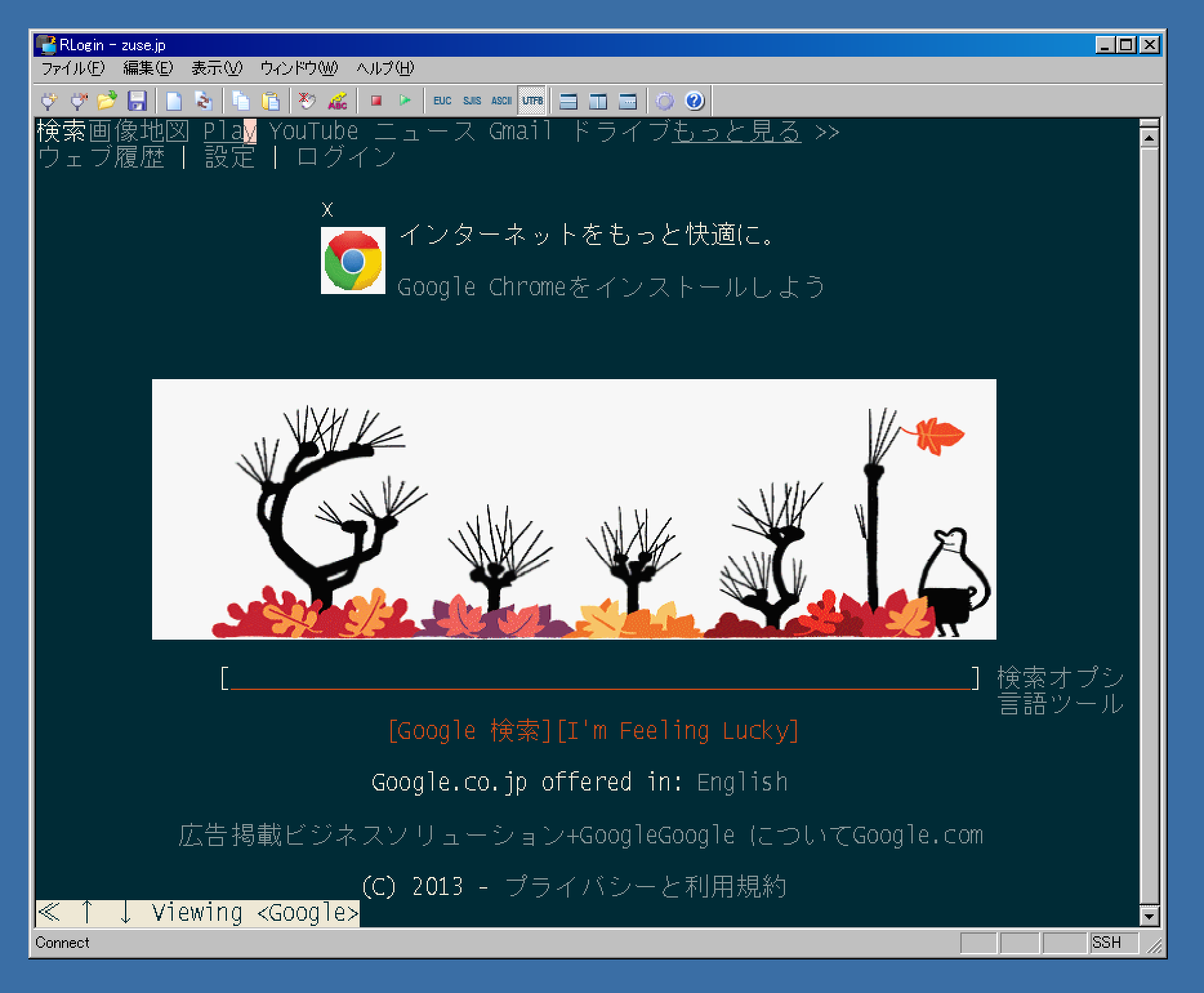
@uobikiemukot's sdump project selected another approach. He wrote a w3mimgdisplay compatible program yaimg-sixel. It also works with ranger.
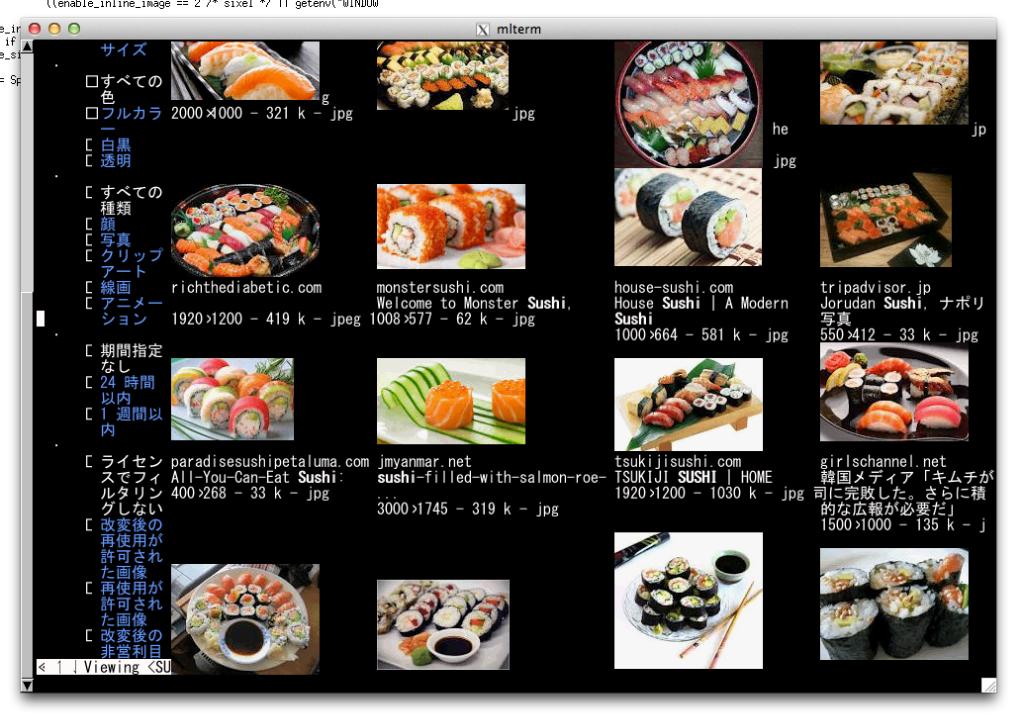
Xsixel is a kdrive server implementation for SIXEL terminals.
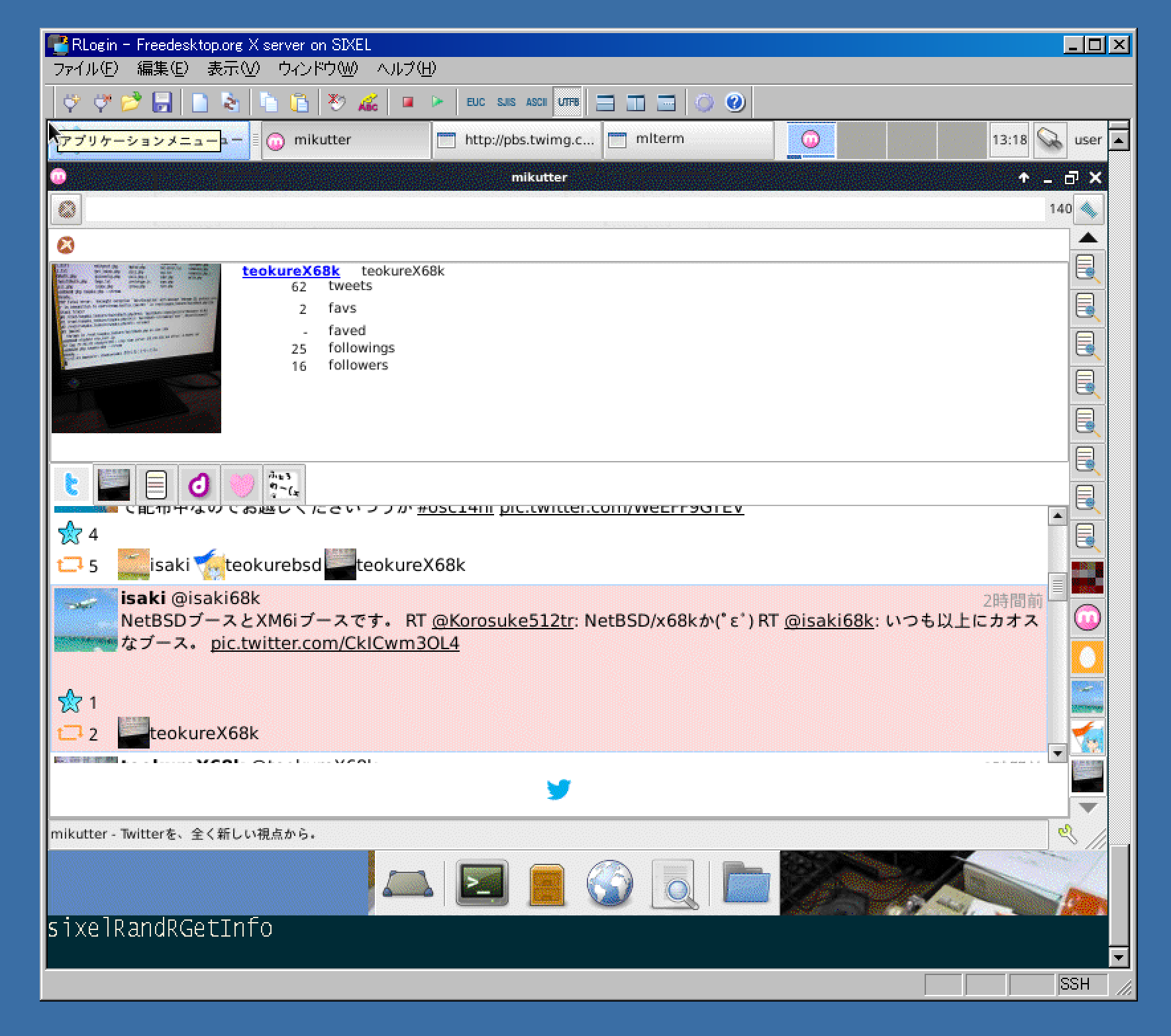
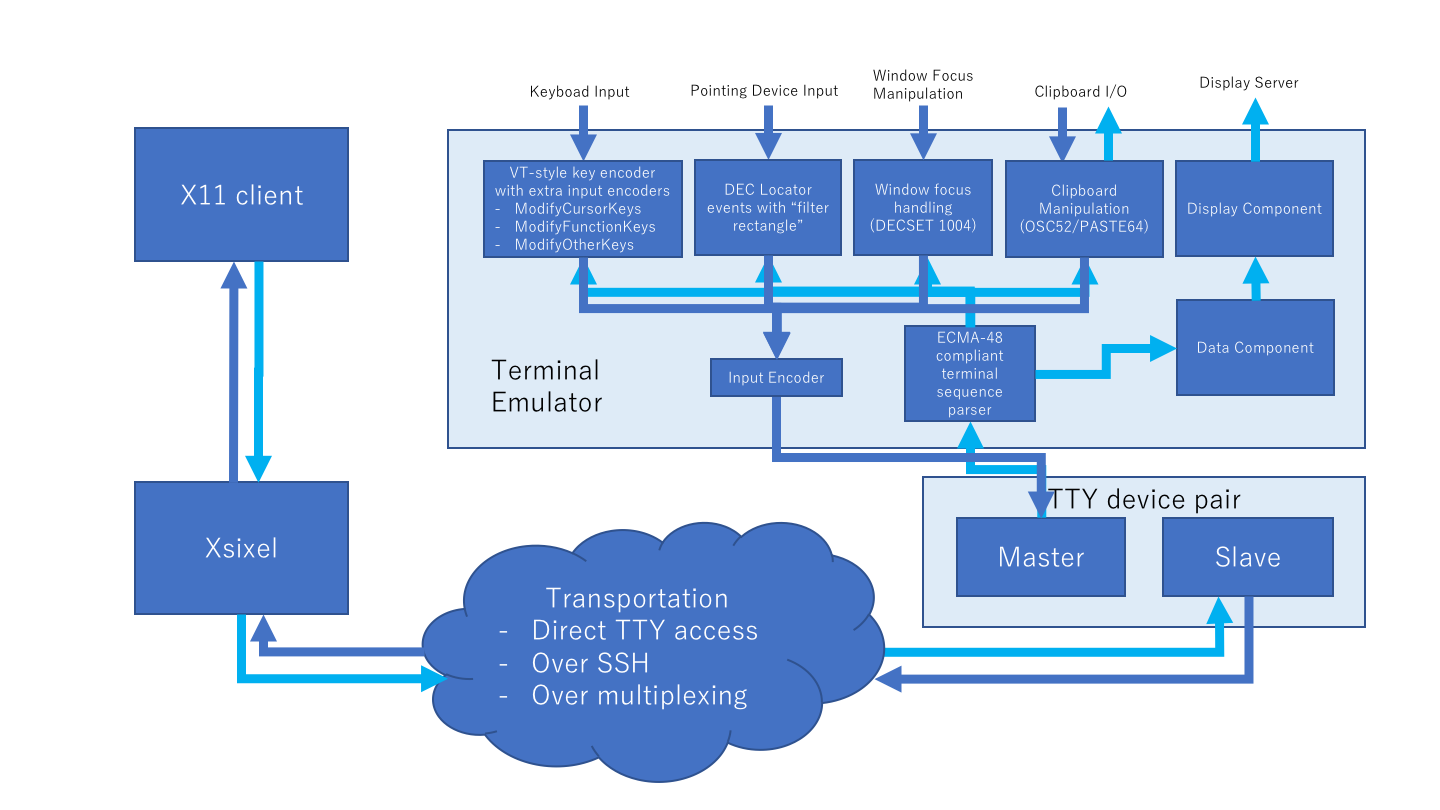
Arakiken's GNU Screen fork(sixel branch) works with SIXEL-supported applications including above products. This project is now in progress. GUI flavored SIXEL applications will integrated with existing terminal applications on it.
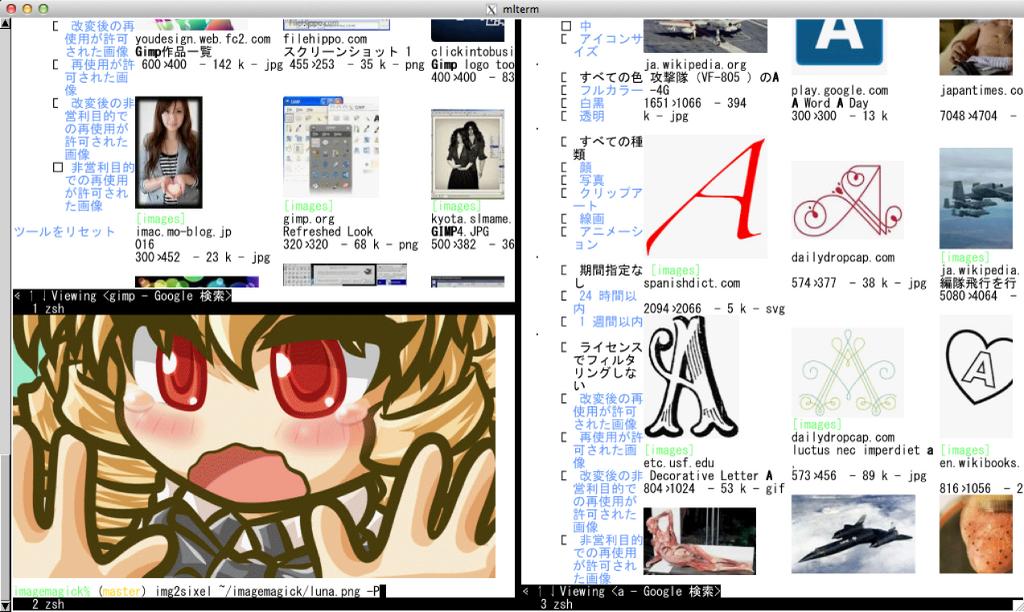
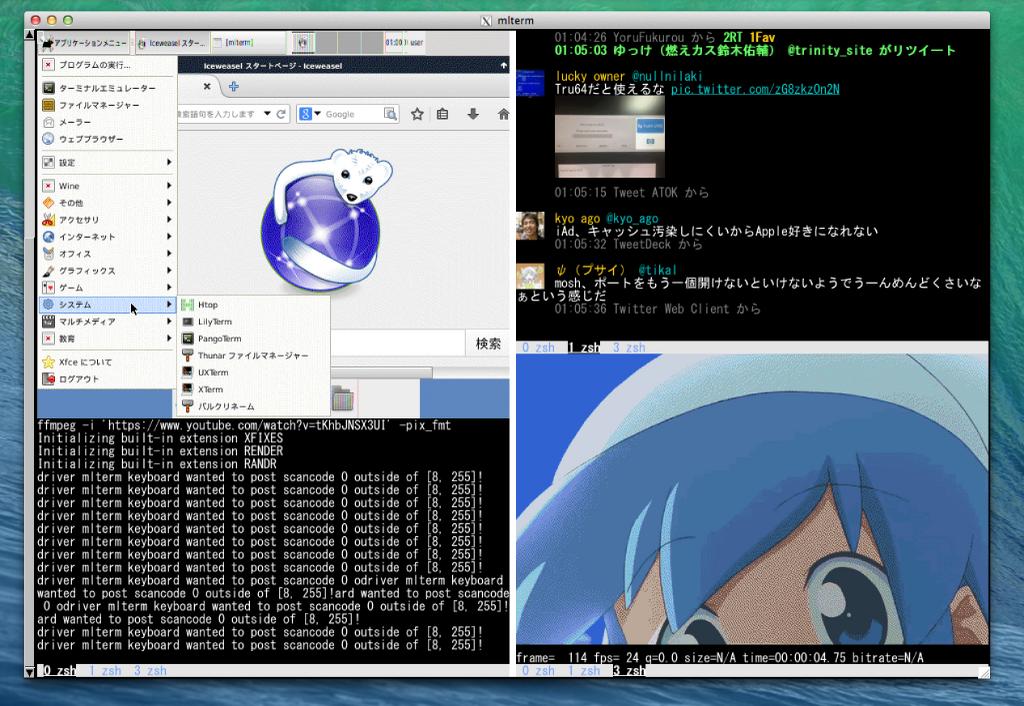
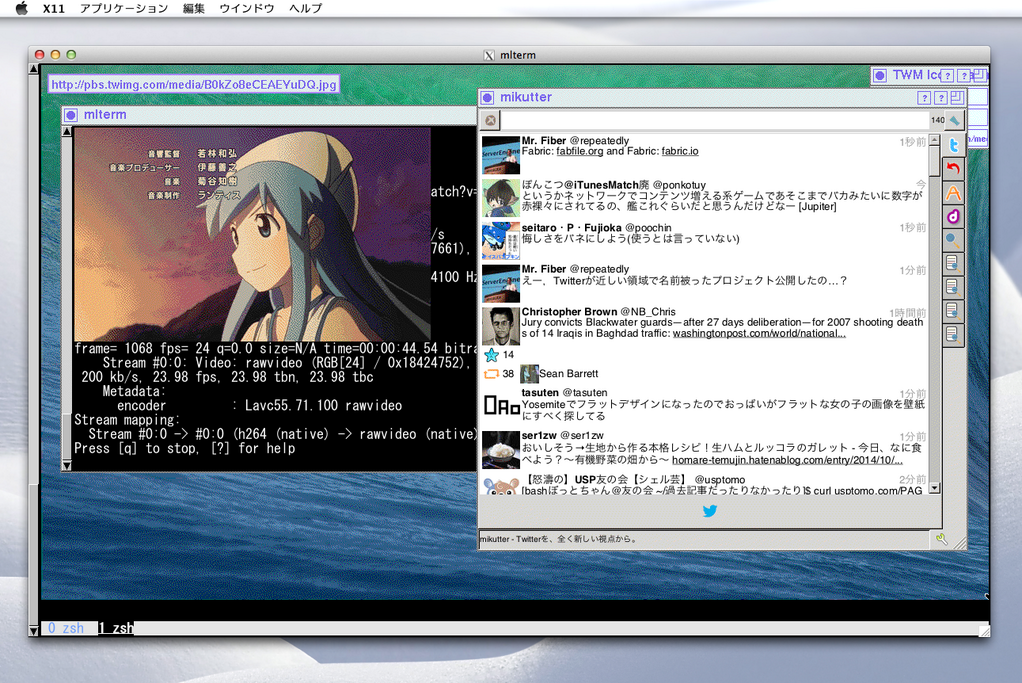
See also on youtube.
Some NetBSD/OpenBSD users are doing amazing challenges.
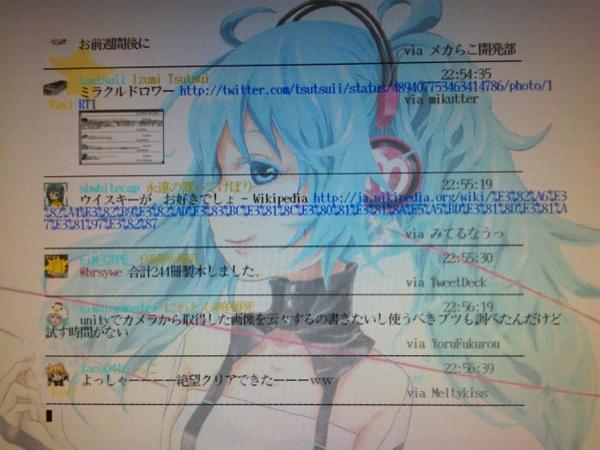
Now mikutter + mikutterm works with libsixel inline-image extension.
SIXEL works with old powerless machines such as
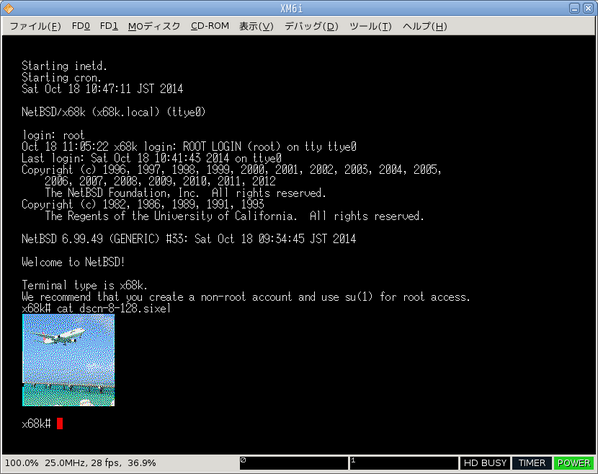
NetBSD/luna68k (here is OMRON LUNA-II):
NetBSD/hp300 (here is HP9000/425e):
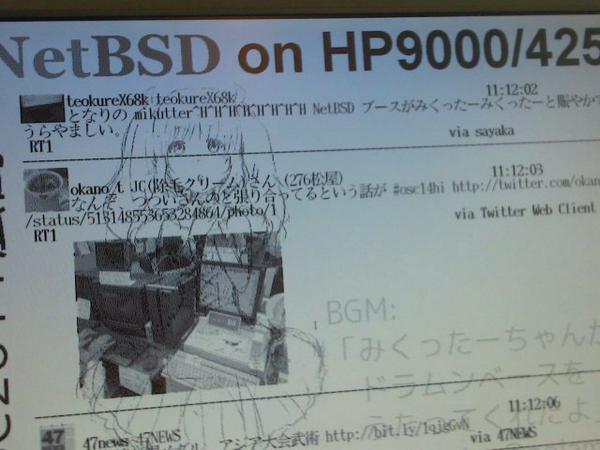
arakiken's tw(tw-sixel) works with libsixel inline-image extension.
SIXEL works with old powerless machines such as OpenBSD/luna88k (here is OMRON LUNA-88K2 MC88100@33MHz):
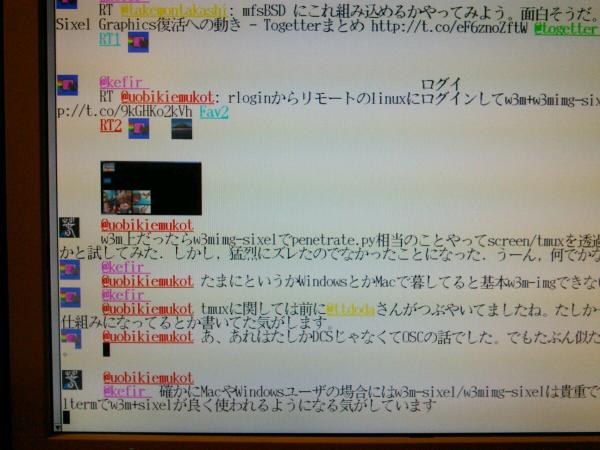
sayaka-chan(PHP version) works with libsixel inline-image extension.
SIXEL works with old powerless machines such as NetBSD/x68k (here is SHARP X68030 with 060turbo):
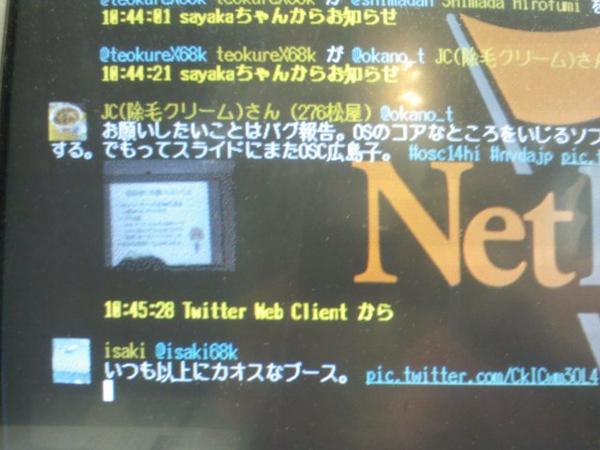
SIXEL works even in-kernel console. @isaki68k wrote a patch for ite(4).
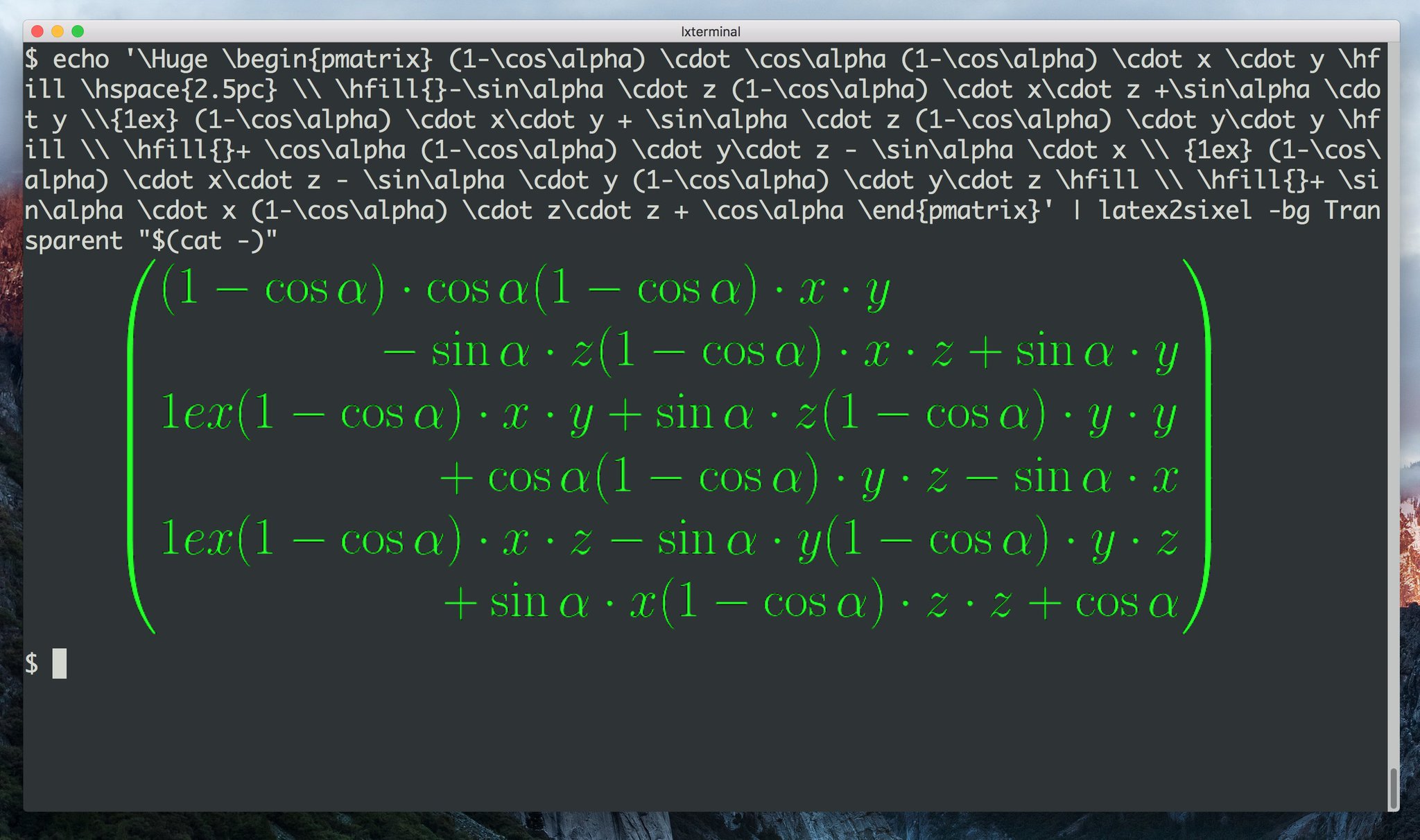
Includes 2 commands fricas2sixel and latex2sixel.
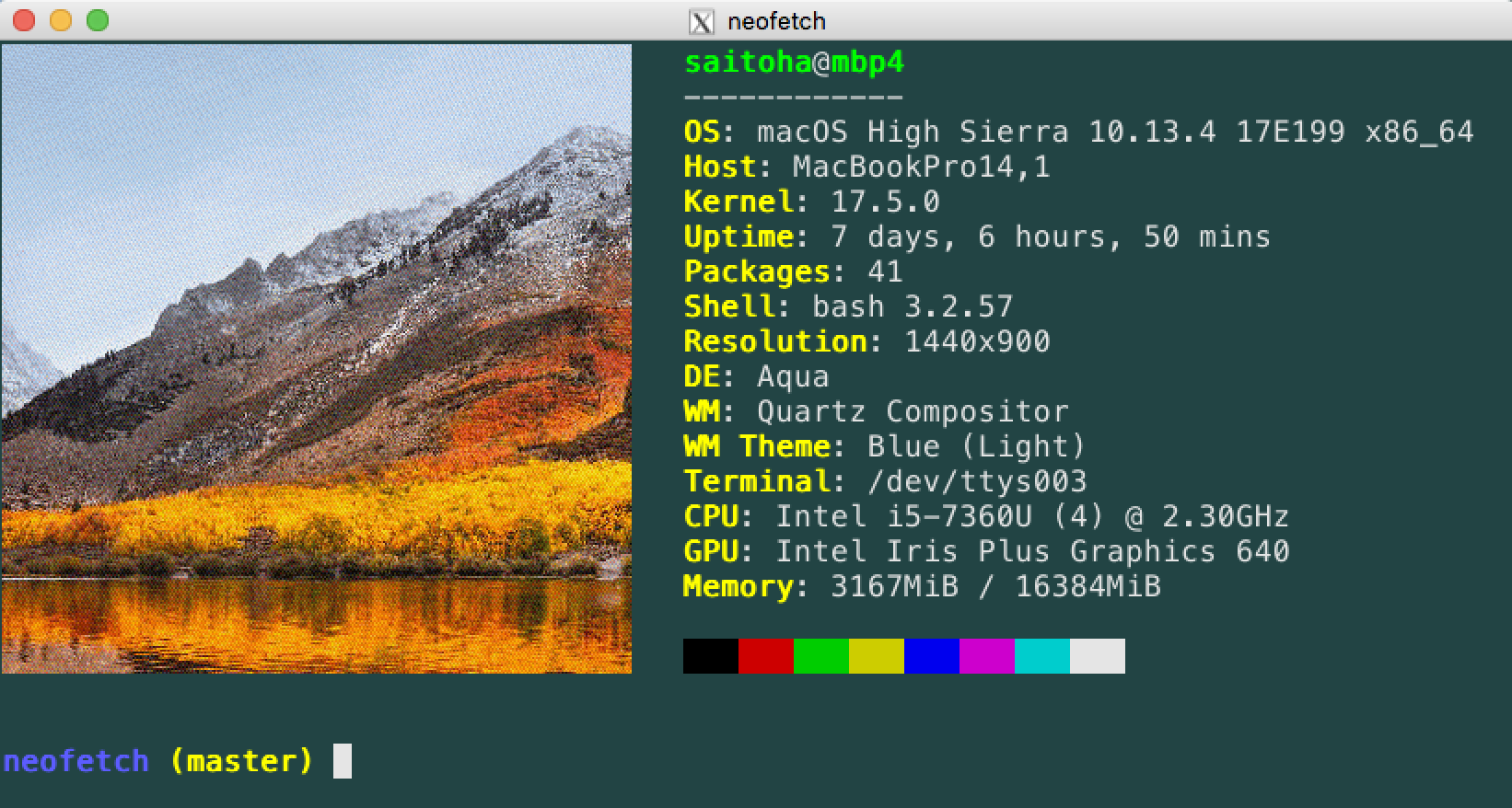
Now sixel backend is implemented.
See https://github.com/dylanaraps/neofetch/wiki/Image-Backends#sixel
Depends on sixel-sys, --converter=sixel option is supported.

Simple scripts and development environment for realtime edit-previewing for dot, svg, markdown, ...etc.

A sixel image dumper, provides pdf previewer.
SIXEL video driver is provided if you build it with --enable-sixel option.
(screenshot)
Former sixel encoders(such as ppmtosixel) are mainly designed for dot-matrix printers. They minimize the amount of printer-head movement distance. But nowadays this method did not represent the best performance for displaying sixel data on terminal emulators. SIXEL data for terminals were found in 80's Usenet, but the technology of how to create them seems to be lost. kmiya's sixel introduces the encoding method which is re-designed for terminal emulators to optimize the overhead of transporting SIXEL with keeping compatibility with former SIXEL terminal. Now libsixel and ImageMagick's sixel coder follow it.
@arakiken, known as the maintainer of mlterm, describes about the way to generate high quality SIXEL, which is adopted by libsixel (http://mlterm.sourceforge.net/libsixel.pdf, in Japanese).
img2sixel(1) supports color image quantization. It works well even if few number of colors are allowed.
If you want to view a SIXEL image, you have to get a terminal which support sixel graphics.
Now SIXEL feature is supported by the following terminals.
DEC VT series, VT240/VT241/VT330/VT340/VT282/VT284/VT286/VT382
DECterm(dxterm)
Kermit
ZSTEM 340
WRQ Reflection
RLogin (Japanese terminal emulator)
mlterm
http://mlterm.sourceforge.net/
Works on each of X, WIN32 GDI, framebuffer, Android, Cocoa version.
XTerm (compiled with
--enable-sixel-graphicsoption)http://invisible-island.net/xterm/
You should launch xterm with "
-ti vt340" option. The SIXEL palette is limited to a maximum of 16 colors. To avoid this limitation, Try
$ echo"XTerm*decTerminalID: vt340">>$HOME/.Xresources
$ echo"XTerm*numColorRegisters: 256">>$HOME/.Xresources
$ xrdb $HOME/.Xresources
$ xterm
or
$ xterm -xrm "XTerm*decTerminalID: vt340" -xrm "XTerm*numColorRegisters: 256"yaft
recterm (ttyrec to GIF converter)
seq2gif (ttyrec to GIF converter)
Mintty (>= 2.6.0)
wezterm https://github.com/wez/wezterm
iTerm2 (>= 3.0.0) https://gitlab.com/gnachman/iterm2
yaft-cocoa https://github.com/uobikiemukot/yaft-cocoa
You can install libsixel via the following package systems.
$ ./configure
$ make
# make install
You can configure with the following options
--with-libcurl build with libcurl (default: auto)
--with-gd build with libgd (default: no)
--with-gdk-pixbuf2 build with gdk-pixbuf2 (default: no)
--with-jpeg build with libjpeg (default: auto)
--with-png build with libpng (default: auto)
--with-pkgconfigdir specify pkgconfig dir (default is libdir/pkgconfig)
--with-bashcompletiondir specify bashcompletion.d
--with-zshcompletiondir specify zshcompletion.d
--enable-python Python interface (default: yes)
--enable-debug Use debug macro and specific CFLAGS
--enable-gcov Use gcov
--enable-tests Build tests
For more information, see "./configure --help".
You can build a windows binary in cross-build environment.
$ CC=i686-w64-mingw32-gcc cross_compile=yes ./configure --host=i686-w64-mingw32
$ make
Usage: img2sixel [Options] imagefiles
img2sixel [Options] < imagefile
Options:
-o, --outfile specify output file name.
(default:stdout)
-7, --7bit-mode generate a sixel image for 7bit
terminals or printers (default)
-8, --8bit-mode generate a sixel image for 8bit
terminals or printers
-R, --gri-limit limit arguments of DECGRI('!') to 255
-p COLORS, --colors=COLORS specify number of colors to reduce
the image to (default=256)
-m FILE, --mapfile=FILE transform image colors to match this
set of colorsspecify map
-e, --monochrome output monochrome sixel image
this option assumes the terminal
background color is black
-k, --insecure allow to connect to SSL sites without
certs(enabled only when configured
with --with-libcurl)
-i, --invert assume the terminal background color
is white, make sense only when -e
option is given
-I, --high-color output 15bpp sixel image
-u, --use-macro use DECDMAC and DEVINVM sequences to
optimize GIF animation rendering
-n MACRONO, --macro-number=MACRONO
specify an number argument for
DECDMAC and make terminal memorize
SIXEL image. No image is shown if
this option is specified
-C COMPLEXIONSCORE, --complexion-score=COMPLEXIONSCORE
specify an number argument for the
score of complexion correction.
COMPLEXIONSCORE must be 1 or more.
-g, --ignore-delay render GIF animation without delay
-S, --static render animated GIF as a static image
-d DIFFUSIONTYPE, --diffusion=DIFFUSIONTYPE
choose diffusion method which used
with -p option (color reduction)
DIFFUSIONTYPE is one of them:
auto -> choose diffusion type
automatically (default)
none -> do not diffuse
fs -> Floyd-Steinberg method
atkinson -> Bill Atkinson's method
jajuni -> Jarvis, Judice & Ninke
stucki -> Stucki's method
burkes -> Burkes' method
a_dither -> positionally stable
arithmetic dither
x_dither -> positionally stable
arithmetic xor based dither
-f FINDTYPE, --find-largest=FINDTYPE
choose method for finding the largest
dimension of median cut boxes for
splitting, make sense only when -p
option (color reduction) is
specified
FINDTYPE is one of them:
auto -> choose finding method
automatically (default)
norm -> simply comparing the
range in RGB space
lum -> transforming into
luminosities before the
comparison
-s SELECTTYPE, --select-color=SELECTTYPE
choose the method for selecting
representative color from each
median-cut box, make sense only
when -p option (color reduction) is
specified
SELECTTYPE is one of them:
auto -> choose selecting
method automatically
(default)
center -> choose the center of
the box
average -> calculate the color
average into the box
histogram -> similar with average
but considers color
histogram
-c REGION, --crop=REGION crop source image to fit the
specified geometry. REGION should
be formatted as '%dx%d+%d+%d'
-w WIDTH, --width=WIDTH resize image to specified width
WIDTH is represented by the
following syntax
auto -> preserving aspect
ratio (default)
<number>% -> scale width with
given percentage
<number> -> scale width with
pixel counts
<number>px -> scale width with
pixel counts
-h HEIGHT, --height=HEIGHT resize image to specified height
HEIGHT is represented by the
following syntax
auto -> preserving aspect
ratio (default)
<number>% -> scale height with
given percentage
<number> -> scale height with
pixel counts
<number>px -> scale height with
pixel counts
-r RESAMPLINGTYPE, --resampling=RESAMPLINGTYPE
choose resampling filter used
with -w or -h option (scaling)
RESAMPLINGTYPE is one of them:
nearest -> Nearest-Neighbor
method
gaussian -> Gaussian filter
hanning -> Hanning filter
hamming -> Hamming filter
bilinear -> Bilinear filter
(default)
welsh -> Welsh filter
bicubic -> Bicubic filter
lanczos2 -> Lanczos-2 filter
lanczos3 -> Lanczos-3 filter
lanczos4 -> Lanczos-4 filter
-q QUALITYMODE, --quality=QUALITYMODE
select quality of color
quanlization.
auto -> decide quality mode
automatically (default)
low -> low quality and high
speed mode
high -> high quality and low
speed mode
full -> full quality and careful
speed mode
-l LOOPMODE, --loop-control=LOOPMODE
select loop control mode for GIF
animation.
auto -> honor the setting of
GIF header (default)
force -> always enable loop
disable -> always disable loop
-t PALETTETYPE, --palette-type=PALETTETYPE
select palette color space type
auto -> choose palette type
automatically (default)
hls -> use HLS color space
rgb -> use RGB color space
-b BUILTINPALETTE, --builtin-palette=BUILTINPALETTE
select built-in palette type
xterm16 -> X default 16 color map
xterm256 -> X default 256 color map
vt340mono -> VT340 monochrome map
vt340color -> VT340 color map
gray1 -> 1bit grayscale map
gray2 -> 2bit grayscale map
gray4 -> 4bit grayscale map
gray8 -> 8bit grayscale map
-E ENCODEPOLICY, --encode-policy=ENCODEPOLICY
select encoding policy
auto -> choose encoding policy
automatically (default)
fast -> encode as fast as possible
size -> encode to as small sixel
sequence as possible
-B BGCOLOR, --bgcolor=BGCOLOR
specify background color
BGCOLOR is represented by the
following syntax
#rgb
#rrggbb
#rrrgggbbb
#rrrrggggbbbb
rgb:r/g/b
rgb:rr/gg/bb
rgb:rrr/ggg/bbb
rgb:rrrr/gggg/bbbb
-P, --penetrate penetrate GNU Screen using DCS
pass-through sequence
-D, --pipe-mode [[deprecated]] read source images from
stdin continuously
-v, --verbose show debugging info
-V, --version show version and license info
-H, --help show this help
Environment variables:
SIXEL_BGCOLOR specify background color.
overrided by -B(--bgcolor) option.
represented by the following
syntax:
#rgb
#rrggbb
#rrrgggbbb
#rrrrggggbbbb
rgb:r/g/b
rgb:rr/gg/bb
rgb:rrr/ggg/bbb
rgb:rrrr/gggg/bbbb
Convert a jpeg image file into a sixel file
$ img2sixel < images/egret.jpg > egret.sixel
Reduce colors to 16:
$ img2sixel -p 16 < images/egret.jpg > egret.sixel
Reduce colors with fixed palette:
$ img2sixel -m images/map16.png < images/egret.jpg > egret.sixel
Usage: sixel2png -i input.sixel -o output.png
sixel2png < input.sixel > output.png
Options:
-i, --input specify input file
-o, --output specify output file
-V, --version show version and license information
-H, --help show this help
Convert a sixel file into a png image file
$ sixel2png < egret.sixel > egret.png
The high-livel API provides File-to-File conversion features.
The sixel encoder object and related functions provides almost same features as img2sixel.
/* create encoder object */SIXELAPISIXELSTATUSsixel_encoder_new(
sixel_encoder_t/* out */**ppencoder, /* encoder object to be created */sixel_allocator_t/* in */*allocator); /* allocator, null if you use default allocator *//* increase reference count of encoder object (thread-unsafe) */SIXELAPIvoidsixel_encoder_ref(sixel_encoder_t/* in */*encoder);
/* decrease reference count of encoder object (thread-unsafe) */SIXELAPIvoidsixel_encoder_unref(sixel_encoder_t/* in */*encoder);
/* set cancel state flag to encoder object */SIXELAPISIXELSTATUSsixel_encoder_set_cancel_flag(
sixel_encoder_t/* in */*encoder,
int/* in */*cancel_flag);
/* set an option flag to encoder object */SIXELAPISIXELSTATUSsixel_encoder_setopt(
sixel_encoder_t/* in */*encoder,
int/* in */arg,
charconst/* in */*optarg);
/* load source data from specified file and encode it to SIXEL format */SIXELAPISIXELSTATUSsixel_encoder_encode(
sixel_encoder_t/* in */*encoder,
charconst/* in */*filename);The sixel decoder object and related functions provides almost same features as sixel2png.
/* create decoder object */SIXELAPISIXELSTATUSsixel_decoder_new(
sixel_decoder_t/* out */**ppdecoder, /* decoder object to be created */sixel_allocator_t/* in */*allocator); /* allocator, null if you use default allocator *//* increase reference count of decoder object (thread-unsafe) */SIXELAPIvoidsixel_decoder_ref(sixel_decoder_t*decoder);
/* decrease reference count of decoder object (thread-unsafe) */SIXELAPIvoidsixel_decoder_unref(sixel_decoder_t*decoder);
/* set an option flag to decoder object */SIXELAPISIXELSTATUSsixel_decoder_setopt(
sixel_decoder_t/* in */*decoder, /* decoder object */int/* in */arg, /* one of SIXEL_OPTFLAG_*** */charconst/* in */*optarg); /* null or an argument of optflag *//* load source data from stdin or the file specified with SIXEL_OPTFLAG_INPUT flag, and decode it */SIXELAPISIXELSTATUSsixel_decoder_decode(
sixel_decoder_t/* in */*decoder);
The low-livel API provides Bytes-to-Bytes conversion features.
The Whole API is described here.
OpenGL example suggests how to port your OpenGL application to SIXEL terminal.

Drawing example suggests how to implement the interaction among SIXEL terminals and pointer devices.

Python example suggests how to convert PIL images into SIXEL using libsixel python interface.
sixel_encode function converts bitmap array into SIXEL format.
/* convert pixels into sixel format and write it to output context */SIXELAPISIXELSTATUSsixel_encode(
unsigned char/* in */*pixels, /* pixel bytes */int/* in */width, /* image width */int/* in */height, /* image height */int/* in */depth, /* color depth: now unused */sixel_dither_t/* in */*dither, /* dither context */sixel_output_t/* in */*context); /* output context */
To use this function, you have to initialize two objects,
sixel_dither_t(dithering context object)sixel_output_t(output context object)
Here is a part of APIs for dithering context manipulation.
/* create dither context object */SIXELAPISIXELSTATUSsixel_dither_new(
sixel_dither_t/* out */**ppdither, /* dither object to be created */int/* in */ncolors, /* required colors */sixel_allocator_t/* in */*allocator); /* allocator, null if you use default allocator *//* get built-in dither context object */SIXELAPIsixel_dither_t*sixel_dither_get(intbuiltin_dither); /* ID of built-in dither object *//* destroy dither context object */SIXELAPIvoidsixel_dither_destroy(sixel_dither_t*dither); /* dither context object *//* increase reference count of dither context object (thread-unsafe) */SIXELAPIvoidsixel_dither_ref(sixel_dither_t*dither); /* dither context object *//* decrease reference count of dither context object (thread-unsafe) */SIXELAPIvoidsixel_dither_unref(sixel_dither_t*dither); /* dither context object *//* initialize internal palette from specified pixel buffer */SIXELAPISIXELSTATUSsixel_dither_initialize(
sixel_dither_t*dither, /* dither context object */unsigned char/* in */*data, /* sample image */int/* in */width, /* image width */int/* in */height, /* image height */int/* in */pixelformat, /* one of enum pixelFormat */int/* in */method_for_largest, /* method for finding the largest dimension */int/* in */method_for_rep, /* method for choosing a color from the box */int/* in */quality_mode); /* quality of histogram processing *//* set diffusion type, choose from enum methodForDiffuse */SIXELAPIvoidsixel_dither_set_diffusion_type(
sixel_dither_t/* in */*dither, /* dither context object */int/* in */method_for_diffuse); /* one of enum methodForDiffuse *//* get number of palette colors */SIXELAPIintsixel_dither_get_num_of_palette_colors(
sixel_dither_t/* in */*dither); /* dither context object *//* get number of histogram colors */SIXELAPIintsixel_dither_get_num_of_histogram_colors(
sixel_dither_t/* in */*dither); /* dither context object *//* get palette */SIXELAPI unsignedchar*sixel_dither_get_palette(
sixel_dither_t/* in */*dither); /* dither context object *//* set palette */SIXELAPIvoidsixel_dither_set_palette(
sixel_dither_t/* in */*dither, /* dither context object */unsigned char/* in */*palette);
SIXELAPIvoidsixel_dither_set_complexion_score(
sixel_dither_t/* in */*dither, /* dither context object */int/* in */score); /* complexion score (>= 1) */SIXELAPIvoidsixel_dither_set_body_only(
sixel_dither_t/* in */*dither, /* dither context object */int/* in */bodyonly); /* 0: output palette section(default) 1: do not output palette section */SIXELAPIvoidsixel_dither_set_optimize_palette(
sixel_dither_t/* in */*dither, /* dither context object */int/* in */do_opt); /* 0: optimize palette size 1: don't optimize palette size *//* set pixelformat */SIXELAPIvoidsixel_dither_set_pixelformat(
sixel_dither_t/* in */*dither, /* dither context object */int/* in */pixelformat); /* one of enum pixelFormat *//* set transparent */SIXELAPIvoidsixel_dither_set_transparent(
sixel_dither_t/* in */*dither, /* dither context object */int/* in */transparent); /* transparent color index */Here is a part of APIs for output context manipulation.
/* create output context object */SIXELAPISIXELSTATUSsixel_output_new(
sixel_output_t/* out */**output, /* output object to be created */sixel_write_function/* in */fn_write, /* callback for output sixel */void/* in */*priv, /* private data given as 3rd argument of fn_write */sixel_allocator_t/* in */*allocator); /* allocator, null if you use default allocator *//* destroy output context object */SIXELAPIvoidsixel_output_destroy(sixel_output_t/* in */*output); /* output context *//* increase reference count of output context object (thread-unsafe) */SIXELAPIvoidsixel_output_ref(sixel_output_t/* in */*output); /* output context *//* decrease reference count of output context object (thread-unsafe) */SIXELAPIvoidsixel_output_unref(sixel_output_t/* in */*output); /* output context *//* set 8bit output mode which indicates whether it uses C1 control characters */SIXELAPIintsixel_output_get_8bit_availability(
sixel_output_t/* in */*output); /* output context *//* get 8bit output mode state */SIXELAPIvoidsixel_output_set_8bit_availability(
sixel_output_t/* in */*output, /* output context */int/* in */availability); /* 0: do not use 8bit characters 1: use 8bit characters *//* set GNU Screen penetration feature enable or disable */SIXELAPIvoidsixel_output_set_penetrate_multiplexer(
sixel_output_t/* in */*output, /* output context */int/* in */penetrate); /* 0: penetrate GNU Screen 1: do not penetrate GNU Screen *//* set whether we skip DCS envelope */SIXELAPIvoidsixel_output_set_skip_dcs_envelope(
sixel_output_t/* in */*output, /* output context */int/* in */skip); /* 0: output DCS envelope 1: do not output DCS envelope */SIXELAPIvoidsixel_output_set_palette_type(
sixel_output_t/* in */*output, /* output context */int/* in */palettetype); /* PALETTETYPE_RGB: RGB palette PALETTETYPE_HLS: HLS palette */SIXELAPIvoidsixel_output_set_encode_policy(
sixel_output_t/* in */*output, /* output context */int/* in */encode_policy);sixel_decode function converts SIXEL into indexed bitmap bytes with its palette.
/* convert sixel data into indexed pixel bytes and palette data */
SIXELAPI SIXELSTATUS
sixel_decode_raw(
unsigned char /* in */ *p, /* sixel bytes */
int /* in */ len, /* size of sixel bytes */
unsigned char /* out */ **pixels, /* decoded pixels */
int /* out */ *pwidth, /* image width */
int /* out */ *pheight, /* image height */
unsigned char /* out */ **palette, /* ARGB palette */
int /* out */ *ncolors, /* palette size (<= 256) */
sixel_allocator_t /* in */ *allocator); /* allocator object */
This package includes a perl module Image::Sixel.
$ cd perl
$ perl Build.PL
$ ./Build test
$ ./Build install
This package includes a Python module libsixel.
$ git clone https://github.com/saitoha/libsixel.git
$ cd libsixel
$ git checkout develop # now available only develop branch
$ ./configure --enable-python --prefix=/usr/local
$ make install
$ git clone https://github.com/saitoha/libsixel.git
$ cd libsixel
$ git checkout develop # now available only develop branch
$ ./configure --disable-python
$ make install # install libsixel
$ cd python
$ python setup.py install # install python module
or
$ easy_install libsixel-python
This package includes a PHP module sixel.
$ cd php/sixel
$ phpize
$ ./configure
$ make install
$ gem install libsixel-ruby
or
$ git submodule update --init
$ rake compile
$ rake build install
This software is provided "as is" without express or implied warranty. The main support channel for this software is the github issue tracker:
https://github.com/saitoha/libsixel/issues
Please post your issue if you have any problems, questions or suggestions.
The MIT License (MIT)
Copyright (c) 2014 Hayaki Saito
Permission is hereby granted, free of charge, to any person obtaining a copy of this software and associated documentation files (the "Software"), to deal in the Software without restriction, including without limitation the rights to use, copy, modify, merge, publish, distribute, sublicense, and/or sell copies of the Software, and to permit persons to whom the Software is furnished to do so, subject to the following conditions:
The above copyright notice and this permission notice shall be included in all copies or substantial portions of the Software.
THE SOFTWARE IS PROVIDED "AS IS", WITHOUT WARRANTY OF ANY KIND, EXPRESS OR IMPLIED, INCLUDING BUT NOT LIMITED TO THE WARRANTIES OF MERCHANTABILITY, FITNESS FOR A PARTICULAR PURPOSE AND NONINFRINGEMENT. IN NO EVENT SHALL THE AUTHORS OR COPYRIGHT HOLDERS BE LIABLE FOR ANY CLAIM, DAMAGES OR OTHER LIABILITY, WHETHER IN AN ACTION OF CONTRACT, TORT OR OTHERWISE, ARISING FROM, OUT OF OR IN CONNECTION WITH THE SOFTWARE OR THE USE OR OTHER DEALINGS IN THE SOFTWARE.
- @arakiken
- @elfring
- @fd00
- @hattya
- @isaki68k
- @knok
- @mattn
- @msmhrt
- @obache
- @tsutsui
- @ttdoda
- @turenar
- @uobikiemukot
- @vrtsds
- @waywardmonkeys
- @yoshikaw
- @turenar
- @mame
- @hodefoting
- @fCorleone
- @fgeek
- @HongxuChen
- @YourButterfly
- @nluedtke
- @cool-tomato
- Fork it ( https://github.com/saitoha/libsixel/fork/ )
- Create your feature branch (git checkout -b my-new-feature)
- Commit your changes (git commit -am 'Add some feature')
- Push to the branch (git push origin my-new-feature)
- Create a new Pull Request
This software derives from the following implementations.
src/tosixel.c, src/fromsixel.c, and some part of converters/loader.c are derived from kmiya's "sixel" original version (2014-3-2)
Package: http://nanno.dip.jp/softlib/man/rlogin/sixel.tar.gz
Unofficial repo: https://github.com/saitoha/sixel
This work is written by kmiya@ culti. He distributes it under very permissive license.
The original license text(in Japanese) is:
このプログラム及びソースコードの使用について個人・商用を問わず
ご自由に使用していただいで結構です。
また、配布・転載・紹介もご連絡の必要もありません。
ソースの改変による配布も自由ですが、どのバージョンの改変かを
明記されることを希望します。
バージョン情報が無い場合は、配布物の年月日を明記されることを
希望します。
2014/10/05 kmiya
The unofficial translation:
Anyone is free to use this program for any purpose,
commercial or non-commercial, without any restriction.
Anyone is free to distribute, copy, publish, or
advertise this software, without any contact.
Anyone is free to distribute with modification of the
source code, but I "hope" that its based version or
date will be written clearly.
2014/10/05 kmiya
kmiya also said this is compatible with MIT/BSD/GPL.
This software includes stb-image-v2.12 (stb_image.h),
public domain JPEG/PNG reader.
https://github.com/nothings/stb
LICENSE
This software is in the public domain. Where that dedication is not recognized, you are granted a perpetual, irrevocable license to copy, distribute, and modify this file as you see fit.
This software includes stb-image-write-v1.02 (stb_image_write.h),
public domain PNG/BMP/TGA writer.
https://github.com/nothings/stb
LICENSE
This software is in the public domain. Where that dedication is not recognized, you are granted a perpetual, irrevocable license to copy, distribute, and modify this file as you see fit.
The implementation of median cut algorithm for color quantization in quant.c
is imported from pnmcolormap included in netpbm library.
http://netpbm.sourceforge.net/
pnmcolormap was derived from ppmquant, originally written by Jef Poskanzer.
Copyright (C) 1989, 1991 by Jef Poskanzer. Copyright (C) 2001 by Bryan Henderson.
Permission to use, copy, modify, and distribute this software and its documentation for any purpose and without fee is hereby granted, provided that the above copyright notice appear in all copies and that both that copyright notice and this permission notice appear in supporting documentation. This software is provided "as is" without express or implied warranty.
Some parts of converters/loader.c are imported from @uobikiemukot's sdump project
The MIT License (MIT)
Copyright (c) 2014 haru
Permission is hereby granted, free of charge, to any person obtaining a copy of this software and associated documentation files (the "Software"), to deal in the Software without restriction, including without limitation the rights to use, copy, modify, merge, publish, distribute, sublicense, and/or sell copies of the Software, and to permit persons to whom the Software is furnished to do so, subject to the following conditions:
The above copyright notice and this permission notice shall be included in all copies or substantial portions of the Software.
THE SOFTWARE IS PROVIDED "AS IS", WITHOUT WARRANTY OF ANY KIND, EXPRESS OR IMPLIED, INCLUDING BUT NOT LIMITED TO THE WARRANTIES OF MERCHANTABILITY, FITNESS FOR A PARTICULAR PURPOSE AND NONINFRINGEMENT. IN NO EVENT SHALL THE AUTHORS OR COPYRIGHT HOLDERS BE LIABLE FOR ANY CLAIM, DAMAGES OR OTHER LIABILITY, WHETHER IN AN ACTION OF CONTRACT, TORT OR OTHERWISE, ARISING FROM, OUT OF OR IN CONNECTION WITH THE SOFTWARE OR THE USE OR OTHER DEALINGS IN THE SOFTWARE.
These are useful m4 macros for detecting some GCC attributes / built-in functions.
http://www.gnu.org/software/autoconf-archive/ax_gcc_var_attribute.htmlhttp://www.gnu.org/software/autoconf-archive/ax_gcc_func_attribute.htmlhttp://www.gnu.org/software/autoconf-archive/ax_gcc_builtin.html
Copyright (c) 2013 Gabriele Svelto gabriele.svelto@gmail.com
Copying and distribution of this file, with or without modification, are permitted in any medium without royalty provided the copyright notice and this notice are preserved. This file is offered as-is, without any warranty.
The helper function hls2rgb in src/fromsixel.c is imported from
graphics.c in Xterm pl#310,
originally written by Ross Combs.
Copyright 2013,2014 by Ross Combs
All Rights ReservedPermission is hereby granted, free of charge, to any person obtaining a copy of this software and associated documentation files (the "Software"), to deal in the Software without restriction, including without limitation the rights to use, copy, modify, merge, publish, distribute, sublicense, and/or sell copies of the Software, and to permit persons to whom the Software is furnished to do so, subject to the following conditions:
The above copyright notice and this permission notice shall be included in all copies or substantial portions of the Software.
THE SOFTWARE IS PROVIDED "AS IS", WITHOUT WARRANTY OF ANY KIND, EXPRESS OR IMPLIED, INCLUDING BUT NOT LIMITED TO THE WARRANTIES OF MERCHANTABILITY, FITNESS FOR A PARTICULAR PURPOSE AND NONINFRINGEMENT. IN NO EVENT SHALL THE ABOVE LISTED COPYRIGHT HOLDER(S) BE LIABLE FOR ANY CLAIM, DAMAGES OR OTHER LIABILITY, WHETHER IN AN ACTION OF CONTRACT, TORT OR OTHERWISE, ARISING FROM, OUT OF OR IN CONNECTION WITH THE SOFTWARE OR THE USE OR OTHER DEALINGS IN THE SOFTWARE.
Except as contained in this notice, the name(s) of the above copyright holders shall not be used in advertising or otherwise to promote the sale, use or other dealings in this Software without prior written authorization.
The following test images in "image/" directory came from PUBLIC-DOMAIN-PHOTOS.com.
images/egret.jpg
author: Jon Sullivan url: http://public-domain-photos.com/animals/egret-4.htm
images/snake.jpg
author: Jon Sullivan url: http://public-domain-photos.com/animals/snake-4.htm
These are in the public domain.
images/vimperator3.png is in the public domain.
author: @k_wizard
url: http://quadrantem.com/~k_wizard/vimprtan/
Images under the directory images/pngsuite/ are imported from PngSuite created by Willem van Schaik.
Permission to use, copy, modify and distribute these images for any purpose and without fee is hereby granted.
(c) Willem van Schaik, 1996, 2011
We are greatly inspired by the quality of ImageMagick and added some resampling filters to
img2sixel in reference to the line-up of filters of MagickCore's resize.c.
http://www.imagemagick.org/api/MagickCore/resize_8c_source.html
You can get SIXEL graphics using ppmtosixel or pbmtoln03.
libgd based SIXEL converter
Python implementation of SIXEL converter
Now SIXEL coder is available in svn trunk and V6 branch.
A monochrome SIXEL converter
sixelv in sayaka-chan Vala version
sayaka-chan(Vala version) also includes SIXEL converter.
A SIXEL encoder written in rust.
A SIXEL encoder written in forth.
An utility to convert farbfeld images to Sixels.
terminal/commandline image viewer
xpr(x11-apps)
xpr(1) can convert a xwd(X window dump) format image into a sixel image with '-device ln03' or '-device la100' option. But now it is not maintained. It looks broken.
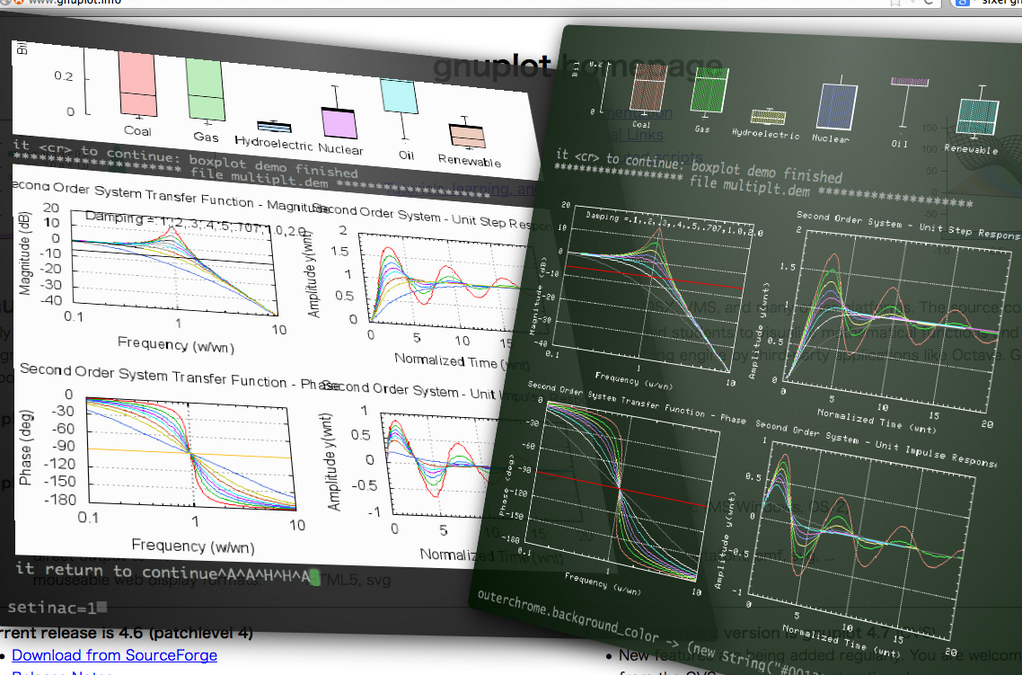
Recent version of GNUPLOT supports new terminal driver "sixeltek(sixel)" / "sixelgd".

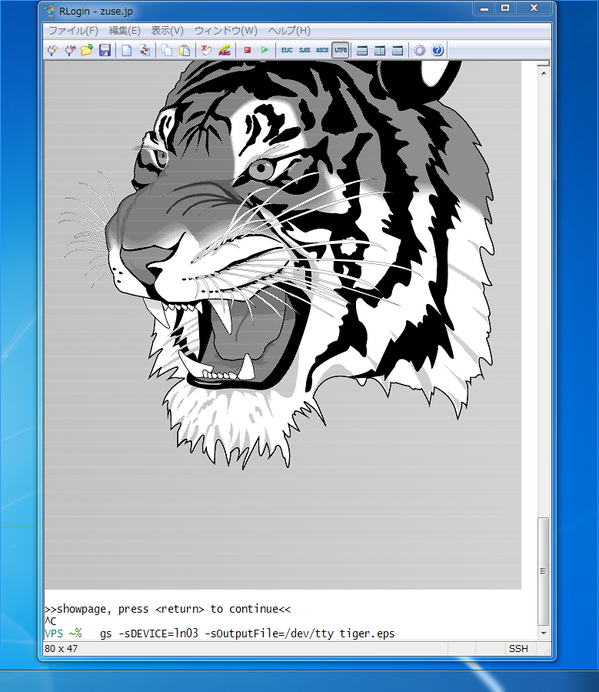
You can emit SIXEL images with LN03 / LN50 / LA75 driver.
example:
$ gs -q -r100x -dBATCH -dNOPAUSE -sDEVICE=ln03 -sOutputFile=- tiger.eps
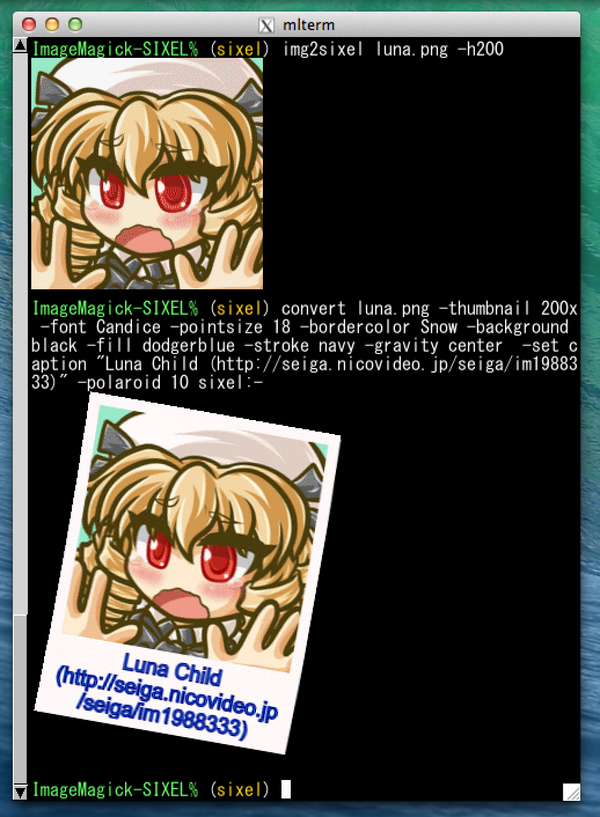
Recent version of ImageMagick provides SIXEL coder. It's also available over commandline tools.

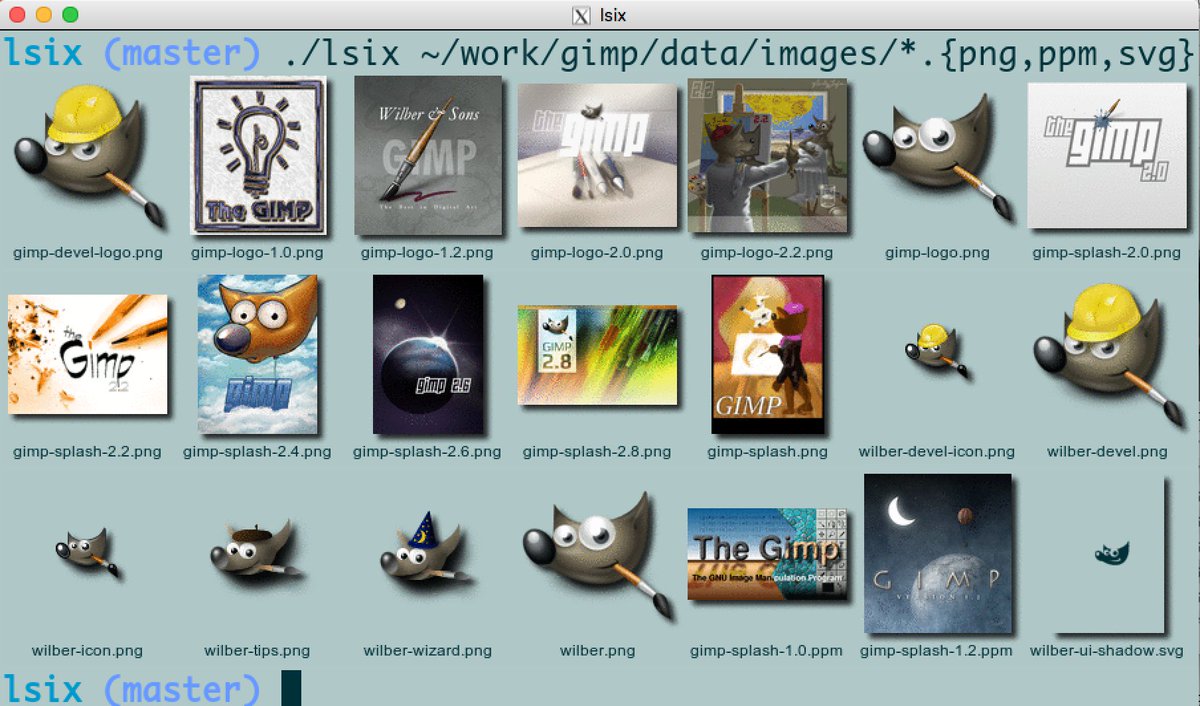
Like "ls", but for images. Shows thumbnails in terminal using sixel graphics.

Sixel support for p9p devdraw
cmapcube on xterm with DEVDRAW=sixeldraw

acme on xterm with DEVDRAW=sixeldraw SNARF=1

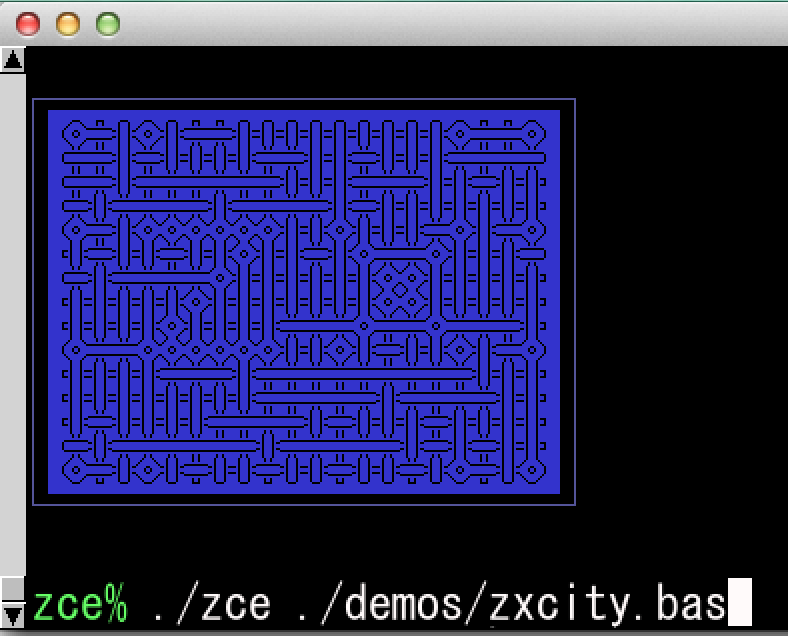
A ZX81 emulator producing Sixel Image Files

QR code generator for terminals (ASCII Art, Sixel)

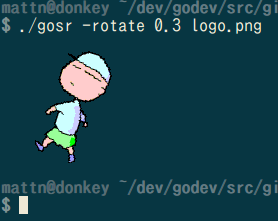
SIXEL encoder/decoder and command line tools writtern in golang.

SIXEL format is supported by -sixel2, -sixel16 or -sixel256 option.
Freestanding slideviewer using sixel graphics. Currently runs on QEMU(i386), without any filesystem or network.

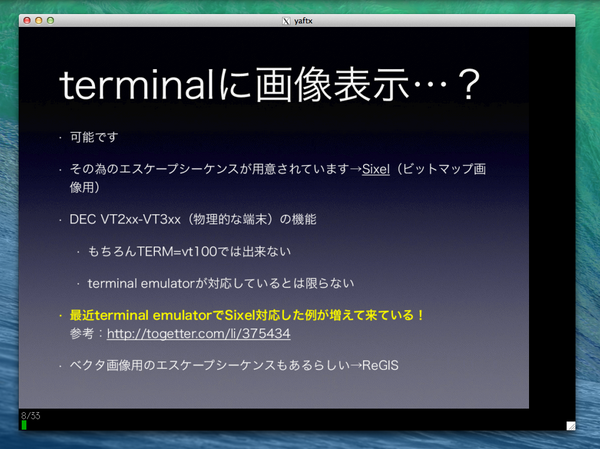
cf. http://www.slideshare.net/syuu1228/presentation-on-your-terminal
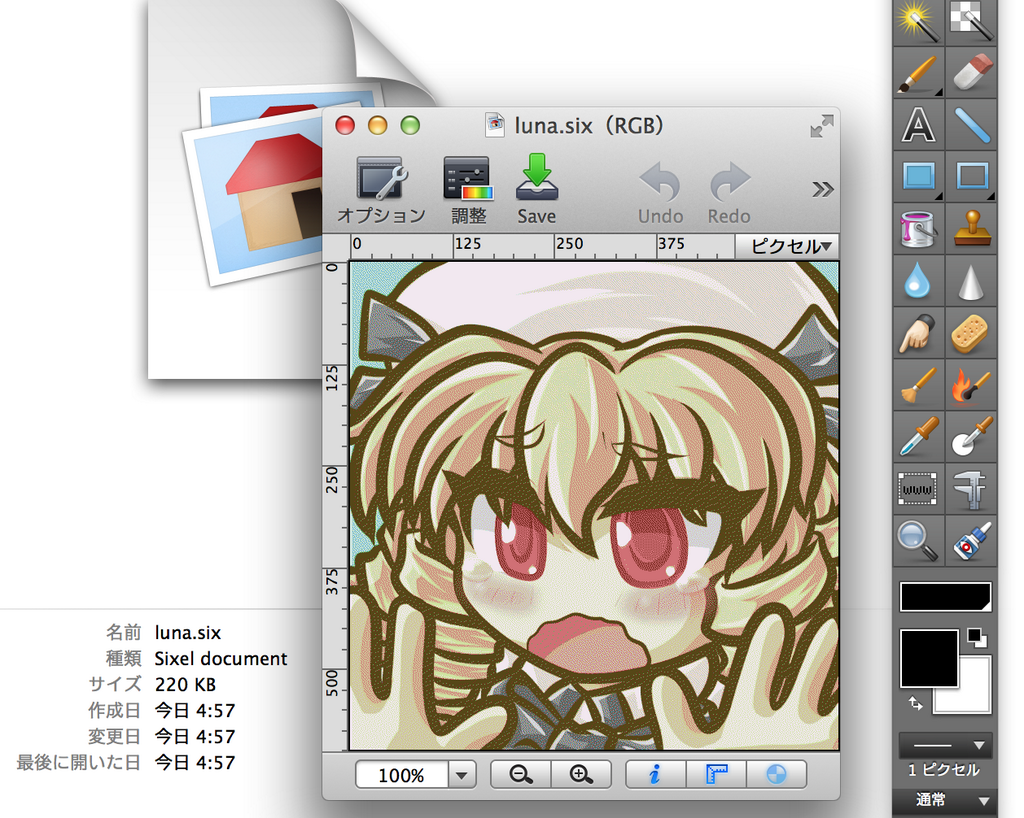
It can import SIXEL images.

This web page can decode SIXEL images (written in javascript).

A mandelbrot program for (colour) sixel-supporting terminals, written by Chris Baird

SixelGraphics.jl(written in Julia)
A module for Julia implementing simple Sixel graphics.

thin-wrapper for pysixel and matplotlib