my landing page this project -> https://NarCCBPTimeLine.ccbp.tech
In this project, let's build a CCBP Timeline by applying the concepts we have learned till now.
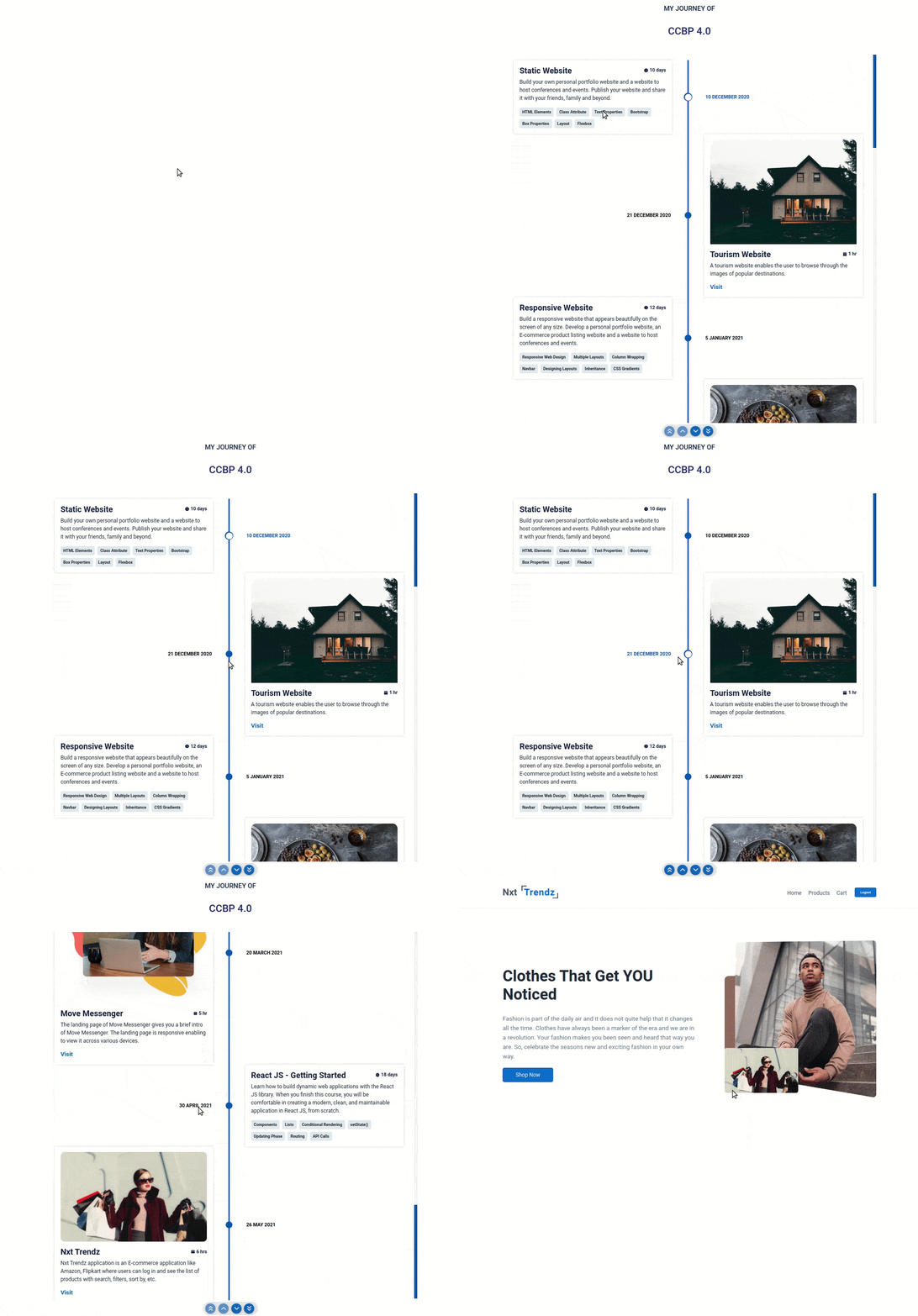
Click to view
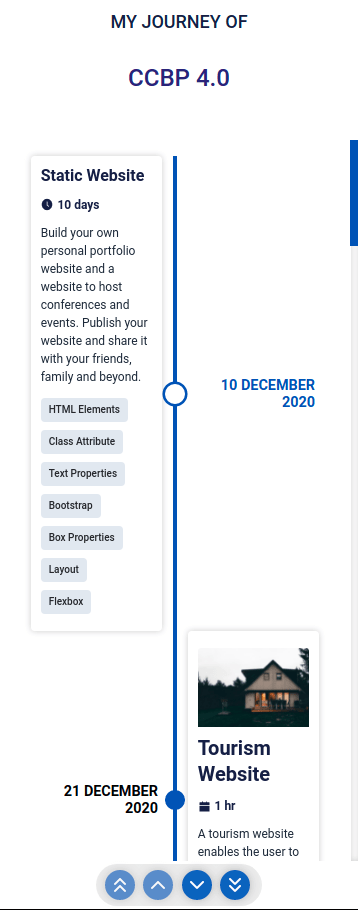
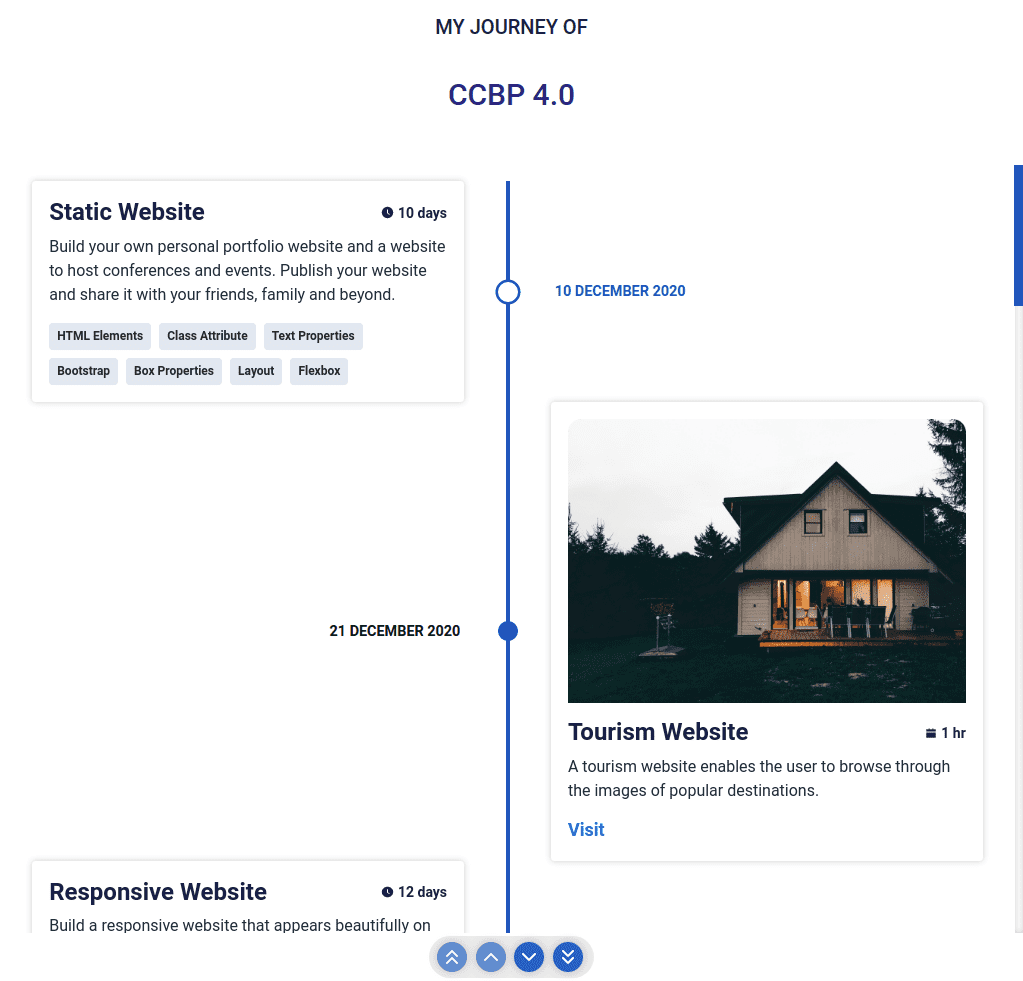
Click to view
- Download dependencies by running
npm install - Start up the app using
npm start
Functionality to be added
The app must have the following functionalities
Initially, the page should display the timeline items list using Chrono custom rendering based on the
categoryIdThe
TimelineViewcomponent is provided withtimelineItemsList. It consists of a list of timeline item objects with the following properties in each timeline item objectThe
timelineItemObjectwithcategoryIdasCOURSEwill have the following propertiesKey Data Type id String categoryId String title String courseTitle String description String duration String tagsList Array The
tagsListObjectwill have the following propertiesKey Data Type id String name String The
timelineItemObjectwithcategoryIdasPROJECTwill have the following propertiesKey Data Type id String categoryId String title String projectTitle String description String imageUrl String duration String projectUrl String
If the value of the key
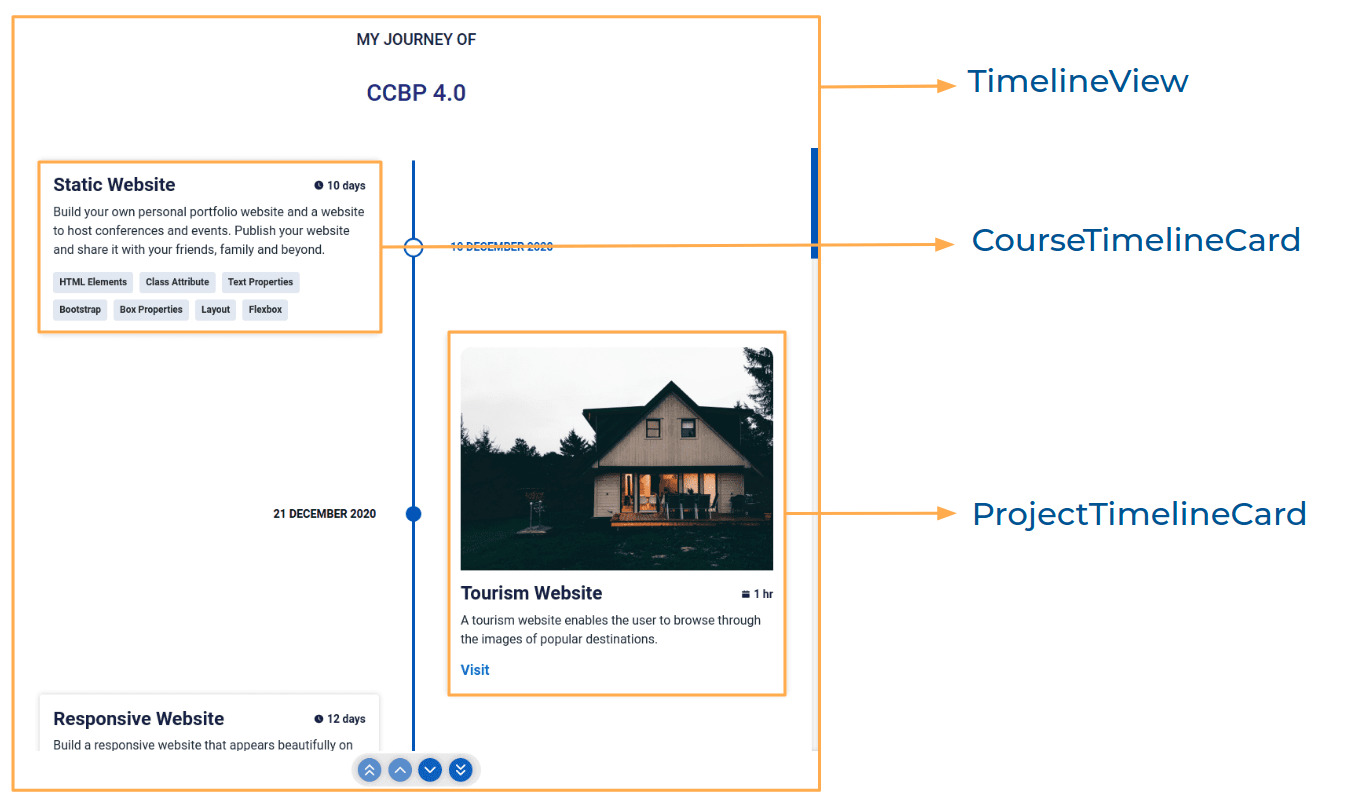
categoryIdintimelineItemObjectisPROJECTthen Project card should be rendered- The
ProjectTimelineCardshould consist of Visit link when a user clicks on it, then the page should be navigated to the respective project - The
ProjectTimelineCardshould consist of a Calendar icon with respectivedurationtext
- The
If the value of the key
categoryIdintimelineItemObjectisCOURSEthen the Course card should be rendered- The
CourseTimelineCardshould consist of a Clock icon with respectivedurationtext
- The
Give the timeline items list data as a value to
itemsprop for theChronocomponent from react-chrono, so that the title will be displayed beside each card
Components Structure
Implementation Files
Use these files to complete the implementation:
src/components/TimelineView/index.jssrc/components/TimelineView/index.csssrc/components/CourseTimelineCard/index.jssrc/components/CourseTimelineCard/index.csssrc/components/ProjectTimelineCard/index.jssrc/components/ProjectTimelineCard/index.css
Click to view
- To build this project, take a look at the React Chrono reading material
The following instructions are required for the tests to pass
AiFillClockCircle,AiFillCalendaricons fromreact-iconsshould be used for clock and calender icons in card respectively
Colors
Font-families
- Roboto
- All components you implement should go in the
src/componentsdirectory.- Don't change the component folder names as those are the files being imported into the tests.
- Do not remove the pre-filled code
- Want to quickly review some of the concepts you’ve been learning? Take a look at the Cheat Sheets.