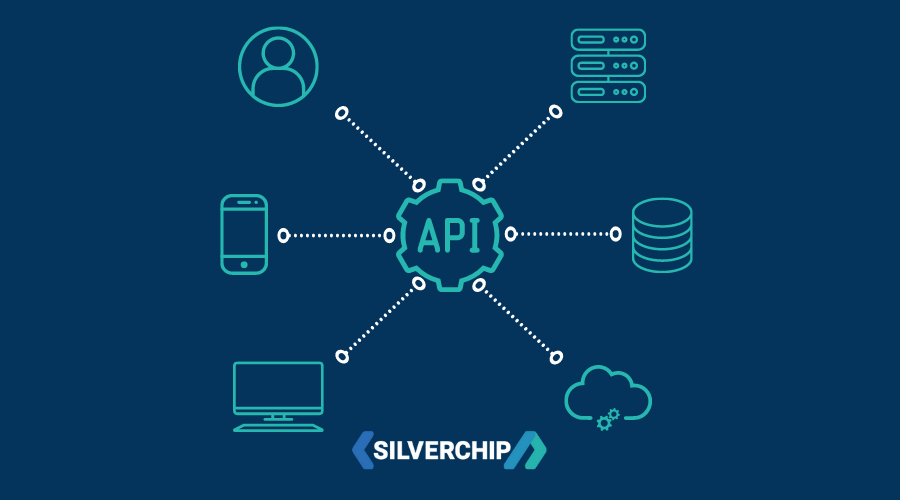
- Overview
- Features
- Tech Stack
- Getting Started
- API Documentation
- Authentication
- Error Handling
- Database Schema
- Testing
- Deployment
- Maintenance Mode
- Security Measures
- Performance Optimization
- CI/CD Pipeline
- Contributing
- License
- Contact
Trippz is a comprehensive travel booking platform API that enables users to search, book, and manage travel experiences including flights, hotels, and custom trips. The platform also supports service providers and travel agencies to offer their services to travelers.
- User Management: Registration, authentication, profile management
- Destination Management: Comprehensive destination information with weather, attractions, and travel tips
- Booking System: Book flights, hotels, and trips with flexible options
- Payment Processing: Secure payment processing with multiple payment methods
- Review System: User reviews and ratings for hotels, flights, and trips
- Notification System: Real-time notifications for bookings, payments, and promotions
- Service Provider Portal: For hotels, tour guides, and other service providers
- Travel Agency Portal: For travel agencies to create and manage travel packages
- Admin Dashboard: Comprehensive admin tools for platform management
- Analytics: Detailed analytics and reporting for business insights
- Maintenance Mode: System-wide maintenance mode for updates
- Multi-language Support: API supports multiple languages
- Geolocation Services: Find nearby destinations and attractions
- Backend: Node.js, Express.js
- Database: PostgreSQL with Prisma ORM
- Authentication: JWT, OAuth (Google, Facebook, Apple)
- File Storage: Cloudinary
- Email Service: Resend
- SMS Service: Twilio
- Payment Processing: Stripe
- Documentation: Swagger/OpenAPI
- Testing: Jest, Supertest
- CI/CD: GitHub Actions
- Deployment: Docker, Kubernetes, Vercel
- Node.js (v16 or higher)
- npm or yarn
- PostgreSQL (v13 or higher)
- Git
Clone the repository: ```bash git clone https://github.com/yourusername/trippz-api.git cd trippz-api ```
Install dependencies: ```bash npm install
yarn install ```
Set up environment variables (see Environment Variables section)
Run database migrations: ```bash npx prisma migrate dev ```
Seed the database (optional): ```bash npm run seed
yarn seed ```
Start the development server: ```bash npm run dev
yarn dev ```
Create a .env file in the root directory with the following variables:
```
DATABASE_URL="postgresql://username:password@localhost:5432/trippz?schema=public"
JWT_SECRET="your-jwt-secret" JWT_EXPIRES_IN="1d" JWT_REFRESH_SECRET="your-jwt-refresh-secret" JWT_REFRESH_EXPIRES_IN="7d" JWT_RESET_PASSWORD_SECRET="your-jwt-reset-password-secret" JWT_EMAIL_VERIFICATION_SECRET="your-jwt-email-verification-secret" JWT_PHONE_VERIFICATION_SECRET="your-jwt-phone-verification-secret" JWT_ACCESS_EXPIRES_IN="15m"
RESEND_API_KEY="your-resend-api-key" RESEND_FROM_EMAIL="noreply@trippz.com"
TWILIO_ACCOUNT_SID="your-twilio-account-sid" TWILIO_AUTH_TOKEN="your-twilio-auth-token" TWILIO_PHONE_NUMBER="your-twilio-phone-number"
CLOUDINARY_CLOUD_NAME="your-cloudinary-cloud-name" CLOUDINARY_API_KEY="your-cloudinary-api-key" CLOUDINARY_API_SECRET="your-cloudinary-api-secret"
STRIPE_SECRET_KEY="your-stripe-secret-key"
GOOGLE_CLIENT_ID="your-google-client-id" GOOGLE_CLIENT_SECRET="your-google-client-secret" FACEBOOK_APP_ID="your-facebook-app-id" FACEBOOK_APP_SECRET="your-facebook-app-secret" APPLE_CLIENT_ID="your-apple-client-id" APPLE_CLIENT_SECRET="your-apple-client-secret" APPLE_TEAM_ID="your-apple-team-id" APPLE_KEY_ID="your-apple-key-id"
PORT=5000 NODE_ENV="development" API_URL="http://localhost:5000/api" FRONTEND_URL="http://localhost:5000" USE_COOKIE_AUTH="true" ```
The project uses Prisma ORM for database management. The database schema is defined in prisma/schema.prisma.
To set up the database:
- Make sure PostgreSQL is running and you have created a database for the project.
- Update the
DATABASE_URLin your.envfile. - Run migrations to create the database schema: ```bash npx prisma migrate dev ```
- Generate Prisma client: ```bash npx prisma generate ```
The API is documented using Swagger/OpenAPI. You can access the documentation at /api-docs when the server is running.
| Method | Endpoint | Description | Auth Required |
|---|---|---|---|
| POST | /api/auth/register | Register a new user | No |
| POST | /api/auth/login | User login | No |
| POST | /api/auth/forgot-password | Request password reset | No |
| POST | /api/auth/reset-password | Reset password | No |
| POST | /api/auth/verify-email | Verify email | No |
| POST | /api/auth/verify-phone | Verify phone number | Yes |
| POST | /api/auth/social-login | Social login | No |
| POST | /api/auth/logout | Logout | Yes |
| POST | /api/auth/refresh-token | Refresh access token | No |
| GET | /api/auth/google | Initiate Google OAuth flow | No |
| GET | /api/auth/google/callback | Google OAuth callback | No |
| GET | /api/auth/facebook | Initiate Facebook OAuth flow | No |
| GET | /api/auth/facebook/callback | Facebook OAuth callback | No |
| GET | /api/auth/apple | Initiate Apple OAuth flow | No |
| POST | /api/auth/apple/callback | Apple OAuth callback | No |
| Method | Endpoint | Description | Auth Required |
|---|---|---|---|
| GET | /api/users/profile | Get user profile | Yes |
| PUT | /api/users/profile | Update user profile | Yes |
| PUT | /api/users/password | Update password | Yes |
| POST | /api/users/profile-picture | Upload profile picture | Yes |
| POST | /api/users/addresses | Add address | Yes |
| GET | /api/users/addresses | Get user addresses | Yes |
| DELETE | /api/users/addresses/{id} | Delete address | Yes |
| Method | Endpoint | Description | Auth Required |
|---|---|---|---|
| GET | /api/destinations | Get all destinations | No |
| POST | /api/destinations | Create a new destination | Yes (Admin) |
| GET | /api/destinations/trending | Get trending destinations | No |
| GET | /api/destinations/nearby | Get nearby destinations | No |
| GET | /api/destinations/{id} | Get destination by ID | No |
| PUT | /api/destinations/{id} | Update destination | Yes (Admin) |
| DELETE | /api/destinations/{id} | Delete destination | Yes (Admin) |
| PUT | /api/destinations/{id}/featured-image | Set featured image | Yes (Admin) |
| GET | /api/destinations/{id}/weather | Get weather information | No |
| GET | /api/destinations/{id}/attractions | Get attractions | No |
| Method | Endpoint | Description | Auth Required |
|---|---|---|---|
| GET | /api/hotels | Get all hotels | No |
| POST | /api/hotels | Create a new hotel | Yes (Admin) |
| GET | /api/hotels/{id} | Get hotel by ID | No |
| PUT | /api/hotels/{id} | Update hotel | Yes (Admin) |
| DELETE | /api/hotels/{id} | Delete hotel | Yes (Admin) |
| GET | /api/hotels/search | Search hotels | No |
| Method | Endpoint | Description | Auth Required |
|---|---|---|---|
| GET | /api/flights | Get all flights | No |
| POST | /api/flights | Create a new flight | Yes (Admin) |
| GET | /api/flights/{id} | Get flight by ID | No |
| PUT | /api/flights/{id} | Update flight | Yes (Admin) |
| DELETE | /api/flights/{id} | Delete flight | Yes (Admin) |
| GET | /api/flights/search | Search flights | No |
| Method | Endpoint | Description | Auth Required |
|---|---|---|---|
| GET | /api/trips | Get all trips | No |
| POST | /api/trips | Create a new trip | Yes |
| GET | /api/trips/{id} | Get trip by ID | No |
| PUT | /api/trips/{id} | Update trip | Yes (Owner) |
| DELETE | /api/trips/{id} | Delete trip | Yes (Owner) |
| GET | /api/trips/search | Search trips | No |
| Method | Endpoint | Description | Auth Required |
|---|---|---|---|
| POST | /api/bookings | Create a new booking | Yes |
| GET | /api/bookings | Get user bookings | Yes |
| GET | /api/bookings/{id} | Get booking by ID | Yes |
| PUT | /api/bookings/{id} | Update booking | Yes (Owner) |
| POST | /api/bookings/{id}/cancel | Cancel booking | Yes (Owner) |
| Method | Endpoint | Description | Auth Required |
|---|---|---|---|
| POST | /api/payments | Process payment | Yes |
| GET | /api/payments | Get user payments | Yes |
| GET | /api/payments/{id} | Get payment by ID | Yes (Owner) |
| POST | /api/payments/{id}/refund | Refund payment | Yes (Owner/Admin) |
| Method | Endpoint | Description | Auth Required |
|---|---|---|---|
| POST | /api/reviews | Create a review | Yes |
| GET | /api/reviews | Get user reviews | Yes |
| GET | /api/reviews/{id} | Get review by ID | No |
| PUT | /api/reviews/{id} | Update review | Yes (Owner) |
| DELETE | /api/reviews/{id} | Delete review | Yes (Owner) |
| GET | /api/reviews/hotels/{id} | Get hotel reviews | No |
| GET | /api/reviews/flights/{id} | Get flight reviews | No |
| GET | /api/reviews/trips/{id} | Get trip reviews | No |
| Method | Endpoint | Description | Auth Required |
|---|---|---|---|
| GET | /api/notifications | Get user notifications | Yes |
| PUT | /api/notifications/{id}/read | Mark notification as read | Yes |
| PUT | /api/notifications/read-all | Mark all notifications as read | Yes |
| DELETE | /api/notifications/{id} | Delete notification | Yes |
| GET | /api/notifications/preferences | Get notification preferences | Yes |
| PUT | /api/notifications/preferences | Update notification preferences | Yes |
| POST | /api/notifications/bulk | Send bulk notifications | Yes (Admin) |
| Method | Endpoint | Description | Auth Required |
|---|---|---|---|
| POST | /api/service-providers/register | Register as service provider | Yes |
| GET | /api/service-providers/profile | Get service provider profile | Yes (Provider) |
| PUT | /api/service-providers/profile | Update service provider profile | Yes (Provider) |
| POST | /api/service-providers/services | Create a new service | Yes (Provider) |
| GET | /api/service-providers/services | Get all services | Yes (Provider) |
| GET | /api/service-providers/services/{id} | Get service by ID | Yes (Provider) |
| PUT | /api/service-providers/services/{id} | Update service | Yes (Provider) |
| DELETE | /api/service-providers/services/{id} | Delete service | Yes (Provider) |
| GET | /api/service-providers/orders | Get all orders | Yes (Provider) |
| POST | /api/service-providers/respond/{orderId} | Respond to order | Yes (Provider) |
| Method | Endpoint | Description | Auth Required |
|---|---|---|---|
| POST | /api/travel-agencies/register | Register as travel agency | Yes |
| GET | /api/travel-agencies/profile | Get travel agency profile | Yes (Agency) |
| PUT | /api/travel-agencies/profile | Update travel agency profile | Yes (Agency) |
| POST | /api/travel-agencies/packages | Create a new package | Yes (Agency) |
| GET | /api/travel-agencies/packages | Get all packages | Yes (Agency) |
| GET | /api/travel-agencies/packages/{id} | Get package by ID | Yes (Agency) |
| PUT | /api/travel-agencies/packages/{id} | Update package | Yes (Agency) |
| DELETE | /api/travel-agencies/packages/{id} | Delete package | Yes (Agency) |
| GET | /api/travel-agencies/orders | Get all orders | Yes (Agency) |
| POST | /api/travel-agencies/respond/{orderId} | Respond to order | Yes (Agency) |
| Method | Endpoint | Description | Auth Required |
|---|---|---|---|
| GET | /api/admin/users | Get all users | Yes (Admin) |
| GET | /api/admin/users/{id} | Get user by ID | Yes (Admin) |
| DELETE | /api/admin/users/{id} | Delete user | Yes (Admin) |
| PUT | /api/admin/users/{id}/role | Update user role | Yes (Admin) |
| GET | /api/admin/stats | Get dashboard statistics | Yes (Admin) |
| GET | /api/admin/analytics | Get detailed analytics | Yes (Admin) |
| GET | /api/admin/settings | Get system settings | Yes (Admin) |
| PUT | /api/admin/settings | Update system settings | Yes (Admin) |
| GET | /api/admin/destinations | Get all destinations | Yes (Admin) |
| POST | /api/admin/destinations | Create destination | Yes (Admin) |
| PUT | /api/admin/destinations/{id} | Update destination | Yes (Admin) |
| DELETE | /api/admin/destinations/{id} | Delete destination | Yes (Admin) |
| Method | Endpoint | Description | Auth Required |
|---|---|---|---|
| GET | /api/health | Health check endpoint | No |
| GET | /api/maintenance-status | Get maintenance status | No |
The API uses JWT (JSON Web Tokens) for authentication. When a user logs in or registers, they receive an access token and a refresh token.
- Used for authenticating API requests
- Short-lived (15 minutes by default)
- Must be included in the Authorization header as a Bearer token
- Used to obtain a new access token when it expires
- Longer-lived (7 days by default)
- Can be stored securely in an HTTP-only cookie or in local storage
The API supports OAuth authentication with:
- Apple
The API uses a consistent error handling approach:
- All errors return a JSON response with a
successfield set tofalse - The
messagefield provides a human-readable error message - The
errorsfield may contain detailed validation errors - HTTP status codes are used appropriately (400, 401, 403, 404, 500, etc.)
Example error response:
```json { "success": false, "message": "Validation error", "errors": [ { "path": "email", "message": "Email is required" }, { "path": "password", "message": "Password must be at least 8 characters" } ] } ```
The database schema is defined using Prisma ORM. The main entities are:
- User
- Destination
- Hotel
- Flight
- Trip
- Booking
- Payment
- Review
- Notification
- ServiceProvider
- TravelAgency
- SystemSetting
For detailed schema information, refer to the prisma/schema.prisma file.
The project uses Jest for testing. To run tests:
```bash
npm test
npm run test:coverage
npm test -- src/tests/auth.test.js ```
Build the application: ```bash npm run build ```
Start the production server: ```bash npm start ```
Build the Docker image: ```bash docker build -t trippz-api . ```
Run the Docker container: ```bash docker run -p 5000:5000 --env-file .env trippz-api ```
Kubernetes deployment files are available in the k8s directory.
The API supports a system-wide maintenance mode that can be enabled by administrators. When maintenance mode is active:
- All API endpoints except for
/api/healthand/api/maintenance-statusreturn a 503 Service Unavailable response - The maintenance message is customizable through the admin settings
- Specific IP addresses can be whitelisted to bypass maintenance mode
The API implements several security measures:
- HTTPS for all communications
- JWT for secure authentication
- Password hashing using bcrypt
- CSRF protection
- Rate limiting to prevent brute force attacks
- Input validation and sanitization
- Secure HTTP headers
- Database query parameterization to prevent SQL injection
- Database indexing for frequently queried fields
- Query optimization with Prisma
- Response caching for frequently accessed data
- Pagination for large data sets
- Compression for API responses
- Optimized file uploads and processing
The project uses GitHub Actions for continuous integration and deployment:
- Automated testing on pull requests
- Code quality checks with ESLint and Prettier
- Automated deployment to staging and production environments
- Database migration automation
- Fork the repository
- Create a feature branch:
git checkout -b feature/your-feature-name - Commit your changes:
git commit -m 'Add some feature' - Push to the branch:
git push origin feature/your-feature-name - Open a pull request
Please make sure to update tests as appropriate and follow the code style guidelines.
This project is licensed under the MIT License - see the LICENSE file for details.
For questions or support, please contact:
- Email: support@trippz.com
- Website: https://trippz.com
- GitHub: https://github.com/yourusername/trippz-api