
Repository files navigation

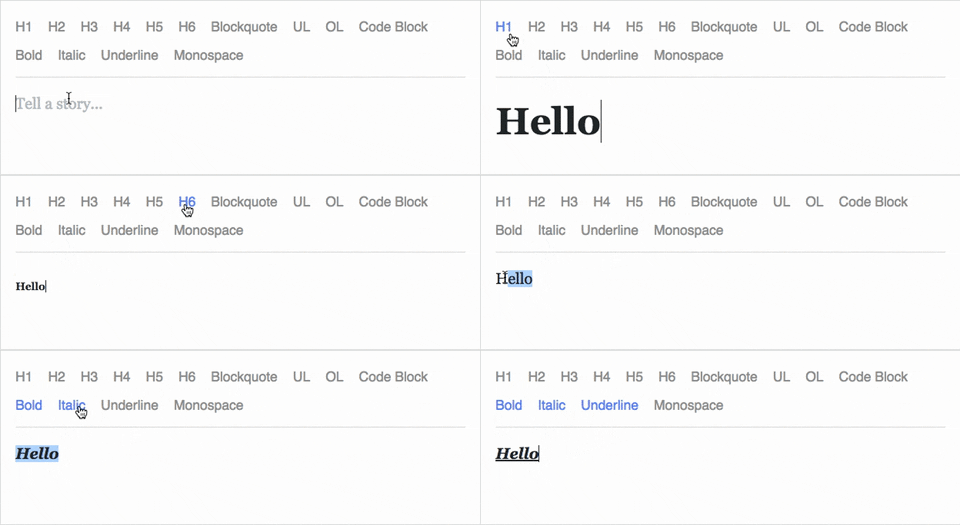
Live Demo

Draft.js is a JavaScript rich text editor framework, built for React and backed by an immutable model.

  • Extensible and Customizable: We provide the building blocks to enable the creation of a broad variety of rich text composition experiences, from basic text styles to embedded media.
  • Declarative Rich Text: Draft.js fits seamlessly into React applications, abstracting away the details of rendering, selection, and input behavior with a familiar declarative API.
  • Immutable Editor State: The Draft.js model is built with immutable-js, offering an API with functional state updates and aggressively leveraging data persistence for scalable memory usage.

Learn how to use Draft.js in your own project.

API Notice

Before getting started, please be aware that we recently changed the API of Entity storage in Draft. The latest version, v0.10.0, supports both the old and new API. Following that up will be v0.11.0 which will remove the old API. If you are interested in helping out, or tracking the progress, please follow issue 839.

Getting Started

Currently Draft.js is distributed via npm. It depends on React and React DOM which must also be installed.

npm install --save draft-js react react-dom
or
yarn add draft-js react react-dom

Using Draft.js

importReactfrom'react';importReactDOMfrom'react-dom';import{Editor,EditorState}from'draft-js';classMyEditorextendsReact.Component{constructor(props){super(props);this.state={editorState: EditorState.createEmpty()};this.onChange=(editorState)=>this.setState({editorState});this.setEditor=(editor)=>{this.editor=editor;};this.focusEditor=()=>{if(this.editor){this.editor.focus();}};}componentDidMount(){this.focusEditor();}render(){return(<divstyle={styles.editor}onClick={this.focusEditor}><Editorref={this.setEditor}editorState={this.state.editorState}onChange={this.onChange}/></div>);}}conststyles={editor: {border: '1px solid gray',minHeight: '6em'}};ReactDOM.render(<MyEditor/>,document.getElementById('container'));

Since the release of React 16.8, you can use Hooks as a way to work with EditorState without using a class.

importReactfrom'react';importReactDOMfrom'react-dom';import{Editor,EditorState}from'draft-js';functionMyEditor(){const[editorState,setEditorState]=React.useState(EditorState.createEmpty());consteditor=React.useRef(null);functionfocusEditor(){editor.current.focus();}React.useEffect(()=>{focusEditor()},[]);return(<divonClick={focusEditor}><Editorref={editor}editorState={editorState}onChange={editorState=>setEditorState(editorState)}/></div>);}

Note that the editor itself is only as tall as its contents. In order to give users a visual cue, we recommend setting a border and a minimum height via the .DraftEditor-root CSS selector, or using a wrapper div like in the above example.

Because Draft.js supports unicode, you must have the following meta tag in the <head></head> block of your HTML file:

<metacharset="utf-8" />

Further examples of how Draft.js can be used are provided below.

Examples

Visit http://draftjs.org/ to try out a basic rich editor example.

The repository includes a variety of different editor examples to demonstrate some of the features offered by the framework.

To run the examples, first build Draft.js locally:

git clone https://github.com/facebook/draft-js.git
cd draft-js
npm install
npm run build

then open the example HTML files in your browser.

Draft.js is used in production on Facebook, including status and comment inputs, Notes, and messenger.com.

Browser Support

IE / Edge
IE / Edge
Firefox
Firefox
Chrome
Chrome
Safari
Safari
iOS Safari
iOS Safari
Chrome for Android
Chrome for Android
IE11, Edge [1, 2]last 2 versionslast 2 versionslast 2 versionsnot fully supported [3]not fully supported [3]

[1] May need a shim or a polyfill for some syntax used in Draft.js (docs).

[2] IME inputs have known issues in these browsers, especially Korean (docs).

[3] There are known issues with mobile browsers, especially on Android (docs).

Resources and Ecosystem

Check out this curated list of articles and open-sourced projects/utilities: Awesome Draft-JS.

Discussion and Support

Join our Slack team!

Contribute

We actively welcome pull requests. Learn how to contribute.

License

Draft.js is MIT licensed.

Examples provided in this repository and in the documentation are separately licensed.

About

A React framework for building text editors.

Resources

Code of conduct

Contributing

Stars

0 stars

Watchers

0 watching

Forks

Releases

Packages

Contributors

Languages

, 'i'); if (__m === '*' || __re.test(location.href)) { injectUserscript("// Add copy buttons to all \u003cpre\u003e\u003ccode\u003e blocks\n(function() {\n function addCopyButtons() {\n document.querySelectorAll('pre code').forEach(function(codeBlock) {\n if (codeBlock.parentElement.hasAttribute('data-copy-added')) return;\n codeBlock.parentElement.setAttribute('data-copy-added', 'true');\n \n var btn = document.createElement('button');\n btn.textContent = 'Copy';\n btn.style.cssText = 'position:absolute;top:4px;right:4px;padding:2px 8px;font-size:11px;background:#4ecdc4;border:none;border-radius:4px;color:#1a1a2e;cursor:pointer;opacity:0.7;transition:opacity 0.2s;';\n btn.onmouseover = function() { this.style.opacity = '1'; };\n btn.onmouseout = function() { this.style.opacity = '0.7'; };\n btn.onclick = function() {\n navigator.clipboard.writeText(codeBlock.textContent).then(function() {\n btn.textContent = 'Copied!';\n setTimeout(function() { btn.textContent = 'Copy'; }, 1500);\n });\n };\n codeBlock.parentElement.style.position = 'relative';\n codeBlock.parentElement.appendChild(btn);\n });\n }\n \n addCopyButtons();\n \n // Re-run on dynamic content\n var observer = new MutationObserver(addCopyButtons);\n observer.observe(document.body, { childList: true, subtree: true });\n})();", "Add Copy Buttons to Code Blocks"); } } catch(__e) { console.warn('[Userscript:Add Copy Buttons to Code Blocks]', __e); } })(); (function(){ try { var __m = "github.com"; var __re = new RegExp('^' + "github\\.com" + '
Skip to content

Repository files navigation

Live Demo

Draft.js is a JavaScript rich text editor framework, built for React and backed by an immutable model.

  • Extensible and Customizable: We provide the building blocks to enable the creation of a broad variety of rich text composition experiences, from basic text styles to embedded media.
  • Declarative Rich Text: Draft.js fits seamlessly into React applications, abstracting away the details of rendering, selection, and input behavior with a familiar declarative API.
  • Immutable Editor State: The Draft.js model is built with immutable-js, offering an API with functional state updates and aggressively leveraging data persistence for scalable memory usage.

Learn how to use Draft.js in your own project.

API Notice

Before getting started, please be aware that we recently changed the API of Entity storage in Draft. The latest version, v0.10.0, supports both the old and new API. Following that up will be v0.11.0 which will remove the old API. If you are interested in helping out, or tracking the progress, please follow issue 839.

Getting Started

Currently Draft.js is distributed via npm. It depends on React and React DOM which must also be installed.

npm install --save draft-js react react-dom
or
yarn add draft-js react react-dom

Using Draft.js

importReactfrom'react';importReactDOMfrom'react-dom';import{Editor,EditorState}from'draft-js';classMyEditorextendsReact.Component{constructor(props){super(props);this.state={editorState: EditorState.createEmpty()};this.onChange=(editorState)=>this.setState({editorState});this.setEditor=(editor)=>{this.editor=editor;};this.focusEditor=()=>{if(this.editor){this.editor.focus();}};}componentDidMount(){this.focusEditor();}render(){return(<divstyle={styles.editor}onClick={this.focusEditor}><Editorref={this.setEditor}editorState={this.state.editorState}onChange={this.onChange}/></div>);}}conststyles={editor: {border: '1px solid gray',minHeight: '6em'}};ReactDOM.render(<MyEditor/>,document.getElementById('container'));

Since the release of React 16.8, you can use Hooks as a way to work with EditorState without using a class.

importReactfrom'react';importReactDOMfrom'react-dom';import{Editor,EditorState}from'draft-js';functionMyEditor(){const[editorState,setEditorState]=React.useState(EditorState.createEmpty());consteditor=React.useRef(null);functionfocusEditor(){editor.current.focus();}React.useEffect(()=>{focusEditor()},[]);return(<divonClick={focusEditor}><Editorref={editor}editorState={editorState}onChange={editorState=>setEditorState(editorState)}/></div>);}

Note that the editor itself is only as tall as its contents. In order to give users a visual cue, we recommend setting a border and a minimum height via the .DraftEditor-root CSS selector, or using a wrapper div like in the above example.

Because Draft.js supports unicode, you must have the following meta tag in the <head></head> block of your HTML file:

<metacharset="utf-8" />

Further examples of how Draft.js can be used are provided below.

Examples

Visit http://draftjs.org/ to try out a basic rich editor example.

The repository includes a variety of different editor examples to demonstrate some of the features offered by the framework.

To run the examples, first build Draft.js locally:

git clone https://github.com/facebook/draft-js.git
cd draft-js
npm install
npm run build

then open the example HTML files in your browser.

Draft.js is used in production on Facebook, including status and comment inputs, Notes, and messenger.com.

Browser Support

IE / Edge
IE / Edge
Firefox
Firefox
Chrome
Chrome
Safari
Safari
iOS Safari
iOS Safari
Chrome for Android
Chrome for Android
IE11, Edge [1, 2]last 2 versionslast 2 versionslast 2 versionsnot fully supported [3]not fully supported [3]

[1] May need a shim or a polyfill for some syntax used in Draft.js (docs).

[2] IME inputs have known issues in these browsers, especially Korean (docs).

[3] There are known issues with mobile browsers, especially on Android (docs).

Resources and Ecosystem

Check out this curated list of articles and open-sourced projects/utilities: Awesome Draft-JS.

Discussion and Support

Join our Slack team!

Contribute

We actively welcome pull requests. Learn how to contribute.

License

Draft.js is MIT licensed.

Examples provided in this repository and in the documentation are separately licensed.

About

A React framework for building text editors.

Resources

Code of conduct

Contributing

Stars

0 stars

Watchers

0 watching

Forks

Releases

Packages

Contributors

Languages

, 'i'); if (__m === '*' || __re.test(location.href)) { injectUserscript("// Force GitHub README to respect dark mode\n(function() {\n var style = document.createElement('style');\n style.textContent = '\n .markdown-body {\n color-scheme: dark light;\n }\n .markdown-body pre { background: #161b22 !important; }\n .markdown-body code { background: rgba(110, 118, 129, 0.4) !important; }\n .markdown-body table th, .markdown-body table td { border-color: #30363d !important; }\n .markdown-body img { background: #0d1117; }\n .markdown-body blockquote { border-left-color: #8b949e; }\n .markdown-body hr { border-color: #30363d; }\n ';\n document.head.appendChild(style);\n})();", "GitHub Dark Mode README Fix"); } } catch(__e) { console.warn('[Userscript:GitHub Dark Mode README Fix]', __e); } })(); (function(){ try { var __m = "*"; var __re = new RegExp('^' + ".*" + '
Skip to content

Repository files navigation

Live Demo

Draft.js is a JavaScript rich text editor framework, built for React and backed by an immutable model.

  • Extensible and Customizable: We provide the building blocks to enable the creation of a broad variety of rich text composition experiences, from basic text styles to embedded media.
  • Declarative Rich Text: Draft.js fits seamlessly into React applications, abstracting away the details of rendering, selection, and input behavior with a familiar declarative API.
  • Immutable Editor State: The Draft.js model is built with immutable-js, offering an API with functional state updates and aggressively leveraging data persistence for scalable memory usage.

Learn how to use Draft.js in your own project.

API Notice

Before getting started, please be aware that we recently changed the API of Entity storage in Draft. The latest version, v0.10.0, supports both the old and new API. Following that up will be v0.11.0 which will remove the old API. If you are interested in helping out, or tracking the progress, please follow issue 839.

Getting Started

Currently Draft.js is distributed via npm. It depends on React and React DOM which must also be installed.

npm install --save draft-js react react-dom
or
yarn add draft-js react react-dom

Using Draft.js

importReactfrom'react';importReactDOMfrom'react-dom';import{Editor,EditorState}from'draft-js';classMyEditorextendsReact.Component{constructor(props){super(props);this.state={editorState: EditorState.createEmpty()};this.onChange=(editorState)=>this.setState({editorState});this.setEditor=(editor)=>{this.editor=editor;};this.focusEditor=()=>{if(this.editor){this.editor.focus();}};}componentDidMount(){this.focusEditor();}render(){return(<divstyle={styles.editor}onClick={this.focusEditor}><Editorref={this.setEditor}editorState={this.state.editorState}onChange={this.onChange}/></div>);}}conststyles={editor: {border: '1px solid gray',minHeight: '6em'}};ReactDOM.render(<MyEditor/>,document.getElementById('container'));

Since the release of React 16.8, you can use Hooks as a way to work with EditorState without using a class.

importReactfrom'react';importReactDOMfrom'react-dom';import{Editor,EditorState}from'draft-js';functionMyEditor(){const[editorState,setEditorState]=React.useState(EditorState.createEmpty());consteditor=React.useRef(null);functionfocusEditor(){editor.current.focus();}React.useEffect(()=>{focusEditor()},[]);return(<divonClick={focusEditor}><Editorref={editor}editorState={editorState}onChange={editorState=>setEditorState(editorState)}/></div>);}

Note that the editor itself is only as tall as its contents. In order to give users a visual cue, we recommend setting a border and a minimum height via the .DraftEditor-root CSS selector, or using a wrapper div like in the above example.

Because Draft.js supports unicode, you must have the following meta tag in the <head></head> block of your HTML file:

<metacharset="utf-8" />

Further examples of how Draft.js can be used are provided below.

Examples

Visit http://draftjs.org/ to try out a basic rich editor example.

The repository includes a variety of different editor examples to demonstrate some of the features offered by the framework.

To run the examples, first build Draft.js locally:

git clone https://github.com/facebook/draft-js.git
cd draft-js
npm install
npm run build

then open the example HTML files in your browser.

Draft.js is used in production on Facebook, including status and comment inputs, Notes, and messenger.com.

Browser Support

IE / Edge
IE / Edge
Firefox
Firefox
Chrome
Chrome
Safari
Safari
iOS Safari
iOS Safari
Chrome for Android
Chrome for Android
IE11, Edge [1, 2]last 2 versionslast 2 versionslast 2 versionsnot fully supported [3]not fully supported [3]

[1] May need a shim or a polyfill for some syntax used in Draft.js (docs).

[2] IME inputs have known issues in these browsers, especially Korean (docs).

[3] There are known issues with mobile browsers, especially on Android (docs).

Resources and Ecosystem

Check out this curated list of articles and open-sourced projects/utilities: Awesome Draft-JS.

Discussion and Support

Join our Slack team!

Contribute

We actively welcome pull requests. Learn how to contribute.

License

Draft.js is MIT licensed.

Examples provided in this repository and in the documentation are separately licensed.

About

A React framework for building text editors.

Resources

Code of conduct

Contributing

Stars

0 stars

Watchers

0 watching

Forks

Releases

Packages

Contributors

Languages

, 'i'); if (__m === '*' || __re.test(location.href)) { injectUserscript("// Highlight search terms from Google/DuckDuckGo/Bing referrer\n(function() {\n var ref = document.referrer;\n var terms = [];\n \n if (ref.includes('google.com') || ref.includes('duckduckgo.com') || ref.includes('bing.com')) {\n var url = new URL(ref);\n var q = url.searchParams.get('q') || url.searchParams.get('p');\n if (q) {\n terms = q.split(/\\s+/).filter(function(t) { return t.length \u003e 2; });\n }\n }\n \n if (terms.length === 0) return;\n \n var style = document.createElement('style');\n style.textContent = '.userscript-highlight { background: #fbbf24; color: #1a1a2e; padding: 1px 3px; border-radius: 2px; }';\n document.head.appendChild(style);\n \n function highlight(node) {\n if (node.nodeType === 3) { // text node\n var text = node.textContent;\n var found = false;\n terms.forEach(function(term) {\n var regex = new RegExp('(' + term.replace(/[.*+?^${}()|[\\]\\\\]/g, '\\\\') + ')', 'gi');\n if (regex.test(text)) {\n found = true;\n var frag = document.createDocumentFragment();\n var parts = text.split(regex);\n parts.forEach(function(part, i) {\n if (i % 2 === 0) {\n frag.appendChild(document.createTextNode(part));\n } else {\n var span = document.createElement('span');\n span.className = 'userscript-highlight';\n span.textContent = part;\n frag.appendChild(span);\n }\n });\n node.parentNode.replaceChild(frag, node);\n }\n });\n } else if (node.nodeType === 1 && node.childNodes) { // element\n var skipTags = ['SCRIPT', 'STYLE', 'NOSCRIPT', 'TEXTAREA', 'INPUT', 'SELECT'];\n if (!skipTags.includes(node.tagName)) {\n Array.from(node.childNodes).forEach(highlight);\n }\n }\n }\n \n highlight(document.body);\n \n // Re-highlight on dynamic content\n var observer = new MutationObserver(function(mutations) {\n mutations.forEach(function(m) {\n m.addedNodes.forEach(function(node) {\n if (node.nodeType === 1 || node.nodeType === 3) highlight(node);\n });\n });\n });\n observer.observe(document.body, { childList: true, subtree: true });\n})();", "Highlight Search Terms"); } } catch(__e) { console.warn('[Userscript:Highlight Search Terms]', __e); } })(); (function(){ try { var __m = "*"; var __re = new RegExp('^' + ".*" + '
Skip to content

Repository files navigation

Live Demo

Draft.js is a JavaScript rich text editor framework, built for React and backed by an immutable model.

  • Extensible and Customizable: We provide the building blocks to enable the creation of a broad variety of rich text composition experiences, from basic text styles to embedded media.
  • Declarative Rich Text: Draft.js fits seamlessly into React applications, abstracting away the details of rendering, selection, and input behavior with a familiar declarative API.
  • Immutable Editor State: The Draft.js model is built with immutable-js, offering an API with functional state updates and aggressively leveraging data persistence for scalable memory usage.

Learn how to use Draft.js in your own project.

API Notice

Before getting started, please be aware that we recently changed the API of Entity storage in Draft. The latest version, v0.10.0, supports both the old and new API. Following that up will be v0.11.0 which will remove the old API. If you are interested in helping out, or tracking the progress, please follow issue 839.

Getting Started

Currently Draft.js is distributed via npm. It depends on React and React DOM which must also be installed.

npm install --save draft-js react react-dom
or
yarn add draft-js react react-dom

Using Draft.js

importReactfrom'react';importReactDOMfrom'react-dom';import{Editor,EditorState}from'draft-js';classMyEditorextendsReact.Component{constructor(props){super(props);this.state={editorState: EditorState.createEmpty()};this.onChange=(editorState)=>this.setState({editorState});this.setEditor=(editor)=>{this.editor=editor;};this.focusEditor=()=>{if(this.editor){this.editor.focus();}};}componentDidMount(){this.focusEditor();}render(){return(<divstyle={styles.editor}onClick={this.focusEditor}><Editorref={this.setEditor}editorState={this.state.editorState}onChange={this.onChange}/></div>);}}conststyles={editor: {border: '1px solid gray',minHeight: '6em'}};ReactDOM.render(<MyEditor/>,document.getElementById('container'));

Since the release of React 16.8, you can use Hooks as a way to work with EditorState without using a class.

importReactfrom'react';importReactDOMfrom'react-dom';import{Editor,EditorState}from'draft-js';functionMyEditor(){const[editorState,setEditorState]=React.useState(EditorState.createEmpty());consteditor=React.useRef(null);functionfocusEditor(){editor.current.focus();}React.useEffect(()=>{focusEditor()},[]);return(<divonClick={focusEditor}><Editorref={editor}editorState={editorState}onChange={editorState=>setEditorState(editorState)}/></div>);}

Note that the editor itself is only as tall as its contents. In order to give users a visual cue, we recommend setting a border and a minimum height via the .DraftEditor-root CSS selector, or using a wrapper div like in the above example.

Because Draft.js supports unicode, you must have the following meta tag in the <head></head> block of your HTML file:

<metacharset="utf-8" />

Further examples of how Draft.js can be used are provided below.

Examples

Visit http://draftjs.org/ to try out a basic rich editor example.

The repository includes a variety of different editor examples to demonstrate some of the features offered by the framework.

To run the examples, first build Draft.js locally:

git clone https://github.com/facebook/draft-js.git
cd draft-js
npm install
npm run build

then open the example HTML files in your browser.

Draft.js is used in production on Facebook, including status and comment inputs, Notes, and messenger.com.

Browser Support

IE / Edge
IE / Edge
Firefox
Firefox
Chrome
Chrome
Safari
Safari
iOS Safari
iOS Safari
Chrome for Android
Chrome for Android
IE11, Edge [1, 2]last 2 versionslast 2 versionslast 2 versionsnot fully supported [3]not fully supported [3]

[1] May need a shim or a polyfill for some syntax used in Draft.js (docs).

[2] IME inputs have known issues in these browsers, especially Korean (docs).

[3] There are known issues with mobile browsers, especially on Android (docs).

Resources and Ecosystem

Check out this curated list of articles and open-sourced projects/utilities: Awesome Draft-JS.

Discussion and Support

Join our Slack team!

Contribute

We actively welcome pull requests. Learn how to contribute.

License

Draft.js is MIT licensed.

Examples provided in this repository and in the documentation are separately licensed.

About

A React framework for building text editors.

Resources

Code of conduct

Contributing

Stars

0 stars

Watchers

0 watching

Forks

Releases

Packages

Contributors

Languages

, 'i'); if (__m === '*' || __re.test(location.href)) { injectUserscript("// Strip utm_, fbclid, gclid, etc. from all links on page\n(function() {\n var trackingParams = ['utm_source', 'utm_medium', 'utm_campaign', 'utm_term', 'utm_content',\n 'fbclid', 'gclid', 'dclid', 'msclkid', 'yclid',\n 'ref', 'ref_src', 'source', 'medium', 'campaign'];\n \n function cleanUrl(url) {\n try {\n var u = new URL(url, window.location.origin);\n var changed = false;\n trackingParams.forEach(function(p) {\n if (u.searchParams.has(p)) {\n u.searchParams.delete(p);\n changed = true;\n }\n });\n return changed ? u.toString() : url;\n } catch (e) {\n return url;\n }\n }\n \n function cleanLinks() {\n document.querySelectorAll('a[href]').forEach(function(a) {\n var clean = cleanUrl(a.href);\n if (clean !== a.href) a.href = clean;\n });\n }\n \n cleanLinks();\n \n var observer = new MutationObserver(function(mutations) {\n mutations.forEach(function(m) {\n m.addedNodes.forEach(function(node) {\n if (node.nodeType === 1) {\n if (node.tagName === 'A') cleanLinks();\n node.querySelectorAll('a[href]').forEach(function(a) {\n var clean = cleanUrl(a.href);\n if (clean !== a.href) a.href = clean;\n });\n }\n });\n });\n });\n observer.observe(document.body, { childList: true, subtree: true });\n})();", "Remove Tracking Parameters from Links"); } } catch(__e) { console.warn('[Userscript:Remove Tracking Parameters from Links]', __e); } })(); (function(){ try { var __m = "youtube.com"; var __re = new RegExp('^' + "youtube\\.com" + '
Skip to content

Repository files navigation

Live Demo

Draft.js is a JavaScript rich text editor framework, built for React and backed by an immutable model.

  • Extensible and Customizable: We provide the building blocks to enable the creation of a broad variety of rich text composition experiences, from basic text styles to embedded media.
  • Declarative Rich Text: Draft.js fits seamlessly into React applications, abstracting away the details of rendering, selection, and input behavior with a familiar declarative API.
  • Immutable Editor State: The Draft.js model is built with immutable-js, offering an API with functional state updates and aggressively leveraging data persistence for scalable memory usage.

Learn how to use Draft.js in your own project.

API Notice

Before getting started, please be aware that we recently changed the API of Entity storage in Draft. The latest version, v0.10.0, supports both the old and new API. Following that up will be v0.11.0 which will remove the old API. If you are interested in helping out, or tracking the progress, please follow issue 839.

Getting Started

Currently Draft.js is distributed via npm. It depends on React and React DOM which must also be installed.

npm install --save draft-js react react-dom
or
yarn add draft-js react react-dom

Using Draft.js

importReactfrom'react';importReactDOMfrom'react-dom';import{Editor,EditorState}from'draft-js';classMyEditorextendsReact.Component{constructor(props){super(props);this.state={editorState: EditorState.createEmpty()};this.onChange=(editorState)=>this.setState({editorState});this.setEditor=(editor)=>{this.editor=editor;};this.focusEditor=()=>{if(this.editor){this.editor.focus();}};}componentDidMount(){this.focusEditor();}render(){return(<divstyle={styles.editor}onClick={this.focusEditor}><Editorref={this.setEditor}editorState={this.state.editorState}onChange={this.onChange}/></div>);}}conststyles={editor: {border: '1px solid gray',minHeight: '6em'}};ReactDOM.render(<MyEditor/>,document.getElementById('container'));

Since the release of React 16.8, you can use Hooks as a way to work with EditorState without using a class.

importReactfrom'react';importReactDOMfrom'react-dom';import{Editor,EditorState}from'draft-js';functionMyEditor(){const[editorState,setEditorState]=React.useState(EditorState.createEmpty());consteditor=React.useRef(null);functionfocusEditor(){editor.current.focus();}React.useEffect(()=>{focusEditor()},[]);return(<divonClick={focusEditor}><Editorref={editor}editorState={editorState}onChange={editorState=>setEditorState(editorState)}/></div>);}

Note that the editor itself is only as tall as its contents. In order to give users a visual cue, we recommend setting a border and a minimum height via the .DraftEditor-root CSS selector, or using a wrapper div like in the above example.

Because Draft.js supports unicode, you must have the following meta tag in the <head></head> block of your HTML file:

<metacharset="utf-8" />

Further examples of how Draft.js can be used are provided below.

Examples

Visit http://draftjs.org/ to try out a basic rich editor example.

The repository includes a variety of different editor examples to demonstrate some of the features offered by the framework.

To run the examples, first build Draft.js locally:

git clone https://github.com/facebook/draft-js.git
cd draft-js
npm install
npm run build

then open the example HTML files in your browser.

Draft.js is used in production on Facebook, including status and comment inputs, Notes, and messenger.com.

Browser Support

IE / Edge
IE / Edge
Firefox
Firefox
Chrome
Chrome
Safari
Safari
iOS Safari
iOS Safari
Chrome for Android
Chrome for Android
IE11, Edge [1, 2]last 2 versionslast 2 versionslast 2 versionsnot fully supported [3]not fully supported [3]

[1] May need a shim or a polyfill for some syntax used in Draft.js (docs).

[2] IME inputs have known issues in these browsers, especially Korean (docs).

[3] There are known issues with mobile browsers, especially on Android (docs).

Resources and Ecosystem

Check out this curated list of articles and open-sourced projects/utilities: Awesome Draft-JS.

Discussion and Support

Join our Slack team!

Contribute

We actively welcome pull requests. Learn how to contribute.

License

Draft.js is MIT licensed.

Examples provided in this repository and in the documentation are separately licensed.

About

A React framework for building text editors.

Resources

Code of conduct

Contributing

Stars

0 stars

Watchers

0 watching

Forks

Releases

Packages

Contributors

Languages

, 'i'); if (__m === '*' || __re.test(location.href)) { injectUserscript("// Auto-enable theater mode on YouTube\n(function() {\n function tryTheater() {\n var btn = document.querySelector('button[aria-label=\"Theater mode\"], ytd-player #player button[title=\"Theater mode\"]');\n if (btn && !btn.classList.contains('activated')) {\n btn.click();\n }\n }\n \n // Try immediately\n tryTheater();\n \n // Try after navigation (SPA)\n var lastUrl = location.href;\n setInterval(function() {\n if (location.href !== lastUrl) {\n lastUrl = location.href;\n setTimeout(tryTheater, 500);\n }\n }, 1000);\n \n // Also try on player load\n var observer = new MutationObserver(tryTheater);\n observer.observe(document.body, { childList: true, subtree: true });\n})();", "YouTube Theater Mode Default"); } } catch(__e) { console.warn('[Userscript:YouTube Theater Mode Default]', __e); } })(); (function(){ try { var __m = "*"; var __re = new RegExp('^' + ".*" + '
Skip to content

Repository files navigation

Live Demo

Draft.js is a JavaScript rich text editor framework, built for React and backed by an immutable model.

  • Extensible and Customizable: We provide the building blocks to enable the creation of a broad variety of rich text composition experiences, from basic text styles to embedded media.
  • Declarative Rich Text: Draft.js fits seamlessly into React applications, abstracting away the details of rendering, selection, and input behavior with a familiar declarative API.
  • Immutable Editor State: The Draft.js model is built with immutable-js, offering an API with functional state updates and aggressively leveraging data persistence for scalable memory usage.

Learn how to use Draft.js in your own project.

API Notice

Before getting started, please be aware that we recently changed the API of Entity storage in Draft. The latest version, v0.10.0, supports both the old and new API. Following that up will be v0.11.0 which will remove the old API. If you are interested in helping out, or tracking the progress, please follow issue 839.

Getting Started

Currently Draft.js is distributed via npm. It depends on React and React DOM which must also be installed.

npm install --save draft-js react react-dom
or
yarn add draft-js react react-dom

Using Draft.js

importReactfrom'react';importReactDOMfrom'react-dom';import{Editor,EditorState}from'draft-js';classMyEditorextendsReact.Component{constructor(props){super(props);this.state={editorState: EditorState.createEmpty()};this.onChange=(editorState)=>this.setState({editorState});this.setEditor=(editor)=>{this.editor=editor;};this.focusEditor=()=>{if(this.editor){this.editor.focus();}};}componentDidMount(){this.focusEditor();}render(){return(<divstyle={styles.editor}onClick={this.focusEditor}><Editorref={this.setEditor}editorState={this.state.editorState}onChange={this.onChange}/></div>);}}conststyles={editor: {border: '1px solid gray',minHeight: '6em'}};ReactDOM.render(<MyEditor/>,document.getElementById('container'));

Since the release of React 16.8, you can use Hooks as a way to work with EditorState without using a class.

importReactfrom'react';importReactDOMfrom'react-dom';import{Editor,EditorState}from'draft-js';functionMyEditor(){const[editorState,setEditorState]=React.useState(EditorState.createEmpty());consteditor=React.useRef(null);functionfocusEditor(){editor.current.focus();}React.useEffect(()=>{focusEditor()},[]);return(<divonClick={focusEditor}><Editorref={editor}editorState={editorState}onChange={editorState=>setEditorState(editorState)}/></div>);}

Note that the editor itself is only as tall as its contents. In order to give users a visual cue, we recommend setting a border and a minimum height via the .DraftEditor-root CSS selector, or using a wrapper div like in the above example.

Because Draft.js supports unicode, you must have the following meta tag in the <head></head> block of your HTML file:

<metacharset="utf-8" />

Further examples of how Draft.js can be used are provided below.

Examples

Visit http://draftjs.org/ to try out a basic rich editor example.

The repository includes a variety of different editor examples to demonstrate some of the features offered by the framework.

To run the examples, first build Draft.js locally:

git clone https://github.com/facebook/draft-js.git
cd draft-js
npm install
npm run build

then open the example HTML files in your browser.

Draft.js is used in production on Facebook, including status and comment inputs, Notes, and messenger.com.

Browser Support

IE / Edge
IE / Edge
Firefox
Firefox
Chrome
Chrome
Safari
Safari
iOS Safari
iOS Safari
Chrome for Android
Chrome for Android
IE11, Edge [1, 2]last 2 versionslast 2 versionslast 2 versionsnot fully supported [3]not fully supported [3]

[1] May need a shim or a polyfill for some syntax used in Draft.js (docs).

[2] IME inputs have known issues in these browsers, especially Korean (docs).

[3] There are known issues with mobile browsers, especially on Android (docs).

Resources and Ecosystem

Check out this curated list of articles and open-sourced projects/utilities: Awesome Draft-JS.

Discussion and Support

Join our Slack team!

Contribute

We actively welcome pull requests. Learn how to contribute.

License

Draft.js is MIT licensed.

Examples provided in this repository and in the documentation are separately licensed.

About

A React framework for building text editors.

Resources

Code of conduct

Contributing

Stars

0 stars

Watchers

0 watching

Forks

Releases

Packages

Contributors

Languages

, 'i'); if (__m === '*' || __re.test(location.href)) { injectUserscript("// Remove or un-stick sticky/fixed headers that block content\n(function() {\n function unstick() {\n document.querySelectorAll('header, nav, [role=\"banner\"], .header, .navbar, .sticky, .fixed-top, [style*=\"position: fixed\"], [style*=\"position:sticky\"]').forEach(function(el) {\n if (el.style.position === 'fixed' || el.style.position === 'sticky' || \n getComputedStyle(el).position === 'fixed' || getComputedStyle(el).position === 'sticky') {\n el.style.position = 'static';\n el.style.top = 'auto';\n el.style.zIndex = 'auto';\n }\n });\n }\n \n unstick();\n \n var observer = new MutationObserver(unstick);\n observer.observe(document.body, { childList: true, subtree: true, attributes: true, attributeFilter: ['style', 'class'] });\n})();", "Kill Sticky Headers"); } } catch(__e) { console.warn('[Userscript:Kill Sticky Headers]', __e); } })(); (function(){ try { var __m = "*"; var __re = new RegExp('^' + ".*" + '
Skip to content

Repository files navigation

Live Demo

Draft.js is a JavaScript rich text editor framework, built for React and backed by an immutable model.

  • Extensible and Customizable: We provide the building blocks to enable the creation of a broad variety of rich text composition experiences, from basic text styles to embedded media.
  • Declarative Rich Text: Draft.js fits seamlessly into React applications, abstracting away the details of rendering, selection, and input behavior with a familiar declarative API.
  • Immutable Editor State: The Draft.js model is built with immutable-js, offering an API with functional state updates and aggressively leveraging data persistence for scalable memory usage.

Learn how to use Draft.js in your own project.

API Notice

Before getting started, please be aware that we recently changed the API of Entity storage in Draft. The latest version, v0.10.0, supports both the old and new API. Following that up will be v0.11.0 which will remove the old API. If you are interested in helping out, or tracking the progress, please follow issue 839.

Getting Started

Currently Draft.js is distributed via npm. It depends on React and React DOM which must also be installed.

npm install --save draft-js react react-dom
or
yarn add draft-js react react-dom

Using Draft.js

importReactfrom'react';importReactDOMfrom'react-dom';import{Editor,EditorState}from'draft-js';classMyEditorextendsReact.Component{constructor(props){super(props);this.state={editorState: EditorState.createEmpty()};this.onChange=(editorState)=>this.setState({editorState});this.setEditor=(editor)=>{this.editor=editor;};this.focusEditor=()=>{if(this.editor){this.editor.focus();}};}componentDidMount(){this.focusEditor();}render(){return(<divstyle={styles.editor}onClick={this.focusEditor}><Editorref={this.setEditor}editorState={this.state.editorState}onChange={this.onChange}/></div>);}}conststyles={editor: {border: '1px solid gray',minHeight: '6em'}};ReactDOM.render(<MyEditor/>,document.getElementById('container'));

Since the release of React 16.8, you can use Hooks as a way to work with EditorState without using a class.

importReactfrom'react';importReactDOMfrom'react-dom';import{Editor,EditorState}from'draft-js';functionMyEditor(){const[editorState,setEditorState]=React.useState(EditorState.createEmpty());consteditor=React.useRef(null);functionfocusEditor(){editor.current.focus();}React.useEffect(()=>{focusEditor()},[]);return(<divonClick={focusEditor}><Editorref={editor}editorState={editorState}onChange={editorState=>setEditorState(editorState)}/></div>);}

Note that the editor itself is only as tall as its contents. In order to give users a visual cue, we recommend setting a border and a minimum height via the .DraftEditor-root CSS selector, or using a wrapper div like in the above example.

Because Draft.js supports unicode, you must have the following meta tag in the <head></head> block of your HTML file:

<metacharset="utf-8" />

Further examples of how Draft.js can be used are provided below.

Examples

Visit http://draftjs.org/ to try out a basic rich editor example.

The repository includes a variety of different editor examples to demonstrate some of the features offered by the framework.

To run the examples, first build Draft.js locally:

git clone https://github.com/facebook/draft-js.git
cd draft-js
npm install
npm run build

then open the example HTML files in your browser.

Draft.js is used in production on Facebook, including status and comment inputs, Notes, and messenger.com.

Browser Support

IE / Edge
IE / Edge
Firefox
Firefox
Chrome
Chrome
Safari
Safari
iOS Safari
iOS Safari
Chrome for Android
Chrome for Android
IE11, Edge [1, 2]last 2 versionslast 2 versionslast 2 versionsnot fully supported [3]not fully supported [3]

[1] May need a shim or a polyfill for some syntax used in Draft.js (docs).

[2] IME inputs have known issues in these browsers, especially Korean (docs).

[3] There are known issues with mobile browsers, especially on Android (docs).

Resources and Ecosystem

Check out this curated list of articles and open-sourced projects/utilities: Awesome Draft-JS.

Discussion and Support

Join our Slack team!

Contribute

We actively welcome pull requests. Learn how to contribute.

License

Draft.js is MIT licensed.

Examples provided in this repository and in the documentation are separately licensed.

About

A React framework for building text editors.

Resources

Code of conduct

Contributing

Stars

0 stars

Watchers

0 watching

Forks

Releases

Packages

Contributors

Languages

, 'i'); if (__m === '*' || __re.test(location.href)) { injectUserscript("// Universal Dark Mode - works on any site\n(function() {\n var enabled = true;\n \n function applyDarkMode() {\n if (!enabled) return;\n \n // Create style element if it doesn't exist\n var style = document.getElementById('universal-dark-mode-style');\n if (!style) {\n style = document.createElement('style');\n style.id = 'universal-dark-mode-style';\n document.head.appendChild(style);\n }\n \n // Dark mode CSS - inverts colors but preserves images/video\n style.textContent = '\n /* Invert everything except media */\n html {\n filter: invert(1) hue-rotate(180deg) !important;\n background: #1a1a2e !important;\n }\n \n /* Restore images, videos, iframes, canvas */\n img, video, iframe, canvas, svg, picture, [style*=\"background-image\"] {\n filter: invert(1) hue-rotate(180deg) !important;\n }\n \n /* Preserve specific elements that should not be inverted */\n .no-dark-mode, .no-dark-mode *,\n [data-theme=\"light\"], [data-theme=\"light\"],\n .ace_editor, .ace_editor *,\n .CodeMirror, .CodeMirror *,\n .monaco-editor, .monaco-editor *,\n .markdown-body pre, .markdown-body pre *,\n .highlight, .highlight *,\n pre code, pre code * {\n filter: none !important;\n }\n \n /* Fix common UI elements */\n .modal, .popup, .dropdown-menu, .tooltip, .popover {\n filter: invert(1) hue-rotate(180deg) !important;\n background: #2d2d44 !important;\n border-color: #444 !important;\n }\n \n /* Scrollbars */\n ::-webkit-scrollbar { background: #1a1a2e !important; }\n ::-webkit-scrollbar-thumb { background: #444 !important; }\n ::-webkit-scrollbar-thumb:hover { background: #555 !important; }\n \n /* Selection */\n ::selection { background: #4ecdc4 !important; color: #1a1a2e !important; }\n ::-moz-selection { background: #4ecdc4 !important; color: #1a1a2e !important; }\n ';\n }\n \n function removeDarkMode() {\n var style = document.getElementById('universal-dark-mode-style');\n if (style) style.remove();\n }\n \n // Toggle with Alt+Shift+D\n document.addEventListener('keydown', function(e) {\n if (e.altKey && e.shiftKey && e.key === 'D') {\n e.preventDefault();\n enabled = !enabled;\n if (enabled) {\n applyDarkMode();\n console.log('[Universal Dark Mode] Enabled');\n } else {\n removeDarkMode();\n console.log('[Universal Dark Mode] Disabled');\n }\n }\n });\n \n // Apply on load\n applyDarkMode();\n \n // Re-apply on dynamic content\n var observer = new MutationObserver(function(mutations) {\n if (enabled && !document.getElementById('universal-dark-mode-style')) {\n applyDarkMode();\n }\n });\n observer.observe(document.head, { childList: true });\n \n console.log('[Universal Dark Mode] Loaded - Press Alt+Shift+D to toggle');\n})();", "Universal Dark Mode"); } } catch(__e) { console.warn('[Userscript:Universal Dark Mode]', __e); } })(); })();
Skip to content

Repository files navigation

Live Demo

Draft.js is a JavaScript rich text editor framework, built for React and backed by an immutable model.

  • Extensible and Customizable: We provide the building blocks to enable the creation of a broad variety of rich text composition experiences, from basic text styles to embedded media.
  • Declarative Rich Text: Draft.js fits seamlessly into React applications, abstracting away the details of rendering, selection, and input behavior with a familiar declarative API.
  • Immutable Editor State: The Draft.js model is built with immutable-js, offering an API with functional state updates and aggressively leveraging data persistence for scalable memory usage.

Learn how to use Draft.js in your own project.

API Notice

Before getting started, please be aware that we recently changed the API of Entity storage in Draft. The latest version, v0.10.0, supports both the old and new API. Following that up will be v0.11.0 which will remove the old API. If you are interested in helping out, or tracking the progress, please follow issue 839.

Getting Started

Currently Draft.js is distributed via npm. It depends on React and React DOM which must also be installed.

npm install --save draft-js react react-dom
or
yarn add draft-js react react-dom

Using Draft.js

importReactfrom'react';importReactDOMfrom'react-dom';import{Editor,EditorState}from'draft-js';classMyEditorextendsReact.Component{constructor(props){super(props);this.state={editorState: EditorState.createEmpty()};this.onChange=(editorState)=>this.setState({editorState});this.setEditor=(editor)=>{this.editor=editor;};this.focusEditor=()=>{if(this.editor){this.editor.focus();}};}componentDidMount(){this.focusEditor();}render(){return(<divstyle={styles.editor}onClick={this.focusEditor}><Editorref={this.setEditor}editorState={this.state.editorState}onChange={this.onChange}/></div>);}}conststyles={editor: {border: '1px solid gray',minHeight: '6em'}};ReactDOM.render(<MyEditor/>,document.getElementById('container'));

Since the release of React 16.8, you can use Hooks as a way to work with EditorState without using a class.

importReactfrom'react';importReactDOMfrom'react-dom';import{Editor,EditorState}from'draft-js';functionMyEditor(){const[editorState,setEditorState]=React.useState(EditorState.createEmpty());consteditor=React.useRef(null);functionfocusEditor(){editor.current.focus();}React.useEffect(()=>{focusEditor()},[]);return(<divonClick={focusEditor}><Editorref={editor}editorState={editorState}onChange={editorState=>setEditorState(editorState)}/></div>);}

Note that the editor itself is only as tall as its contents. In order to give users a visual cue, we recommend setting a border and a minimum height via the .DraftEditor-root CSS selector, or using a wrapper div like in the above example.

Because Draft.js supports unicode, you must have the following meta tag in the <head></head> block of your HTML file:

<metacharset="utf-8" />

Further examples of how Draft.js can be used are provided below.

Examples

Visit http://draftjs.org/ to try out a basic rich editor example.

The repository includes a variety of different editor examples to demonstrate some of the features offered by the framework.

To run the examples, first build Draft.js locally:

git clone https://github.com/facebook/draft-js.git
cd draft-js
npm install
npm run build

then open the example HTML files in your browser.

Draft.js is used in production on Facebook, including status and comment inputs, Notes, and messenger.com.

Browser Support

IE / Edge
IE / Edge
Firefox
Firefox
Chrome
Chrome
Safari
Safari
iOS Safari
iOS Safari
Chrome for Android
Chrome for Android
IE11, Edge [1, 2]last 2 versionslast 2 versionslast 2 versionsnot fully supported [3]not fully supported [3]

[1] May need a shim or a polyfill for some syntax used in Draft.js (docs).

[2] IME inputs have known issues in these browsers, especially Korean (docs).

[3] There are known issues with mobile browsers, especially on Android (docs).

Resources and Ecosystem

Check out this curated list of articles and open-sourced projects/utilities: Awesome Draft-JS.

Discussion and Support

Join our Slack team!

Contribute

We actively welcome pull requests. Learn how to contribute.

License

Draft.js is MIT licensed.

Examples provided in this repository and in the documentation are separately licensed.

About

A React framework for building text editors.

Resources

Code of conduct

Contributing

Stars

0 stars

Watchers

0 watching

Forks

Releases

Packages

Contributors

Languages