


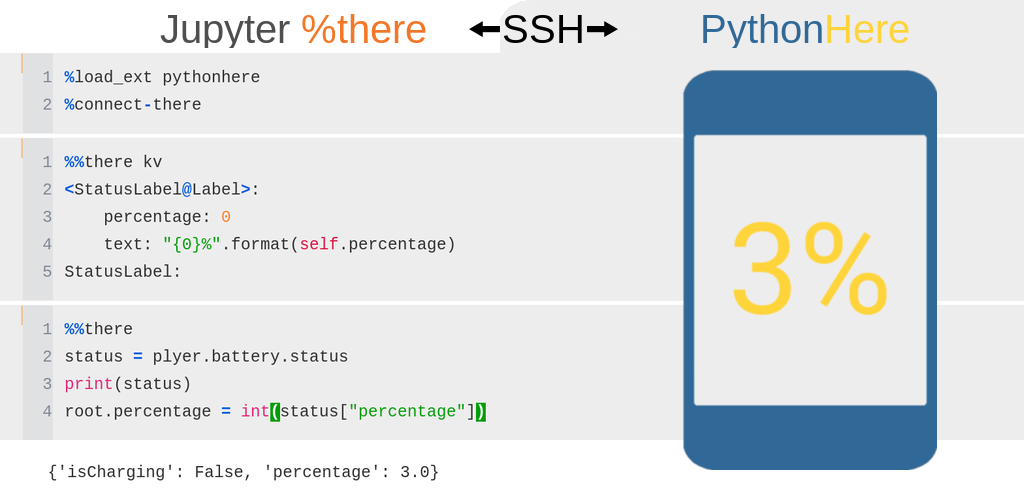
PythonHere lets you run Python code from a local Jupyter notebook inside a remote Kivy app.
PythonHere has two parts:
- Here is the remote/server side. It runs a Python environment with a Kivy GUI, for example on Android, Raspberry Pi, or another machine.
- %there is the local/client side. It is a Jupyter magic command for running code interactively in the remote PythonHere environment.
This makes PythonHere useful as a live Python/Kivy playground, and as a way to inspect or control a Python app running remotely.
Project documentation: https://herethere.me/pythonhere
Install PythonHere with Obtainium to receive updates from GitHub Releases.
Ready-to-use PythonHere APKs are available from the GitHub Releases page.
For APK provenance and signing checks, see Android APK verification. For a list of Python packages included in the Android build, see buildozer.spec.
The Docker image is based on Jupyter Docker Stacks and includes PythonHere with usage examples.
Example command to start the Docker container:
docker run \
--rm \
-p 8888:8888 \
--user root \
-e CHOWN_EXTRA=/home/jovyan/work \
-e CHOWN_EXTRA_OPTS='-R' \
-v "$(pwd)/work":/home/jovyan/work \
herethere/pythonhere:latest
The command exposes the Jupyter server on host port 8888. Jupyter logs are
printed in the terminal and include a URL such as
http://127.0.0.1:8888/?token=.... Open this URL in a browser to use the
local Jupyter environment.
Files in /home/jovyan/work inside the container are stored in the local
work directory.
Commands to run locally:
pip install pythonhere jupyter
jupyter notebook
To build with Buildozer, run in the source directory:
buildozer android debug
- herethere : Library for interactive code execution, based on AsyncSSH
- AsyncSSH : Asynchronous SSH for Python
- Buildozer : Tool used to build the Android APK.
- python-for-android : Build toolchain used by Buildozer to package Python applications for Android.