
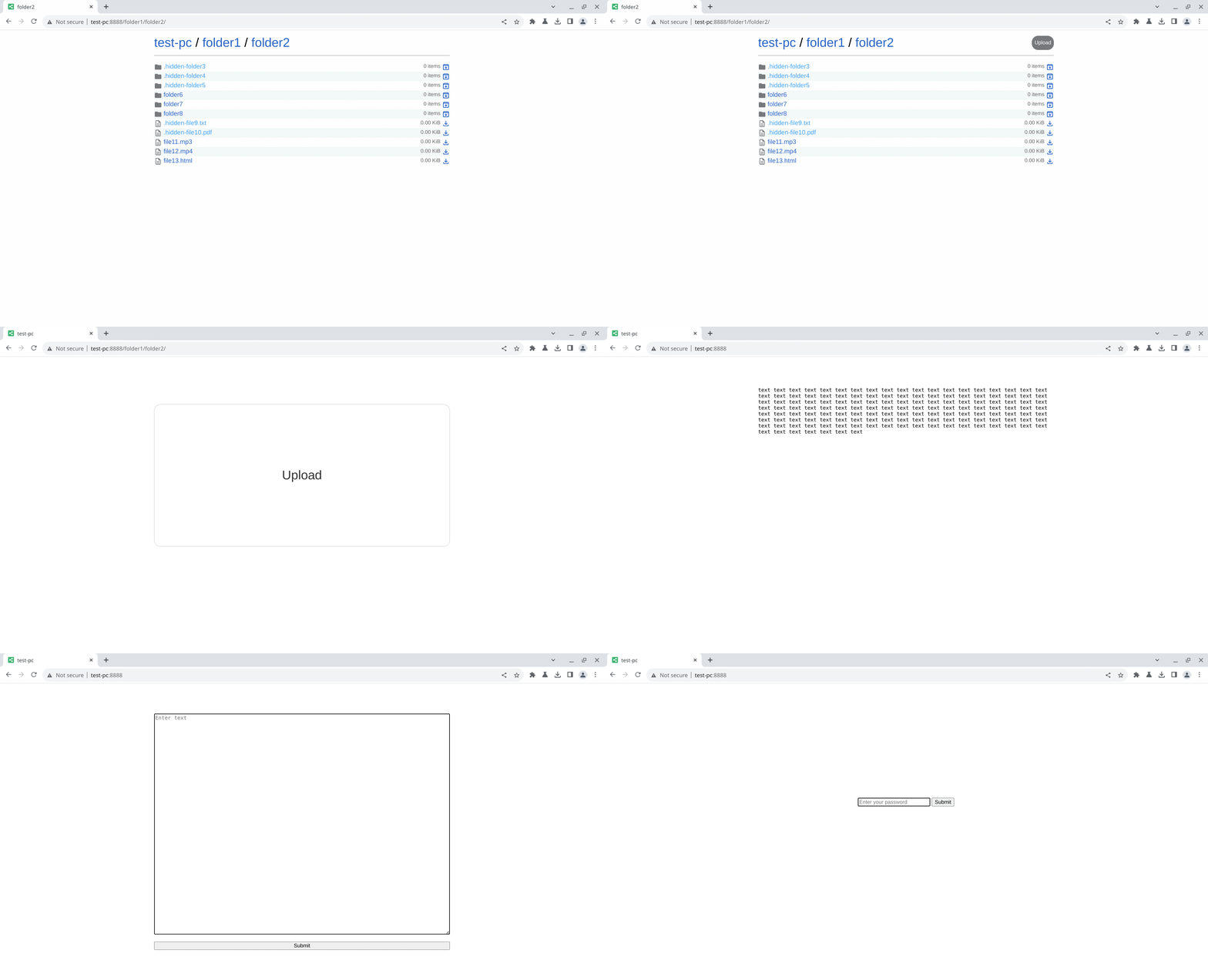
This is a command-line file sharing tool, which has just a single file and is easy to use.
- Crossing multiple platforms
- Sharing directories, files and texts
- Receiving files and texts
- Password sharing
- Basic authentication support
- Range request support
- TLS support
- Zstd compression support (requires python-zstandard, optional and not needed on Python 3.14+)
- QR code support (requires python-qrcode, optional)
usage: share.py [-b ADDRESS] [-p PORT] [-s] [-r] [-a] [-z] [-t] [-P [PASSWORD]] [-R RULE]
[-q] [-h] [-v] [--certfile CERTFILE] [--keyfile KEYFILE]
[--keypass KEYPASS]
[arguments ...]
positional arguments:
arguments a directory, files or texts
general options:
-b, --bind ADDRESS bind address [default: 0.0.0.0]
-p, --port PORT port [default: 8888]
-s, --share share mode (default mode)
-r, --receive receive mode, can be used with -s option (only for directory)
-a, --all show all files, including hidden ones (only for directory)
-z, --archive share the directory itself as an archive (only for directory)
-t, --text for text
-P, --password [PASSWORD]
access password, if no PASSWORD is specified, the environment
variable SHARE_PASSWORD will be used
-R, --auth-rule RULE a rule for authentication, can be used multiple times [default: *]
-q, --qrcode show the qrcode
-h, --help show this help message and exit
-v, --version show version number and exit
tls options:
--certfile CERTFILE cert file
--keyfile KEYFILE key file
--keypass KEYPASS key password
An auth rule consists of two components: a pattern and an optional comma-separated list of HTTP methods, separated by a :.
Here are a few examples:
*,*:GET,POST,PUTor/*:GET,POST,PUTmatches all paths forGET,POSTandPUT/foo/*:GETmatches paths start with/foo/and the path/foo.tar.zstforGET*bar:POST,PUTmatches paths end withbarforPOSTandPUT/foo[ab]*:GETmatches paths start with/fooaor/foobforGET
For full documentation on the pattern syntax, please see fnmatch.
You can download the latest release from the Release page.
Install via the OBS repo (see obs-repo for setup).
Just download the script.
- If you're sharing just one file, you can use the shortcut name
fileto access it:http://{host}:{port}/file # to save with the original filename wget --content-disposition http://{host}:{port}/file curl -OJ http://{host}:{port}/file - To get an archive of a folder, you can add the
.tar.zstextension to the url:http://{host}:{port}/any/folder.tar.zst - If you want to upload files to the sharing server with
curl, you can use:# POST curl -F file=@/path/to/file http://{host}:{port} # create new folders at the same time curl -F file=@/path/to/file http://{host}:{port}/custom/path/ # PUT curl -T /path/to/file http://{host}:{port} # create new folders at the same time curl -T /path/to/file http://{host}:{port}/custom/path/ # with a different filename curl -T /path/to/file http://{host}:{port}/custom/path/custom-filename
- If you want to use HTTP Basic authentication, remember the username is always "user".