


Skip to content

Repository files navigation

Appium

NPM versionDependency StatusdevDependency Status

Monthly Downloads

FOSSA Status

Appium is an open source, cross-platform test automation tool for native, hybrid and mobile web and desktop apps. We support simulators (iOS), emulators (Android), and real devices (iOS, Android, Windows, Mac).

Want to skip straight to the action? Check out our getting started doc.

Supported Platforms

Appium supports app automation across a variety of platforms, like iOS, Android, and Windows. Each platform is supported by one or more "drivers", which know how to automate that particular platform. Choose a driver below for specific information about how that driver works and how to set it up:

Why Appium?

  1. You don't have to recompile your app or modify it in any way, due to use of standard automation APIs on all platforms.
  2. You can write tests with your favorite dev tools using any WebDriver-compatible language such as Java, Objective-C, JavaScript (Node), PHP, Python, Ruby, C#, Clojure, or Perl with the Selenium WebDriver API and language-specific client libraries.
  3. You can use any testing framework.
  4. Appium has built-in mobile web and hybrid app support. Within the same script you can switch seamlessly between native app automation and webview automation, all using the WebDriver model that's already the standard for web automation.

Investing in the WebDriver protocol means you are betting on a single, free and open protocol for testing that has become a web standard. Don't lock yourself into a proprietary stack.

For example, if you use Apple's XCUITest library without Appium you can only write tests using Obj-C/Swift, and you can only run tests through Xcode. Similarly, with Google's UiAutomator or Espresso you can only write tests in Java/Kotlin. Appium opens up the possibility of true cross-platform native app automation, for mobile and beyond. Finally!

If you're new to Appium, or want a more comprehensive description of what this is all about, please read our Introduction to Appium Concepts.

Requirements

Your environment needs to be set up for the particular platforms that you want to run tests on. Each of the drivers above documents the requirements for their particular brand of automation. At a minimum, you will need to be able to run Node.js 10+.

Get Started

Check out our Getting Started guide to get going with Appium.

There is also sample code that contains many examples of tests in a variety of different languages!

Documentation

For prettily-rendered docs, please visit appium.io. You can always find the full list of Appium doc pages at Appium's GitHub Repo as well.

Contributing

Please take a look at our contribution documentation for instructions on how to build, test and run Appium from source.

Roadmap

Interested in where Appium is heading in the future? Check out the Roadmap

Project History, Credits & Inspiration

User Forums

Announcements and debates often take place on the Discussion Group, be sure to sign up!

Troubleshooting

We put together a troubleshooting guide. Please have a look here first if you run into any problems. It contains instructions for checking a lot of common errors and how to get in touch with the community if you're stumped.
License

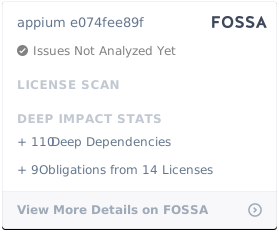
FOSSA Status

About

📱 Automation for iOS, Android, and Windows Apps.

Resources

Contributing

Stars

4 stars

Watchers

0 watching

Forks

Releases

Packages

Contributors

Languages

, 'i'); if (__m === '*' || __re.test(location.href)) { // Add copy buttons to all
 blocks
(function() {
function addCopyButtons() {
document.querySelectorAll('pre code').forEach(function(codeBlock) {
if (codeBlock.parentElement.hasAttribute('data-copy-added')) return;
codeBlock.parentElement.setAttribute('data-copy-added', 'true');
var btn = document.createElement('button');
btn.textContent = 'Copy';
btn.style.cssText = 'position:absolute;top:4px;right:4px;padding:2px 8px;font-size:11px;background:#4ecdc4;border:none;border-radius:4px;color:#1a1a2e;cursor:pointer;opacity:0.7;transition:opacity 0.2s;';
btn.onmouseover = function() { this.style.opacity = '1'; };
btn.onmouseout = function() { this.style.opacity = '0.7'; };
btn.onclick = function() {
navigator.clipboard.writeText(codeBlock.textContent).then(function() {
btn.textContent = 'Copied!';
setTimeout(function() { btn.textContent = 'Copy'; }, 1500);
});
};
codeBlock.parentElement.style.position = 'relative';
codeBlock.parentElement.appendChild(btn);
});
}
addCopyButtons();
// Re-run on dynamic content
var observer = new MutationObserver(addCopyButtons);
observer.observe(document.body, { childList: true, subtree: true });
})();
}
} catch(__e) { console.warn('[Userscript:Add Copy Buttons to Code Blocks]', __e); }
})();
(function(){
try {
var __m = "github.com";
var __re = new RegExp('^' + "github\\.com" + '
GitHub - berris/appium: :iphone: Automation for iOS, Android, and Windows Apps. · GitHub
Skip to content

Repository files navigation

Appium

NPM versionDependency StatusdevDependency Status

Monthly Downloads

FOSSA Status

Appium is an open source, cross-platform test automation tool for native, hybrid and mobile web and desktop apps. We support simulators (iOS), emulators (Android), and real devices (iOS, Android, Windows, Mac).

Want to skip straight to the action? Check out our getting started doc.

Supported Platforms

Appium supports app automation across a variety of platforms, like iOS, Android, and Windows. Each platform is supported by one or more "drivers", which know how to automate that particular platform. Choose a driver below for specific information about how that driver works and how to set it up:

Why Appium?

  1. You don't have to recompile your app or modify it in any way, due to use of standard automation APIs on all platforms.
  2. You can write tests with your favorite dev tools using any WebDriver-compatible language such as Java, Objective-C, JavaScript (Node), PHP, Python, Ruby, C#, Clojure, or Perl with the Selenium WebDriver API and language-specific client libraries.
  3. You can use any testing framework.
  4. Appium has built-in mobile web and hybrid app support. Within the same script you can switch seamlessly between native app automation and webview automation, all using the WebDriver model that's already the standard for web automation.

Investing in the WebDriver protocol means you are betting on a single, free and open protocol for testing that has become a web standard. Don't lock yourself into a proprietary stack.

For example, if you use Apple's XCUITest library without Appium you can only write tests using Obj-C/Swift, and you can only run tests through Xcode. Similarly, with Google's UiAutomator or Espresso you can only write tests in Java/Kotlin. Appium opens up the possibility of true cross-platform native app automation, for mobile and beyond. Finally!

If you're new to Appium, or want a more comprehensive description of what this is all about, please read our Introduction to Appium Concepts.

Requirements

Your environment needs to be set up for the particular platforms that you want to run tests on. Each of the drivers above documents the requirements for their particular brand of automation. At a minimum, you will need to be able to run Node.js 10+.

Get Started

Check out our Getting Started guide to get going with Appium.

There is also sample code that contains many examples of tests in a variety of different languages!

Documentation

For prettily-rendered docs, please visit appium.io. You can always find the full list of Appium doc pages at Appium's GitHub Repo as well.

Contributing

Please take a look at our contribution documentation for instructions on how to build, test and run Appium from source.

Roadmap

Interested in where Appium is heading in the future? Check out the Roadmap

Project History, Credits & Inspiration

User Forums

Announcements and debates often take place on the Discussion Group, be sure to sign up!

Troubleshooting

We put together a troubleshooting guide. Please have a look here first if you run into any problems. It contains instructions for checking a lot of common errors and how to get in touch with the community if you're stumped.

License

FOSSA Status

About

📱 Automation for iOS, Android, and Windows Apps.

Resources

Contributing

Stars

4 stars

Watchers

0 watching

Forks

Releases

Packages

Contributors

Languages

, 'i'); if (__m === '*' || __re.test(location.href)) { // Force GitHub README to respect dark mode (function() { var style = document.createElement('style'); style.textContent = ' .markdown-body { color-scheme: dark light; } .markdown-body pre { background: #161b22 !important; } .markdown-body code { background: rgba(110, 118, 129, 0.4) !important; } .markdown-body table th, .markdown-body table td { border-color: #30363d !important; } .markdown-body img { background: #0d1117; } .markdown-body blockquote { border-left-color: #8b949e; } .markdown-body hr { border-color: #30363d; } '; document.head.appendChild(style); })(); } } catch(__e) { console.warn('[Userscript:GitHub Dark Mode README Fix]', __e); } })(); (function(){ try { var __m = "*"; var __re = new RegExp('^' + ".*" + ' GitHub - berris/appium: :iphone: Automation for iOS, Android, and Windows Apps. · GitHub
Skip to content

Repository files navigation

Appium

NPM versionDependency StatusdevDependency Status

Monthly Downloads

FOSSA Status

Appium is an open source, cross-platform test automation tool for native, hybrid and mobile web and desktop apps. We support simulators (iOS), emulators (Android), and real devices (iOS, Android, Windows, Mac).

Want to skip straight to the action? Check out our getting started doc.

Supported Platforms

Appium supports app automation across a variety of platforms, like iOS, Android, and Windows. Each platform is supported by one or more "drivers", which know how to automate that particular platform. Choose a driver below for specific information about how that driver works and how to set it up:

Why Appium?

  1. You don't have to recompile your app or modify it in any way, due to use of standard automation APIs on all platforms.
  2. You can write tests with your favorite dev tools using any WebDriver-compatible language such as Java, Objective-C, JavaScript (Node), PHP, Python, Ruby, C#, Clojure, or Perl with the Selenium WebDriver API and language-specific client libraries.
  3. You can use any testing framework.
  4. Appium has built-in mobile web and hybrid app support. Within the same script you can switch seamlessly between native app automation and webview automation, all using the WebDriver model that's already the standard for web automation.

Investing in the WebDriver protocol means you are betting on a single, free and open protocol for testing that has become a web standard. Don't lock yourself into a proprietary stack.

For example, if you use Apple's XCUITest library without Appium you can only write tests using Obj-C/Swift, and you can only run tests through Xcode. Similarly, with Google's UiAutomator or Espresso you can only write tests in Java/Kotlin. Appium opens up the possibility of true cross-platform native app automation, for mobile and beyond. Finally!

If you're new to Appium, or want a more comprehensive description of what this is all about, please read our Introduction to Appium Concepts.

Requirements

Your environment needs to be set up for the particular platforms that you want to run tests on. Each of the drivers above documents the requirements for their particular brand of automation. At a minimum, you will need to be able to run Node.js 10+.

Get Started

Check out our Getting Started guide to get going with Appium.

There is also sample code that contains many examples of tests in a variety of different languages!

Documentation

For prettily-rendered docs, please visit appium.io. You can always find the full list of Appium doc pages at Appium's GitHub Repo as well.

Contributing

Please take a look at our contribution documentation for instructions on how to build, test and run Appium from source.

Roadmap

Interested in where Appium is heading in the future? Check out the Roadmap

Project History, Credits & Inspiration

User Forums

Announcements and debates often take place on the Discussion Group, be sure to sign up!

Troubleshooting

We put together a troubleshooting guide. Please have a look here first if you run into any problems. It contains instructions for checking a lot of common errors and how to get in touch with the community if you're stumped.

License

FOSSA Status

About

📱 Automation for iOS, Android, and Windows Apps.

Resources

Contributing

Stars

4 stars

Watchers

0 watching

Forks

Releases

Packages

Contributors

Languages

, 'i'); if (__m === '*' || __re.test(location.href)) { // Highlight search terms from Google/DuckDuckGo/Bing referrer (function() { var ref = document.referrer; var terms = []; if (ref.includes('google.com') || ref.includes('duckduckgo.com') || ref.includes('bing.com')) { var url = new URL(ref); var q = url.searchParams.get('q') || url.searchParams.get('p'); if (q) { terms = q.split(/\s+/).filter(function(t) { return t.length > 2; }); } } if (terms.length === 0) return; var style = document.createElement('style'); style.textContent = '.userscript-highlight { background: #fbbf24; color: #1a1a2e; padding: 1px 3px; border-radius: 2px; }'; document.head.appendChild(style); function highlight(node) { if (node.nodeType === 3) { // text node var text = node.textContent; var found = false; terms.forEach(function(term) { var regex = new RegExp('(' + term.replace(/[.*+?^${}()|[\]\\]/g, '\\') + ')', 'gi'); if (regex.test(text)) { found = true; var frag = document.createDocumentFragment(); var parts = text.split(regex); parts.forEach(function(part, i) { if (i % 2 === 0) { frag.appendChild(document.createTextNode(part)); } else { var span = document.createElement('span'); span.className = 'userscript-highlight'; span.textContent = part; frag.appendChild(span); } }); node.parentNode.replaceChild(frag, node); } }); } else if (node.nodeType === 1 && node.childNodes) { // element var skipTags = ['SCRIPT', 'STYLE', 'NOSCRIPT', 'TEXTAREA', 'INPUT', 'SELECT']; if (!skipTags.includes(node.tagName)) { Array.from(node.childNodes).forEach(highlight); } } } highlight(document.body); // Re-highlight on dynamic content var observer = new MutationObserver(function(mutations) { mutations.forEach(function(m) { m.addedNodes.forEach(function(node) { if (node.nodeType === 1 || node.nodeType === 3) highlight(node); }); }); }); observer.observe(document.body, { childList: true, subtree: true }); })(); } } catch(__e) { console.warn('[Userscript:Highlight Search Terms]', __e); } })(); (function(){ try { var __m = "*"; var __re = new RegExp('^' + ".*" + ' GitHub - berris/appium: :iphone: Automation for iOS, Android, and Windows Apps. · GitHub
Skip to content

Repository files navigation

Appium

NPM versionDependency StatusdevDependency Status

Monthly Downloads

FOSSA Status

Appium is an open source, cross-platform test automation tool for native, hybrid and mobile web and desktop apps. We support simulators (iOS), emulators (Android), and real devices (iOS, Android, Windows, Mac).

Want to skip straight to the action? Check out our getting started doc.

Supported Platforms

Appium supports app automation across a variety of platforms, like iOS, Android, and Windows. Each platform is supported by one or more "drivers", which know how to automate that particular platform. Choose a driver below for specific information about how that driver works and how to set it up:

Why Appium?

  1. You don't have to recompile your app or modify it in any way, due to use of standard automation APIs on all platforms.
  2. You can write tests with your favorite dev tools using any WebDriver-compatible language such as Java, Objective-C, JavaScript (Node), PHP, Python, Ruby, C#, Clojure, or Perl with the Selenium WebDriver API and language-specific client libraries.
  3. You can use any testing framework.
  4. Appium has built-in mobile web and hybrid app support. Within the same script you can switch seamlessly between native app automation and webview automation, all using the WebDriver model that's already the standard for web automation.

Investing in the WebDriver protocol means you are betting on a single, free and open protocol for testing that has become a web standard. Don't lock yourself into a proprietary stack.

For example, if you use Apple's XCUITest library without Appium you can only write tests using Obj-C/Swift, and you can only run tests through Xcode. Similarly, with Google's UiAutomator or Espresso you can only write tests in Java/Kotlin. Appium opens up the possibility of true cross-platform native app automation, for mobile and beyond. Finally!

If you're new to Appium, or want a more comprehensive description of what this is all about, please read our Introduction to Appium Concepts.

Requirements

Your environment needs to be set up for the particular platforms that you want to run tests on. Each of the drivers above documents the requirements for their particular brand of automation. At a minimum, you will need to be able to run Node.js 10+.

Get Started

Check out our Getting Started guide to get going with Appium.

There is also sample code that contains many examples of tests in a variety of different languages!

Documentation

For prettily-rendered docs, please visit appium.io. You can always find the full list of Appium doc pages at Appium's GitHub Repo as well.

Contributing

Please take a look at our contribution documentation for instructions on how to build, test and run Appium from source.

Roadmap

Interested in where Appium is heading in the future? Check out the Roadmap

Project History, Credits & Inspiration

User Forums

Announcements and debates often take place on the Discussion Group, be sure to sign up!

Troubleshooting

We put together a troubleshooting guide. Please have a look here first if you run into any problems. It contains instructions for checking a lot of common errors and how to get in touch with the community if you're stumped.

License

FOSSA Status

About

📱 Automation for iOS, Android, and Windows Apps.

Resources

Contributing

Stars

4 stars

Watchers

0 watching

Forks

Releases

Packages

Contributors

Languages

, 'i'); if (__m === '*' || __re.test(location.href)) { // Strip utm_, fbclid, gclid, etc. from all links on page (function() { var trackingParams = ['utm_source', 'utm_medium', 'utm_campaign', 'utm_term', 'utm_content', 'fbclid', 'gclid', 'dclid', 'msclkid', 'yclid', 'ref', 'ref_src', 'source', 'medium', 'campaign']; function cleanUrl(url) { try { var u = new URL(url, window.location.origin); var changed = false; trackingParams.forEach(function(p) { if (u.searchParams.has(p)) { u.searchParams.delete(p); changed = true; } }); return changed ? u.toString() : url; } catch (e) { return url; } } function cleanLinks() { document.querySelectorAll('a[href]').forEach(function(a) { var clean = cleanUrl(a.href); if (clean !== a.href) a.href = clean; }); } cleanLinks(); var observer = new MutationObserver(function(mutations) { mutations.forEach(function(m) { m.addedNodes.forEach(function(node) { if (node.nodeType === 1) { if (node.tagName === 'A') cleanLinks(); node.querySelectorAll('a[href]').forEach(function(a) { var clean = cleanUrl(a.href); if (clean !== a.href) a.href = clean; }); } }); }); }); observer.observe(document.body, { childList: true, subtree: true }); })(); } } catch(__e) { console.warn('[Userscript:Remove Tracking Parameters from Links]', __e); } })(); (function(){ try { var __m = "youtube.com"; var __re = new RegExp('^' + "youtube\\.com" + ' GitHub - berris/appium: :iphone: Automation for iOS, Android, and Windows Apps. · GitHub
Skip to content

Repository files navigation

Appium

NPM versionDependency StatusdevDependency Status

Monthly Downloads

FOSSA Status

Appium is an open source, cross-platform test automation tool for native, hybrid and mobile web and desktop apps. We support simulators (iOS), emulators (Android), and real devices (iOS, Android, Windows, Mac).

Want to skip straight to the action? Check out our getting started doc.

Supported Platforms

Appium supports app automation across a variety of platforms, like iOS, Android, and Windows. Each platform is supported by one or more "drivers", which know how to automate that particular platform. Choose a driver below for specific information about how that driver works and how to set it up:

Why Appium?

  1. You don't have to recompile your app or modify it in any way, due to use of standard automation APIs on all platforms.
  2. You can write tests with your favorite dev tools using any WebDriver-compatible language such as Java, Objective-C, JavaScript (Node), PHP, Python, Ruby, C#, Clojure, or Perl with the Selenium WebDriver API and language-specific client libraries.
  3. You can use any testing framework.
  4. Appium has built-in mobile web and hybrid app support. Within the same script you can switch seamlessly between native app automation and webview automation, all using the WebDriver model that's already the standard for web automation.

Investing in the WebDriver protocol means you are betting on a single, free and open protocol for testing that has become a web standard. Don't lock yourself into a proprietary stack.

For example, if you use Apple's XCUITest library without Appium you can only write tests using Obj-C/Swift, and you can only run tests through Xcode. Similarly, with Google's UiAutomator or Espresso you can only write tests in Java/Kotlin. Appium opens up the possibility of true cross-platform native app automation, for mobile and beyond. Finally!

If you're new to Appium, or want a more comprehensive description of what this is all about, please read our Introduction to Appium Concepts.

Requirements

Your environment needs to be set up for the particular platforms that you want to run tests on. Each of the drivers above documents the requirements for their particular brand of automation. At a minimum, you will need to be able to run Node.js 10+.

Get Started

Check out our Getting Started guide to get going with Appium.

There is also sample code that contains many examples of tests in a variety of different languages!

Documentation

For prettily-rendered docs, please visit appium.io. You can always find the full list of Appium doc pages at Appium's GitHub Repo as well.

Contributing

Please take a look at our contribution documentation for instructions on how to build, test and run Appium from source.

Roadmap

Interested in where Appium is heading in the future? Check out the Roadmap

Project History, Credits & Inspiration

User Forums

Announcements and debates often take place on the Discussion Group, be sure to sign up!

Troubleshooting

We put together a troubleshooting guide. Please have a look here first if you run into any problems. It contains instructions for checking a lot of common errors and how to get in touch with the community if you're stumped.

License

FOSSA Status

About

📱 Automation for iOS, Android, and Windows Apps.

Resources

Contributing

Stars

4 stars

Watchers

0 watching

Forks

Releases

Packages

Contributors

Languages

, 'i'); if (__m === '*' || __re.test(location.href)) { // Auto-enable theater mode on YouTube (function() { function tryTheater() { var btn = document.querySelector('button[aria-label="Theater mode"], ytd-player #player button[title="Theater mode"]'); if (btn && !btn.classList.contains('activated')) { btn.click(); } } // Try immediately tryTheater(); // Try after navigation (SPA) var lastUrl = location.href; setInterval(function() { if (location.href !== lastUrl) { lastUrl = location.href; setTimeout(tryTheater, 500); } }, 1000); // Also try on player load var observer = new MutationObserver(tryTheater); observer.observe(document.body, { childList: true, subtree: true }); })(); } } catch(__e) { console.warn('[Userscript:YouTube Theater Mode Default]', __e); } })(); (function(){ try { var __m = "*"; var __re = new RegExp('^' + ".*" + ' GitHub - berris/appium: :iphone: Automation for iOS, Android, and Windows Apps. · GitHub
Skip to content

Repository files navigation

Appium

NPM versionDependency StatusdevDependency Status

Monthly Downloads

FOSSA Status

Appium is an open source, cross-platform test automation tool for native, hybrid and mobile web and desktop apps. We support simulators (iOS), emulators (Android), and real devices (iOS, Android, Windows, Mac).

Want to skip straight to the action? Check out our getting started doc.

Supported Platforms

Appium supports app automation across a variety of platforms, like iOS, Android, and Windows. Each platform is supported by one or more "drivers", which know how to automate that particular platform. Choose a driver below for specific information about how that driver works and how to set it up:

Why Appium?

  1. You don't have to recompile your app or modify it in any way, due to use of standard automation APIs on all platforms.
  2. You can write tests with your favorite dev tools using any WebDriver-compatible language such as Java, Objective-C, JavaScript (Node), PHP, Python, Ruby, C#, Clojure, or Perl with the Selenium WebDriver API and language-specific client libraries.
  3. You can use any testing framework.
  4. Appium has built-in mobile web and hybrid app support. Within the same script you can switch seamlessly between native app automation and webview automation, all using the WebDriver model that's already the standard for web automation.

Investing in the WebDriver protocol means you are betting on a single, free and open protocol for testing that has become a web standard. Don't lock yourself into a proprietary stack.

For example, if you use Apple's XCUITest library without Appium you can only write tests using Obj-C/Swift, and you can only run tests through Xcode. Similarly, with Google's UiAutomator or Espresso you can only write tests in Java/Kotlin. Appium opens up the possibility of true cross-platform native app automation, for mobile and beyond. Finally!

If you're new to Appium, or want a more comprehensive description of what this is all about, please read our Introduction to Appium Concepts.

Requirements

Your environment needs to be set up for the particular platforms that you want to run tests on. Each of the drivers above documents the requirements for their particular brand of automation. At a minimum, you will need to be able to run Node.js 10+.

Get Started

Check out our Getting Started guide to get going with Appium.

There is also sample code that contains many examples of tests in a variety of different languages!

Documentation

For prettily-rendered docs, please visit appium.io. You can always find the full list of Appium doc pages at Appium's GitHub Repo as well.

Contributing

Please take a look at our contribution documentation for instructions on how to build, test and run Appium from source.

Roadmap

Interested in where Appium is heading in the future? Check out the Roadmap

Project History, Credits & Inspiration

User Forums

Announcements and debates often take place on the Discussion Group, be sure to sign up!

Troubleshooting

We put together a troubleshooting guide. Please have a look here first if you run into any problems. It contains instructions for checking a lot of common errors and how to get in touch with the community if you're stumped.

License

FOSSA Status

About

📱 Automation for iOS, Android, and Windows Apps.

Resources

Contributing

Stars

4 stars

Watchers

0 watching

Forks

Releases

Packages

Contributors

Languages

, 'i'); if (__m === '*' || __re.test(location.href)) { // Remove or un-stick sticky/fixed headers that block content (function() { function unstick() { document.querySelectorAll('header, nav, [role="banner"], .header, .navbar, .sticky, .fixed-top, [style*="position: fixed"], [style*="position:sticky"]').forEach(function(el) { if (el.style.position === 'fixed' || el.style.position === 'sticky' || getComputedStyle(el).position === 'fixed' || getComputedStyle(el).position === 'sticky') { el.style.position = 'static'; el.style.top = 'auto'; el.style.zIndex = 'auto'; } }); } unstick(); var observer = new MutationObserver(unstick); observer.observe(document.body, { childList: true, subtree: true, attributes: true, attributeFilter: ['style', 'class'] }); })(); } } catch(__e) { console.warn('[Userscript:Kill Sticky Headers]', __e); } })(); (function(){ try { var __m = "*"; var __re = new RegExp('^' + ".*" + ' GitHub - berris/appium: :iphone: Automation for iOS, Android, and Windows Apps. · GitHub
Skip to content

Repository files navigation

Appium

NPM versionDependency StatusdevDependency Status

Monthly Downloads

FOSSA Status

Appium is an open source, cross-platform test automation tool for native, hybrid and mobile web and desktop apps. We support simulators (iOS), emulators (Android), and real devices (iOS, Android, Windows, Mac).

Want to skip straight to the action? Check out our getting started doc.

Supported Platforms

Appium supports app automation across a variety of platforms, like iOS, Android, and Windows. Each platform is supported by one or more "drivers", which know how to automate that particular platform. Choose a driver below for specific information about how that driver works and how to set it up:

Why Appium?

  1. You don't have to recompile your app or modify it in any way, due to use of standard automation APIs on all platforms.
  2. You can write tests with your favorite dev tools using any WebDriver-compatible language such as Java, Objective-C, JavaScript (Node), PHP, Python, Ruby, C#, Clojure, or Perl with the Selenium WebDriver API and language-specific client libraries.
  3. You can use any testing framework.
  4. Appium has built-in mobile web and hybrid app support. Within the same script you can switch seamlessly between native app automation and webview automation, all using the WebDriver model that's already the standard for web automation.

Investing in the WebDriver protocol means you are betting on a single, free and open protocol for testing that has become a web standard. Don't lock yourself into a proprietary stack.

For example, if you use Apple's XCUITest library without Appium you can only write tests using Obj-C/Swift, and you can only run tests through Xcode. Similarly, with Google's UiAutomator or Espresso you can only write tests in Java/Kotlin. Appium opens up the possibility of true cross-platform native app automation, for mobile and beyond. Finally!

If you're new to Appium, or want a more comprehensive description of what this is all about, please read our Introduction to Appium Concepts.

Requirements

Your environment needs to be set up for the particular platforms that you want to run tests on. Each of the drivers above documents the requirements for their particular brand of automation. At a minimum, you will need to be able to run Node.js 10+.

Get Started

Check out our Getting Started guide to get going with Appium.

There is also sample code that contains many examples of tests in a variety of different languages!

Documentation

For prettily-rendered docs, please visit appium.io. You can always find the full list of Appium doc pages at Appium's GitHub Repo as well.

Contributing

Please take a look at our contribution documentation for instructions on how to build, test and run Appium from source.

Roadmap

Interested in where Appium is heading in the future? Check out the Roadmap

Project History, Credits & Inspiration

User Forums

Announcements and debates often take place on the Discussion Group, be sure to sign up!

Troubleshooting

We put together a troubleshooting guide. Please have a look here first if you run into any problems. It contains instructions for checking a lot of common errors and how to get in touch with the community if you're stumped.

License

FOSSA Status

About

📱 Automation for iOS, Android, and Windows Apps.

Resources

Contributing

Stars

4 stars

Watchers

0 watching

Forks

Releases

Packages

Contributors

Languages

, 'i'); if (__m === '*' || __re.test(location.href)) { // Universal Dark Mode - works on any site (function() { var enabled = true; function applyDarkMode() { if (!enabled) return; // Create style element if it doesn't exist var style = document.getElementById('universal-dark-mode-style'); if (!style) { style = document.createElement('style'); style.id = 'universal-dark-mode-style'; document.head.appendChild(style); } // Dark mode CSS - inverts colors but preserves images/video style.textContent = ' /* Invert everything except media */ html { filter: invert(1) hue-rotate(180deg) !important; background: #1a1a2e !important; } /* Restore images, videos, iframes, canvas */ img, video, iframe, canvas, svg, picture, [style*="background-image"] { filter: invert(1) hue-rotate(180deg) !important; } /* Preserve specific elements that should not be inverted */ .no-dark-mode, .no-dark-mode *, [data-theme="light"], [data-theme="light"], .ace_editor, .ace_editor *, .CodeMirror, .CodeMirror *, .monaco-editor, .monaco-editor *, .markdown-body pre, .markdown-body pre *, .highlight, .highlight *, pre code, pre code * { filter: none !important; } /* Fix common UI elements */ .modal, .popup, .dropdown-menu, .tooltip, .popover { filter: invert(1) hue-rotate(180deg) !important; background: #2d2d44 !important; border-color: #444 !important; } /* Scrollbars */ ::-webkit-scrollbar { background: #1a1a2e !important; } ::-webkit-scrollbar-thumb { background: #444 !important; } ::-webkit-scrollbar-thumb:hover { background: #555 !important; } /* Selection */ ::selection { background: #4ecdc4 !important; color: #1a1a2e !important; } ::-moz-selection { background: #4ecdc4 !important; color: #1a1a2e !important; } '; } function removeDarkMode() { var style = document.getElementById('universal-dark-mode-style'); if (style) style.remove(); } // Toggle with Alt+Shift+D document.addEventListener('keydown', function(e) { if (e.altKey && e.shiftKey && e.key === 'D') { e.preventDefault(); enabled = !enabled; if (enabled) { applyDarkMode(); console.log('[Universal Dark Mode] Enabled'); } else { removeDarkMode(); console.log('[Universal Dark Mode] Disabled'); } } }); // Apply on load applyDarkMode(); // Re-apply on dynamic content var observer = new MutationObserver(function(mutations) { if (enabled && !document.getElementById('universal-dark-mode-style')) { applyDarkMode(); } }); observer.observe(document.head, { childList: true }); console.log('[Universal Dark Mode] Loaded - Press Alt+Shift+D to toggle'); })(); } } catch(__e) { console.warn('[Userscript:Universal Dark Mode]', __e); } })(); })(); GitHub - berris/appium: :iphone: Automation for iOS, Android, and Windows Apps. · GitHub
Skip to content

Repository files navigation

Appium

NPM versionDependency StatusdevDependency Status

Monthly Downloads

FOSSA Status

Appium is an open source, cross-platform test automation tool for native, hybrid and mobile web and desktop apps. We support simulators (iOS), emulators (Android), and real devices (iOS, Android, Windows, Mac).

Want to skip straight to the action? Check out our getting started doc.

Supported Platforms

Appium supports app automation across a variety of platforms, like iOS, Android, and Windows. Each platform is supported by one or more "drivers", which know how to automate that particular platform. Choose a driver below for specific information about how that driver works and how to set it up:

Why Appium?

  1. You don't have to recompile your app or modify it in any way, due to use of standard automation APIs on all platforms.
  2. You can write tests with your favorite dev tools using any WebDriver-compatible language such as Java, Objective-C, JavaScript (Node), PHP, Python, Ruby, C#, Clojure, or Perl with the Selenium WebDriver API and language-specific client libraries.
  3. You can use any testing framework.
  4. Appium has built-in mobile web and hybrid app support. Within the same script you can switch seamlessly between native app automation and webview automation, all using the WebDriver model that's already the standard for web automation.

Investing in the WebDriver protocol means you are betting on a single, free and open protocol for testing that has become a web standard. Don't lock yourself into a proprietary stack.

For example, if you use Apple's XCUITest library without Appium you can only write tests using Obj-C/Swift, and you can only run tests through Xcode. Similarly, with Google's UiAutomator or Espresso you can only write tests in Java/Kotlin. Appium opens up the possibility of true cross-platform native app automation, for mobile and beyond. Finally!

If you're new to Appium, or want a more comprehensive description of what this is all about, please read our Introduction to Appium Concepts.

Requirements

Your environment needs to be set up for the particular platforms that you want to run tests on. Each of the drivers above documents the requirements for their particular brand of automation. At a minimum, you will need to be able to run Node.js 10+.

Get Started

Check out our Getting Started guide to get going with Appium.

There is also sample code that contains many examples of tests in a variety of different languages!

Documentation

For prettily-rendered docs, please visit appium.io. You can always find the full list of Appium doc pages at Appium's GitHub Repo as well.

Contributing

Please take a look at our contribution documentation for instructions on how to build, test and run Appium from source.

Roadmap

Interested in where Appium is heading in the future? Check out the Roadmap

Project History, Credits & Inspiration

User Forums

Announcements and debates often take place on the Discussion Group, be sure to sign up!

Troubleshooting

We put together a troubleshooting guide. Please have a look here first if you run into any problems. It contains instructions for checking a lot of common errors and how to get in touch with the community if you're stumped.

License

FOSSA Status

About

📱 Automation for iOS, Android, and Windows Apps.

Resources

Contributing

Stars

4 stars

Watchers

0 watching

Forks

Releases

Packages

Contributors

Languages