Android Library for communicating with physical-computing boards (e.g.Arduino, mbed)
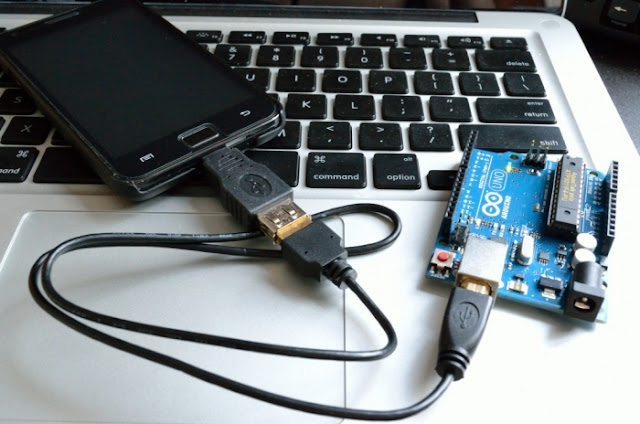
Users does not need to download an Arduino sketch from a web site.

You (developer) can include Arduino firmwares in your Android app and upload to Google Play.

- Android Java library project
- USB-Serial communication
- upload a firmware to an Arduino
- support on Android 3.1 or higher (need USB Host API feature)
- does not require ROOT
- support USB-Serial protocols : CDC-ACM, FTDI, Silicon Labs CP210x
- support uploading firmware protocols : STK500, STK500V2
- open-source(Apache License 2.0)
PhysicaloidmPhysicaloid = newPhysicaloid(this);
mPhysicaloid.upload(Boards.ARDUINO_UNO, "/sdcard/arduino/Blink.hex");PhysicaloidmPhysicaloid = newPhysicaloid(this);
if(mPhysicaloid.open()) {
byte[] buf = "moemoe".getBytes();
mPhysicaloid.write(buf, buf.length);
mPhysicaloid.close()
}PhysicaloidmPhysicaloid = newPhysicaloid(this);
TextViewTextView1 = (TextView) findViewById(R.id.TextView1);// Android TextViewif(mPhysicaloid.open()) {
byte[] buf = newbyte[256];
mPhysicaloid.read(buf, buf.length);
Stringstr = newString(buf);
TextView1.append(str);
mPhysicaloid.close();
}- File -> import and select a PhysicaloidLibrary directory.
- Right click your project -> Properties -> Android -> click Library's "Add" button -> select PhysicaloidLibrary
This code has built in knowledge of avrdude. Thanks to all avrdude coders.
Physicaloid Library is released under the Apache License, Version 2.0.