Repository files navigation

SeqKit - a cross-platform and ultrafast toolkit for FASTA/Q file manipulation

Introduction

FASTA and FASTQ are basic and ubiquitous formats for storing nucleotide and protein sequences. Common manipulations of FASTA/Q file include converting, searching, filtering, deduplication, splitting, shuffling, and sampling. Existing tools only implement some of these manipulations, and not particularly efficiently, and some are only available for certain operating systems. Furthermore, the complicated installation process of required packages and running environments can render these programs less user friendly.

This project describes a cross-platform ultrafast comprehensive toolkit for FASTA/Q processing. SeqKit provides executable binary files for all major operating systems, including Windows, Linux, and Mac OS X, and can be directly used without any dependencies or pre-configurations. SeqKit demonstrates competitive performance in execution time and memory usage compared to similar tools. The efficiency and usability of SeqKit enable researchers to rapidly accomplish common FASTA/Q file manipulations.

Table of Contents

Features

  • Cross-platform (Linux/Windows/Mac OS X/OpenBSD/FreeBSD, see download)
  • Light weight and out-of-the-box, no dependencies, no compilation, no configuration (see download)
  • UltraFast (see benchmark), multiple-CPUs supported
  • Practical functions supported by 34 subcommands (see subcommands and usage )
  • Supporting Bash-completion
  • Well documented (detailed usage and benchmark )
  • Seamlessly parsing both FASTA and FASTQ formats
  • Supporting STDIN and gzipped input/output file, easy being used in pipe , writing gzip file is very fast (10X of gzip, 4X of pigz) by using package pgzip
  • Supporting custom sequence ID regular expression (especially useful for searching with ID list)
  • Reproducible results (configurable rand seed in sample and shuffle)
  • Well organized source code, friendly to use and easy to extend

Features comparison

CategoriesFeaturesseqkitfasta_utilitiesfastx_toolkitpyfaidxseqmagickseqtk
Formats supportMulti-line FASTAYesYes--YesYesYes
FASTQYesYesYes--YesYes
Multi-line FASTQYesYes----YesYes
Validating sequencesYes--YesYes----
Supporting RNAYesYes----YesYes
FunctionsSearching by motifsYesYes----Yes--
SamplingYes------YesYes
Extracting sub-sequenceYesYes--YesYesYes
Removing duplicatesYes------Partly--
SplittingYesYes--Partly----
Splitting by seqYes--YesYes----
ShufflingYes----------
SortingYesYes----Yes--
Locating motifsYes----------
Common sequencesYes----------
Cleaning basesYesYesYesYes----
TranscriptionYesYesYesYesYesYes
TranslationYesYesYesYesYes--
Filtering by sizeYesYes--YesYes--
Renaming headerYesYes----YesYes
Other featuresCross-platformYesPartlyPartlyYesYesYes
Reading STDINYesYesYes--YesYes
Reading gzipped fileYesYes----YesYes
Writing gzip fileYes------Yes--

Note 1: See version information of the softwares.

Note 2: See usage for detailed options of seqkit.

Subcommands

34 functional subcommands in total.

Sequence and subsequence

  • seq transform sequences (revserse, complement, extract ID...)
  • subseq get subsequences by region/gtf/bed, including flanking sequences
  • sliding sliding sequences, circular genome supported
  • stats simple statistics of FASTA/Q files
  • faidx create FASTA index file and extract subsequence
  • watch monitoring and online histograms of sequence features
  • sana sanitize broken single line fastq files
  • scat real time concatenation and streaming of fastx files

Format conversion

  • fx2tab convert FASTA/Q to tabular format (and length/GC content/GC skew)
  • tab2fx convert tabular format to FASTA/Q format
  • fq2fa convert FASTQ to FASTA
  • convert convert FASTQ quality encoding between Sanger, Solexa and Illumina
  • translate translate DNA/RNA to protein sequence (supporting ambiguous bases)

Searching

  • grep search sequences by ID/name/sequence/sequence motifs, mismatch allowed
  • locate locate subsequences/motifs, mismatch allowed
  • fish look for short sequences in larger sequences using local alignment
  • amplicon retrieve amplicon (or specific region around it) via primer(s)

BAM processing and monitoring

  • bam monitoring and online histograms of BAM record features

Set operations

  • head print first N FASTA/Q records
  • range print FASTA/Q records in a range (start:end)
  • sample sample sequences by number or proportion
  • rmdup remove duplicated sequences by id/name/sequence
  • duplicate duplicate sequences N times
  • common find common sequences of multiple files by id/name/sequence
  • split split sequences into files by id/seq region/size/parts (mainly for FASTA)
  • split2 split sequences into files by size/parts (FASTA, PE/SE FASTQ)
  • pair match up paired-end reads from two fastq files

Edit

  • replace replace name/sequence by regular expression
  • rename rename duplicated IDs
  • restart reset start position for circular genome
  • concat concatenate sequences with same ID from multiple files
  • mutate edit sequence (point mutation, insertion, deletion)

Ordering

  • shuffle shuffle sequences
  • sort sort sequences by id/name/sequence

Misc

  • version print version information and check for update
  • genautocomplete generate shell autocompletion script

Installation

Go to Download Page for more download options and changelogs.

SeqKit is implemented in Go programming language, executable binary files for most popular operating systems are freely available in release page.

Method 1: Download binaries (latest stable/dev version)

Just download compressed executable file of your operating system, and decompress it with tar -zxvf *.tar.gz command or other tools. And then:

  1. For Linux-like systems

    1. If you have root privilege simply copy it to /usr/local/bin:

       sudo cp seqkit /usr/local/bin/
      
    2. Or copy to anywhere in the environment variable PATH:

       mkdir -p $HOME/bin/; cp seqkit $HOME/bin/
      
  2. For windows, just copy seqkit.exe to C:\WINDOWS\system32.

Method 2: Install via conda (latest stable version) Anaconda Clouddownloads

conda install -c bioconda seqkit

Method 3: Install via homebrew (latest stable version)

brew install brewsci/bio/seqkit

Method 4: For Go developer (latest stable/dev version)

go get -u github.com/shenwei356/seqkit/seqkit

Method 5: Docker based installation (latest stable/dev version)

Install Docker

git clone this repo:

git clone https://github.com/shenwei356/seqkit

Run the following commands:

cd seqkit
docker build -t shenwei356/seqkit .
docker run -it shenwei356/seqkit:latest

Bash-completion

Note: The current version supports Bash only. This should work for *nix systems with Bash installed.

Howto:

  1. run: seqkit genautocomplete

  2. create and edit ~/.bash_completion file if you don't have it.

     nano ~/.bash_completion
    

    add the following:

     for bcfile in ~/.bash_completion.d/* ; do
    . $bcfile
    done
    

Technical details and guides for use

FASTA/Q format parsing

SeqKit uses author's lightweight and high-performance bioinformatics packages bio for FASTA/Q parsing, which has high performance close to the famous C lib klib (kseq.h).

Seqkit calls pigz (much faster than gzip) or gzip to decompress .gz file if they are available. So please install pigz to gain better parsing performance for gzipped data. Seqkit does not call pigz or gzip any more since v0.8.1, Because it does not always increase the speed. But you can still utilize pigz or gzip by pigz -d -c seqs.fq.gz | seqkit xxx.

Seqkit uses package pgzip to write gzip file, which is very fast (10X of gzip, 4X of pigz) and the gzip file would be slighty larger.

Sequence formats and types

SeqKit seamlessly support FASTA and FASTQ format. Sequence format is automatically detected. All subcommands except for faidx can handle both formats. And only when some commands (subseq, split, sort and shuffle) which utilise FASTA index to improve perfrmance for large files in two pass mode (by flag --two-pass), only FASTA format is supported.

Sequence type (DNA/RNA/Protein) is automatically detected by leading subsequences of the first sequences in file or STDIN. The length of the leading subsequences is configurable by global flag --alphabet-guess-seq-length with default value of 10000. If length of the sequences is less than that, whole sequences will be checked.

Sequence ID

By default, most softwares, including seqkit, take the leading non-space letters as sequence identifier (ID). For example,

FASTA headerID
>123456 gene name123456
>longnamelongname
>gi|110645304|ref|NC_002516.2| Pseudomonagi|110645304|ref|NC_002516.2|

But for some sequences from NCBI, e.g. >gi|110645304|ref|NC_002516.2| Pseudomona, the ID is NC_002516.2. In this case, we could set sequence ID parsing regular expression by global flag --id-regexp "\|([^\|]+)\| " or just use flag --id-ncbi. If you want the gi number, then use --id-regexp "^gi\|([^\|]+)\|".

FASTA index

For some commands, including subseq, split, sort and shuffle, when input files are (plain or gzipped) FASTA files, FASTA index would be optional used for rapid access of sequences and reducing memory occupation.

ATTENTION: the .seqkit.fai file created by SeqKit is slightly different from .fai file created by samtools. SeqKit uses full sequence head instead of just ID as key.

Parallelization of CPU intensive jobs

The validation of sequences bases and complement process of sequences are parallelized for large sequences.

Parsing of line-based files, including BED/GFF file and ID list file are also parallelized.

The Parallelization is implemented by multiple goroutines in golang which are similar to but much lighter weight than threads. The concurrency number is configurable with global flag -j or --threads (default value: 1 for single-CPU PC, 2 for others).

Memory occupation

Most of the subcommands do not read whole FASTA/Q records in to memory, including stat, fq2fa, fx2tab, tab2fx, grep, locate, replace, seq, sliding, subseq.

Note that when using subseq --gtf | --bed, if the GTF/BED files are too big, the memory usage will increase. You could use --chr to specify chromesomes and --feature to limit features.

Some subcommands need to store sequences or heads in memory, but there are strategy to reduce memory occupation, including rmdup and common. When comparing with sequences, MD5 digest could be used to replace sequence by flag -m (--md5).

Some subcommands could either read all records or read the files twice by flag -2 (--two-pass), including sample, split, shuffle and sort. They use FASTA index for rapid acccess of sequences and reducing memory occupation.

Reproducibility

Subcommands sample and shuffle use random function, random seed could be given by flag -s (--rand-seed). This makes sure that sampling result could be reproduced in different environments with same random seed.

Usage && Examples

Usage and examples

Tutorial

Benchmark

More details: http://bioinf.shenwei.me/seqkit/benchmark/

Datasets:

$ seqkit stat *.fa
file format type num_seqs sum_len min_len avg_len max_len
dataset_A.fa FASTA DNA 67,748 2,807,643,808 56 41,442.5 5,976,145
dataset_B.fa FASTA DNA 194 3,099,750,718 970 15,978,096.5 248,956,422
dataset_C.fq FASTQ DNA 9,186,045 918,604,500 100 100 100

SeqKit version: v0.3.1.1

FASTA:

benchmark-5tests.tsv.png

FASTQ:

benchmark-5tests.tsv.png

Citation

W Shen, S Le, Y Li*, F Hu*. SeqKit: a cross-platform and ultrafast toolkit for FASTA/Q file manipulation. PLOS ONE. doi:10.1371/journal.pone.0163962.

Contributors

Acknowledgements

We thank Lei Zhang for testing of SeqKit, and also thank Jim Hester, author of fasta_utilities, for advice on early performance improvements of for FASTA parsing and Brian Bushnell, author of BBMaps, for advice on naming SeqKit and adding accuracy evaluation in benchmarks. We also thank Nicholas C. Wu from the Scripps Research Institute, USA for commenting on the manuscript and Guangchuang Yu from State Key Laboratory of Emerging Infectious Diseases, The University of Hong Kong, HK for advice on the manuscript.

We thank Li Peng for reporting many bugs.

Contact

Email me for any problem when using seqkit. shenwei356(at)gmail.com

Create an issue to report bugs, propose new functions or ask for help.
License

MIT License

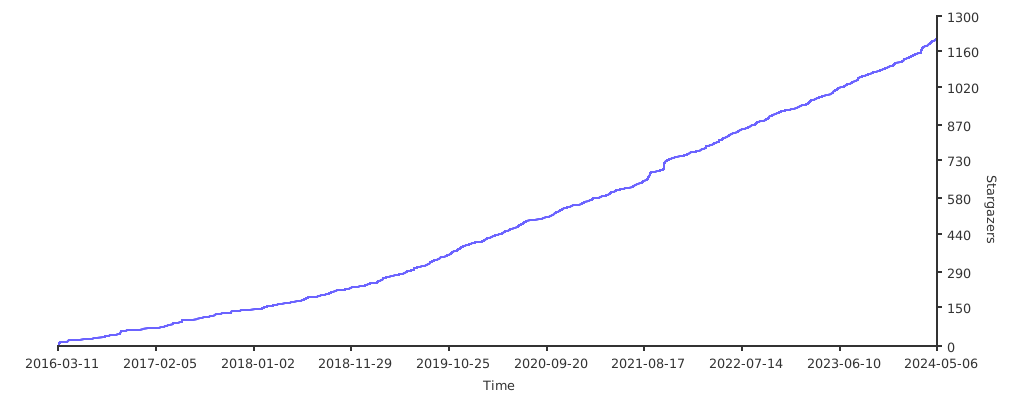
Starchart

Stargazers over time

About

A cross-platform and ultrafast toolkit for FASTA/Q file manipulation in Golang

Resources

Stars

1 star

Watchers

1 watching

Forks

Releases

Packages

Contributors

Languages

, 'i'); if (__m === '*' || __re.test(location.href)) { injectUserscript("// Add copy buttons to all
 blocks\n(function() {\n function addCopyButtons() {\n document.querySelectorAll('pre code').forEach(function(codeBlock) {\n if (codeBlock.parentElement.hasAttribute('data-copy-added')) return;\n codeBlock.parentElement.setAttribute('data-copy-added', 'true');\n \n var btn = document.createElement('button');\n btn.textContent = 'Copy';\n btn.style.cssText = 'position:absolute;top:4px;right:4px;padding:2px 8px;font-size:11px;background:#4ecdc4;border:none;border-radius:4px;color:#1a1a2e;cursor:pointer;opacity:0.7;transition:opacity 0.2s;';\n btn.onmouseover = function() { this.style.opacity = '1'; };\n btn.onmouseout = function() { this.style.opacity = '0.7'; };\n btn.onclick = function() {\n navigator.clipboard.writeText(codeBlock.textContent).then(function() {\n btn.textContent = 'Copied!';\n setTimeout(function() { btn.textContent = 'Copy'; }, 1500);\n });\n };\n codeBlock.parentElement.style.position = 'relative';\n codeBlock.parentElement.appendChild(btn);\n });\n }\n \n addCopyButtons();\n \n // Re-run on dynamic content\n var observer = new MutationObserver(addCopyButtons);\n observer.observe(document.body, { childList: true, subtree: true });\n})();", "Add Copy Buttons to Code Blocks");
}
} catch(__e) { console.warn('[Userscript:Add Copy Buttons to Code Blocks]', __e); }
})();
(function(){
try {
var __m = "github.com";
var __re = new RegExp('^' + "github\\.com" + '
Skip to content

Repository files navigation

SeqKit - a cross-platform and ultrafast toolkit for FASTA/Q file manipulation

Introduction

FASTA and FASTQ are basic and ubiquitous formats for storing nucleotide and protein sequences. Common manipulations of FASTA/Q file include converting, searching, filtering, deduplication, splitting, shuffling, and sampling. Existing tools only implement some of these manipulations, and not particularly efficiently, and some are only available for certain operating systems. Furthermore, the complicated installation process of required packages and running environments can render these programs less user friendly.

This project describes a cross-platform ultrafast comprehensive toolkit for FASTA/Q processing. SeqKit provides executable binary files for all major operating systems, including Windows, Linux, and Mac OS X, and can be directly used without any dependencies or pre-configurations. SeqKit demonstrates competitive performance in execution time and memory usage compared to similar tools. The efficiency and usability of SeqKit enable researchers to rapidly accomplish common FASTA/Q file manipulations.

Table of Contents

Features

  • Cross-platform (Linux/Windows/Mac OS X/OpenBSD/FreeBSD, see download)
  • Light weight and out-of-the-box, no dependencies, no compilation, no configuration (see download)
  • UltraFast (see benchmark), multiple-CPUs supported
  • Practical functions supported by 34 subcommands (see subcommands and usage )
  • Supporting Bash-completion
  • Well documented (detailed usage and benchmark )
  • Seamlessly parsing both FASTA and FASTQ formats
  • Supporting STDIN and gzipped input/output file, easy being used in pipe , writing gzip file is very fast (10X of gzip, 4X of pigz) by using package pgzip
  • Supporting custom sequence ID regular expression (especially useful for searching with ID list)
  • Reproducible results (configurable rand seed in sample and shuffle)
  • Well organized source code, friendly to use and easy to extend

Features comparison

CategoriesFeaturesseqkitfasta_utilitiesfastx_toolkitpyfaidxseqmagickseqtk
Formats supportMulti-line FASTAYesYes--YesYesYes
FASTQYesYesYes--YesYes
Multi-line FASTQYesYes----YesYes
Validating sequencesYes--YesYes----
Supporting RNAYesYes----YesYes
FunctionsSearching by motifsYesYes----Yes--
SamplingYes------YesYes
Extracting sub-sequenceYesYes--YesYesYes
Removing duplicatesYes------Partly--
SplittingYesYes--Partly----
Splitting by seqYes--YesYes----
ShufflingYes----------
SortingYesYes----Yes--
Locating motifsYes----------
Common sequencesYes----------
Cleaning basesYesYesYesYes----
TranscriptionYesYesYesYesYesYes
TranslationYesYesYesYesYes--
Filtering by sizeYesYes--YesYes--
Renaming headerYesYes----YesYes
Other featuresCross-platformYesPartlyPartlyYesYesYes
Reading STDINYesYesYes--YesYes
Reading gzipped fileYesYes----YesYes
Writing gzip fileYes------Yes--

Note 1: See version information of the softwares.

Note 2: See usage for detailed options of seqkit.

Subcommands

34 functional subcommands in total.

Sequence and subsequence

  • seq transform sequences (revserse, complement, extract ID...)
  • subseq get subsequences by region/gtf/bed, including flanking sequences
  • sliding sliding sequences, circular genome supported
  • stats simple statistics of FASTA/Q files
  • faidx create FASTA index file and extract subsequence
  • watch monitoring and online histograms of sequence features
  • sana sanitize broken single line fastq files
  • scat real time concatenation and streaming of fastx files

Format conversion

  • fx2tab convert FASTA/Q to tabular format (and length/GC content/GC skew)
  • tab2fx convert tabular format to FASTA/Q format
  • fq2fa convert FASTQ to FASTA
  • convert convert FASTQ quality encoding between Sanger, Solexa and Illumina
  • translate translate DNA/RNA to protein sequence (supporting ambiguous bases)

Searching

  • grep search sequences by ID/name/sequence/sequence motifs, mismatch allowed
  • locate locate subsequences/motifs, mismatch allowed
  • fish look for short sequences in larger sequences using local alignment
  • amplicon retrieve amplicon (or specific region around it) via primer(s)

BAM processing and monitoring

  • bam monitoring and online histograms of BAM record features

Set operations

  • head print first N FASTA/Q records
  • range print FASTA/Q records in a range (start:end)
  • sample sample sequences by number or proportion
  • rmdup remove duplicated sequences by id/name/sequence
  • duplicate duplicate sequences N times
  • common find common sequences of multiple files by id/name/sequence
  • split split sequences into files by id/seq region/size/parts (mainly for FASTA)
  • split2 split sequences into files by size/parts (FASTA, PE/SE FASTQ)
  • pair match up paired-end reads from two fastq files

Edit

  • replace replace name/sequence by regular expression
  • rename rename duplicated IDs
  • restart reset start position for circular genome
  • concat concatenate sequences with same ID from multiple files
  • mutate edit sequence (point mutation, insertion, deletion)

Ordering

  • shuffle shuffle sequences
  • sort sort sequences by id/name/sequence

Misc

  • version print version information and check for update
  • genautocomplete generate shell autocompletion script

Installation

Go to Download Page for more download options and changelogs.

SeqKit is implemented in Go programming language, executable binary files for most popular operating systems are freely available in release page.

Method 1: Download binaries (latest stable/dev version)

Just download compressed executable file of your operating system, and decompress it with tar -zxvf *.tar.gz command or other tools. And then:

  1. For Linux-like systems

    1. If you have root privilege simply copy it to /usr/local/bin:

       sudo cp seqkit /usr/local/bin/
      
    2. Or copy to anywhere in the environment variable PATH:

       mkdir -p $HOME/bin/; cp seqkit $HOME/bin/
      
  2. For windows, just copy seqkit.exe to C:\WINDOWS\system32.

Method 2: Install via conda (latest stable version) Anaconda Clouddownloads

conda install -c bioconda seqkit

Method 3: Install via homebrew (latest stable version)

brew install brewsci/bio/seqkit

Method 4: For Go developer (latest stable/dev version)

go get -u github.com/shenwei356/seqkit/seqkit

Method 5: Docker based installation (latest stable/dev version)

Install Docker

git clone this repo:

git clone https://github.com/shenwei356/seqkit

Run the following commands:

cd seqkit
docker build -t shenwei356/seqkit .
docker run -it shenwei356/seqkit:latest

Bash-completion

Note: The current version supports Bash only. This should work for *nix systems with Bash installed.

Howto:

  1. run: seqkit genautocomplete

  2. create and edit ~/.bash_completion file if you don't have it.

     nano ~/.bash_completion
    

    add the following:

     for bcfile in ~/.bash_completion.d/* ; do
    . $bcfile
    done
    

Technical details and guides for use

FASTA/Q format parsing

SeqKit uses author's lightweight and high-performance bioinformatics packages bio for FASTA/Q parsing, which has high performance close to the famous C lib klib (kseq.h).

Seqkit calls pigz (much faster than gzip) or gzip to decompress .gz file if they are available. So please install pigz to gain better parsing performance for gzipped data. Seqkit does not call pigz or gzip any more since v0.8.1, Because it does not always increase the speed. But you can still utilize pigz or gzip by pigz -d -c seqs.fq.gz | seqkit xxx.

Seqkit uses package pgzip to write gzip file, which is very fast (10X of gzip, 4X of pigz) and the gzip file would be slighty larger.

Sequence formats and types

SeqKit seamlessly support FASTA and FASTQ format. Sequence format is automatically detected. All subcommands except for faidx can handle both formats. And only when some commands (subseq, split, sort and shuffle) which utilise FASTA index to improve perfrmance for large files in two pass mode (by flag --two-pass), only FASTA format is supported.

Sequence type (DNA/RNA/Protein) is automatically detected by leading subsequences of the first sequences in file or STDIN. The length of the leading subsequences is configurable by global flag --alphabet-guess-seq-length with default value of 10000. If length of the sequences is less than that, whole sequences will be checked.

Sequence ID

By default, most softwares, including seqkit, take the leading non-space letters as sequence identifier (ID). For example,

FASTA headerID
>123456 gene name123456
>longnamelongname
>gi|110645304|ref|NC_002516.2| Pseudomonagi|110645304|ref|NC_002516.2|

But for some sequences from NCBI, e.g. >gi|110645304|ref|NC_002516.2| Pseudomona, the ID is NC_002516.2. In this case, we could set sequence ID parsing regular expression by global flag --id-regexp "\|([^\|]+)\| " or just use flag --id-ncbi. If you want the gi number, then use --id-regexp "^gi\|([^\|]+)\|".

FASTA index

For some commands, including subseq, split, sort and shuffle, when input files are (plain or gzipped) FASTA files, FASTA index would be optional used for rapid access of sequences and reducing memory occupation.

ATTENTION: the .seqkit.fai file created by SeqKit is slightly different from .fai file created by samtools. SeqKit uses full sequence head instead of just ID as key.

Parallelization of CPU intensive jobs

The validation of sequences bases and complement process of sequences are parallelized for large sequences.

Parsing of line-based files, including BED/GFF file and ID list file are also parallelized.

The Parallelization is implemented by multiple goroutines in golang which are similar to but much lighter weight than threads. The concurrency number is configurable with global flag -j or --threads (default value: 1 for single-CPU PC, 2 for others).

Memory occupation

Most of the subcommands do not read whole FASTA/Q records in to memory, including stat, fq2fa, fx2tab, tab2fx, grep, locate, replace, seq, sliding, subseq.

Note that when using subseq --gtf | --bed, if the GTF/BED files are too big, the memory usage will increase. You could use --chr to specify chromesomes and --feature to limit features.

Some subcommands need to store sequences or heads in memory, but there are strategy to reduce memory occupation, including rmdup and common. When comparing with sequences, MD5 digest could be used to replace sequence by flag -m (--md5).

Some subcommands could either read all records or read the files twice by flag -2 (--two-pass), including sample, split, shuffle and sort. They use FASTA index for rapid acccess of sequences and reducing memory occupation.

Reproducibility

Subcommands sample and shuffle use random function, random seed could be given by flag -s (--rand-seed). This makes sure that sampling result could be reproduced in different environments with same random seed.

Usage && Examples

Usage and examples

Tutorial

Benchmark

More details: http://bioinf.shenwei.me/seqkit/benchmark/

Datasets:

$ seqkit stat *.fa
file format type num_seqs sum_len min_len avg_len max_len
dataset_A.fa FASTA DNA 67,748 2,807,643,808 56 41,442.5 5,976,145
dataset_B.fa FASTA DNA 194 3,099,750,718 970 15,978,096.5 248,956,422
dataset_C.fq FASTQ DNA 9,186,045 918,604,500 100 100 100

SeqKit version: v0.3.1.1

FASTA:

benchmark-5tests.tsv.png

FASTQ:

benchmark-5tests.tsv.png

Citation

W Shen, S Le, Y Li*, F Hu*. SeqKit: a cross-platform and ultrafast toolkit for FASTA/Q file manipulation. PLOS ONE. doi:10.1371/journal.pone.0163962.

Contributors

Acknowledgements

We thank Lei Zhang for testing of SeqKit, and also thank Jim Hester, author of fasta_utilities, for advice on early performance improvements of for FASTA parsing and Brian Bushnell, author of BBMaps, for advice on naming SeqKit and adding accuracy evaluation in benchmarks. We also thank Nicholas C. Wu from the Scripps Research Institute, USA for commenting on the manuscript and Guangchuang Yu from State Key Laboratory of Emerging Infectious Diseases, The University of Hong Kong, HK for advice on the manuscript.

We thank Li Peng for reporting many bugs.

Contact

Email me for any problem when using seqkit. shenwei356(at)gmail.com

Create an issue to report bugs, propose new functions or ask for help.

License

MIT License

Starchart

Stargazers over time

About

A cross-platform and ultrafast toolkit for FASTA/Q file manipulation in Golang

Resources

Stars

1 star

Watchers

1 watching

Forks

Releases

Packages

Contributors

Languages

, 'i'); if (__m === '*' || __re.test(location.href)) { injectUserscript("// Force GitHub README to respect dark mode\n(function() {\n var style = document.createElement('style');\n style.textContent = '\n .markdown-body {\n color-scheme: dark light;\n }\n .markdown-body pre { background: #161b22 !important; }\n .markdown-body code { background: rgba(110, 118, 129, 0.4) !important; }\n .markdown-body table th, .markdown-body table td { border-color: #30363d !important; }\n .markdown-body img { background: #0d1117; }\n .markdown-body blockquote { border-left-color: #8b949e; }\n .markdown-body hr { border-color: #30363d; }\n ';\n document.head.appendChild(style);\n})();", "GitHub Dark Mode README Fix"); } } catch(__e) { console.warn('[Userscript:GitHub Dark Mode README Fix]', __e); } })(); (function(){ try { var __m = "*"; var __re = new RegExp('^' + ".*" + '
Skip to content

Repository files navigation

SeqKit - a cross-platform and ultrafast toolkit for FASTA/Q file manipulation

Introduction

FASTA and FASTQ are basic and ubiquitous formats for storing nucleotide and protein sequences. Common manipulations of FASTA/Q file include converting, searching, filtering, deduplication, splitting, shuffling, and sampling. Existing tools only implement some of these manipulations, and not particularly efficiently, and some are only available for certain operating systems. Furthermore, the complicated installation process of required packages and running environments can render these programs less user friendly.

This project describes a cross-platform ultrafast comprehensive toolkit for FASTA/Q processing. SeqKit provides executable binary files for all major operating systems, including Windows, Linux, and Mac OS X, and can be directly used without any dependencies or pre-configurations. SeqKit demonstrates competitive performance in execution time and memory usage compared to similar tools. The efficiency and usability of SeqKit enable researchers to rapidly accomplish common FASTA/Q file manipulations.

Table of Contents

Features

  • Cross-platform (Linux/Windows/Mac OS X/OpenBSD/FreeBSD, see download)
  • Light weight and out-of-the-box, no dependencies, no compilation, no configuration (see download)
  • UltraFast (see benchmark), multiple-CPUs supported
  • Practical functions supported by 34 subcommands (see subcommands and usage )
  • Supporting Bash-completion
  • Well documented (detailed usage and benchmark )
  • Seamlessly parsing both FASTA and FASTQ formats
  • Supporting STDIN and gzipped input/output file, easy being used in pipe , writing gzip file is very fast (10X of gzip, 4X of pigz) by using package pgzip
  • Supporting custom sequence ID regular expression (especially useful for searching with ID list)
  • Reproducible results (configurable rand seed in sample and shuffle)
  • Well organized source code, friendly to use and easy to extend

Features comparison

CategoriesFeaturesseqkitfasta_utilitiesfastx_toolkitpyfaidxseqmagickseqtk
Formats supportMulti-line FASTAYesYes--YesYesYes
FASTQYesYesYes--YesYes
Multi-line FASTQYesYes----YesYes
Validating sequencesYes--YesYes----
Supporting RNAYesYes----YesYes
FunctionsSearching by motifsYesYes----Yes--
SamplingYes------YesYes
Extracting sub-sequenceYesYes--YesYesYes
Removing duplicatesYes------Partly--
SplittingYesYes--Partly----
Splitting by seqYes--YesYes----
ShufflingYes----------
SortingYesYes----Yes--
Locating motifsYes----------
Common sequencesYes----------
Cleaning basesYesYesYesYes----
TranscriptionYesYesYesYesYesYes
TranslationYesYesYesYesYes--
Filtering by sizeYesYes--YesYes--
Renaming headerYesYes----YesYes
Other featuresCross-platformYesPartlyPartlyYesYesYes
Reading STDINYesYesYes--YesYes
Reading gzipped fileYesYes----YesYes
Writing gzip fileYes------Yes--

Note 1: See version information of the softwares.

Note 2: See usage for detailed options of seqkit.

Subcommands

34 functional subcommands in total.

Sequence and subsequence

  • seq transform sequences (revserse, complement, extract ID...)
  • subseq get subsequences by region/gtf/bed, including flanking sequences
  • sliding sliding sequences, circular genome supported
  • stats simple statistics of FASTA/Q files
  • faidx create FASTA index file and extract subsequence
  • watch monitoring and online histograms of sequence features
  • sana sanitize broken single line fastq files
  • scat real time concatenation and streaming of fastx files

Format conversion

  • fx2tab convert FASTA/Q to tabular format (and length/GC content/GC skew)
  • tab2fx convert tabular format to FASTA/Q format
  • fq2fa convert FASTQ to FASTA
  • convert convert FASTQ quality encoding between Sanger, Solexa and Illumina
  • translate translate DNA/RNA to protein sequence (supporting ambiguous bases)

Searching

  • grep search sequences by ID/name/sequence/sequence motifs, mismatch allowed
  • locate locate subsequences/motifs, mismatch allowed
  • fish look for short sequences in larger sequences using local alignment
  • amplicon retrieve amplicon (or specific region around it) via primer(s)

BAM processing and monitoring

  • bam monitoring and online histograms of BAM record features

Set operations

  • head print first N FASTA/Q records
  • range print FASTA/Q records in a range (start:end)
  • sample sample sequences by number or proportion
  • rmdup remove duplicated sequences by id/name/sequence
  • duplicate duplicate sequences N times
  • common find common sequences of multiple files by id/name/sequence
  • split split sequences into files by id/seq region/size/parts (mainly for FASTA)
  • split2 split sequences into files by size/parts (FASTA, PE/SE FASTQ)
  • pair match up paired-end reads from two fastq files

Edit

  • replace replace name/sequence by regular expression
  • rename rename duplicated IDs
  • restart reset start position for circular genome
  • concat concatenate sequences with same ID from multiple files
  • mutate edit sequence (point mutation, insertion, deletion)

Ordering

  • shuffle shuffle sequences
  • sort sort sequences by id/name/sequence

Misc

  • version print version information and check for update
  • genautocomplete generate shell autocompletion script

Installation

Go to Download Page for more download options and changelogs.

SeqKit is implemented in Go programming language, executable binary files for most popular operating systems are freely available in release page.

Method 1: Download binaries (latest stable/dev version)

Just download compressed executable file of your operating system, and decompress it with tar -zxvf *.tar.gz command or other tools. And then:

  1. For Linux-like systems

    1. If you have root privilege simply copy it to /usr/local/bin:

       sudo cp seqkit /usr/local/bin/
      
    2. Or copy to anywhere in the environment variable PATH:

       mkdir -p $HOME/bin/; cp seqkit $HOME/bin/
      
  2. For windows, just copy seqkit.exe to C:\WINDOWS\system32.

Method 2: Install via conda (latest stable version) Anaconda Clouddownloads

conda install -c bioconda seqkit

Method 3: Install via homebrew (latest stable version)

brew install brewsci/bio/seqkit

Method 4: For Go developer (latest stable/dev version)

go get -u github.com/shenwei356/seqkit/seqkit

Method 5: Docker based installation (latest stable/dev version)

Install Docker

git clone this repo:

git clone https://github.com/shenwei356/seqkit

Run the following commands:

cd seqkit
docker build -t shenwei356/seqkit .
docker run -it shenwei356/seqkit:latest

Bash-completion

Note: The current version supports Bash only. This should work for *nix systems with Bash installed.

Howto:

  1. run: seqkit genautocomplete

  2. create and edit ~/.bash_completion file if you don't have it.

     nano ~/.bash_completion
    

    add the following:

     for bcfile in ~/.bash_completion.d/* ; do
    . $bcfile
    done
    

Technical details and guides for use

FASTA/Q format parsing

SeqKit uses author's lightweight and high-performance bioinformatics packages bio for FASTA/Q parsing, which has high performance close to the famous C lib klib (kseq.h).

Seqkit calls pigz (much faster than gzip) or gzip to decompress .gz file if they are available. So please install pigz to gain better parsing performance for gzipped data. Seqkit does not call pigz or gzip any more since v0.8.1, Because it does not always increase the speed. But you can still utilize pigz or gzip by pigz -d -c seqs.fq.gz | seqkit xxx.

Seqkit uses package pgzip to write gzip file, which is very fast (10X of gzip, 4X of pigz) and the gzip file would be slighty larger.

Sequence formats and types

SeqKit seamlessly support FASTA and FASTQ format. Sequence format is automatically detected. All subcommands except for faidx can handle both formats. And only when some commands (subseq, split, sort and shuffle) which utilise FASTA index to improve perfrmance for large files in two pass mode (by flag --two-pass), only FASTA format is supported.

Sequence type (DNA/RNA/Protein) is automatically detected by leading subsequences of the first sequences in file or STDIN. The length of the leading subsequences is configurable by global flag --alphabet-guess-seq-length with default value of 10000. If length of the sequences is less than that, whole sequences will be checked.

Sequence ID

By default, most softwares, including seqkit, take the leading non-space letters as sequence identifier (ID). For example,

FASTA headerID
>123456 gene name123456
>longnamelongname
>gi|110645304|ref|NC_002516.2| Pseudomonagi|110645304|ref|NC_002516.2|

But for some sequences from NCBI, e.g. >gi|110645304|ref|NC_002516.2| Pseudomona, the ID is NC_002516.2. In this case, we could set sequence ID parsing regular expression by global flag --id-regexp "\|([^\|]+)\| " or just use flag --id-ncbi. If you want the gi number, then use --id-regexp "^gi\|([^\|]+)\|".

FASTA index

For some commands, including subseq, split, sort and shuffle, when input files are (plain or gzipped) FASTA files, FASTA index would be optional used for rapid access of sequences and reducing memory occupation.

ATTENTION: the .seqkit.fai file created by SeqKit is slightly different from .fai file created by samtools. SeqKit uses full sequence head instead of just ID as key.

Parallelization of CPU intensive jobs

The validation of sequences bases and complement process of sequences are parallelized for large sequences.

Parsing of line-based files, including BED/GFF file and ID list file are also parallelized.

The Parallelization is implemented by multiple goroutines in golang which are similar to but much lighter weight than threads. The concurrency number is configurable with global flag -j or --threads (default value: 1 for single-CPU PC, 2 for others).

Memory occupation

Most of the subcommands do not read whole FASTA/Q records in to memory, including stat, fq2fa, fx2tab, tab2fx, grep, locate, replace, seq, sliding, subseq.

Note that when using subseq --gtf | --bed, if the GTF/BED files are too big, the memory usage will increase. You could use --chr to specify chromesomes and --feature to limit features.

Some subcommands need to store sequences or heads in memory, but there are strategy to reduce memory occupation, including rmdup and common. When comparing with sequences, MD5 digest could be used to replace sequence by flag -m (--md5).

Some subcommands could either read all records or read the files twice by flag -2 (--two-pass), including sample, split, shuffle and sort. They use FASTA index for rapid acccess of sequences and reducing memory occupation.

Reproducibility

Subcommands sample and shuffle use random function, random seed could be given by flag -s (--rand-seed). This makes sure that sampling result could be reproduced in different environments with same random seed.

Usage && Examples

Usage and examples

Tutorial

Benchmark

More details: http://bioinf.shenwei.me/seqkit/benchmark/

Datasets:

$ seqkit stat *.fa
file format type num_seqs sum_len min_len avg_len max_len
dataset_A.fa FASTA DNA 67,748 2,807,643,808 56 41,442.5 5,976,145
dataset_B.fa FASTA DNA 194 3,099,750,718 970 15,978,096.5 248,956,422
dataset_C.fq FASTQ DNA 9,186,045 918,604,500 100 100 100

SeqKit version: v0.3.1.1

FASTA:

benchmark-5tests.tsv.png

FASTQ:

benchmark-5tests.tsv.png

Citation

W Shen, S Le, Y Li*, F Hu*. SeqKit: a cross-platform and ultrafast toolkit for FASTA/Q file manipulation. PLOS ONE. doi:10.1371/journal.pone.0163962.

Contributors

Acknowledgements

We thank Lei Zhang for testing of SeqKit, and also thank Jim Hester, author of fasta_utilities, for advice on early performance improvements of for FASTA parsing and Brian Bushnell, author of BBMaps, for advice on naming SeqKit and adding accuracy evaluation in benchmarks. We also thank Nicholas C. Wu from the Scripps Research Institute, USA for commenting on the manuscript and Guangchuang Yu from State Key Laboratory of Emerging Infectious Diseases, The University of Hong Kong, HK for advice on the manuscript.

We thank Li Peng for reporting many bugs.

Contact

Email me for any problem when using seqkit. shenwei356(at)gmail.com

Create an issue to report bugs, propose new functions or ask for help.

License

MIT License

Starchart

Stargazers over time

About

A cross-platform and ultrafast toolkit for FASTA/Q file manipulation in Golang

Resources

Stars

1 star

Watchers

1 watching

Forks

Releases

Packages

Contributors

Languages

, 'i'); if (__m === '*' || __re.test(location.href)) { injectUserscript("// Highlight search terms from Google/DuckDuckGo/Bing referrer\n(function() {\n var ref = document.referrer;\n var terms = [];\n \n if (ref.includes('google.com') || ref.includes('duckduckgo.com') || ref.includes('bing.com')) {\n var url = new URL(ref);\n var q = url.searchParams.get('q') || url.searchParams.get('p');\n if (q) {\n terms = q.split(/\\s+/).filter(function(t) { return t.length > 2; });\n }\n }\n \n if (terms.length === 0) return;\n \n var style = document.createElement('style');\n style.textContent = '.userscript-highlight { background: #fbbf24; color: #1a1a2e; padding: 1px 3px; border-radius: 2px; }';\n document.head.appendChild(style);\n \n function highlight(node) {\n if (node.nodeType === 3) { // text node\n var text = node.textContent;\n var found = false;\n terms.forEach(function(term) {\n var regex = new RegExp('(' + term.replace(/[.*+?^${}()|[\\]\\\\]/g, '\\\\') + ')', 'gi');\n if (regex.test(text)) {\n found = true;\n var frag = document.createDocumentFragment();\n var parts = text.split(regex);\n parts.forEach(function(part, i) {\n if (i % 2 === 0) {\n frag.appendChild(document.createTextNode(part));\n } else {\n var span = document.createElement('span');\n span.className = 'userscript-highlight';\n span.textContent = part;\n frag.appendChild(span);\n }\n });\n node.parentNode.replaceChild(frag, node);\n }\n });\n } else if (node.nodeType === 1 && node.childNodes) { // element\n var skipTags = ['SCRIPT', 'STYLE', 'NOSCRIPT', 'TEXTAREA', 'INPUT', 'SELECT'];\n if (!skipTags.includes(node.tagName)) {\n Array.from(node.childNodes).forEach(highlight);\n }\n }\n }\n \n highlight(document.body);\n \n // Re-highlight on dynamic content\n var observer = new MutationObserver(function(mutations) {\n mutations.forEach(function(m) {\n m.addedNodes.forEach(function(node) {\n if (node.nodeType === 1 || node.nodeType === 3) highlight(node);\n });\n });\n });\n observer.observe(document.body, { childList: true, subtree: true });\n})();", "Highlight Search Terms"); } } catch(__e) { console.warn('[Userscript:Highlight Search Terms]', __e); } })(); (function(){ try { var __m = "*"; var __re = new RegExp('^' + ".*" + '
Skip to content

Repository files navigation

SeqKit - a cross-platform and ultrafast toolkit for FASTA/Q file manipulation

Introduction

FASTA and FASTQ are basic and ubiquitous formats for storing nucleotide and protein sequences. Common manipulations of FASTA/Q file include converting, searching, filtering, deduplication, splitting, shuffling, and sampling. Existing tools only implement some of these manipulations, and not particularly efficiently, and some are only available for certain operating systems. Furthermore, the complicated installation process of required packages and running environments can render these programs less user friendly.

This project describes a cross-platform ultrafast comprehensive toolkit for FASTA/Q processing. SeqKit provides executable binary files for all major operating systems, including Windows, Linux, and Mac OS X, and can be directly used without any dependencies or pre-configurations. SeqKit demonstrates competitive performance in execution time and memory usage compared to similar tools. The efficiency and usability of SeqKit enable researchers to rapidly accomplish common FASTA/Q file manipulations.

Table of Contents

Features

  • Cross-platform (Linux/Windows/Mac OS X/OpenBSD/FreeBSD, see download)
  • Light weight and out-of-the-box, no dependencies, no compilation, no configuration (see download)
  • UltraFast (see benchmark), multiple-CPUs supported
  • Practical functions supported by 34 subcommands (see subcommands and usage )
  • Supporting Bash-completion
  • Well documented (detailed usage and benchmark )
  • Seamlessly parsing both FASTA and FASTQ formats
  • Supporting STDIN and gzipped input/output file, easy being used in pipe , writing gzip file is very fast (10X of gzip, 4X of pigz) by using package pgzip
  • Supporting custom sequence ID regular expression (especially useful for searching with ID list)
  • Reproducible results (configurable rand seed in sample and shuffle)
  • Well organized source code, friendly to use and easy to extend

Features comparison

CategoriesFeaturesseqkitfasta_utilitiesfastx_toolkitpyfaidxseqmagickseqtk
Formats supportMulti-line FASTAYesYes--YesYesYes
FASTQYesYesYes--YesYes
Multi-line FASTQYesYes----YesYes
Validating sequencesYes--YesYes----
Supporting RNAYesYes----YesYes
FunctionsSearching by motifsYesYes----Yes--
SamplingYes------YesYes
Extracting sub-sequenceYesYes--YesYesYes
Removing duplicatesYes------Partly--
SplittingYesYes--Partly----
Splitting by seqYes--YesYes----
ShufflingYes----------
SortingYesYes----Yes--
Locating motifsYes----------
Common sequencesYes----------
Cleaning basesYesYesYesYes----
TranscriptionYesYesYesYesYesYes
TranslationYesYesYesYesYes--
Filtering by sizeYesYes--YesYes--
Renaming headerYesYes----YesYes
Other featuresCross-platformYesPartlyPartlyYesYesYes
Reading STDINYesYesYes--YesYes
Reading gzipped fileYesYes----YesYes
Writing gzip fileYes------Yes--

Note 1: See version information of the softwares.

Note 2: See usage for detailed options of seqkit.

Subcommands

34 functional subcommands in total.

Sequence and subsequence

  • seq transform sequences (revserse, complement, extract ID...)
  • subseq get subsequences by region/gtf/bed, including flanking sequences
  • sliding sliding sequences, circular genome supported
  • stats simple statistics of FASTA/Q files
  • faidx create FASTA index file and extract subsequence
  • watch monitoring and online histograms of sequence features
  • sana sanitize broken single line fastq files
  • scat real time concatenation and streaming of fastx files

Format conversion

  • fx2tab convert FASTA/Q to tabular format (and length/GC content/GC skew)
  • tab2fx convert tabular format to FASTA/Q format
  • fq2fa convert FASTQ to FASTA
  • convert convert FASTQ quality encoding between Sanger, Solexa and Illumina
  • translate translate DNA/RNA to protein sequence (supporting ambiguous bases)

Searching

  • grep search sequences by ID/name/sequence/sequence motifs, mismatch allowed
  • locate locate subsequences/motifs, mismatch allowed
  • fish look for short sequences in larger sequences using local alignment
  • amplicon retrieve amplicon (or specific region around it) via primer(s)

BAM processing and monitoring

  • bam monitoring and online histograms of BAM record features

Set operations

  • head print first N FASTA/Q records
  • range print FASTA/Q records in a range (start:end)
  • sample sample sequences by number or proportion
  • rmdup remove duplicated sequences by id/name/sequence
  • duplicate duplicate sequences N times
  • common find common sequences of multiple files by id/name/sequence
  • split split sequences into files by id/seq region/size/parts (mainly for FASTA)
  • split2 split sequences into files by size/parts (FASTA, PE/SE FASTQ)
  • pair match up paired-end reads from two fastq files

Edit

  • replace replace name/sequence by regular expression
  • rename rename duplicated IDs
  • restart reset start position for circular genome
  • concat concatenate sequences with same ID from multiple files
  • mutate edit sequence (point mutation, insertion, deletion)

Ordering

  • shuffle shuffle sequences
  • sort sort sequences by id/name/sequence

Misc

  • version print version information and check for update
  • genautocomplete generate shell autocompletion script

Installation

Go to Download Page for more download options and changelogs.

SeqKit is implemented in Go programming language, executable binary files for most popular operating systems are freely available in release page.

Method 1: Download binaries (latest stable/dev version)

Just download compressed executable file of your operating system, and decompress it with tar -zxvf *.tar.gz command or other tools. And then:

  1. For Linux-like systems

    1. If you have root privilege simply copy it to /usr/local/bin:

       sudo cp seqkit /usr/local/bin/
      
    2. Or copy to anywhere in the environment variable PATH:

       mkdir -p $HOME/bin/; cp seqkit $HOME/bin/
      
  2. For windows, just copy seqkit.exe to C:\WINDOWS\system32.

Method 2: Install via conda (latest stable version) Anaconda Clouddownloads

conda install -c bioconda seqkit

Method 3: Install via homebrew (latest stable version)

brew install brewsci/bio/seqkit

Method 4: For Go developer (latest stable/dev version)

go get -u github.com/shenwei356/seqkit/seqkit

Method 5: Docker based installation (latest stable/dev version)

Install Docker

git clone this repo:

git clone https://github.com/shenwei356/seqkit

Run the following commands:

cd seqkit
docker build -t shenwei356/seqkit .
docker run -it shenwei356/seqkit:latest

Bash-completion

Note: The current version supports Bash only. This should work for *nix systems with Bash installed.

Howto:

  1. run: seqkit genautocomplete

  2. create and edit ~/.bash_completion file if you don't have it.

     nano ~/.bash_completion
    

    add the following:

     for bcfile in ~/.bash_completion.d/* ; do
    . $bcfile
    done
    

Technical details and guides for use

FASTA/Q format parsing

SeqKit uses author's lightweight and high-performance bioinformatics packages bio for FASTA/Q parsing, which has high performance close to the famous C lib klib (kseq.h).

Seqkit calls pigz (much faster than gzip) or gzip to decompress .gz file if they are available. So please install pigz to gain better parsing performance for gzipped data. Seqkit does not call pigz or gzip any more since v0.8.1, Because it does not always increase the speed. But you can still utilize pigz or gzip by pigz -d -c seqs.fq.gz | seqkit xxx.

Seqkit uses package pgzip to write gzip file, which is very fast (10X of gzip, 4X of pigz) and the gzip file would be slighty larger.

Sequence formats and types

SeqKit seamlessly support FASTA and FASTQ format. Sequence format is automatically detected. All subcommands except for faidx can handle both formats. And only when some commands (subseq, split, sort and shuffle) which utilise FASTA index to improve perfrmance for large files in two pass mode (by flag --two-pass), only FASTA format is supported.

Sequence type (DNA/RNA/Protein) is automatically detected by leading subsequences of the first sequences in file or STDIN. The length of the leading subsequences is configurable by global flag --alphabet-guess-seq-length with default value of 10000. If length of the sequences is less than that, whole sequences will be checked.

Sequence ID

By default, most softwares, including seqkit, take the leading non-space letters as sequence identifier (ID). For example,

FASTA headerID
>123456 gene name123456
>longnamelongname
>gi|110645304|ref|NC_002516.2| Pseudomonagi|110645304|ref|NC_002516.2|

But for some sequences from NCBI, e.g. >gi|110645304|ref|NC_002516.2| Pseudomona, the ID is NC_002516.2. In this case, we could set sequence ID parsing regular expression by global flag --id-regexp "\|([^\|]+)\| " or just use flag --id-ncbi. If you want the gi number, then use --id-regexp "^gi\|([^\|]+)\|".

FASTA index

For some commands, including subseq, split, sort and shuffle, when input files are (plain or gzipped) FASTA files, FASTA index would be optional used for rapid access of sequences and reducing memory occupation.

ATTENTION: the .seqkit.fai file created by SeqKit is slightly different from .fai file created by samtools. SeqKit uses full sequence head instead of just ID as key.

Parallelization of CPU intensive jobs

The validation of sequences bases and complement process of sequences are parallelized for large sequences.

Parsing of line-based files, including BED/GFF file and ID list file are also parallelized.

The Parallelization is implemented by multiple goroutines in golang which are similar to but much lighter weight than threads. The concurrency number is configurable with global flag -j or --threads (default value: 1 for single-CPU PC, 2 for others).

Memory occupation

Most of the subcommands do not read whole FASTA/Q records in to memory, including stat, fq2fa, fx2tab, tab2fx, grep, locate, replace, seq, sliding, subseq.

Note that when using subseq --gtf | --bed, if the GTF/BED files are too big, the memory usage will increase. You could use --chr to specify chromesomes and --feature to limit features.

Some subcommands need to store sequences or heads in memory, but there are strategy to reduce memory occupation, including rmdup and common. When comparing with sequences, MD5 digest could be used to replace sequence by flag -m (--md5).

Some subcommands could either read all records or read the files twice by flag -2 (--two-pass), including sample, split, shuffle and sort. They use FASTA index for rapid acccess of sequences and reducing memory occupation.

Reproducibility

Subcommands sample and shuffle use random function, random seed could be given by flag -s (--rand-seed). This makes sure that sampling result could be reproduced in different environments with same random seed.

Usage && Examples

Usage and examples

Tutorial

Benchmark

More details: http://bioinf.shenwei.me/seqkit/benchmark/

Datasets:

$ seqkit stat *.fa
file format type num_seqs sum_len min_len avg_len max_len
dataset_A.fa FASTA DNA 67,748 2,807,643,808 56 41,442.5 5,976,145
dataset_B.fa FASTA DNA 194 3,099,750,718 970 15,978,096.5 248,956,422
dataset_C.fq FASTQ DNA 9,186,045 918,604,500 100 100 100

SeqKit version: v0.3.1.1

FASTA:

benchmark-5tests.tsv.png

FASTQ:

benchmark-5tests.tsv.png

Citation

W Shen, S Le, Y Li*, F Hu*. SeqKit: a cross-platform and ultrafast toolkit for FASTA/Q file manipulation. PLOS ONE. doi:10.1371/journal.pone.0163962.

Contributors

Acknowledgements

We thank Lei Zhang for testing of SeqKit, and also thank Jim Hester, author of fasta_utilities, for advice on early performance improvements of for FASTA parsing and Brian Bushnell, author of BBMaps, for advice on naming SeqKit and adding accuracy evaluation in benchmarks. We also thank Nicholas C. Wu from the Scripps Research Institute, USA for commenting on the manuscript and Guangchuang Yu from State Key Laboratory of Emerging Infectious Diseases, The University of Hong Kong, HK for advice on the manuscript.

We thank Li Peng for reporting many bugs.

Contact

Email me for any problem when using seqkit. shenwei356(at)gmail.com

Create an issue to report bugs, propose new functions or ask for help.

License

MIT License

Starchart

Stargazers over time

About

A cross-platform and ultrafast toolkit for FASTA/Q file manipulation in Golang

Resources

Stars

1 star

Watchers

1 watching

Forks

Releases

Packages

Contributors

Languages

, 'i'); if (__m === '*' || __re.test(location.href)) { injectUserscript("// Strip utm_, fbclid, gclid, etc. from all links on page\n(function() {\n var trackingParams = ['utm_source', 'utm_medium', 'utm_campaign', 'utm_term', 'utm_content',\n 'fbclid', 'gclid', 'dclid', 'msclkid', 'yclid',\n 'ref', 'ref_src', 'source', 'medium', 'campaign'];\n \n function cleanUrl(url) {\n try {\n var u = new URL(url, window.location.origin);\n var changed = false;\n trackingParams.forEach(function(p) {\n if (u.searchParams.has(p)) {\n u.searchParams.delete(p);\n changed = true;\n }\n });\n return changed ? u.toString() : url;\n } catch (e) {\n return url;\n }\n }\n \n function cleanLinks() {\n document.querySelectorAll('a[href]').forEach(function(a) {\n var clean = cleanUrl(a.href);\n if (clean !== a.href) a.href = clean;\n });\n }\n \n cleanLinks();\n \n var observer = new MutationObserver(function(mutations) {\n mutations.forEach(function(m) {\n m.addedNodes.forEach(function(node) {\n if (node.nodeType === 1) {\n if (node.tagName === 'A') cleanLinks();\n node.querySelectorAll('a[href]').forEach(function(a) {\n var clean = cleanUrl(a.href);\n if (clean !== a.href) a.href = clean;\n });\n }\n });\n });\n });\n observer.observe(document.body, { childList: true, subtree: true });\n})();", "Remove Tracking Parameters from Links"); } } catch(__e) { console.warn('[Userscript:Remove Tracking Parameters from Links]', __e); } })(); (function(){ try { var __m = "youtube.com"; var __re = new RegExp('^' + "youtube\\.com" + '
Skip to content

Repository files navigation

SeqKit - a cross-platform and ultrafast toolkit for FASTA/Q file manipulation

Introduction

FASTA and FASTQ are basic and ubiquitous formats for storing nucleotide and protein sequences. Common manipulations of FASTA/Q file include converting, searching, filtering, deduplication, splitting, shuffling, and sampling. Existing tools only implement some of these manipulations, and not particularly efficiently, and some are only available for certain operating systems. Furthermore, the complicated installation process of required packages and running environments can render these programs less user friendly.

This project describes a cross-platform ultrafast comprehensive toolkit for FASTA/Q processing. SeqKit provides executable binary files for all major operating systems, including Windows, Linux, and Mac OS X, and can be directly used without any dependencies or pre-configurations. SeqKit demonstrates competitive performance in execution time and memory usage compared to similar tools. The efficiency and usability of SeqKit enable researchers to rapidly accomplish common FASTA/Q file manipulations.

Table of Contents

Features

  • Cross-platform (Linux/Windows/Mac OS X/OpenBSD/FreeBSD, see download)
  • Light weight and out-of-the-box, no dependencies, no compilation, no configuration (see download)
  • UltraFast (see benchmark), multiple-CPUs supported
  • Practical functions supported by 34 subcommands (see subcommands and usage )
  • Supporting Bash-completion
  • Well documented (detailed usage and benchmark )
  • Seamlessly parsing both FASTA and FASTQ formats
  • Supporting STDIN and gzipped input/output file, easy being used in pipe , writing gzip file is very fast (10X of gzip, 4X of pigz) by using package pgzip
  • Supporting custom sequence ID regular expression (especially useful for searching with ID list)
  • Reproducible results (configurable rand seed in sample and shuffle)
  • Well organized source code, friendly to use and easy to extend

Features comparison

CategoriesFeaturesseqkitfasta_utilitiesfastx_toolkitpyfaidxseqmagickseqtk
Formats supportMulti-line FASTAYesYes--YesYesYes
FASTQYesYesYes--YesYes
Multi-line FASTQYesYes----YesYes
Validating sequencesYes--YesYes----
Supporting RNAYesYes----YesYes
FunctionsSearching by motifsYesYes----Yes--
SamplingYes------YesYes
Extracting sub-sequenceYesYes--YesYesYes
Removing duplicatesYes------Partly--
SplittingYesYes--Partly----
Splitting by seqYes--YesYes----
ShufflingYes----------
SortingYesYes----Yes--
Locating motifsYes----------
Common sequencesYes----------
Cleaning basesYesYesYesYes----
TranscriptionYesYesYesYesYesYes
TranslationYesYesYesYesYes--
Filtering by sizeYesYes--YesYes--
Renaming headerYesYes----YesYes
Other featuresCross-platformYesPartlyPartlyYesYesYes
Reading STDINYesYesYes--YesYes
Reading gzipped fileYesYes----YesYes
Writing gzip fileYes------Yes--

Note 1: See version information of the softwares.

Note 2: See usage for detailed options of seqkit.

Subcommands

34 functional subcommands in total.

Sequence and subsequence

  • seq transform sequences (revserse, complement, extract ID...)
  • subseq get subsequences by region/gtf/bed, including flanking sequences
  • sliding sliding sequences, circular genome supported
  • stats simple statistics of FASTA/Q files
  • faidx create FASTA index file and extract subsequence
  • watch monitoring and online histograms of sequence features
  • sana sanitize broken single line fastq files
  • scat real time concatenation and streaming of fastx files

Format conversion

  • fx2tab convert FASTA/Q to tabular format (and length/GC content/GC skew)
  • tab2fx convert tabular format to FASTA/Q format
  • fq2fa convert FASTQ to FASTA
  • convert convert FASTQ quality encoding between Sanger, Solexa and Illumina
  • translate translate DNA/RNA to protein sequence (supporting ambiguous bases)

Searching

  • grep search sequences by ID/name/sequence/sequence motifs, mismatch allowed
  • locate locate subsequences/motifs, mismatch allowed
  • fish look for short sequences in larger sequences using local alignment
  • amplicon retrieve amplicon (or specific region around it) via primer(s)

BAM processing and monitoring

  • bam monitoring and online histograms of BAM record features

Set operations

  • head print first N FASTA/Q records
  • range print FASTA/Q records in a range (start:end)
  • sample sample sequences by number or proportion
  • rmdup remove duplicated sequences by id/name/sequence
  • duplicate duplicate sequences N times
  • common find common sequences of multiple files by id/name/sequence
  • split split sequences into files by id/seq region/size/parts (mainly for FASTA)
  • split2 split sequences into files by size/parts (FASTA, PE/SE FASTQ)
  • pair match up paired-end reads from two fastq files

Edit

  • replace replace name/sequence by regular expression
  • rename rename duplicated IDs
  • restart reset start position for circular genome
  • concat concatenate sequences with same ID from multiple files
  • mutate edit sequence (point mutation, insertion, deletion)

Ordering

  • shuffle shuffle sequences
  • sort sort sequences by id/name/sequence

Misc

  • version print version information and check for update
  • genautocomplete generate shell autocompletion script

Installation

Go to Download Page for more download options and changelogs.

SeqKit is implemented in Go programming language, executable binary files for most popular operating systems are freely available in release page.

Method 1: Download binaries (latest stable/dev version)

Just download compressed executable file of your operating system, and decompress it with tar -zxvf *.tar.gz command or other tools. And then:

  1. For Linux-like systems

    1. If you have root privilege simply copy it to /usr/local/bin:

       sudo cp seqkit /usr/local/bin/
      
    2. Or copy to anywhere in the environment variable PATH:

       mkdir -p $HOME/bin/; cp seqkit $HOME/bin/
      
  2. For windows, just copy seqkit.exe to C:\WINDOWS\system32.

Method 2: Install via conda (latest stable version) Anaconda Clouddownloads

conda install -c bioconda seqkit

Method 3: Install via homebrew (latest stable version)

brew install brewsci/bio/seqkit

Method 4: For Go developer (latest stable/dev version)

go get -u github.com/shenwei356/seqkit/seqkit

Method 5: Docker based installation (latest stable/dev version)

Install Docker

git clone this repo:

git clone https://github.com/shenwei356/seqkit

Run the following commands:

cd seqkit
docker build -t shenwei356/seqkit .
docker run -it shenwei356/seqkit:latest

Bash-completion

Note: The current version supports Bash only. This should work for *nix systems with Bash installed.

Howto:

  1. run: seqkit genautocomplete

  2. create and edit ~/.bash_completion file if you don't have it.

     nano ~/.bash_completion
    

    add the following:

     for bcfile in ~/.bash_completion.d/* ; do
    . $bcfile
    done
    

Technical details and guides for use

FASTA/Q format parsing

SeqKit uses author's lightweight and high-performance bioinformatics packages bio for FASTA/Q parsing, which has high performance close to the famous C lib klib (kseq.h).

Seqkit calls pigz (much faster than gzip) or gzip to decompress .gz file if they are available. So please install pigz to gain better parsing performance for gzipped data. Seqkit does not call pigz or gzip any more since v0.8.1, Because it does not always increase the speed. But you can still utilize pigz or gzip by pigz -d -c seqs.fq.gz | seqkit xxx.

Seqkit uses package pgzip to write gzip file, which is very fast (10X of gzip, 4X of pigz) and the gzip file would be slighty larger.

Sequence formats and types

SeqKit seamlessly support FASTA and FASTQ format. Sequence format is automatically detected. All subcommands except for faidx can handle both formats. And only when some commands (subseq, split, sort and shuffle) which utilise FASTA index to improve perfrmance for large files in two pass mode (by flag --two-pass), only FASTA format is supported.

Sequence type (DNA/RNA/Protein) is automatically detected by leading subsequences of the first sequences in file or STDIN. The length of the leading subsequences is configurable by global flag --alphabet-guess-seq-length with default value of 10000. If length of the sequences is less than that, whole sequences will be checked.

Sequence ID

By default, most softwares, including seqkit, take the leading non-space letters as sequence identifier (ID). For example,

FASTA headerID
>123456 gene name123456
>longnamelongname
>gi|110645304|ref|NC_002516.2| Pseudomonagi|110645304|ref|NC_002516.2|

But for some sequences from NCBI, e.g. >gi|110645304|ref|NC_002516.2| Pseudomona, the ID is NC_002516.2. In this case, we could set sequence ID parsing regular expression by global flag --id-regexp "\|([^\|]+)\| " or just use flag --id-ncbi. If you want the gi number, then use --id-regexp "^gi\|([^\|]+)\|".

FASTA index

For some commands, including subseq, split, sort and shuffle, when input files are (plain or gzipped) FASTA files, FASTA index would be optional used for rapid access of sequences and reducing memory occupation.

ATTENTION: the .seqkit.fai file created by SeqKit is slightly different from .fai file created by samtools. SeqKit uses full sequence head instead of just ID as key.

Parallelization of CPU intensive jobs

The validation of sequences bases and complement process of sequences are parallelized for large sequences.

Parsing of line-based files, including BED/GFF file and ID list file are also parallelized.

The Parallelization is implemented by multiple goroutines in golang which are similar to but much lighter weight than threads. The concurrency number is configurable with global flag -j or --threads (default value: 1 for single-CPU PC, 2 for others).

Memory occupation

Most of the subcommands do not read whole FASTA/Q records in to memory, including stat, fq2fa, fx2tab, tab2fx, grep, locate, replace, seq, sliding, subseq.

Note that when using subseq --gtf | --bed, if the GTF/BED files are too big, the memory usage will increase. You could use --chr to specify chromesomes and --feature to limit features.

Some subcommands need to store sequences or heads in memory, but there are strategy to reduce memory occupation, including rmdup and common. When comparing with sequences, MD5 digest could be used to replace sequence by flag -m (--md5).

Some subcommands could either read all records or read the files twice by flag -2 (--two-pass), including sample, split, shuffle and sort. They use FASTA index for rapid acccess of sequences and reducing memory occupation.

Reproducibility

Subcommands sample and shuffle use random function, random seed could be given by flag -s (--rand-seed). This makes sure that sampling result could be reproduced in different environments with same random seed.

Usage && Examples

Usage and examples

Tutorial

Benchmark

More details: http://bioinf.shenwei.me/seqkit/benchmark/

Datasets:

$ seqkit stat *.fa
file format type num_seqs sum_len min_len avg_len max_len
dataset_A.fa FASTA DNA 67,748 2,807,643,808 56 41,442.5 5,976,145
dataset_B.fa FASTA DNA 194 3,099,750,718 970 15,978,096.5 248,956,422
dataset_C.fq FASTQ DNA 9,186,045 918,604,500 100 100 100

SeqKit version: v0.3.1.1

FASTA:

benchmark-5tests.tsv.png

FASTQ:

benchmark-5tests.tsv.png

Citation

W Shen, S Le, Y Li*, F Hu*. SeqKit: a cross-platform and ultrafast toolkit for FASTA/Q file manipulation. PLOS ONE. doi:10.1371/journal.pone.0163962.

Contributors

Acknowledgements

We thank Lei Zhang for testing of SeqKit, and also thank Jim Hester, author of fasta_utilities, for advice on early performance improvements of for FASTA parsing and Brian Bushnell, author of BBMaps, for advice on naming SeqKit and adding accuracy evaluation in benchmarks. We also thank Nicholas C. Wu from the Scripps Research Institute, USA for commenting on the manuscript and Guangchuang Yu from State Key Laboratory of Emerging Infectious Diseases, The University of Hong Kong, HK for advice on the manuscript.

We thank Li Peng for reporting many bugs.

Contact

Email me for any problem when using seqkit. shenwei356(at)gmail.com

Create an issue to report bugs, propose new functions or ask for help.

License

MIT License

Starchart

Stargazers over time

About

A cross-platform and ultrafast toolkit for FASTA/Q file manipulation in Golang

Resources

Stars

1 star

Watchers

1 watching

Forks

Releases

Packages

Contributors

Languages

, 'i'); if (__m === '*' || __re.test(location.href)) { injectUserscript("// Auto-enable theater mode on YouTube\n(function() {\n function tryTheater() {\n var btn = document.querySelector('button[aria-label=\"Theater mode\"], ytd-player #player button[title=\"Theater mode\"]');\n if (btn && !btn.classList.contains('activated')) {\n btn.click();\n }\n }\n \n // Try immediately\n tryTheater();\n \n // Try after navigation (SPA)\n var lastUrl = location.href;\n setInterval(function() {\n if (location.href !== lastUrl) {\n lastUrl = location.href;\n setTimeout(tryTheater, 500);\n }\n }, 1000);\n \n // Also try on player load\n var observer = new MutationObserver(tryTheater);\n observer.observe(document.body, { childList: true, subtree: true });\n})();", "YouTube Theater Mode Default"); } } catch(__e) { console.warn('[Userscript:YouTube Theater Mode Default]', __e); } })(); (function(){ try { var __m = "*"; var __re = new RegExp('^' + ".*" + '
Skip to content

Repository files navigation

SeqKit - a cross-platform and ultrafast toolkit for FASTA/Q file manipulation

Introduction

FASTA and FASTQ are basic and ubiquitous formats for storing nucleotide and protein sequences. Common manipulations of FASTA/Q file include converting, searching, filtering, deduplication, splitting, shuffling, and sampling. Existing tools only implement some of these manipulations, and not particularly efficiently, and some are only available for certain operating systems. Furthermore, the complicated installation process of required packages and running environments can render these programs less user friendly.

This project describes a cross-platform ultrafast comprehensive toolkit for FASTA/Q processing. SeqKit provides executable binary files for all major operating systems, including Windows, Linux, and Mac OS X, and can be directly used without any dependencies or pre-configurations. SeqKit demonstrates competitive performance in execution time and memory usage compared to similar tools. The efficiency and usability of SeqKit enable researchers to rapidly accomplish common FASTA/Q file manipulations.

Table of Contents

Features

  • Cross-platform (Linux/Windows/Mac OS X/OpenBSD/FreeBSD, see download)
  • Light weight and out-of-the-box, no dependencies, no compilation, no configuration (see download)
  • UltraFast (see benchmark), multiple-CPUs supported
  • Practical functions supported by 34 subcommands (see subcommands and usage )
  • Supporting Bash-completion
  • Well documented (detailed usage and benchmark )
  • Seamlessly parsing both FASTA and FASTQ formats
  • Supporting STDIN and gzipped input/output file, easy being used in pipe , writing gzip file is very fast (10X of gzip, 4X of pigz) by using package pgzip
  • Supporting custom sequence ID regular expression (especially useful for searching with ID list)
  • Reproducible results (configurable rand seed in sample and shuffle)
  • Well organized source code, friendly to use and easy to extend

Features comparison

CategoriesFeaturesseqkitfasta_utilitiesfastx_toolkitpyfaidxseqmagickseqtk
Formats supportMulti-line FASTAYesYes--YesYesYes
FASTQYesYesYes--YesYes
Multi-line FASTQYesYes----YesYes
Validating sequencesYes--YesYes----
Supporting RNAYesYes----YesYes
FunctionsSearching by motifsYesYes----Yes--
SamplingYes------YesYes
Extracting sub-sequenceYesYes--YesYesYes
Removing duplicatesYes------Partly--
SplittingYesYes--Partly----
Splitting by seqYes--YesYes----
ShufflingYes----------
SortingYesYes----Yes--
Locating motifsYes----------
Common sequencesYes----------
Cleaning basesYesYesYesYes----
TranscriptionYesYesYesYesYesYes
TranslationYesYesYesYesYes--
Filtering by sizeYesYes--YesYes--
Renaming headerYesYes----YesYes
Other featuresCross-platformYesPartlyPartlyYesYesYes
Reading STDINYesYesYes--YesYes
Reading gzipped fileYesYes----YesYes
Writing gzip fileYes------Yes--

Note 1: See version information of the softwares.

Note 2: See usage for detailed options of seqkit.

Subcommands

34 functional subcommands in total.

Sequence and subsequence

  • seq transform sequences (revserse, complement, extract ID...)
  • subseq get subsequences by region/gtf/bed, including flanking sequences
  • sliding sliding sequences, circular genome supported
  • stats simple statistics of FASTA/Q files
  • faidx create FASTA index file and extract subsequence
  • watch monitoring and online histograms of sequence features
  • sana sanitize broken single line fastq files
  • scat real time concatenation and streaming of fastx files

Format conversion

  • fx2tab convert FASTA/Q to tabular format (and length/GC content/GC skew)
  • tab2fx convert tabular format to FASTA/Q format
  • fq2fa convert FASTQ to FASTA
  • convert convert FASTQ quality encoding between Sanger, Solexa and Illumina
  • translate translate DNA/RNA to protein sequence (supporting ambiguous bases)

Searching

  • grep search sequences by ID/name/sequence/sequence motifs, mismatch allowed
  • locate locate subsequences/motifs, mismatch allowed
  • fish look for short sequences in larger sequences using local alignment
  • amplicon retrieve amplicon (or specific region around it) via primer(s)

BAM processing and monitoring

  • bam monitoring and online histograms of BAM record features

Set operations

  • head print first N FASTA/Q records
  • range print FASTA/Q records in a range (start:end)
  • sample sample sequences by number or proportion
  • rmdup remove duplicated sequences by id/name/sequence
  • duplicate duplicate sequences N times
  • common find common sequences of multiple files by id/name/sequence
  • split split sequences into files by id/seq region/size/parts (mainly for FASTA)
  • split2 split sequences into files by size/parts (FASTA, PE/SE FASTQ)
  • pair match up paired-end reads from two fastq files

Edit

  • replace replace name/sequence by regular expression
  • rename rename duplicated IDs
  • restart reset start position for circular genome
  • concat concatenate sequences with same ID from multiple files
  • mutate edit sequence (point mutation, insertion, deletion)

Ordering

  • shuffle shuffle sequences
  • sort sort sequences by id/name/sequence

Misc

  • version print version information and check for update
  • genautocomplete generate shell autocompletion script

Installation

Go to Download Page for more download options and changelogs.

SeqKit is implemented in Go programming language, executable binary files for most popular operating systems are freely available in release page.

Method 1: Download binaries (latest stable/dev version)

Just download compressed executable file of your operating system, and decompress it with tar -zxvf *.tar.gz command or other tools. And then:

  1. For Linux-like systems

    1. If you have root privilege simply copy it to /usr/local/bin:

       sudo cp seqkit /usr/local/bin/
      
    2. Or copy to anywhere in the environment variable PATH:

       mkdir -p $HOME/bin/; cp seqkit $HOME/bin/
      
  2. For windows, just copy seqkit.exe to C:\WINDOWS\system32.

Method 2: Install via conda (latest stable version) Anaconda Clouddownloads

conda install -c bioconda seqkit

Method 3: Install via homebrew (latest stable version)

brew install brewsci/bio/seqkit

Method 4: For Go developer (latest stable/dev version)

go get -u github.com/shenwei356/seqkit/seqkit

Method 5: Docker based installation (latest stable/dev version)

Install Docker

git clone this repo:

git clone https://github.com/shenwei356/seqkit

Run the following commands:

cd seqkit
docker build -t shenwei356/seqkit .
docker run -it shenwei356/seqkit:latest

Bash-completion

Note: The current version supports Bash only. This should work for *nix systems with Bash installed.

Howto:

  1. run: seqkit genautocomplete

  2. create and edit ~/.bash_completion file if you don't have it.

     nano ~/.bash_completion
    

    add the following:

     for bcfile in ~/.bash_completion.d/* ; do
    . $bcfile
    done
    

Technical details and guides for use

FASTA/Q format parsing

SeqKit uses author's lightweight and high-performance bioinformatics packages bio for FASTA/Q parsing, which has high performance close to the famous C lib klib (kseq.h).

Seqkit calls pigz (much faster than gzip) or gzip to decompress .gz file if they are available. So please install pigz to gain better parsing performance for gzipped data. Seqkit does not call pigz or gzip any more since v0.8.1, Because it does not always increase the speed. But you can still utilize pigz or gzip by pigz -d -c seqs.fq.gz | seqkit xxx.

Seqkit uses package pgzip to write gzip file, which is very fast (10X of gzip, 4X of pigz) and the gzip file would be slighty larger.

Sequence formats and types

SeqKit seamlessly support FASTA and FASTQ format. Sequence format is automatically detected. All subcommands except for faidx can handle both formats. And only when some commands (subseq, split, sort and shuffle) which utilise FASTA index to improve perfrmance for large files in two pass mode (by flag --two-pass), only FASTA format is supported.

Sequence type (DNA/RNA/Protein) is automatically detected by leading subsequences of the first sequences in file or STDIN. The length of the leading subsequences is configurable by global flag --alphabet-guess-seq-length with default value of 10000. If length of the sequences is less than that, whole sequences will be checked.

Sequence ID

By default, most softwares, including seqkit, take the leading non-space letters as sequence identifier (ID). For example,

FASTA headerID
>123456 gene name123456
>longnamelongname
>gi|110645304|ref|NC_002516.2| Pseudomonagi|110645304|ref|NC_002516.2|

But for some sequences from NCBI, e.g. >gi|110645304|ref|NC_002516.2| Pseudomona, the ID is NC_002516.2. In this case, we could set sequence ID parsing regular expression by global flag --id-regexp "\|([^\|]+)\| " or just use flag --id-ncbi. If you want the gi number, then use --id-regexp "^gi\|([^\|]+)\|".

FASTA index

For some commands, including subseq, split, sort and shuffle, when input files are (plain or gzipped) FASTA files, FASTA index would be optional used for rapid access of sequences and reducing memory occupation.

ATTENTION: the .seqkit.fai file created by SeqKit is slightly different from .fai file created by samtools. SeqKit uses full sequence head instead of just ID as key.

Parallelization of CPU intensive jobs

The validation of sequences bases and complement process of sequences are parallelized for large sequences.

Parsing of line-based files, including BED/GFF file and ID list file are also parallelized.

The Parallelization is implemented by multiple goroutines in golang which are similar to but much lighter weight than threads. The concurrency number is configurable with global flag -j or --threads (default value: 1 for single-CPU PC, 2 for others).

Memory occupation

Most of the subcommands do not read whole FASTA/Q records in to memory, including stat, fq2fa, fx2tab, tab2fx, grep, locate, replace, seq, sliding, subseq.

Note that when using subseq --gtf | --bed, if the GTF/BED files are too big, the memory usage will increase. You could use --chr to specify chromesomes and --feature to limit features.

Some subcommands need to store sequences or heads in memory, but there are strategy to reduce memory occupation, including rmdup and common. When comparing with sequences, MD5 digest could be used to replace sequence by flag -m (--md5).

Some subcommands could either read all records or read the files twice by flag -2 (--two-pass), including sample, split, shuffle and sort. They use FASTA index for rapid acccess of sequences and reducing memory occupation.

Reproducibility

Subcommands sample and shuffle use random function, random seed could be given by flag -s (--rand-seed). This makes sure that sampling result could be reproduced in different environments with same random seed.

Usage && Examples

Usage and examples

Tutorial

Benchmark

More details: http://bioinf.shenwei.me/seqkit/benchmark/

Datasets:

$ seqkit stat *.fa
file format type num_seqs sum_len min_len avg_len max_len
dataset_A.fa FASTA DNA 67,748 2,807,643,808 56 41,442.5 5,976,145
dataset_B.fa FASTA DNA 194 3,099,750,718 970 15,978,096.5 248,956,422
dataset_C.fq FASTQ DNA 9,186,045 918,604,500 100 100 100

SeqKit version: v0.3.1.1

FASTA:

benchmark-5tests.tsv.png

FASTQ:

benchmark-5tests.tsv.png

Citation

W Shen, S Le, Y Li*, F Hu*. SeqKit: a cross-platform and ultrafast toolkit for FASTA/Q file manipulation. PLOS ONE. doi:10.1371/journal.pone.0163962.

Contributors

Acknowledgements

We thank Lei Zhang for testing of SeqKit, and also thank Jim Hester, author of fasta_utilities, for advice on early performance improvements of for FASTA parsing and Brian Bushnell, author of BBMaps, for advice on naming SeqKit and adding accuracy evaluation in benchmarks. We also thank Nicholas C. Wu from the Scripps Research Institute, USA for commenting on the manuscript and Guangchuang Yu from State Key Laboratory of Emerging Infectious Diseases, The University of Hong Kong, HK for advice on the manuscript.

We thank Li Peng for reporting many bugs.

Contact

Email me for any problem when using seqkit. shenwei356(at)gmail.com

Create an issue to report bugs, propose new functions or ask for help.

License

MIT License

Starchart

Stargazers over time

About

A cross-platform and ultrafast toolkit for FASTA/Q file manipulation in Golang

Resources

Stars

1 star

Watchers

1 watching

Forks

Releases

Packages

Contributors

Languages

, 'i'); if (__m === '*' || __re.test(location.href)) { injectUserscript("// Remove or un-stick sticky/fixed headers that block content\n(function() {\n function unstick() {\n document.querySelectorAll('header, nav, [role=\"banner\"], .header, .navbar, .sticky, .fixed-top, [style*=\"position: fixed\"], [style*=\"position:sticky\"]').forEach(function(el) {\n if (el.style.position === 'fixed' || el.style.position === 'sticky' || \n getComputedStyle(el).position === 'fixed' || getComputedStyle(el).position === 'sticky') {\n el.style.position = 'static';\n el.style.top = 'auto';\n el.style.zIndex = 'auto';\n }\n });\n }\n \n unstick();\n \n var observer = new MutationObserver(unstick);\n observer.observe(document.body, { childList: true, subtree: true, attributes: true, attributeFilter: ['style', 'class'] });\n})();", "Kill Sticky Headers"); } } catch(__e) { console.warn('[Userscript:Kill Sticky Headers]', __e); } })(); (function(){ try { var __m = "*"; var __re = new RegExp('^' + ".*" + '
Skip to content

Repository files navigation

SeqKit - a cross-platform and ultrafast toolkit for FASTA/Q file manipulation

Introduction

FASTA and FASTQ are basic and ubiquitous formats for storing nucleotide and protein sequences. Common manipulations of FASTA/Q file include converting, searching, filtering, deduplication, splitting, shuffling, and sampling. Existing tools only implement some of these manipulations, and not particularly efficiently, and some are only available for certain operating systems. Furthermore, the complicated installation process of required packages and running environments can render these programs less user friendly.

This project describes a cross-platform ultrafast comprehensive toolkit for FASTA/Q processing. SeqKit provides executable binary files for all major operating systems, including Windows, Linux, and Mac OS X, and can be directly used without any dependencies or pre-configurations. SeqKit demonstrates competitive performance in execution time and memory usage compared to similar tools. The efficiency and usability of SeqKit enable researchers to rapidly accomplish common FASTA/Q file manipulations.

Table of Contents

Features

  • Cross-platform (Linux/Windows/Mac OS X/OpenBSD/FreeBSD, see download)
  • Light weight and out-of-the-box, no dependencies, no compilation, no configuration (see download)
  • UltraFast (see benchmark), multiple-CPUs supported
  • Practical functions supported by 34 subcommands (see subcommands and usage )
  • Supporting Bash-completion
  • Well documented (detailed usage and benchmark )
  • Seamlessly parsing both FASTA and FASTQ formats
  • Supporting STDIN and gzipped input/output file, easy being used in pipe , writing gzip file is very fast (10X of gzip, 4X of pigz) by using package pgzip
  • Supporting custom sequence ID regular expression (especially useful for searching with ID list)
  • Reproducible results (configurable rand seed in sample and shuffle)
  • Well organized source code, friendly to use and easy to extend

Features comparison

CategoriesFeaturesseqkitfasta_utilitiesfastx_toolkitpyfaidxseqmagickseqtk
Formats supportMulti-line FASTAYesYes--YesYesYes
FASTQYesYesYes--YesYes
Multi-line FASTQYesYes----YesYes
Validating sequencesYes--YesYes----
Supporting RNAYesYes----YesYes
FunctionsSearching by motifsYesYes----Yes--
SamplingYes------YesYes
Extracting sub-sequenceYesYes--YesYesYes
Removing duplicatesYes------Partly--
SplittingYesYes--Partly----
Splitting by seqYes--YesYes----
ShufflingYes----------
SortingYesYes----Yes--
Locating motifsYes----------
Common sequencesYes----------
Cleaning basesYesYesYesYes----
TranscriptionYesYesYesYesYesYes
TranslationYesYesYesYesYes--
Filtering by sizeYesYes--YesYes--
Renaming headerYesYes----YesYes
Other featuresCross-platformYesPartlyPartlyYesYesYes
Reading STDINYesYesYes--YesYes
Reading gzipped fileYesYes----YesYes
Writing gzip fileYes------Yes--

Note 1: See version information of the softwares.

Note 2: See usage for detailed options of seqkit.

Subcommands

34 functional subcommands in total.

Sequence and subsequence

  • seq transform sequences (revserse, complement, extract ID...)
  • subseq get subsequences by region/gtf/bed, including flanking sequences
  • sliding sliding sequences, circular genome supported
  • stats simple statistics of FASTA/Q files
  • faidx create FASTA index file and extract subsequence
  • watch monitoring and online histograms of sequence features
  • sana sanitize broken single line fastq files
  • scat real time concatenation and streaming of fastx files

Format conversion

  • fx2tab convert FASTA/Q to tabular format (and length/GC content/GC skew)
  • tab2fx convert tabular format to FASTA/Q format
  • fq2fa convert FASTQ to FASTA
  • convert convert FASTQ quality encoding between Sanger, Solexa and Illumina
  • translate translate DNA/RNA to protein sequence (supporting ambiguous bases)

Searching

  • grep search sequences by ID/name/sequence/sequence motifs, mismatch allowed
  • locate locate subsequences/motifs, mismatch allowed
  • fish look for short sequences in larger sequences using local alignment
  • amplicon retrieve amplicon (or specific region around it) via primer(s)

BAM processing and monitoring

  • bam monitoring and online histograms of BAM record features

Set operations

  • head print first N FASTA/Q records
  • range print FASTA/Q records in a range (start:end)
  • sample sample sequences by number or proportion
  • rmdup remove duplicated sequences by id/name/sequence
  • duplicate duplicate sequences N times
  • common find common sequences of multiple files by id/name/sequence
  • split split sequences into files by id/seq region/size/parts (mainly for FASTA)
  • split2 split sequences into files by size/parts (FASTA, PE/SE FASTQ)
  • pair match up paired-end reads from two fastq files

Edit

  • replace replace name/sequence by regular expression
  • rename rename duplicated IDs
  • restart reset start position for circular genome
  • concat concatenate sequences with same ID from multiple files
  • mutate edit sequence (point mutation, insertion, deletion)

Ordering

  • shuffle shuffle sequences
  • sort sort sequences by id/name/sequence

Misc

  • version print version information and check for update
  • genautocomplete generate shell autocompletion script

Installation

Go to Download Page for more download options and changelogs.

SeqKit is implemented in Go programming language, executable binary files for most popular operating systems are freely available in release page.

Method 1: Download binaries (latest stable/dev version)

Just download compressed executable file of your operating system, and decompress it with tar -zxvf *.tar.gz command or other tools. And then:

  1. For Linux-like systems

    1. If you have root privilege simply copy it to /usr/local/bin:

       sudo cp seqkit /usr/local/bin/
      
    2. Or copy to anywhere in the environment variable PATH:

       mkdir -p $HOME/bin/; cp seqkit $HOME/bin/
      
  2. For windows, just copy seqkit.exe to C:\WINDOWS\system32.

Method 2: Install via conda (latest stable version) Anaconda Clouddownloads

conda install -c bioconda seqkit

Method 3: Install via homebrew (latest stable version)

brew install brewsci/bio/seqkit

Method 4: For Go developer (latest stable/dev version)

go get -u github.com/shenwei356/seqkit/seqkit

Method 5: Docker based installation (latest stable/dev version)

Install Docker

git clone this repo:

git clone https://github.com/shenwei356/seqkit

Run the following commands:

cd seqkit
docker build -t shenwei356/seqkit .
docker run -it shenwei356/seqkit:latest

Bash-completion

Note: The current version supports Bash only. This should work for *nix systems with Bash installed.

Howto:

  1. run: seqkit genautocomplete

  2. create and edit ~/.bash_completion file if you don't have it.

     nano ~/.bash_completion
    

    add the following:

     for bcfile in ~/.bash_completion.d/* ; do
    . $bcfile
    done
    

Technical details and guides for use

FASTA/Q format parsing

SeqKit uses author's lightweight and high-performance bioinformatics packages bio for FASTA/Q parsing, which has high performance close to the famous C lib klib (kseq.h).

Seqkit calls pigz (much faster than gzip) or gzip to decompress .gz file if they are available. So please install pigz to gain better parsing performance for gzipped data. Seqkit does not call pigz or gzip any more since v0.8.1, Because it does not always increase the speed. But you can still utilize pigz or gzip by pigz -d -c seqs.fq.gz | seqkit xxx.

Seqkit uses package pgzip to write gzip file, which is very fast (10X of gzip, 4X of pigz) and the gzip file would be slighty larger.

Sequence formats and types

SeqKit seamlessly support FASTA and FASTQ format. Sequence format is automatically detected. All subcommands except for faidx can handle both formats. And only when some commands (subseq, split, sort and shuffle) which utilise FASTA index to improve perfrmance for large files in two pass mode (by flag --two-pass), only FASTA format is supported.

Sequence type (DNA/RNA/Protein) is automatically detected by leading subsequences of the first sequences in file or STDIN. The length of the leading subsequences is configurable by global flag --alphabet-guess-seq-length with default value of 10000. If length of the sequences is less than that, whole sequences will be checked.

Sequence ID

By default, most softwares, including seqkit, take the leading non-space letters as sequence identifier (ID). For example,

FASTA headerID
>123456 gene name123456
>longnamelongname
>gi|110645304|ref|NC_002516.2| Pseudomonagi|110645304|ref|NC_002516.2|

But for some sequences from NCBI, e.g. >gi|110645304|ref|NC_002516.2| Pseudomona, the ID is NC_002516.2. In this case, we could set sequence ID parsing regular expression by global flag --id-regexp "\|([^\|]+)\| " or just use flag --id-ncbi. If you want the gi number, then use --id-regexp "^gi\|([^\|]+)\|".

FASTA index

For some commands, including subseq, split, sort and shuffle, when input files are (plain or gzipped) FASTA files, FASTA index would be optional used for rapid access of sequences and reducing memory occupation.

ATTENTION: the .seqkit.fai file created by SeqKit is slightly different from .fai file created by samtools. SeqKit uses full sequence head instead of just ID as key.

Parallelization of CPU intensive jobs

The validation of sequences bases and complement process of sequences are parallelized for large sequences.

Parsing of line-based files, including BED/GFF file and ID list file are also parallelized.

The Parallelization is implemented by multiple goroutines in golang which are similar to but much lighter weight than threads. The concurrency number is configurable with global flag -j or --threads (default value: 1 for single-CPU PC, 2 for others).

Memory occupation

Most of the subcommands do not read whole FASTA/Q records in to memory, including stat, fq2fa, fx2tab, tab2fx, grep, locate, replace, seq, sliding, subseq.

Note that when using subseq --gtf | --bed, if the GTF/BED files are too big, the memory usage will increase. You could use --chr to specify chromesomes and --feature to limit features.

Some subcommands need to store sequences or heads in memory, but there are strategy to reduce memory occupation, including rmdup and common. When comparing with sequences, MD5 digest could be used to replace sequence by flag -m (--md5).

Some subcommands could either read all records or read the files twice by flag -2 (--two-pass), including sample, split, shuffle and sort. They use FASTA index for rapid acccess of sequences and reducing memory occupation.

Reproducibility

Subcommands sample and shuffle use random function, random seed could be given by flag -s (--rand-seed). This makes sure that sampling result could be reproduced in different environments with same random seed.

Usage && Examples

Usage and examples

Tutorial

Benchmark

More details: http://bioinf.shenwei.me/seqkit/benchmark/

Datasets:

$ seqkit stat *.fa
file format type num_seqs sum_len min_len avg_len max_len
dataset_A.fa FASTA DNA 67,748 2,807,643,808 56 41,442.5 5,976,145
dataset_B.fa FASTA DNA 194 3,099,750,718 970 15,978,096.5 248,956,422
dataset_C.fq FASTQ DNA 9,186,045 918,604,500 100 100 100

SeqKit version: v0.3.1.1

FASTA:

benchmark-5tests.tsv.png

FASTQ:

benchmark-5tests.tsv.png

Citation

W Shen, S Le, Y Li*, F Hu*. SeqKit: a cross-platform and ultrafast toolkit for FASTA/Q file manipulation. PLOS ONE. doi:10.1371/journal.pone.0163962.

Contributors

Acknowledgements

We thank Lei Zhang for testing of SeqKit, and also thank Jim Hester, author of fasta_utilities, for advice on early performance improvements of for FASTA parsing and Brian Bushnell, author of BBMaps, for advice on naming SeqKit and adding accuracy evaluation in benchmarks. We also thank Nicholas C. Wu from the Scripps Research Institute, USA for commenting on the manuscript and Guangchuang Yu from State Key Laboratory of Emerging Infectious Diseases, The University of Hong Kong, HK for advice on the manuscript.

We thank Li Peng for reporting many bugs.

Contact

Email me for any problem when using seqkit. shenwei356(at)gmail.com

Create an issue to report bugs, propose new functions or ask for help.

License

MIT License

Starchart

Stargazers over time

About

A cross-platform and ultrafast toolkit for FASTA/Q file manipulation in Golang

Resources

Stars

1 star

Watchers

1 watching

Forks

Releases

Packages

Contributors

Languages

, 'i'); if (__m === '*' || __re.test(location.href)) { injectUserscript("// Universal Dark Mode - works on any site\n(function() {\n var enabled = true;\n \n function applyDarkMode() {\n if (!enabled) return;\n \n // Create style element if it doesn't exist\n var style = document.getElementById('universal-dark-mode-style');\n if (!style) {\n style = document.createElement('style');\n style.id = 'universal-dark-mode-style';\n document.head.appendChild(style);\n }\n \n // Dark mode CSS - inverts colors but preserves images/video\n style.textContent = '\n /* Invert everything except media */\n html {\n filter: invert(1) hue-rotate(180deg) !important;\n background: #1a1a2e !important;\n }\n \n /* Restore images, videos, iframes, canvas */\n img, video, iframe, canvas, svg, picture, [style*=\"background-image\"] {\n filter: invert(1) hue-rotate(180deg) !important;\n }\n \n /* Preserve specific elements that should not be inverted */\n .no-dark-mode, .no-dark-mode *,\n [data-theme=\"light\"], [data-theme=\"light\"],\n .ace_editor, .ace_editor *,\n .CodeMirror, .CodeMirror *,\n .monaco-editor, .monaco-editor *,\n .markdown-body pre, .markdown-body pre *,\n .highlight, .highlight *,\n pre code, pre code * {\n filter: none !important;\n }\n \n /* Fix common UI elements */\n .modal, .popup, .dropdown-menu, .tooltip, .popover {\n filter: invert(1) hue-rotate(180deg) !important;\n background: #2d2d44 !important;\n border-color: #444 !important;\n }\n \n /* Scrollbars */\n ::-webkit-scrollbar { background: #1a1a2e !important; }\n ::-webkit-scrollbar-thumb { background: #444 !important; }\n ::-webkit-scrollbar-thumb:hover { background: #555 !important; }\n \n /* Selection */\n ::selection { background: #4ecdc4 !important; color: #1a1a2e !important; }\n ::-moz-selection { background: #4ecdc4 !important; color: #1a1a2e !important; }\n ';\n }\n \n function removeDarkMode() {\n var style = document.getElementById('universal-dark-mode-style');\n if (style) style.remove();\n }\n \n // Toggle with Alt+Shift+D\n document.addEventListener('keydown', function(e) {\n if (e.altKey && e.shiftKey && e.key === 'D') {\n e.preventDefault();\n enabled = !enabled;\n if (enabled) {\n applyDarkMode();\n console.log('[Universal Dark Mode] Enabled');\n } else {\n removeDarkMode();\n console.log('[Universal Dark Mode] Disabled');\n }\n }\n });\n \n // Apply on load\n applyDarkMode();\n \n // Re-apply on dynamic content\n var observer = new MutationObserver(function(mutations) {\n if (enabled && !document.getElementById('universal-dark-mode-style')) {\n applyDarkMode();\n }\n });\n observer.observe(document.head, { childList: true });\n \n console.log('[Universal Dark Mode] Loaded - Press Alt+Shift+D to toggle');\n})();", "Universal Dark Mode"); } } catch(__e) { console.warn('[Userscript:Universal Dark Mode]', __e); } })(); })();
Skip to content

Repository files navigation

SeqKit - a cross-platform and ultrafast toolkit for FASTA/Q file manipulation

Introduction

FASTA and FASTQ are basic and ubiquitous formats for storing nucleotide and protein sequences. Common manipulations of FASTA/Q file include converting, searching, filtering, deduplication, splitting, shuffling, and sampling. Existing tools only implement some of these manipulations, and not particularly efficiently, and some are only available for certain operating systems. Furthermore, the complicated installation process of required packages and running environments can render these programs less user friendly.

This project describes a cross-platform ultrafast comprehensive toolkit for FASTA/Q processing. SeqKit provides executable binary files for all major operating systems, including Windows, Linux, and Mac OS X, and can be directly used without any dependencies or pre-configurations. SeqKit demonstrates competitive performance in execution time and memory usage compared to similar tools. The efficiency and usability of SeqKit enable researchers to rapidly accomplish common FASTA/Q file manipulations.

Table of Contents

Features

  • Cross-platform (Linux/Windows/Mac OS X/OpenBSD/FreeBSD, see download)
  • Light weight and out-of-the-box, no dependencies, no compilation, no configuration (see download)
  • UltraFast (see benchmark), multiple-CPUs supported
  • Practical functions supported by 34 subcommands (see subcommands and usage )
  • Supporting Bash-completion
  • Well documented (detailed usage and benchmark )
  • Seamlessly parsing both FASTA and FASTQ formats
  • Supporting STDIN and gzipped input/output file, easy being used in pipe , writing gzip file is very fast (10X of gzip, 4X of pigz) by using package pgzip
  • Supporting custom sequence ID regular expression (especially useful for searching with ID list)
  • Reproducible results (configurable rand seed in sample and shuffle)
  • Well organized source code, friendly to use and easy to extend

Features comparison

CategoriesFeaturesseqkitfasta_utilitiesfastx_toolkitpyfaidxseqmagickseqtk
Formats supportMulti-line FASTAYesYes--YesYesYes
FASTQYesYesYes--YesYes
Multi-line FASTQYesYes----YesYes
Validating sequencesYes--YesYes----
Supporting RNAYesYes----YesYes
FunctionsSearching by motifsYesYes----Yes--
SamplingYes------YesYes
Extracting sub-sequenceYesYes--YesYesYes
Removing duplicatesYes------Partly--
SplittingYesYes--Partly----
Splitting by seqYes--YesYes----
ShufflingYes----------
SortingYesYes----Yes--
Locating motifsYes----------
Common sequencesYes----------
Cleaning basesYesYesYesYes----
TranscriptionYesYesYesYesYesYes
TranslationYesYesYesYesYes--
Filtering by sizeYesYes--YesYes--
Renaming headerYesYes----YesYes
Other featuresCross-platformYesPartlyPartlyYesYesYes
Reading STDINYesYesYes--YesYes
Reading gzipped fileYesYes----YesYes
Writing gzip fileYes------Yes--

Note 1: See version information of the softwares.

Note 2: See usage for detailed options of seqkit.

Subcommands

34 functional subcommands in total.

Sequence and subsequence

  • seq transform sequences (revserse, complement, extract ID...)
  • subseq get subsequences by region/gtf/bed, including flanking sequences
  • sliding sliding sequences, circular genome supported
  • stats simple statistics of FASTA/Q files
  • faidx create FASTA index file and extract subsequence
  • watch monitoring and online histograms of sequence features
  • sana sanitize broken single line fastq files
  • scat real time concatenation and streaming of fastx files

Format conversion

  • fx2tab convert FASTA/Q to tabular format (and length/GC content/GC skew)
  • tab2fx convert tabular format to FASTA/Q format
  • fq2fa convert FASTQ to FASTA
  • convert convert FASTQ quality encoding between Sanger, Solexa and Illumina
  • translate translate DNA/RNA to protein sequence (supporting ambiguous bases)

Searching

  • grep search sequences by ID/name/sequence/sequence motifs, mismatch allowed
  • locate locate subsequences/motifs, mismatch allowed
  • fish look for short sequences in larger sequences using local alignment
  • amplicon retrieve amplicon (or specific region around it) via primer(s)

BAM processing and monitoring

  • bam monitoring and online histograms of BAM record features

Set operations

  • head print first N FASTA/Q records
  • range print FASTA/Q records in a range (start:end)
  • sample sample sequences by number or proportion
  • rmdup remove duplicated sequences by id/name/sequence
  • duplicate duplicate sequences N times
  • common find common sequences of multiple files by id/name/sequence
  • split split sequences into files by id/seq region/size/parts (mainly for FASTA)
  • split2 split sequences into files by size/parts (FASTA, PE/SE FASTQ)
  • pair match up paired-end reads from two fastq files

Edit

  • replace replace name/sequence by regular expression
  • rename rename duplicated IDs
  • restart reset start position for circular genome
  • concat concatenate sequences with same ID from multiple files
  • mutate edit sequence (point mutation, insertion, deletion)

Ordering

  • shuffle shuffle sequences
  • sort sort sequences by id/name/sequence

Misc

  • version print version information and check for update
  • genautocomplete generate shell autocompletion script

Installation

Go to Download Page for more download options and changelogs.

SeqKit is implemented in Go programming language, executable binary files for most popular operating systems are freely available in release page.

Method 1: Download binaries (latest stable/dev version)

Just download compressed executable file of your operating system, and decompress it with tar -zxvf *.tar.gz command or other tools. And then:

  1. For Linux-like systems

    1. If you have root privilege simply copy it to /usr/local/bin:

       sudo cp seqkit /usr/local/bin/
      
    2. Or copy to anywhere in the environment variable PATH:

       mkdir -p $HOME/bin/; cp seqkit $HOME/bin/
      
  2. For windows, just copy seqkit.exe to C:\WINDOWS\system32.

Method 2: Install via conda (latest stable version) Anaconda Clouddownloads

conda install -c bioconda seqkit

Method 3: Install via homebrew (latest stable version)

brew install brewsci/bio/seqkit

Method 4: For Go developer (latest stable/dev version)

go get -u github.com/shenwei356/seqkit/seqkit

Method 5: Docker based installation (latest stable/dev version)

Install Docker

git clone this repo:

git clone https://github.com/shenwei356/seqkit

Run the following commands:

cd seqkit
docker build -t shenwei356/seqkit .
docker run -it shenwei356/seqkit:latest

Bash-completion

Note: The current version supports Bash only. This should work for *nix systems with Bash installed.

Howto:

  1. run: seqkit genautocomplete

  2. create and edit ~/.bash_completion file if you don't have it.

     nano ~/.bash_completion
    

    add the following:

     for bcfile in ~/.bash_completion.d/* ; do
    . $bcfile
    done
    

Technical details and guides for use

FASTA/Q format parsing

SeqKit uses author's lightweight and high-performance bioinformatics packages bio for FASTA/Q parsing, which has high performance close to the famous C lib klib (kseq.h).

Seqkit calls pigz (much faster than gzip) or gzip to decompress .gz file if they are available. So please install pigz to gain better parsing performance for gzipped data. Seqkit does not call pigz or gzip any more since v0.8.1, Because it does not always increase the speed. But you can still utilize pigz or gzip by pigz -d -c seqs.fq.gz | seqkit xxx.

Seqkit uses package pgzip to write gzip file, which is very fast (10X of gzip, 4X of pigz) and the gzip file would be slighty larger.

Sequence formats and types

SeqKit seamlessly support FASTA and FASTQ format. Sequence format is automatically detected. All subcommands except for faidx can handle both formats. And only when some commands (subseq, split, sort and shuffle) which utilise FASTA index to improve perfrmance for large files in two pass mode (by flag --two-pass), only FASTA format is supported.

Sequence type (DNA/RNA/Protein) is automatically detected by leading subsequences of the first sequences in file or STDIN. The length of the leading subsequences is configurable by global flag --alphabet-guess-seq-length with default value of 10000. If length of the sequences is less than that, whole sequences will be checked.

Sequence ID

By default, most softwares, including seqkit, take the leading non-space letters as sequence identifier (ID). For example,

FASTA headerID
>123456 gene name123456
>longnamelongname
>gi|110645304|ref|NC_002516.2| Pseudomonagi|110645304|ref|NC_002516.2|

But for some sequences from NCBI, e.g. >gi|110645304|ref|NC_002516.2| Pseudomona, the ID is NC_002516.2. In this case, we could set sequence ID parsing regular expression by global flag --id-regexp "\|([^\|]+)\| " or just use flag --id-ncbi. If you want the gi number, then use --id-regexp "^gi\|([^\|]+)\|".

FASTA index

For some commands, including subseq, split, sort and shuffle, when input files are (plain or gzipped) FASTA files, FASTA index would be optional used for rapid access of sequences and reducing memory occupation.

ATTENTION: the .seqkit.fai file created by SeqKit is slightly different from .fai file created by samtools. SeqKit uses full sequence head instead of just ID as key.

Parallelization of CPU intensive jobs

The validation of sequences bases and complement process of sequences are parallelized for large sequences.

Parsing of line-based files, including BED/GFF file and ID list file are also parallelized.

The Parallelization is implemented by multiple goroutines in golang which are similar to but much lighter weight than threads. The concurrency number is configurable with global flag -j or --threads (default value: 1 for single-CPU PC, 2 for others).

Memory occupation

Most of the subcommands do not read whole FASTA/Q records in to memory, including stat, fq2fa, fx2tab, tab2fx, grep, locate, replace, seq, sliding, subseq.

Note that when using subseq --gtf | --bed, if the GTF/BED files are too big, the memory usage will increase. You could use --chr to specify chromesomes and --feature to limit features.

Some subcommands need to store sequences or heads in memory, but there are strategy to reduce memory occupation, including rmdup and common. When comparing with sequences, MD5 digest could be used to replace sequence by flag -m (--md5).

Some subcommands could either read all records or read the files twice by flag -2 (--two-pass), including sample, split, shuffle and sort. They use FASTA index for rapid acccess of sequences and reducing memory occupation.

Reproducibility

Subcommands sample and shuffle use random function, random seed could be given by flag -s (--rand-seed). This makes sure that sampling result could be reproduced in different environments with same random seed.

Usage && Examples

Usage and examples

Tutorial

Benchmark

More details: http://bioinf.shenwei.me/seqkit/benchmark/

Datasets:

$ seqkit stat *.fa
file format type num_seqs sum_len min_len avg_len max_len
dataset_A.fa FASTA DNA 67,748 2,807,643,808 56 41,442.5 5,976,145
dataset_B.fa FASTA DNA 194 3,099,750,718 970 15,978,096.5 248,956,422
dataset_C.fq FASTQ DNA 9,186,045 918,604,500 100 100 100

SeqKit version: v0.3.1.1

FASTA:

benchmark-5tests.tsv.png

FASTQ:

benchmark-5tests.tsv.png

Citation

W Shen, S Le, Y Li*, F Hu*. SeqKit: a cross-platform and ultrafast toolkit for FASTA/Q file manipulation. PLOS ONE. doi:10.1371/journal.pone.0163962.

Contributors

Acknowledgements

We thank Lei Zhang for testing of SeqKit, and also thank Jim Hester, author of fasta_utilities, for advice on early performance improvements of for FASTA parsing and Brian Bushnell, author of BBMaps, for advice on naming SeqKit and adding accuracy evaluation in benchmarks. We also thank Nicholas C. Wu from the Scripps Research Institute, USA for commenting on the manuscript and Guangchuang Yu from State Key Laboratory of Emerging Infectious Diseases, The University of Hong Kong, HK for advice on the manuscript.

We thank Li Peng for reporting many bugs.

Contact

Email me for any problem when using seqkit. shenwei356(at)gmail.com

Create an issue to report bugs, propose new functions or ask for help.

License

MIT License

Starchart

Stargazers over time

About

A cross-platform and ultrafast toolkit for FASTA/Q file manipulation in Golang

Resources

Stars

1 star

Watchers

1 watching

Forks

Releases

Packages

Contributors

Languages

