


⌨️ The most simple custom keyboard generator for iOS ever!
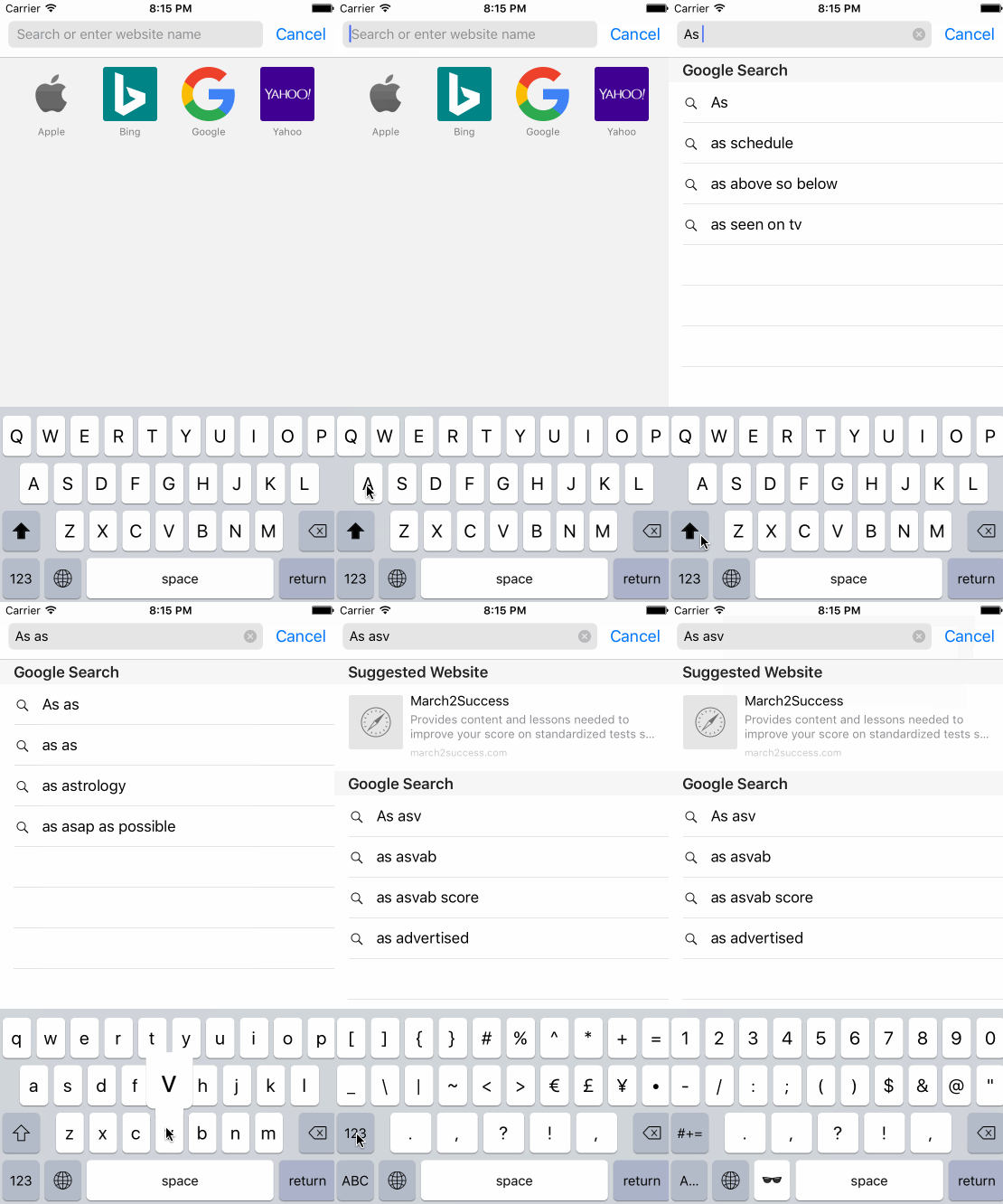
KeyboardLayoutEngine is all about laying out keyboard buttons dynamically in a rectangle with a custom style easily. For the sake of flexibility, KeyboardLayoutEngine provides:
KeyboardLayout: For laying out rows with custom paddings, colors.KeyboardRow: For laying out buttons or another set of KeyboardRow's inside.KeyboardButton: For rendering buttons in rows. Also provides flexible width, type and other very useful API's.- They are also
UIViews and handles their layout in theirlayoutSubviewsfunction. - They are faster than autolayout yet they can adopt perfectly any
CGFrameyou want apply a keyboard layout. - That means they are play very well with orientation changes. (Layout for size class and/or orientation support is on the way.)
KeyboardLayoutStyle,KeyboardRowStyleandKeyboardButtonStylestructs handles pretty much everything about styling.KeyboardLayoutDelegatefor inform about button presses.- Also
CustomKeyboardprovided out of box, a good start point for figuring out how it works other than being of fully functional original keyboard.
use_frameworks!# Target Keyboardpod'KeyboardLayoutEngine'- Describe your keyboard with custom styles, rows and buttons with either text or image in it.
- Checkout the CustomKeyboardLayout for detailed usage.
letkeyboardLayout=KeyboardLayout(
style: CustomKeyboardLayoutStyle,
rows:[KeyboardRow(
style: CustomKeyboardRowStyle,
characters:[KeyboardButton(type:.Key("Q"), style: CustomKeyboardKeyButtonStyle),KeyboardButton(type:.Key("W"), style: CustomKeyboardKeyButtonStyle),KeyboardButton(type:.Key("E"), style: CustomKeyboardKeyButtonStyle),KeyboardButton(type:.Key("R"), style: CustomKeyboardKeyButtonStyle),KeyboardButton(type:.Key("T"), style: CustomKeyboardKeyButtonStyle),KeyboardButton(type:.Key("Y"), style: CustomKeyboardKeyButtonStyle),KeyboardButton(type:.Key("U"), style: CustomKeyboardKeyButtonStyle),KeyboardButton(type:.Key("I"), style: CustomKeyboardKeyButtonStyle),KeyboardButton(type:.Key("O"), style: CustomKeyboardKeyButtonStyle),KeyboardButton(type:.Key("P"), style: CustomKeyboardKeyButtonStyle),])])overridefunc viewDidLoad(){
super.viewDidLoad()
view.addSubview(keyboardLayout)}overridefunc viewDidLayoutSubviews(){
super.viewDidLayoutSubviews()
keyboardLayout.setNeedsLayout()}- Implement
KeyboardLayoutDelegatefor get information about the button presses.
@objcpublicprotocolKeyboardLayoutDelegate{
// Key Press Events
optionalfunc keyboardLayout(keyboardLayout:KeyboardLayout, didKeyPressStart keyboardButton:KeyboardButton)optionalfunc keyboardLayout(keyboardLayout:KeyboardLayout, didKeyPressEnd keyboardButton:KeyboardButton)optionalfunc keyboardLayout(keyboardLayout:KeyboardLayout, didDraggedIn fromKeyboardButton:KeyboardButton, toKeyboardButton:KeyboardButton)
// Touch Events
optionalfunc keyboardLayout(keyboardLayout:KeyboardLayout, didTouchesBegin touches:Set<UITouch>)optionalfunc keyboardLayout(keyboardLayout:KeyboardLayout, didTouchesMove touches:Set<UITouch>)optionalfunc keyboardLayout(keyboardLayout:KeyboardLayout, didTouchesEnd touches:Set<UITouch>?)optionalfunc keyboardLayout(keyboardLayout:KeyboardLayout, didTouchesCancel touches:Set<UITouch>?)}publicenumKeyboardButtonWidth{case Dynamic
case Static(width:CGFloat)case Relative(percent:CGFloat)}- Laying out buttons in rows are important. Since rows can their child rows, calculating right sizes for buttons and rows done by button types.
- If you leave
.Dynamicwhich is default by the way, every button in a row, it will calculate their width byKeyboardRowStyle.buttonPaddingand total width of row and figure out equal widths with equal buttonPaddings. - Static will be static width obviusly.
- Relative is an interesting one, which takes a value between [0, 1], fills percent of parent row, smartly calculated.
publicenumKeyboardButtonType{case Key(String)case Text(String)case Image(UIImage?)}- A button can be
Key,TextorImage. - Key case might be useful for
textDocumentProxy.insertTextoperation. - Text case might be useful for buttons like "space", "return", "ABC", "123" or any string include emojis.
- Image case might be useful for buttons like "shift", "backspace", "switch keyboard" etc.
- Every style struct has their default values in taste of original keyboard.
- If you dont assign a value in
initfunction of a style struct, it will be loaded with its default value.
Definition:
publicstructKeyboardLayoutStyle{publicvartopPadding:CGFloatpublicvarbottomPadding:CGFloatpublicvarrowPadding:CGFloatpublicvarbackgroundColor:UIColor}Example:
letCustomKeyboardLayoutStyle=KeyboardLayoutStyle(
topPadding:10,
bottomPadding:5,
rowPadding:13,
backgroundColor:UIColor(red:208.0/255.0, green:213.0/255.0, blue:219.0/255.0, alpha:1))Definition:
publicstructKeyboardRowStyle{publicvarleadingPadding:CGFloatpublicvartrailingPadding:CGFloatpublicvarbuttonsPadding:CGFloat}Example:
letCustomKeyboardRowStyle=KeyboardRowStyle(
leadingPadding:5,
trailingPadding:5,
buttonsPadding:6)Definition:
publicstructKeyboardButtonStyle{publicvarbackgroundColor:UIColorpublicvarcornerRadius:CGFloat
// Border
publicvarborderColor:UIColorpublicvarborderWidth:CGFloat
// Shadow
publicvarshadowColor:UIColorpublicvarshadowOpacity:FloatpublicvarshadowOffset:CGSizepublicvarshadowRadius:CGFloatpublicvarshadowPath:UIBezierPath?
// Text
publicvartextColor:UIColorpublicvarfont:UIFont
// Image
publicvarimageSize:CGFloat?
// Popup
publicvarshowsPopup:BoolpublicvarpopupWidthMultiplier:CGFloatpublicvarpopupHeightMultiplier:CGFloat}
Example:
letCustomKeyboardDarkImageButtonStyle=KeyboardButtonStyle(
backgroundColor:UIColor(red:180.0/255.0, green:188.0/255.0, blue:201.0/255.0, alpha:1),
imageSize:18,
showsPopup:false)Default iOS Keyboard implementation with KeyboardLayoutEngine.
- Shift toggle mechanism
- Backspace mechanism
- Key button popups
textDocumentProxyintegrations withCustomKeyboardDelegate- Ridiculusly easy implementation in
KeyboardViewController - Change default styles before initialize it and you have your fully functional customized standard English QWERTY keyboard!
overridefunc viewDidLoad(){
super.viewDidLoad()CustomKeyboardLayoutStyle.backgroundColor =UIColor.redColor()CustomKeyboardRowStyle.buttonsPadding =5
customKeyboard =CustomKeyboard()
customKeyboard.delegate =self
view.addSubview(customKeyboard)}- CustomKeyboardLayoutStyle:
KeyboardLayoutStyle - CustomKeyboardRowStyle:
KeyboardRowStyle - CustomKeyboardSecondRowStyle:
KeyboardRowStyle - CustomKeyboardChildRowStyle:
KeyboardRowStyle - CustomKeyboardSpaceButtonStyle:
KeyboardButtonStyle - CustomKeyboardBackspaceButtonStyle:
KeyboardButtonStyle - CustomKeyboardShiftButtonStyle:
KeyboardButtonStyle - CustomKeyboardGlobeButtonStyle:
KeyboardButtonStyle - CustomKeyboardReturnButtonStyle:
KeyboardButtonStyle - CustomKeyboardNumbersButtonStyle:
KeyboardButtonStyle - CustomKeyboardKeyButtonStyle:
KeyboardButtonStyle
- Provides information about key and special button presses.
@objcpublicprotocolCustomKeyboardDelegate{optionalfunc customKeyboard(customKeyboard:CustomKeyboard, keyboardButtonPressed keyboardButton:KeyboardButton)optionalfunc customKeyboard(customKeyboard:CustomKeyboard, keyButtonPressed key:String)optionalfunc customKeyboardSpaceButtonPressed(customKeyboard:CustomKeyboard)optionalfunc customKeyboardBackspaceButtonPressed(customKeyboard:CustomKeyboard)optionalfunc customKeyboardGlobeButtonPressed(customKeyboard:CustomKeyboard)optionalfunc customKeyboardReturnButtonPressed(customKeyboard:CustomKeyboard)}