| Author: | Catherine Devlin, http://catherinedevlin.blogspot.com |
|---|
Introduces a %sql (or %%sql) magic.
Connect to a database, using SQLAlchemy connect strings, then issue SQL commands within IPython or IPython Notebook.
Install direct from github using:
pip install git+git://github.com/cfperez/ipython-sql#egg=ipython-sql
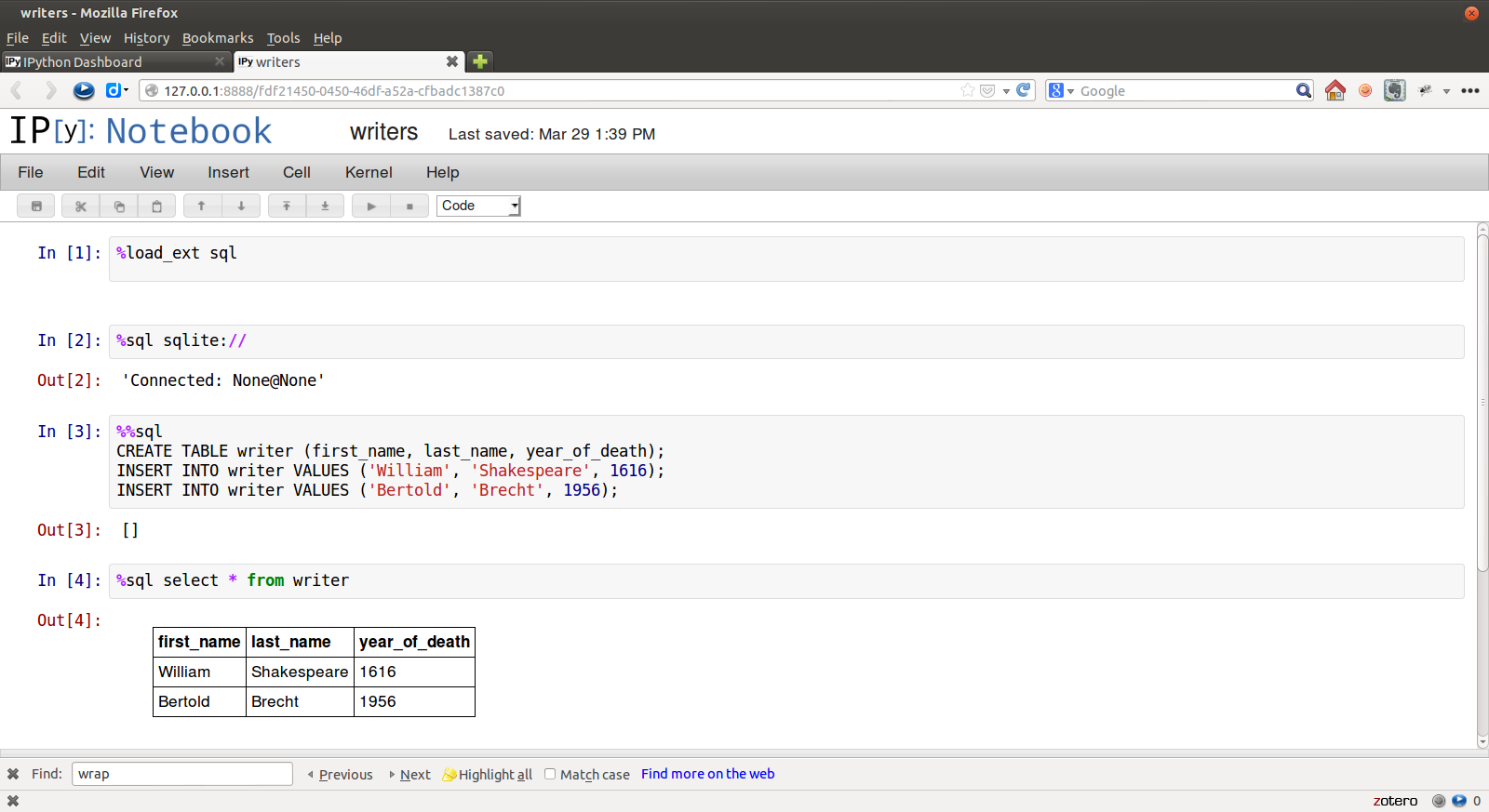
In [1]: %load_extsqlIn [2]: %%sqlpostgresql://will:longliveliz@localhost/shakes
...: select*fromcharacter
...: whereabbrev='ALICE'
...:
Out[2]: [(u'Alice', u'Alice', u'ALICE', u'a lady attending on Princess Katherine', 22)]
In [3]: result=_In [4]: print(result)
charidcharnameabbrevdescriptionspeechcount=================================================================================AliceAliceALICEaladyattendingonPrincessKatherine22In [4]: result.keysOut[5]: [u'charid', u'charname', u'abbrev', u'description', u'speechcount']
In [6]: result[0][0]
Out[6]: u'Alice'In [7]: result[0].descriptionOut[7]: u'a lady attending on Princess Katherine'
After the first connection, connect info can be omitted:
In [8]: %sql select count(*) from work
Out[8]: [(43L,)]
Connections to multiple databases can be maintained. You can refer to an existing connection by username@database
In [9]: %%sqlwill@shakes
...: selectcharname, speechcountfromcharacter
...: wherespeechcount= (selectmax(speechcount)
...: fromcharacter);
...:
Out[9]: [(u'Poet', 733)]
In [10]: print(_)
charnamespeechcount======================Poet733
You may use multiple SQL statements inside a single cell, but you will only see any query results from the last of them, so this really only makes sense for statements with no output
In [11]: %%sqlsqlite://
....: CREATETABLEwriter (first_name, last_name, year_of_death);
....: INSERTINTOwriterVALUES ('William', 'Shakespeare', 1616);
....: INSERTINTOwriterVALUES ('Bertold', 'Brecht', 1956);
....:
Out[11]: []
Bind variables (bind parameters) can be used in the "named" (:x) style. The variable names used should be defined in the local namespace
In [12]: name='Countess'In [13]: %sqlselectdescriptionfromcharacterwherecharname= :nameOut[13]: [(u'mother to Bertram',)]As a convenience, dict-style access for result sets is supported, with the leftmost column serving as key, for unique values.
In [14]: result=%sqlselect*fromwork43rowsaffected.
In [15]: result['richard2']
Out[15]: (u'richard2', u'Richard II', u'History of Richard II', 1595, u'h', None, u'Moby', 22411, 628)Connection strings are SQLAlchemy standard.
Some example connection strings:
mysql+pymysql://scott:tiger@localhost/foo
oracle://scott:tiger@127.0.0.1:1521/sidname
sqlite://
sqlite:///foo.db
Note that mysql and mysql+pymysql connections (and perhaps others)
don't read your client character set information from .my.cnf. You need
to specify it in the connection string:
mysql+pymysql://scott:tiger@localhost/foo?charset=utf8
Query results are loaded as lists, so very large result sets may use up your system's memory and/or hang your browser. There is no autolimit by default. However, autolimit (if set) limits the size of the result set (usually with a LIMIT clause in the SQL). displaylimit is similar, but the entire result set is still pulled into memory (for later analysis); only the screen display is truncated.
In [2]: %configSqlMagicSqlMagicoptions--------------SqlMagic.autolimit=<Int>Current: 0AutomaticallylimitthesizeofthereturnedresultsetsSqlMagic.autopandas=<Bool>Current: FalseReturnPandasDataFramesinsteadofregularresultsetsSqlMagic.displaylimit=<Int>Current: 0Automaticallylimitthenumberofrowsdisplayed (fullresultsetisstillstored)
SqlMagic.feedback=<Bool>Current: TruePrintnumberofrowsaffectedbyDMLSqlMagic.short_errors=<Bool>Current: TrueDon'tdisplaythefulltracebackonSQLProgrammingErrorSqlMagic.style=<Unicode>Current: 'DEFAULT'Setthetableprintingstyletoanyofprettytable'sdefinedstyles
(currentlyDEFAULT, MSWORD_FRIENDLY, PLAIN_COLUMNS, RANDOM)
In[3]: %configSqlMagic.feedback=FalseIf you have installed pandas, you can use a result set's
.DataFrame() method
In [3]: result=%sqlSELECT*FROMcharacterWHEREspeechcount>25In [4]: dataframe=result.DataFrame()The bogus non-standard pseudo-SQL command PERSIST will create a table name
in the database from the named DataFrame.
In [5]: %sqlPERSISTdataframeIn [6]: %sqlSELECT*FROMdataframe;If you have installed matplotlib, you can use a result set's
.plot(), .pie(), and .bar() methods for quick plotting
In[5]: result=%sqlSELECTtitle, totalwordsFROMworkWHEREgenretype='c'In[6]: %matplotlibinlineIn[7]: result.pie()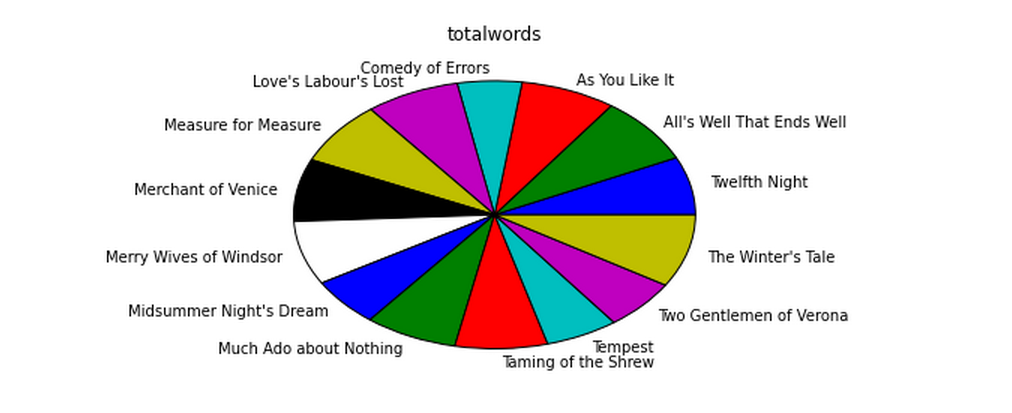
Install the lastest release with:
pip install ipython-sql
or download from https://github.com/catherinedevlin/ipython-sql and:
cd ipython-sql
sudo python setup.py install
Result sets come with a .csv(filename=None) method. This generates
comma-separated text either as a return value (if filename is not
specified) or in a file of the given name.
https://github.com/catherinedevlin/ipython-sql
- Matthias Bussonnier for help with configuration
- Olivier Le Thanh Duong for
%configfixes and improvements - Distribute
- Buildout
- modern-package-template
- Mike Wilson for bind variable code
- Thomas Kluyver and Steve Holden for debugging help
- Berton Earnshaw for DSN connection syntax