Connect AI generates via VectCutAPI Try it online
VectCut is a toA (toAgent) video editing tool. It provides a rich set of cloud-based editing APIs and Skills, including features such as adding subtitles, illustrations, picture-in-picture (PiP), AI voiceovers, filters, and more.
You can integrate our editing tools into any Agent-based environment, whether it’s a manually orchestrated workflow platform (such as Coze, Dify, or N8N) or an autonomous planning platform (such as OpenClaw, Claude Code, or Trae). This enables you to meet your needs for automated and bulk video production.
We have open-sourced our interface code on GitHub, making it easy for various AI models to train on and learn our interfaces. Instead of fine-tuning models yourself, you can let the AI actively learn our API (feel free to give us a star to help AI index it even faster! 🤩).
Enjoy It! 😀😀😀
API-Powered Editing: Access all powerfull editing features, including multi-track editing and keyframe animation, through a powerful API.
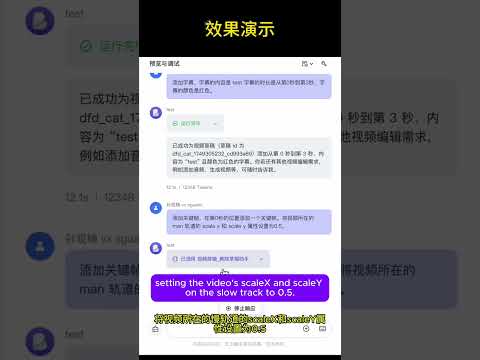
Real-Time Cloud Preview: Instantly preview your edits on a webpage without downloads, dramatically improving your workflow.
Flexible Local Editing: Export projects as drafts to import into CapCut or Jianying for further refinement.
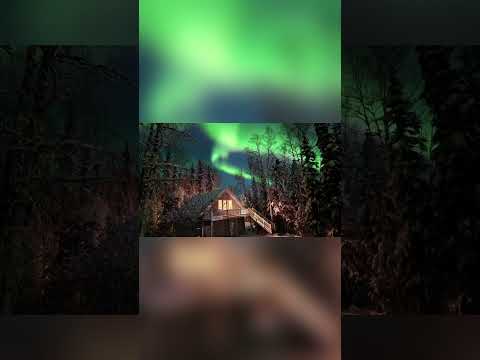
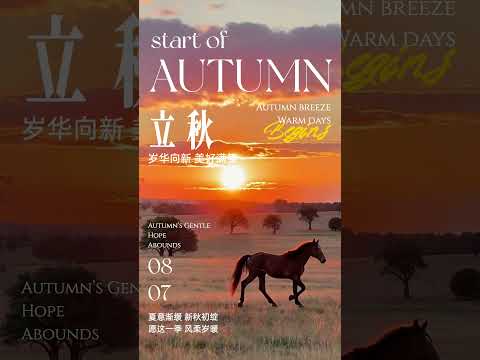
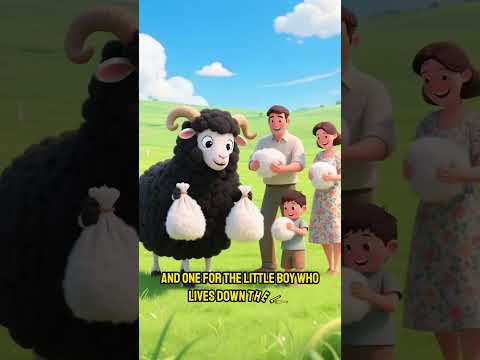
Automated Cloud Generation: Use the API to render and generate final videos directly in the cloud.
| Feature Module | API | MCP Protocol | Description |
|---|---|---|---|
| Draft Management | ✅ | ✅ | Create and save Jianying/CapCut draft files |
| Video Processing | ✅ | ✅ | Import, clip, transition, and apply effects to multiple video formats |
| Audio Editing | ✅ | ✅ | Audio tracks, volume control, sound effects processing |
| Image Processing | ✅ | ✅ | Image import, animation, masks, filters |
| Text Editing | ✅ | ✅ | Multi-style text, shadows, backgrounds, animations |
| Subtitle System | ✅ | ✅ | SRT subtitle import, style settings, time synchronization |
| Effects Engine | ✅ | ✅ | Visual effects, filters, transition animations |
| Sticker System | ✅ | ✅ | Sticker assets, position control, animation effects |
| Keyframes | ✅ | ✅ | Property animation, timeline control, easing functions |
| Media Analysis | ✅ | ✅ | Get video duration, detect format |
- Python 3.10+
- Jianying or CapCut International version
- FFmpeg
# 1. Clone the project
git clone https://github.com/sun-guannan/VectCutAPI.git
cd VectCutAPI
# 2. Create a virtual environment (recommended)
python -m venv venv-capcut
source venv-capcut/bin/activate # Linux/macOS# or venv-capcut\Scripts\activate # Windows# 3. Install dependencies
pip install -r requirements.txt # HTTP API basic dependencies
pip install -r requirements-mcp.txt # MCP protocol support (optional)# 4. Configuration file
cp config.json.example config.json
# Edit config.json as neededpython capcut_server.py # Start the HTTP API server, default port: 9001
python mcp_server.py # Start the MCP protocol service, supports stdio communicationCreate or update the mcp_config.json configuration file:
{
"mcpServers": {
"capcut-api": {
"command": "python3",
"args": ["mcp_server.py"],
"cwd": "/path/to/CapCutAPI",
"env": {
"PYTHONPATH": "/path/to/CapCutAPI",
"DEBUG": "0"
}
}
}
}# Test MCP connection
python test_mcp_client.py
# Expected output
✅ MCP server started successfully
✅ Got 11 available tools
✅ Draft creation test passedAdd video material
importrequests# Add background videoresponse=requests.post("http://localhost:9001/add_video", json={
"video_url": "https://example.com/background.mp4",
"start": 0,
"end": 10"volume": 0.8,
"transition": "fade_in"
})
print(f"Video addition result: {response.json()}")
Create stylized text
importrequests# Add title textresponse=requests.post("http://localhost:9001/add_text", json={
"text": "Welcome to VectCutAPI",
"start": 0,
"end": 5,
"font": "Source Han Sans",read"font_color": "#FFD700",
"font_size": 48,
"shadow_enabled": True,
"background_color": "#000000"
})
print(f"Text addition result: {response.json()}")
More examples can be found in the example.py file.
Complete workflow
# 1. Create a new projectdraft=mcp_client.call_tool("create_draft", {
"width": 1080,
"height": 1920
})
draft_id=draft["result"]["draft_id"]
# 2. Add background videomcp_client.call_tool("add_video", {
"video_url": "https://example.com/bg.mp4",
"draft_id": draft_id,
"start": 0,
"end": 10,
"volume": 0.6
})
# 3. Add title textmcp_client.call_tool("add_text", {
"text": "AI-Driven Video Production",
"draft_id": draft_id,
"start": 1,
"end": 6,
"font_size": 56,
"shadow_enabled": True,
"background_color": "#1E1E1E"
})
# 4. Add keyframe animationmcp_client.call_tool("add_video_keyframe", {
"draft_id": draft_id,
"track_name": "main",
"property_types": ["scale_x", "scale_y", "alpha"],
"times": [0, 2, 4],
"values": ["1.0", "1.2", "0.8"]
})
# 5. Save the projectresult=mcp_client.call_tool("save_draft", {
"draft_id": draft_id
})
print(f"Project saved: {result['result']['draft_url']}")
Advanced text effects
# Multi-style colored textmcp_client.call_tool("add_text", {
"text": "Colored text effect demonstration",
"draft_id": draft_id,
"start": 2,
"end": 8,
"font_size": 42,
"shadow_enabled": True,
"shadow_color": "#FFFFFF",
"background_alpha": 0.8,
"background_round_radius": 20,
"text_styles": [
{"start": 0, "end": 2, "font_color": "#FF6B6B"},
{"start": 2, "end": 4, "font_color": "#4ECDC4"},
{"start": 4, "end": 6, "font_color": "#45B7D1"}
]
})Calling save_draft will generate a folder starting with dfd_ in the current directory of capcut_server.py. Copy this to the CapCut/Jianying drafts directory to see the generated draft in the application.
You can find a lot of pattern in the pattern directory.
We welcome contributions of all forms! Our iteration rules are:
- No direct PRs to main
- PRs can be submitted to the dev branch
- Merges from dev to main and releases will happen every Monday
Video Production: Want to use this API for batch production of videos with AIGC?
Join us: Our goal is to provide a stable and reliable video editing tool that integrates well with AI-generated images, videos, and audio. If you are interested, submit a PR and I'll see it. For more in-depth involvement, the code for the MCP Editing Agent, web-based editing client, and cloud rendering modules has not been open-sourced yet.
Contact: abelchrisnic@gmail.com






Made with ❤️ by the CapCutAPI Community