

Camera Kit is a cross platform API for low level camera access. It was originally based on Camera Kit Android for the Android version and styled its API similarly. However, as a result of problematic design choices and unclear direction the Android implementation was moved to Golden Eye. The iOS the implementation is based directly on the native OS API's and so is the JavaScript implementation.
Important not all API's are implemented in a cross platform way at this time as this cn1lib is highly experimental. Basic things might not work...
The code in this repository is under the MIT license which effectively allows you to do with it as you please. We'd still be happy to get good pull requests.
CameraKitck = CameraKit.create();
// will happen in unsupported platforms such as the simulator!if(ck != null) {
Formhi = newForm("Native Camera", newLayeredLayout());
hi.setScrollableY(false);
ck.addCameraListener(newCameraListener() {
@OverridepublicvoidonError(CameraEventev) {
// handle camera errors
}
@OverridepublicvoidonImage(CameraEventev) {
// Callback when a photo is capturedbyte[] jpegData = ev.getJpeg();
}
@OverridepublicvoidonVideo(CameraEventev) {
// Callback when a photo is capturedStringvideoFile = ev.getFile();
}
});
hi.add(ck.getView());
Buttonvideo = newButton();
FontImage.setMaterialIcon(video, FontImage.MATERIAL_VIDEOCAM);
video.addActionListener(e -> {
Booleanb = (Boolean)video.getClientProperty("capturing");
if(b == null) {
video.putClientProperty("capturing", Boolean.TRUE);
ck.captureVideo();
FontImage.setMaterialIcon(video, FontImage.MATERIAL_VIDEOCAM_OFF);
} else {
video.putClientProperty("capturing", null);
ck.stopVideo();
FontImage.setMaterialIcon(video, FontImage.MATERIAL_VIDEOCAM);
}
});
FloatingActionButtonfab = FloatingActionButton.createFAB(FontImage.MATERIAL_CAMERA);
fab.bindFabToContainer(hi, CENTER, BOTTOM);
fab.addActionListener(e -> ck.captureImage());
ButtontoggleCamera = newButton();
FontImage.setMaterialIcon(toggleCamera, FontImage.MATERIAL_CAMERA_FRONT);
ButtontoggleFlash = newButton();
FontImage.setMaterialIcon(toggleFlash, FontImage.MATERIAL_FLASH_ON);
toggleCamera.addActionListener(e -> ck.toggleFacing());
toggleFlash.addActionListener(e -> ck.toggleFlash());
Containerbuttons = BoxLayout.encloseY(video, toggleCamera, toggleFlash);
buttons.setScrollableY(true);
hi.add(BorderLayout.east(buttons));
hi.show();
}
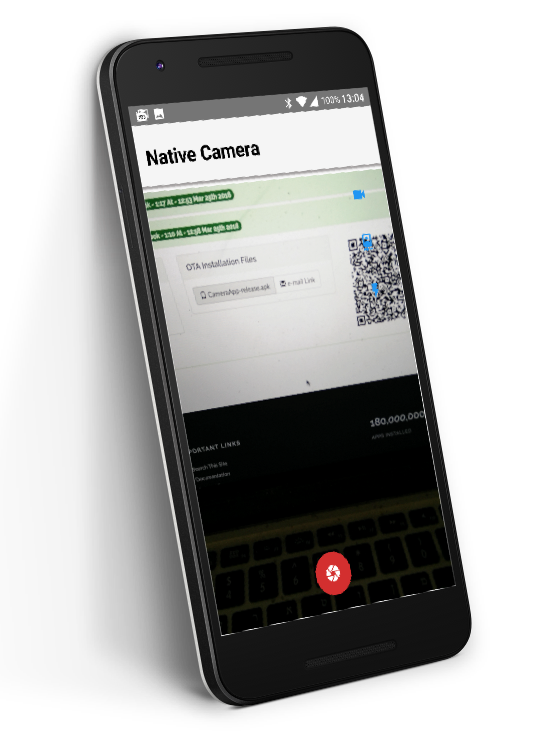
You can see the full demo project here.
If used in the first form of the application it is recommended that you have a splash screen at least for the first time the application loads. This is essential for iOS where screenshots are generated for the splash screens.