A Farcaster Frames v2 demo app.
🛠️ Frame Playground (Mobile only)
📦 Frame SDK
👀 Dev preview docs
This is a NextJS + TypeScript + React app.
To install dependencies:
$ yarnTo run the app:
$ yarn devTo try your app in the Warpcast playground, you'll want to use a tunneling tool like ngrok.
Here's a full walkthrough of creating a frames v2 app:
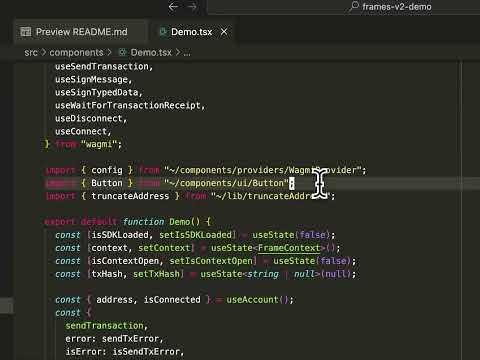
We'll start with a fresh NextJS app:
$ yarn create next-app
✔ What is your project named? … frames-v2-demo
✔ Would you like to use TypeScript? … No / Yes
✔ Would you like to use ESLint? … No / Yes
✔ Would you like to use Tailwind CSS? … No / Yes
✔ Would you like your code inside a `src/` directory? … No / Yes
✔ Would you like to use App Router? (recommended) … No / Yes
✔ Would you like to use Turbopack for next dev? … No / Yes
✔ Would you like to customize the import alias (@/* by default)? … No / Yes
✔ What import alias would you like configured? … ~/*
Creating a new Next.js app in /Users/horsefacts/Projects/frames-v2-demo.
Next, install frame related dependencies. We'll need the official frame SDK:
$ yarn add @farcaster/frame-sdkWe'll also need Wagmi to handle wallet interactions. Let's install it and its dependencies.
$ yarn add wagmi viem@2.x @tanstack/react-queryOK, we're ready to get started!
We'll need to set up a custom Wagmi connector in order to interact with the user's Farcaster wallet. Since the frames SDK is a frontend only package, we'll also need to use client components and Next dynamic imports in a few places.
First, let's create a custom connector component at lib/connector.ts. We'll use this to connect to the user's Farcaster wallet from our app.
Note
We plan to move this connector into the frames SDK so you don't have to worry about it. But you'll need to copy-paste it for now.
importsdkfrom"@farcaster/frame-sdk";import{SwitchChainError,fromHex,getAddress,numberToHex}from"viem";import{ChainNotConfiguredError,createConnector}from"wagmi";frameConnector.type="frameConnector"asconst;exportfunctionframeConnector(){letconnected=true;returncreateConnector<typeofsdk.wallet.ethProvider>((config)=>({id: "farcaster",name: "Farcaster Wallet",type: frameConnector.type,asyncsetup(){this.connect({chainId: config.chains[0].id});},asyncconnect({ chainId }={}){constprovider=awaitthis.getProvider();constaccounts=awaitprovider.request({method: "eth_requestAccounts",});letcurrentChainId=awaitthis.getChainId();if(chainId&¤tChainId!==chainId){constchain=awaitthis.switchChain!({ chainId });currentChainId=chain.id;}connected=true;return{accounts: accounts.map((x)=>getAddress(x)),chainId: currentChainId,};},asyncdisconnect(){connected=false;},asyncgetAccounts(){if(!connected)thrownewError("Not connected");constprovider=awaitthis.getProvider();constaccounts=awaitprovider.request({method: "eth_requestAccounts",});returnaccounts.map((x)=>getAddress(x));},asyncgetChainId(){constprovider=awaitthis.getProvider();consthexChainId=awaitprovider.request({method: "eth_chainId"});returnfromHex(hexChainId,"number");},asyncisAuthorized(){if(!connected){returnfalse;}constaccounts=awaitthis.getAccounts();return!!accounts.length;},asyncswitchChain({ chainId }){constprovider=awaitthis.getProvider();constchain=config.chains.find((x)=>x.id===chainId);if(!chain)thrownewSwitchChainError(newChainNotConfiguredError());awaitprovider.request({method: "wallet_switchEthereumChain",params: [{chainId: numberToHex(chainId)}],});returnchain;},onAccountsChanged(accounts){if(accounts.length===0)this.onDisconnect();elseconfig.emitter.emit("change",{accounts: accounts.map((x)=>getAddress(x)),});},onChainChanged(chain){constchainId=Number(chain);config.emitter.emit("change",{ chainId });},asynconDisconnect(){config.emitter.emit("disconnect");connected=false;},asyncgetProvider(){returnsdk.wallet.ethProvider;},}));}Next, let's create a provider component that handles our Wagmi configuration. Create components/providers/WagmiProvider.tsx.
We'll configure our client with Base as a connected network and use the frameConnector that we just created:
import { createConfig, http, WagmiProvider } from "wagmi";
import { base } from "wagmi/chains";
import { QueryClient, QueryClientProvider } from "@tanstack/react-query";
import { frameConnector } from "~/lib/connector";
export const config = createConfig({
chains: [base],
transports: {
[base.id]: http(),
},
connectors: [frameConnector()],
});
const queryClient = new QueryClient();
export default function Provider({ children }: { children: React.ReactNode }) {
return (
<WagmiProvider config={config}>
<QueryClientProvider client={queryClient}>{children}</QueryClientProvider>
</WagmiProvider>
);
}
Now let's create a top-level Providers component that will include all our required providers. In this simple demo app, we'll just be adding Wagmi, but this is where you might also add other providers necessary for your own app.
Create app/providers.tsx:
"use client";importdynamicfrom"next/dynamic";constWagmiProvider=dynamic(()=>import("~/components/providers/WagmiProvider"),{ssr: false,},);exportfunctionProviders({ children }: {children: React.ReactNode}){return<WagmiProvider>{children}</WagmiProvider>;}Note two new things here: since the SDK relies on the browser window, we need to define this as a client component with "use client"; and use a dynamic import to import WagmiProvider.
Finally, let's add this providers component to our app layout. Edit app/layout.tsx:
importtype{Metadata}from"next";import"~/app/globals.css";import{Providers}from"~/app/providers";exportconstmetadata: Metadata={title: "Farcaster Frames v2 Demo",description: "A Farcaster Frames v2 demo app",};exportdefaultfunctionRootLayout({
children,}: Readonly<{children: React.ReactNode;}>){return(<htmllang="en"><body><Providers>{children}</Providers></body></html>);}
OK, setup is all done, let's do something more interesting...
Let's create a component for our app's homeUrl page. Create app/components/Demo.tsx.
For now, let's just put in a placeholder, Since our frame app will be rendering at mobile width, we'll give it a fixed width and center the content:
exportdefaultfunctionDemo(){return(<divclassName="w-[300px] mx-auto py-4 px-2"><h1className="text-2xl font-bold text-center mb-4">Frames v2 Demo</h1></div>);}Since we're going to import the frames SDK in this component, we'll need to load it dynamically, too. Edit app/page.tsx:
"use client";importdynamicfrom"next/dynamic";constDemo=dynamic(()=>import("~/components/Demo"),{ssr: false,});exportdefaultfunctionHome(){return(<mainclassName="min-h-screen flex flex-col p-4"><Demo/></main>);}OK, we're all set up! Now is a good time to try out our frames app in the developer playground. To do so, we'll use ngrok to access our local dev server over the internet.
First, run the dev server:
$ yarn devNext, start ngrok:
$ ngrok http http://localhost:3000Now open the Frame Playground on Warpcast mobile, by visiting https://warpcast.com/~/developers/frame-playground.
Enter your ngrok URL:
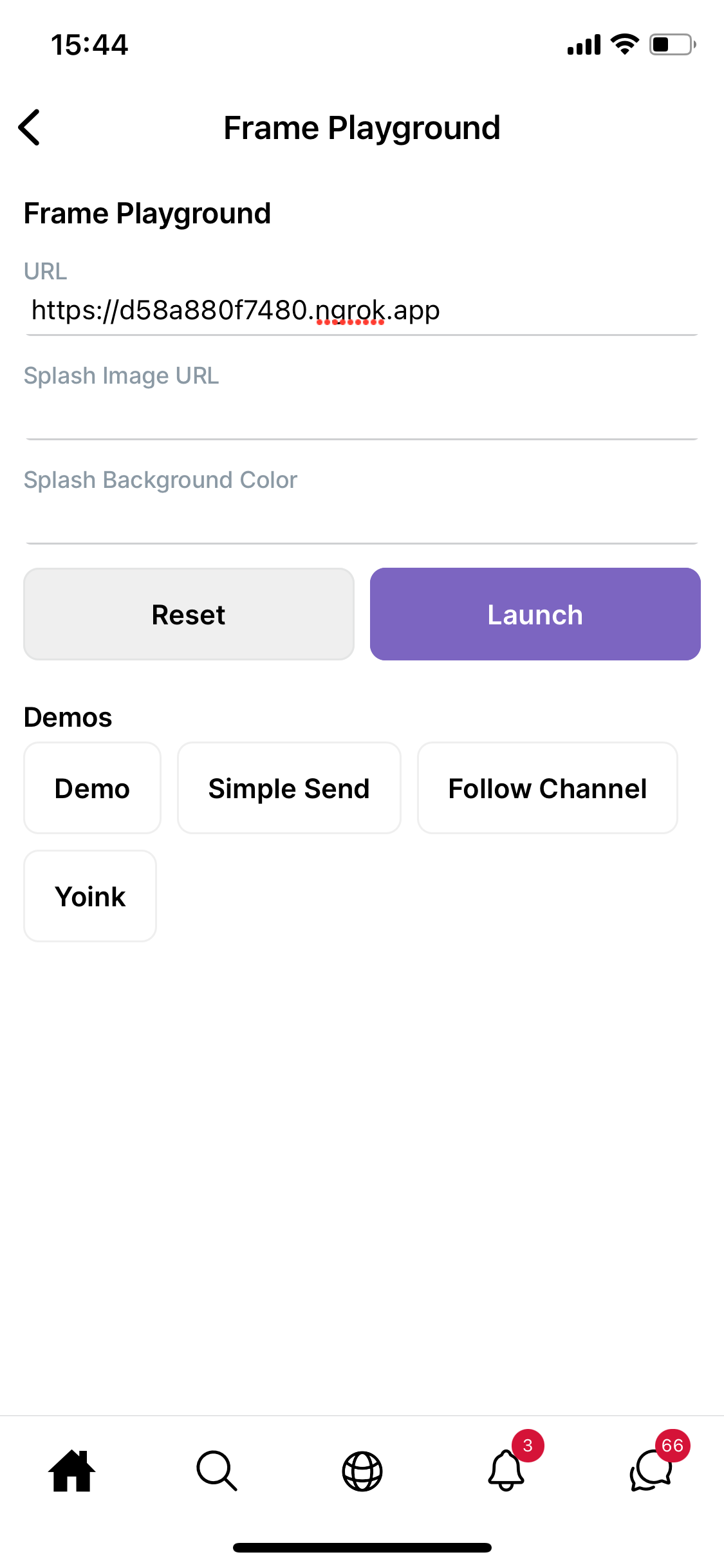
..and tap "Launch" to open your app.
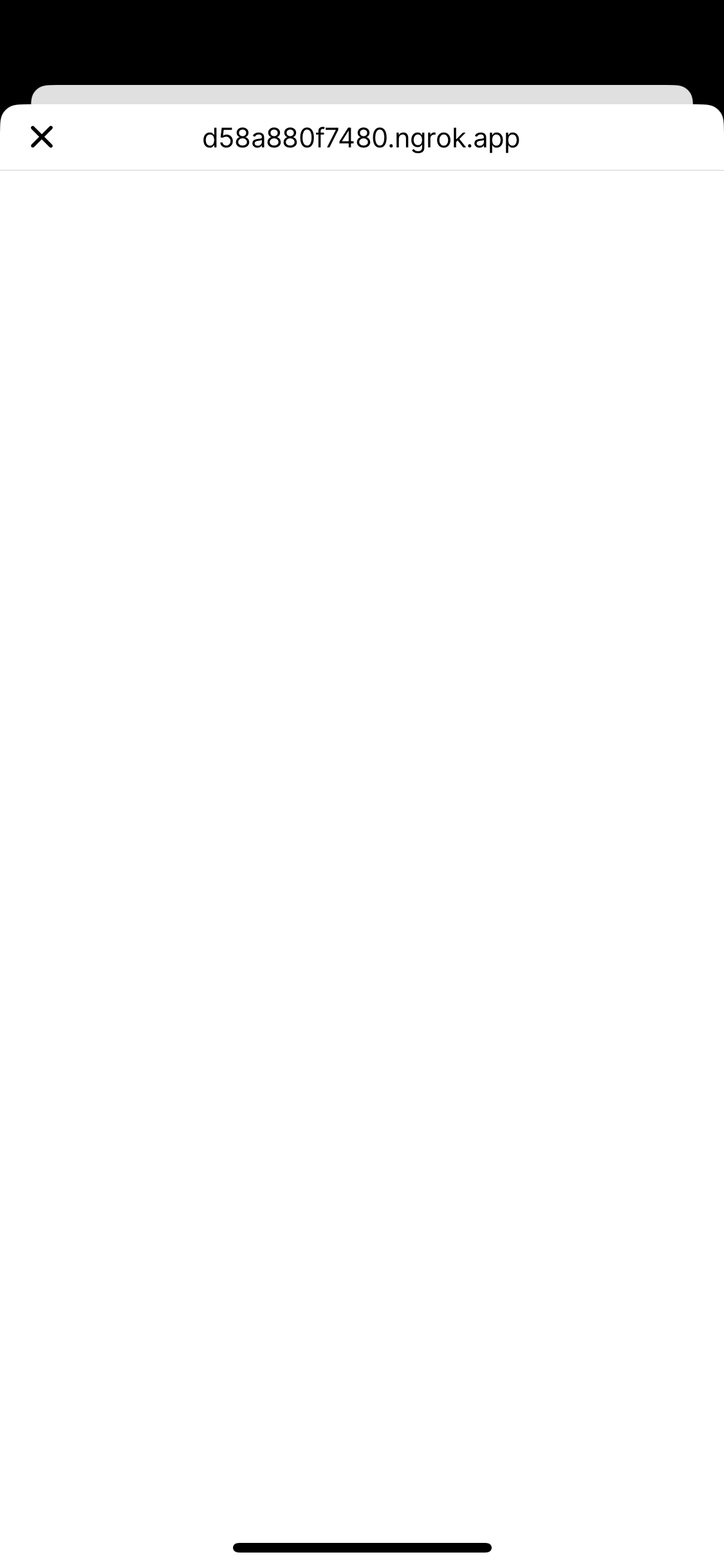
If you watch your dev server and ngrok logs, you'll see a request to your server. But nothing will load until we signal to Warpcast that our app is ready().
To give frames a consistent loading experience, clients display a splash screen and image until the app calls sdk.actions.ready(). In order to make it more visible here, let's add a splash image and loading color:
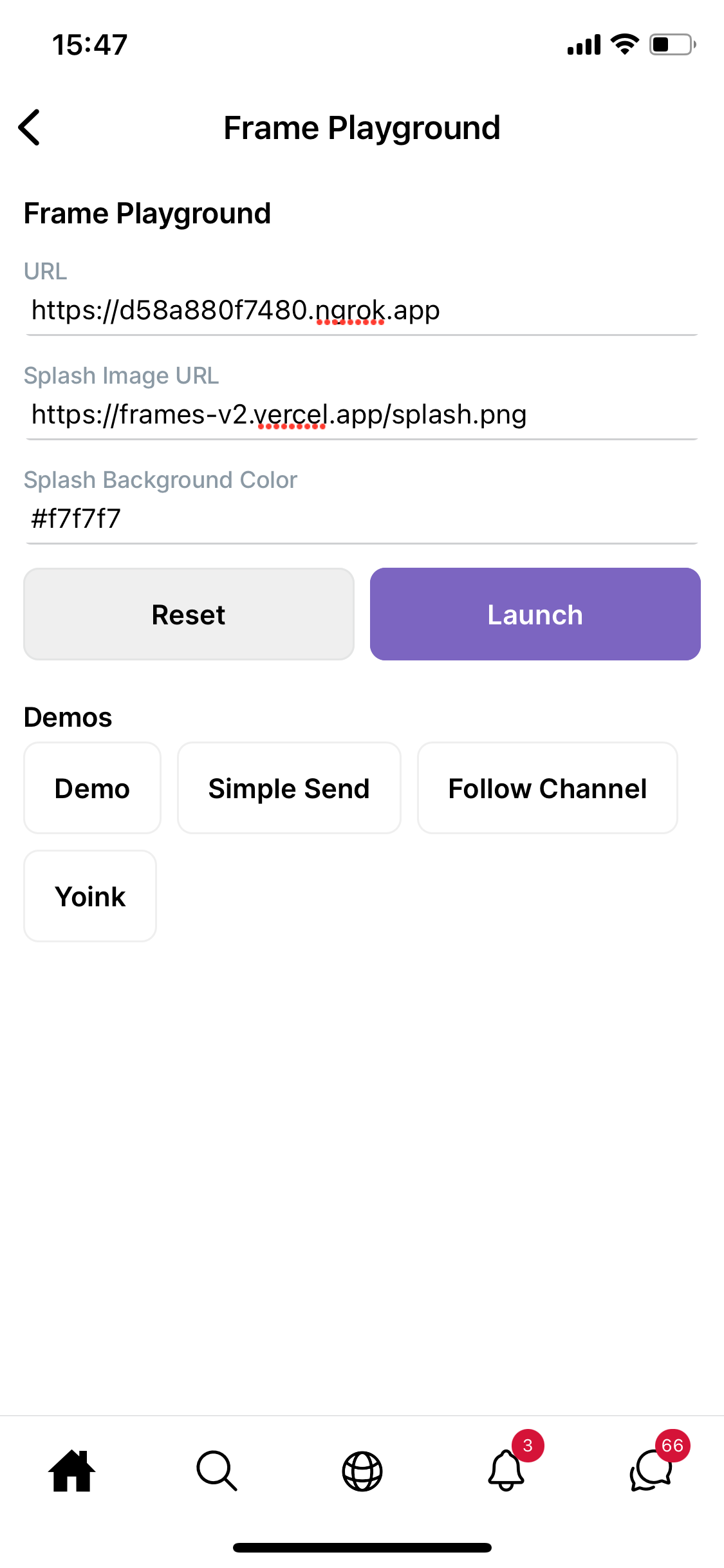
Now we get a nice background color and splash image:
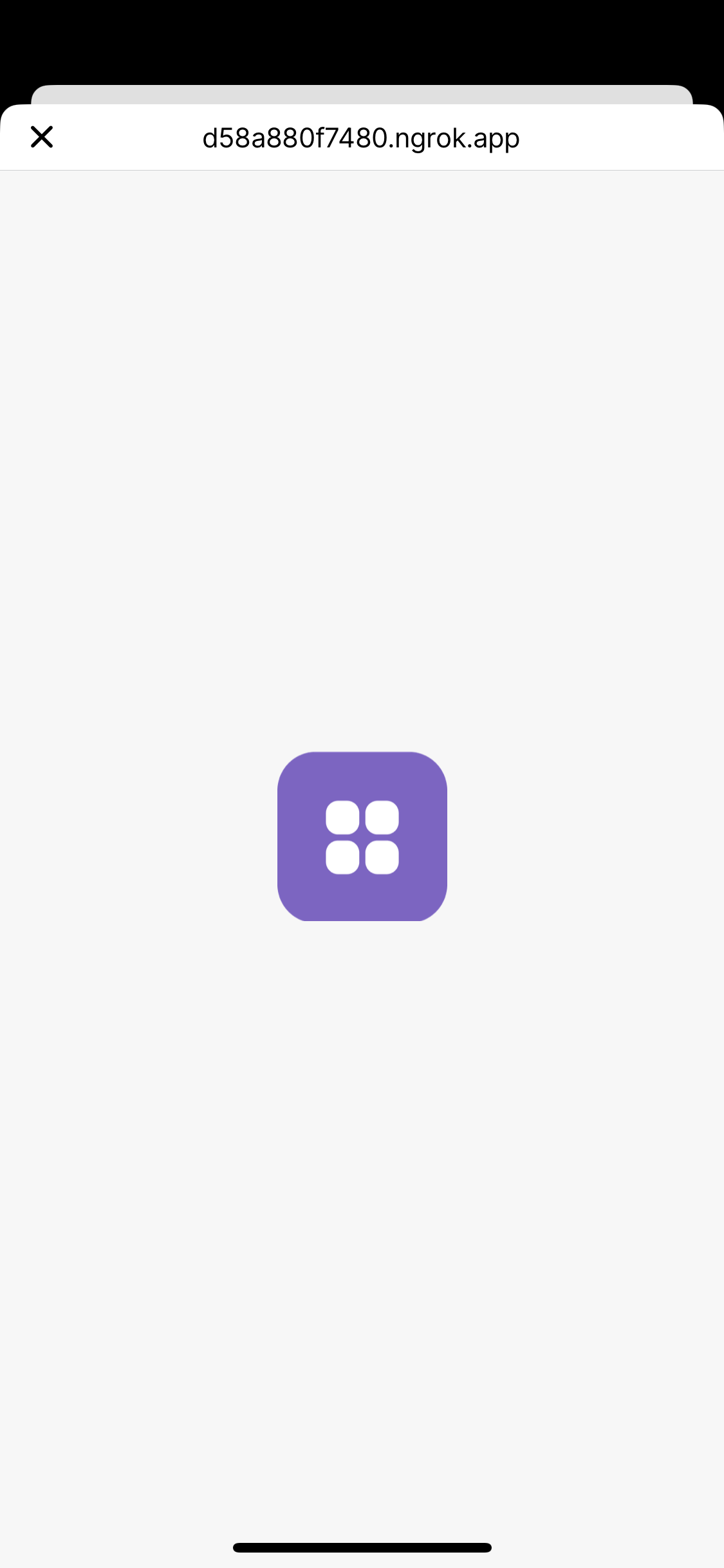
Let's call ready() to load our app. We'll call sdk.actions.ready() in an effect on render, which tells the parent Farcaster app that our frame is ready to render and hides the splash screen:
import{useEffect,useState}from"react";importsdkfrom"@farcaster/frame-sdk";exportdefaultfunctionDemo(){const[isSDKLoaded,setIsSDKLoaded]=useState(false);useEffect(()=>{constload=async()=>{sdk.actions.ready();};if(sdk&&!isSDKLoaded){setIsSDKLoaded(true);load();}},[isSDKLoaded]);return(<divclassName="w-[300px] mx-auto py-4 px-2"><h1className="text-2xl font-bold text-center mb-4">Frames v2 Demo</h1></div>);}Try again in the playground and we'll see our app:
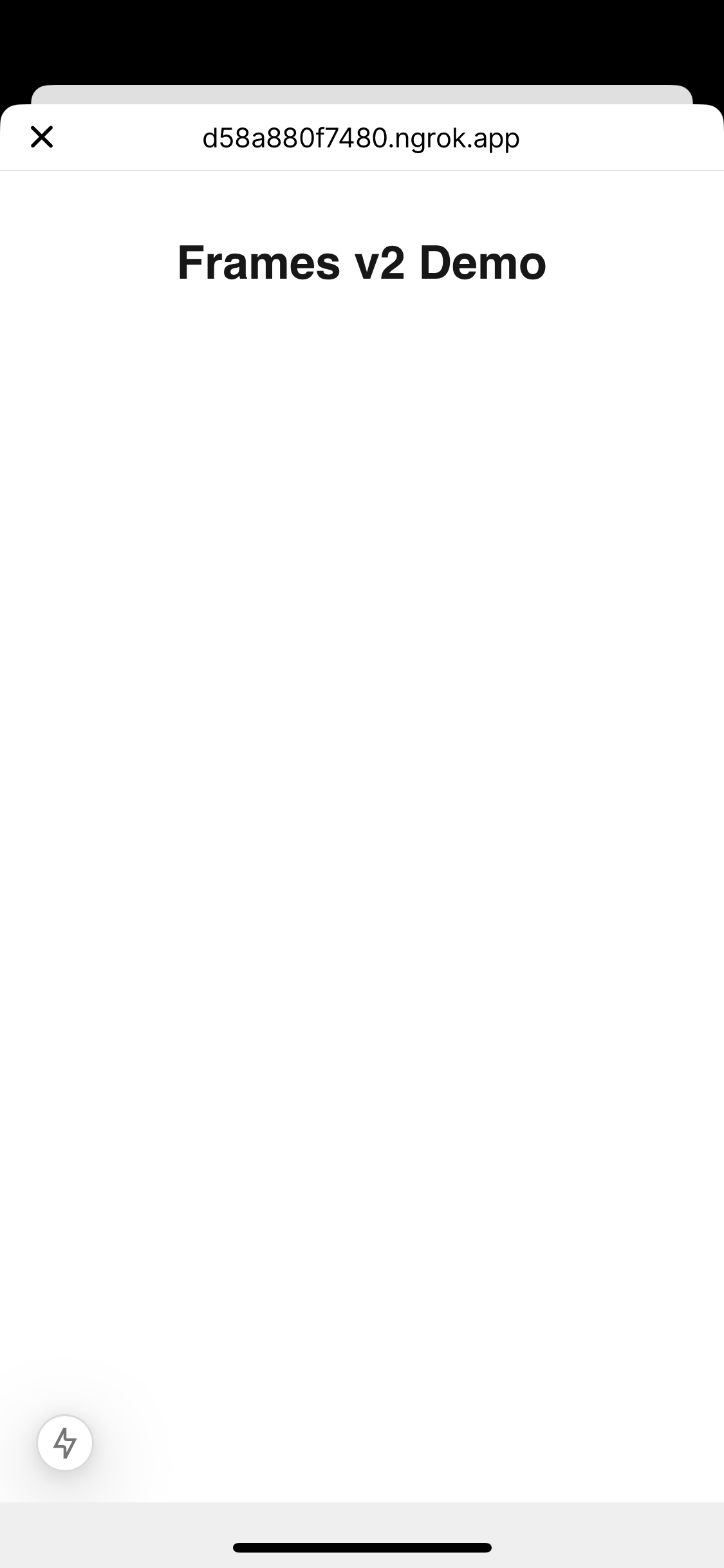
When your frame loads, the parent Farcaster app provides it with context information, including the current user. Let's take a look at it.
We can access the context data at sdk.context to see information about the current user.:
import{useEffect,useCallback,useState}from"react";importsdk,{typeFrameContext}from"@farcaster/frame-sdk";exportdefaultfunctionDemo(){const[isSDKLoaded,setIsSDKLoaded]=useState(false);const[context,setContext]=useState<FrameContext>();useEffect(()=>{constload=async()=>{setContext(awaitsdk.context);sdk.actions.ready();};if(sdk&&!isSDKLoaded){setIsSDKLoaded(true);load();}},[isSDKLoaded]);if(!isSDKLoaded){return<div>Loading...</div>;}return(<divclassName="w-[300px] mx-auto py-4 px-2"><h1className="text-2xl font-bold text-center mb-4">Frames v2 Demo</h1><divclassName="mb-4"><h2className="font-2xl font-bold">Context</h2><buttononClick={toggleContext}className="flex items-center gap-2 transition-colors"><spanclassName={`transform transition-transform ${isContextOpen ? "rotate-90" : ""}`}>
➤
</span>
Tap to expand
</button>{isContextOpen&&(<divclassName="p-4 mt-2 bg-gray-100 dark:bg-gray-800 rounded-lg"><preclassName="font-mono text-xs whitespace-pre-wrap break-words max-w-[260px] overflow-x-">{JSON.stringify(context,null,2)}</pre></div>)}</div></div>);}
When you load this in the Warpcast frames playground, you should see your own Farcaster user profile:
Warning
For the Framesgiving developer preview, context data is unauthenticated. Assume this data is spoofable and don't use it to grant privileged access to the user! Future frame SDK releases will include a mechanism fo verify context data.
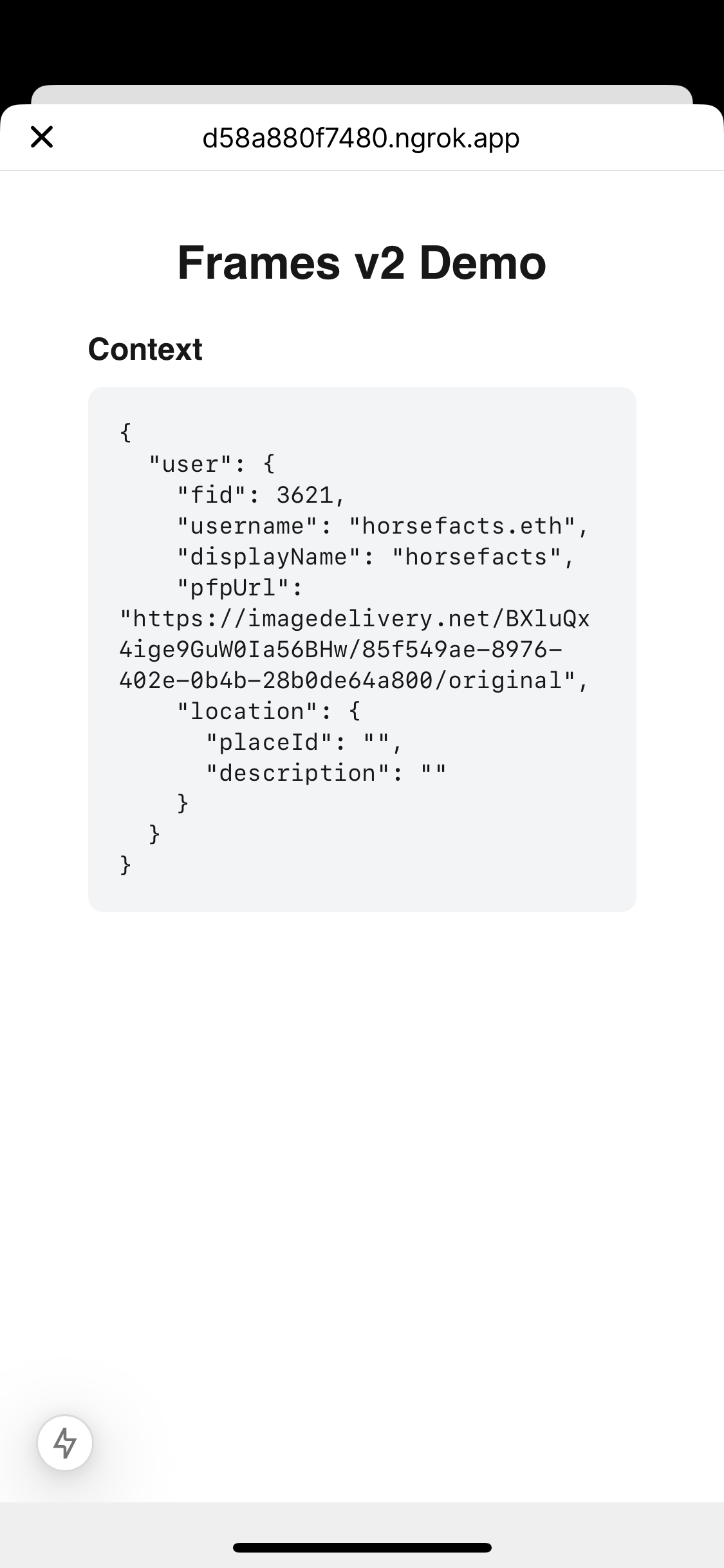
This is a lot of data, so let's hide it behind a simple toggle:
exportdefaultfunctionDemo(){const[isSDKLoaded,setIsSDKLoaded]=useState(false);const[context,setContext]=useState<FrameContext>();const[isContextOpen,setIsContextOpen]=useState(false);useEffect(()=>{constload=async()=>{setContext(awaitsdk.context);sdk.actions.ready();};if(sdk&&!isSDKLoaded){setIsSDKLoaded(true);load();}},[isSDKLoaded]);consttoggleContext=useCallback(()=>{setIsContextOpen((prev)=>!prev);},[]);if(!isSDKLoaded){return<div>Loading...</div>;}return(<divclassName="w-[300px] mx-auto py-4 px-2"><h1className="text-2xl font-bold text-center mb-4">Frames v2 Demo</h1><divclassName="mb-4"><h2className="font-2xl font-bold">Context</h2><buttononClick={toggleContext}className="flex items-center gap-2 transition-colors"><spanclassName={`transform transition-transform ${isContextOpen ? "rotate-90" : ""}`}>
➤
</span>
Tap to expand
</button>{isContextOpen&&(<divclassName="p-4 mt-2 bg-gray-100 dark:bg-gray-800 rounded-lg"><preclassName="font-mono text-xs whitespace-pre-wrap break-words max-w-[260px] overflow-x-">{JSON.stringify(context,null,2)}</pre></div>)}</div></div>);}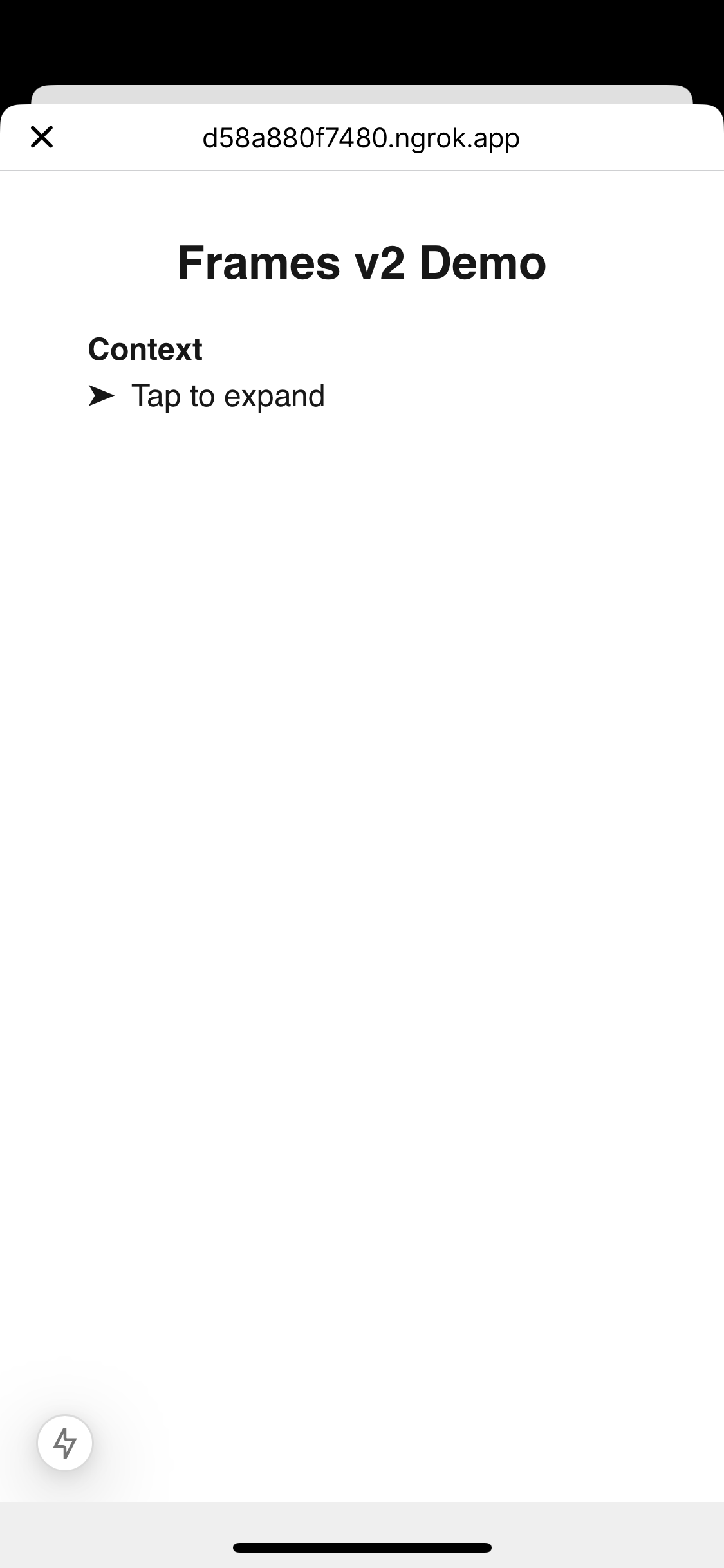
Now let's make our frame do something. We can invoke actions by calling the functions on sdk.actions. We've already used sdk.actions.ready. We can also call functions like sdk.actions.openUrl and sdk.actions.close to send commands back to the Farcaster client app.
Let's start by opening an external URL. Add an openUrl callback that calls sdk.actions.openUrl and a button that calls it:
import{useEffect,useCallback,useState}from"react";importsdk,{typeFrameContext}from"@farcaster/frame-sdk";exportdefaultfunctionDemo(){const[isSDKLoaded,setIsSDKLoaded]=useState(false);const[context,setContext]=useState<FrameContext>();const[isContextOpen,setIsContextOpen]=useState(false);useEffect(()=>{constload=async()=>{setContext(awaitsdk.context);sdk.actions.ready();};if(sdk&&!isSDKLoaded){setIsSDKLoaded(true);load();}},[isSDKLoaded]);constopenUrl=useCallback(()=>{sdk.actions.openUrl("https://www.youtube.com/watch?v=dQw4w9WgXcQ");},[]);if(!isSDKLoaded){return<div>Loading...</div>;}return(<divclassName="w-[300px] mx-auto py-4 px-2"><h1className="text-2xl font-bold text-center mb-4">Frames v2 Demo</h1>{/* context toggle and data */}<div><h2className="font-2xl font-bold">Actions</h2><divclassName="mb-4"><divclassName="p-2 bg-gray-100 dark:bg-gray-800 rounded-lg my-2"><preclassName="font-mono text-xs whitespace-pre-wrap break-words max-w-[260px] overflow-x-">
sdk.actions.openUrl
</pre></div><ButtononClick={openUrl}>Open Link</Button></div></div></div>);}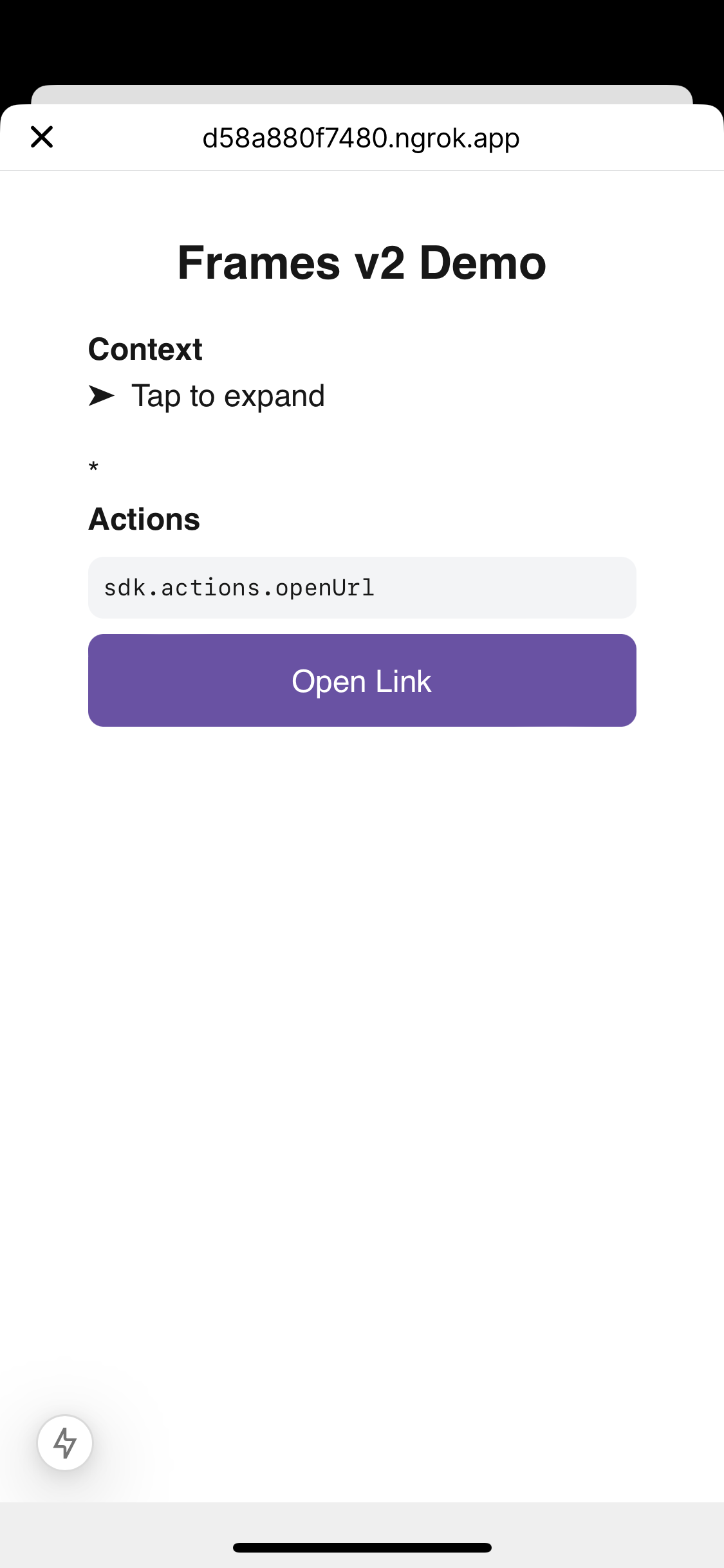
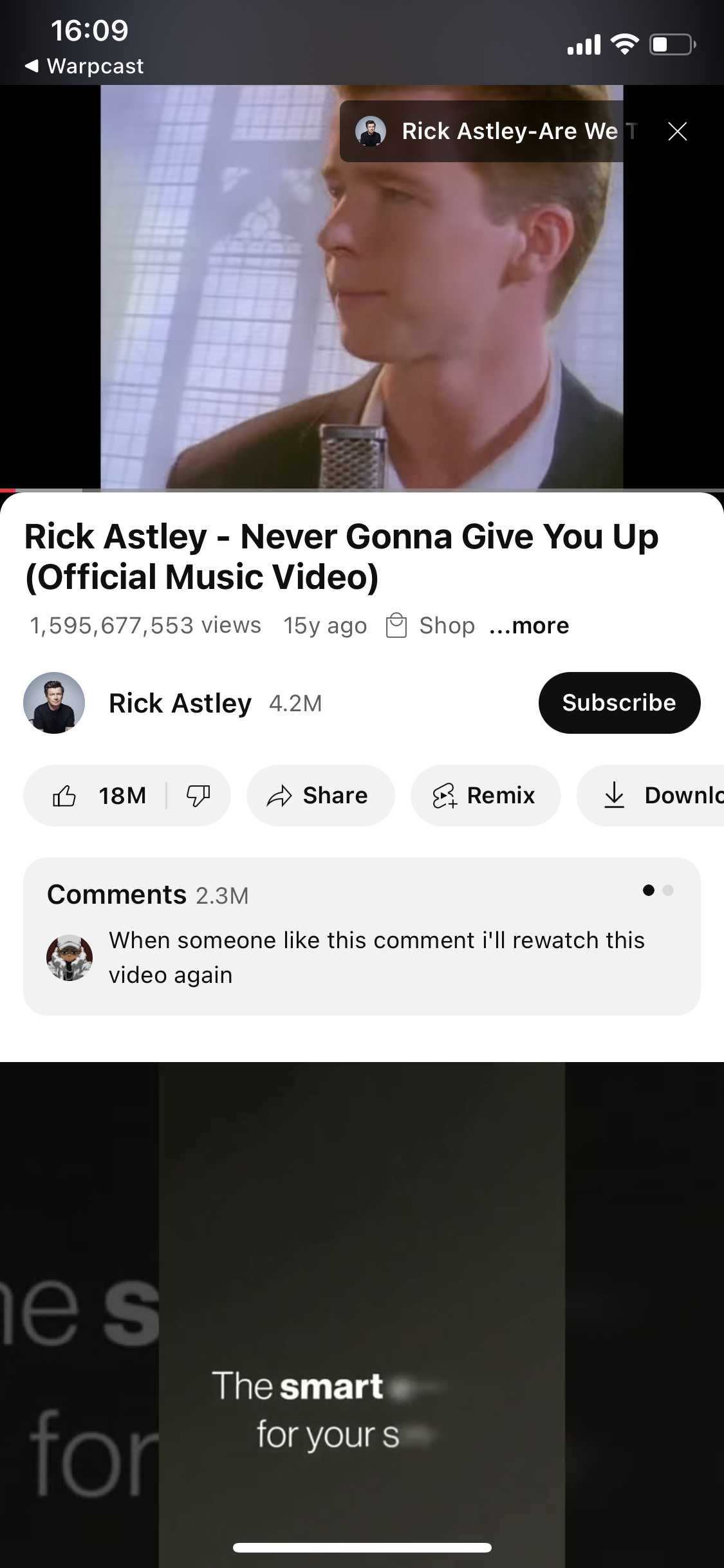
Tap the button and you'll be directed to an external URL.
Let's add another button to call close():
import{useEffect,useCallback,useState}from"react";importsdk,{typeFrameContext}from"@farcaster/frame-sdk";exportdefaultfunctionDemo(){const[isSDKLoaded,setIsSDKLoaded]=useState(false);const[context,setContext]=useState<FrameContext>();useEffect(()=>{constload=async()=>{setContext(awaitsdk.context);sdk.actions.ready();};if(sdk&&!isSDKLoaded){setIsSDKLoaded(true);load();}},[isSDKLoaded]);constopenUrl=useCallback(()=>{sdk.actions.openUrl("https://www.youtube.com/watch?v=dQw4w9WgXcQ");},[]);constclose=useCallback(()=>{sdk.actions.close();},[]);if(!isSDKLoaded){return<div>Loading...</div>;}return(<divclassName="w-[300px] mx-auto py-4 px-2"><h1className="text-2xl font-bold text-center mb-4">Frames v2 Demo</h1><div><h2className="font-2xl font-bold">Actions</h2><divclassName="mb-4"><divclassName="p-2 bg-gray-100 dark:bg-gray-800 rounded-lg my-2"><preclassName="font-mono text-xs whitespace-pre-wrap break-words max-w-[260px] overflow-x-">
sdk.actions.openUrl
</pre></div><ButtononClick={openUrl}>Open Link</Button></div><divclassName="mb-4"><divclassName="p-2 bg-gray-100 dark:bg-gray-800 rounded-lg my-2"><preclassName="font-mono text-xs whitespace-pre-wrap break-words max-w-[260px] overflow-x-">
sdk.actions.close
</pre></div><ButtononClick={close}>Close Frame</Button></div></div></div>);}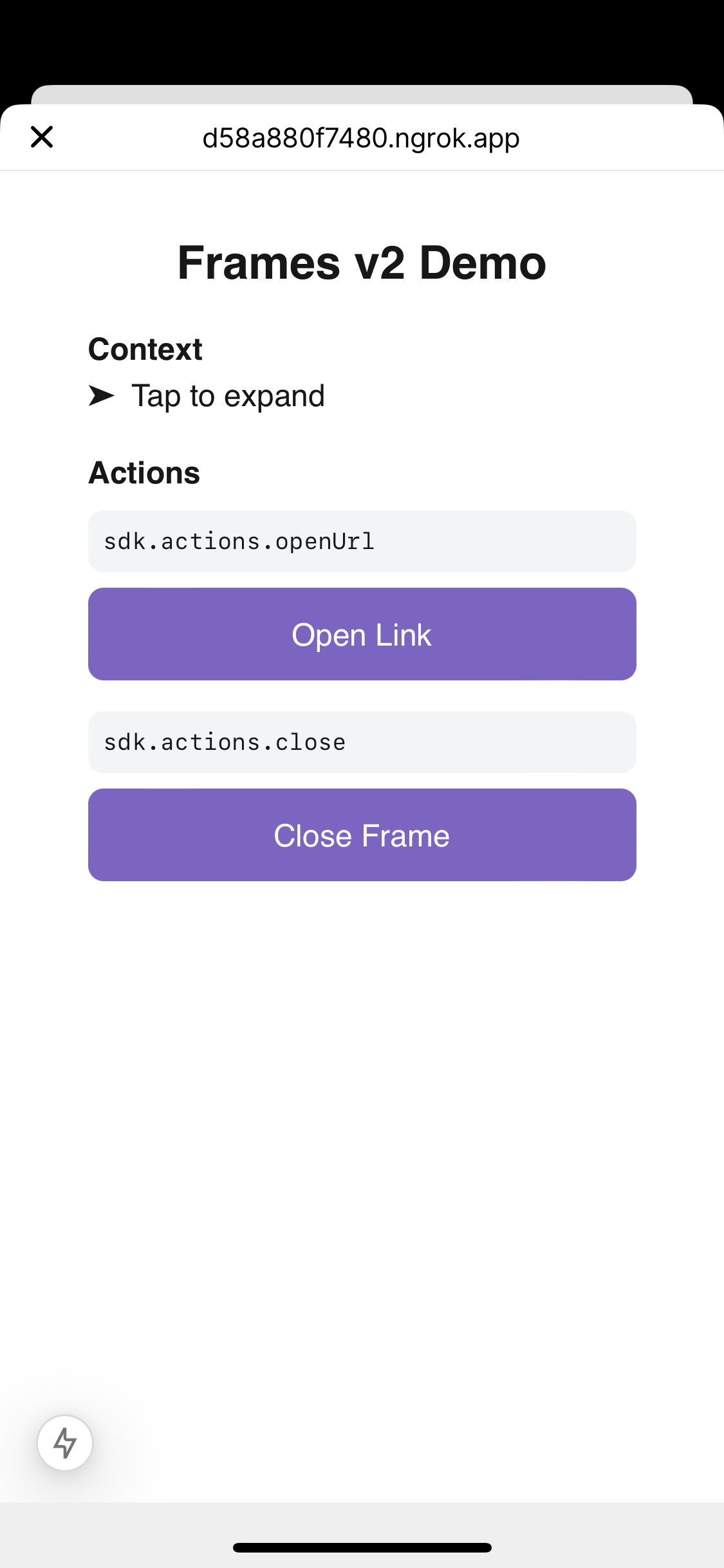
When you tap this, the frame should close.
Finally, let's interact with the user's connected wallet. To do so, we can use the wallet connector and Wagmi hooks we set up earlier. To start, let's read the user's connected wallet address, using useAccount:
import{useEffect,useCallback,useState}from"react";importsdk,{typeFrameContext}from"@farcaster/frame-sdk";import{useAccount}from"wagmi";import{Button}from"~/components/ui/Button";exportdefaultfunctionDemo(){const[isSDKLoaded,setIsSDKLoaded]=useState(false);const[context,setContext]=useState<FrameContext>();const{ address, isConnected }=useAccount();useEffect(()=>{constload=async()=>{setContext(awaitsdk.context);sdk.actions.ready();};if(sdk&&!isSDKLoaded){setIsSDKLoaded(true);load();}},[isSDKLoaded]);if(!isSDKLoaded){return<div>Loading...</div>;}return(<divclassName="w-[300px] mx-auto py-4 px-2"><h1className="text-2xl font-bold text-center mb-4">Frames v2 Demo</h1>{/* Context and action buttons omitted */}<div><h2className="font-2xl font-bold">Wallet</h2>{address&&(<divclassName="my-2 text-xs">
Address: <preclassName="inline">{address}</pre></div>)}</div></div>);}
If your wallet is connected to Warpcast, you should see its address. In case it's not, let's add a connect/disconnect button. Note that we'll need to import our Wagmi config to connect:
import{useEffect,useCallback,useState}from"react";importsdk,{typeFrameContext}from"@farcaster/frame-sdk";import{useAccount}from"wagmi";import{config}from"~/components/providers/WagmiProvider";import{Button}from"~/components/ui/Button";exportdefaultfunctionDemo(){const[isSDKLoaded,setIsSDKLoaded]=useState(false);const[context,setContext]=useState<FrameContext>();const{ address, isConnected }=useAccount();const{ disconnect }=useDisconnect();const{ connect }=useConnect();useEffect(()=>{constload=async()=>{setContext(awaitsdk.context);sdk.actions.ready();};if(sdk&&!isSDKLoaded){setIsSDKLoaded(true);load();}},[isSDKLoaded]);if(!isSDKLoaded){return<div>Loading...</div>;}return(<divclassName="w-[300px] mx-auto py-4 px-2"><h1className="text-2xl font-bold text-center mb-4">Frames v2 Demo</h1>{/* Context and action buttons omitted */}<div><h2className="font-2xl font-bold">Wallet</h2>{address&&(<divclassName="my-2 text-xs">
Address: <preclassName="inline">{address}</pre></div>)}<divclassName="mb-4"><ButtononClick={()=>isConnected
? disconnect()
: connect({connector: config.connectors[0]})}>{isConnected ? "Disconnect" : "Connect"}</Button></div></div></div>);}
Now let's request a transaction. We'll use the Wagmi useSendTransaction hook to call the Yoink contract and useWaitForTransactionReceipt to watch its status.
Note
In a more complex app, you'll probably want to use Wagmi's useWriteContract hook instead. This provides better type safety and automatic encoding/decoding of calldata based on the contract ABI.
import{useEffect,useCallback,useState}from"react";importsdk,{typeFrameContext}from"@farcaster/frame-sdk";import{useAccount,useSendTransaction,useSignMessage,useSignTypedData,useWaitForTransactionReceipt,useDisconnect,useConnect,}from"wagmi";import{config}from"~/components/providers/WagmiProvider";import{Button}from"~/components/ui/Button";exportdefaultfunctionDemo(){const[isSDKLoaded,setIsSDKLoaded]=useState(false);const[context,setContext]=useState<FrameContext>();const[txHash,setTxHash]=useState<string|null>(null);const{ address, isConnected }=useAccount();const{
sendTransaction,error: sendTxError,isError: isSendTxError,isPending: isSendTxPending,}=useSendTransaction();const{isLoading: isConfirming,isSuccess: isConfirmed}=useWaitForTransactionReceipt({hash: txHashas `0x${string}`,});const{ disconnect }=useDisconnect();const{ connect }=useConnect();useEffect(()=>{constload=async()=>{setContext(awaitsdk.context);sdk.actions.ready();};if(sdk&&!isSDKLoaded){setIsSDKLoaded(true);load();}},[isSDKLoaded]);constsendTx=useCallback(()=>{sendTransaction({to: "0x4bBFD120d9f352A0BEd7a014bd67913a2007a878",data: "0x9846cd9efc000023c0",},{onSuccess: (hash)=>{setTxHash(hash);},},);},[sendTransaction]);constrenderError=(error: Error|null)=>{if(!error)returnnull;return<divclassName="text-red-500 text-xs mt-1">{error.message}</div>;};if(!isSDKLoaded){return<div>Loading...</div>;}return(<divclassName="w-[300px] mx-auto py-4 px-2"><h1className="text-2xl font-bold text-center mb-4">Frames v2 Demo</h1>{/* Context and actions omitted. */}<div><h2className="font-2xl font-bold">Wallet</h2>{address&&(<divclassName="my-2 text-xs">
Address: <preclassName="inline">{address}</pre></div>)}<divclassName="mb-4"><ButtononClick={()=>isConnected
? disconnect()
: connect({connector: config.connectors[0]})}>{isConnected ? "Disconnect" : "Connect"}</Button></div>{isConnected&&(<><divclassName="mb-4"><ButtononClick={sendTx}disabled={!isConnected||isSendTxPending}isLoading={isSendTxPending}>
Send Transaction
</Button>{isSendTxError&&renderError(sendTxError)}{txHash&&(<divclassName="mt-2 text-xs"><div>Hash: {txHash}</div><div>
Status:{" "}{isConfirming
? "Confirming..."
: isConfirmed
? "Confirmed!"
: "Pending"}</div></div>)}</div></>)}</div></div>);}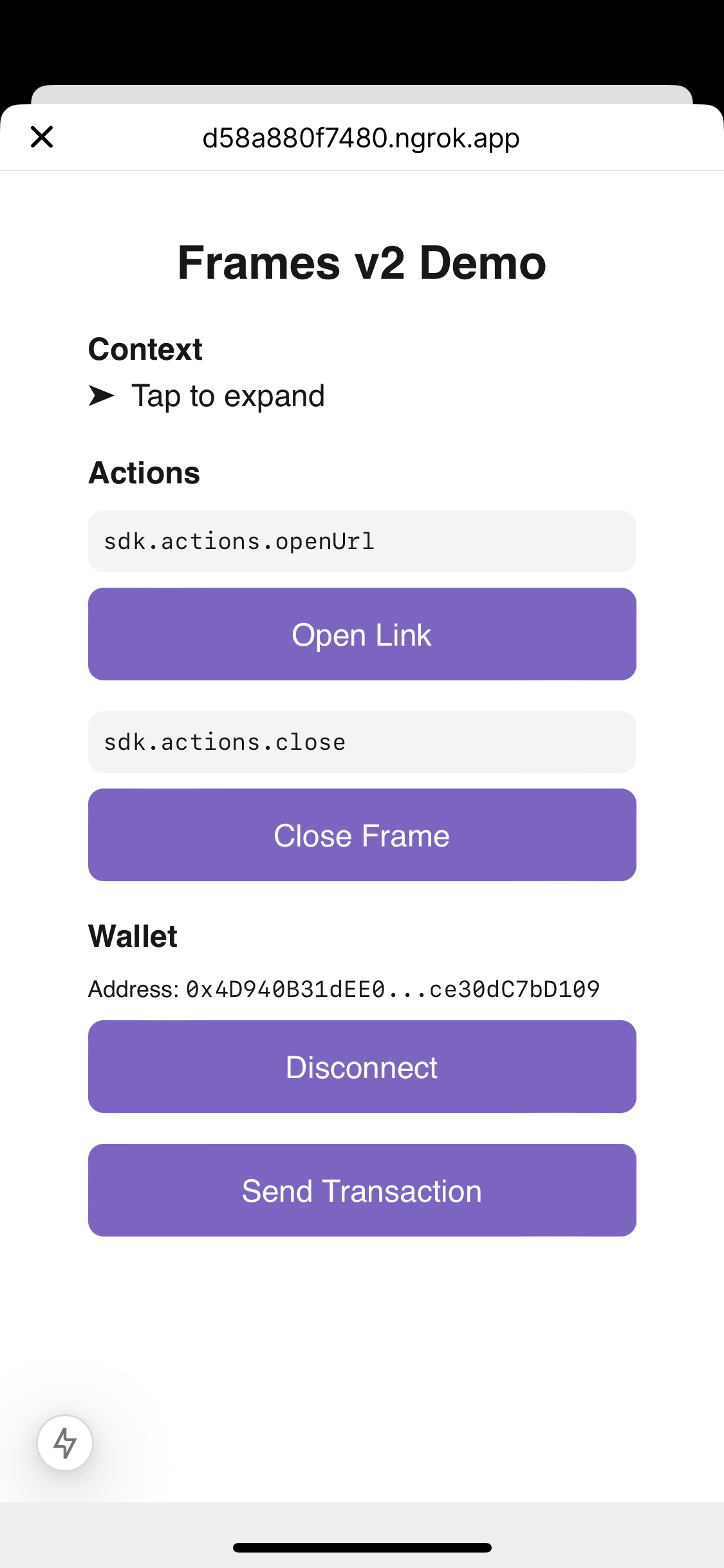
Tap "Send Transaction" and you'll be directed to your wallet.
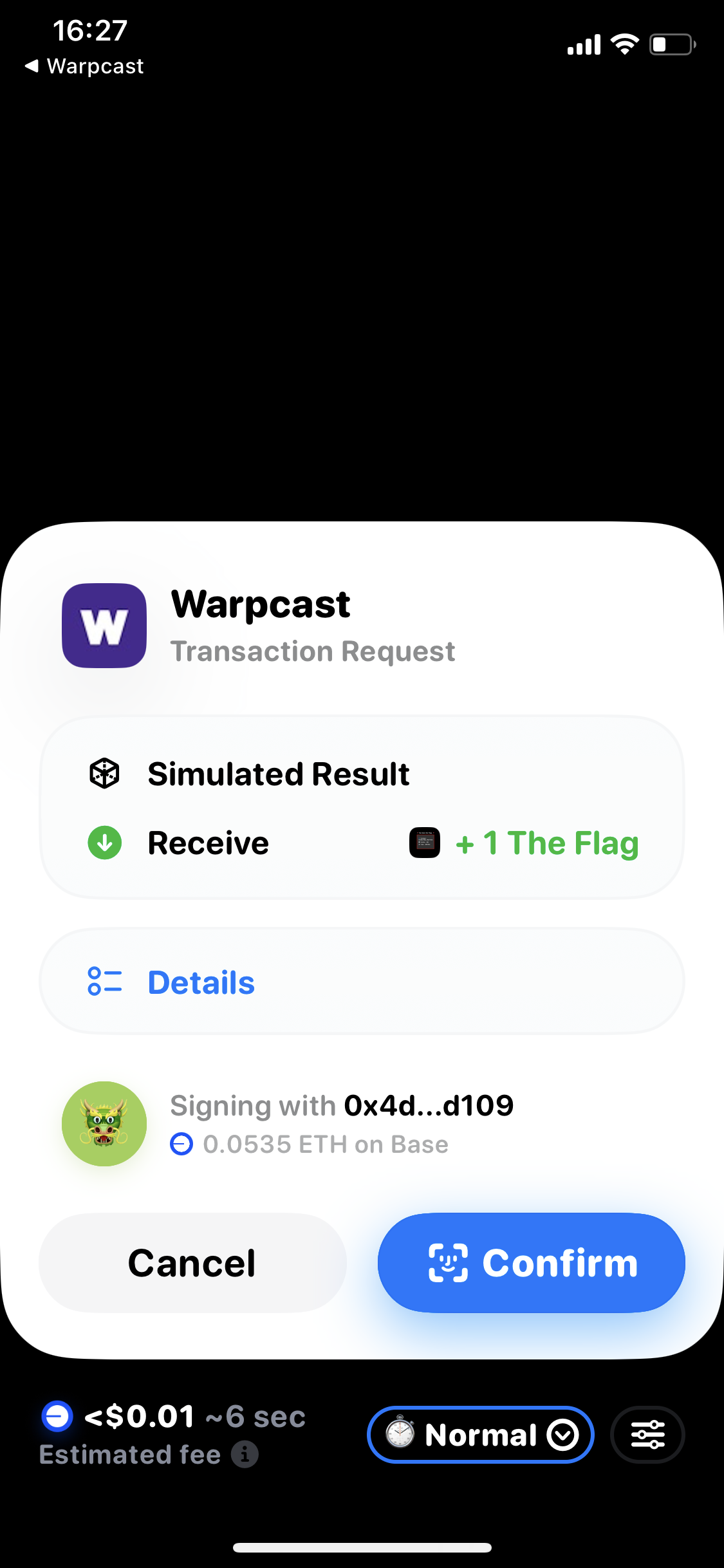
Finally, let's add two new helpers for wallet signature methods. Below is the full Demo component:
import{useEffect,useCallback,useState}from"react";importsdk,{typeFrameContext}from"@farcaster/frame-sdk";import{useAccount,useSendTransaction,useSignMessage,useSignTypedData,useWaitForTransactionReceipt,useDisconnect,useConnect,}from"wagmi";import{config}from"~/components/providers/WagmiProvider";import{Button}from"~/components/ui/Button";import{truncateAddress}from"~/lib/truncateAddress";exportdefaultfunctionDemo(){const[isSDKLoaded,setIsSDKLoaded]=useState(false);const[context,setContext]=useState<FrameContext>();const[isContextOpen,setIsContextOpen]=useState(false);const[txHash,setTxHash]=useState<string|null>(null);const{ address, isConnected }=useAccount();const{
sendTransaction,error: sendTxError,isError: isSendTxError,isPending: isSendTxPending,}=useSendTransaction();const{isLoading: isConfirming,isSuccess: isConfirmed}=useWaitForTransactionReceipt({hash: txHashas `0x${string}`,});const{
signMessage,error: signError,isError: isSignError,isPending: isSignPending,}=useSignMessage();const{
signTypedData,error: signTypedError,isError: isSignTypedError,isPending: isSignTypedPending,}=useSignTypedData();const{ disconnect }=useDisconnect();const{ connect }=useConnect();useEffect(()=>{constload=async()=>{setContext(awaitsdk.context);sdk.actions.ready();};if(sdk&&!isSDKLoaded){setIsSDKLoaded(true);load();}},[isSDKLoaded]);constopenUrl=useCallback(()=>{sdk.actions.openUrl("https://www.youtube.com/watch?v=dQw4w9WgXcQ");},[]);constclose=useCallback(()=>{sdk.actions.close();},[]);constsendTx=useCallback(()=>{sendTransaction({to: "0x4bBFD120d9f352A0BEd7a014bd67913a2007a878",data: "0x9846cd9efc000023c0",},{onSuccess: (hash)=>{setTxHash(hash);},},);},[sendTransaction]);constsign=useCallback(()=>{signMessage({message: "Hello from Frames v2!"});},[signMessage]);constsignTyped=useCallback(()=>{signTypedData({domain: {name: "Frames v2 Demo",version: "1",chainId: 8453,},types: {Message: [{name: "content",type: "string"}],},message: {content: "Hello from Frames v2!",},primaryType: "Message",});},[signTypedData]);consttoggleContext=useCallback(()=>{setIsContextOpen((prev)=>!prev);},[]);constrenderError=(error: Error|null)=>{if(!error)returnnull;return<divclassName="text-red-500 text-xs mt-1">{error.message}</div>;};if(!isSDKLoaded){return<div>Loading...</div>;}return(<divclassName="w-[300px] mx-auto py-4 px-2"><h1className="text-2xl font-bold text-center mb-4">Frames v2 Demo</h1><divclassName="mb-4"><h2className="font-2xl font-bold">Context</h2><buttononClick={toggleContext}className="flex items-center gap-2 transition-colors"><spanclassName={`transform transition-transform ${isContextOpen ? "rotate-90" : ""}`}>
➤
</span>
Tap to expand
</button>{isContextOpen&&(<divclassName="p-4 mt-2 bg-gray-100 dark:bg-gray-800 rounded-lg"><preclassName="font-mono text-xs whitespace-pre-wrap break-words max-w-[260px] overflow-x-">{JSON.stringify(context,null,2)}</pre></div>)}</div><div><h2className="font-2xl font-bold">Actions</h2><divclassName="mb-4"><divclassName="p-2 bg-gray-100 dark:bg-gray-800 rounded-lg my-2"><preclassName="font-mono text-xs whitespace-pre-wrap break-words max-w-[260px] overflow-x-">
sdk.actions.openUrl
</pre></div><ButtononClick={openUrl}>Open Link</Button></div><divclassName="mb-4"><divclassName="p-2 bg-gray-100 dark:bg-gray-800 rounded-lg my-2"><preclassName="font-mono text-xs whitespace-pre-wrap break-words max-w-[260px] overflow-x-">
sdk.actions.close
</pre></div><ButtononClick={close}>Close Frame</Button></div></div><div><h2className="font-2xl font-bold">Wallet</h2>{address&&(<divclassName="my-2 text-xs">
Address: <preclassName="inline">{truncateAddress(address)}</pre></div>)}<divclassName="mb-4"><ButtononClick={()=>isConnected
? disconnect()
: connect({connector: config.connectors[0]})}>{isConnected ? "Disconnect" : "Connect"}</Button></div>{isConnected&&(<><divclassName="mb-4"><ButtononClick={sendTx}disabled={!isConnected||isSendTxPending}isLoading={isSendTxPending}>
Send Transaction
</Button>{isSendTxError&&renderError(sendTxError)}{txHash&&(<divclassName="mt-2 text-xs"><div>Hash: {truncateAddress(txHash)}</div><div>
Status:{" "}{isConfirming
? "Confirming..."
: isConfirmed
? "Confirmed!"
: "Pending"}</div></div>)}</div><divclassName="mb-4"><ButtononClick={sign}disabled={!isConnected||isSignPending}isLoading={isSignPending}>
Sign Message
</Button>{isSignError&&renderError(signError)}</div><divclassName="mb-4"><ButtononClick={signTyped}disabled={!isConnected||isSignTypedPending}isLoading={isSignTypedPending}>
Sign Typed Data
</Button>{isSignTypedError&&renderError(signTypedError)}</div></>)}</div></div>);}
We've build a simple v2 frame by:
- Setting up a NextJS web app
- Importing the Frames SDK and calling
sdk.actions.ready() - Reading the user context from
sdk.context - Invoking actions using
sdk.actions - Connecting to the user's wallet using Wagmi and
sdk.wallet.ethProvider
Happy Framesgiving! 🖼️🦃