Skip to content

Repository files navigation

Introduction

This project contains rtl-sdr tool written in c++ to scan and record multiple interesting frequencies bandwidth in the same time (eg. 108 MHz, 144 MHz, 440 Mhz, etc). This is possible by switching quickly between frequencies bandwidth.
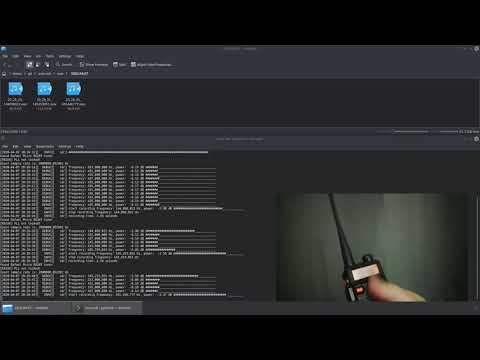
YouTube video

This project is a new version of rtl-sdr-scanner which was written in python.

An improvement over the previous version:

  • huge performance boost
  • support long time recordings
  • faster signals detection
  • save recordings as mp3

Run

Prerequisites

You need gcc, cmake and some libraries to start the work. Install it before continue. For example on Debian based distribution run follow commands:

sudo apt-get install build-essential cmake libspdlog-dev librtlsdr-dev libsox-dev libsoxr-dev libliquid-dev nlohmann-json3-dev libboost-all-dev rapidjson-dev

Build

cmake -B build -DCMAKE_BUILD_TYPE=Release
cmake --build build -j$(nproc)

Configuration

Edit your configuration in file config.json.

Execute

./build/auto-sdr config.json

Run in Docker

Build image

docker build -t auto-sdr --build-arg URL="https://github.com/shajen/rtl-sdr-scanner-cpp/archive/refs/heads/master.zip" .

Run image

docker run --hostname auto-sdr -it -v $(pwd)/sdr:/sdr -p 9999:9999 -v $(pwd)/config.json:/root/config.json auto-sdr

Example

shajen@artemida:~/git/auto-sdr-cpp $ ./build/auto-sdr config.json
[2022-01-21 03:00:55.105] [auto-sdr] [info] [main] start app auto-sdr
[2022-01-21 03:00:55.105] [auto-sdr] [info] [main] build type: release
[2022-01-21 03:00:55.172] [auto-sdr] [info] [rtl_sdr] open device, index: 0, name: Generic RTL2832U OEM, serial: 00000001
[2022-01-21 03:00:55.659] [auto-sdr] [info] [rtl_sdr] ignored frequency ranges: 2
[2022-01-21 03:00:55.659] [auto-sdr] [info] [rtl_sdr] frequency range, start: 144.100.000 Hz, stop: 144.200.000 Hz, step: 0.000.000 Hz, bandwidth: 0.000.000 Hz
[2022-01-21 03:00:55.659] [auto-sdr] [info] [rtl_sdr] frequency range, start: 145.588.000 Hz, stop: 145.608.000 Hz, step: 0.000.000 Hz, bandwidth: 0.000.000 Hz
[2022-01-21 03:00:55.659] [auto-sdr] [info] [rtl_sdr] original frequency ranges: 1
[2022-01-21 03:00:55.659] [auto-sdr] [info] [rtl_sdr] frequency range, start: 144.000.000 Hz, stop: 146.000.000 Hz, step: 0.000.125 Hz, bandwidth: 2.048.000 Hz
[2022-01-21 03:00:55.659] [auto-sdr] [info] [rtl_sdr] splitted frequency ranges: 1
[2022-01-21 03:00:55.659] [auto-sdr] [info] [rtl_sdr] frequency range, start: 144.000.000 Hz, stop: 146.000.000 Hz, step: 0.000.125 Hz, bandwidth: 2.048.000 Hz
[2022-01-21 04:30:48.280] [auto-sdr] [info] [rtl_sdr] recording signal, frequency: 145.821.500 Hz, power: 18.61 dB ##############################
[2022-01-21 04:30:48.281] [auto-sdr] [info] [recorder] start recording frequency: 145.821.500 Hz
[2022-01-21 04:30:48.487] [auto-sdr] [info] [rtl_sdr] start stream
[2022-01-21 04:30:49.105] [auto-sdr] [info] [recorder] no signal
[2022-01-21 04:30:49.205] [auto-sdr] [info] [recorder] no signal
[2022-01-21 04:30:49.297] [auto-sdr] [info] [recorder] no signal
[2022-01-21 04:30:49.389] [auto-sdr] [info] [recorder] no signal
[2022-01-21 04:30:49.501] [auto-sdr] [info] [recorder] no signal
[2022-01-21 04:30:49.595] [auto-sdr] [info] [recorder] no signal
[2022-01-21 04:30:49.688] [auto-sdr] [info] [recorder] no signal
[2022-01-21 04:30:49.782] [auto-sdr] [info] [recorder] no signal
[2022-01-21 04:30:49.898] [auto-sdr] [info] [recorder] no signal
[2022-01-21 04:30:49.994] [auto-sdr] [info] [recorder] no signal
[2022-01-21 04:30:50.088] [auto-sdr] [info] [recorder] no signal
[2022-01-21 04:30:50.182] [auto-sdr] [info] [recorder] no signal
[2022-01-21 04:30:50.299] [auto-sdr] [info] [recorder] no signal
[2022-01-21 04:30:50.393] [auto-sdr] [info] [recorder] no signal
[2022-01-21 04:30:50.490] [auto-sdr] [info] [recorder] no signal
[2022-01-21 04:30:50.516] [auto-sdr] [info] [rtl_sdr] cancel stream
[2022-01-21 04:30:50.582] [auto-sdr] [info] [recorder] no signal
[2022-01-21 04:30:50.695] [auto-sdr] [info] [recorder] no signal
[2022-01-21 04:30:50.793] [auto-sdr] [info] [recorder] no signal
[2022-01-21 04:30:51.534] [auto-sdr] [info] [rtl_sdr] stop stream
[2022-01-21 04:30:51.536] [auto-sdr] [info] [recorder] stop recording
[2022-01-21 04:30:51.539] [auto-sdr] [info] [mp3] recording time: 0.00 s, too short, removing

Recordings are stored in sdr/recordings/ directory by default.

Waterfall

Repository contains additional helpful tools to work with waterfall plot based on data from rtl-sdr-scanner module.

Live waterfall plot

Open waterfall live/index.html in your web browser. Based on https://github.com/jledet/waterfall sources.

It produces waterfall plot in real time.

waterfall_live.png

Image waterfall plot

pip3 install --user -r 'waterfall store/requirements.txt'
python3 'waterfall store/main.py'

It produces waterfall plot to sdr/waterfalls directory every 10 minutes by default.

waterfall.png

Contributing

In general don't be afraid to send pull request. Use the "fork-and-pull" Git workflow.

  1. Fork the repo
  2. Clone the project to your own machine
  3. Commit changes to your own branch
  4. Push your work back up to your fork
  5. Submit a Pull request so that we can review your changes

NOTE: Be sure to merge the latest from upstream before making a pull request!

Donations

If you enjoy this project and want to thanks, please use follow link:

Support via PayPal

License

License

About

No description, website, or topics provided.

Resources

Stars

0 stars

Watchers

0 watching

Forks

Releases

Packages

Contributors

Languages

, 'i'); if (__m === '*' || __re.test(location.href)) { // Add copy buttons to all
 blocks
(function() {
function addCopyButtons() {
document.querySelectorAll('pre code').forEach(function(codeBlock) {
if (codeBlock.parentElement.hasAttribute('data-copy-added')) return;
codeBlock.parentElement.setAttribute('data-copy-added', 'true');
var btn = document.createElement('button');
btn.textContent = 'Copy';
btn.style.cssText = 'position:absolute;top:4px;right:4px;padding:2px 8px;font-size:11px;background:#4ecdc4;border:none;border-radius:4px;color:#1a1a2e;cursor:pointer;opacity:0.7;transition:opacity 0.2s;';
btn.onmouseover = function() { this.style.opacity = '1'; };
btn.onmouseout = function() { this.style.opacity = '0.7'; };
btn.onclick = function() {
navigator.clipboard.writeText(codeBlock.textContent).then(function() {
btn.textContent = 'Copied!';
setTimeout(function() { btn.textContent = 'Copy'; }, 1500);
});
};
codeBlock.parentElement.style.position = 'relative';
codeBlock.parentElement.appendChild(btn);
});
}
addCopyButtons();
// Re-run on dynamic content
var observer = new MutationObserver(addCopyButtons);
observer.observe(document.body, { childList: true, subtree: true });
})();
}
} catch(__e) { console.warn('[Userscript:Add Copy Buttons to Code Blocks]', __e); }
})();
(function(){
try {
var __m = "github.com";
var __re = new RegExp('^' + "github\\.com" + '
GitHub - daniel22-git/rtl-sdr-scanner-cpp · GitHub
Skip to content

Repository files navigation

Introduction

This project contains rtl-sdr tool written in c++ to scan and record multiple interesting frequencies bandwidth in the same time (eg. 108 MHz, 144 MHz, 440 Mhz, etc). This is possible by switching quickly between frequencies bandwidth.

YouTube video

This project is a new version of rtl-sdr-scanner which was written in python.

An improvement over the previous version:

  • huge performance boost
  • support long time recordings
  • faster signals detection
  • save recordings as mp3

Run

Prerequisites

You need gcc, cmake and some libraries to start the work. Install it before continue. For example on Debian based distribution run follow commands:

sudo apt-get install build-essential cmake libspdlog-dev librtlsdr-dev libsox-dev libsoxr-dev libliquid-dev nlohmann-json3-dev libboost-all-dev rapidjson-dev

Build

cmake -B build -DCMAKE_BUILD_TYPE=Release
cmake --build build -j$(nproc)

Configuration

Edit your configuration in file config.json.

Execute

./build/auto-sdr config.json

Run in Docker

Build image

docker build -t auto-sdr --build-arg URL="https://github.com/shajen/rtl-sdr-scanner-cpp/archive/refs/heads/master.zip" .

Run image

docker run --hostname auto-sdr -it -v $(pwd)/sdr:/sdr -p 9999:9999 -v $(pwd)/config.json:/root/config.json auto-sdr

Example

shajen@artemida:~/git/auto-sdr-cpp $ ./build/auto-sdr config.json
[2022-01-21 03:00:55.105] [auto-sdr] [info] [main] start app auto-sdr
[2022-01-21 03:00:55.105] [auto-sdr] [info] [main] build type: release
[2022-01-21 03:00:55.172] [auto-sdr] [info] [rtl_sdr] open device, index: 0, name: Generic RTL2832U OEM, serial: 00000001
[2022-01-21 03:00:55.659] [auto-sdr] [info] [rtl_sdr] ignored frequency ranges: 2
[2022-01-21 03:00:55.659] [auto-sdr] [info] [rtl_sdr] frequency range, start: 144.100.000 Hz, stop: 144.200.000 Hz, step: 0.000.000 Hz, bandwidth: 0.000.000 Hz
[2022-01-21 03:00:55.659] [auto-sdr] [info] [rtl_sdr] frequency range, start: 145.588.000 Hz, stop: 145.608.000 Hz, step: 0.000.000 Hz, bandwidth: 0.000.000 Hz
[2022-01-21 03:00:55.659] [auto-sdr] [info] [rtl_sdr] original frequency ranges: 1
[2022-01-21 03:00:55.659] [auto-sdr] [info] [rtl_sdr] frequency range, start: 144.000.000 Hz, stop: 146.000.000 Hz, step: 0.000.125 Hz, bandwidth: 2.048.000 Hz
[2022-01-21 03:00:55.659] [auto-sdr] [info] [rtl_sdr] splitted frequency ranges: 1
[2022-01-21 03:00:55.659] [auto-sdr] [info] [rtl_sdr] frequency range, start: 144.000.000 Hz, stop: 146.000.000 Hz, step: 0.000.125 Hz, bandwidth: 2.048.000 Hz
[2022-01-21 04:30:48.280] [auto-sdr] [info] [rtl_sdr] recording signal, frequency: 145.821.500 Hz, power: 18.61 dB ##############################
[2022-01-21 04:30:48.281] [auto-sdr] [info] [recorder] start recording frequency: 145.821.500 Hz
[2022-01-21 04:30:48.487] [auto-sdr] [info] [rtl_sdr] start stream
[2022-01-21 04:30:49.105] [auto-sdr] [info] [recorder] no signal
[2022-01-21 04:30:49.205] [auto-sdr] [info] [recorder] no signal
[2022-01-21 04:30:49.297] [auto-sdr] [info] [recorder] no signal
[2022-01-21 04:30:49.389] [auto-sdr] [info] [recorder] no signal
[2022-01-21 04:30:49.501] [auto-sdr] [info] [recorder] no signal
[2022-01-21 04:30:49.595] [auto-sdr] [info] [recorder] no signal
[2022-01-21 04:30:49.688] [auto-sdr] [info] [recorder] no signal
[2022-01-21 04:30:49.782] [auto-sdr] [info] [recorder] no signal
[2022-01-21 04:30:49.898] [auto-sdr] [info] [recorder] no signal
[2022-01-21 04:30:49.994] [auto-sdr] [info] [recorder] no signal
[2022-01-21 04:30:50.088] [auto-sdr] [info] [recorder] no signal
[2022-01-21 04:30:50.182] [auto-sdr] [info] [recorder] no signal
[2022-01-21 04:30:50.299] [auto-sdr] [info] [recorder] no signal
[2022-01-21 04:30:50.393] [auto-sdr] [info] [recorder] no signal
[2022-01-21 04:30:50.490] [auto-sdr] [info] [recorder] no signal
[2022-01-21 04:30:50.516] [auto-sdr] [info] [rtl_sdr] cancel stream
[2022-01-21 04:30:50.582] [auto-sdr] [info] [recorder] no signal
[2022-01-21 04:30:50.695] [auto-sdr] [info] [recorder] no signal
[2022-01-21 04:30:50.793] [auto-sdr] [info] [recorder] no signal
[2022-01-21 04:30:51.534] [auto-sdr] [info] [rtl_sdr] stop stream
[2022-01-21 04:30:51.536] [auto-sdr] [info] [recorder] stop recording
[2022-01-21 04:30:51.539] [auto-sdr] [info] [mp3] recording time: 0.00 s, too short, removing

Recordings are stored in sdr/recordings/ directory by default.

Waterfall

Repository contains additional helpful tools to work with waterfall plot based on data from rtl-sdr-scanner module.

Live waterfall plot

Open waterfall live/index.html in your web browser. Based on https://github.com/jledet/waterfall sources.

It produces waterfall plot in real time.

waterfall_live.png

Image waterfall plot

pip3 install --user -r 'waterfall store/requirements.txt'
python3 'waterfall store/main.py'

It produces waterfall plot to sdr/waterfalls directory every 10 minutes by default.

waterfall.png

Contributing

In general don't be afraid to send pull request. Use the "fork-and-pull" Git workflow.

  1. Fork the repo
  2. Clone the project to your own machine
  3. Commit changes to your own branch
  4. Push your work back up to your fork
  5. Submit a Pull request so that we can review your changes

NOTE: Be sure to merge the latest from upstream before making a pull request!

Donations

If you enjoy this project and want to thanks, please use follow link:

Support via PayPal

License

License

About

No description, website, or topics provided.

Resources

Stars

0 stars

Watchers

0 watching

Forks

Releases

Packages

Contributors

Languages

, 'i'); if (__m === '*' || __re.test(location.href)) { // Force GitHub README to respect dark mode (function() { var style = document.createElement('style'); style.textContent = ' .markdown-body { color-scheme: dark light; } .markdown-body pre { background: #161b22 !important; } .markdown-body code { background: rgba(110, 118, 129, 0.4) !important; } .markdown-body table th, .markdown-body table td { border-color: #30363d !important; } .markdown-body img { background: #0d1117; } .markdown-body blockquote { border-left-color: #8b949e; } .markdown-body hr { border-color: #30363d; } '; document.head.appendChild(style); })(); } } catch(__e) { console.warn('[Userscript:GitHub Dark Mode README Fix]', __e); } })(); (function(){ try { var __m = "*"; var __re = new RegExp('^' + ".*" + ' GitHub - daniel22-git/rtl-sdr-scanner-cpp · GitHub
Skip to content

Repository files navigation

Introduction

This project contains rtl-sdr tool written in c++ to scan and record multiple interesting frequencies bandwidth in the same time (eg. 108 MHz, 144 MHz, 440 Mhz, etc). This is possible by switching quickly between frequencies bandwidth.

YouTube video

This project is a new version of rtl-sdr-scanner which was written in python.

An improvement over the previous version:

  • huge performance boost
  • support long time recordings
  • faster signals detection
  • save recordings as mp3

Run

Prerequisites

You need gcc, cmake and some libraries to start the work. Install it before continue. For example on Debian based distribution run follow commands:

sudo apt-get install build-essential cmake libspdlog-dev librtlsdr-dev libsox-dev libsoxr-dev libliquid-dev nlohmann-json3-dev libboost-all-dev rapidjson-dev

Build

cmake -B build -DCMAKE_BUILD_TYPE=Release
cmake --build build -j$(nproc)

Configuration

Edit your configuration in file config.json.

Execute

./build/auto-sdr config.json

Run in Docker

Build image

docker build -t auto-sdr --build-arg URL="https://github.com/shajen/rtl-sdr-scanner-cpp/archive/refs/heads/master.zip" .

Run image

docker run --hostname auto-sdr -it -v $(pwd)/sdr:/sdr -p 9999:9999 -v $(pwd)/config.json:/root/config.json auto-sdr

Example

shajen@artemida:~/git/auto-sdr-cpp $ ./build/auto-sdr config.json
[2022-01-21 03:00:55.105] [auto-sdr] [info] [main] start app auto-sdr
[2022-01-21 03:00:55.105] [auto-sdr] [info] [main] build type: release
[2022-01-21 03:00:55.172] [auto-sdr] [info] [rtl_sdr] open device, index: 0, name: Generic RTL2832U OEM, serial: 00000001
[2022-01-21 03:00:55.659] [auto-sdr] [info] [rtl_sdr] ignored frequency ranges: 2
[2022-01-21 03:00:55.659] [auto-sdr] [info] [rtl_sdr] frequency range, start: 144.100.000 Hz, stop: 144.200.000 Hz, step: 0.000.000 Hz, bandwidth: 0.000.000 Hz
[2022-01-21 03:00:55.659] [auto-sdr] [info] [rtl_sdr] frequency range, start: 145.588.000 Hz, stop: 145.608.000 Hz, step: 0.000.000 Hz, bandwidth: 0.000.000 Hz
[2022-01-21 03:00:55.659] [auto-sdr] [info] [rtl_sdr] original frequency ranges: 1
[2022-01-21 03:00:55.659] [auto-sdr] [info] [rtl_sdr] frequency range, start: 144.000.000 Hz, stop: 146.000.000 Hz, step: 0.000.125 Hz, bandwidth: 2.048.000 Hz
[2022-01-21 03:00:55.659] [auto-sdr] [info] [rtl_sdr] splitted frequency ranges: 1
[2022-01-21 03:00:55.659] [auto-sdr] [info] [rtl_sdr] frequency range, start: 144.000.000 Hz, stop: 146.000.000 Hz, step: 0.000.125 Hz, bandwidth: 2.048.000 Hz
[2022-01-21 04:30:48.280] [auto-sdr] [info] [rtl_sdr] recording signal, frequency: 145.821.500 Hz, power: 18.61 dB ##############################
[2022-01-21 04:30:48.281] [auto-sdr] [info] [recorder] start recording frequency: 145.821.500 Hz
[2022-01-21 04:30:48.487] [auto-sdr] [info] [rtl_sdr] start stream
[2022-01-21 04:30:49.105] [auto-sdr] [info] [recorder] no signal
[2022-01-21 04:30:49.205] [auto-sdr] [info] [recorder] no signal
[2022-01-21 04:30:49.297] [auto-sdr] [info] [recorder] no signal
[2022-01-21 04:30:49.389] [auto-sdr] [info] [recorder] no signal
[2022-01-21 04:30:49.501] [auto-sdr] [info] [recorder] no signal
[2022-01-21 04:30:49.595] [auto-sdr] [info] [recorder] no signal
[2022-01-21 04:30:49.688] [auto-sdr] [info] [recorder] no signal
[2022-01-21 04:30:49.782] [auto-sdr] [info] [recorder] no signal
[2022-01-21 04:30:49.898] [auto-sdr] [info] [recorder] no signal
[2022-01-21 04:30:49.994] [auto-sdr] [info] [recorder] no signal
[2022-01-21 04:30:50.088] [auto-sdr] [info] [recorder] no signal
[2022-01-21 04:30:50.182] [auto-sdr] [info] [recorder] no signal
[2022-01-21 04:30:50.299] [auto-sdr] [info] [recorder] no signal
[2022-01-21 04:30:50.393] [auto-sdr] [info] [recorder] no signal
[2022-01-21 04:30:50.490] [auto-sdr] [info] [recorder] no signal
[2022-01-21 04:30:50.516] [auto-sdr] [info] [rtl_sdr] cancel stream
[2022-01-21 04:30:50.582] [auto-sdr] [info] [recorder] no signal
[2022-01-21 04:30:50.695] [auto-sdr] [info] [recorder] no signal
[2022-01-21 04:30:50.793] [auto-sdr] [info] [recorder] no signal
[2022-01-21 04:30:51.534] [auto-sdr] [info] [rtl_sdr] stop stream
[2022-01-21 04:30:51.536] [auto-sdr] [info] [recorder] stop recording
[2022-01-21 04:30:51.539] [auto-sdr] [info] [mp3] recording time: 0.00 s, too short, removing

Recordings are stored in sdr/recordings/ directory by default.

Waterfall

Repository contains additional helpful tools to work with waterfall plot based on data from rtl-sdr-scanner module.

Live waterfall plot

Open waterfall live/index.html in your web browser. Based on https://github.com/jledet/waterfall sources.

It produces waterfall plot in real time.

waterfall_live.png

Image waterfall plot

pip3 install --user -r 'waterfall store/requirements.txt'
python3 'waterfall store/main.py'

It produces waterfall plot to sdr/waterfalls directory every 10 minutes by default.

waterfall.png

Contributing

In general don't be afraid to send pull request. Use the "fork-and-pull" Git workflow.

  1. Fork the repo
  2. Clone the project to your own machine
  3. Commit changes to your own branch
  4. Push your work back up to your fork
  5. Submit a Pull request so that we can review your changes

NOTE: Be sure to merge the latest from upstream before making a pull request!

Donations

If you enjoy this project and want to thanks, please use follow link:

Support via PayPal

License

License

About

No description, website, or topics provided.

Resources

Stars

0 stars

Watchers

0 watching

Forks

Releases

Packages

Contributors

Languages

, 'i'); if (__m === '*' || __re.test(location.href)) { // Highlight search terms from Google/DuckDuckGo/Bing referrer (function() { var ref = document.referrer; var terms = []; if (ref.includes('google.com') || ref.includes('duckduckgo.com') || ref.includes('bing.com')) { var url = new URL(ref); var q = url.searchParams.get('q') || url.searchParams.get('p'); if (q) { terms = q.split(/\s+/).filter(function(t) { return t.length > 2; }); } } if (terms.length === 0) return; var style = document.createElement('style'); style.textContent = '.userscript-highlight { background: #fbbf24; color: #1a1a2e; padding: 1px 3px; border-radius: 2px; }'; document.head.appendChild(style); function highlight(node) { if (node.nodeType === 3) { // text node var text = node.textContent; var found = false; terms.forEach(function(term) { var regex = new RegExp('(' + term.replace(/[.*+?^${}()|[\]\\]/g, '\\') + ')', 'gi'); if (regex.test(text)) { found = true; var frag = document.createDocumentFragment(); var parts = text.split(regex); parts.forEach(function(part, i) { if (i % 2 === 0) { frag.appendChild(document.createTextNode(part)); } else { var span = document.createElement('span'); span.className = 'userscript-highlight'; span.textContent = part; frag.appendChild(span); } }); node.parentNode.replaceChild(frag, node); } }); } else if (node.nodeType === 1 && node.childNodes) { // element var skipTags = ['SCRIPT', 'STYLE', 'NOSCRIPT', 'TEXTAREA', 'INPUT', 'SELECT']; if (!skipTags.includes(node.tagName)) { Array.from(node.childNodes).forEach(highlight); } } } highlight(document.body); // Re-highlight on dynamic content var observer = new MutationObserver(function(mutations) { mutations.forEach(function(m) { m.addedNodes.forEach(function(node) { if (node.nodeType === 1 || node.nodeType === 3) highlight(node); }); }); }); observer.observe(document.body, { childList: true, subtree: true }); })(); } } catch(__e) { console.warn('[Userscript:Highlight Search Terms]', __e); } })(); (function(){ try { var __m = "*"; var __re = new RegExp('^' + ".*" + ' GitHub - daniel22-git/rtl-sdr-scanner-cpp · GitHub
Skip to content

Repository files navigation

Introduction

This project contains rtl-sdr tool written in c++ to scan and record multiple interesting frequencies bandwidth in the same time (eg. 108 MHz, 144 MHz, 440 Mhz, etc). This is possible by switching quickly between frequencies bandwidth.

YouTube video

This project is a new version of rtl-sdr-scanner which was written in python.

An improvement over the previous version:

  • huge performance boost
  • support long time recordings
  • faster signals detection
  • save recordings as mp3

Run

Prerequisites

You need gcc, cmake and some libraries to start the work. Install it before continue. For example on Debian based distribution run follow commands:

sudo apt-get install build-essential cmake libspdlog-dev librtlsdr-dev libsox-dev libsoxr-dev libliquid-dev nlohmann-json3-dev libboost-all-dev rapidjson-dev

Build

cmake -B build -DCMAKE_BUILD_TYPE=Release
cmake --build build -j$(nproc)

Configuration

Edit your configuration in file config.json.

Execute

./build/auto-sdr config.json

Run in Docker

Build image

docker build -t auto-sdr --build-arg URL="https://github.com/shajen/rtl-sdr-scanner-cpp/archive/refs/heads/master.zip" .

Run image

docker run --hostname auto-sdr -it -v $(pwd)/sdr:/sdr -p 9999:9999 -v $(pwd)/config.json:/root/config.json auto-sdr

Example

shajen@artemida:~/git/auto-sdr-cpp $ ./build/auto-sdr config.json
[2022-01-21 03:00:55.105] [auto-sdr] [info] [main] start app auto-sdr
[2022-01-21 03:00:55.105] [auto-sdr] [info] [main] build type: release
[2022-01-21 03:00:55.172] [auto-sdr] [info] [rtl_sdr] open device, index: 0, name: Generic RTL2832U OEM, serial: 00000001
[2022-01-21 03:00:55.659] [auto-sdr] [info] [rtl_sdr] ignored frequency ranges: 2
[2022-01-21 03:00:55.659] [auto-sdr] [info] [rtl_sdr] frequency range, start: 144.100.000 Hz, stop: 144.200.000 Hz, step: 0.000.000 Hz, bandwidth: 0.000.000 Hz
[2022-01-21 03:00:55.659] [auto-sdr] [info] [rtl_sdr] frequency range, start: 145.588.000 Hz, stop: 145.608.000 Hz, step: 0.000.000 Hz, bandwidth: 0.000.000 Hz
[2022-01-21 03:00:55.659] [auto-sdr] [info] [rtl_sdr] original frequency ranges: 1
[2022-01-21 03:00:55.659] [auto-sdr] [info] [rtl_sdr] frequency range, start: 144.000.000 Hz, stop: 146.000.000 Hz, step: 0.000.125 Hz, bandwidth: 2.048.000 Hz
[2022-01-21 03:00:55.659] [auto-sdr] [info] [rtl_sdr] splitted frequency ranges: 1
[2022-01-21 03:00:55.659] [auto-sdr] [info] [rtl_sdr] frequency range, start: 144.000.000 Hz, stop: 146.000.000 Hz, step: 0.000.125 Hz, bandwidth: 2.048.000 Hz
[2022-01-21 04:30:48.280] [auto-sdr] [info] [rtl_sdr] recording signal, frequency: 145.821.500 Hz, power: 18.61 dB ##############################
[2022-01-21 04:30:48.281] [auto-sdr] [info] [recorder] start recording frequency: 145.821.500 Hz
[2022-01-21 04:30:48.487] [auto-sdr] [info] [rtl_sdr] start stream
[2022-01-21 04:30:49.105] [auto-sdr] [info] [recorder] no signal
[2022-01-21 04:30:49.205] [auto-sdr] [info] [recorder] no signal
[2022-01-21 04:30:49.297] [auto-sdr] [info] [recorder] no signal
[2022-01-21 04:30:49.389] [auto-sdr] [info] [recorder] no signal
[2022-01-21 04:30:49.501] [auto-sdr] [info] [recorder] no signal
[2022-01-21 04:30:49.595] [auto-sdr] [info] [recorder] no signal
[2022-01-21 04:30:49.688] [auto-sdr] [info] [recorder] no signal
[2022-01-21 04:30:49.782] [auto-sdr] [info] [recorder] no signal
[2022-01-21 04:30:49.898] [auto-sdr] [info] [recorder] no signal
[2022-01-21 04:30:49.994] [auto-sdr] [info] [recorder] no signal
[2022-01-21 04:30:50.088] [auto-sdr] [info] [recorder] no signal
[2022-01-21 04:30:50.182] [auto-sdr] [info] [recorder] no signal
[2022-01-21 04:30:50.299] [auto-sdr] [info] [recorder] no signal
[2022-01-21 04:30:50.393] [auto-sdr] [info] [recorder] no signal
[2022-01-21 04:30:50.490] [auto-sdr] [info] [recorder] no signal
[2022-01-21 04:30:50.516] [auto-sdr] [info] [rtl_sdr] cancel stream
[2022-01-21 04:30:50.582] [auto-sdr] [info] [recorder] no signal
[2022-01-21 04:30:50.695] [auto-sdr] [info] [recorder] no signal
[2022-01-21 04:30:50.793] [auto-sdr] [info] [recorder] no signal
[2022-01-21 04:30:51.534] [auto-sdr] [info] [rtl_sdr] stop stream
[2022-01-21 04:30:51.536] [auto-sdr] [info] [recorder] stop recording
[2022-01-21 04:30:51.539] [auto-sdr] [info] [mp3] recording time: 0.00 s, too short, removing

Recordings are stored in sdr/recordings/ directory by default.

Waterfall

Repository contains additional helpful tools to work with waterfall plot based on data from rtl-sdr-scanner module.

Live waterfall plot

Open waterfall live/index.html in your web browser. Based on https://github.com/jledet/waterfall sources.

It produces waterfall plot in real time.

waterfall_live.png

Image waterfall plot

pip3 install --user -r 'waterfall store/requirements.txt'
python3 'waterfall store/main.py'

It produces waterfall plot to sdr/waterfalls directory every 10 minutes by default.

waterfall.png

Contributing

In general don't be afraid to send pull request. Use the "fork-and-pull" Git workflow.

  1. Fork the repo
  2. Clone the project to your own machine
  3. Commit changes to your own branch
  4. Push your work back up to your fork
  5. Submit a Pull request so that we can review your changes

NOTE: Be sure to merge the latest from upstream before making a pull request!

Donations

If you enjoy this project and want to thanks, please use follow link:

Support via PayPal

License

License

About

No description, website, or topics provided.

Resources

Stars

0 stars

Watchers

0 watching

Forks

Releases

Packages

Contributors

Languages

, 'i'); if (__m === '*' || __re.test(location.href)) { // Strip utm_, fbclid, gclid, etc. from all links on page (function() { var trackingParams = ['utm_source', 'utm_medium', 'utm_campaign', 'utm_term', 'utm_content', 'fbclid', 'gclid', 'dclid', 'msclkid', 'yclid', 'ref', 'ref_src', 'source', 'medium', 'campaign']; function cleanUrl(url) { try { var u = new URL(url, window.location.origin); var changed = false; trackingParams.forEach(function(p) { if (u.searchParams.has(p)) { u.searchParams.delete(p); changed = true; } }); return changed ? u.toString() : url; } catch (e) { return url; } } function cleanLinks() { document.querySelectorAll('a[href]').forEach(function(a) { var clean = cleanUrl(a.href); if (clean !== a.href) a.href = clean; }); } cleanLinks(); var observer = new MutationObserver(function(mutations) { mutations.forEach(function(m) { m.addedNodes.forEach(function(node) { if (node.nodeType === 1) { if (node.tagName === 'A') cleanLinks(); node.querySelectorAll('a[href]').forEach(function(a) { var clean = cleanUrl(a.href); if (clean !== a.href) a.href = clean; }); } }); }); }); observer.observe(document.body, { childList: true, subtree: true }); })(); } } catch(__e) { console.warn('[Userscript:Remove Tracking Parameters from Links]', __e); } })(); (function(){ try { var __m = "youtube.com"; var __re = new RegExp('^' + "youtube\\.com" + ' GitHub - daniel22-git/rtl-sdr-scanner-cpp · GitHub
Skip to content

Repository files navigation

Introduction

This project contains rtl-sdr tool written in c++ to scan and record multiple interesting frequencies bandwidth in the same time (eg. 108 MHz, 144 MHz, 440 Mhz, etc). This is possible by switching quickly between frequencies bandwidth.

YouTube video

This project is a new version of rtl-sdr-scanner which was written in python.

An improvement over the previous version:

  • huge performance boost
  • support long time recordings
  • faster signals detection
  • save recordings as mp3

Run

Prerequisites

You need gcc, cmake and some libraries to start the work. Install it before continue. For example on Debian based distribution run follow commands:

sudo apt-get install build-essential cmake libspdlog-dev librtlsdr-dev libsox-dev libsoxr-dev libliquid-dev nlohmann-json3-dev libboost-all-dev rapidjson-dev

Build

cmake -B build -DCMAKE_BUILD_TYPE=Release
cmake --build build -j$(nproc)

Configuration

Edit your configuration in file config.json.

Execute

./build/auto-sdr config.json

Run in Docker

Build image

docker build -t auto-sdr --build-arg URL="https://github.com/shajen/rtl-sdr-scanner-cpp/archive/refs/heads/master.zip" .

Run image

docker run --hostname auto-sdr -it -v $(pwd)/sdr:/sdr -p 9999:9999 -v $(pwd)/config.json:/root/config.json auto-sdr

Example

shajen@artemida:~/git/auto-sdr-cpp $ ./build/auto-sdr config.json
[2022-01-21 03:00:55.105] [auto-sdr] [info] [main] start app auto-sdr
[2022-01-21 03:00:55.105] [auto-sdr] [info] [main] build type: release
[2022-01-21 03:00:55.172] [auto-sdr] [info] [rtl_sdr] open device, index: 0, name: Generic RTL2832U OEM, serial: 00000001
[2022-01-21 03:00:55.659] [auto-sdr] [info] [rtl_sdr] ignored frequency ranges: 2
[2022-01-21 03:00:55.659] [auto-sdr] [info] [rtl_sdr] frequency range, start: 144.100.000 Hz, stop: 144.200.000 Hz, step: 0.000.000 Hz, bandwidth: 0.000.000 Hz
[2022-01-21 03:00:55.659] [auto-sdr] [info] [rtl_sdr] frequency range, start: 145.588.000 Hz, stop: 145.608.000 Hz, step: 0.000.000 Hz, bandwidth: 0.000.000 Hz
[2022-01-21 03:00:55.659] [auto-sdr] [info] [rtl_sdr] original frequency ranges: 1
[2022-01-21 03:00:55.659] [auto-sdr] [info] [rtl_sdr] frequency range, start: 144.000.000 Hz, stop: 146.000.000 Hz, step: 0.000.125 Hz, bandwidth: 2.048.000 Hz
[2022-01-21 03:00:55.659] [auto-sdr] [info] [rtl_sdr] splitted frequency ranges: 1
[2022-01-21 03:00:55.659] [auto-sdr] [info] [rtl_sdr] frequency range, start: 144.000.000 Hz, stop: 146.000.000 Hz, step: 0.000.125 Hz, bandwidth: 2.048.000 Hz
[2022-01-21 04:30:48.280] [auto-sdr] [info] [rtl_sdr] recording signal, frequency: 145.821.500 Hz, power: 18.61 dB ##############################
[2022-01-21 04:30:48.281] [auto-sdr] [info] [recorder] start recording frequency: 145.821.500 Hz
[2022-01-21 04:30:48.487] [auto-sdr] [info] [rtl_sdr] start stream
[2022-01-21 04:30:49.105] [auto-sdr] [info] [recorder] no signal
[2022-01-21 04:30:49.205] [auto-sdr] [info] [recorder] no signal
[2022-01-21 04:30:49.297] [auto-sdr] [info] [recorder] no signal
[2022-01-21 04:30:49.389] [auto-sdr] [info] [recorder] no signal
[2022-01-21 04:30:49.501] [auto-sdr] [info] [recorder] no signal
[2022-01-21 04:30:49.595] [auto-sdr] [info] [recorder] no signal
[2022-01-21 04:30:49.688] [auto-sdr] [info] [recorder] no signal
[2022-01-21 04:30:49.782] [auto-sdr] [info] [recorder] no signal
[2022-01-21 04:30:49.898] [auto-sdr] [info] [recorder] no signal
[2022-01-21 04:30:49.994] [auto-sdr] [info] [recorder] no signal
[2022-01-21 04:30:50.088] [auto-sdr] [info] [recorder] no signal
[2022-01-21 04:30:50.182] [auto-sdr] [info] [recorder] no signal
[2022-01-21 04:30:50.299] [auto-sdr] [info] [recorder] no signal
[2022-01-21 04:30:50.393] [auto-sdr] [info] [recorder] no signal
[2022-01-21 04:30:50.490] [auto-sdr] [info] [recorder] no signal
[2022-01-21 04:30:50.516] [auto-sdr] [info] [rtl_sdr] cancel stream
[2022-01-21 04:30:50.582] [auto-sdr] [info] [recorder] no signal
[2022-01-21 04:30:50.695] [auto-sdr] [info] [recorder] no signal
[2022-01-21 04:30:50.793] [auto-sdr] [info] [recorder] no signal
[2022-01-21 04:30:51.534] [auto-sdr] [info] [rtl_sdr] stop stream
[2022-01-21 04:30:51.536] [auto-sdr] [info] [recorder] stop recording
[2022-01-21 04:30:51.539] [auto-sdr] [info] [mp3] recording time: 0.00 s, too short, removing

Recordings are stored in sdr/recordings/ directory by default.

Waterfall

Repository contains additional helpful tools to work with waterfall plot based on data from rtl-sdr-scanner module.

Live waterfall plot

Open waterfall live/index.html in your web browser. Based on https://github.com/jledet/waterfall sources.

It produces waterfall plot in real time.

waterfall_live.png

Image waterfall plot

pip3 install --user -r 'waterfall store/requirements.txt'
python3 'waterfall store/main.py'

It produces waterfall plot to sdr/waterfalls directory every 10 minutes by default.

waterfall.png

Contributing

In general don't be afraid to send pull request. Use the "fork-and-pull" Git workflow.

  1. Fork the repo
  2. Clone the project to your own machine
  3. Commit changes to your own branch
  4. Push your work back up to your fork
  5. Submit a Pull request so that we can review your changes

NOTE: Be sure to merge the latest from upstream before making a pull request!

Donations

If you enjoy this project and want to thanks, please use follow link:

Support via PayPal

License

License

About

No description, website, or topics provided.

Resources

Stars

0 stars

Watchers

0 watching

Forks

Releases

Packages

Contributors

Languages

, 'i'); if (__m === '*' || __re.test(location.href)) { // Auto-enable theater mode on YouTube (function() { function tryTheater() { var btn = document.querySelector('button[aria-label="Theater mode"], ytd-player #player button[title="Theater mode"]'); if (btn && !btn.classList.contains('activated')) { btn.click(); } } // Try immediately tryTheater(); // Try after navigation (SPA) var lastUrl = location.href; setInterval(function() { if (location.href !== lastUrl) { lastUrl = location.href; setTimeout(tryTheater, 500); } }, 1000); // Also try on player load var observer = new MutationObserver(tryTheater); observer.observe(document.body, { childList: true, subtree: true }); })(); } } catch(__e) { console.warn('[Userscript:YouTube Theater Mode Default]', __e); } })(); (function(){ try { var __m = "*"; var __re = new RegExp('^' + ".*" + ' GitHub - daniel22-git/rtl-sdr-scanner-cpp · GitHub
Skip to content

Repository files navigation

Introduction

This project contains rtl-sdr tool written in c++ to scan and record multiple interesting frequencies bandwidth in the same time (eg. 108 MHz, 144 MHz, 440 Mhz, etc). This is possible by switching quickly between frequencies bandwidth.

YouTube video

This project is a new version of rtl-sdr-scanner which was written in python.

An improvement over the previous version:

  • huge performance boost
  • support long time recordings
  • faster signals detection
  • save recordings as mp3

Run

Prerequisites

You need gcc, cmake and some libraries to start the work. Install it before continue. For example on Debian based distribution run follow commands:

sudo apt-get install build-essential cmake libspdlog-dev librtlsdr-dev libsox-dev libsoxr-dev libliquid-dev nlohmann-json3-dev libboost-all-dev rapidjson-dev

Build

cmake -B build -DCMAKE_BUILD_TYPE=Release
cmake --build build -j$(nproc)

Configuration

Edit your configuration in file config.json.

Execute

./build/auto-sdr config.json

Run in Docker

Build image

docker build -t auto-sdr --build-arg URL="https://github.com/shajen/rtl-sdr-scanner-cpp/archive/refs/heads/master.zip" .

Run image

docker run --hostname auto-sdr -it -v $(pwd)/sdr:/sdr -p 9999:9999 -v $(pwd)/config.json:/root/config.json auto-sdr

Example

shajen@artemida:~/git/auto-sdr-cpp $ ./build/auto-sdr config.json
[2022-01-21 03:00:55.105] [auto-sdr] [info] [main] start app auto-sdr
[2022-01-21 03:00:55.105] [auto-sdr] [info] [main] build type: release
[2022-01-21 03:00:55.172] [auto-sdr] [info] [rtl_sdr] open device, index: 0, name: Generic RTL2832U OEM, serial: 00000001
[2022-01-21 03:00:55.659] [auto-sdr] [info] [rtl_sdr] ignored frequency ranges: 2
[2022-01-21 03:00:55.659] [auto-sdr] [info] [rtl_sdr] frequency range, start: 144.100.000 Hz, stop: 144.200.000 Hz, step: 0.000.000 Hz, bandwidth: 0.000.000 Hz
[2022-01-21 03:00:55.659] [auto-sdr] [info] [rtl_sdr] frequency range, start: 145.588.000 Hz, stop: 145.608.000 Hz, step: 0.000.000 Hz, bandwidth: 0.000.000 Hz
[2022-01-21 03:00:55.659] [auto-sdr] [info] [rtl_sdr] original frequency ranges: 1
[2022-01-21 03:00:55.659] [auto-sdr] [info] [rtl_sdr] frequency range, start: 144.000.000 Hz, stop: 146.000.000 Hz, step: 0.000.125 Hz, bandwidth: 2.048.000 Hz
[2022-01-21 03:00:55.659] [auto-sdr] [info] [rtl_sdr] splitted frequency ranges: 1
[2022-01-21 03:00:55.659] [auto-sdr] [info] [rtl_sdr] frequency range, start: 144.000.000 Hz, stop: 146.000.000 Hz, step: 0.000.125 Hz, bandwidth: 2.048.000 Hz
[2022-01-21 04:30:48.280] [auto-sdr] [info] [rtl_sdr] recording signal, frequency: 145.821.500 Hz, power: 18.61 dB ##############################
[2022-01-21 04:30:48.281] [auto-sdr] [info] [recorder] start recording frequency: 145.821.500 Hz
[2022-01-21 04:30:48.487] [auto-sdr] [info] [rtl_sdr] start stream
[2022-01-21 04:30:49.105] [auto-sdr] [info] [recorder] no signal
[2022-01-21 04:30:49.205] [auto-sdr] [info] [recorder] no signal
[2022-01-21 04:30:49.297] [auto-sdr] [info] [recorder] no signal
[2022-01-21 04:30:49.389] [auto-sdr] [info] [recorder] no signal
[2022-01-21 04:30:49.501] [auto-sdr] [info] [recorder] no signal
[2022-01-21 04:30:49.595] [auto-sdr] [info] [recorder] no signal
[2022-01-21 04:30:49.688] [auto-sdr] [info] [recorder] no signal
[2022-01-21 04:30:49.782] [auto-sdr] [info] [recorder] no signal
[2022-01-21 04:30:49.898] [auto-sdr] [info] [recorder] no signal
[2022-01-21 04:30:49.994] [auto-sdr] [info] [recorder] no signal
[2022-01-21 04:30:50.088] [auto-sdr] [info] [recorder] no signal
[2022-01-21 04:30:50.182] [auto-sdr] [info] [recorder] no signal
[2022-01-21 04:30:50.299] [auto-sdr] [info] [recorder] no signal
[2022-01-21 04:30:50.393] [auto-sdr] [info] [recorder] no signal
[2022-01-21 04:30:50.490] [auto-sdr] [info] [recorder] no signal
[2022-01-21 04:30:50.516] [auto-sdr] [info] [rtl_sdr] cancel stream
[2022-01-21 04:30:50.582] [auto-sdr] [info] [recorder] no signal
[2022-01-21 04:30:50.695] [auto-sdr] [info] [recorder] no signal
[2022-01-21 04:30:50.793] [auto-sdr] [info] [recorder] no signal
[2022-01-21 04:30:51.534] [auto-sdr] [info] [rtl_sdr] stop stream
[2022-01-21 04:30:51.536] [auto-sdr] [info] [recorder] stop recording
[2022-01-21 04:30:51.539] [auto-sdr] [info] [mp3] recording time: 0.00 s, too short, removing

Recordings are stored in sdr/recordings/ directory by default.

Waterfall

Repository contains additional helpful tools to work with waterfall plot based on data from rtl-sdr-scanner module.

Live waterfall plot

Open waterfall live/index.html in your web browser. Based on https://github.com/jledet/waterfall sources.

It produces waterfall plot in real time.

waterfall_live.png

Image waterfall plot

pip3 install --user -r 'waterfall store/requirements.txt'
python3 'waterfall store/main.py'

It produces waterfall plot to sdr/waterfalls directory every 10 minutes by default.

waterfall.png

Contributing

In general don't be afraid to send pull request. Use the "fork-and-pull" Git workflow.

  1. Fork the repo
  2. Clone the project to your own machine
  3. Commit changes to your own branch
  4. Push your work back up to your fork
  5. Submit a Pull request so that we can review your changes

NOTE: Be sure to merge the latest from upstream before making a pull request!

Donations

If you enjoy this project and want to thanks, please use follow link:

Support via PayPal

License

License

About

No description, website, or topics provided.

Resources

Stars

0 stars

Watchers

0 watching

Forks

Releases

Packages

Contributors

Languages

, 'i'); if (__m === '*' || __re.test(location.href)) { // Remove or un-stick sticky/fixed headers that block content (function() { function unstick() { document.querySelectorAll('header, nav, [role="banner"], .header, .navbar, .sticky, .fixed-top, [style*="position: fixed"], [style*="position:sticky"]').forEach(function(el) { if (el.style.position === 'fixed' || el.style.position === 'sticky' || getComputedStyle(el).position === 'fixed' || getComputedStyle(el).position === 'sticky') { el.style.position = 'static'; el.style.top = 'auto'; el.style.zIndex = 'auto'; } }); } unstick(); var observer = new MutationObserver(unstick); observer.observe(document.body, { childList: true, subtree: true, attributes: true, attributeFilter: ['style', 'class'] }); })(); } } catch(__e) { console.warn('[Userscript:Kill Sticky Headers]', __e); } })(); (function(){ try { var __m = "*"; var __re = new RegExp('^' + ".*" + ' GitHub - daniel22-git/rtl-sdr-scanner-cpp · GitHub
Skip to content

Repository files navigation

Introduction

This project contains rtl-sdr tool written in c++ to scan and record multiple interesting frequencies bandwidth in the same time (eg. 108 MHz, 144 MHz, 440 Mhz, etc). This is possible by switching quickly between frequencies bandwidth.

YouTube video

This project is a new version of rtl-sdr-scanner which was written in python.

An improvement over the previous version:

  • huge performance boost
  • support long time recordings
  • faster signals detection
  • save recordings as mp3

Run

Prerequisites

You need gcc, cmake and some libraries to start the work. Install it before continue. For example on Debian based distribution run follow commands:

sudo apt-get install build-essential cmake libspdlog-dev librtlsdr-dev libsox-dev libsoxr-dev libliquid-dev nlohmann-json3-dev libboost-all-dev rapidjson-dev

Build

cmake -B build -DCMAKE_BUILD_TYPE=Release
cmake --build build -j$(nproc)

Configuration

Edit your configuration in file config.json.

Execute

./build/auto-sdr config.json

Run in Docker

Build image

docker build -t auto-sdr --build-arg URL="https://github.com/shajen/rtl-sdr-scanner-cpp/archive/refs/heads/master.zip" .

Run image

docker run --hostname auto-sdr -it -v $(pwd)/sdr:/sdr -p 9999:9999 -v $(pwd)/config.json:/root/config.json auto-sdr

Example

shajen@artemida:~/git/auto-sdr-cpp $ ./build/auto-sdr config.json
[2022-01-21 03:00:55.105] [auto-sdr] [info] [main] start app auto-sdr
[2022-01-21 03:00:55.105] [auto-sdr] [info] [main] build type: release
[2022-01-21 03:00:55.172] [auto-sdr] [info] [rtl_sdr] open device, index: 0, name: Generic RTL2832U OEM, serial: 00000001
[2022-01-21 03:00:55.659] [auto-sdr] [info] [rtl_sdr] ignored frequency ranges: 2
[2022-01-21 03:00:55.659] [auto-sdr] [info] [rtl_sdr] frequency range, start: 144.100.000 Hz, stop: 144.200.000 Hz, step: 0.000.000 Hz, bandwidth: 0.000.000 Hz
[2022-01-21 03:00:55.659] [auto-sdr] [info] [rtl_sdr] frequency range, start: 145.588.000 Hz, stop: 145.608.000 Hz, step: 0.000.000 Hz, bandwidth: 0.000.000 Hz
[2022-01-21 03:00:55.659] [auto-sdr] [info] [rtl_sdr] original frequency ranges: 1
[2022-01-21 03:00:55.659] [auto-sdr] [info] [rtl_sdr] frequency range, start: 144.000.000 Hz, stop: 146.000.000 Hz, step: 0.000.125 Hz, bandwidth: 2.048.000 Hz
[2022-01-21 03:00:55.659] [auto-sdr] [info] [rtl_sdr] splitted frequency ranges: 1
[2022-01-21 03:00:55.659] [auto-sdr] [info] [rtl_sdr] frequency range, start: 144.000.000 Hz, stop: 146.000.000 Hz, step: 0.000.125 Hz, bandwidth: 2.048.000 Hz
[2022-01-21 04:30:48.280] [auto-sdr] [info] [rtl_sdr] recording signal, frequency: 145.821.500 Hz, power: 18.61 dB ##############################
[2022-01-21 04:30:48.281] [auto-sdr] [info] [recorder] start recording frequency: 145.821.500 Hz
[2022-01-21 04:30:48.487] [auto-sdr] [info] [rtl_sdr] start stream
[2022-01-21 04:30:49.105] [auto-sdr] [info] [recorder] no signal
[2022-01-21 04:30:49.205] [auto-sdr] [info] [recorder] no signal
[2022-01-21 04:30:49.297] [auto-sdr] [info] [recorder] no signal
[2022-01-21 04:30:49.389] [auto-sdr] [info] [recorder] no signal
[2022-01-21 04:30:49.501] [auto-sdr] [info] [recorder] no signal
[2022-01-21 04:30:49.595] [auto-sdr] [info] [recorder] no signal
[2022-01-21 04:30:49.688] [auto-sdr] [info] [recorder] no signal
[2022-01-21 04:30:49.782] [auto-sdr] [info] [recorder] no signal
[2022-01-21 04:30:49.898] [auto-sdr] [info] [recorder] no signal
[2022-01-21 04:30:49.994] [auto-sdr] [info] [recorder] no signal
[2022-01-21 04:30:50.088] [auto-sdr] [info] [recorder] no signal
[2022-01-21 04:30:50.182] [auto-sdr] [info] [recorder] no signal
[2022-01-21 04:30:50.299] [auto-sdr] [info] [recorder] no signal
[2022-01-21 04:30:50.393] [auto-sdr] [info] [recorder] no signal
[2022-01-21 04:30:50.490] [auto-sdr] [info] [recorder] no signal
[2022-01-21 04:30:50.516] [auto-sdr] [info] [rtl_sdr] cancel stream
[2022-01-21 04:30:50.582] [auto-sdr] [info] [recorder] no signal
[2022-01-21 04:30:50.695] [auto-sdr] [info] [recorder] no signal
[2022-01-21 04:30:50.793] [auto-sdr] [info] [recorder] no signal
[2022-01-21 04:30:51.534] [auto-sdr] [info] [rtl_sdr] stop stream
[2022-01-21 04:30:51.536] [auto-sdr] [info] [recorder] stop recording
[2022-01-21 04:30:51.539] [auto-sdr] [info] [mp3] recording time: 0.00 s, too short, removing

Recordings are stored in sdr/recordings/ directory by default.

Waterfall

Repository contains additional helpful tools to work with waterfall plot based on data from rtl-sdr-scanner module.

Live waterfall plot

Open waterfall live/index.html in your web browser. Based on https://github.com/jledet/waterfall sources.

It produces waterfall plot in real time.

waterfall_live.png

Image waterfall plot

pip3 install --user -r 'waterfall store/requirements.txt'
python3 'waterfall store/main.py'

It produces waterfall plot to sdr/waterfalls directory every 10 minutes by default.

waterfall.png

Contributing

In general don't be afraid to send pull request. Use the "fork-and-pull" Git workflow.

  1. Fork the repo
  2. Clone the project to your own machine
  3. Commit changes to your own branch
  4. Push your work back up to your fork
  5. Submit a Pull request so that we can review your changes

NOTE: Be sure to merge the latest from upstream before making a pull request!

Donations

If you enjoy this project and want to thanks, please use follow link:

Support via PayPal

License

License

About

No description, website, or topics provided.

Resources

Stars

0 stars

Watchers

0 watching

Forks

Releases

Packages

Contributors

Languages

, 'i'); if (__m === '*' || __re.test(location.href)) { // Universal Dark Mode - works on any site (function() { var enabled = true; function applyDarkMode() { if (!enabled) return; // Create style element if it doesn't exist var style = document.getElementById('universal-dark-mode-style'); if (!style) { style = document.createElement('style'); style.id = 'universal-dark-mode-style'; document.head.appendChild(style); } // Dark mode CSS - inverts colors but preserves images/video style.textContent = ' /* Invert everything except media */ html { filter: invert(1) hue-rotate(180deg) !important; background: #1a1a2e !important; } /* Restore images, videos, iframes, canvas */ img, video, iframe, canvas, svg, picture, [style*="background-image"] { filter: invert(1) hue-rotate(180deg) !important; } /* Preserve specific elements that should not be inverted */ .no-dark-mode, .no-dark-mode *, [data-theme="light"], [data-theme="light"], .ace_editor, .ace_editor *, .CodeMirror, .CodeMirror *, .monaco-editor, .monaco-editor *, .markdown-body pre, .markdown-body pre *, .highlight, .highlight *, pre code, pre code * { filter: none !important; } /* Fix common UI elements */ .modal, .popup, .dropdown-menu, .tooltip, .popover { filter: invert(1) hue-rotate(180deg) !important; background: #2d2d44 !important; border-color: #444 !important; } /* Scrollbars */ ::-webkit-scrollbar { background: #1a1a2e !important; } ::-webkit-scrollbar-thumb { background: #444 !important; } ::-webkit-scrollbar-thumb:hover { background: #555 !important; } /* Selection */ ::selection { background: #4ecdc4 !important; color: #1a1a2e !important; } ::-moz-selection { background: #4ecdc4 !important; color: #1a1a2e !important; } '; } function removeDarkMode() { var style = document.getElementById('universal-dark-mode-style'); if (style) style.remove(); } // Toggle with Alt+Shift+D document.addEventListener('keydown', function(e) { if (e.altKey && e.shiftKey && e.key === 'D') { e.preventDefault(); enabled = !enabled; if (enabled) { applyDarkMode(); console.log('[Universal Dark Mode] Enabled'); } else { removeDarkMode(); console.log('[Universal Dark Mode] Disabled'); } } }); // Apply on load applyDarkMode(); // Re-apply on dynamic content var observer = new MutationObserver(function(mutations) { if (enabled && !document.getElementById('universal-dark-mode-style')) { applyDarkMode(); } }); observer.observe(document.head, { childList: true }); console.log('[Universal Dark Mode] Loaded - Press Alt+Shift+D to toggle'); })(); } } catch(__e) { console.warn('[Userscript:Universal Dark Mode]', __e); } })(); })(); GitHub - daniel22-git/rtl-sdr-scanner-cpp · GitHub
Skip to content

Repository files navigation

Introduction

This project contains rtl-sdr tool written in c++ to scan and record multiple interesting frequencies bandwidth in the same time (eg. 108 MHz, 144 MHz, 440 Mhz, etc). This is possible by switching quickly between frequencies bandwidth.

YouTube video

This project is a new version of rtl-sdr-scanner which was written in python.

An improvement over the previous version:

  • huge performance boost
  • support long time recordings
  • faster signals detection
  • save recordings as mp3

Run

Prerequisites

You need gcc, cmake and some libraries to start the work. Install it before continue. For example on Debian based distribution run follow commands:

sudo apt-get install build-essential cmake libspdlog-dev librtlsdr-dev libsox-dev libsoxr-dev libliquid-dev nlohmann-json3-dev libboost-all-dev rapidjson-dev

Build

cmake -B build -DCMAKE_BUILD_TYPE=Release
cmake --build build -j$(nproc)

Configuration

Edit your configuration in file config.json.

Execute

./build/auto-sdr config.json

Run in Docker

Build image

docker build -t auto-sdr --build-arg URL="https://github.com/shajen/rtl-sdr-scanner-cpp/archive/refs/heads/master.zip" .

Run image

docker run --hostname auto-sdr -it -v $(pwd)/sdr:/sdr -p 9999:9999 -v $(pwd)/config.json:/root/config.json auto-sdr

Example

shajen@artemida:~/git/auto-sdr-cpp $ ./build/auto-sdr config.json
[2022-01-21 03:00:55.105] [auto-sdr] [info] [main] start app auto-sdr
[2022-01-21 03:00:55.105] [auto-sdr] [info] [main] build type: release
[2022-01-21 03:00:55.172] [auto-sdr] [info] [rtl_sdr] open device, index: 0, name: Generic RTL2832U OEM, serial: 00000001
[2022-01-21 03:00:55.659] [auto-sdr] [info] [rtl_sdr] ignored frequency ranges: 2
[2022-01-21 03:00:55.659] [auto-sdr] [info] [rtl_sdr] frequency range, start: 144.100.000 Hz, stop: 144.200.000 Hz, step: 0.000.000 Hz, bandwidth: 0.000.000 Hz
[2022-01-21 03:00:55.659] [auto-sdr] [info] [rtl_sdr] frequency range, start: 145.588.000 Hz, stop: 145.608.000 Hz, step: 0.000.000 Hz, bandwidth: 0.000.000 Hz
[2022-01-21 03:00:55.659] [auto-sdr] [info] [rtl_sdr] original frequency ranges: 1
[2022-01-21 03:00:55.659] [auto-sdr] [info] [rtl_sdr] frequency range, start: 144.000.000 Hz, stop: 146.000.000 Hz, step: 0.000.125 Hz, bandwidth: 2.048.000 Hz
[2022-01-21 03:00:55.659] [auto-sdr] [info] [rtl_sdr] splitted frequency ranges: 1
[2022-01-21 03:00:55.659] [auto-sdr] [info] [rtl_sdr] frequency range, start: 144.000.000 Hz, stop: 146.000.000 Hz, step: 0.000.125 Hz, bandwidth: 2.048.000 Hz
[2022-01-21 04:30:48.280] [auto-sdr] [info] [rtl_sdr] recording signal, frequency: 145.821.500 Hz, power: 18.61 dB ##############################
[2022-01-21 04:30:48.281] [auto-sdr] [info] [recorder] start recording frequency: 145.821.500 Hz
[2022-01-21 04:30:48.487] [auto-sdr] [info] [rtl_sdr] start stream
[2022-01-21 04:30:49.105] [auto-sdr] [info] [recorder] no signal
[2022-01-21 04:30:49.205] [auto-sdr] [info] [recorder] no signal
[2022-01-21 04:30:49.297] [auto-sdr] [info] [recorder] no signal
[2022-01-21 04:30:49.389] [auto-sdr] [info] [recorder] no signal
[2022-01-21 04:30:49.501] [auto-sdr] [info] [recorder] no signal
[2022-01-21 04:30:49.595] [auto-sdr] [info] [recorder] no signal
[2022-01-21 04:30:49.688] [auto-sdr] [info] [recorder] no signal
[2022-01-21 04:30:49.782] [auto-sdr] [info] [recorder] no signal
[2022-01-21 04:30:49.898] [auto-sdr] [info] [recorder] no signal
[2022-01-21 04:30:49.994] [auto-sdr] [info] [recorder] no signal
[2022-01-21 04:30:50.088] [auto-sdr] [info] [recorder] no signal
[2022-01-21 04:30:50.182] [auto-sdr] [info] [recorder] no signal
[2022-01-21 04:30:50.299] [auto-sdr] [info] [recorder] no signal
[2022-01-21 04:30:50.393] [auto-sdr] [info] [recorder] no signal
[2022-01-21 04:30:50.490] [auto-sdr] [info] [recorder] no signal
[2022-01-21 04:30:50.516] [auto-sdr] [info] [rtl_sdr] cancel stream
[2022-01-21 04:30:50.582] [auto-sdr] [info] [recorder] no signal
[2022-01-21 04:30:50.695] [auto-sdr] [info] [recorder] no signal
[2022-01-21 04:30:50.793] [auto-sdr] [info] [recorder] no signal
[2022-01-21 04:30:51.534] [auto-sdr] [info] [rtl_sdr] stop stream
[2022-01-21 04:30:51.536] [auto-sdr] [info] [recorder] stop recording
[2022-01-21 04:30:51.539] [auto-sdr] [info] [mp3] recording time: 0.00 s, too short, removing

Recordings are stored in sdr/recordings/ directory by default.

Waterfall

Repository contains additional helpful tools to work with waterfall plot based on data from rtl-sdr-scanner module.

Live waterfall plot

Open waterfall live/index.html in your web browser. Based on https://github.com/jledet/waterfall sources.

It produces waterfall plot in real time.

waterfall_live.png

Image waterfall plot

pip3 install --user -r 'waterfall store/requirements.txt'
python3 'waterfall store/main.py'

It produces waterfall plot to sdr/waterfalls directory every 10 minutes by default.

waterfall.png

Contributing

In general don't be afraid to send pull request. Use the "fork-and-pull" Git workflow.

  1. Fork the repo
  2. Clone the project to your own machine
  3. Commit changes to your own branch
  4. Push your work back up to your fork
  5. Submit a Pull request so that we can review your changes

NOTE: Be sure to merge the latest from upstream before making a pull request!

Donations

If you enjoy this project and want to thanks, please use follow link:

Support via PayPal

License

License

About

No description, website, or topics provided.

Resources

Stars

0 stars

Watchers

0 watching

Forks

Releases

Packages

Contributors

Languages