| master | development |
|---|---|

DBOps is a Powershell module that provides Continuous Integration/Continuous Deployment capabilities for SQL database deployments. In addition to easy-to-use deployment functions, it provides tracking functionality, ensuring that each script is deployed only once and in due order. It will also grant you with ability to organize scripts into builds and deploy them in a repeatable manner on top of any previously deployed version.
The deployment functionality of the module is provided by DbUp .Net library, which has proven its flexibility and reliability during deployments.
Currently supported RDBMS:
- SQL Server
- Oracle
- PostgreSQL
- MySQL
In addition it also supports Azure Synapse Analytics SQL Pools (both dedicated and serverless). Be aware that you cannot use the schemaversion table with the serverless SQL Pool - it needs to be explicitly disabled by setting SchemaVersionTable to $null. All scripts deployed in such scenario should be idempotent and re-runnable.
The most notable features of the module:
- Reliably deploy your scripts in a consistent and repeatable manner
- Perform ad-hoc deployments with highly customizable deployment parameters
- Run ad-hoc queries to any supported RDBMS on both Windows and Linux
- Create ready-to-deploy versioned packages in a single command
- Brings along all features of CI/CD pipelining functionality: builds, artifact management, deployment
- Roll back the script (or a whole deployment!) in case of errors
- Dynamically change your code based on custom variables using
#{customVarName}tokens
- Powershell 5.0 or higher
git clone https://github.com/dataplat/dbops.git dbops
Import-Module .\dbops
Make sure to have the following modules installed as well:
- PSFramework
- ZipHelper - only if you intend to run module tests
Install-Module dbops- Ad-hoc deployments of any scale without manual code execution
- Delivering new version of the database schema in a consistent manner to multiple environments
- Build/Test/Deploy scenarios inside the Continuous Integration/Continuous Delivery pipeline
- Dynamic deployment based on modified files in the source folder
- Versioned package deployment (e.g. Octopus Deployment)
Perform plain-text script deployments using a single command:
(click to open the video)
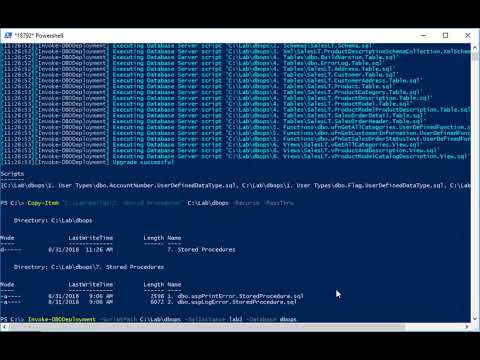
Example code:
# Ad-hoc deployment of the scripts from a folder myscriptsInstall-DBOScript-ScriptPath C:\temp\myscripts -SqlInstance server1 -Database MyDB
# Execute a list of files as an Ad-hoc queryGet-ChildItem C:\temp\myscripts |Invoke-DBOQuery-SqlInstance server1 -Database MyDB
Each package consists of multiple builds and can be easily deployed to the database, ensuring that each build is deployed in proper order and only once.
(click to open the video)
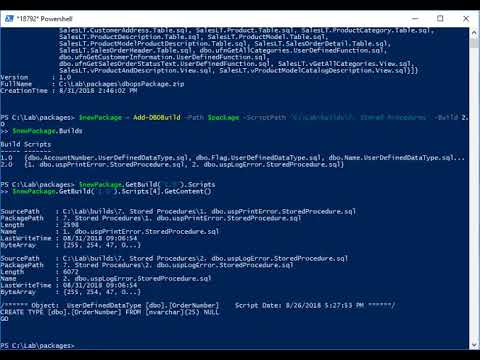
Example code:
# Deployment using packaging systemNew-DBOPackage Deploy.zip -ScriptPath C:\temp\myscripts |Install-DBOPackage-SqlInstance server1 -Database MyDB
# Create new deployment package with predefined configuration and deploy it replacing #{dbName} tokens with corresponding valuesNew-DBOPackage-Path MyPackage.zip -ScriptPath .\Scripts -Configuration @{ Database='#{dbName}'; ConnectionTimeout=5 }
Install-DBOPackage MyPackage.zip -Variables @{ dbName='myDB' }
# Adding builds to the packageAdd-DBOBuild Deploy.zip -ScriptPath .\myscripts -Type Unique -Build 2.0Get-ChildItem .\myscripts |Add-DBOBuild Deploy.zip -Type New,Modified -Build 3.0# Install package using internal script Deploy.ps1 - to use when module is not installed locallyExpand-Archive Deploy.zip '.\MyTempFolder'
.\MyTempFolder\Deploy.ps1 -SqlInstance server1 -Database MyDBThere are multiple configuration options available, including:
- Configuring default settings
- Specifying runtime parameters
- Using configuration files
(click to open the video)
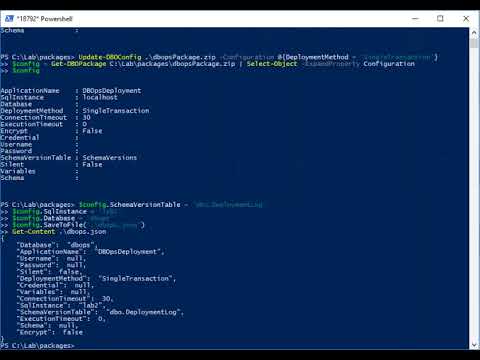
Example code:
# Setting deployment options within the package to be able to deploy it without specifying optionsUpdate-DBOConfig Deploy.zip -Configuration @{ DeploymentMethod='SingleTransaction'; SqlInstance='localhost'; Database='MyDb2' }
Install-DBOPackage Deploy.zip
# Generating config files and using it later as a deployment templateNew-DBOConfig-Configuration @{ DeploymentMethod='SingleTransaction'; SqlInstance='devInstance'; Database='MyDB' } |Export-DBOConfig'.\dev.json'Get-DBOConfig-Path '.\dev.json'-Configuration @{ SqlInstance='prodInstance' } |Export-DBOConfig'.\prod.json'Install-DBOPackage Deploy.zip -ConfigurationFile .\dev.json
# Invoke package deployment using custom connection stringInstall-DBOPackage-Path Deploy.zip -ConnectionString 'Server=myServerAddress;Database=myDataBase;Trusted_Connection=True;'# Invoke package deployment to an Oracle database OracleDBInstall-DBOPackage-Path Deploy.zip -Server OracleDB -ConnectionType Oracle
# Get a list of all the default settingsGet-DBODefaultSetting# Change the default SchemaVersionTable setting to null, disabling the deployment journalling by defaultSet-DBODefaultSetting-Name SchemaVersionTable -Value $null# Reset SchemaVersionTable setting back to its default valueReset-DBODefaultSetting-Name SchemaVersionTabledbops CI/CD flow assumes that each package version is built only once and deployed onto every single environment. The successfull builds should make their way as artifacts into the artifact storage, from which they would be pulled again to add new builds into the package during the next iteration.

CI/CD capabilities of the module enable user to integrate SQL scripts into a package file using a single command and to store packages in a versioned package repository.
(click to open the video)
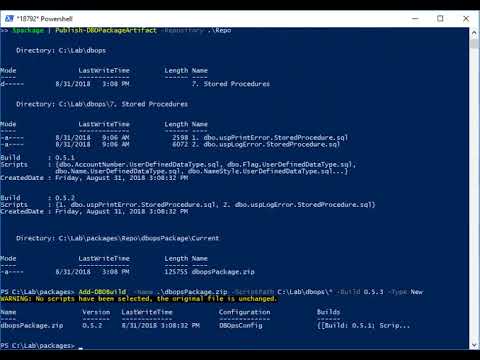
Example code:
# Invoke CI/CD build of the package MyPackage.zip using scripts from the source folder .\Scripts# Each execution of the command will only pick up new files from the ScriptPath folderInvoke-DBOPackageCI-Path MyPackage.zip -ScriptPath .\Scripts -Version 1.0# Store the package in a DBOps package repository in a folder \\data\repoPublish-DBOPackageArtifact-Path myPackage.zip -Repository \\data\repo
# Retrieve the latest package version from the repository and install itGet-DBOPackageArtifact-Path myPackage.zip -Repository \\data\repo |Install-DBOPackage-Server MyDBServer -Database MyDB- Code analysis: know what kind of code makes its way into the package. Will find hidden sysadmin grants, USE statements and other undesired statements
- Support for other RDBMS (eventually, everything that DbUp libraries can talk with)
- Integration with unit tests (tSQLt/Pester/...?)
- Module for Ansible (right now can still be used as a powershell task)
- SQLCMD support
- Deployments to multiple databases at once
- Optional rollback scripts
Submitting issues - GitHub issues
SQLCommunity Slack: https://sqlcommunity.slack.com #dbops or @nvarscar