
A DIY calendar generator library for android written in Kotlin.
Step 1. Add the JitPack repository to your build file Add it in your root build.gradle at the end of repositories:
allprojects { repositories {
...
maven {
url 'https://jitpack.io'
}
}
}
Step 2. Add the dependency
dependencies {
implementation 'com.github.tejpratap46:RecyclerCalendarAndroid:LATEST_RELEASE_TAG'
}
| Week Calendar | Month With Events | Month With Swipe Pages |
|---|---|---|
| Code At: horizontal | Code At: vertical | Code At: viewpager |
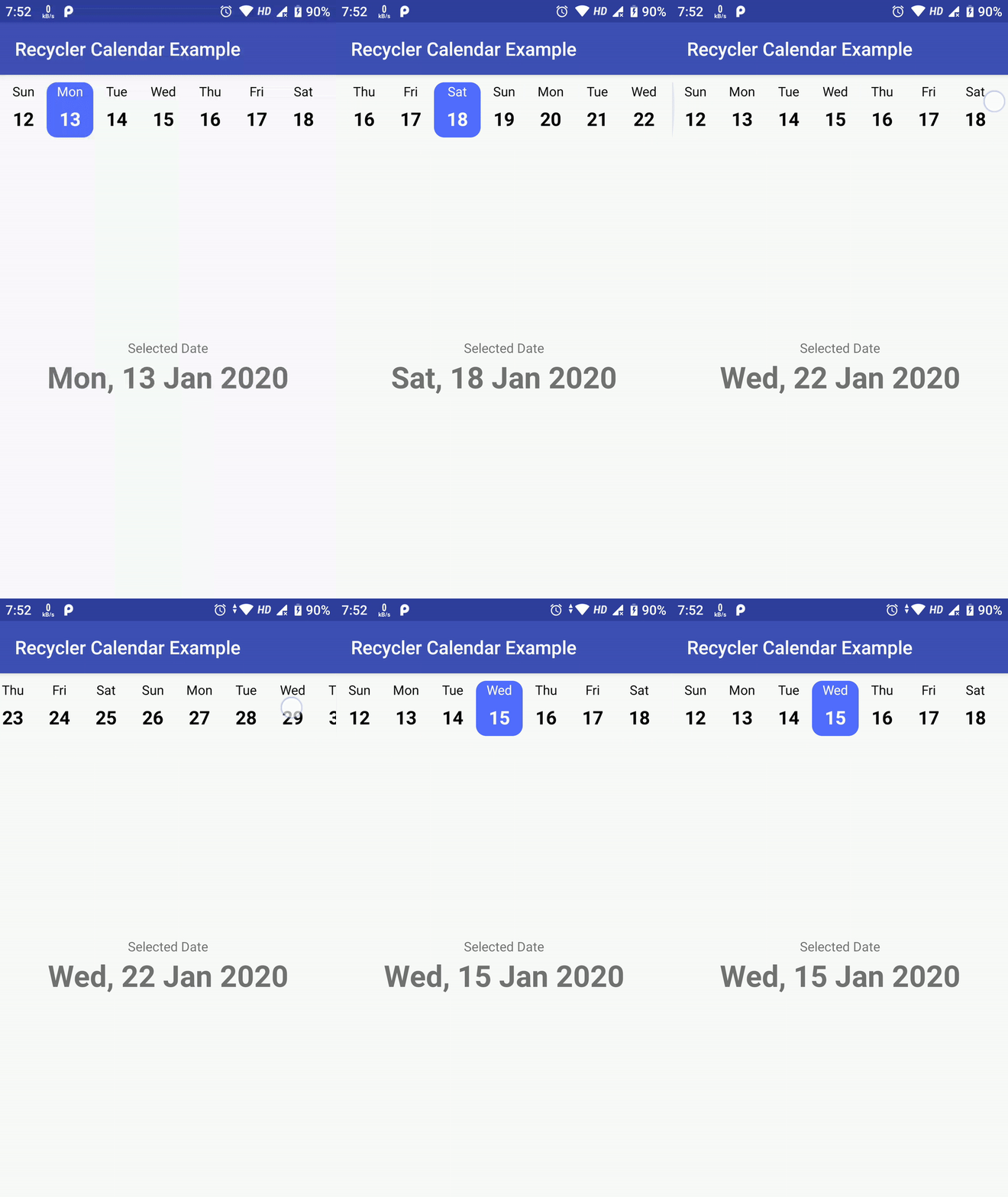 | 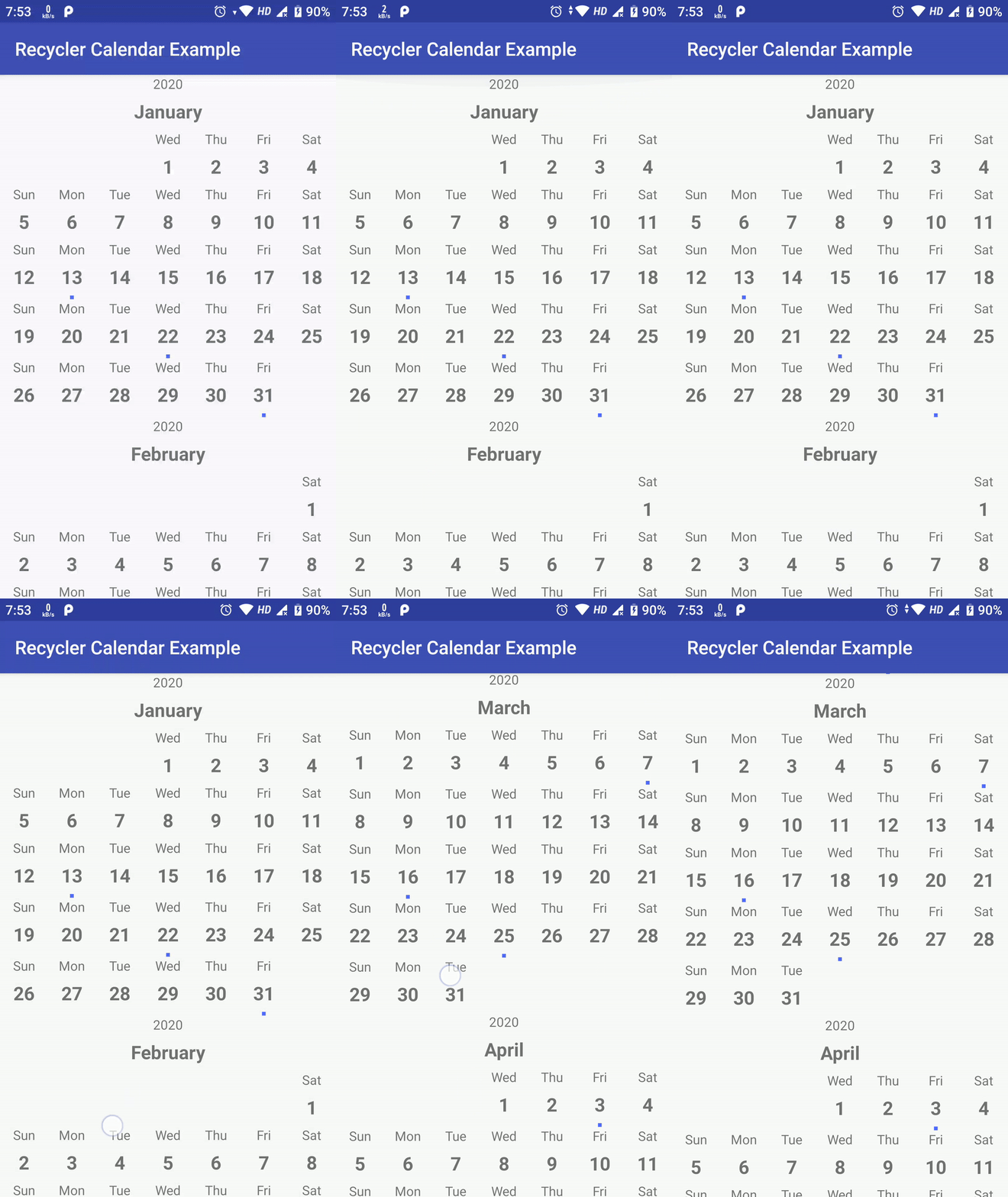 | 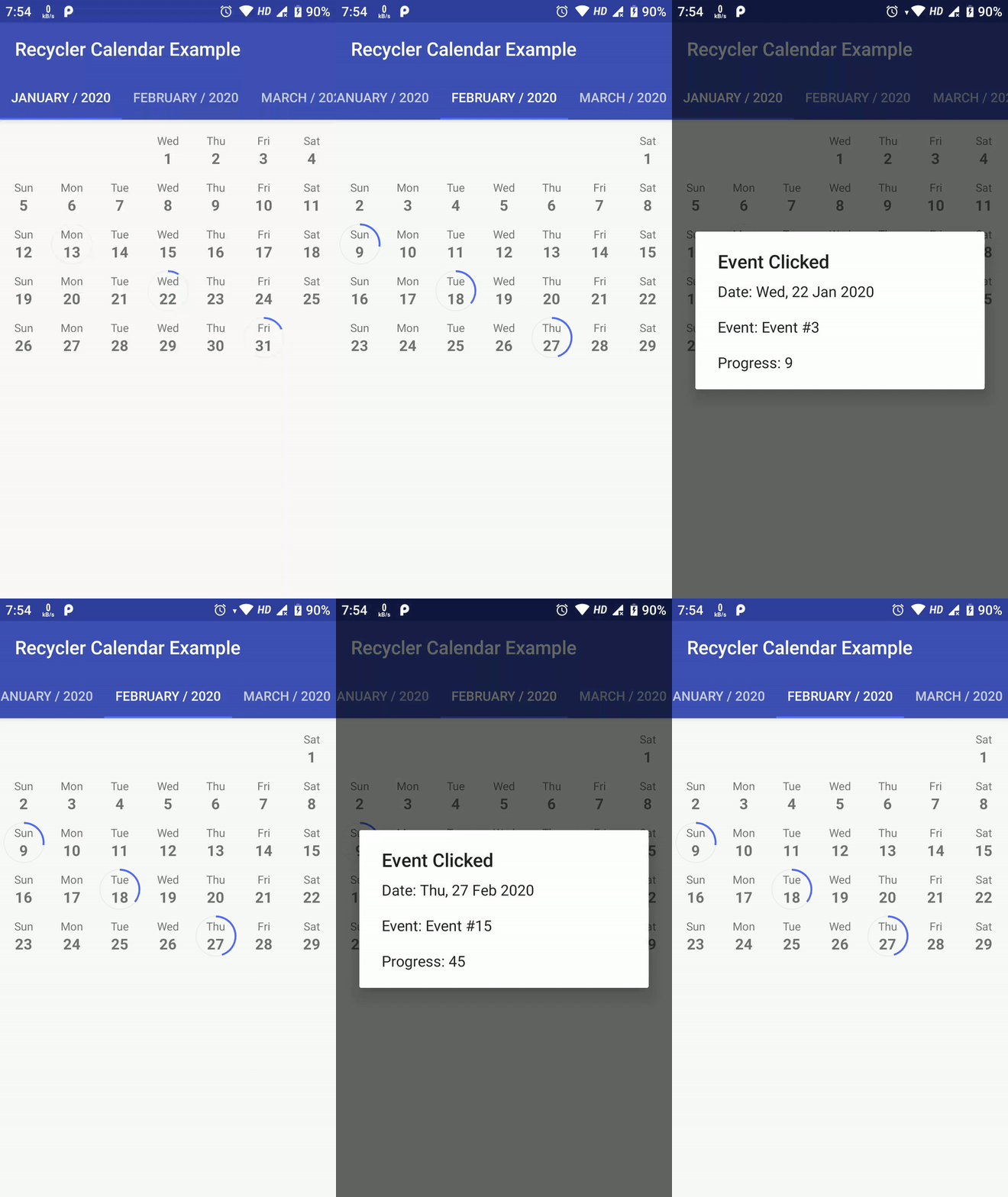 |
Above sample are not the limit of this library, possiblities are endless as you can create custom view for each date as well as add custom Business Login on top of it.
Here is how you can create your own Calendar using RecyclerCalendarAndroid.
Create a RecyclerView Adapter which extends RecyclerCalendarBaseAdapter
- Implement following methods:
overridefunonCreateViewHolder(parent:ViewGroup, viewType:Int): RecyclerView.ViewHolder {
val view:View=LayoutInflater.from(parent.context).inflate(R.layout.item_calendar_horizontal, parent, false)
returnMonthCalendarViewHolder(view)
}- Create
ViewHolderClass for youViewwhich extendsRecyclerView.ViewHolder:
classMonthCalendarViewHolder(itemView:View) : RecyclerView.ViewHolder(itemView) {
val textViewDay:TextView= itemView.findViewById(R.id.textCalenderItemVerticalDay)
val textViewDate:TextView= itemView.findViewById(R.id.textCalenderItemVerticalDate)
val viewEvent:View= itemView.findViewById(R.id.viewCalenderItemVerticalEvent)
}- Now just implament
onBindViewHolder
overridefunonBindViewHolder(
holder:RecyclerView.ViewHolder,
position:Int,
calendarItem:RecyclerCalenderViewItem
) {
val monthViewHolder:MonthCalendarViewHolder= holder asMonthCalendarViewHolder// first reset view of current item as it will be reused for different dates and header.
{
// Reset all you view here...
monthViewHolder.itemView.visibility =View.VISIBLE
monthViewHolder.itemView.setOnClickListener(null)
}
// Calendar item as 3 parts// 1. Header -> Where you put month name, year etc.// 2. Empty Space -> This is empty space to fill days before first day of month start, hide every view of ViewHolder Here// 3. Date -> This is a date, customise your date with event, tecket information, Available slot OR just selection etc hereif (calendarItem.isHeader) {
val selectedCalendar =Calendar.getInstance(Locale.getDefault()) selectedCalendar.time = calendarItem.date val month:String=CalendarUtils.getMonth(selectedCalendar.get(Calendar.MONTH)) ?:""val year = selectedCalendar[Calendar.YEAR].toLong() monthViewHolder.textViewDay.text = year.toString() monthViewHolder.textViewDate.text = month
} elseif (calendarItem.isEmpty) {
monthViewHolder.itemView.visibility =View.GONE
monthViewHolder.textViewDay.text =""
monthViewHolder.textViewDate.text =""
} else { val calendarDate =Calendar.getInstance(Locale.getDefault()) calendarDate.time = calendarItem.date
val day:String=CalendarUtils.getDay(calendarDate.get(Calendar.DAY_OF_WEEK)) ?:""
monthViewHolder.textViewDay.text = day
val dateInt:Int= (CalendarUtils.dateStringFromFormat(calendarDate.time, CalendarUtils.DB_DATE_FORMAT) ?:"0").toInt()
if (eventMap.contains(dateInt)) {
// As an example, here im checking if this date has any event passed from constructor
monthViewHolder.viewEvent.visibility =View.VISIBLE// Set background color from event information
monthViewHolder.viewEvent.setBackgroundColor(eventMap.get(dateInt)!!.color) } // Set Date to textView
monthViewHolder.textViewDate.text =CalendarUtils.dateStringFromFormat(calendarDate.time, CalendarUtils.DISPLAY_DATE_FORMAT) ?:""// Here as an example, im sending Tap data to listener
monthViewHolder.itemView.setOnClickListener { dateSelectListener.onDateSelected(calendarItem.date, eventMap[dateInt]) } }
}
above code is direct example from VerticalRecyclerCalendarAdapter
For People who want to just use simple date picker/selection calendar, i have created SimpleRecyclerCalendarView
To use SimpleRecyclerCalendarView, just include following in your .xml
<com.tejpratapsingh.recyclercalendar.views.SimpleRecyclerCalendarView android:id="@+id/calendarRecyclerView"android:layout_width="match_parent"android:layout_height="match_parent" />And in Your Activity, include following
val calenderView:SimpleRecyclerCalendarView= findViewById(R.id.calendarRecyclerView) val date =Date() date.time =System.currentTimeMillis() // Start From Dateval startCal =Calendar.getInstance() // End Dateval endCal =Calendar.getInstance() endCal.time = date endCal.add(Calendar.MONTH, 3) val configuration:SimpleRecyclerCalendarConfiguration=SimpleRecyclerCalendarConfiguration(
calenderViewType =RecyclerCalendarConfiguration.CalenderViewType.VERTICAL, // calendarViewType could be VERTICAL OR HORIZONTAL
calendarLocale =Locale.getDefault(),
includeMonthHeader =true,
selectionMode =SimpleRecyclerCalendarConfiguration.SelectionModeNone() // selectionMode could be one of [SelectionModeNone, SelectionModeSingle, SelectionModeMultiple, SelectionModeRange]
)
calenderView!!.initialise(
startDate,
endDate,
configuration,
object:SimpleRecyclerCalendarAdapter.OnDateSelected {
overridefunonDateSelected(date:Date) {
Toast.makeText(
calenderView!!.context,
"Date Selected: ${CalendarUtils.getGmt(date)}",
Toast.LENGTH_LONG
).show()
}
})
To know More about SimpleRecyclerCalendarView visit SimpleRecyclerCalendarActivity
For People who want to just use infinite date picker/selection calendar, i have created InfiniteRecyclerCalendarView
To use InfiniteRecyclerCalendarView, just include following in your .xml
<com.tejpratapsingh.recyclercalendar.views.InfiniteRecyclerCalendarView android:id="@+id/calendarRecyclerView"android:layout_width="match_parent"android:layout_height="match_parent" />And in Your Activity, include following
val calenderView:InfiniteRecyclerCalendarView= findViewById(R.id.calendarRecyclerView) val date =Date() date.time =System.currentTimeMillis() // Start From Dateval startCal =Calendar.getInstance() // End Dateval endCal =Calendar.getInstance() endCal.time = date endCal.add(Calendar.MONTH, 3) val configuration:InfiniteRecyclerCalendarConfiguration=InfiniteRecyclerCalendarConfiguration(
calenderViewType =RecyclerCalendarConfiguration.CalenderViewType.VERTICAL, // calendarViewType could be VERTICAL OR HORIZONTAL
calendarLocale =Locale.getDefault(),
includeMonthHeader =true,
selectionMode =InfiniteRecyclerCalendarConfiguration.SelectionModeNone() // selectionMode could be one of [SelectionModeNone, SelectionModeSingle, SelectionModeMultiple, SelectionModeRange]
)
calenderView!!.initialise(
configuration,
object:InfiniteRecyclerCalenderAdapter.OnDateSelected {
overridefunonDateSelected(date:Date) {
Toast.makeText(
calenderView!!.context,
"Date Selected: ${CalendarUtils.getGmt(date)}",
Toast.LENGTH_LONG
).show()
}
})
To know More about InfiniteRecyclerCalendarActivity visit InfiniteRecyclerCalendarActivity
