


Dynamic computational notebook environment in plain Rust.
Cells are defined as
asyncfunctions with#[cell]macro annotationsCells are compiled as a
dylibcrate and dynamically reloaded on changescargo-cellbookCLI utility provides a TUI runner and automatic reloaderCells have access to a shared store which retains the cell context across reloads
Cell output is stored and can be viewed in the TUI runner
Integrates with external applications to view images, plots, graphs, etc.
cargo install cargo-cellbookTo create and run a new cellbook project use:
cargo cellbook init <project-name>cd<project-name>
cargo cellbook runThe notebook consists of an #[init] function (runs on load/reload) and individual #[cell] functions loaded in source order.
use cellbook::{cell, init, load, store,Result};use serde::{Deserialize,Serialize};#[derive(Debug,Serialize,Deserialize)]structStats{mean:f64,count:usize,}#[init]asyncfnsetup() -> Result<()>{Ok(())}#[cell]asyncfnload_data() -> Result<()>{let data = vec![1.0,2.0,3.0,4.0,5.0];store!(data)?;println!("Loaded {} values", data.len());Ok(())}#[cell]asyncfncompute_stats() -> Result<()>{let data:Vec<f64> = load!(data)?;let stats = Stats{mean: data.iter().sum::<f64>() / data.len()asf64,count: data.len(),};println!("Mean: {:.2}", stats.mean);store!(stats)?;Ok(())}Cells can store persistent data in the shared store using store!(), load!(), remove!(), consume!() convenience macros.
Values in the store are serialized with postcard, hence stored types must implement serde's Serialize and Deserialize traits.
// Store a value (variable name becomes the key)store!(data)?;// Store with explicit keystore!(my_key = some_value)?;// Load a value (type has to be specified)let data:Vec<f64> = load!(data)?;// Remove a value from the storeremove!(data);// Load and remove the value from the storelet data:Vec<f64> = consume!(data)?;| Crate | Description |
|---|---|
./cellbook | Core library with shared context store, cell registry and declarative macros. |
./cellbook-macros | Proc macro crate which implements #[cell] and #[init] macros. |
./cargo-cellbook | Cellbook project runner and command line utility. |
./examples | Cellbook usage examples and tests. |
Configuration is loaded in the following order:
- Built-in defaults
- Global config at
$XDG_CONFIG_HOME/cellbook/config.toml(or platform-specific config dir) - Local config at
./Cellbook.toml
Only fields present in a config file are overridden.
The global configuration file is created with default values on first run:
[general]
auto_reload = truedebounce_ms = 500show_timings = false#image_viewer = "eog"
[keybindings]
quit = "q"clear_context = "x"view_output = "o"view_error = "e"reload = "r"edit = "E"run_cell = "Enter"navigate_down = ["Down", "j"]
navigate_up = ["Up", "k"]
Keybindings can be a single key or an array of alternative keys.
Supported key names include single characters and Enter, Esc, Tab, Space, Backspace, Delete, Up, Down, Left, Right, Home, End, PageUp, PageDown, F1, etc.
The cargo cellbook run command opens the terminal-based cellbook runner interface:
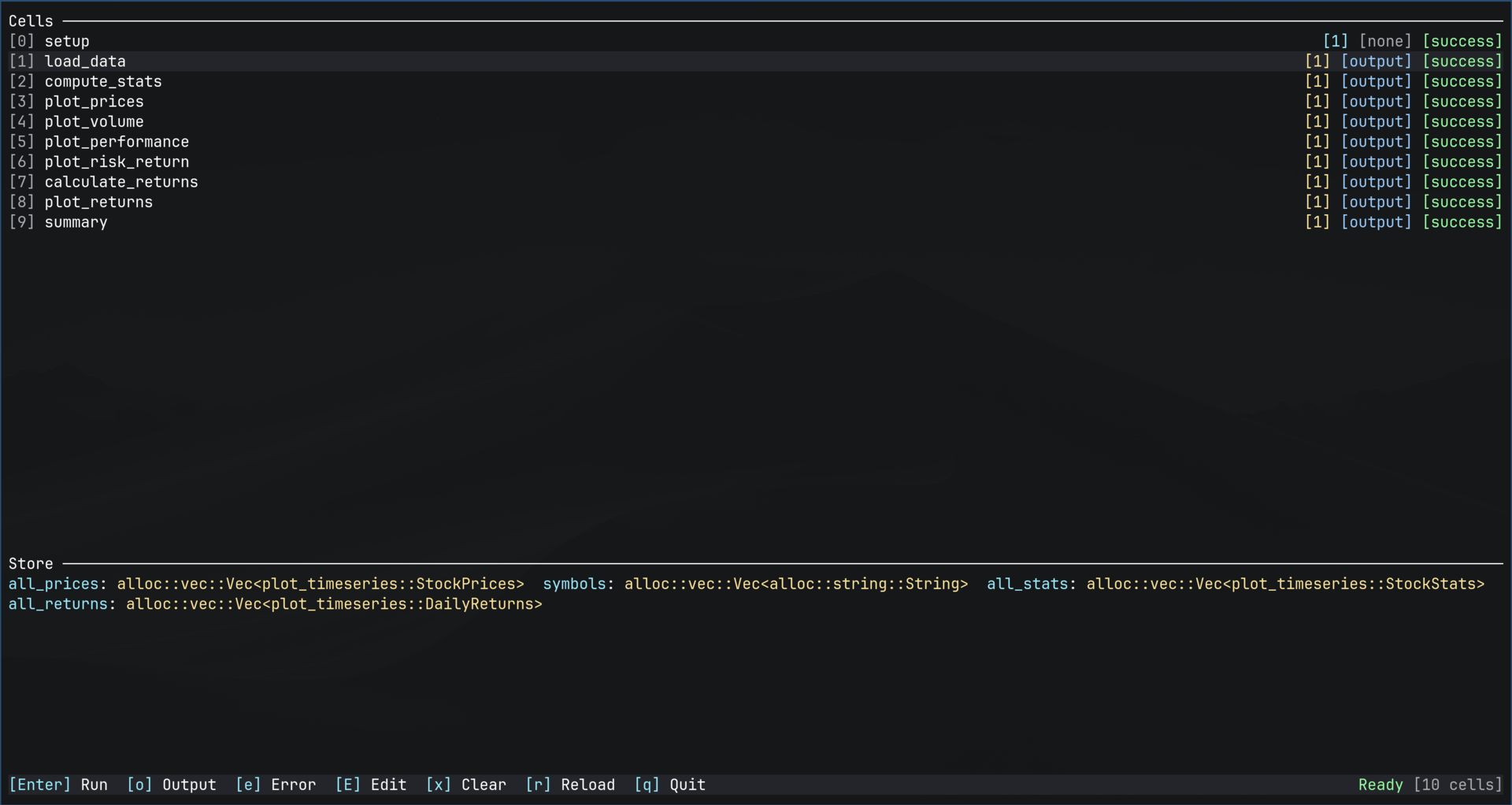
It allows running/editing/reloading cells, inspecting cell output, viewing images and more.
It also shows what types are stored in the shared context store.