



Atributika is an easy and painless way to build NSAttributedString. It is able to detect HTML-like tags, links, phone numbers, hashtags, any regex or even standard ios data detectors and style them with various attributes like font, color, etc. Atributika comes with drop-in label replacement AttributedLabel which is able to make any detection clickable
NSAttributedString is really powerful but still a low level API which requires a lot of work to setup things. It is especially painful if string is template and real content is known only in runtime. If you are dealing with localizations, it is also not easy to build NSAttributedString.
Oh wait, but you can use Atributika!
letb=Style("b").font(.boldSystemFont(ofSize:20)).foregroundColor(.red)
label.attributedText ="Hello <b>World</b>!!!".style(tags: b).attributedString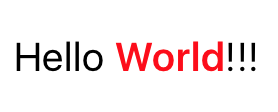
Yeah, that's much better. Atributika is easy, declarative, flexible and covers all the raw edges for you.
- NEW!
AttributedLabelis a drop-in label replacement which makes detections clickable and style them dynamically fornormal/highlighted/disabledstates. - detect and style HTML-like tags using custom speedy parser
- detect and style hashtags and mentions (i.e. #something and @someone)
- detect and style links and phone numbers
- detect and style regex and NSDataDetector patterns
- style whole string or just particular ranges
- ... and you can chain all above to parse some uber strings!
- clean and expressive api to build styles
- separate set of detection utils, in case you want to use just them
+operator to concatenate NSAttributedString with other attributed or regular strings- works on iOS, tvOS, watchOS, macOS
Detect and style tags, provide base style for the rest of string, don't forget about special html symbols
letredColor=UIColor(red:(0xD0/255.0), green:(0x02/255.0), blue:(0x1B/255.0), alpha:1.0)leta=Style("a").foregroundColor(redColor)letfont=UIFont(name:"AvenirNext-Regular", size:24)!
letgrayColor=UIColor(white:0x66/255.0, alpha:1)letall=Style.font(font).foregroundColor(grayColor)letstr="<a><a></a>tributik<a></a></a>".style(tags: a).styleAll(all).attributedString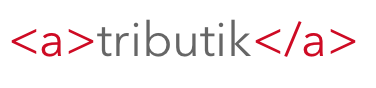
letstr="#Hello @World!!!".styleHashtags(Style.font(.boldSystemFont(ofSize:45))).styleMentions(Style.foregroundColor(.red)).attributedString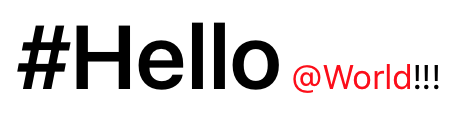
letstr="Check this website http://google.com".styleLinks(Style.foregroundColor(.blue)).attributedString
letstr="Call me (888)555-5512".stylePhoneNumbers(Style.foregroundColor(.red)).attributedString
letlinks=Style.foregroundColor(.blue)letphoneNumbers=Style.backgroundColor(.yellow)letmentions=Style.font(.italicSystemFont(ofSize:12)).foregroundColor(.black)letb=Style("b").font(.boldSystemFont(ofSize:12))letu=Style("u").underlineStyle(.styleSingle)letall=Style.font(.systemFont(ofSize:12)).foregroundColor(.gray)letstr="@all I found <u>really</u> nice framework to manage attributed strings. It is called <b>Atributika</b>. Call me if you want to know more (123)456-7890 #swift #nsattributedstring https://github.com/psharanda/Atributika".style(tags: u, b).styleMentions(mentions).styleHashtags(links).styleLinks(links).stylePhoneNumbers(phoneNumbers).styleAll(all).attributedString
Atributika APIs styleXXX produce AttributedText which can be converted into NSAttributedString. Basically AttributedText just contains string, base style and all the detections.
AttributedLabel is able to display AttributedText and makes detections clickable if style contains any attributes for .highlighted
lettweetLabel=AttributedLabel()
tweetLabel.numberOfLines =0letall=Style.font(.systemFont(ofSize:20))letlink=Style("a").foregroundColor(.blue,.normal).foregroundColor(.brown,.highlighted) // <-- detections with this style will be clickable now
tweetLabel.attributedText ="@e2F If only Bradley's arm was longer. Best photo ever.😊 #oscars https://pic.twitter.com/C9U5NOtGap<br>Check this <a href=\"https://github.com/psharanda/Atributika\">link</a>".style(tags: link).styleHashtags(link).styleMentions(link).styleLinks(link).styleAll(all)
tweetLabel.onClick ={ label, detection inswitch detection.type {case.hashtag(let tag):iflet url =URL(string:"https://twitter.com/hashtag/\(tag)"){UIApplication.shared.openURL(url)}case.mention(let name):iflet url =URL(string:"https://twitter.com/\(name)"){UIApplication.shared.openURL(url)}case.link(let url):UIApplication.shared.openURL(url)case.tag(let tag):if tag.name =="a",let href = tag.attributes["href"],let url =URL(string: href){UIApplication.shared.openURL(url)}default:break}}
view.addSubview(tweetLabel)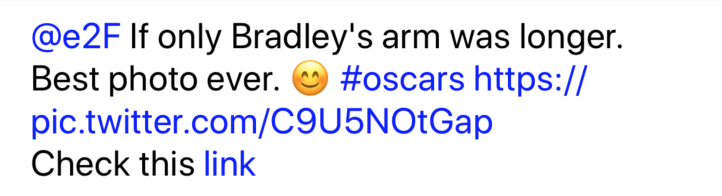
Current version is compatible with:
- Swift 4.0+ (for Swift 3.2 use
swift-3.2branch) - iOS 8.0 or later
- tvOS 9.0 or later
- watchOS 2.0 or later
- macOS 10.10 or later
Note: AttributedLabel works only on iOS
Because in Belarusian/Russian we have one letter 't' (атрыбутыка/атрибутика). So basically it is transcription, not real word.
Add github "psharanda/Atributika" to your Cartfile
Atributika is available through CocoaPods. To install it, simply add the following line to your Podfile:
pod"Atributika"- Add Atributika to you project as a submodule using
git submodule add https://github.com/psharanda/Atributika.git - Open the
Atributikafolder & dragAtributika.xcodeprojinto your project tree - Add
Atributika.frameworkto your target'sLink Binary with LibrariesBuild Phase - Import Atributika with
import Atributikaand you're ready to go
Atributika is available under the MIT license. See the LICENSE file for more info.