



Android-like toast with very simple interface. (formerly JLToast)
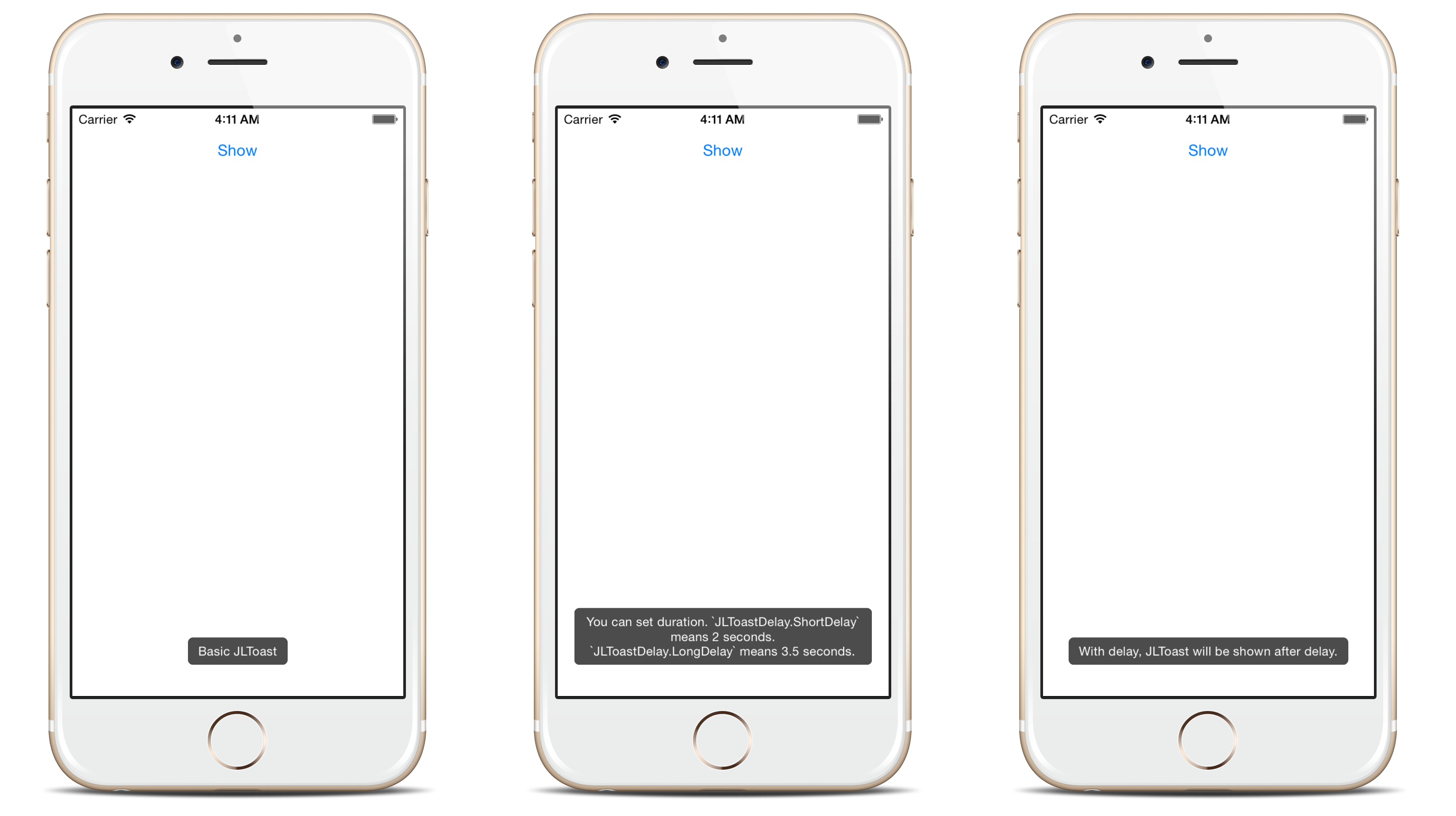
- Queueing: Centralized toast center manages the toast queue.
- Customizable: See the Appearance section.
- String or AttributedString: Both supported.
- UIAccessibility: VoiceOver support.
import Toaster
Toast(text:"Hello, world!").show()Toaster supports the same minimum Xcode version as App Store submission (https://developer.apple.com/ios/submit/):
- Xcode 15 and newer
Toaster supports the same Swift versions as Xcode (https://developer.apple.com/support/xcode/):
- Swift 4 and newer
Toaster supports all Apple platforms.
For projects with CocoaPods:
pod'Toaster'
For projects with Carthage:
github "devxoul/Toaster"For projects with Swift Package Manager:
dependencies: [
.package(url: "https://github.com/devxoul/Toaster.git", from: "master")
]
Toast(text:"Hello, world!", duration:Delay.long)Toast(text:"Hello, world!", delay:Delay.short, duration:Delay.long)Removing toast with reference:
lettoast=Toast(text:"Hello")
toast.show()
toast.cancel() // remove toast immediately
Removing current toast:
iflet currentToast =ToastCenter.default.currentToast {
currentToast.cancel()}
Removing all toasts:
ToastCenter.default.cancelAll()
Since Toaster 2.0.0, you can use UIAppearance to set default appearance. This is an short example to set default background color to red.
ToastView.appearance().backgroundColor =.redSupported appearance properties are:
| Property | Type | Description |
|---|---|---|
backgroundColor | UIColor | Background color |
cornerRadius | CGFloat | Corner radius |
textInsets | UIEdgeInsets | Text inset |
textColor | UIColor | Text color |
font | UIFont | Font |
bottomOffsetPortrait | CGFloat | Vertical offfset from bottom in portrait mode |
bottomOffsetLandscape | CGFloat | Vertical offfset from bottom in landscape mode |
shadowPath | CGPath | The shape of the layer’s shadow |
shadowColor | UIColor | The color of the layer’s shadow |
shadowOpacity | Float | The opacity of the layer’s shadow |
shadowOffset | CGSize | The offset (in points) of the layer’s shadow |
shadowRadius | CGFloat | The blur radius (in points) used to render the layer’s shadow |
maxWidthRatio | CGFloat | The width ratio of toast view in window |
useSafeAreaForBottomOffset | Bool | A Boolean value that determines safeAreaInsets.bottom is added to bottomOffset |
Since Toaster 2.3.0, you can also set an attributed string:
Toast(attributedText:NSAttributedString(string:"AttributedString Toast", attributes:[NSAttributedString.Key.backgroundColor:UIColor.yellow]))By default, VoiceOver with UIAccessibility is enabled since Toaster 2.3.0. To disable it:
ToastCenter.default.isSupportAccessibility =falseToaster is under WTFPL. You can do what the fuck you want with Toast. See LICENSE file for more info.