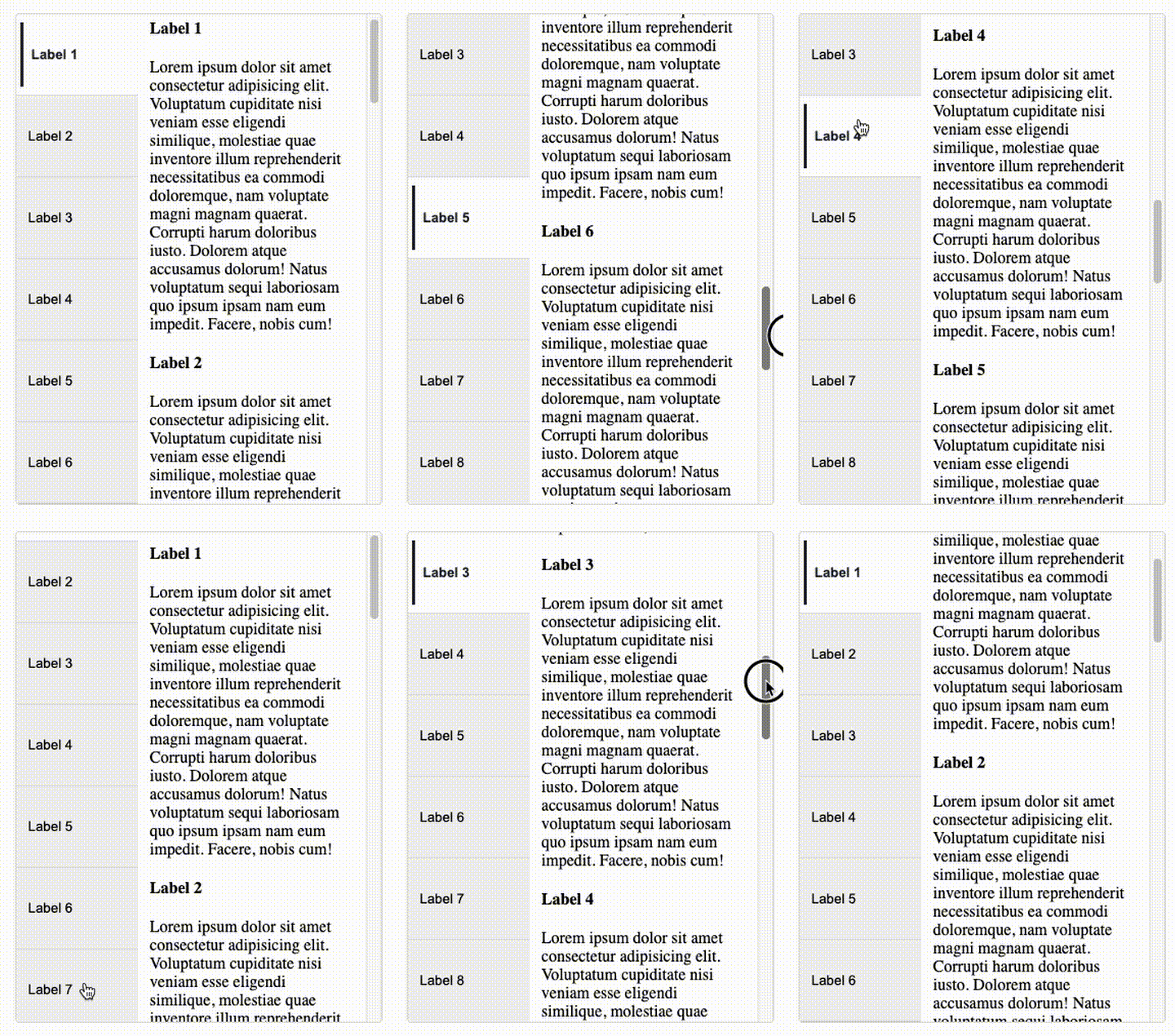
A lightweight React library to synchronize a vertical navigation menu with scrollable content sections. Ideal for advanced catalogs, filter drawers, and any layout that needs a sticky nav that tracks the visible section and enables smooth scroll.





- 🔗 Sync state between a vertical nav and the currently visible content section
- 🧭 Programmatic scroll to a section when a menu item is selected
- ✨ Active item highlighting and nav auto-scroll to keep it in view
- 🎨 Themable styles: override CSS variables to match your design
- 🧪 Typed (TypeScript) & framework-agnostic CSS
pnpm add @dorixdev/react-dual-scroll-sync
# or
npm i @dorixdev/react-dual-scroll-syncImport the packaged CSS once in your app:
// e.g., main.tsx or App.tsximport'@dorixdev/react-dual-scroll-sync/styles.css';import{DualScrollSync}from'@dorixdev/react-dual-scroll-sync';constitems=[{sectionKey: 's1',label: 'Section 1',children: <div>…</div>},{sectionKey: 's2',label: 'Section 2',children: <div>…</div>},{sectionKey: 's3',label: 'Section 3',children: <div>…</div>}];exportdefaultfunctionDemo(){return<DualScrollSyncitems={items}/>;}DualScrollSync can be used in two main ways: data-driven and declarative.
Define your sections in an array and let the component generate both nav items and content.
✅ Best for dynamic data (e.g. from CMS or API).
constitems=[{sectionKey: 'intro',label: 'Introduction',children: <div>...</div>},{sectionKey: 'details',label: 'Details',children: <div>...</div>}];return<DualScrollSyncitems={items}onItemClick={handleClick}/>;Write the structure directly in JSX using DualScrollSync.NavItem and DualScrollSync.ContentSection.
✅ Best for static pages where you want full control.
return(<DualScrollSynconItemClick={handleClick}><DualScrollSync.Nav><DualScrollSync.NavItemsectionKey="intro">Introduction</DualScrollSync.NavItem><DualScrollSync.NavItemsectionKey="details">Details</DualScrollSync.NavItem></DualScrollSync.Nav><DualScrollSync.Content><DualScrollSync.ContentSectionsectionKey="intro"><DualScrollSync.Label>Introduction</DualScrollSync.Label><div>...</div></DualScrollSync.ContentSection><DualScrollSync.ContentSectionsectionKey="details"><DualScrollSync.Label>Details</DualScrollSync.Label><div>...</div></DualScrollSync.ContentSection></DualScrollSync.Content></DualScrollSync>);✅ Long scrollable pages with sticky nav
✅ Catalog filters, docs sidebars, multi-section layouts
❌ Very short content (no scrolling needed)
❌ Complex nested navs (not supported)
Explore all props, variations, and usage guidelines in the Storybook docs.
This project is licensed under the MIT License.