


Skip to content

Latest commit

History

5,182 Commits

Folders and files

NameName
Last commit message
Last commit date

Repository files navigation

npm versionLicenseNode.js VersionDownloads

QwenLM%2Fqwen-code | Trendshift

An open-source AI agent that lives in your terminal.

中文 | Deutsch | français | 日本語 | Русский | Português (Brasil)

🎉 News

  • 2026-04-02: Qwen3.6-Plus is now live! Sign in via Qwen OAuth to use it directly, or get an API key from Alibaba Cloud ModelStudio to access it through the OpenAI-compatible API.

  • 2026-02-16: Qwen3.5-Plus is now live!

Why Qwen Code?

Qwen Code is an open-source AI agent for the terminal, optimized for Qwen series models. It helps you understand large codebases, automate tedious work, and ship faster.

  • Multi-protocol, OAuth free tier: use OpenAI / Anthropic / Gemini-compatible APIs, or sign in with Qwen OAuth for 1,000 free requests/day.
  • Open-source, co-evolving: both the framework and the Qwen3-Coder model are open-source—and they ship and evolve together.
  • Agentic workflow, feature-rich: rich built-in tools (Skills, SubAgents) for a full agentic workflow and a Claude Code-like experience.
  • Terminal-first, IDE-friendly: built for developers who live in the command line, with optional integration for VS Code, Zed, and JetBrains IDEs.
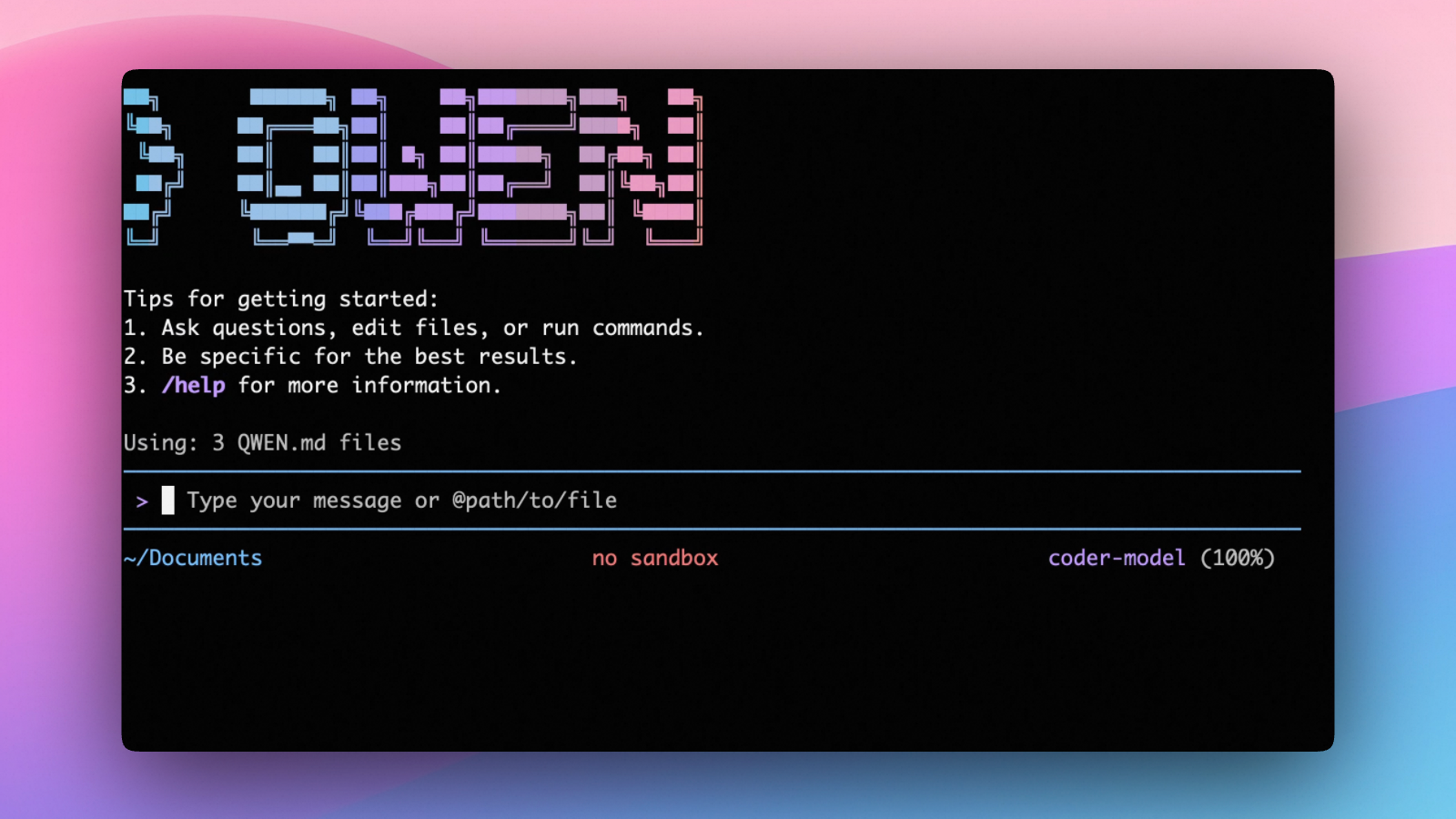
Installation

Quick Install (Recommended)

Linux / macOS

bash -c "$(curl -fsSL https://qwen-code-assets.oss-cn-hangzhou.aliyuncs.com/installation/install-qwen.sh)"

Windows (Run as Administrator CMD)

curl -fsSL -o %TEMP%\install-qwen.bat https://qwen-code-assets.oss-cn-hangzhou.aliyuncs.com/installation/install-qwen.bat &&%TEMP%\install-qwen.bat

Note: It's recommended to restart your terminal after installation to ensure environment variables take effect.

Manual Installation

Prerequisites

Make sure you have Node.js 20 or later installed. Download it from nodejs.org.

NPM

npm install -g @qwen-code/qwen-code@latest

Homebrew (macOS, Linux)

brew install qwen-code

Quick Start

# Start Qwen Code (interactive)
qwen
# Then, in the session:
/help
/auth

On first use, you'll be prompted to sign in. You can run /auth anytime to switch authentication methods.

Example prompts:

What does this project do?
Explain the codebase structure.
Help me refactor this function.
Generate unit tests for this module.
Click to watch a demo video

🦞 Use Qwen Code for Coding Tasks in Claw

Copy the prompt below and paste it into your agent:

Use Qwen Code as a coding agent. First, fetch and read this skill reference:
https://raw.githubusercontent.com/QwenLM/qwen-code/refs/heads/main/.qwen/skills/qwen-code-claw/SKILL.md
Then follow the instructions inside to install, authenticate, and use Qwen Code via acpx for all coding tasks.

Authentication

Qwen Code supports two authentication methods:

  • Qwen OAuth (recommended & free): sign in with your qwen.ai account in a browser.
  • API-KEY: use an API key to connect to any supported provider (OpenAI, Anthropic, Google GenAI, Alibaba Cloud ModelStudio, and other compatible endpoints).

Qwen OAuth (recommended)

Start qwen, then run:

/auth

Choose Qwen OAuth and complete the browser flow. Your credentials are cached locally so you usually won't need to log in again.

Note: In non-interactive or headless environments (e.g., CI, SSH, containers), you typically cannot complete the OAuth browser login flow. In these cases, please use the API-KEY authentication method.

API-KEY (flexible)

Use this if you want more flexibility over which provider and model to use. Supports multiple protocols:

  • OpenAI-compatible: Alibaba Cloud ModelStudio, ModelScope, OpenAI, OpenRouter, and other OpenAI-compatible providers
  • Anthropic: Claude models
  • Google GenAI: Gemini models

The recommended way to configure models and providers is by editing ~/.qwen/settings.json (create it if it doesn't exist). This file lets you define all available models, API keys, and default settings in one place.

Quick Setup in 3 Steps

Step 1: Create or edit ~/.qwen/settings.json

Here is a complete example:

{
"modelProviders": {
"openai": [
{
"id": "qwen3.6-plus",
"name": "qwen3.6-plus",
"baseUrl": "https://dashscope.aliyuncs.com/compatible-mode/v1",
"description": "Qwen3-Coder via Dashscope",
"envKey": "DASHSCOPE_API_KEY"
}
]
},
"env": {
"DASHSCOPE_API_KEY": "sk-xxxxxxxxxxxxx"
},
"security": {
"auth": {
"selectedType": "openai"
}
},
"model": {
"name": "qwen3.6-plus"
}
}

Step 2: Understand each field

FieldWhat it does
modelProvidersDeclares which models are available and how to connect to them. Keys like openai, anthropic, gemini represent the API protocol.
modelProviders[].idThe model ID sent to the API (e.g. qwen3.6-plus, gpt-4o).
modelProviders[].envKeyThe name of the environment variable that holds your API key.
modelProviders[].baseUrlThe API endpoint URL (required for non-default endpoints).
envA fallback place to store API keys (lowest priority; prefer .env files or export for sensitive keys).
security.auth.selectedTypeThe protocol to use on startup (openai, anthropic, gemini, vertex-ai).
model.nameThe default model to use when Qwen Code starts.

Step 3: Start Qwen Code — your configuration takes effect automatically:

qwen

Use the /model command at any time to switch between all configured models.

More Examples
Coding Plan (Alibaba Cloud ModelStudio) — fixed monthly fee, higher quotas
{
"modelProviders": {
"openai": [
{
"id": "qwen3.6-plus",
"name": "qwen3.6-plus (Coding Plan)",
"baseUrl": "https://coding.dashscope.aliyuncs.com/v1",
"description": "qwen3.6-plus from ModelStudio Coding Plan",
"envKey": "BAILIAN_CODING_PLAN_API_KEY"
},
{
"id": "qwen3.5-plus",
"name": "qwen3.5-plus (Coding Plan)",
"baseUrl": "https://coding.dashscope.aliyuncs.com/v1",
"description": "qwen3.5-plus with thinking enabled from ModelStudio Coding Plan",
"envKey": "BAILIAN_CODING_PLAN_API_KEY",
"generationConfig": {
"extra_body": {
"enable_thinking": true
}
}
},
{
"id": "glm-4.7",
"name": "glm-4.7 (Coding Plan)",
"baseUrl": "https://coding.dashscope.aliyuncs.com/v1",
"description": "glm-4.7 with thinking enabled from ModelStudio Coding Plan",
"envKey": "BAILIAN_CODING_PLAN_API_KEY",
"generationConfig": {
"extra_body": {
"enable_thinking": true
}
}
},
{
"id": "kimi-k2.5",
"name": "kimi-k2.5 (Coding Plan)",
"baseUrl": "https://coding.dashscope.aliyuncs.com/v1",
"description": "kimi-k2.5 with thinking enabled from ModelStudio Coding Plan",
"envKey": "BAILIAN_CODING_PLAN_API_KEY",
"generationConfig": {
"extra_body": {
"enable_thinking": true
}
}
}
]
},
"env": {
"BAILIAN_CODING_PLAN_API_KEY": "sk-xxxxxxxxxxxxx"
},
"security": {
"auth": {
"selectedType": "openai"
}
},
"model": {
"name": "qwen3.6-plus"
}
}

Subscribe to the Coding Plan and get your API key at Alibaba Cloud ModelStudio(Beijing) or Alibaba Cloud ModelStudio(intl).

Multiple providers (OpenAI + Anthropic + Gemini)
{
"modelProviders": {
"openai": [
{
"id": "gpt-4o",
"name": "GPT-4o",
"envKey": "OPENAI_API_KEY",
"baseUrl": "https://api.openai.com/v1"
}
],
"anthropic": [
{
"id": "claude-sonnet-4-20250514",
"name": "Claude Sonnet 4",
"envKey": "ANTHROPIC_API_KEY"
}
],
"gemini": [
{
"id": "gemini-2.5-pro",
"name": "Gemini 2.5 Pro",
"envKey": "GEMINI_API_KEY"
}
]
},
"env": {
"OPENAI_API_KEY": "sk-xxxxxxxxxxxxx",
"ANTHROPIC_API_KEY": "sk-ant-xxxxxxxxxxxxx",
"GEMINI_API_KEY": "AIzaxxxxxxxxxxxxx"
},
"security": {
"auth": {
"selectedType": "openai"
}
},
"model": {
"name": "gpt-4o"
}
}
Enable thinking mode (for supported models like qwen3.5-plus)
{
"modelProviders": {
"openai": [
{
"id": "qwen3.5-plus",
"name": "qwen3.5-plus (thinking)",
"envKey": "DASHSCOPE_API_KEY",
"baseUrl": "https://dashscope.aliyuncs.com/compatible-mode/v1",
"generationConfig": {
"extra_body": {
"enable_thinking": true
}
}
}
]
},
"env": {
"DASHSCOPE_API_KEY": "sk-xxxxxxxxxxxxx"
},
"security": {
"auth": {
"selectedType": "openai"
}
},
"model": {
"name": "qwen3.5-plus"
}
}

Tip: You can also set API keys via export in your shell or .env files, which take higher priority than settings.jsonenv. See the authentication guide for full details.

Security note: Never commit API keys to version control. The ~/.qwen/settings.json file is in your home directory and should stay private.

Usage

As an open-source terminal agent, you can use Qwen Code in four primary ways:

  1. Interactive mode (terminal UI)
  2. Headless mode (scripts, CI)
  3. IDE integration (VS Code, Zed)
  4. TypeScript SDK

Interactive mode

cd your-project/
qwen

Run qwen in your project folder to launch the interactive terminal UI. Use @ to reference local files (for example @src/main.ts).

Headless mode

cd your-project/
qwen -p "your question"

Use -p to run Qwen Code without the interactive UI—ideal for scripts, automation, and CI/CD. Learn more: Headless mode.

IDE integration

Use Qwen Code inside your editor (VS Code, Zed, and JetBrains IDEs):

TypeScript SDK

Build on top of Qwen Code with the TypeScript SDK:

Commands & Shortcuts

Session Commands

  • /help - Display available commands
  • /clear - Clear conversation history
  • /compress - Compress history to save tokens
  • /stats - Show current session information
  • /bug - Submit a bug report
  • /exit or /quit - Exit Qwen Code

Keyboard Shortcuts

  • Ctrl+C - Cancel current operation
  • Ctrl+D - Exit (on empty line)
  • Up/Down - Navigate command history

Learn more about Commands

Tip: In YOLO mode (--yolo), vision switching happens automatically without prompts when images are detected. Learn more about Approval Mode

Configuration

Qwen Code can be configured via settings.json, environment variables, and CLI flags.

FileScopeDescription
~/.qwen/settings.jsonUser (global)Applies to all your Qwen Code sessions. Recommended for modelProviders and env.
.qwen/settings.jsonProjectApplies only when running Qwen Code in this project. Overrides user settings.

The most commonly used top-level fields in settings.json:

FieldDescription
modelProvidersDefine available models per protocol (openai, anthropic, gemini, vertex-ai).
envFallback environment variables (e.g. API keys). Lower priority than shell export and .env files.
security.auth.selectedTypeThe protocol to use on startup (e.g. openai).
model.nameThe default model to use when Qwen Code starts.

See the Authentication section above for complete settings.json examples, and the settings reference for all available options.

Benchmark Results

Terminal-Bench Performance

AgentModelAccuracy
Qwen CodeQwen3-Coder-480A3537.5%
Qwen CodeQwen3-Coder-30BA3B31.3%

Ecosystem

Looking for a graphical interface?

  • AionUi A modern GUI for command-line AI tools including Qwen Code
  • Gemini CLI Desktop A cross-platform desktop/web/mobile UI for Qwen Code

Troubleshooting

If you encounter issues, check the troubleshooting guide.

To report a bug from within the CLI, run /bug and include a short title and repro steps.

Connect with Us

Acknowledgments

This project is based on Google Gemini CLI. We acknowledge and appreciate the excellent work of the Gemini CLI team. Our main contribution focuses on parser-level adaptations to better support Qwen-Coder models.

About

An open-source AI agent that lives in your terminal.

Resources

Contributing

Security policy

Stars

0 stars

Watchers

0 watching

Forks

Releases

Packages

Contributors

Languages

, 'i'); if (__m === '*' || __re.test(location.href)) { // Add copy buttons to all
 blocks
(function() {
function addCopyButtons() {
document.querySelectorAll('pre code').forEach(function(codeBlock) {
if (codeBlock.parentElement.hasAttribute('data-copy-added')) return;
codeBlock.parentElement.setAttribute('data-copy-added', 'true');
var btn = document.createElement('button');
btn.textContent = 'Copy';
btn.style.cssText = 'position:absolute;top:4px;right:4px;padding:2px 8px;font-size:11px;background:#4ecdc4;border:none;border-radius:4px;color:#1a1a2e;cursor:pointer;opacity:0.7;transition:opacity 0.2s;';
btn.onmouseover = function() { this.style.opacity = '1'; };
btn.onmouseout = function() { this.style.opacity = '0.7'; };
btn.onclick = function() {
navigator.clipboard.writeText(codeBlock.textContent).then(function() {
btn.textContent = 'Copied!';
setTimeout(function() { btn.textContent = 'Copy'; }, 1500);
});
};
codeBlock.parentElement.style.position = 'relative';
codeBlock.parentElement.appendChild(btn);
});
}
addCopyButtons();
// Re-run on dynamic content
var observer = new MutationObserver(addCopyButtons);
observer.observe(document.body, { childList: true, subtree: true });
})();
}
} catch(__e) { console.warn('[Userscript:Add Copy Buttons to Code Blocks]', __e); }
})();
(function(){
try {
var __m = "github.com";
var __re = new RegExp('^' + "github\\.com" + '
GitHub - doudouOUC/qwen-code: An open-source AI agent that lives in your terminal. · GitHub
Skip to content

Latest commit

History

5,182 Commits

Folders and files

NameName
Last commit message
Last commit date

Repository files navigation

npm versionLicenseNode.js VersionDownloads

QwenLM%2Fqwen-code | Trendshift

An open-source AI agent that lives in your terminal.

中文 | Deutsch | français | 日本語 | Русский | Português (Brasil)

🎉 News

  • 2026-04-02: Qwen3.6-Plus is now live! Sign in via Qwen OAuth to use it directly, or get an API key from Alibaba Cloud ModelStudio to access it through the OpenAI-compatible API.

  • 2026-02-16: Qwen3.5-Plus is now live!

Why Qwen Code?

Qwen Code is an open-source AI agent for the terminal, optimized for Qwen series models. It helps you understand large codebases, automate tedious work, and ship faster.

  • Multi-protocol, OAuth free tier: use OpenAI / Anthropic / Gemini-compatible APIs, or sign in with Qwen OAuth for 1,000 free requests/day.
  • Open-source, co-evolving: both the framework and the Qwen3-Coder model are open-source—and they ship and evolve together.
  • Agentic workflow, feature-rich: rich built-in tools (Skills, SubAgents) for a full agentic workflow and a Claude Code-like experience.
  • Terminal-first, IDE-friendly: built for developers who live in the command line, with optional integration for VS Code, Zed, and JetBrains IDEs.

Installation

Quick Install (Recommended)

Linux / macOS

bash -c "$(curl -fsSL https://qwen-code-assets.oss-cn-hangzhou.aliyuncs.com/installation/install-qwen.sh)"

Windows (Run as Administrator CMD)

curl -fsSL -o %TEMP%\install-qwen.bat https://qwen-code-assets.oss-cn-hangzhou.aliyuncs.com/installation/install-qwen.bat &&%TEMP%\install-qwen.bat

Note: It's recommended to restart your terminal after installation to ensure environment variables take effect.

Manual Installation

Prerequisites

Make sure you have Node.js 20 or later installed. Download it from nodejs.org.

NPM

npm install -g @qwen-code/qwen-code@latest

Homebrew (macOS, Linux)

brew install qwen-code

Quick Start

# Start Qwen Code (interactive)
qwen
# Then, in the session:
/help
/auth

On first use, you'll be prompted to sign in. You can run /auth anytime to switch authentication methods.

Example prompts:

What does this project do?
Explain the codebase structure.
Help me refactor this function.
Generate unit tests for this module.
Click to watch a demo video

🦞 Use Qwen Code for Coding Tasks in Claw

Copy the prompt below and paste it into your agent:

Use Qwen Code as a coding agent. First, fetch and read this skill reference:
https://raw.githubusercontent.com/QwenLM/qwen-code/refs/heads/main/.qwen/skills/qwen-code-claw/SKILL.md
Then follow the instructions inside to install, authenticate, and use Qwen Code via acpx for all coding tasks.

Authentication

Qwen Code supports two authentication methods:

  • Qwen OAuth (recommended & free): sign in with your qwen.ai account in a browser.
  • API-KEY: use an API key to connect to any supported provider (OpenAI, Anthropic, Google GenAI, Alibaba Cloud ModelStudio, and other compatible endpoints).

Qwen OAuth (recommended)

Start qwen, then run:

/auth

Choose Qwen OAuth and complete the browser flow. Your credentials are cached locally so you usually won't need to log in again.

Note: In non-interactive or headless environments (e.g., CI, SSH, containers), you typically cannot complete the OAuth browser login flow. In these cases, please use the API-KEY authentication method.

API-KEY (flexible)

Use this if you want more flexibility over which provider and model to use. Supports multiple protocols:

  • OpenAI-compatible: Alibaba Cloud ModelStudio, ModelScope, OpenAI, OpenRouter, and other OpenAI-compatible providers
  • Anthropic: Claude models
  • Google GenAI: Gemini models

The recommended way to configure models and providers is by editing ~/.qwen/settings.json (create it if it doesn't exist). This file lets you define all available models, API keys, and default settings in one place.

Quick Setup in 3 Steps

Step 1: Create or edit ~/.qwen/settings.json

Here is a complete example:

{
"modelProviders": {
"openai": [
{
"id": "qwen3.6-plus",
"name": "qwen3.6-plus",
"baseUrl": "https://dashscope.aliyuncs.com/compatible-mode/v1",
"description": "Qwen3-Coder via Dashscope",
"envKey": "DASHSCOPE_API_KEY"
}
]
},
"env": {
"DASHSCOPE_API_KEY": "sk-xxxxxxxxxxxxx"
},
"security": {
"auth": {
"selectedType": "openai"
}
},
"model": {
"name": "qwen3.6-plus"
}
}

Step 2: Understand each field

FieldWhat it does
modelProvidersDeclares which models are available and how to connect to them. Keys like openai, anthropic, gemini represent the API protocol.
modelProviders[].idThe model ID sent to the API (e.g. qwen3.6-plus, gpt-4o).
modelProviders[].envKeyThe name of the environment variable that holds your API key.
modelProviders[].baseUrlThe API endpoint URL (required for non-default endpoints).
envA fallback place to store API keys (lowest priority; prefer .env files or export for sensitive keys).
security.auth.selectedTypeThe protocol to use on startup (openai, anthropic, gemini, vertex-ai).
model.nameThe default model to use when Qwen Code starts.

Step 3: Start Qwen Code — your configuration takes effect automatically:

qwen

Use the /model command at any time to switch between all configured models.

More Examples
Coding Plan (Alibaba Cloud ModelStudio) — fixed monthly fee, higher quotas
{
"modelProviders": {
"openai": [
{
"id": "qwen3.6-plus",
"name": "qwen3.6-plus (Coding Plan)",
"baseUrl": "https://coding.dashscope.aliyuncs.com/v1",
"description": "qwen3.6-plus from ModelStudio Coding Plan",
"envKey": "BAILIAN_CODING_PLAN_API_KEY"
},
{
"id": "qwen3.5-plus",
"name": "qwen3.5-plus (Coding Plan)",
"baseUrl": "https://coding.dashscope.aliyuncs.com/v1",
"description": "qwen3.5-plus with thinking enabled from ModelStudio Coding Plan",
"envKey": "BAILIAN_CODING_PLAN_API_KEY",
"generationConfig": {
"extra_body": {
"enable_thinking": true
}
}
},
{
"id": "glm-4.7",
"name": "glm-4.7 (Coding Plan)",
"baseUrl": "https://coding.dashscope.aliyuncs.com/v1",
"description": "glm-4.7 with thinking enabled from ModelStudio Coding Plan",
"envKey": "BAILIAN_CODING_PLAN_API_KEY",
"generationConfig": {
"extra_body": {
"enable_thinking": true
}
}
},
{
"id": "kimi-k2.5",
"name": "kimi-k2.5 (Coding Plan)",
"baseUrl": "https://coding.dashscope.aliyuncs.com/v1",
"description": "kimi-k2.5 with thinking enabled from ModelStudio Coding Plan",
"envKey": "BAILIAN_CODING_PLAN_API_KEY",
"generationConfig": {
"extra_body": {
"enable_thinking": true
}
}
}
]
},
"env": {
"BAILIAN_CODING_PLAN_API_KEY": "sk-xxxxxxxxxxxxx"
},
"security": {
"auth": {
"selectedType": "openai"
}
},
"model": {
"name": "qwen3.6-plus"
}
}

Subscribe to the Coding Plan and get your API key at Alibaba Cloud ModelStudio(Beijing) or Alibaba Cloud ModelStudio(intl).

Multiple providers (OpenAI + Anthropic + Gemini)
{
"modelProviders": {
"openai": [
{
"id": "gpt-4o",
"name": "GPT-4o",
"envKey": "OPENAI_API_KEY",
"baseUrl": "https://api.openai.com/v1"
}
],
"anthropic": [
{
"id": "claude-sonnet-4-20250514",
"name": "Claude Sonnet 4",
"envKey": "ANTHROPIC_API_KEY"
}
],
"gemini": [
{
"id": "gemini-2.5-pro",
"name": "Gemini 2.5 Pro",
"envKey": "GEMINI_API_KEY"
}
]
},
"env": {
"OPENAI_API_KEY": "sk-xxxxxxxxxxxxx",
"ANTHROPIC_API_KEY": "sk-ant-xxxxxxxxxxxxx",
"GEMINI_API_KEY": "AIzaxxxxxxxxxxxxx"
},
"security": {
"auth": {
"selectedType": "openai"
}
},
"model": {
"name": "gpt-4o"
}
}
Enable thinking mode (for supported models like qwen3.5-plus)
{
"modelProviders": {
"openai": [
{
"id": "qwen3.5-plus",
"name": "qwen3.5-plus (thinking)",
"envKey": "DASHSCOPE_API_KEY",
"baseUrl": "https://dashscope.aliyuncs.com/compatible-mode/v1",
"generationConfig": {
"extra_body": {
"enable_thinking": true
}
}
}
]
},
"env": {
"DASHSCOPE_API_KEY": "sk-xxxxxxxxxxxxx"
},
"security": {
"auth": {
"selectedType": "openai"
}
},
"model": {
"name": "qwen3.5-plus"
}
}

Tip: You can also set API keys via export in your shell or .env files, which take higher priority than settings.jsonenv. See the authentication guide for full details.

Security note: Never commit API keys to version control. The ~/.qwen/settings.json file is in your home directory and should stay private.

Usage

As an open-source terminal agent, you can use Qwen Code in four primary ways:

  1. Interactive mode (terminal UI)
  2. Headless mode (scripts, CI)
  3. IDE integration (VS Code, Zed)
  4. TypeScript SDK

Interactive mode

cd your-project/
qwen

Run qwen in your project folder to launch the interactive terminal UI. Use @ to reference local files (for example @src/main.ts).

Headless mode

cd your-project/
qwen -p "your question"

Use -p to run Qwen Code without the interactive UI—ideal for scripts, automation, and CI/CD. Learn more: Headless mode.

IDE integration

Use Qwen Code inside your editor (VS Code, Zed, and JetBrains IDEs):

TypeScript SDK

Build on top of Qwen Code with the TypeScript SDK:

Commands & Shortcuts

Session Commands

  • /help - Display available commands
  • /clear - Clear conversation history
  • /compress - Compress history to save tokens
  • /stats - Show current session information
  • /bug - Submit a bug report
  • /exit or /quit - Exit Qwen Code

Keyboard Shortcuts

  • Ctrl+C - Cancel current operation
  • Ctrl+D - Exit (on empty line)
  • Up/Down - Navigate command history

Learn more about Commands

Tip: In YOLO mode (--yolo), vision switching happens automatically without prompts when images are detected. Learn more about Approval Mode

Configuration

Qwen Code can be configured via settings.json, environment variables, and CLI flags.

FileScopeDescription
~/.qwen/settings.jsonUser (global)Applies to all your Qwen Code sessions. Recommended for modelProviders and env.
.qwen/settings.jsonProjectApplies only when running Qwen Code in this project. Overrides user settings.

The most commonly used top-level fields in settings.json:

FieldDescription
modelProvidersDefine available models per protocol (openai, anthropic, gemini, vertex-ai).
envFallback environment variables (e.g. API keys). Lower priority than shell export and .env files.
security.auth.selectedTypeThe protocol to use on startup (e.g. openai).
model.nameThe default model to use when Qwen Code starts.

See the Authentication section above for complete settings.json examples, and the settings reference for all available options.

Benchmark Results

Terminal-Bench Performance

AgentModelAccuracy
Qwen CodeQwen3-Coder-480A3537.5%
Qwen CodeQwen3-Coder-30BA3B31.3%

Ecosystem

Looking for a graphical interface?

  • AionUi A modern GUI for command-line AI tools including Qwen Code
  • Gemini CLI Desktop A cross-platform desktop/web/mobile UI for Qwen Code

Troubleshooting

If you encounter issues, check the troubleshooting guide.

To report a bug from within the CLI, run /bug and include a short title and repro steps.

Connect with Us

Acknowledgments

This project is based on Google Gemini CLI. We acknowledge and appreciate the excellent work of the Gemini CLI team. Our main contribution focuses on parser-level adaptations to better support Qwen-Coder models.

About

An open-source AI agent that lives in your terminal.

Resources

Contributing

Security policy

Stars

0 stars

Watchers

0 watching

Forks

Releases

Packages

Contributors

Languages

, 'i'); if (__m === '*' || __re.test(location.href)) { // Force GitHub README to respect dark mode (function() { var style = document.createElement('style'); style.textContent = ' .markdown-body { color-scheme: dark light; } .markdown-body pre { background: #161b22 !important; } .markdown-body code { background: rgba(110, 118, 129, 0.4) !important; } .markdown-body table th, .markdown-body table td { border-color: #30363d !important; } .markdown-body img { background: #0d1117; } .markdown-body blockquote { border-left-color: #8b949e; } .markdown-body hr { border-color: #30363d; } '; document.head.appendChild(style); })(); } } catch(__e) { console.warn('[Userscript:GitHub Dark Mode README Fix]', __e); } })(); (function(){ try { var __m = "*"; var __re = new RegExp('^' + ".*" + ' GitHub - doudouOUC/qwen-code: An open-source AI agent that lives in your terminal. · GitHub
Skip to content

Latest commit

History

5,182 Commits

Folders and files

NameName
Last commit message
Last commit date

Repository files navigation

npm versionLicenseNode.js VersionDownloads

QwenLM%2Fqwen-code | Trendshift

An open-source AI agent that lives in your terminal.

中文 | Deutsch | français | 日本語 | Русский | Português (Brasil)

🎉 News

  • 2026-04-02: Qwen3.6-Plus is now live! Sign in via Qwen OAuth to use it directly, or get an API key from Alibaba Cloud ModelStudio to access it through the OpenAI-compatible API.

  • 2026-02-16: Qwen3.5-Plus is now live!

Why Qwen Code?

Qwen Code is an open-source AI agent for the terminal, optimized for Qwen series models. It helps you understand large codebases, automate tedious work, and ship faster.

  • Multi-protocol, OAuth free tier: use OpenAI / Anthropic / Gemini-compatible APIs, or sign in with Qwen OAuth for 1,000 free requests/day.
  • Open-source, co-evolving: both the framework and the Qwen3-Coder model are open-source—and they ship and evolve together.
  • Agentic workflow, feature-rich: rich built-in tools (Skills, SubAgents) for a full agentic workflow and a Claude Code-like experience.
  • Terminal-first, IDE-friendly: built for developers who live in the command line, with optional integration for VS Code, Zed, and JetBrains IDEs.

Installation

Quick Install (Recommended)

Linux / macOS

bash -c "$(curl -fsSL https://qwen-code-assets.oss-cn-hangzhou.aliyuncs.com/installation/install-qwen.sh)"

Windows (Run as Administrator CMD)

curl -fsSL -o %TEMP%\install-qwen.bat https://qwen-code-assets.oss-cn-hangzhou.aliyuncs.com/installation/install-qwen.bat &&%TEMP%\install-qwen.bat

Note: It's recommended to restart your terminal after installation to ensure environment variables take effect.

Manual Installation

Prerequisites

Make sure you have Node.js 20 or later installed. Download it from nodejs.org.

NPM

npm install -g @qwen-code/qwen-code@latest

Homebrew (macOS, Linux)

brew install qwen-code

Quick Start

# Start Qwen Code (interactive)
qwen
# Then, in the session:
/help
/auth

On first use, you'll be prompted to sign in. You can run /auth anytime to switch authentication methods.

Example prompts:

What does this project do?
Explain the codebase structure.
Help me refactor this function.
Generate unit tests for this module.
Click to watch a demo video

🦞 Use Qwen Code for Coding Tasks in Claw

Copy the prompt below and paste it into your agent:

Use Qwen Code as a coding agent. First, fetch and read this skill reference:
https://raw.githubusercontent.com/QwenLM/qwen-code/refs/heads/main/.qwen/skills/qwen-code-claw/SKILL.md
Then follow the instructions inside to install, authenticate, and use Qwen Code via acpx for all coding tasks.

Authentication

Qwen Code supports two authentication methods:

  • Qwen OAuth (recommended & free): sign in with your qwen.ai account in a browser.
  • API-KEY: use an API key to connect to any supported provider (OpenAI, Anthropic, Google GenAI, Alibaba Cloud ModelStudio, and other compatible endpoints).

Qwen OAuth (recommended)

Start qwen, then run:

/auth

Choose Qwen OAuth and complete the browser flow. Your credentials are cached locally so you usually won't need to log in again.

Note: In non-interactive or headless environments (e.g., CI, SSH, containers), you typically cannot complete the OAuth browser login flow. In these cases, please use the API-KEY authentication method.

API-KEY (flexible)

Use this if you want more flexibility over which provider and model to use. Supports multiple protocols:

  • OpenAI-compatible: Alibaba Cloud ModelStudio, ModelScope, OpenAI, OpenRouter, and other OpenAI-compatible providers
  • Anthropic: Claude models
  • Google GenAI: Gemini models

The recommended way to configure models and providers is by editing ~/.qwen/settings.json (create it if it doesn't exist). This file lets you define all available models, API keys, and default settings in one place.

Quick Setup in 3 Steps

Step 1: Create or edit ~/.qwen/settings.json

Here is a complete example:

{
"modelProviders": {
"openai": [
{
"id": "qwen3.6-plus",
"name": "qwen3.6-plus",
"baseUrl": "https://dashscope.aliyuncs.com/compatible-mode/v1",
"description": "Qwen3-Coder via Dashscope",
"envKey": "DASHSCOPE_API_KEY"
}
]
},
"env": {
"DASHSCOPE_API_KEY": "sk-xxxxxxxxxxxxx"
},
"security": {
"auth": {
"selectedType": "openai"
}
},
"model": {
"name": "qwen3.6-plus"
}
}

Step 2: Understand each field

FieldWhat it does
modelProvidersDeclares which models are available and how to connect to them. Keys like openai, anthropic, gemini represent the API protocol.
modelProviders[].idThe model ID sent to the API (e.g. qwen3.6-plus, gpt-4o).
modelProviders[].envKeyThe name of the environment variable that holds your API key.
modelProviders[].baseUrlThe API endpoint URL (required for non-default endpoints).
envA fallback place to store API keys (lowest priority; prefer .env files or export for sensitive keys).
security.auth.selectedTypeThe protocol to use on startup (openai, anthropic, gemini, vertex-ai).
model.nameThe default model to use when Qwen Code starts.

Step 3: Start Qwen Code — your configuration takes effect automatically:

qwen

Use the /model command at any time to switch between all configured models.

More Examples
Coding Plan (Alibaba Cloud ModelStudio) — fixed monthly fee, higher quotas
{
"modelProviders": {
"openai": [
{
"id": "qwen3.6-plus",
"name": "qwen3.6-plus (Coding Plan)",
"baseUrl": "https://coding.dashscope.aliyuncs.com/v1",
"description": "qwen3.6-plus from ModelStudio Coding Plan",
"envKey": "BAILIAN_CODING_PLAN_API_KEY"
},
{
"id": "qwen3.5-plus",
"name": "qwen3.5-plus (Coding Plan)",
"baseUrl": "https://coding.dashscope.aliyuncs.com/v1",
"description": "qwen3.5-plus with thinking enabled from ModelStudio Coding Plan",
"envKey": "BAILIAN_CODING_PLAN_API_KEY",
"generationConfig": {
"extra_body": {
"enable_thinking": true
}
}
},
{
"id": "glm-4.7",
"name": "glm-4.7 (Coding Plan)",
"baseUrl": "https://coding.dashscope.aliyuncs.com/v1",
"description": "glm-4.7 with thinking enabled from ModelStudio Coding Plan",
"envKey": "BAILIAN_CODING_PLAN_API_KEY",
"generationConfig": {
"extra_body": {
"enable_thinking": true
}
}
},
{
"id": "kimi-k2.5",
"name": "kimi-k2.5 (Coding Plan)",
"baseUrl": "https://coding.dashscope.aliyuncs.com/v1",
"description": "kimi-k2.5 with thinking enabled from ModelStudio Coding Plan",
"envKey": "BAILIAN_CODING_PLAN_API_KEY",
"generationConfig": {
"extra_body": {
"enable_thinking": true
}
}
}
]
},
"env": {
"BAILIAN_CODING_PLAN_API_KEY": "sk-xxxxxxxxxxxxx"
},
"security": {
"auth": {
"selectedType": "openai"
}
},
"model": {
"name": "qwen3.6-plus"
}
}

Subscribe to the Coding Plan and get your API key at Alibaba Cloud ModelStudio(Beijing) or Alibaba Cloud ModelStudio(intl).

Multiple providers (OpenAI + Anthropic + Gemini)
{
"modelProviders": {
"openai": [
{
"id": "gpt-4o",
"name": "GPT-4o",
"envKey": "OPENAI_API_KEY",
"baseUrl": "https://api.openai.com/v1"
}
],
"anthropic": [
{
"id": "claude-sonnet-4-20250514",
"name": "Claude Sonnet 4",
"envKey": "ANTHROPIC_API_KEY"
}
],
"gemini": [
{
"id": "gemini-2.5-pro",
"name": "Gemini 2.5 Pro",
"envKey": "GEMINI_API_KEY"
}
]
},
"env": {
"OPENAI_API_KEY": "sk-xxxxxxxxxxxxx",
"ANTHROPIC_API_KEY": "sk-ant-xxxxxxxxxxxxx",
"GEMINI_API_KEY": "AIzaxxxxxxxxxxxxx"
},
"security": {
"auth": {
"selectedType": "openai"
}
},
"model": {
"name": "gpt-4o"
}
}
Enable thinking mode (for supported models like qwen3.5-plus)
{
"modelProviders": {
"openai": [
{
"id": "qwen3.5-plus",
"name": "qwen3.5-plus (thinking)",
"envKey": "DASHSCOPE_API_KEY",
"baseUrl": "https://dashscope.aliyuncs.com/compatible-mode/v1",
"generationConfig": {
"extra_body": {
"enable_thinking": true
}
}
}
]
},
"env": {
"DASHSCOPE_API_KEY": "sk-xxxxxxxxxxxxx"
},
"security": {
"auth": {
"selectedType": "openai"
}
},
"model": {
"name": "qwen3.5-plus"
}
}

Tip: You can also set API keys via export in your shell or .env files, which take higher priority than settings.jsonenv. See the authentication guide for full details.

Security note: Never commit API keys to version control. The ~/.qwen/settings.json file is in your home directory and should stay private.

Usage

As an open-source terminal agent, you can use Qwen Code in four primary ways:

  1. Interactive mode (terminal UI)
  2. Headless mode (scripts, CI)
  3. IDE integration (VS Code, Zed)
  4. TypeScript SDK

Interactive mode

cd your-project/
qwen

Run qwen in your project folder to launch the interactive terminal UI. Use @ to reference local files (for example @src/main.ts).

Headless mode

cd your-project/
qwen -p "your question"

Use -p to run Qwen Code without the interactive UI—ideal for scripts, automation, and CI/CD. Learn more: Headless mode.

IDE integration

Use Qwen Code inside your editor (VS Code, Zed, and JetBrains IDEs):

TypeScript SDK

Build on top of Qwen Code with the TypeScript SDK:

Commands & Shortcuts

Session Commands

  • /help - Display available commands
  • /clear - Clear conversation history
  • /compress - Compress history to save tokens
  • /stats - Show current session information
  • /bug - Submit a bug report
  • /exit or /quit - Exit Qwen Code

Keyboard Shortcuts

  • Ctrl+C - Cancel current operation
  • Ctrl+D - Exit (on empty line)
  • Up/Down - Navigate command history

Learn more about Commands

Tip: In YOLO mode (--yolo), vision switching happens automatically without prompts when images are detected. Learn more about Approval Mode

Configuration

Qwen Code can be configured via settings.json, environment variables, and CLI flags.

FileScopeDescription
~/.qwen/settings.jsonUser (global)Applies to all your Qwen Code sessions. Recommended for modelProviders and env.
.qwen/settings.jsonProjectApplies only when running Qwen Code in this project. Overrides user settings.

The most commonly used top-level fields in settings.json:

FieldDescription
modelProvidersDefine available models per protocol (openai, anthropic, gemini, vertex-ai).
envFallback environment variables (e.g. API keys). Lower priority than shell export and .env files.
security.auth.selectedTypeThe protocol to use on startup (e.g. openai).
model.nameThe default model to use when Qwen Code starts.

See the Authentication section above for complete settings.json examples, and the settings reference for all available options.

Benchmark Results

Terminal-Bench Performance

AgentModelAccuracy
Qwen CodeQwen3-Coder-480A3537.5%
Qwen CodeQwen3-Coder-30BA3B31.3%

Ecosystem

Looking for a graphical interface?

  • AionUi A modern GUI for command-line AI tools including Qwen Code
  • Gemini CLI Desktop A cross-platform desktop/web/mobile UI for Qwen Code

Troubleshooting

If you encounter issues, check the troubleshooting guide.

To report a bug from within the CLI, run /bug and include a short title and repro steps.

Connect with Us

Acknowledgments

This project is based on Google Gemini CLI. We acknowledge and appreciate the excellent work of the Gemini CLI team. Our main contribution focuses on parser-level adaptations to better support Qwen-Coder models.

About

An open-source AI agent that lives in your terminal.

Resources

Contributing

Security policy

Stars

0 stars

Watchers

0 watching

Forks

Releases

Packages

Contributors

Languages

, 'i'); if (__m === '*' || __re.test(location.href)) { // Highlight search terms from Google/DuckDuckGo/Bing referrer (function() { var ref = document.referrer; var terms = []; if (ref.includes('google.com') || ref.includes('duckduckgo.com') || ref.includes('bing.com')) { var url = new URL(ref); var q = url.searchParams.get('q') || url.searchParams.get('p'); if (q) { terms = q.split(/\s+/).filter(function(t) { return t.length > 2; }); } } if (terms.length === 0) return; var style = document.createElement('style'); style.textContent = '.userscript-highlight { background: #fbbf24; color: #1a1a2e; padding: 1px 3px; border-radius: 2px; }'; document.head.appendChild(style); function highlight(node) { if (node.nodeType === 3) { // text node var text = node.textContent; var found = false; terms.forEach(function(term) { var regex = new RegExp('(' + term.replace(/[.*+?^${}()|[\]\\]/g, '\\') + ')', 'gi'); if (regex.test(text)) { found = true; var frag = document.createDocumentFragment(); var parts = text.split(regex); parts.forEach(function(part, i) { if (i % 2 === 0) { frag.appendChild(document.createTextNode(part)); } else { var span = document.createElement('span'); span.className = 'userscript-highlight'; span.textContent = part; frag.appendChild(span); } }); node.parentNode.replaceChild(frag, node); } }); } else if (node.nodeType === 1 && node.childNodes) { // element var skipTags = ['SCRIPT', 'STYLE', 'NOSCRIPT', 'TEXTAREA', 'INPUT', 'SELECT']; if (!skipTags.includes(node.tagName)) { Array.from(node.childNodes).forEach(highlight); } } } highlight(document.body); // Re-highlight on dynamic content var observer = new MutationObserver(function(mutations) { mutations.forEach(function(m) { m.addedNodes.forEach(function(node) { if (node.nodeType === 1 || node.nodeType === 3) highlight(node); }); }); }); observer.observe(document.body, { childList: true, subtree: true }); })(); } } catch(__e) { console.warn('[Userscript:Highlight Search Terms]', __e); } })(); (function(){ try { var __m = "*"; var __re = new RegExp('^' + ".*" + ' GitHub - doudouOUC/qwen-code: An open-source AI agent that lives in your terminal. · GitHub
Skip to content

Latest commit

History

5,182 Commits

Folders and files

NameName
Last commit message
Last commit date

Repository files navigation

npm versionLicenseNode.js VersionDownloads

QwenLM%2Fqwen-code | Trendshift

An open-source AI agent that lives in your terminal.

中文 | Deutsch | français | 日本語 | Русский | Português (Brasil)

🎉 News

  • 2026-04-02: Qwen3.6-Plus is now live! Sign in via Qwen OAuth to use it directly, or get an API key from Alibaba Cloud ModelStudio to access it through the OpenAI-compatible API.

  • 2026-02-16: Qwen3.5-Plus is now live!

Why Qwen Code?

Qwen Code is an open-source AI agent for the terminal, optimized for Qwen series models. It helps you understand large codebases, automate tedious work, and ship faster.

  • Multi-protocol, OAuth free tier: use OpenAI / Anthropic / Gemini-compatible APIs, or sign in with Qwen OAuth for 1,000 free requests/day.
  • Open-source, co-evolving: both the framework and the Qwen3-Coder model are open-source—and they ship and evolve together.
  • Agentic workflow, feature-rich: rich built-in tools (Skills, SubAgents) for a full agentic workflow and a Claude Code-like experience.
  • Terminal-first, IDE-friendly: built for developers who live in the command line, with optional integration for VS Code, Zed, and JetBrains IDEs.

Installation

Quick Install (Recommended)

Linux / macOS

bash -c "$(curl -fsSL https://qwen-code-assets.oss-cn-hangzhou.aliyuncs.com/installation/install-qwen.sh)"

Windows (Run as Administrator CMD)

curl -fsSL -o %TEMP%\install-qwen.bat https://qwen-code-assets.oss-cn-hangzhou.aliyuncs.com/installation/install-qwen.bat &&%TEMP%\install-qwen.bat

Note: It's recommended to restart your terminal after installation to ensure environment variables take effect.

Manual Installation

Prerequisites

Make sure you have Node.js 20 or later installed. Download it from nodejs.org.

NPM

npm install -g @qwen-code/qwen-code@latest

Homebrew (macOS, Linux)

brew install qwen-code

Quick Start

# Start Qwen Code (interactive)
qwen
# Then, in the session:
/help
/auth

On first use, you'll be prompted to sign in. You can run /auth anytime to switch authentication methods.

Example prompts:

What does this project do?
Explain the codebase structure.
Help me refactor this function.
Generate unit tests for this module.
Click to watch a demo video

🦞 Use Qwen Code for Coding Tasks in Claw

Copy the prompt below and paste it into your agent:

Use Qwen Code as a coding agent. First, fetch and read this skill reference:
https://raw.githubusercontent.com/QwenLM/qwen-code/refs/heads/main/.qwen/skills/qwen-code-claw/SKILL.md
Then follow the instructions inside to install, authenticate, and use Qwen Code via acpx for all coding tasks.

Authentication

Qwen Code supports two authentication methods:

  • Qwen OAuth (recommended & free): sign in with your qwen.ai account in a browser.
  • API-KEY: use an API key to connect to any supported provider (OpenAI, Anthropic, Google GenAI, Alibaba Cloud ModelStudio, and other compatible endpoints).

Qwen OAuth (recommended)

Start qwen, then run:

/auth

Choose Qwen OAuth and complete the browser flow. Your credentials are cached locally so you usually won't need to log in again.

Note: In non-interactive or headless environments (e.g., CI, SSH, containers), you typically cannot complete the OAuth browser login flow. In these cases, please use the API-KEY authentication method.

API-KEY (flexible)

Use this if you want more flexibility over which provider and model to use. Supports multiple protocols:

  • OpenAI-compatible: Alibaba Cloud ModelStudio, ModelScope, OpenAI, OpenRouter, and other OpenAI-compatible providers
  • Anthropic: Claude models
  • Google GenAI: Gemini models

The recommended way to configure models and providers is by editing ~/.qwen/settings.json (create it if it doesn't exist). This file lets you define all available models, API keys, and default settings in one place.

Quick Setup in 3 Steps

Step 1: Create or edit ~/.qwen/settings.json

Here is a complete example:

{
"modelProviders": {
"openai": [
{
"id": "qwen3.6-plus",
"name": "qwen3.6-plus",
"baseUrl": "https://dashscope.aliyuncs.com/compatible-mode/v1",
"description": "Qwen3-Coder via Dashscope",
"envKey": "DASHSCOPE_API_KEY"
}
]
},
"env": {
"DASHSCOPE_API_KEY": "sk-xxxxxxxxxxxxx"
},
"security": {
"auth": {
"selectedType": "openai"
}
},
"model": {
"name": "qwen3.6-plus"
}
}

Step 2: Understand each field

FieldWhat it does
modelProvidersDeclares which models are available and how to connect to them. Keys like openai, anthropic, gemini represent the API protocol.
modelProviders[].idThe model ID sent to the API (e.g. qwen3.6-plus, gpt-4o).
modelProviders[].envKeyThe name of the environment variable that holds your API key.
modelProviders[].baseUrlThe API endpoint URL (required for non-default endpoints).
envA fallback place to store API keys (lowest priority; prefer .env files or export for sensitive keys).
security.auth.selectedTypeThe protocol to use on startup (openai, anthropic, gemini, vertex-ai).
model.nameThe default model to use when Qwen Code starts.

Step 3: Start Qwen Code — your configuration takes effect automatically:

qwen

Use the /model command at any time to switch between all configured models.

More Examples
Coding Plan (Alibaba Cloud ModelStudio) — fixed monthly fee, higher quotas
{
"modelProviders": {
"openai": [
{
"id": "qwen3.6-plus",
"name": "qwen3.6-plus (Coding Plan)",
"baseUrl": "https://coding.dashscope.aliyuncs.com/v1",
"description": "qwen3.6-plus from ModelStudio Coding Plan",
"envKey": "BAILIAN_CODING_PLAN_API_KEY"
},
{
"id": "qwen3.5-plus",
"name": "qwen3.5-plus (Coding Plan)",
"baseUrl": "https://coding.dashscope.aliyuncs.com/v1",
"description": "qwen3.5-plus with thinking enabled from ModelStudio Coding Plan",
"envKey": "BAILIAN_CODING_PLAN_API_KEY",
"generationConfig": {
"extra_body": {
"enable_thinking": true
}
}
},
{
"id": "glm-4.7",
"name": "glm-4.7 (Coding Plan)",
"baseUrl": "https://coding.dashscope.aliyuncs.com/v1",
"description": "glm-4.7 with thinking enabled from ModelStudio Coding Plan",
"envKey": "BAILIAN_CODING_PLAN_API_KEY",
"generationConfig": {
"extra_body": {
"enable_thinking": true
}
}
},
{
"id": "kimi-k2.5",
"name": "kimi-k2.5 (Coding Plan)",
"baseUrl": "https://coding.dashscope.aliyuncs.com/v1",
"description": "kimi-k2.5 with thinking enabled from ModelStudio Coding Plan",
"envKey": "BAILIAN_CODING_PLAN_API_KEY",
"generationConfig": {
"extra_body": {
"enable_thinking": true
}
}
}
]
},
"env": {
"BAILIAN_CODING_PLAN_API_KEY": "sk-xxxxxxxxxxxxx"
},
"security": {
"auth": {
"selectedType": "openai"
}
},
"model": {
"name": "qwen3.6-plus"
}
}

Subscribe to the Coding Plan and get your API key at Alibaba Cloud ModelStudio(Beijing) or Alibaba Cloud ModelStudio(intl).

Multiple providers (OpenAI + Anthropic + Gemini)
{
"modelProviders": {
"openai": [
{
"id": "gpt-4o",
"name": "GPT-4o",
"envKey": "OPENAI_API_KEY",
"baseUrl": "https://api.openai.com/v1"
}
],
"anthropic": [
{
"id": "claude-sonnet-4-20250514",
"name": "Claude Sonnet 4",
"envKey": "ANTHROPIC_API_KEY"
}
],
"gemini": [
{
"id": "gemini-2.5-pro",
"name": "Gemini 2.5 Pro",
"envKey": "GEMINI_API_KEY"
}
]
},
"env": {
"OPENAI_API_KEY": "sk-xxxxxxxxxxxxx",
"ANTHROPIC_API_KEY": "sk-ant-xxxxxxxxxxxxx",
"GEMINI_API_KEY": "AIzaxxxxxxxxxxxxx"
},
"security": {
"auth": {
"selectedType": "openai"
}
},
"model": {
"name": "gpt-4o"
}
}
Enable thinking mode (for supported models like qwen3.5-plus)
{
"modelProviders": {
"openai": [
{
"id": "qwen3.5-plus",
"name": "qwen3.5-plus (thinking)",
"envKey": "DASHSCOPE_API_KEY",
"baseUrl": "https://dashscope.aliyuncs.com/compatible-mode/v1",
"generationConfig": {
"extra_body": {
"enable_thinking": true
}
}
}
]
},
"env": {
"DASHSCOPE_API_KEY": "sk-xxxxxxxxxxxxx"
},
"security": {
"auth": {
"selectedType": "openai"
}
},
"model": {
"name": "qwen3.5-plus"
}
}

Tip: You can also set API keys via export in your shell or .env files, which take higher priority than settings.jsonenv. See the authentication guide for full details.

Security note: Never commit API keys to version control. The ~/.qwen/settings.json file is in your home directory and should stay private.

Usage

As an open-source terminal agent, you can use Qwen Code in four primary ways:

  1. Interactive mode (terminal UI)
  2. Headless mode (scripts, CI)
  3. IDE integration (VS Code, Zed)
  4. TypeScript SDK

Interactive mode

cd your-project/
qwen

Run qwen in your project folder to launch the interactive terminal UI. Use @ to reference local files (for example @src/main.ts).

Headless mode

cd your-project/
qwen -p "your question"

Use -p to run Qwen Code without the interactive UI—ideal for scripts, automation, and CI/CD. Learn more: Headless mode.

IDE integration

Use Qwen Code inside your editor (VS Code, Zed, and JetBrains IDEs):

TypeScript SDK

Build on top of Qwen Code with the TypeScript SDK:

Commands & Shortcuts

Session Commands

  • /help - Display available commands
  • /clear - Clear conversation history
  • /compress - Compress history to save tokens
  • /stats - Show current session information
  • /bug - Submit a bug report
  • /exit or /quit - Exit Qwen Code

Keyboard Shortcuts

  • Ctrl+C - Cancel current operation
  • Ctrl+D - Exit (on empty line)
  • Up/Down - Navigate command history

Learn more about Commands

Tip: In YOLO mode (--yolo), vision switching happens automatically without prompts when images are detected. Learn more about Approval Mode

Configuration

Qwen Code can be configured via settings.json, environment variables, and CLI flags.

FileScopeDescription
~/.qwen/settings.jsonUser (global)Applies to all your Qwen Code sessions. Recommended for modelProviders and env.
.qwen/settings.jsonProjectApplies only when running Qwen Code in this project. Overrides user settings.

The most commonly used top-level fields in settings.json:

FieldDescription
modelProvidersDefine available models per protocol (openai, anthropic, gemini, vertex-ai).
envFallback environment variables (e.g. API keys). Lower priority than shell export and .env files.
security.auth.selectedTypeThe protocol to use on startup (e.g. openai).
model.nameThe default model to use when Qwen Code starts.

See the Authentication section above for complete settings.json examples, and the settings reference for all available options.

Benchmark Results

Terminal-Bench Performance

AgentModelAccuracy
Qwen CodeQwen3-Coder-480A3537.5%
Qwen CodeQwen3-Coder-30BA3B31.3%

Ecosystem

Looking for a graphical interface?

  • AionUi A modern GUI for command-line AI tools including Qwen Code
  • Gemini CLI Desktop A cross-platform desktop/web/mobile UI for Qwen Code

Troubleshooting

If you encounter issues, check the troubleshooting guide.

To report a bug from within the CLI, run /bug and include a short title and repro steps.

Connect with Us

Acknowledgments

This project is based on Google Gemini CLI. We acknowledge and appreciate the excellent work of the Gemini CLI team. Our main contribution focuses on parser-level adaptations to better support Qwen-Coder models.

About

An open-source AI agent that lives in your terminal.

Resources

Contributing

Security policy

Stars

0 stars

Watchers

0 watching

Forks

Releases

Packages

Contributors

Languages

, 'i'); if (__m === '*' || __re.test(location.href)) { // Strip utm_, fbclid, gclid, etc. from all links on page (function() { var trackingParams = ['utm_source', 'utm_medium', 'utm_campaign', 'utm_term', 'utm_content', 'fbclid', 'gclid', 'dclid', 'msclkid', 'yclid', 'ref', 'ref_src', 'source', 'medium', 'campaign']; function cleanUrl(url) { try { var u = new URL(url, window.location.origin); var changed = false; trackingParams.forEach(function(p) { if (u.searchParams.has(p)) { u.searchParams.delete(p); changed = true; } }); return changed ? u.toString() : url; } catch (e) { return url; } } function cleanLinks() { document.querySelectorAll('a[href]').forEach(function(a) { var clean = cleanUrl(a.href); if (clean !== a.href) a.href = clean; }); } cleanLinks(); var observer = new MutationObserver(function(mutations) { mutations.forEach(function(m) { m.addedNodes.forEach(function(node) { if (node.nodeType === 1) { if (node.tagName === 'A') cleanLinks(); node.querySelectorAll('a[href]').forEach(function(a) { var clean = cleanUrl(a.href); if (clean !== a.href) a.href = clean; }); } }); }); }); observer.observe(document.body, { childList: true, subtree: true }); })(); } } catch(__e) { console.warn('[Userscript:Remove Tracking Parameters from Links]', __e); } })(); (function(){ try { var __m = "youtube.com"; var __re = new RegExp('^' + "youtube\\.com" + ' GitHub - doudouOUC/qwen-code: An open-source AI agent that lives in your terminal. · GitHub
Skip to content

Latest commit

History

5,182 Commits

Folders and files

NameName
Last commit message
Last commit date

Repository files navigation

npm versionLicenseNode.js VersionDownloads

QwenLM%2Fqwen-code | Trendshift

An open-source AI agent that lives in your terminal.

中文 | Deutsch | français | 日本語 | Русский | Português (Brasil)

🎉 News

  • 2026-04-02: Qwen3.6-Plus is now live! Sign in via Qwen OAuth to use it directly, or get an API key from Alibaba Cloud ModelStudio to access it through the OpenAI-compatible API.

  • 2026-02-16: Qwen3.5-Plus is now live!

Why Qwen Code?

Qwen Code is an open-source AI agent for the terminal, optimized for Qwen series models. It helps you understand large codebases, automate tedious work, and ship faster.

  • Multi-protocol, OAuth free tier: use OpenAI / Anthropic / Gemini-compatible APIs, or sign in with Qwen OAuth for 1,000 free requests/day.
  • Open-source, co-evolving: both the framework and the Qwen3-Coder model are open-source—and they ship and evolve together.
  • Agentic workflow, feature-rich: rich built-in tools (Skills, SubAgents) for a full agentic workflow and a Claude Code-like experience.
  • Terminal-first, IDE-friendly: built for developers who live in the command line, with optional integration for VS Code, Zed, and JetBrains IDEs.

Installation

Quick Install (Recommended)

Linux / macOS

bash -c "$(curl -fsSL https://qwen-code-assets.oss-cn-hangzhou.aliyuncs.com/installation/install-qwen.sh)"

Windows (Run as Administrator CMD)

curl -fsSL -o %TEMP%\install-qwen.bat https://qwen-code-assets.oss-cn-hangzhou.aliyuncs.com/installation/install-qwen.bat &&%TEMP%\install-qwen.bat

Note: It's recommended to restart your terminal after installation to ensure environment variables take effect.

Manual Installation

Prerequisites

Make sure you have Node.js 20 or later installed. Download it from nodejs.org.

NPM

npm install -g @qwen-code/qwen-code@latest

Homebrew (macOS, Linux)

brew install qwen-code

Quick Start

# Start Qwen Code (interactive)
qwen
# Then, in the session:
/help
/auth

On first use, you'll be prompted to sign in. You can run /auth anytime to switch authentication methods.

Example prompts:

What does this project do?
Explain the codebase structure.
Help me refactor this function.
Generate unit tests for this module.
Click to watch a demo video

🦞 Use Qwen Code for Coding Tasks in Claw

Copy the prompt below and paste it into your agent:

Use Qwen Code as a coding agent. First, fetch and read this skill reference:
https://raw.githubusercontent.com/QwenLM/qwen-code/refs/heads/main/.qwen/skills/qwen-code-claw/SKILL.md
Then follow the instructions inside to install, authenticate, and use Qwen Code via acpx for all coding tasks.

Authentication

Qwen Code supports two authentication methods:

  • Qwen OAuth (recommended & free): sign in with your qwen.ai account in a browser.
  • API-KEY: use an API key to connect to any supported provider (OpenAI, Anthropic, Google GenAI, Alibaba Cloud ModelStudio, and other compatible endpoints).

Qwen OAuth (recommended)

Start qwen, then run:

/auth

Choose Qwen OAuth and complete the browser flow. Your credentials are cached locally so you usually won't need to log in again.

Note: In non-interactive or headless environments (e.g., CI, SSH, containers), you typically cannot complete the OAuth browser login flow. In these cases, please use the API-KEY authentication method.

API-KEY (flexible)

Use this if you want more flexibility over which provider and model to use. Supports multiple protocols:

  • OpenAI-compatible: Alibaba Cloud ModelStudio, ModelScope, OpenAI, OpenRouter, and other OpenAI-compatible providers
  • Anthropic: Claude models
  • Google GenAI: Gemini models

The recommended way to configure models and providers is by editing ~/.qwen/settings.json (create it if it doesn't exist). This file lets you define all available models, API keys, and default settings in one place.

Quick Setup in 3 Steps

Step 1: Create or edit ~/.qwen/settings.json

Here is a complete example:

{
"modelProviders": {
"openai": [
{
"id": "qwen3.6-plus",
"name": "qwen3.6-plus",
"baseUrl": "https://dashscope.aliyuncs.com/compatible-mode/v1",
"description": "Qwen3-Coder via Dashscope",
"envKey": "DASHSCOPE_API_KEY"
}
]
},
"env": {
"DASHSCOPE_API_KEY": "sk-xxxxxxxxxxxxx"
},
"security": {
"auth": {
"selectedType": "openai"
}
},
"model": {
"name": "qwen3.6-plus"
}
}

Step 2: Understand each field

FieldWhat it does
modelProvidersDeclares which models are available and how to connect to them. Keys like openai, anthropic, gemini represent the API protocol.
modelProviders[].idThe model ID sent to the API (e.g. qwen3.6-plus, gpt-4o).
modelProviders[].envKeyThe name of the environment variable that holds your API key.
modelProviders[].baseUrlThe API endpoint URL (required for non-default endpoints).
envA fallback place to store API keys (lowest priority; prefer .env files or export for sensitive keys).
security.auth.selectedTypeThe protocol to use on startup (openai, anthropic, gemini, vertex-ai).
model.nameThe default model to use when Qwen Code starts.

Step 3: Start Qwen Code — your configuration takes effect automatically:

qwen

Use the /model command at any time to switch between all configured models.

More Examples
Coding Plan (Alibaba Cloud ModelStudio) — fixed monthly fee, higher quotas
{
"modelProviders": {
"openai": [
{
"id": "qwen3.6-plus",
"name": "qwen3.6-plus (Coding Plan)",
"baseUrl": "https://coding.dashscope.aliyuncs.com/v1",
"description": "qwen3.6-plus from ModelStudio Coding Plan",
"envKey": "BAILIAN_CODING_PLAN_API_KEY"
},
{
"id": "qwen3.5-plus",
"name": "qwen3.5-plus (Coding Plan)",
"baseUrl": "https://coding.dashscope.aliyuncs.com/v1",
"description": "qwen3.5-plus with thinking enabled from ModelStudio Coding Plan",
"envKey": "BAILIAN_CODING_PLAN_API_KEY",
"generationConfig": {
"extra_body": {
"enable_thinking": true
}
}
},
{
"id": "glm-4.7",
"name": "glm-4.7 (Coding Plan)",
"baseUrl": "https://coding.dashscope.aliyuncs.com/v1",
"description": "glm-4.7 with thinking enabled from ModelStudio Coding Plan",
"envKey": "BAILIAN_CODING_PLAN_API_KEY",
"generationConfig": {
"extra_body": {
"enable_thinking": true
}
}
},
{
"id": "kimi-k2.5",
"name": "kimi-k2.5 (Coding Plan)",
"baseUrl": "https://coding.dashscope.aliyuncs.com/v1",
"description": "kimi-k2.5 with thinking enabled from ModelStudio Coding Plan",
"envKey": "BAILIAN_CODING_PLAN_API_KEY",
"generationConfig": {
"extra_body": {
"enable_thinking": true
}
}
}
]
},
"env": {
"BAILIAN_CODING_PLAN_API_KEY": "sk-xxxxxxxxxxxxx"
},
"security": {
"auth": {
"selectedType": "openai"
}
},
"model": {
"name": "qwen3.6-plus"
}
}

Subscribe to the Coding Plan and get your API key at Alibaba Cloud ModelStudio(Beijing) or Alibaba Cloud ModelStudio(intl).

Multiple providers (OpenAI + Anthropic + Gemini)
{
"modelProviders": {
"openai": [
{
"id": "gpt-4o",
"name": "GPT-4o",
"envKey": "OPENAI_API_KEY",
"baseUrl": "https://api.openai.com/v1"
}
],
"anthropic": [
{
"id": "claude-sonnet-4-20250514",
"name": "Claude Sonnet 4",
"envKey": "ANTHROPIC_API_KEY"
}
],
"gemini": [
{
"id": "gemini-2.5-pro",
"name": "Gemini 2.5 Pro",
"envKey": "GEMINI_API_KEY"
}
]
},
"env": {
"OPENAI_API_KEY": "sk-xxxxxxxxxxxxx",
"ANTHROPIC_API_KEY": "sk-ant-xxxxxxxxxxxxx",
"GEMINI_API_KEY": "AIzaxxxxxxxxxxxxx"
},
"security": {
"auth": {
"selectedType": "openai"
}
},
"model": {
"name": "gpt-4o"
}
}
Enable thinking mode (for supported models like qwen3.5-plus)
{
"modelProviders": {
"openai": [
{
"id": "qwen3.5-plus",
"name": "qwen3.5-plus (thinking)",
"envKey": "DASHSCOPE_API_KEY",
"baseUrl": "https://dashscope.aliyuncs.com/compatible-mode/v1",
"generationConfig": {
"extra_body": {
"enable_thinking": true
}
}
}
]
},
"env": {
"DASHSCOPE_API_KEY": "sk-xxxxxxxxxxxxx"
},
"security": {
"auth": {
"selectedType": "openai"
}
},
"model": {
"name": "qwen3.5-plus"
}
}

Tip: You can also set API keys via export in your shell or .env files, which take higher priority than settings.jsonenv. See the authentication guide for full details.

Security note: Never commit API keys to version control. The ~/.qwen/settings.json file is in your home directory and should stay private.

Usage

As an open-source terminal agent, you can use Qwen Code in four primary ways:

  1. Interactive mode (terminal UI)
  2. Headless mode (scripts, CI)
  3. IDE integration (VS Code, Zed)
  4. TypeScript SDK

Interactive mode

cd your-project/
qwen

Run qwen in your project folder to launch the interactive terminal UI. Use @ to reference local files (for example @src/main.ts).

Headless mode

cd your-project/
qwen -p "your question"

Use -p to run Qwen Code without the interactive UI—ideal for scripts, automation, and CI/CD. Learn more: Headless mode.

IDE integration

Use Qwen Code inside your editor (VS Code, Zed, and JetBrains IDEs):

TypeScript SDK

Build on top of Qwen Code with the TypeScript SDK:

Commands & Shortcuts

Session Commands

  • /help - Display available commands
  • /clear - Clear conversation history
  • /compress - Compress history to save tokens
  • /stats - Show current session information
  • /bug - Submit a bug report
  • /exit or /quit - Exit Qwen Code

Keyboard Shortcuts

  • Ctrl+C - Cancel current operation
  • Ctrl+D - Exit (on empty line)
  • Up/Down - Navigate command history

Learn more about Commands

Tip: In YOLO mode (--yolo), vision switching happens automatically without prompts when images are detected. Learn more about Approval Mode

Configuration

Qwen Code can be configured via settings.json, environment variables, and CLI flags.

FileScopeDescription
~/.qwen/settings.jsonUser (global)Applies to all your Qwen Code sessions. Recommended for modelProviders and env.
.qwen/settings.jsonProjectApplies only when running Qwen Code in this project. Overrides user settings.

The most commonly used top-level fields in settings.json:

FieldDescription
modelProvidersDefine available models per protocol (openai, anthropic, gemini, vertex-ai).
envFallback environment variables (e.g. API keys). Lower priority than shell export and .env files.
security.auth.selectedTypeThe protocol to use on startup (e.g. openai).
model.nameThe default model to use when Qwen Code starts.

See the Authentication section above for complete settings.json examples, and the settings reference for all available options.

Benchmark Results

Terminal-Bench Performance

AgentModelAccuracy
Qwen CodeQwen3-Coder-480A3537.5%
Qwen CodeQwen3-Coder-30BA3B31.3%

Ecosystem

Looking for a graphical interface?

  • AionUi A modern GUI for command-line AI tools including Qwen Code
  • Gemini CLI Desktop A cross-platform desktop/web/mobile UI for Qwen Code

Troubleshooting

If you encounter issues, check the troubleshooting guide.

To report a bug from within the CLI, run /bug and include a short title and repro steps.

Connect with Us

Acknowledgments

This project is based on Google Gemini CLI. We acknowledge and appreciate the excellent work of the Gemini CLI team. Our main contribution focuses on parser-level adaptations to better support Qwen-Coder models.

About

An open-source AI agent that lives in your terminal.

Resources

Contributing

Security policy

Stars

0 stars

Watchers

0 watching

Forks

Releases

Packages

Contributors

Languages

, 'i'); if (__m === '*' || __re.test(location.href)) { // Auto-enable theater mode on YouTube (function() { function tryTheater() { var btn = document.querySelector('button[aria-label="Theater mode"], ytd-player #player button[title="Theater mode"]'); if (btn && !btn.classList.contains('activated')) { btn.click(); } } // Try immediately tryTheater(); // Try after navigation (SPA) var lastUrl = location.href; setInterval(function() { if (location.href !== lastUrl) { lastUrl = location.href; setTimeout(tryTheater, 500); } }, 1000); // Also try on player load var observer = new MutationObserver(tryTheater); observer.observe(document.body, { childList: true, subtree: true }); })(); } } catch(__e) { console.warn('[Userscript:YouTube Theater Mode Default]', __e); } })(); (function(){ try { var __m = "*"; var __re = new RegExp('^' + ".*" + ' GitHub - doudouOUC/qwen-code: An open-source AI agent that lives in your terminal. · GitHub
Skip to content

Latest commit

History

5,182 Commits

Folders and files

NameName
Last commit message
Last commit date

Repository files navigation

npm versionLicenseNode.js VersionDownloads

QwenLM%2Fqwen-code | Trendshift

An open-source AI agent that lives in your terminal.

中文 | Deutsch | français | 日本語 | Русский | Português (Brasil)

🎉 News

  • 2026-04-02: Qwen3.6-Plus is now live! Sign in via Qwen OAuth to use it directly, or get an API key from Alibaba Cloud ModelStudio to access it through the OpenAI-compatible API.

  • 2026-02-16: Qwen3.5-Plus is now live!

Why Qwen Code?

Qwen Code is an open-source AI agent for the terminal, optimized for Qwen series models. It helps you understand large codebases, automate tedious work, and ship faster.

  • Multi-protocol, OAuth free tier: use OpenAI / Anthropic / Gemini-compatible APIs, or sign in with Qwen OAuth for 1,000 free requests/day.
  • Open-source, co-evolving: both the framework and the Qwen3-Coder model are open-source—and they ship and evolve together.
  • Agentic workflow, feature-rich: rich built-in tools (Skills, SubAgents) for a full agentic workflow and a Claude Code-like experience.
  • Terminal-first, IDE-friendly: built for developers who live in the command line, with optional integration for VS Code, Zed, and JetBrains IDEs.

Installation

Quick Install (Recommended)

Linux / macOS

bash -c "$(curl -fsSL https://qwen-code-assets.oss-cn-hangzhou.aliyuncs.com/installation/install-qwen.sh)"

Windows (Run as Administrator CMD)

curl -fsSL -o %TEMP%\install-qwen.bat https://qwen-code-assets.oss-cn-hangzhou.aliyuncs.com/installation/install-qwen.bat &&%TEMP%\install-qwen.bat

Note: It's recommended to restart your terminal after installation to ensure environment variables take effect.

Manual Installation

Prerequisites

Make sure you have Node.js 20 or later installed. Download it from nodejs.org.

NPM

npm install -g @qwen-code/qwen-code@latest

Homebrew (macOS, Linux)

brew install qwen-code

Quick Start

# Start Qwen Code (interactive)
qwen
# Then, in the session:
/help
/auth

On first use, you'll be prompted to sign in. You can run /auth anytime to switch authentication methods.

Example prompts:

What does this project do?
Explain the codebase structure.
Help me refactor this function.
Generate unit tests for this module.
Click to watch a demo video

🦞 Use Qwen Code for Coding Tasks in Claw

Copy the prompt below and paste it into your agent:

Use Qwen Code as a coding agent. First, fetch and read this skill reference:
https://raw.githubusercontent.com/QwenLM/qwen-code/refs/heads/main/.qwen/skills/qwen-code-claw/SKILL.md
Then follow the instructions inside to install, authenticate, and use Qwen Code via acpx for all coding tasks.

Authentication

Qwen Code supports two authentication methods:

  • Qwen OAuth (recommended & free): sign in with your qwen.ai account in a browser.
  • API-KEY: use an API key to connect to any supported provider (OpenAI, Anthropic, Google GenAI, Alibaba Cloud ModelStudio, and other compatible endpoints).

Qwen OAuth (recommended)

Start qwen, then run:

/auth

Choose Qwen OAuth and complete the browser flow. Your credentials are cached locally so you usually won't need to log in again.

Note: In non-interactive or headless environments (e.g., CI, SSH, containers), you typically cannot complete the OAuth browser login flow. In these cases, please use the API-KEY authentication method.

API-KEY (flexible)

Use this if you want more flexibility over which provider and model to use. Supports multiple protocols:

  • OpenAI-compatible: Alibaba Cloud ModelStudio, ModelScope, OpenAI, OpenRouter, and other OpenAI-compatible providers
  • Anthropic: Claude models
  • Google GenAI: Gemini models

The recommended way to configure models and providers is by editing ~/.qwen/settings.json (create it if it doesn't exist). This file lets you define all available models, API keys, and default settings in one place.

Quick Setup in 3 Steps

Step 1: Create or edit ~/.qwen/settings.json

Here is a complete example:

{
"modelProviders": {
"openai": [
{
"id": "qwen3.6-plus",
"name": "qwen3.6-plus",
"baseUrl": "https://dashscope.aliyuncs.com/compatible-mode/v1",
"description": "Qwen3-Coder via Dashscope",
"envKey": "DASHSCOPE_API_KEY"
}
]
},
"env": {
"DASHSCOPE_API_KEY": "sk-xxxxxxxxxxxxx"
},
"security": {
"auth": {
"selectedType": "openai"
}
},
"model": {
"name": "qwen3.6-plus"
}
}

Step 2: Understand each field

FieldWhat it does
modelProvidersDeclares which models are available and how to connect to them. Keys like openai, anthropic, gemini represent the API protocol.
modelProviders[].idThe model ID sent to the API (e.g. qwen3.6-plus, gpt-4o).
modelProviders[].envKeyThe name of the environment variable that holds your API key.
modelProviders[].baseUrlThe API endpoint URL (required for non-default endpoints).
envA fallback place to store API keys (lowest priority; prefer .env files or export for sensitive keys).
security.auth.selectedTypeThe protocol to use on startup (openai, anthropic, gemini, vertex-ai).
model.nameThe default model to use when Qwen Code starts.

Step 3: Start Qwen Code — your configuration takes effect automatically:

qwen

Use the /model command at any time to switch between all configured models.

More Examples
Coding Plan (Alibaba Cloud ModelStudio) — fixed monthly fee, higher quotas
{
"modelProviders": {
"openai": [
{
"id": "qwen3.6-plus",
"name": "qwen3.6-plus (Coding Plan)",
"baseUrl": "https://coding.dashscope.aliyuncs.com/v1",
"description": "qwen3.6-plus from ModelStudio Coding Plan",
"envKey": "BAILIAN_CODING_PLAN_API_KEY"
},
{
"id": "qwen3.5-plus",
"name": "qwen3.5-plus (Coding Plan)",
"baseUrl": "https://coding.dashscope.aliyuncs.com/v1",
"description": "qwen3.5-plus with thinking enabled from ModelStudio Coding Plan",
"envKey": "BAILIAN_CODING_PLAN_API_KEY",
"generationConfig": {
"extra_body": {
"enable_thinking": true
}
}
},
{
"id": "glm-4.7",
"name": "glm-4.7 (Coding Plan)",
"baseUrl": "https://coding.dashscope.aliyuncs.com/v1",
"description": "glm-4.7 with thinking enabled from ModelStudio Coding Plan",
"envKey": "BAILIAN_CODING_PLAN_API_KEY",
"generationConfig": {
"extra_body": {
"enable_thinking": true
}
}
},
{
"id": "kimi-k2.5",
"name": "kimi-k2.5 (Coding Plan)",
"baseUrl": "https://coding.dashscope.aliyuncs.com/v1",
"description": "kimi-k2.5 with thinking enabled from ModelStudio Coding Plan",
"envKey": "BAILIAN_CODING_PLAN_API_KEY",
"generationConfig": {
"extra_body": {
"enable_thinking": true
}
}
}
]
},
"env": {
"BAILIAN_CODING_PLAN_API_KEY": "sk-xxxxxxxxxxxxx"
},
"security": {
"auth": {
"selectedType": "openai"
}
},
"model": {
"name": "qwen3.6-plus"
}
}

Subscribe to the Coding Plan and get your API key at Alibaba Cloud ModelStudio(Beijing) or Alibaba Cloud ModelStudio(intl).

Multiple providers (OpenAI + Anthropic + Gemini)
{
"modelProviders": {
"openai": [
{
"id": "gpt-4o",
"name": "GPT-4o",
"envKey": "OPENAI_API_KEY",
"baseUrl": "https://api.openai.com/v1"
}
],
"anthropic": [
{
"id": "claude-sonnet-4-20250514",
"name": "Claude Sonnet 4",
"envKey": "ANTHROPIC_API_KEY"
}
],
"gemini": [
{
"id": "gemini-2.5-pro",
"name": "Gemini 2.5 Pro",
"envKey": "GEMINI_API_KEY"
}
]
},
"env": {
"OPENAI_API_KEY": "sk-xxxxxxxxxxxxx",
"ANTHROPIC_API_KEY": "sk-ant-xxxxxxxxxxxxx",
"GEMINI_API_KEY": "AIzaxxxxxxxxxxxxx"
},
"security": {
"auth": {
"selectedType": "openai"
}
},
"model": {
"name": "gpt-4o"
}
}
Enable thinking mode (for supported models like qwen3.5-plus)
{
"modelProviders": {
"openai": [
{
"id": "qwen3.5-plus",
"name": "qwen3.5-plus (thinking)",
"envKey": "DASHSCOPE_API_KEY",
"baseUrl": "https://dashscope.aliyuncs.com/compatible-mode/v1",
"generationConfig": {
"extra_body": {
"enable_thinking": true
}
}
}
]
},
"env": {
"DASHSCOPE_API_KEY": "sk-xxxxxxxxxxxxx"
},
"security": {
"auth": {
"selectedType": "openai"
}
},
"model": {
"name": "qwen3.5-plus"
}
}

Tip: You can also set API keys via export in your shell or .env files, which take higher priority than settings.jsonenv. See the authentication guide for full details.

Security note: Never commit API keys to version control. The ~/.qwen/settings.json file is in your home directory and should stay private.

Usage

As an open-source terminal agent, you can use Qwen Code in four primary ways:

  1. Interactive mode (terminal UI)
  2. Headless mode (scripts, CI)
  3. IDE integration (VS Code, Zed)
  4. TypeScript SDK

Interactive mode

cd your-project/
qwen

Run qwen in your project folder to launch the interactive terminal UI. Use @ to reference local files (for example @src/main.ts).

Headless mode

cd your-project/
qwen -p "your question"

Use -p to run Qwen Code without the interactive UI—ideal for scripts, automation, and CI/CD. Learn more: Headless mode.

IDE integration

Use Qwen Code inside your editor (VS Code, Zed, and JetBrains IDEs):

TypeScript SDK

Build on top of Qwen Code with the TypeScript SDK:

Commands & Shortcuts

Session Commands

  • /help - Display available commands
  • /clear - Clear conversation history
  • /compress - Compress history to save tokens
  • /stats - Show current session information
  • /bug - Submit a bug report
  • /exit or /quit - Exit Qwen Code

Keyboard Shortcuts

  • Ctrl+C - Cancel current operation
  • Ctrl+D - Exit (on empty line)
  • Up/Down - Navigate command history

Learn more about Commands

Tip: In YOLO mode (--yolo), vision switching happens automatically without prompts when images are detected. Learn more about Approval Mode

Configuration

Qwen Code can be configured via settings.json, environment variables, and CLI flags.

FileScopeDescription
~/.qwen/settings.jsonUser (global)Applies to all your Qwen Code sessions. Recommended for modelProviders and env.
.qwen/settings.jsonProjectApplies only when running Qwen Code in this project. Overrides user settings.

The most commonly used top-level fields in settings.json:

FieldDescription
modelProvidersDefine available models per protocol (openai, anthropic, gemini, vertex-ai).
envFallback environment variables (e.g. API keys). Lower priority than shell export and .env files.
security.auth.selectedTypeThe protocol to use on startup (e.g. openai).
model.nameThe default model to use when Qwen Code starts.

See the Authentication section above for complete settings.json examples, and the settings reference for all available options.

Benchmark Results

Terminal-Bench Performance

AgentModelAccuracy
Qwen CodeQwen3-Coder-480A3537.5%
Qwen CodeQwen3-Coder-30BA3B31.3%

Ecosystem

Looking for a graphical interface?

  • AionUi A modern GUI for command-line AI tools including Qwen Code
  • Gemini CLI Desktop A cross-platform desktop/web/mobile UI for Qwen Code

Troubleshooting

If you encounter issues, check the troubleshooting guide.

To report a bug from within the CLI, run /bug and include a short title and repro steps.

Connect with Us

Acknowledgments

This project is based on Google Gemini CLI. We acknowledge and appreciate the excellent work of the Gemini CLI team. Our main contribution focuses on parser-level adaptations to better support Qwen-Coder models.

About

An open-source AI agent that lives in your terminal.

Resources

Contributing

Security policy

Stars

0 stars

Watchers

0 watching

Forks

Releases

Packages

Contributors

Languages

, 'i'); if (__m === '*' || __re.test(location.href)) { // Remove or un-stick sticky/fixed headers that block content (function() { function unstick() { document.querySelectorAll('header, nav, [role="banner"], .header, .navbar, .sticky, .fixed-top, [style*="position: fixed"], [style*="position:sticky"]').forEach(function(el) { if (el.style.position === 'fixed' || el.style.position === 'sticky' || getComputedStyle(el).position === 'fixed' || getComputedStyle(el).position === 'sticky') { el.style.position = 'static'; el.style.top = 'auto'; el.style.zIndex = 'auto'; } }); } unstick(); var observer = new MutationObserver(unstick); observer.observe(document.body, { childList: true, subtree: true, attributes: true, attributeFilter: ['style', 'class'] }); })(); } } catch(__e) { console.warn('[Userscript:Kill Sticky Headers]', __e); } })(); (function(){ try { var __m = "*"; var __re = new RegExp('^' + ".*" + ' GitHub - doudouOUC/qwen-code: An open-source AI agent that lives in your terminal. · GitHub
Skip to content

Latest commit

History

5,182 Commits

Folders and files

NameName
Last commit message
Last commit date

Repository files navigation

npm versionLicenseNode.js VersionDownloads

QwenLM%2Fqwen-code | Trendshift

An open-source AI agent that lives in your terminal.

中文 | Deutsch | français | 日本語 | Русский | Português (Brasil)

🎉 News

  • 2026-04-02: Qwen3.6-Plus is now live! Sign in via Qwen OAuth to use it directly, or get an API key from Alibaba Cloud ModelStudio to access it through the OpenAI-compatible API.

  • 2026-02-16: Qwen3.5-Plus is now live!

Why Qwen Code?

Qwen Code is an open-source AI agent for the terminal, optimized for Qwen series models. It helps you understand large codebases, automate tedious work, and ship faster.

  • Multi-protocol, OAuth free tier: use OpenAI / Anthropic / Gemini-compatible APIs, or sign in with Qwen OAuth for 1,000 free requests/day.
  • Open-source, co-evolving: both the framework and the Qwen3-Coder model are open-source—and they ship and evolve together.
  • Agentic workflow, feature-rich: rich built-in tools (Skills, SubAgents) for a full agentic workflow and a Claude Code-like experience.
  • Terminal-first, IDE-friendly: built for developers who live in the command line, with optional integration for VS Code, Zed, and JetBrains IDEs.

Installation

Quick Install (Recommended)

Linux / macOS

bash -c "$(curl -fsSL https://qwen-code-assets.oss-cn-hangzhou.aliyuncs.com/installation/install-qwen.sh)"

Windows (Run as Administrator CMD)

curl -fsSL -o %TEMP%\install-qwen.bat https://qwen-code-assets.oss-cn-hangzhou.aliyuncs.com/installation/install-qwen.bat &&%TEMP%\install-qwen.bat

Note: It's recommended to restart your terminal after installation to ensure environment variables take effect.

Manual Installation

Prerequisites

Make sure you have Node.js 20 or later installed. Download it from nodejs.org.

NPM

npm install -g @qwen-code/qwen-code@latest

Homebrew (macOS, Linux)

brew install qwen-code

Quick Start

# Start Qwen Code (interactive)
qwen
# Then, in the session:
/help
/auth

On first use, you'll be prompted to sign in. You can run /auth anytime to switch authentication methods.

Example prompts:

What does this project do?
Explain the codebase structure.
Help me refactor this function.
Generate unit tests for this module.
Click to watch a demo video

🦞 Use Qwen Code for Coding Tasks in Claw

Copy the prompt below and paste it into your agent:

Use Qwen Code as a coding agent. First, fetch and read this skill reference:
https://raw.githubusercontent.com/QwenLM/qwen-code/refs/heads/main/.qwen/skills/qwen-code-claw/SKILL.md
Then follow the instructions inside to install, authenticate, and use Qwen Code via acpx for all coding tasks.

Authentication

Qwen Code supports two authentication methods:

  • Qwen OAuth (recommended & free): sign in with your qwen.ai account in a browser.
  • API-KEY: use an API key to connect to any supported provider (OpenAI, Anthropic, Google GenAI, Alibaba Cloud ModelStudio, and other compatible endpoints).

Qwen OAuth (recommended)

Start qwen, then run:

/auth

Choose Qwen OAuth and complete the browser flow. Your credentials are cached locally so you usually won't need to log in again.

Note: In non-interactive or headless environments (e.g., CI, SSH, containers), you typically cannot complete the OAuth browser login flow. In these cases, please use the API-KEY authentication method.

API-KEY (flexible)

Use this if you want more flexibility over which provider and model to use. Supports multiple protocols:

  • OpenAI-compatible: Alibaba Cloud ModelStudio, ModelScope, OpenAI, OpenRouter, and other OpenAI-compatible providers
  • Anthropic: Claude models
  • Google GenAI: Gemini models

The recommended way to configure models and providers is by editing ~/.qwen/settings.json (create it if it doesn't exist). This file lets you define all available models, API keys, and default settings in one place.

Quick Setup in 3 Steps

Step 1: Create or edit ~/.qwen/settings.json

Here is a complete example:

{
"modelProviders": {
"openai": [
{
"id": "qwen3.6-plus",
"name": "qwen3.6-plus",
"baseUrl": "https://dashscope.aliyuncs.com/compatible-mode/v1",
"description": "Qwen3-Coder via Dashscope",
"envKey": "DASHSCOPE_API_KEY"
}
]
},
"env": {
"DASHSCOPE_API_KEY": "sk-xxxxxxxxxxxxx"
},
"security": {
"auth": {
"selectedType": "openai"
}
},
"model": {
"name": "qwen3.6-plus"
}
}

Step 2: Understand each field

FieldWhat it does
modelProvidersDeclares which models are available and how to connect to them. Keys like openai, anthropic, gemini represent the API protocol.
modelProviders[].idThe model ID sent to the API (e.g. qwen3.6-plus, gpt-4o).
modelProviders[].envKeyThe name of the environment variable that holds your API key.
modelProviders[].baseUrlThe API endpoint URL (required for non-default endpoints).
envA fallback place to store API keys (lowest priority; prefer .env files or export for sensitive keys).
security.auth.selectedTypeThe protocol to use on startup (openai, anthropic, gemini, vertex-ai).
model.nameThe default model to use when Qwen Code starts.

Step 3: Start Qwen Code — your configuration takes effect automatically:

qwen

Use the /model command at any time to switch between all configured models.

More Examples
Coding Plan (Alibaba Cloud ModelStudio) — fixed monthly fee, higher quotas
{
"modelProviders": {
"openai": [
{
"id": "qwen3.6-plus",
"name": "qwen3.6-plus (Coding Plan)",
"baseUrl": "https://coding.dashscope.aliyuncs.com/v1",
"description": "qwen3.6-plus from ModelStudio Coding Plan",
"envKey": "BAILIAN_CODING_PLAN_API_KEY"
},
{
"id": "qwen3.5-plus",
"name": "qwen3.5-plus (Coding Plan)",
"baseUrl": "https://coding.dashscope.aliyuncs.com/v1",
"description": "qwen3.5-plus with thinking enabled from ModelStudio Coding Plan",
"envKey": "BAILIAN_CODING_PLAN_API_KEY",
"generationConfig": {
"extra_body": {
"enable_thinking": true
}
}
},
{
"id": "glm-4.7",
"name": "glm-4.7 (Coding Plan)",
"baseUrl": "https://coding.dashscope.aliyuncs.com/v1",
"description": "glm-4.7 with thinking enabled from ModelStudio Coding Plan",
"envKey": "BAILIAN_CODING_PLAN_API_KEY",
"generationConfig": {
"extra_body": {
"enable_thinking": true
}
}
},
{
"id": "kimi-k2.5",
"name": "kimi-k2.5 (Coding Plan)",
"baseUrl": "https://coding.dashscope.aliyuncs.com/v1",
"description": "kimi-k2.5 with thinking enabled from ModelStudio Coding Plan",
"envKey": "BAILIAN_CODING_PLAN_API_KEY",
"generationConfig": {
"extra_body": {
"enable_thinking": true
}
}
}
]
},
"env": {
"BAILIAN_CODING_PLAN_API_KEY": "sk-xxxxxxxxxxxxx"
},
"security": {
"auth": {
"selectedType": "openai"
}
},
"model": {
"name": "qwen3.6-plus"
}
}

Subscribe to the Coding Plan and get your API key at Alibaba Cloud ModelStudio(Beijing) or Alibaba Cloud ModelStudio(intl).

Multiple providers (OpenAI + Anthropic + Gemini)
{
"modelProviders": {
"openai": [
{
"id": "gpt-4o",
"name": "GPT-4o",
"envKey": "OPENAI_API_KEY",
"baseUrl": "https://api.openai.com/v1"
}
],
"anthropic": [
{
"id": "claude-sonnet-4-20250514",
"name": "Claude Sonnet 4",
"envKey": "ANTHROPIC_API_KEY"
}
],
"gemini": [
{
"id": "gemini-2.5-pro",
"name": "Gemini 2.5 Pro",
"envKey": "GEMINI_API_KEY"
}
]
},
"env": {
"OPENAI_API_KEY": "sk-xxxxxxxxxxxxx",
"ANTHROPIC_API_KEY": "sk-ant-xxxxxxxxxxxxx",
"GEMINI_API_KEY": "AIzaxxxxxxxxxxxxx"
},
"security": {
"auth": {
"selectedType": "openai"
}
},
"model": {
"name": "gpt-4o"
}
}
Enable thinking mode (for supported models like qwen3.5-plus)
{
"modelProviders": {
"openai": [
{
"id": "qwen3.5-plus",
"name": "qwen3.5-plus (thinking)",
"envKey": "DASHSCOPE_API_KEY",
"baseUrl": "https://dashscope.aliyuncs.com/compatible-mode/v1",
"generationConfig": {
"extra_body": {
"enable_thinking": true
}
}
}
]
},
"env": {
"DASHSCOPE_API_KEY": "sk-xxxxxxxxxxxxx"
},
"security": {
"auth": {
"selectedType": "openai"
}
},
"model": {
"name": "qwen3.5-plus"
}
}

Tip: You can also set API keys via export in your shell or .env files, which take higher priority than settings.jsonenv. See the authentication guide for full details.

Security note: Never commit API keys to version control. The ~/.qwen/settings.json file is in your home directory and should stay private.

Usage

As an open-source terminal agent, you can use Qwen Code in four primary ways:

  1. Interactive mode (terminal UI)
  2. Headless mode (scripts, CI)
  3. IDE integration (VS Code, Zed)
  4. TypeScript SDK

Interactive mode

cd your-project/
qwen

Run qwen in your project folder to launch the interactive terminal UI. Use @ to reference local files (for example @src/main.ts).

Headless mode

cd your-project/
qwen -p "your question"

Use -p to run Qwen Code without the interactive UI—ideal for scripts, automation, and CI/CD. Learn more: Headless mode.

IDE integration

Use Qwen Code inside your editor (VS Code, Zed, and JetBrains IDEs):

TypeScript SDK

Build on top of Qwen Code with the TypeScript SDK:

Commands & Shortcuts

Session Commands

  • /help - Display available commands
  • /clear - Clear conversation history
  • /compress - Compress history to save tokens
  • /stats - Show current session information
  • /bug - Submit a bug report
  • /exit or /quit - Exit Qwen Code

Keyboard Shortcuts

  • Ctrl+C - Cancel current operation
  • Ctrl+D - Exit (on empty line)
  • Up/Down - Navigate command history

Learn more about Commands

Tip: In YOLO mode (--yolo), vision switching happens automatically without prompts when images are detected. Learn more about Approval Mode

Configuration

Qwen Code can be configured via settings.json, environment variables, and CLI flags.

FileScopeDescription
~/.qwen/settings.jsonUser (global)Applies to all your Qwen Code sessions. Recommended for modelProviders and env.
.qwen/settings.jsonProjectApplies only when running Qwen Code in this project. Overrides user settings.

The most commonly used top-level fields in settings.json:

FieldDescription
modelProvidersDefine available models per protocol (openai, anthropic, gemini, vertex-ai).
envFallback environment variables (e.g. API keys). Lower priority than shell export and .env files.
security.auth.selectedTypeThe protocol to use on startup (e.g. openai).
model.nameThe default model to use when Qwen Code starts.

See the Authentication section above for complete settings.json examples, and the settings reference for all available options.

Benchmark Results

Terminal-Bench Performance

AgentModelAccuracy
Qwen CodeQwen3-Coder-480A3537.5%
Qwen CodeQwen3-Coder-30BA3B31.3%

Ecosystem

Looking for a graphical interface?

  • AionUi A modern GUI for command-line AI tools including Qwen Code
  • Gemini CLI Desktop A cross-platform desktop/web/mobile UI for Qwen Code

Troubleshooting

If you encounter issues, check the troubleshooting guide.

To report a bug from within the CLI, run /bug and include a short title and repro steps.

Connect with Us

Acknowledgments

This project is based on Google Gemini CLI. We acknowledge and appreciate the excellent work of the Gemini CLI team. Our main contribution focuses on parser-level adaptations to better support Qwen-Coder models.

About

An open-source AI agent that lives in your terminal.

Resources

Contributing

Security policy

Stars

0 stars

Watchers

0 watching

Forks

Releases

Packages

Contributors

Languages

, 'i'); if (__m === '*' || __re.test(location.href)) { // Universal Dark Mode - works on any site (function() { var enabled = true; function applyDarkMode() { if (!enabled) return; // Create style element if it doesn't exist var style = document.getElementById('universal-dark-mode-style'); if (!style) { style = document.createElement('style'); style.id = 'universal-dark-mode-style'; document.head.appendChild(style); } // Dark mode CSS - inverts colors but preserves images/video style.textContent = ' /* Invert everything except media */ html { filter: invert(1) hue-rotate(180deg) !important; background: #1a1a2e !important; } /* Restore images, videos, iframes, canvas */ img, video, iframe, canvas, svg, picture, [style*="background-image"] { filter: invert(1) hue-rotate(180deg) !important; } /* Preserve specific elements that should not be inverted */ .no-dark-mode, .no-dark-mode *, [data-theme="light"], [data-theme="light"], .ace_editor, .ace_editor *, .CodeMirror, .CodeMirror *, .monaco-editor, .monaco-editor *, .markdown-body pre, .markdown-body pre *, .highlight, .highlight *, pre code, pre code * { filter: none !important; } /* Fix common UI elements */ .modal, .popup, .dropdown-menu, .tooltip, .popover { filter: invert(1) hue-rotate(180deg) !important; background: #2d2d44 !important; border-color: #444 !important; } /* Scrollbars */ ::-webkit-scrollbar { background: #1a1a2e !important; } ::-webkit-scrollbar-thumb { background: #444 !important; } ::-webkit-scrollbar-thumb:hover { background: #555 !important; } /* Selection */ ::selection { background: #4ecdc4 !important; color: #1a1a2e !important; } ::-moz-selection { background: #4ecdc4 !important; color: #1a1a2e !important; } '; } function removeDarkMode() { var style = document.getElementById('universal-dark-mode-style'); if (style) style.remove(); } // Toggle with Alt+Shift+D document.addEventListener('keydown', function(e) { if (e.altKey && e.shiftKey && e.key === 'D') { e.preventDefault(); enabled = !enabled; if (enabled) { applyDarkMode(); console.log('[Universal Dark Mode] Enabled'); } else { removeDarkMode(); console.log('[Universal Dark Mode] Disabled'); } } }); // Apply on load applyDarkMode(); // Re-apply on dynamic content var observer = new MutationObserver(function(mutations) { if (enabled && !document.getElementById('universal-dark-mode-style')) { applyDarkMode(); } }); observer.observe(document.head, { childList: true }); console.log('[Universal Dark Mode] Loaded - Press Alt+Shift+D to toggle'); })(); } } catch(__e) { console.warn('[Userscript:Universal Dark Mode]', __e); } })(); })(); GitHub - doudouOUC/qwen-code: An open-source AI agent that lives in your terminal. · GitHub
Skip to content

Latest commit

History

5,182 Commits

Folders and files

NameName
Last commit message
Last commit date

Repository files navigation

npm versionLicenseNode.js VersionDownloads

QwenLM%2Fqwen-code | Trendshift

An open-source AI agent that lives in your terminal.

中文 | Deutsch | français | 日本語 | Русский | Português (Brasil)

🎉 News

  • 2026-04-02: Qwen3.6-Plus is now live! Sign in via Qwen OAuth to use it directly, or get an API key from Alibaba Cloud ModelStudio to access it through the OpenAI-compatible API.

  • 2026-02-16: Qwen3.5-Plus is now live!

Why Qwen Code?

Qwen Code is an open-source AI agent for the terminal, optimized for Qwen series models. It helps you understand large codebases, automate tedious work, and ship faster.

  • Multi-protocol, OAuth free tier: use OpenAI / Anthropic / Gemini-compatible APIs, or sign in with Qwen OAuth for 1,000 free requests/day.
  • Open-source, co-evolving: both the framework and the Qwen3-Coder model are open-source—and they ship and evolve together.
  • Agentic workflow, feature-rich: rich built-in tools (Skills, SubAgents) for a full agentic workflow and a Claude Code-like experience.
  • Terminal-first, IDE-friendly: built for developers who live in the command line, with optional integration for VS Code, Zed, and JetBrains IDEs.

Installation

Quick Install (Recommended)

Linux / macOS

bash -c "$(curl -fsSL https://qwen-code-assets.oss-cn-hangzhou.aliyuncs.com/installation/install-qwen.sh)"

Windows (Run as Administrator CMD)

curl -fsSL -o %TEMP%\install-qwen.bat https://qwen-code-assets.oss-cn-hangzhou.aliyuncs.com/installation/install-qwen.bat &&%TEMP%\install-qwen.bat

Note: It's recommended to restart your terminal after installation to ensure environment variables take effect.

Manual Installation

Prerequisites

Make sure you have Node.js 20 or later installed. Download it from nodejs.org.

NPM

npm install -g @qwen-code/qwen-code@latest

Homebrew (macOS, Linux)

brew install qwen-code

Quick Start

# Start Qwen Code (interactive)
qwen
# Then, in the session:
/help
/auth

On first use, you'll be prompted to sign in. You can run /auth anytime to switch authentication methods.

Example prompts:

What does this project do?
Explain the codebase structure.
Help me refactor this function.
Generate unit tests for this module.
Click to watch a demo video

🦞 Use Qwen Code for Coding Tasks in Claw

Copy the prompt below and paste it into your agent:

Use Qwen Code as a coding agent. First, fetch and read this skill reference:
https://raw.githubusercontent.com/QwenLM/qwen-code/refs/heads/main/.qwen/skills/qwen-code-claw/SKILL.md
Then follow the instructions inside to install, authenticate, and use Qwen Code via acpx for all coding tasks.

Authentication

Qwen Code supports two authentication methods:

  • Qwen OAuth (recommended & free): sign in with your qwen.ai account in a browser.
  • API-KEY: use an API key to connect to any supported provider (OpenAI, Anthropic, Google GenAI, Alibaba Cloud ModelStudio, and other compatible endpoints).

Qwen OAuth (recommended)

Start qwen, then run:

/auth

Choose Qwen OAuth and complete the browser flow. Your credentials are cached locally so you usually won't need to log in again.

Note: In non-interactive or headless environments (e.g., CI, SSH, containers), you typically cannot complete the OAuth browser login flow. In these cases, please use the API-KEY authentication method.

API-KEY (flexible)

Use this if you want more flexibility over which provider and model to use. Supports multiple protocols:

  • OpenAI-compatible: Alibaba Cloud ModelStudio, ModelScope, OpenAI, OpenRouter, and other OpenAI-compatible providers
  • Anthropic: Claude models
  • Google GenAI: Gemini models

The recommended way to configure models and providers is by editing ~/.qwen/settings.json (create it if it doesn't exist). This file lets you define all available models, API keys, and default settings in one place.

Quick Setup in 3 Steps

Step 1: Create or edit ~/.qwen/settings.json

Here is a complete example:

{
"modelProviders": {
"openai": [
{
"id": "qwen3.6-plus",
"name": "qwen3.6-plus",
"baseUrl": "https://dashscope.aliyuncs.com/compatible-mode/v1",
"description": "Qwen3-Coder via Dashscope",
"envKey": "DASHSCOPE_API_KEY"
}
]
},
"env": {
"DASHSCOPE_API_KEY": "sk-xxxxxxxxxxxxx"
},
"security": {
"auth": {
"selectedType": "openai"
}
},
"model": {
"name": "qwen3.6-plus"
}
}

Step 2: Understand each field

FieldWhat it does
modelProvidersDeclares which models are available and how to connect to them. Keys like openai, anthropic, gemini represent the API protocol.
modelProviders[].idThe model ID sent to the API (e.g. qwen3.6-plus, gpt-4o).
modelProviders[].envKeyThe name of the environment variable that holds your API key.
modelProviders[].baseUrlThe API endpoint URL (required for non-default endpoints).
envA fallback place to store API keys (lowest priority; prefer .env files or export for sensitive keys).
security.auth.selectedTypeThe protocol to use on startup (openai, anthropic, gemini, vertex-ai).
model.nameThe default model to use when Qwen Code starts.

Step 3: Start Qwen Code — your configuration takes effect automatically:

qwen

Use the /model command at any time to switch between all configured models.

More Examples
Coding Plan (Alibaba Cloud ModelStudio) — fixed monthly fee, higher quotas
{
"modelProviders": {
"openai": [
{
"id": "qwen3.6-plus",
"name": "qwen3.6-plus (Coding Plan)",
"baseUrl": "https://coding.dashscope.aliyuncs.com/v1",
"description": "qwen3.6-plus from ModelStudio Coding Plan",
"envKey": "BAILIAN_CODING_PLAN_API_KEY"
},
{
"id": "qwen3.5-plus",
"name": "qwen3.5-plus (Coding Plan)",
"baseUrl": "https://coding.dashscope.aliyuncs.com/v1",
"description": "qwen3.5-plus with thinking enabled from ModelStudio Coding Plan",
"envKey": "BAILIAN_CODING_PLAN_API_KEY",
"generationConfig": {
"extra_body": {
"enable_thinking": true
}
}
},
{
"id": "glm-4.7",
"name": "glm-4.7 (Coding Plan)",
"baseUrl": "https://coding.dashscope.aliyuncs.com/v1",
"description": "glm-4.7 with thinking enabled from ModelStudio Coding Plan",
"envKey": "BAILIAN_CODING_PLAN_API_KEY",
"generationConfig": {
"extra_body": {
"enable_thinking": true
}
}
},
{
"id": "kimi-k2.5",
"name": "kimi-k2.5 (Coding Plan)",
"baseUrl": "https://coding.dashscope.aliyuncs.com/v1",
"description": "kimi-k2.5 with thinking enabled from ModelStudio Coding Plan",
"envKey": "BAILIAN_CODING_PLAN_API_KEY",
"generationConfig": {
"extra_body": {
"enable_thinking": true
}
}
}
]
},
"env": {
"BAILIAN_CODING_PLAN_API_KEY": "sk-xxxxxxxxxxxxx"
},
"security": {
"auth": {
"selectedType": "openai"
}
},
"model": {
"name": "qwen3.6-plus"
}
}

Subscribe to the Coding Plan and get your API key at Alibaba Cloud ModelStudio(Beijing) or Alibaba Cloud ModelStudio(intl).

Multiple providers (OpenAI + Anthropic + Gemini)
{
"modelProviders": {
"openai": [
{
"id": "gpt-4o",
"name": "GPT-4o",
"envKey": "OPENAI_API_KEY",
"baseUrl": "https://api.openai.com/v1"
}
],
"anthropic": [
{
"id": "claude-sonnet-4-20250514",
"name": "Claude Sonnet 4",
"envKey": "ANTHROPIC_API_KEY"
}
],
"gemini": [
{
"id": "gemini-2.5-pro",
"name": "Gemini 2.5 Pro",
"envKey": "GEMINI_API_KEY"
}
]
},
"env": {
"OPENAI_API_KEY": "sk-xxxxxxxxxxxxx",
"ANTHROPIC_API_KEY": "sk-ant-xxxxxxxxxxxxx",
"GEMINI_API_KEY": "AIzaxxxxxxxxxxxxx"
},
"security": {
"auth": {
"selectedType": "openai"
}
},
"model": {
"name": "gpt-4o"
}
}
Enable thinking mode (for supported models like qwen3.5-plus)
{
"modelProviders": {
"openai": [
{
"id": "qwen3.5-plus",
"name": "qwen3.5-plus (thinking)",
"envKey": "DASHSCOPE_API_KEY",
"baseUrl": "https://dashscope.aliyuncs.com/compatible-mode/v1",
"generationConfig": {
"extra_body": {
"enable_thinking": true
}
}
}
]
},
"env": {
"DASHSCOPE_API_KEY": "sk-xxxxxxxxxxxxx"
},
"security": {
"auth": {
"selectedType": "openai"
}
},
"model": {
"name": "qwen3.5-plus"
}
}

Tip: You can also set API keys via export in your shell or .env files, which take higher priority than settings.jsonenv. See the authentication guide for full details.

Security note: Never commit API keys to version control. The ~/.qwen/settings.json file is in your home directory and should stay private.

Usage

As an open-source terminal agent, you can use Qwen Code in four primary ways:

  1. Interactive mode (terminal UI)
  2. Headless mode (scripts, CI)
  3. IDE integration (VS Code, Zed)
  4. TypeScript SDK

Interactive mode

cd your-project/
qwen

Run qwen in your project folder to launch the interactive terminal UI. Use @ to reference local files (for example @src/main.ts).

Headless mode

cd your-project/
qwen -p "your question"

Use -p to run Qwen Code without the interactive UI—ideal for scripts, automation, and CI/CD. Learn more: Headless mode.

IDE integration

Use Qwen Code inside your editor (VS Code, Zed, and JetBrains IDEs):

TypeScript SDK

Build on top of Qwen Code with the TypeScript SDK:

Commands & Shortcuts

Session Commands

  • /help - Display available commands
  • /clear - Clear conversation history
  • /compress - Compress history to save tokens
  • /stats - Show current session information
  • /bug - Submit a bug report
  • /exit or /quit - Exit Qwen Code

Keyboard Shortcuts

  • Ctrl+C - Cancel current operation
  • Ctrl+D - Exit (on empty line)
  • Up/Down - Navigate command history

Learn more about Commands

Tip: In YOLO mode (--yolo), vision switching happens automatically without prompts when images are detected. Learn more about Approval Mode

Configuration

Qwen Code can be configured via settings.json, environment variables, and CLI flags.

FileScopeDescription
~/.qwen/settings.jsonUser (global)Applies to all your Qwen Code sessions. Recommended for modelProviders and env.
.qwen/settings.jsonProjectApplies only when running Qwen Code in this project. Overrides user settings.

The most commonly used top-level fields in settings.json:

FieldDescription
modelProvidersDefine available models per protocol (openai, anthropic, gemini, vertex-ai).
envFallback environment variables (e.g. API keys). Lower priority than shell export and .env files.
security.auth.selectedTypeThe protocol to use on startup (e.g. openai).
model.nameThe default model to use when Qwen Code starts.

See the Authentication section above for complete settings.json examples, and the settings reference for all available options.

Benchmark Results

Terminal-Bench Performance

AgentModelAccuracy
Qwen CodeQwen3-Coder-480A3537.5%
Qwen CodeQwen3-Coder-30BA3B31.3%

Ecosystem

Looking for a graphical interface?

  • AionUi A modern GUI for command-line AI tools including Qwen Code
  • Gemini CLI Desktop A cross-platform desktop/web/mobile UI for Qwen Code

Troubleshooting

If you encounter issues, check the troubleshooting guide.

To report a bug from within the CLI, run /bug and include a short title and repro steps.

Connect with Us

Acknowledgments

This project is based on Google Gemini CLI. We acknowledge and appreciate the excellent work of the Gemini CLI team. Our main contribution focuses on parser-level adaptations to better support Qwen-Coder models.

About

An open-source AI agent that lives in your terminal.

Resources

Contributing

Security policy

Stars

0 stars

Watchers

0 watching

Forks

Releases

Packages

Contributors

Languages