
DPTheme help you set default theme color for your app. Shorten the time of customization for UIControls with just one line of code.

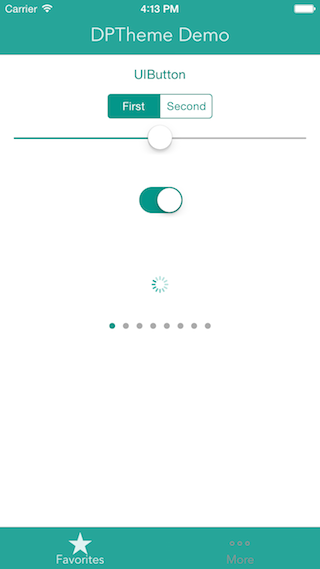
Import "DPTheme.swift" into your project.
Just one simple line of code inside 'didFinishLaunchingWithOptions':
letmainColor:UIColor=DPTheme.color(0x009688, alpha:1.0)letsecondColor:UIColor=DPTheme.color(0xE0F2F1, alpha:1.0)letfontName="Avenir"DPTheme.setupTheme(
mainColor,
secondaryColor: secondColor,
fontName: fontName,
lightStatusBar:true)
(Optional) Go to your Info.plist file and set value for key 'View controller-based status bar appearance' is 'NO' for the status bar to be set to light content.
You can custom color for each controls, for example:
DPTheme.customizeButton(UIColor.redColor())Email: baophan94@icloud.com. Website: https://www.dphans.me.