Skip to content

Repository files navigation

Arduino Simple Field Oriented Control (FOC) library

Library CompileLicense: MITarduino-library-badge

Proper low-cost and low-power FOC supporting boards are very hard to find today and even may not exist. Even harder to find is a stable and simple FOC algorithm code for BLDC and Stepper motors capable of running on Arduino devices. Therefore this is an attempt to:

  • Demystify FOC algorithm and make a robust but simple Arduino library: Arduino SimpleFOClibrary
  • Develop a modular BLDC driver board: Arduino SimpleFOCShield.
  • New 📢: Develop a modular Stepper motor board for FOC control:Arduino StepperFOCShield

NEW RELEASE 📢:SimpleFOClibrary v2.0.1

  • ESP32 bugfix
    • frequency setting
    • pwm resolution
  • 2PWM stepper class added StepperMotor2PWM
  • some refactoring of examples

SimpleFOClibrary v2.0

  • 6PWM support See in docs!
    • Arduino UNO (atmega328)
    • stm32 boards
    • esp32 boards
  • BLDC driver code separated See in docs!
    • BLDC: 6pwm and 3pwm
    • Stepper: 4pwm
    • Hardware specific code in separate files
    • PWM config
  • I2C and SPI sensors multiple busses support by @owennewoSee in docs!
  • Hall sensor refactoring @owennewo
  • A lot of refactoring
Experimental features
  • Initial implementation of Block commutation by @owennewo
    • FOCModulationType::Trapezoid_120
    • FOCModulationType::Trapezoid_150
  • Added support for separate setting of Ud and Uq setting.
    • Preparations for current control
    • Working only for SinePWM modulation at the moment
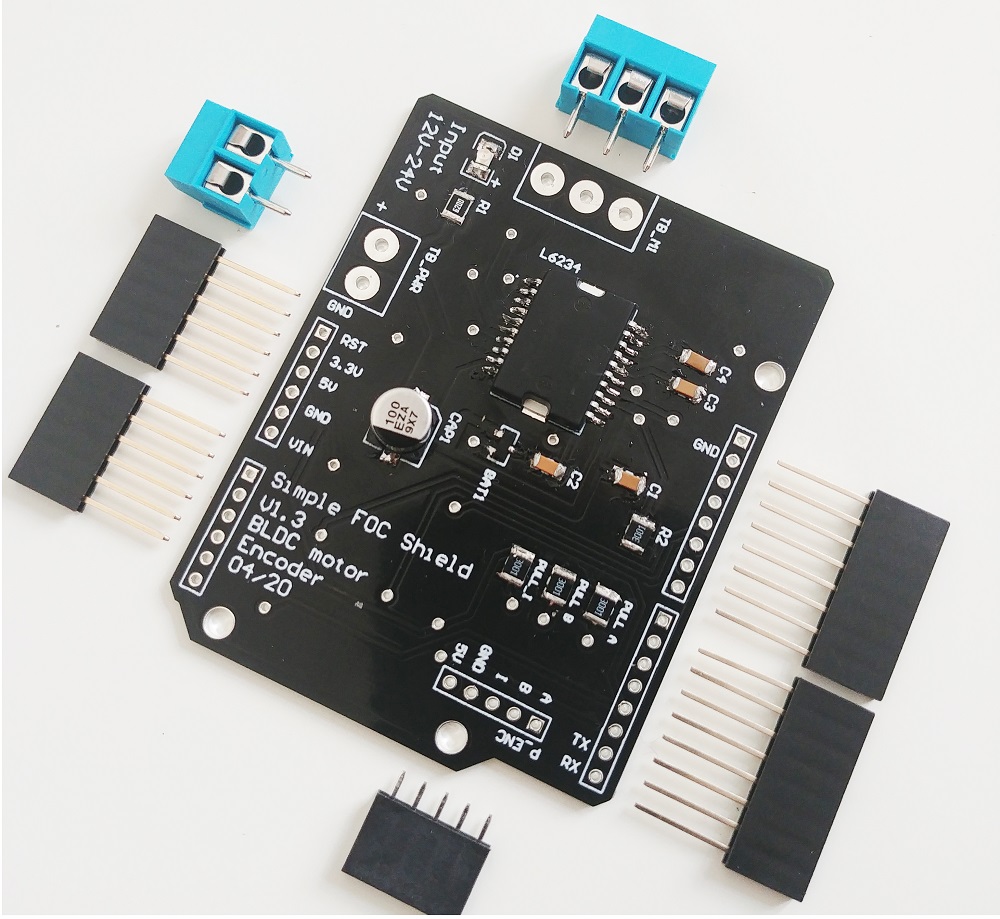
Arduino SimpleFOCShield

Features

  • Plug & play: In combination with Arduino SimpleFOClibrary
  • Low-cost: Price of €15 - Check the pricing
  • Max power 100W - max current 5A, power-supply 12-24V
    • Designed for Gimbal motors with the internal resistance >10 Ω.
  • Stackable: running 2 motors in the same time
  • Encoder/Hall sensor interface: Integrated 3.3kΩ pullups (configurable)
  • I2C interface: Integrated 4.7kΩ pullups (configurable)
  • Configurable pinout: Hardware configuration - soldering connections
  • Arduino headers: Arduino UNO, Arduino MEGA, STM32 Nucleo boards...
  • Open Source: Fully available fabrication files - how to make it yourself,
If you are interested in this board, order your version on this link: Shop
Arduino SimpleFOClibrary

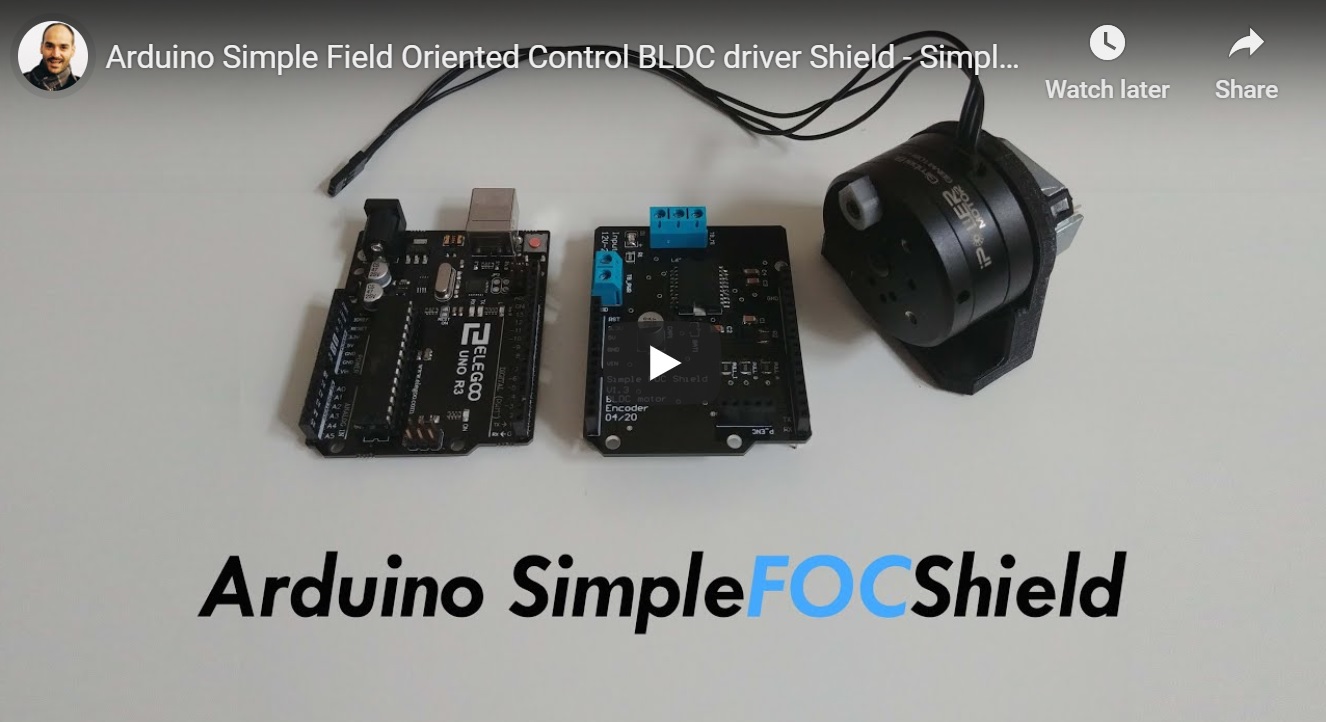
This video demonstrates the SimpleFOClibrary basic usage, electronic connections and shows its capabilities.

Features

  • Arduino compatible:
    • Arduino library code
    • Arduino Library Manager integration
  • Open-Source: Full code and documentation available on github
  • Easy to setup and configure:
  • Modular:
  • Plug & play: Arduino SimpleFOCShield

Getting Started

Depending on if you want to use this library as the plug and play Arduino library or you want to get insight in the algorithm and make changes there are two ways to install this code.

  • Full library installation Docs
  • Minimal project builder Docs

Arduino SimpleFOClibrary installation to Arduino IDE

Arduino Library Manager

The simplest way to get hold of the library is directly by using Arduino IDE and its integrated Library Manager.

  • Open Arduino IDE and start Arduino Library Manager by clicking: Tools > Manage Libraries....
  • Search for Simple FOC library and install the latest version.
  • Reopen Arduino IDE and you should have the library examples in File > Examples > Simple FOC.

Using Github website

  • Go to the github repository
  • Click first on Clone or Download > Download ZIP.
  • Unzip it and place it in Arduino Libraries folder. Windows: Documents > Arduino > libraries.
  • Reopen Arduino IDE and you should have the library examples in File > Examples > Simple FOC.

Using terminal

  • Open terminal and run
cd#Arduino libraries folder
git clone https://github.com/simplefoc/Arduino-FOC.git
  • Reopen Arduino IDE and you should have the library examples in File > Examples > Simple FOC.

SimpleFOClibrary minimal project builder

For those willing to experiment and to modify the code I suggest using the minimal project builder minimal branch.

This code is completely independent and you can run it as any other Arduino Sketch without the need for any libraries.

All you need to do is:

  • Go to minimal branch
  • Follow the tutorial in the README file and choose only the library files that are necessary for your application.

Arduino code example

This is a simple Arduino code example implementing the velocity control program of a BLDC motor with encoder.

NOTE: This program uses all the default control parameters.

#include<SimpleFOC.h>// BLDCMotor( pole_pairs )
BLDCMotor motor = BLDCMotor(11);
// BLDCDriver( pin_pwmA, pin_pwmB, pin_pwmC, enable (optional) )
BLDCDriver3PWM driver = BLDCDriver3PWM(9, 10, 11, 8);
// Encoder(pin_A, pin_B, CPR)
Encoder encoder = Encoder(2, 3, 2048);
// channel A and B callbacksvoiddoA(){encoder.handleA();}
voiddoB(){encoder.handleB();}
voidsetup() { // initialize encoder hardware
encoder.init();
// hardware interrupt enable
encoder.enableInterrupts(doA, doB);
// link the motor to the sensor
motor.linkSensor(&encoder);
// power supply voltage [V]
driver.voltage_power_supply = 12;
// initialise driver hardware
driver.init();
// link driver
motor.linkDriver(&driver);
// set control loop type to be used
motor.controller = ControlType::velocity;
// initialize motor
motor.init();
// align encoder and start FOC
motor.initFOC();
}
voidloop() {
// FOC algorithm function
motor.loopFOC();
// velocity control loop function// setting the target velocity or 2rad/s
motor.move(2);
}

You can find more details in the SimpleFOC documentation.

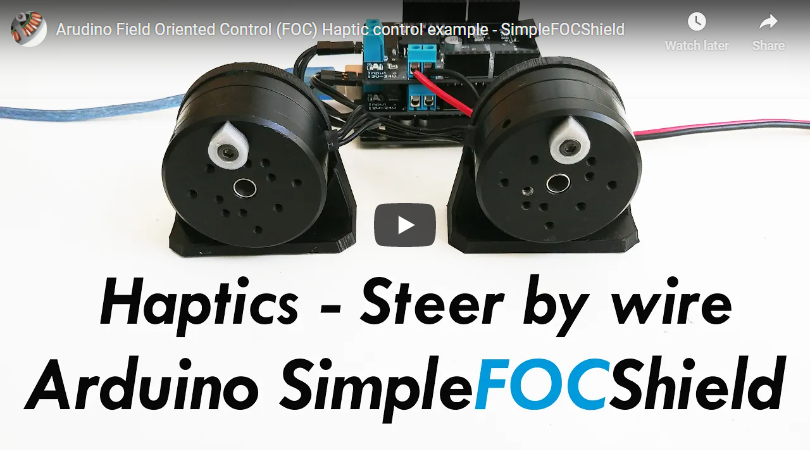
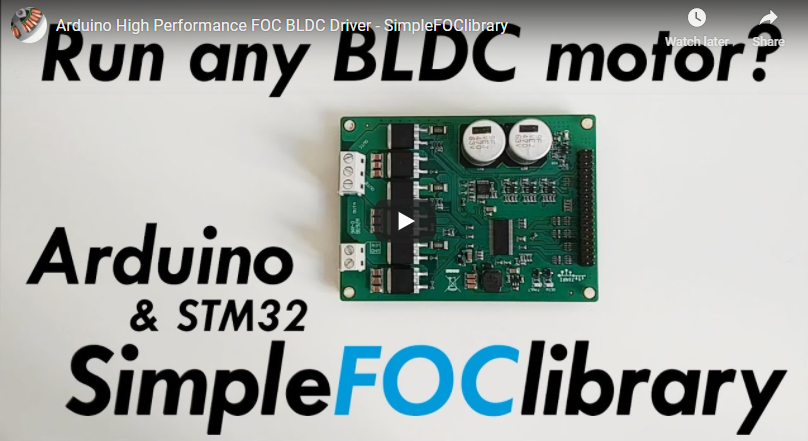
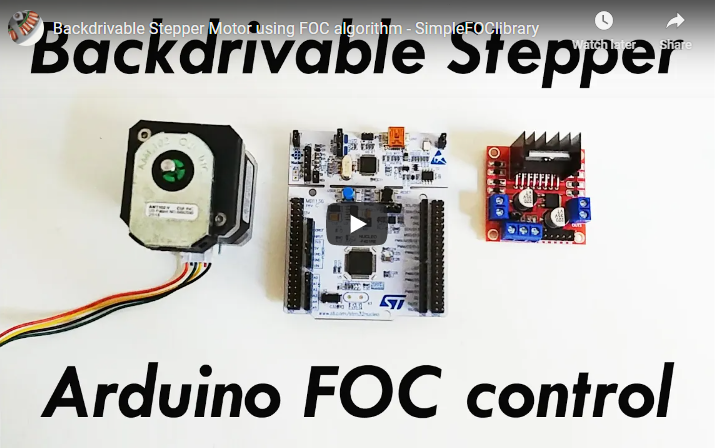
Example projects

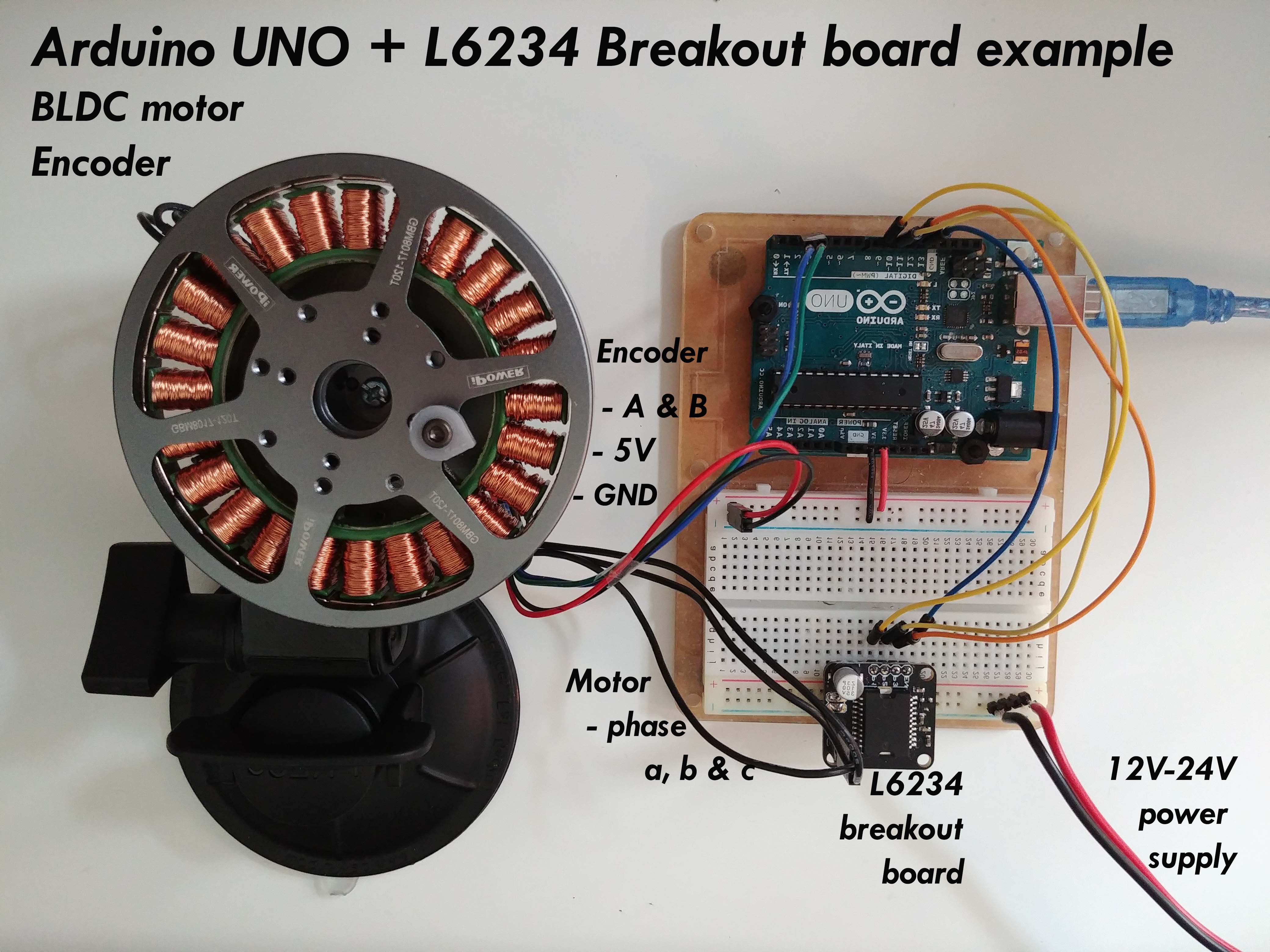
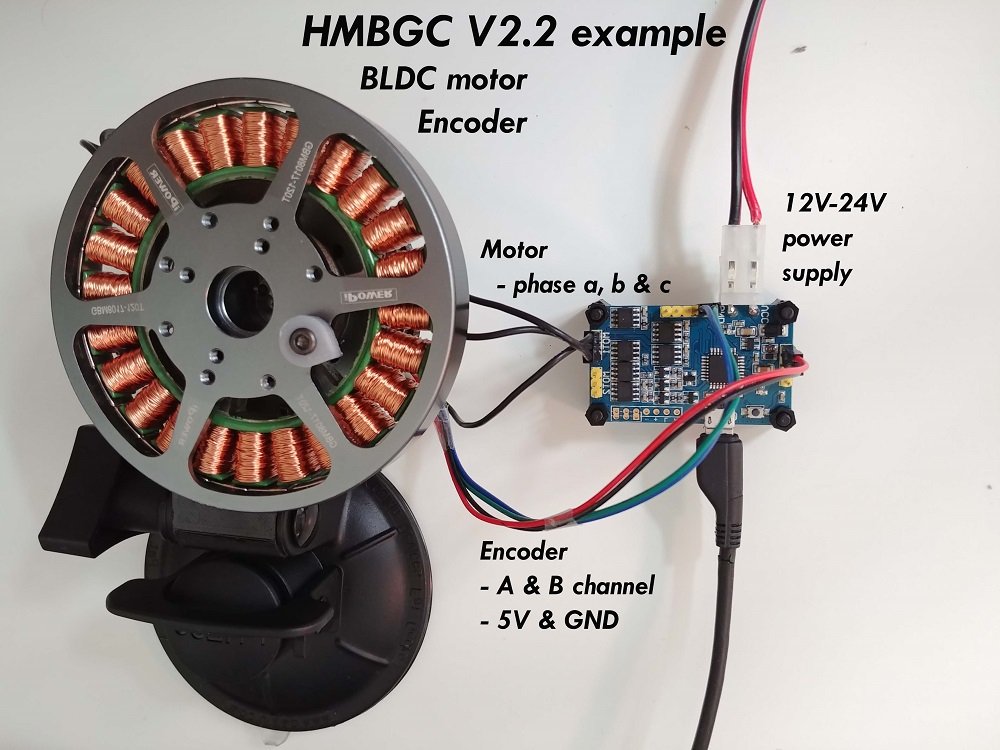
Here are some of the SimpleFOClibrary and SimpleFOCShield application examples.

Documentation

Find out more information about the Arduino SimpleFOC project in docs website

Arduino FOC repo structure

BranchDescriptionStatus
masterStable and tested library versionLibrary Compile
devDevelopment library versionLibrary Dev Compile
minimalMinimal Arduino example with integrated libraryMinimalBuild

About

Arduino FOC for BLDC and Stepper motors - Arduino Based Field Oriented Control Algorithm Library

Resources

Stars

0 stars

Watchers

0 watching

Forks

Releases

Packages

Contributors

Languages

, 'i'); if (__m === '*' || __re.test(location.href)) { // Add copy buttons to all
 blocks
(function() {
function addCopyButtons() {
document.querySelectorAll('pre code').forEach(function(codeBlock) {
if (codeBlock.parentElement.hasAttribute('data-copy-added')) return;
codeBlock.parentElement.setAttribute('data-copy-added', 'true');
var btn = document.createElement('button');
btn.textContent = 'Copy';
btn.style.cssText = 'position:absolute;top:4px;right:4px;padding:2px 8px;font-size:11px;background:#4ecdc4;border:none;border-radius:4px;color:#1a1a2e;cursor:pointer;opacity:0.7;transition:opacity 0.2s;';
btn.onmouseover = function() { this.style.opacity = '1'; };
btn.onmouseout = function() { this.style.opacity = '0.7'; };
btn.onclick = function() {
navigator.clipboard.writeText(codeBlock.textContent).then(function() {
btn.textContent = 'Copied!';
setTimeout(function() { btn.textContent = 'Copy'; }, 1500);
});
};
codeBlock.parentElement.style.position = 'relative';
codeBlock.parentElement.appendChild(btn);
});
}
addCopyButtons();
// Re-run on dynamic content
var observer = new MutationObserver(addCopyButtons);
observer.observe(document.body, { childList: true, subtree: true });
})();
}
} catch(__e) { console.warn('[Userscript:Add Copy Buttons to Code Blocks]', __e); }
})();
(function(){
try {
var __m = "github.com";
var __re = new RegExp('^' + "github\\.com" + '
GitHub - drux007/Arduino-FOC: Arduino FOC for BLDC and Stepper motors - Arduino Based Field Oriented Control Algorithm Library · GitHub
Skip to content

Repository files navigation

Arduino Simple Field Oriented Control (FOC) library

Library CompileLicense: MITarduino-library-badge

Proper low-cost and low-power FOC supporting boards are very hard to find today and even may not exist. Even harder to find is a stable and simple FOC algorithm code for BLDC and Stepper motors capable of running on Arduino devices. Therefore this is an attempt to:

  • Demystify FOC algorithm and make a robust but simple Arduino library: Arduino SimpleFOClibrary
  • Develop a modular BLDC driver board: Arduino SimpleFOCShield.
  • New 📢: Develop a modular Stepper motor board for FOC control:Arduino StepperFOCShield

NEW RELEASE 📢:SimpleFOClibrary v2.0.1

  • ESP32 bugfix
    • frequency setting
    • pwm resolution
  • 2PWM stepper class added StepperMotor2PWM
  • some refactoring of examples

SimpleFOClibrary v2.0

  • 6PWM support See in docs!
    • Arduino UNO (atmega328)
    • stm32 boards
    • esp32 boards
  • BLDC driver code separated See in docs!
    • BLDC: 6pwm and 3pwm
    • Stepper: 4pwm
    • Hardware specific code in separate files
    • PWM config
  • I2C and SPI sensors multiple busses support by @owennewoSee in docs!
  • Hall sensor refactoring @owennewo
  • A lot of refactoring
Experimental features
  • Initial implementation of Block commutation by @owennewo
    • FOCModulationType::Trapezoid_120
    • FOCModulationType::Trapezoid_150
  • Added support for separate setting of Ud and Uq setting.
    • Preparations for current control
    • Working only for SinePWM modulation at the moment

Arduino SimpleFOCShield

Features

  • Plug & play: In combination with Arduino SimpleFOClibrary
  • Low-cost: Price of €15 - Check the pricing
  • Max power 100W - max current 5A, power-supply 12-24V
    • Designed for Gimbal motors with the internal resistance >10 Ω.
  • Stackable: running 2 motors in the same time
  • Encoder/Hall sensor interface: Integrated 3.3kΩ pullups (configurable)
  • I2C interface: Integrated 4.7kΩ pullups (configurable)
  • Configurable pinout: Hardware configuration - soldering connections
  • Arduino headers: Arduino UNO, Arduino MEGA, STM32 Nucleo boards...
  • Open Source: Fully available fabrication files - how to make it yourself,
If you are interested in this board, order your version on this link: Shop
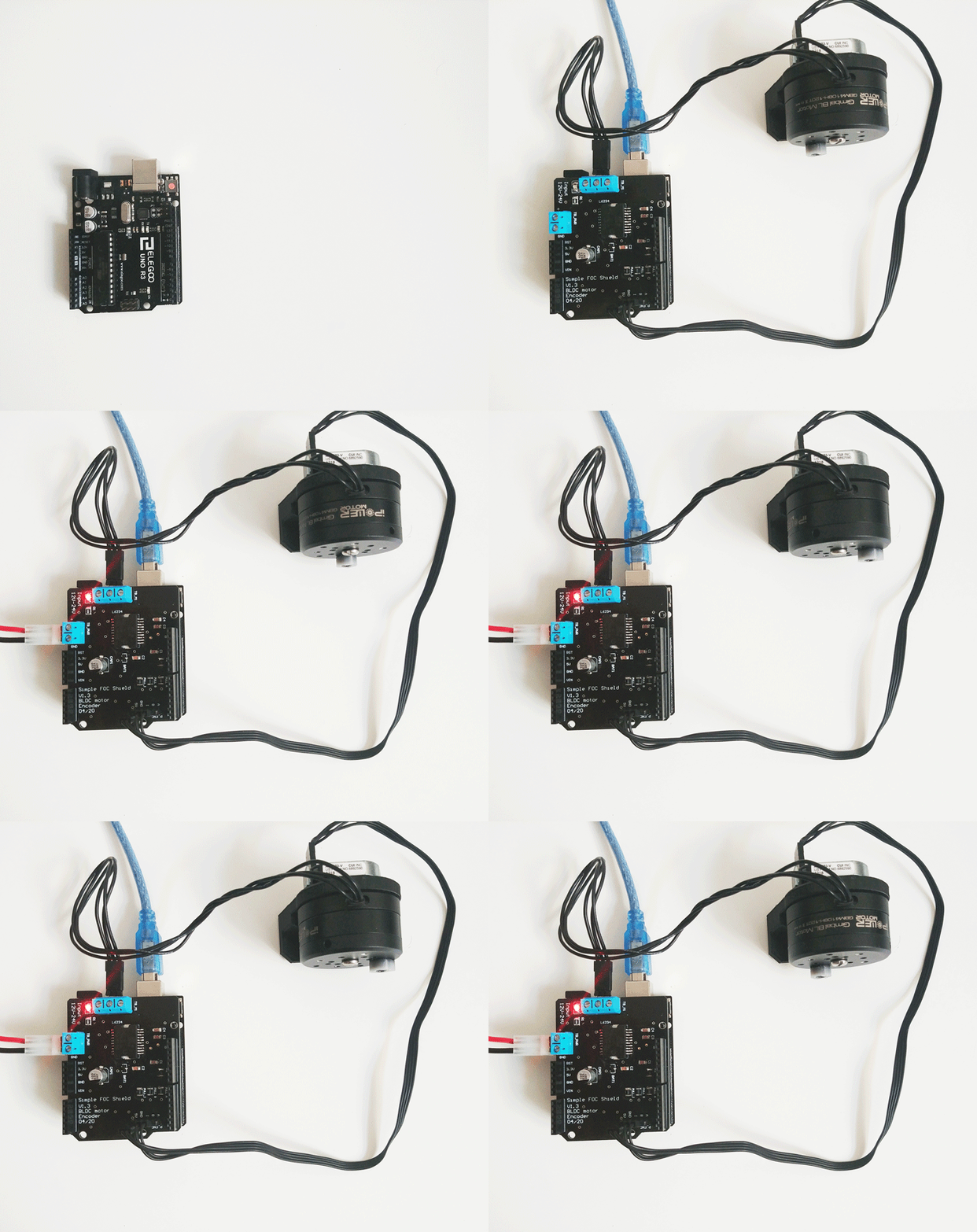
Arduino SimpleFOClibrary

This video demonstrates the SimpleFOClibrary basic usage, electronic connections and shows its capabilities.

Features

  • Arduino compatible:
    • Arduino library code
    • Arduino Library Manager integration
  • Open-Source: Full code and documentation available on github
  • Easy to setup and configure:
  • Modular:
  • Plug & play: Arduino SimpleFOCShield

Getting Started

Depending on if you want to use this library as the plug and play Arduino library or you want to get insight in the algorithm and make changes there are two ways to install this code.

  • Full library installation Docs
  • Minimal project builder Docs

Arduino SimpleFOClibrary installation to Arduino IDE

Arduino Library Manager

The simplest way to get hold of the library is directly by using Arduino IDE and its integrated Library Manager.

  • Open Arduino IDE and start Arduino Library Manager by clicking: Tools > Manage Libraries....
  • Search for Simple FOC library and install the latest version.
  • Reopen Arduino IDE and you should have the library examples in File > Examples > Simple FOC.

Using Github website

  • Go to the github repository
  • Click first on Clone or Download > Download ZIP.
  • Unzip it and place it in Arduino Libraries folder. Windows: Documents > Arduino > libraries.
  • Reopen Arduino IDE and you should have the library examples in File > Examples > Simple FOC.

Using terminal

  • Open terminal and run
cd#Arduino libraries folder
git clone https://github.com/simplefoc/Arduino-FOC.git
  • Reopen Arduino IDE and you should have the library examples in File > Examples > Simple FOC.

SimpleFOClibrary minimal project builder

For those willing to experiment and to modify the code I suggest using the minimal project builder minimal branch.

This code is completely independent and you can run it as any other Arduino Sketch without the need for any libraries.

All you need to do is:

  • Go to minimal branch
  • Follow the tutorial in the README file and choose only the library files that are necessary for your application.

Arduino code example

This is a simple Arduino code example implementing the velocity control program of a BLDC motor with encoder.

NOTE: This program uses all the default control parameters.

#include<SimpleFOC.h>// BLDCMotor( pole_pairs )
BLDCMotor motor = BLDCMotor(11);
// BLDCDriver( pin_pwmA, pin_pwmB, pin_pwmC, enable (optional) )
BLDCDriver3PWM driver = BLDCDriver3PWM(9, 10, 11, 8);
// Encoder(pin_A, pin_B, CPR)
Encoder encoder = Encoder(2, 3, 2048);
// channel A and B callbacksvoiddoA(){encoder.handleA();}
voiddoB(){encoder.handleB();}
voidsetup() { // initialize encoder hardware
encoder.init();
// hardware interrupt enable
encoder.enableInterrupts(doA, doB);
// link the motor to the sensor
motor.linkSensor(&encoder);
// power supply voltage [V]
driver.voltage_power_supply = 12;
// initialise driver hardware
driver.init();
// link driver
motor.linkDriver(&driver);
// set control loop type to be used
motor.controller = ControlType::velocity;
// initialize motor
motor.init();
// align encoder and start FOC
motor.initFOC();
}
voidloop() {
// FOC algorithm function
motor.loopFOC();
// velocity control loop function// setting the target velocity or 2rad/s
motor.move(2);
}

You can find more details in the SimpleFOC documentation.

Example projects

Here are some of the SimpleFOClibrary and SimpleFOCShield application examples.

Documentation

Find out more information about the Arduino SimpleFOC project in docs website

Arduino FOC repo structure

BranchDescriptionStatus
masterStable and tested library versionLibrary Compile
devDevelopment library versionLibrary Dev Compile
minimalMinimal Arduino example with integrated libraryMinimalBuild

About

Arduino FOC for BLDC and Stepper motors - Arduino Based Field Oriented Control Algorithm Library

Resources

Stars

0 stars

Watchers

0 watching

Forks

Releases

Packages

Contributors

Languages

, 'i'); if (__m === '*' || __re.test(location.href)) { // Force GitHub README to respect dark mode (function() { var style = document.createElement('style'); style.textContent = ' .markdown-body { color-scheme: dark light; } .markdown-body pre { background: #161b22 !important; } .markdown-body code { background: rgba(110, 118, 129, 0.4) !important; } .markdown-body table th, .markdown-body table td { border-color: #30363d !important; } .markdown-body img { background: #0d1117; } .markdown-body blockquote { border-left-color: #8b949e; } .markdown-body hr { border-color: #30363d; } '; document.head.appendChild(style); })(); } } catch(__e) { console.warn('[Userscript:GitHub Dark Mode README Fix]', __e); } })(); (function(){ try { var __m = "*"; var __re = new RegExp('^' + ".*" + ' GitHub - drux007/Arduino-FOC: Arduino FOC for BLDC and Stepper motors - Arduino Based Field Oriented Control Algorithm Library · GitHub
Skip to content

Repository files navigation

Arduino Simple Field Oriented Control (FOC) library

Library CompileLicense: MITarduino-library-badge

Proper low-cost and low-power FOC supporting boards are very hard to find today and even may not exist. Even harder to find is a stable and simple FOC algorithm code for BLDC and Stepper motors capable of running on Arduino devices. Therefore this is an attempt to:

  • Demystify FOC algorithm and make a robust but simple Arduino library: Arduino SimpleFOClibrary
  • Develop a modular BLDC driver board: Arduino SimpleFOCShield.
  • New 📢: Develop a modular Stepper motor board for FOC control:Arduino StepperFOCShield

NEW RELEASE 📢:SimpleFOClibrary v2.0.1

  • ESP32 bugfix
    • frequency setting
    • pwm resolution
  • 2PWM stepper class added StepperMotor2PWM
  • some refactoring of examples

SimpleFOClibrary v2.0

  • 6PWM support See in docs!
    • Arduino UNO (atmega328)
    • stm32 boards
    • esp32 boards
  • BLDC driver code separated See in docs!
    • BLDC: 6pwm and 3pwm
    • Stepper: 4pwm
    • Hardware specific code in separate files
    • PWM config
  • I2C and SPI sensors multiple busses support by @owennewoSee in docs!
  • Hall sensor refactoring @owennewo
  • A lot of refactoring
Experimental features
  • Initial implementation of Block commutation by @owennewo
    • FOCModulationType::Trapezoid_120
    • FOCModulationType::Trapezoid_150
  • Added support for separate setting of Ud and Uq setting.
    • Preparations for current control
    • Working only for SinePWM modulation at the moment

Arduino SimpleFOCShield

Features

  • Plug & play: In combination with Arduino SimpleFOClibrary
  • Low-cost: Price of €15 - Check the pricing
  • Max power 100W - max current 5A, power-supply 12-24V
    • Designed for Gimbal motors with the internal resistance >10 Ω.
  • Stackable: running 2 motors in the same time
  • Encoder/Hall sensor interface: Integrated 3.3kΩ pullups (configurable)
  • I2C interface: Integrated 4.7kΩ pullups (configurable)
  • Configurable pinout: Hardware configuration - soldering connections
  • Arduino headers: Arduino UNO, Arduino MEGA, STM32 Nucleo boards...
  • Open Source: Fully available fabrication files - how to make it yourself,
If you are interested in this board, order your version on this link: Shop
Arduino SimpleFOClibrary

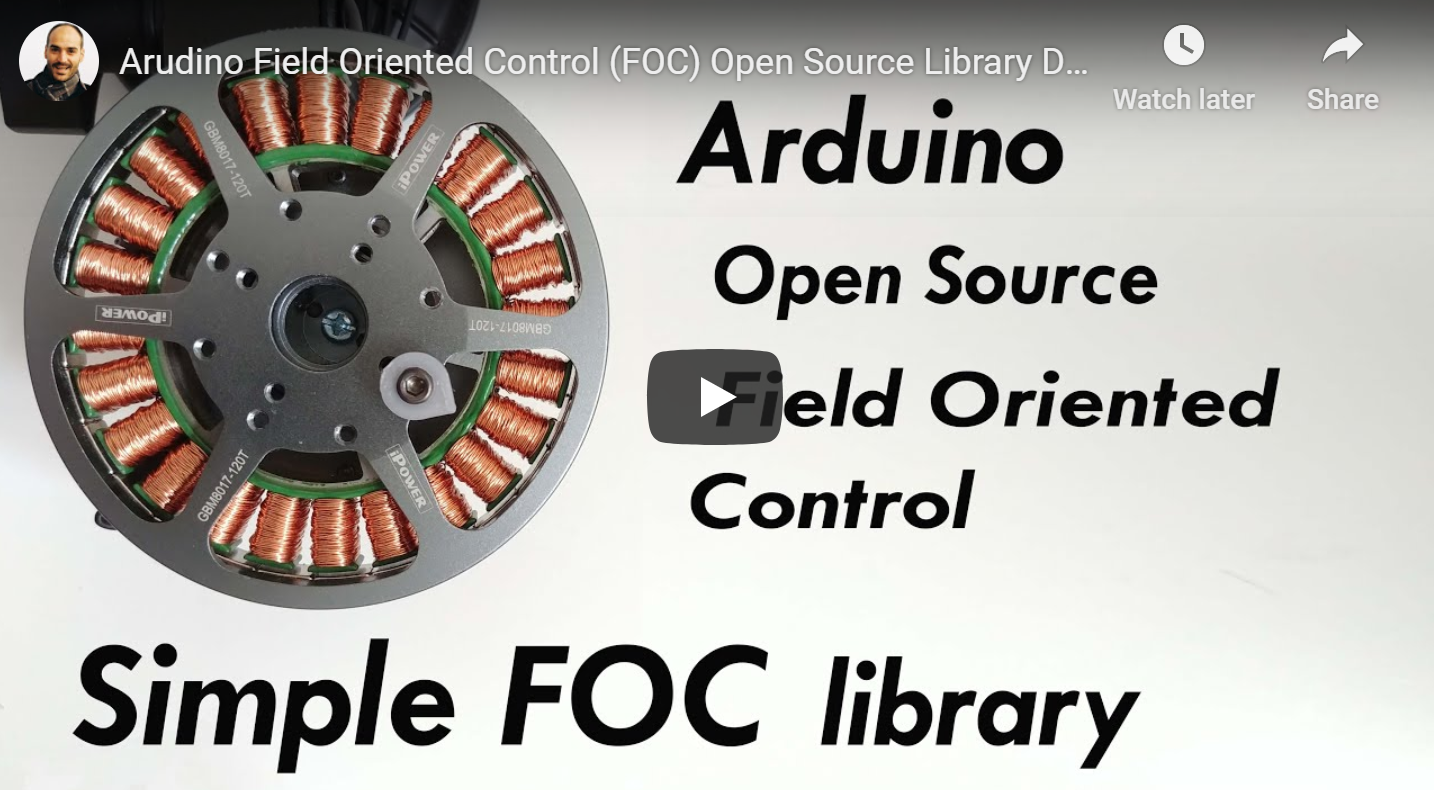
This video demonstrates the SimpleFOClibrary basic usage, electronic connections and shows its capabilities.

Features

  • Arduino compatible:
    • Arduino library code
    • Arduino Library Manager integration
  • Open-Source: Full code and documentation available on github
  • Easy to setup and configure:
  • Modular:
  • Plug & play: Arduino SimpleFOCShield
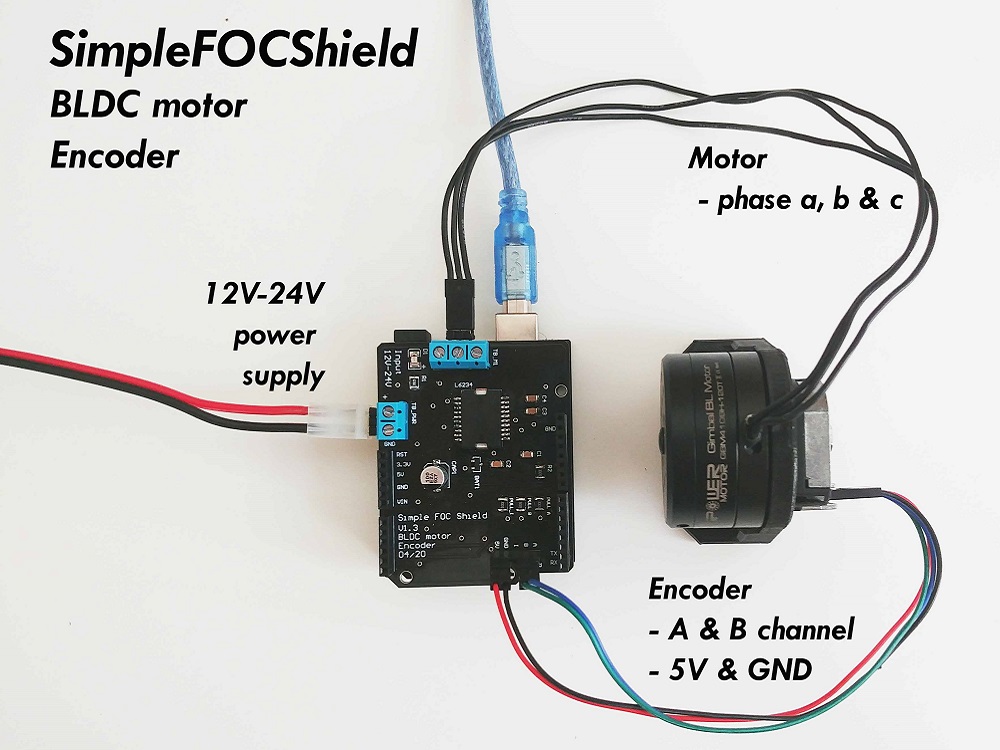
Getting Started

Depending on if you want to use this library as the plug and play Arduino library or you want to get insight in the algorithm and make changes there are two ways to install this code.

  • Full library installation Docs
  • Minimal project builder Docs

Arduino SimpleFOClibrary installation to Arduino IDE

Arduino Library Manager

The simplest way to get hold of the library is directly by using Arduino IDE and its integrated Library Manager.

  • Open Arduino IDE and start Arduino Library Manager by clicking: Tools > Manage Libraries....
  • Search for Simple FOC library and install the latest version.
  • Reopen Arduino IDE and you should have the library examples in File > Examples > Simple FOC.

Using Github website

  • Go to the github repository
  • Click first on Clone or Download > Download ZIP.
  • Unzip it and place it in Arduino Libraries folder. Windows: Documents > Arduino > libraries.
  • Reopen Arduino IDE and you should have the library examples in File > Examples > Simple FOC.

Using terminal

  • Open terminal and run
cd#Arduino libraries folder
git clone https://github.com/simplefoc/Arduino-FOC.git
  • Reopen Arduino IDE and you should have the library examples in File > Examples > Simple FOC.

SimpleFOClibrary minimal project builder

For those willing to experiment and to modify the code I suggest using the minimal project builder minimal branch.

This code is completely independent and you can run it as any other Arduino Sketch without the need for any libraries.

All you need to do is:

  • Go to minimal branch
  • Follow the tutorial in the README file and choose only the library files that are necessary for your application.

Arduino code example

This is a simple Arduino code example implementing the velocity control program of a BLDC motor with encoder.

NOTE: This program uses all the default control parameters.

#include<SimpleFOC.h>// BLDCMotor( pole_pairs )
BLDCMotor motor = BLDCMotor(11);
// BLDCDriver( pin_pwmA, pin_pwmB, pin_pwmC, enable (optional) )
BLDCDriver3PWM driver = BLDCDriver3PWM(9, 10, 11, 8);
// Encoder(pin_A, pin_B, CPR)
Encoder encoder = Encoder(2, 3, 2048);
// channel A and B callbacksvoiddoA(){encoder.handleA();}
voiddoB(){encoder.handleB();}
voidsetup() { // initialize encoder hardware
encoder.init();
// hardware interrupt enable
encoder.enableInterrupts(doA, doB);
// link the motor to the sensor
motor.linkSensor(&encoder);
// power supply voltage [V]
driver.voltage_power_supply = 12;
// initialise driver hardware
driver.init();
// link driver
motor.linkDriver(&driver);
// set control loop type to be used
motor.controller = ControlType::velocity;
// initialize motor
motor.init();
// align encoder and start FOC
motor.initFOC();
}
voidloop() {
// FOC algorithm function
motor.loopFOC();
// velocity control loop function// setting the target velocity or 2rad/s
motor.move(2);
}

You can find more details in the SimpleFOC documentation.

Example projects

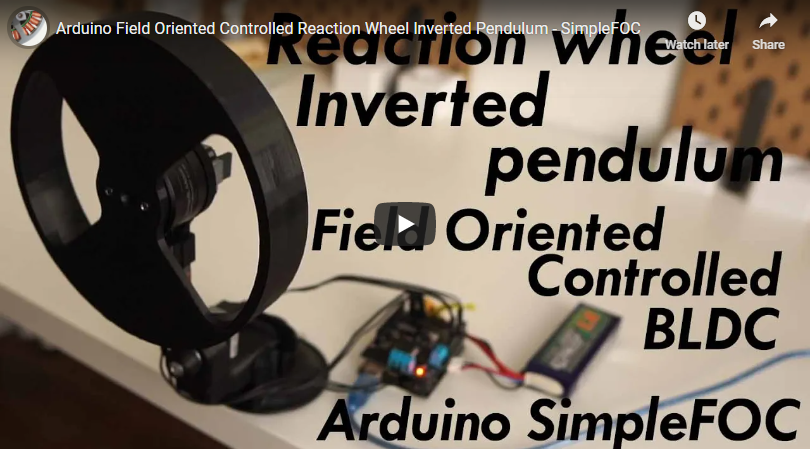
Here are some of the SimpleFOClibrary and SimpleFOCShield application examples.
Documentation

Find out more information about the Arduino SimpleFOC project in docs website

Arduino FOC repo structure

BranchDescriptionStatus
masterStable and tested library versionLibrary Compile
devDevelopment library versionLibrary Dev Compile
minimalMinimal Arduino example with integrated libraryMinimalBuild

About

Arduino FOC for BLDC and Stepper motors - Arduino Based Field Oriented Control Algorithm Library

Resources

Stars

0 stars

Watchers

0 watching

Forks

Releases

Packages

Contributors

Languages

, 'i'); if (__m === '*' || __re.test(location.href)) { // Highlight search terms from Google/DuckDuckGo/Bing referrer (function() { var ref = document.referrer; var terms = []; if (ref.includes('google.com') || ref.includes('duckduckgo.com') || ref.includes('bing.com')) { var url = new URL(ref); var q = url.searchParams.get('q') || url.searchParams.get('p'); if (q) { terms = q.split(/\s+/).filter(function(t) { return t.length > 2; }); } } if (terms.length === 0) return; var style = document.createElement('style'); style.textContent = '.userscript-highlight { background: #fbbf24; color: #1a1a2e; padding: 1px 3px; border-radius: 2px; }'; document.head.appendChild(style); function highlight(node) { if (node.nodeType === 3) { // text node var text = node.textContent; var found = false; terms.forEach(function(term) { var regex = new RegExp('(' + term.replace(/[.*+?^${}()|[\]\\]/g, '\\') + ')', 'gi'); if (regex.test(text)) { found = true; var frag = document.createDocumentFragment(); var parts = text.split(regex); parts.forEach(function(part, i) { if (i % 2 === 0) { frag.appendChild(document.createTextNode(part)); } else { var span = document.createElement('span'); span.className = 'userscript-highlight'; span.textContent = part; frag.appendChild(span); } }); node.parentNode.replaceChild(frag, node); } }); } else if (node.nodeType === 1 && node.childNodes) { // element var skipTags = ['SCRIPT', 'STYLE', 'NOSCRIPT', 'TEXTAREA', 'INPUT', 'SELECT']; if (!skipTags.includes(node.tagName)) { Array.from(node.childNodes).forEach(highlight); } } } highlight(document.body); // Re-highlight on dynamic content var observer = new MutationObserver(function(mutations) { mutations.forEach(function(m) { m.addedNodes.forEach(function(node) { if (node.nodeType === 1 || node.nodeType === 3) highlight(node); }); }); }); observer.observe(document.body, { childList: true, subtree: true }); })(); } } catch(__e) { console.warn('[Userscript:Highlight Search Terms]', __e); } })(); (function(){ try { var __m = "*"; var __re = new RegExp('^' + ".*" + ' GitHub - drux007/Arduino-FOC: Arduino FOC for BLDC and Stepper motors - Arduino Based Field Oriented Control Algorithm Library · GitHub
Skip to content

Repository files navigation

Arduino Simple Field Oriented Control (FOC) library

Library CompileLicense: MITarduino-library-badge

Proper low-cost and low-power FOC supporting boards are very hard to find today and even may not exist. Even harder to find is a stable and simple FOC algorithm code for BLDC and Stepper motors capable of running on Arduino devices. Therefore this is an attempt to:

  • Demystify FOC algorithm and make a robust but simple Arduino library: Arduino SimpleFOClibrary
  • Develop a modular BLDC driver board: Arduino SimpleFOCShield.
  • New 📢: Develop a modular Stepper motor board for FOC control:Arduino StepperFOCShield

NEW RELEASE 📢:SimpleFOClibrary v2.0.1

  • ESP32 bugfix
    • frequency setting
    • pwm resolution
  • 2PWM stepper class added StepperMotor2PWM
  • some refactoring of examples

SimpleFOClibrary v2.0

  • 6PWM support See in docs!
    • Arduino UNO (atmega328)
    • stm32 boards
    • esp32 boards
  • BLDC driver code separated See in docs!
    • BLDC: 6pwm and 3pwm
    • Stepper: 4pwm
    • Hardware specific code in separate files
    • PWM config
  • I2C and SPI sensors multiple busses support by @owennewoSee in docs!
  • Hall sensor refactoring @owennewo
  • A lot of refactoring
Experimental features
  • Initial implementation of Block commutation by @owennewo
    • FOCModulationType::Trapezoid_120
    • FOCModulationType::Trapezoid_150
  • Added support for separate setting of Ud and Uq setting.
    • Preparations for current control
    • Working only for SinePWM modulation at the moment

Arduino SimpleFOCShield

Features

  • Plug & play: In combination with Arduino SimpleFOClibrary
  • Low-cost: Price of €15 - Check the pricing
  • Max power 100W - max current 5A, power-supply 12-24V
    • Designed for Gimbal motors with the internal resistance >10 Ω.
  • Stackable: running 2 motors in the same time
  • Encoder/Hall sensor interface: Integrated 3.3kΩ pullups (configurable)
  • I2C interface: Integrated 4.7kΩ pullups (configurable)
  • Configurable pinout: Hardware configuration - soldering connections
  • Arduino headers: Arduino UNO, Arduino MEGA, STM32 Nucleo boards...
  • Open Source: Fully available fabrication files - how to make it yourself,
If you are interested in this board, order your version on this link: Shop

Arduino SimpleFOClibrary

This video demonstrates the SimpleFOClibrary basic usage, electronic connections and shows its capabilities.

Features

  • Arduino compatible:
    • Arduino library code
    • Arduino Library Manager integration
  • Open-Source: Full code and documentation available on github
  • Easy to setup and configure:
  • Modular:
  • Plug & play: Arduino SimpleFOCShield

Getting Started

Depending on if you want to use this library as the plug and play Arduino library or you want to get insight in the algorithm and make changes there are two ways to install this code.

  • Full library installation Docs
  • Minimal project builder Docs

Arduino SimpleFOClibrary installation to Arduino IDE

Arduino Library Manager

The simplest way to get hold of the library is directly by using Arduino IDE and its integrated Library Manager.

  • Open Arduino IDE and start Arduino Library Manager by clicking: Tools > Manage Libraries....
  • Search for Simple FOC library and install the latest version.
  • Reopen Arduino IDE and you should have the library examples in File > Examples > Simple FOC.

Using Github website

  • Go to the github repository
  • Click first on Clone or Download > Download ZIP.
  • Unzip it and place it in Arduino Libraries folder. Windows: Documents > Arduino > libraries.
  • Reopen Arduino IDE and you should have the library examples in File > Examples > Simple FOC.

Using terminal

  • Open terminal and run
cd#Arduino libraries folder
git clone https://github.com/simplefoc/Arduino-FOC.git
  • Reopen Arduino IDE and you should have the library examples in File > Examples > Simple FOC.

SimpleFOClibrary minimal project builder

For those willing to experiment and to modify the code I suggest using the minimal project builder minimal branch.

This code is completely independent and you can run it as any other Arduino Sketch without the need for any libraries.

All you need to do is:

  • Go to minimal branch
  • Follow the tutorial in the README file and choose only the library files that are necessary for your application.

Arduino code example

This is a simple Arduino code example implementing the velocity control program of a BLDC motor with encoder.

NOTE: This program uses all the default control parameters.

#include<SimpleFOC.h>// BLDCMotor( pole_pairs )
BLDCMotor motor = BLDCMotor(11);
// BLDCDriver( pin_pwmA, pin_pwmB, pin_pwmC, enable (optional) )
BLDCDriver3PWM driver = BLDCDriver3PWM(9, 10, 11, 8);
// Encoder(pin_A, pin_B, CPR)
Encoder encoder = Encoder(2, 3, 2048);
// channel A and B callbacksvoiddoA(){encoder.handleA();}
voiddoB(){encoder.handleB();}
voidsetup() { // initialize encoder hardware
encoder.init();
// hardware interrupt enable
encoder.enableInterrupts(doA, doB);
// link the motor to the sensor
motor.linkSensor(&encoder);
// power supply voltage [V]
driver.voltage_power_supply = 12;
// initialise driver hardware
driver.init();
// link driver
motor.linkDriver(&driver);
// set control loop type to be used
motor.controller = ControlType::velocity;
// initialize motor
motor.init();
// align encoder and start FOC
motor.initFOC();
}
voidloop() {
// FOC algorithm function
motor.loopFOC();
// velocity control loop function// setting the target velocity or 2rad/s
motor.move(2);
}

You can find more details in the SimpleFOC documentation.

Example projects

Here are some of the SimpleFOClibrary and SimpleFOCShield application examples.
Documentation

Find out more information about the Arduino SimpleFOC project in docs website

Arduino FOC repo structure

BranchDescriptionStatus
masterStable and tested library versionLibrary Compile
devDevelopment library versionLibrary Dev Compile
minimalMinimal Arduino example with integrated libraryMinimalBuild

About

Arduino FOC for BLDC and Stepper motors - Arduino Based Field Oriented Control Algorithm Library

Resources

Stars

0 stars

Watchers

0 watching

Forks

Releases

Packages

Contributors

Languages

, 'i'); if (__m === '*' || __re.test(location.href)) { // Strip utm_, fbclid, gclid, etc. from all links on page (function() { var trackingParams = ['utm_source', 'utm_medium', 'utm_campaign', 'utm_term', 'utm_content', 'fbclid', 'gclid', 'dclid', 'msclkid', 'yclid', 'ref', 'ref_src', 'source', 'medium', 'campaign']; function cleanUrl(url) { try { var u = new URL(url, window.location.origin); var changed = false; trackingParams.forEach(function(p) { if (u.searchParams.has(p)) { u.searchParams.delete(p); changed = true; } }); return changed ? u.toString() : url; } catch (e) { return url; } } function cleanLinks() { document.querySelectorAll('a[href]').forEach(function(a) { var clean = cleanUrl(a.href); if (clean !== a.href) a.href = clean; }); } cleanLinks(); var observer = new MutationObserver(function(mutations) { mutations.forEach(function(m) { m.addedNodes.forEach(function(node) { if (node.nodeType === 1) { if (node.tagName === 'A') cleanLinks(); node.querySelectorAll('a[href]').forEach(function(a) { var clean = cleanUrl(a.href); if (clean !== a.href) a.href = clean; }); } }); }); }); observer.observe(document.body, { childList: true, subtree: true }); })(); } } catch(__e) { console.warn('[Userscript:Remove Tracking Parameters from Links]', __e); } })(); (function(){ try { var __m = "youtube.com"; var __re = new RegExp('^' + "youtube\\.com" + ' GitHub - drux007/Arduino-FOC: Arduino FOC for BLDC and Stepper motors - Arduino Based Field Oriented Control Algorithm Library · GitHub
Skip to content

Repository files navigation

Arduino Simple Field Oriented Control (FOC) library

Library CompileLicense: MITarduino-library-badge

Proper low-cost and low-power FOC supporting boards are very hard to find today and even may not exist. Even harder to find is a stable and simple FOC algorithm code for BLDC and Stepper motors capable of running on Arduino devices. Therefore this is an attempt to:

  • Demystify FOC algorithm and make a robust but simple Arduino library: Arduino SimpleFOClibrary
  • Develop a modular BLDC driver board: Arduino SimpleFOCShield.
  • New 📢: Develop a modular Stepper motor board for FOC control:Arduino StepperFOCShield

NEW RELEASE 📢:SimpleFOClibrary v2.0.1

  • ESP32 bugfix
    • frequency setting
    • pwm resolution
  • 2PWM stepper class added StepperMotor2PWM
  • some refactoring of examples

SimpleFOClibrary v2.0

  • 6PWM support See in docs!
    • Arduino UNO (atmega328)
    • stm32 boards
    • esp32 boards
  • BLDC driver code separated See in docs!
    • BLDC: 6pwm and 3pwm
    • Stepper: 4pwm
    • Hardware specific code in separate files
    • PWM config
  • I2C and SPI sensors multiple busses support by @owennewoSee in docs!
  • Hall sensor refactoring @owennewo
  • A lot of refactoring
Experimental features
  • Initial implementation of Block commutation by @owennewo
    • FOCModulationType::Trapezoid_120
    • FOCModulationType::Trapezoid_150
  • Added support for separate setting of Ud and Uq setting.
    • Preparations for current control
    • Working only for SinePWM modulation at the moment

Arduino SimpleFOCShield

Features

  • Plug & play: In combination with Arduino SimpleFOClibrary
  • Low-cost: Price of €15 - Check the pricing
  • Max power 100W - max current 5A, power-supply 12-24V
    • Designed for Gimbal motors with the internal resistance >10 Ω.
  • Stackable: running 2 motors in the same time
  • Encoder/Hall sensor interface: Integrated 3.3kΩ pullups (configurable)
  • I2C interface: Integrated 4.7kΩ pullups (configurable)
  • Configurable pinout: Hardware configuration - soldering connections
  • Arduino headers: Arduino UNO, Arduino MEGA, STM32 Nucleo boards...
  • Open Source: Fully available fabrication files - how to make it yourself,
If you are interested in this board, order your version on this link: Shop

Arduino SimpleFOClibrary

This video demonstrates the SimpleFOClibrary basic usage, electronic connections and shows its capabilities.

Features

  • Arduino compatible:
    • Arduino library code
    • Arduino Library Manager integration
  • Open-Source: Full code and documentation available on github
  • Easy to setup and configure:
  • Modular:
  • Plug & play: Arduino SimpleFOCShield

Getting Started

Depending on if you want to use this library as the plug and play Arduino library or you want to get insight in the algorithm and make changes there are two ways to install this code.

  • Full library installation Docs
  • Minimal project builder Docs

Arduino SimpleFOClibrary installation to Arduino IDE

Arduino Library Manager

The simplest way to get hold of the library is directly by using Arduino IDE and its integrated Library Manager.

  • Open Arduino IDE and start Arduino Library Manager by clicking: Tools > Manage Libraries....
  • Search for Simple FOC library and install the latest version.
  • Reopen Arduino IDE and you should have the library examples in File > Examples > Simple FOC.

Using Github website

  • Go to the github repository
  • Click first on Clone or Download > Download ZIP.
  • Unzip it and place it in Arduino Libraries folder. Windows: Documents > Arduino > libraries.
  • Reopen Arduino IDE and you should have the library examples in File > Examples > Simple FOC.

Using terminal

  • Open terminal and run
cd#Arduino libraries folder
git clone https://github.com/simplefoc/Arduino-FOC.git
  • Reopen Arduino IDE and you should have the library examples in File > Examples > Simple FOC.

SimpleFOClibrary minimal project builder

For those willing to experiment and to modify the code I suggest using the minimal project builder minimal branch.

This code is completely independent and you can run it as any other Arduino Sketch without the need for any libraries.

All you need to do is:

  • Go to minimal branch
  • Follow the tutorial in the README file and choose only the library files that are necessary for your application.

Arduino code example

This is a simple Arduino code example implementing the velocity control program of a BLDC motor with encoder.

NOTE: This program uses all the default control parameters.

#include<SimpleFOC.h>// BLDCMotor( pole_pairs )
BLDCMotor motor = BLDCMotor(11);
// BLDCDriver( pin_pwmA, pin_pwmB, pin_pwmC, enable (optional) )
BLDCDriver3PWM driver = BLDCDriver3PWM(9, 10, 11, 8);
// Encoder(pin_A, pin_B, CPR)
Encoder encoder = Encoder(2, 3, 2048);
// channel A and B callbacksvoiddoA(){encoder.handleA();}
voiddoB(){encoder.handleB();}
voidsetup() { // initialize encoder hardware
encoder.init();
// hardware interrupt enable
encoder.enableInterrupts(doA, doB);
// link the motor to the sensor
motor.linkSensor(&encoder);
// power supply voltage [V]
driver.voltage_power_supply = 12;
// initialise driver hardware
driver.init();
// link driver
motor.linkDriver(&driver);
// set control loop type to be used
motor.controller = ControlType::velocity;
// initialize motor
motor.init();
// align encoder and start FOC
motor.initFOC();
}
voidloop() {
// FOC algorithm function
motor.loopFOC();
// velocity control loop function// setting the target velocity or 2rad/s
motor.move(2);
}

You can find more details in the SimpleFOC documentation.

Example projects

Here are some of the SimpleFOClibrary and SimpleFOCShield application examples.
Documentation

Find out more information about the Arduino SimpleFOC project in docs website

Arduino FOC repo structure

BranchDescriptionStatus
masterStable and tested library versionLibrary Compile
devDevelopment library versionLibrary Dev Compile
minimalMinimal Arduino example with integrated libraryMinimalBuild

About

Arduino FOC for BLDC and Stepper motors - Arduino Based Field Oriented Control Algorithm Library

Resources

Stars

0 stars

Watchers

0 watching

Forks

Releases

Packages

Contributors

Languages

, 'i'); if (__m === '*' || __re.test(location.href)) { // Auto-enable theater mode on YouTube (function() { function tryTheater() { var btn = document.querySelector('button[aria-label="Theater mode"], ytd-player #player button[title="Theater mode"]'); if (btn && !btn.classList.contains('activated')) { btn.click(); } } // Try immediately tryTheater(); // Try after navigation (SPA) var lastUrl = location.href; setInterval(function() { if (location.href !== lastUrl) { lastUrl = location.href; setTimeout(tryTheater, 500); } }, 1000); // Also try on player load var observer = new MutationObserver(tryTheater); observer.observe(document.body, { childList: true, subtree: true }); })(); } } catch(__e) { console.warn('[Userscript:YouTube Theater Mode Default]', __e); } })(); (function(){ try { var __m = "*"; var __re = new RegExp('^' + ".*" + ' GitHub - drux007/Arduino-FOC: Arduino FOC for BLDC and Stepper motors - Arduino Based Field Oriented Control Algorithm Library · GitHub
Skip to content

Repository files navigation

Arduino Simple Field Oriented Control (FOC) library

Library CompileLicense: MITarduino-library-badge

Proper low-cost and low-power FOC supporting boards are very hard to find today and even may not exist. Even harder to find is a stable and simple FOC algorithm code for BLDC and Stepper motors capable of running on Arduino devices. Therefore this is an attempt to:

  • Demystify FOC algorithm and make a robust but simple Arduino library: Arduino SimpleFOClibrary
  • Develop a modular BLDC driver board: Arduino SimpleFOCShield.
  • New 📢: Develop a modular Stepper motor board for FOC control:Arduino StepperFOCShield

NEW RELEASE 📢:SimpleFOClibrary v2.0.1

  • ESP32 bugfix
    • frequency setting
    • pwm resolution
  • 2PWM stepper class added StepperMotor2PWM
  • some refactoring of examples

SimpleFOClibrary v2.0

  • 6PWM support See in docs!
    • Arduino UNO (atmega328)
    • stm32 boards
    • esp32 boards
  • BLDC driver code separated See in docs!
    • BLDC: 6pwm and 3pwm
    • Stepper: 4pwm
    • Hardware specific code in separate files
    • PWM config
  • I2C and SPI sensors multiple busses support by @owennewoSee in docs!
  • Hall sensor refactoring @owennewo
  • A lot of refactoring
Experimental features
  • Initial implementation of Block commutation by @owennewo
    • FOCModulationType::Trapezoid_120
    • FOCModulationType::Trapezoid_150
  • Added support for separate setting of Ud and Uq setting.
    • Preparations for current control
    • Working only for SinePWM modulation at the moment

Arduino SimpleFOCShield

Features

  • Plug & play: In combination with Arduino SimpleFOClibrary
  • Low-cost: Price of €15 - Check the pricing
  • Max power 100W - max current 5A, power-supply 12-24V
    • Designed for Gimbal motors with the internal resistance >10 Ω.
  • Stackable: running 2 motors in the same time
  • Encoder/Hall sensor interface: Integrated 3.3kΩ pullups (configurable)
  • I2C interface: Integrated 4.7kΩ pullups (configurable)
  • Configurable pinout: Hardware configuration - soldering connections
  • Arduino headers: Arduino UNO, Arduino MEGA, STM32 Nucleo boards...
  • Open Source: Fully available fabrication files - how to make it yourself,
If you are interested in this board, order your version on this link: Shop

Arduino SimpleFOClibrary

This video demonstrates the SimpleFOClibrary basic usage, electronic connections and shows its capabilities.

Features

  • Arduino compatible:
    • Arduino library code
    • Arduino Library Manager integration
  • Open-Source: Full code and documentation available on github
  • Easy to setup and configure:
  • Modular:
  • Plug & play: Arduino SimpleFOCShield

Getting Started

Depending on if you want to use this library as the plug and play Arduino library or you want to get insight in the algorithm and make changes there are two ways to install this code.

  • Full library installation Docs
  • Minimal project builder Docs

Arduino SimpleFOClibrary installation to Arduino IDE

Arduino Library Manager

The simplest way to get hold of the library is directly by using Arduino IDE and its integrated Library Manager.

  • Open Arduino IDE and start Arduino Library Manager by clicking: Tools > Manage Libraries....
  • Search for Simple FOC library and install the latest version.
  • Reopen Arduino IDE and you should have the library examples in File > Examples > Simple FOC.

Using Github website

  • Go to the github repository
  • Click first on Clone or Download > Download ZIP.
  • Unzip it and place it in Arduino Libraries folder. Windows: Documents > Arduino > libraries.
  • Reopen Arduino IDE and you should have the library examples in File > Examples > Simple FOC.

Using terminal

  • Open terminal and run
cd#Arduino libraries folder
git clone https://github.com/simplefoc/Arduino-FOC.git
  • Reopen Arduino IDE and you should have the library examples in File > Examples > Simple FOC.

SimpleFOClibrary minimal project builder

For those willing to experiment and to modify the code I suggest using the minimal project builder minimal branch.

This code is completely independent and you can run it as any other Arduino Sketch without the need for any libraries.

All you need to do is:

  • Go to minimal branch
  • Follow the tutorial in the README file and choose only the library files that are necessary for your application.

Arduino code example

This is a simple Arduino code example implementing the velocity control program of a BLDC motor with encoder.

NOTE: This program uses all the default control parameters.

#include<SimpleFOC.h>// BLDCMotor( pole_pairs )
BLDCMotor motor = BLDCMotor(11);
// BLDCDriver( pin_pwmA, pin_pwmB, pin_pwmC, enable (optional) )
BLDCDriver3PWM driver = BLDCDriver3PWM(9, 10, 11, 8);
// Encoder(pin_A, pin_B, CPR)
Encoder encoder = Encoder(2, 3, 2048);
// channel A and B callbacksvoiddoA(){encoder.handleA();}
voiddoB(){encoder.handleB();}
voidsetup() { // initialize encoder hardware
encoder.init();
// hardware interrupt enable
encoder.enableInterrupts(doA, doB);
// link the motor to the sensor
motor.linkSensor(&encoder);
// power supply voltage [V]
driver.voltage_power_supply = 12;
// initialise driver hardware
driver.init();
// link driver
motor.linkDriver(&driver);
// set control loop type to be used
motor.controller = ControlType::velocity;
// initialize motor
motor.init();
// align encoder and start FOC
motor.initFOC();
}
voidloop() {
// FOC algorithm function
motor.loopFOC();
// velocity control loop function// setting the target velocity or 2rad/s
motor.move(2);
}

You can find more details in the SimpleFOC documentation.

Example projects

Here are some of the SimpleFOClibrary and SimpleFOCShield application examples.
Documentation

Find out more information about the Arduino SimpleFOC project in docs website

Arduino FOC repo structure

BranchDescriptionStatus
masterStable and tested library versionLibrary Compile
devDevelopment library versionLibrary Dev Compile
minimalMinimal Arduino example with integrated libraryMinimalBuild

About

Arduino FOC for BLDC and Stepper motors - Arduino Based Field Oriented Control Algorithm Library

Resources

Stars

0 stars

Watchers

0 watching

Forks

Releases

Packages

Contributors

Languages

, 'i'); if (__m === '*' || __re.test(location.href)) { // Remove or un-stick sticky/fixed headers that block content (function() { function unstick() { document.querySelectorAll('header, nav, [role="banner"], .header, .navbar, .sticky, .fixed-top, [style*="position: fixed"], [style*="position:sticky"]').forEach(function(el) { if (el.style.position === 'fixed' || el.style.position === 'sticky' || getComputedStyle(el).position === 'fixed' || getComputedStyle(el).position === 'sticky') { el.style.position = 'static'; el.style.top = 'auto'; el.style.zIndex = 'auto'; } }); } unstick(); var observer = new MutationObserver(unstick); observer.observe(document.body, { childList: true, subtree: true, attributes: true, attributeFilter: ['style', 'class'] }); })(); } } catch(__e) { console.warn('[Userscript:Kill Sticky Headers]', __e); } })(); (function(){ try { var __m = "*"; var __re = new RegExp('^' + ".*" + ' GitHub - drux007/Arduino-FOC: Arduino FOC for BLDC and Stepper motors - Arduino Based Field Oriented Control Algorithm Library · GitHub
Skip to content

Repository files navigation

Arduino Simple Field Oriented Control (FOC) library

Library CompileLicense: MITarduino-library-badge

Proper low-cost and low-power FOC supporting boards are very hard to find today and even may not exist. Even harder to find is a stable and simple FOC algorithm code for BLDC and Stepper motors capable of running on Arduino devices. Therefore this is an attempt to:

  • Demystify FOC algorithm and make a robust but simple Arduino library: Arduino SimpleFOClibrary
  • Develop a modular BLDC driver board: Arduino SimpleFOCShield.
  • New 📢: Develop a modular Stepper motor board for FOC control:Arduino StepperFOCShield

NEW RELEASE 📢:SimpleFOClibrary v2.0.1

  • ESP32 bugfix
    • frequency setting
    • pwm resolution
  • 2PWM stepper class added StepperMotor2PWM
  • some refactoring of examples

SimpleFOClibrary v2.0

  • 6PWM support See in docs!
    • Arduino UNO (atmega328)
    • stm32 boards
    • esp32 boards
  • BLDC driver code separated See in docs!
    • BLDC: 6pwm and 3pwm
    • Stepper: 4pwm
    • Hardware specific code in separate files
    • PWM config
  • I2C and SPI sensors multiple busses support by @owennewoSee in docs!
  • Hall sensor refactoring @owennewo
  • A lot of refactoring
Experimental features
  • Initial implementation of Block commutation by @owennewo
    • FOCModulationType::Trapezoid_120
    • FOCModulationType::Trapezoid_150
  • Added support for separate setting of Ud and Uq setting.
    • Preparations for current control
    • Working only for SinePWM modulation at the moment

Arduino SimpleFOCShield

Features

  • Plug & play: In combination with Arduino SimpleFOClibrary
  • Low-cost: Price of €15 - Check the pricing
  • Max power 100W - max current 5A, power-supply 12-24V
    • Designed for Gimbal motors with the internal resistance >10 Ω.
  • Stackable: running 2 motors in the same time
  • Encoder/Hall sensor interface: Integrated 3.3kΩ pullups (configurable)
  • I2C interface: Integrated 4.7kΩ pullups (configurable)
  • Configurable pinout: Hardware configuration - soldering connections
  • Arduino headers: Arduino UNO, Arduino MEGA, STM32 Nucleo boards...
  • Open Source: Fully available fabrication files - how to make it yourself,
If you are interested in this board, order your version on this link: Shop

Arduino SimpleFOClibrary

This video demonstrates the SimpleFOClibrary basic usage, electronic connections and shows its capabilities.

Features

  • Arduino compatible:
    • Arduino library code
    • Arduino Library Manager integration
  • Open-Source: Full code and documentation available on github
  • Easy to setup and configure:
  • Modular:
  • Plug & play: Arduino SimpleFOCShield

Getting Started

Depending on if you want to use this library as the plug and play Arduino library or you want to get insight in the algorithm and make changes there are two ways to install this code.

  • Full library installation Docs
  • Minimal project builder Docs

Arduino SimpleFOClibrary installation to Arduino IDE

Arduino Library Manager

The simplest way to get hold of the library is directly by using Arduino IDE and its integrated Library Manager.

  • Open Arduino IDE and start Arduino Library Manager by clicking: Tools > Manage Libraries....
  • Search for Simple FOC library and install the latest version.
  • Reopen Arduino IDE and you should have the library examples in File > Examples > Simple FOC.

Using Github website

  • Go to the github repository
  • Click first on Clone or Download > Download ZIP.
  • Unzip it and place it in Arduino Libraries folder. Windows: Documents > Arduino > libraries.
  • Reopen Arduino IDE and you should have the library examples in File > Examples > Simple FOC.

Using terminal

  • Open terminal and run
cd#Arduino libraries folder
git clone https://github.com/simplefoc/Arduino-FOC.git
  • Reopen Arduino IDE and you should have the library examples in File > Examples > Simple FOC.

SimpleFOClibrary minimal project builder

For those willing to experiment and to modify the code I suggest using the minimal project builder minimal branch.

This code is completely independent and you can run it as any other Arduino Sketch without the need for any libraries.

All you need to do is:

  • Go to minimal branch
  • Follow the tutorial in the README file and choose only the library files that are necessary for your application.

Arduino code example

This is a simple Arduino code example implementing the velocity control program of a BLDC motor with encoder.

NOTE: This program uses all the default control parameters.

#include<SimpleFOC.h>// BLDCMotor( pole_pairs )
BLDCMotor motor = BLDCMotor(11);
// BLDCDriver( pin_pwmA, pin_pwmB, pin_pwmC, enable (optional) )
BLDCDriver3PWM driver = BLDCDriver3PWM(9, 10, 11, 8);
// Encoder(pin_A, pin_B, CPR)
Encoder encoder = Encoder(2, 3, 2048);
// channel A and B callbacksvoiddoA(){encoder.handleA();}
voiddoB(){encoder.handleB();}
voidsetup() { // initialize encoder hardware
encoder.init();
// hardware interrupt enable
encoder.enableInterrupts(doA, doB);
// link the motor to the sensor
motor.linkSensor(&encoder);
// power supply voltage [V]
driver.voltage_power_supply = 12;
// initialise driver hardware
driver.init();
// link driver
motor.linkDriver(&driver);
// set control loop type to be used
motor.controller = ControlType::velocity;
// initialize motor
motor.init();
// align encoder and start FOC
motor.initFOC();
}
voidloop() {
// FOC algorithm function
motor.loopFOC();
// velocity control loop function// setting the target velocity or 2rad/s
motor.move(2);
}

You can find more details in the SimpleFOC documentation.

Example projects

Here are some of the SimpleFOClibrary and SimpleFOCShield application examples.

Documentation

Find out more information about the Arduino SimpleFOC project in docs website

Arduino FOC repo structure

BranchDescriptionStatus
masterStable and tested library versionLibrary Compile
devDevelopment library versionLibrary Dev Compile
minimalMinimal Arduino example with integrated libraryMinimalBuild

About

Arduino FOC for BLDC and Stepper motors - Arduino Based Field Oriented Control Algorithm Library

Resources

Stars

0 stars

Watchers

0 watching

Forks

Releases

Packages

Contributors

Languages

, 'i'); if (__m === '*' || __re.test(location.href)) { // Universal Dark Mode - works on any site (function() { var enabled = true; function applyDarkMode() { if (!enabled) return; // Create style element if it doesn't exist var style = document.getElementById('universal-dark-mode-style'); if (!style) { style = document.createElement('style'); style.id = 'universal-dark-mode-style'; document.head.appendChild(style); } // Dark mode CSS - inverts colors but preserves images/video style.textContent = ' /* Invert everything except media */ html { filter: invert(1) hue-rotate(180deg) !important; background: #1a1a2e !important; } /* Restore images, videos, iframes, canvas */ img, video, iframe, canvas, svg, picture, [style*="background-image"] { filter: invert(1) hue-rotate(180deg) !important; } /* Preserve specific elements that should not be inverted */ .no-dark-mode, .no-dark-mode *, [data-theme="light"], [data-theme="light"], .ace_editor, .ace_editor *, .CodeMirror, .CodeMirror *, .monaco-editor, .monaco-editor *, .markdown-body pre, .markdown-body pre *, .highlight, .highlight *, pre code, pre code * { filter: none !important; } /* Fix common UI elements */ .modal, .popup, .dropdown-menu, .tooltip, .popover { filter: invert(1) hue-rotate(180deg) !important; background: #2d2d44 !important; border-color: #444 !important; } /* Scrollbars */ ::-webkit-scrollbar { background: #1a1a2e !important; } ::-webkit-scrollbar-thumb { background: #444 !important; } ::-webkit-scrollbar-thumb:hover { background: #555 !important; } /* Selection */ ::selection { background: #4ecdc4 !important; color: #1a1a2e !important; } ::-moz-selection { background: #4ecdc4 !important; color: #1a1a2e !important; } '; } function removeDarkMode() { var style = document.getElementById('universal-dark-mode-style'); if (style) style.remove(); } // Toggle with Alt+Shift+D document.addEventListener('keydown', function(e) { if (e.altKey && e.shiftKey && e.key === 'D') { e.preventDefault(); enabled = !enabled; if (enabled) { applyDarkMode(); console.log('[Universal Dark Mode] Enabled'); } else { removeDarkMode(); console.log('[Universal Dark Mode] Disabled'); } } }); // Apply on load applyDarkMode(); // Re-apply on dynamic content var observer = new MutationObserver(function(mutations) { if (enabled && !document.getElementById('universal-dark-mode-style')) { applyDarkMode(); } }); observer.observe(document.head, { childList: true }); console.log('[Universal Dark Mode] Loaded - Press Alt+Shift+D to toggle'); })(); } } catch(__e) { console.warn('[Userscript:Universal Dark Mode]', __e); } })(); })(); GitHub - drux007/Arduino-FOC: Arduino FOC for BLDC and Stepper motors - Arduino Based Field Oriented Control Algorithm Library · GitHub
Skip to content

Repository files navigation

Arduino Simple Field Oriented Control (FOC) library

Library CompileLicense: MITarduino-library-badge

Proper low-cost and low-power FOC supporting boards are very hard to find today and even may not exist. Even harder to find is a stable and simple FOC algorithm code for BLDC and Stepper motors capable of running on Arduino devices. Therefore this is an attempt to:

  • Demystify FOC algorithm and make a robust but simple Arduino library: Arduino SimpleFOClibrary
  • Develop a modular BLDC driver board: Arduino SimpleFOCShield.
  • New 📢: Develop a modular Stepper motor board for FOC control:Arduino StepperFOCShield

NEW RELEASE 📢:SimpleFOClibrary v2.0.1

  • ESP32 bugfix
    • frequency setting
    • pwm resolution
  • 2PWM stepper class added StepperMotor2PWM
  • some refactoring of examples

SimpleFOClibrary v2.0

  • 6PWM support See in docs!
    • Arduino UNO (atmega328)
    • stm32 boards
    • esp32 boards
  • BLDC driver code separated See in docs!
    • BLDC: 6pwm and 3pwm
    • Stepper: 4pwm
    • Hardware specific code in separate files
    • PWM config
  • I2C and SPI sensors multiple busses support by @owennewoSee in docs!
  • Hall sensor refactoring @owennewo
  • A lot of refactoring
Experimental features
  • Initial implementation of Block commutation by @owennewo
    • FOCModulationType::Trapezoid_120
    • FOCModulationType::Trapezoid_150
  • Added support for separate setting of Ud and Uq setting.
    • Preparations for current control
    • Working only for SinePWM modulation at the moment

Arduino SimpleFOCShield

Features

  • Plug & play: In combination with Arduino SimpleFOClibrary
  • Low-cost: Price of €15 - Check the pricing
  • Max power 100W - max current 5A, power-supply 12-24V
    • Designed for Gimbal motors with the internal resistance >10 Ω.
  • Stackable: running 2 motors in the same time
  • Encoder/Hall sensor interface: Integrated 3.3kΩ pullups (configurable)
  • I2C interface: Integrated 4.7kΩ pullups (configurable)
  • Configurable pinout: Hardware configuration - soldering connections
  • Arduino headers: Arduino UNO, Arduino MEGA, STM32 Nucleo boards...
  • Open Source: Fully available fabrication files - how to make it yourself,
If you are interested in this board, order your version on this link: Shop

Arduino SimpleFOClibrary

This video demonstrates the SimpleFOClibrary basic usage, electronic connections and shows its capabilities.

Features

  • Arduino compatible:
    • Arduino library code
    • Arduino Library Manager integration
  • Open-Source: Full code and documentation available on github
  • Easy to setup and configure:
  • Modular:
  • Plug & play: Arduino SimpleFOCShield

Getting Started

Depending on if you want to use this library as the plug and play Arduino library or you want to get insight in the algorithm and make changes there are two ways to install this code.

  • Full library installation Docs
  • Minimal project builder Docs

Arduino SimpleFOClibrary installation to Arduino IDE

Arduino Library Manager

The simplest way to get hold of the library is directly by using Arduino IDE and its integrated Library Manager.

  • Open Arduino IDE and start Arduino Library Manager by clicking: Tools > Manage Libraries....
  • Search for Simple FOC library and install the latest version.
  • Reopen Arduino IDE and you should have the library examples in File > Examples > Simple FOC.

Using Github website

  • Go to the github repository
  • Click first on Clone or Download > Download ZIP.
  • Unzip it and place it in Arduino Libraries folder. Windows: Documents > Arduino > libraries.
  • Reopen Arduino IDE and you should have the library examples in File > Examples > Simple FOC.

Using terminal

  • Open terminal and run
cd#Arduino libraries folder
git clone https://github.com/simplefoc/Arduino-FOC.git
  • Reopen Arduino IDE and you should have the library examples in File > Examples > Simple FOC.

SimpleFOClibrary minimal project builder

For those willing to experiment and to modify the code I suggest using the minimal project builder minimal branch.

This code is completely independent and you can run it as any other Arduino Sketch without the need for any libraries.

All you need to do is:

  • Go to minimal branch
  • Follow the tutorial in the README file and choose only the library files that are necessary for your application.

Arduino code example

This is a simple Arduino code example implementing the velocity control program of a BLDC motor with encoder.

NOTE: This program uses all the default control parameters.

#include<SimpleFOC.h>// BLDCMotor( pole_pairs )
BLDCMotor motor = BLDCMotor(11);
// BLDCDriver( pin_pwmA, pin_pwmB, pin_pwmC, enable (optional) )
BLDCDriver3PWM driver = BLDCDriver3PWM(9, 10, 11, 8);
// Encoder(pin_A, pin_B, CPR)
Encoder encoder = Encoder(2, 3, 2048);
// channel A and B callbacksvoiddoA(){encoder.handleA();}
voiddoB(){encoder.handleB();}
voidsetup() { // initialize encoder hardware
encoder.init();
// hardware interrupt enable
encoder.enableInterrupts(doA, doB);
// link the motor to the sensor
motor.linkSensor(&encoder);
// power supply voltage [V]
driver.voltage_power_supply = 12;
// initialise driver hardware
driver.init();
// link driver
motor.linkDriver(&driver);
// set control loop type to be used
motor.controller = ControlType::velocity;
// initialize motor
motor.init();
// align encoder and start FOC
motor.initFOC();
}
voidloop() {
// FOC algorithm function
motor.loopFOC();
// velocity control loop function// setting the target velocity or 2rad/s
motor.move(2);
}

You can find more details in the SimpleFOC documentation.

Example projects

Here are some of the SimpleFOClibrary and SimpleFOCShield application examples.

Documentation

Find out more information about the Arduino SimpleFOC project in docs website

Arduino FOC repo structure

BranchDescriptionStatus
masterStable and tested library versionLibrary Compile
devDevelopment library versionLibrary Dev Compile
minimalMinimal Arduino example with integrated libraryMinimalBuild

About

Arduino FOC for BLDC and Stepper motors - Arduino Based Field Oriented Control Algorithm Library

Resources

Stars

0 stars

Watchers

0 watching

Forks

Releases

Packages

Contributors

Languages