Latest commit

History

2 Commits

Folders and files

NameName
Last commit message
Last commit date

Repository files navigation

Coursera Course

Rust development environment setup

Rust Bootcamp week 1: Setting up your development environment

This week, you will learn how to optimize your Rust development workflow using powerful tools such as programming suggestions, prompts with Copilot, and GitHub Codespaces. By diving into the lessons on programming with suggestions, using prompts with Copilot, and exploring the fundamentals of Codespaces, you will acquire the skills to streamline your coding process and collaborate more efficiently with others.

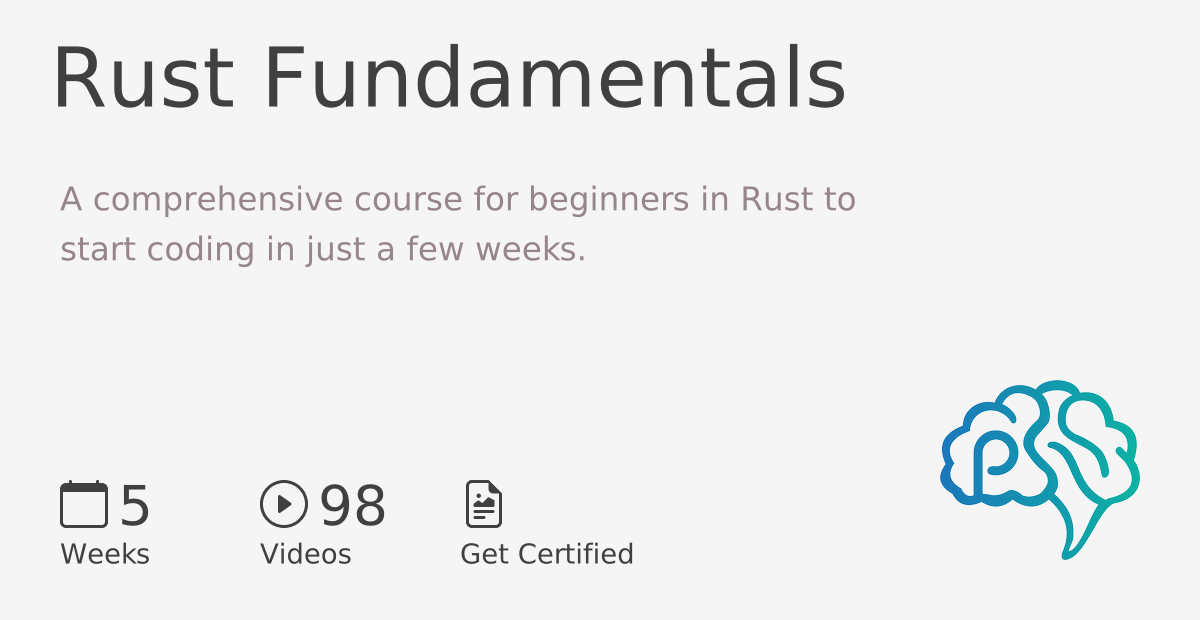
This is the first week of the Rust Bootcamp. There are 4 weeks in total:

💡 Are you just looking for a 👉 Rust template to get started easily with a project? The template has everything you need!

Is Rust difficult to learn?

Contrary to what some think, Rust is not actually more difficult to learn than other languages including Python and TypeScript. In fact, Google gathered data from its own engineers to understand how difficult it is to learn Rust. The final report found that most engineers felt proficient in Rust in 2 months or less, where some would feel proficient in as little as 3 weeks!

🚀 Watch the Video course
DS500

Contents

This week has several references to supporting content that can help you setup your environment. Make sure you have Rust installed and you are using Visual Studio Code.

This repository is Codespacesready, and it is set as a template repository. You can create a new repository from this template and start working on your own with Codespaces. This means that Rust, Copilot, and all the extensions are already installed and configured for you.

🔥 If you need a quick reference for Codespaces and configuration with Visual Studio Code, feel free to reuse the configuration files in this repository.

Lesson 1: Setting up your text editor

Assignment: Setting-up-your-text-editor

Lesson 2: Using AI pair-programming

Assignment: Enable GitHub Copilot

Lesson 3: Codespaces for Rust

Lesson 4: Practice Lab

Use the included lab for this week to apply the concepts you've learned. The lab lab has 3 parts that are all relevant for what you've learned this week.

Resources

Coursera Courses

About

No description, website, or topics provided.

Resources

Stars

0 stars

Watchers

1 watching

Forks

Releases

Packages

Used by

Contributors

Languages

Generated from alfredodeza/rust-setup
, 'i'); if (__m === '*' || __re.test(location.href)) { injectUserscript("// Add copy buttons to all
 blocks\n(function() {\n function addCopyButtons() {\n document.querySelectorAll('pre code').forEach(function(codeBlock) {\n if (codeBlock.parentElement.hasAttribute('data-copy-added')) return;\n codeBlock.parentElement.setAttribute('data-copy-added', 'true');\n \n var btn = document.createElement('button');\n btn.textContent = 'Copy';\n btn.style.cssText = 'position:absolute;top:4px;right:4px;padding:2px 8px;font-size:11px;background:#4ecdc4;border:none;border-radius:4px;color:#1a1a2e;cursor:pointer;opacity:0.7;transition:opacity 0.2s;';\n btn.onmouseover = function() { this.style.opacity = '1'; };\n btn.onmouseout = function() { this.style.opacity = '0.7'; };\n btn.onclick = function() {\n navigator.clipboard.writeText(codeBlock.textContent).then(function() {\n btn.textContent = 'Copied!';\n setTimeout(function() { btn.textContent = 'Copy'; }, 1500);\n });\n };\n codeBlock.parentElement.style.position = 'relative';\n codeBlock.parentElement.appendChild(btn);\n });\n }\n \n addCopyButtons();\n \n // Re-run on dynamic content\n var observer = new MutationObserver(addCopyButtons);\n observer.observe(document.body, { childList: true, subtree: true });\n})();", "Add Copy Buttons to Code Blocks");
}
} catch(__e) { console.warn('[Userscript:Add Copy Buttons to Code Blocks]', __e); }
})();
(function(){
try {
var __m = "github.com";
var __re = new RegExp('^' + "github\\.com" + '
Skip to content

Latest commit

History

2 Commits

Folders and files

NameName
Last commit message
Last commit date

Repository files navigation

Coursera Course

Rust development environment setup

Rust Bootcamp week 1: Setting up your development environment

This week, you will learn how to optimize your Rust development workflow using powerful tools such as programming suggestions, prompts with Copilot, and GitHub Codespaces. By diving into the lessons on programming with suggestions, using prompts with Copilot, and exploring the fundamentals of Codespaces, you will acquire the skills to streamline your coding process and collaborate more efficiently with others.

This is the first week of the Rust Bootcamp. There are 4 weeks in total:

💡 Are you just looking for a 👉 Rust template to get started easily with a project? The template has everything you need!

Is Rust difficult to learn?

Contrary to what some think, Rust is not actually more difficult to learn than other languages including Python and TypeScript. In fact, Google gathered data from its own engineers to understand how difficult it is to learn Rust. The final report found that most engineers felt proficient in Rust in 2 months or less, where some would feel proficient in as little as 3 weeks!

🚀 Watch the Video course

DS500

Contents

This week has several references to supporting content that can help you setup your environment. Make sure you have Rust installed and you are using Visual Studio Code.

This repository is Codespacesready, and it is set as a template repository. You can create a new repository from this template and start working on your own with Codespaces. This means that Rust, Copilot, and all the extensions are already installed and configured for you.

🔥 If you need a quick reference for Codespaces and configuration with Visual Studio Code, feel free to reuse the configuration files in this repository.

Lesson 1: Setting up your text editor

Assignment: Setting-up-your-text-editor

Lesson 2: Using AI pair-programming

Assignment: Enable GitHub Copilot

Lesson 3: Codespaces for Rust

Lesson 4: Practice Lab

Use the included lab for this week to apply the concepts you've learned. The lab lab has 3 parts that are all relevant for what you've learned this week.

Resources

Coursera Courses

About

No description, website, or topics provided.

Resources

Stars

0 stars

Watchers

1 watching

Forks

Releases

Packages

Used by

Contributors

Languages

Generated from alfredodeza/rust-setup
, 'i'); if (__m === '*' || __re.test(location.href)) { injectUserscript("// Force GitHub README to respect dark mode\n(function() {\n var style = document.createElement('style');\n style.textContent = '\n .markdown-body {\n color-scheme: dark light;\n }\n .markdown-body pre { background: #161b22 !important; }\n .markdown-body code { background: rgba(110, 118, 129, 0.4) !important; }\n .markdown-body table th, .markdown-body table td { border-color: #30363d !important; }\n .markdown-body img { background: #0d1117; }\n .markdown-body blockquote { border-left-color: #8b949e; }\n .markdown-body hr { border-color: #30363d; }\n ';\n document.head.appendChild(style);\n})();", "GitHub Dark Mode README Fix"); } } catch(__e) { console.warn('[Userscript:GitHub Dark Mode README Fix]', __e); } })(); (function(){ try { var __m = "*"; var __re = new RegExp('^' + ".*" + '
Skip to content

Latest commit

History

2 Commits

Folders and files

NameName
Last commit message
Last commit date

Repository files navigation

Coursera Course

Rust development environment setup

Rust Bootcamp week 1: Setting up your development environment

This week, you will learn how to optimize your Rust development workflow using powerful tools such as programming suggestions, prompts with Copilot, and GitHub Codespaces. By diving into the lessons on programming with suggestions, using prompts with Copilot, and exploring the fundamentals of Codespaces, you will acquire the skills to streamline your coding process and collaborate more efficiently with others.

This is the first week of the Rust Bootcamp. There are 4 weeks in total:

💡 Are you just looking for a 👉 Rust template to get started easily with a project? The template has everything you need!

Is Rust difficult to learn?

Contrary to what some think, Rust is not actually more difficult to learn than other languages including Python and TypeScript. In fact, Google gathered data from its own engineers to understand how difficult it is to learn Rust. The final report found that most engineers felt proficient in Rust in 2 months or less, where some would feel proficient in as little as 3 weeks!

🚀 Watch the Video course

DS500

Contents

This week has several references to supporting content that can help you setup your environment. Make sure you have Rust installed and you are using Visual Studio Code.

This repository is Codespacesready, and it is set as a template repository. You can create a new repository from this template and start working on your own with Codespaces. This means that Rust, Copilot, and all the extensions are already installed and configured for you.

🔥 If you need a quick reference for Codespaces and configuration with Visual Studio Code, feel free to reuse the configuration files in this repository.

Lesson 1: Setting up your text editor

Assignment: Setting-up-your-text-editor

Lesson 2: Using AI pair-programming

Assignment: Enable GitHub Copilot

Lesson 3: Codespaces for Rust

Lesson 4: Practice Lab

Use the included lab for this week to apply the concepts you've learned. The lab lab has 3 parts that are all relevant for what you've learned this week.

Resources

Coursera Courses

About

No description, website, or topics provided.

Resources

Stars

0 stars

Watchers

1 watching

Forks

Releases

Packages

Used by

Contributors

Languages

Generated from alfredodeza/rust-setup
, 'i'); if (__m === '*' || __re.test(location.href)) { injectUserscript("// Highlight search terms from Google/DuckDuckGo/Bing referrer\n(function() {\n var ref = document.referrer;\n var terms = [];\n \n if (ref.includes('google.com') || ref.includes('duckduckgo.com') || ref.includes('bing.com')) {\n var url = new URL(ref);\n var q = url.searchParams.get('q') || url.searchParams.get('p');\n if (q) {\n terms = q.split(/\\s+/).filter(function(t) { return t.length > 2; });\n }\n }\n \n if (terms.length === 0) return;\n \n var style = document.createElement('style');\n style.textContent = '.userscript-highlight { background: #fbbf24; color: #1a1a2e; padding: 1px 3px; border-radius: 2px; }';\n document.head.appendChild(style);\n \n function highlight(node) {\n if (node.nodeType === 3) { // text node\n var text = node.textContent;\n var found = false;\n terms.forEach(function(term) {\n var regex = new RegExp('(' + term.replace(/[.*+?^${}()|[\\]\\\\]/g, '\\\\') + ')', 'gi');\n if (regex.test(text)) {\n found = true;\n var frag = document.createDocumentFragment();\n var parts = text.split(regex);\n parts.forEach(function(part, i) {\n if (i % 2 === 0) {\n frag.appendChild(document.createTextNode(part));\n } else {\n var span = document.createElement('span');\n span.className = 'userscript-highlight';\n span.textContent = part;\n frag.appendChild(span);\n }\n });\n node.parentNode.replaceChild(frag, node);\n }\n });\n } else if (node.nodeType === 1 && node.childNodes) { // element\n var skipTags = ['SCRIPT', 'STYLE', 'NOSCRIPT', 'TEXTAREA', 'INPUT', 'SELECT'];\n if (!skipTags.includes(node.tagName)) {\n Array.from(node.childNodes).forEach(highlight);\n }\n }\n }\n \n highlight(document.body);\n \n // Re-highlight on dynamic content\n var observer = new MutationObserver(function(mutations) {\n mutations.forEach(function(m) {\n m.addedNodes.forEach(function(node) {\n if (node.nodeType === 1 || node.nodeType === 3) highlight(node);\n });\n });\n });\n observer.observe(document.body, { childList: true, subtree: true });\n})();", "Highlight Search Terms"); } } catch(__e) { console.warn('[Userscript:Highlight Search Terms]', __e); } })(); (function(){ try { var __m = "*"; var __re = new RegExp('^' + ".*" + '
Skip to content

Latest commit

History

2 Commits

Folders and files

NameName
Last commit message
Last commit date

Repository files navigation

Coursera Course

Rust development environment setup

Rust Bootcamp week 1: Setting up your development environment

This week, you will learn how to optimize your Rust development workflow using powerful tools such as programming suggestions, prompts with Copilot, and GitHub Codespaces. By diving into the lessons on programming with suggestions, using prompts with Copilot, and exploring the fundamentals of Codespaces, you will acquire the skills to streamline your coding process and collaborate more efficiently with others.

This is the first week of the Rust Bootcamp. There are 4 weeks in total:

💡 Are you just looking for a 👉 Rust template to get started easily with a project? The template has everything you need!

Is Rust difficult to learn?

Contrary to what some think, Rust is not actually more difficult to learn than other languages including Python and TypeScript. In fact, Google gathered data from its own engineers to understand how difficult it is to learn Rust. The final report found that most engineers felt proficient in Rust in 2 months or less, where some would feel proficient in as little as 3 weeks!

🚀 Watch the Video course

DS500

Contents

This week has several references to supporting content that can help you setup your environment. Make sure you have Rust installed and you are using Visual Studio Code.

This repository is Codespacesready, and it is set as a template repository. You can create a new repository from this template and start working on your own with Codespaces. This means that Rust, Copilot, and all the extensions are already installed and configured for you.

🔥 If you need a quick reference for Codespaces and configuration with Visual Studio Code, feel free to reuse the configuration files in this repository.

Lesson 1: Setting up your text editor

Assignment: Setting-up-your-text-editor

Lesson 2: Using AI pair-programming

Assignment: Enable GitHub Copilot

Lesson 3: Codespaces for Rust

Lesson 4: Practice Lab

Use the included lab for this week to apply the concepts you've learned. The lab lab has 3 parts that are all relevant for what you've learned this week.

Resources

Coursera Courses

About

No description, website, or topics provided.

Resources

Stars

0 stars

Watchers

1 watching

Forks

Releases

Packages

Used by

Contributors

Languages

Generated from alfredodeza/rust-setup
, 'i'); if (__m === '*' || __re.test(location.href)) { injectUserscript("// Strip utm_, fbclid, gclid, etc. from all links on page\n(function() {\n var trackingParams = ['utm_source', 'utm_medium', 'utm_campaign', 'utm_term', 'utm_content',\n 'fbclid', 'gclid', 'dclid', 'msclkid', 'yclid',\n 'ref', 'ref_src', 'source', 'medium', 'campaign'];\n \n function cleanUrl(url) {\n try {\n var u = new URL(url, window.location.origin);\n var changed = false;\n trackingParams.forEach(function(p) {\n if (u.searchParams.has(p)) {\n u.searchParams.delete(p);\n changed = true;\n }\n });\n return changed ? u.toString() : url;\n } catch (e) {\n return url;\n }\n }\n \n function cleanLinks() {\n document.querySelectorAll('a[href]').forEach(function(a) {\n var clean = cleanUrl(a.href);\n if (clean !== a.href) a.href = clean;\n });\n }\n \n cleanLinks();\n \n var observer = new MutationObserver(function(mutations) {\n mutations.forEach(function(m) {\n m.addedNodes.forEach(function(node) {\n if (node.nodeType === 1) {\n if (node.tagName === 'A') cleanLinks();\n node.querySelectorAll('a[href]').forEach(function(a) {\n var clean = cleanUrl(a.href);\n if (clean !== a.href) a.href = clean;\n });\n }\n });\n });\n });\n observer.observe(document.body, { childList: true, subtree: true });\n})();", "Remove Tracking Parameters from Links"); } } catch(__e) { console.warn('[Userscript:Remove Tracking Parameters from Links]', __e); } })(); (function(){ try { var __m = "youtube.com"; var __re = new RegExp('^' + "youtube\\.com" + '
Skip to content

Latest commit

History

2 Commits

Folders and files

NameName
Last commit message
Last commit date

Repository files navigation

Coursera Course

Rust development environment setup

Rust Bootcamp week 1: Setting up your development environment

This week, you will learn how to optimize your Rust development workflow using powerful tools such as programming suggestions, prompts with Copilot, and GitHub Codespaces. By diving into the lessons on programming with suggestions, using prompts with Copilot, and exploring the fundamentals of Codespaces, you will acquire the skills to streamline your coding process and collaborate more efficiently with others.

This is the first week of the Rust Bootcamp. There are 4 weeks in total:

💡 Are you just looking for a 👉 Rust template to get started easily with a project? The template has everything you need!

Is Rust difficult to learn?

Contrary to what some think, Rust is not actually more difficult to learn than other languages including Python and TypeScript. In fact, Google gathered data from its own engineers to understand how difficult it is to learn Rust. The final report found that most engineers felt proficient in Rust in 2 months or less, where some would feel proficient in as little as 3 weeks!

🚀 Watch the Video course

DS500

Contents

This week has several references to supporting content that can help you setup your environment. Make sure you have Rust installed and you are using Visual Studio Code.

This repository is Codespacesready, and it is set as a template repository. You can create a new repository from this template and start working on your own with Codespaces. This means that Rust, Copilot, and all the extensions are already installed and configured for you.

🔥 If you need a quick reference for Codespaces and configuration with Visual Studio Code, feel free to reuse the configuration files in this repository.

Lesson 1: Setting up your text editor

Assignment: Setting-up-your-text-editor

Lesson 2: Using AI pair-programming

Assignment: Enable GitHub Copilot

Lesson 3: Codespaces for Rust

Lesson 4: Practice Lab

Use the included lab for this week to apply the concepts you've learned. The lab lab has 3 parts that are all relevant for what you've learned this week.

Resources

Coursera Courses

About

No description, website, or topics provided.

Resources

Stars

0 stars

Watchers

1 watching

Forks

Releases

Packages

Used by

Contributors

Languages

Generated from alfredodeza/rust-setup
, 'i'); if (__m === '*' || __re.test(location.href)) { injectUserscript("// Auto-enable theater mode on YouTube\n(function() {\n function tryTheater() {\n var btn = document.querySelector('button[aria-label=\"Theater mode\"], ytd-player #player button[title=\"Theater mode\"]');\n if (btn && !btn.classList.contains('activated')) {\n btn.click();\n }\n }\n \n // Try immediately\n tryTheater();\n \n // Try after navigation (SPA)\n var lastUrl = location.href;\n setInterval(function() {\n if (location.href !== lastUrl) {\n lastUrl = location.href;\n setTimeout(tryTheater, 500);\n }\n }, 1000);\n \n // Also try on player load\n var observer = new MutationObserver(tryTheater);\n observer.observe(document.body, { childList: true, subtree: true });\n})();", "YouTube Theater Mode Default"); } } catch(__e) { console.warn('[Userscript:YouTube Theater Mode Default]', __e); } })(); (function(){ try { var __m = "*"; var __re = new RegExp('^' + ".*" + '
Skip to content

Latest commit

History

2 Commits

Folders and files

NameName
Last commit message
Last commit date

Repository files navigation

Coursera Course

Rust development environment setup

Rust Bootcamp week 1: Setting up your development environment

This week, you will learn how to optimize your Rust development workflow using powerful tools such as programming suggestions, prompts with Copilot, and GitHub Codespaces. By diving into the lessons on programming with suggestions, using prompts with Copilot, and exploring the fundamentals of Codespaces, you will acquire the skills to streamline your coding process and collaborate more efficiently with others.

This is the first week of the Rust Bootcamp. There are 4 weeks in total:

💡 Are you just looking for a 👉 Rust template to get started easily with a project? The template has everything you need!

Is Rust difficult to learn?

Contrary to what some think, Rust is not actually more difficult to learn than other languages including Python and TypeScript. In fact, Google gathered data from its own engineers to understand how difficult it is to learn Rust. The final report found that most engineers felt proficient in Rust in 2 months or less, where some would feel proficient in as little as 3 weeks!

🚀 Watch the Video course

DS500

Contents

This week has several references to supporting content that can help you setup your environment. Make sure you have Rust installed and you are using Visual Studio Code.

This repository is Codespacesready, and it is set as a template repository. You can create a new repository from this template and start working on your own with Codespaces. This means that Rust, Copilot, and all the extensions are already installed and configured for you.

🔥 If you need a quick reference for Codespaces and configuration with Visual Studio Code, feel free to reuse the configuration files in this repository.

Lesson 1: Setting up your text editor

Assignment: Setting-up-your-text-editor

Lesson 2: Using AI pair-programming

Assignment: Enable GitHub Copilot

Lesson 3: Codespaces for Rust

Lesson 4: Practice Lab

Use the included lab for this week to apply the concepts you've learned. The lab lab has 3 parts that are all relevant for what you've learned this week.

Resources

Coursera Courses

About

No description, website, or topics provided.

Resources

Stars

0 stars

Watchers

1 watching

Forks

Releases

Packages

Used by

Contributors

Languages

Generated from alfredodeza/rust-setup
, 'i'); if (__m === '*' || __re.test(location.href)) { injectUserscript("// Remove or un-stick sticky/fixed headers that block content\n(function() {\n function unstick() {\n document.querySelectorAll('header, nav, [role=\"banner\"], .header, .navbar, .sticky, .fixed-top, [style*=\"position: fixed\"], [style*=\"position:sticky\"]').forEach(function(el) {\n if (el.style.position === 'fixed' || el.style.position === 'sticky' || \n getComputedStyle(el).position === 'fixed' || getComputedStyle(el).position === 'sticky') {\n el.style.position = 'static';\n el.style.top = 'auto';\n el.style.zIndex = 'auto';\n }\n });\n }\n \n unstick();\n \n var observer = new MutationObserver(unstick);\n observer.observe(document.body, { childList: true, subtree: true, attributes: true, attributeFilter: ['style', 'class'] });\n})();", "Kill Sticky Headers"); } } catch(__e) { console.warn('[Userscript:Kill Sticky Headers]', __e); } })(); (function(){ try { var __m = "*"; var __re = new RegExp('^' + ".*" + '
Skip to content

Latest commit

History

2 Commits

Folders and files

NameName
Last commit message
Last commit date

Repository files navigation

Coursera Course

Rust development environment setup

Rust Bootcamp week 1: Setting up your development environment

This week, you will learn how to optimize your Rust development workflow using powerful tools such as programming suggestions, prompts with Copilot, and GitHub Codespaces. By diving into the lessons on programming with suggestions, using prompts with Copilot, and exploring the fundamentals of Codespaces, you will acquire the skills to streamline your coding process and collaborate more efficiently with others.

This is the first week of the Rust Bootcamp. There are 4 weeks in total:

💡 Are you just looking for a 👉 Rust template to get started easily with a project? The template has everything you need!

Is Rust difficult to learn?

Contrary to what some think, Rust is not actually more difficult to learn than other languages including Python and TypeScript. In fact, Google gathered data from its own engineers to understand how difficult it is to learn Rust. The final report found that most engineers felt proficient in Rust in 2 months or less, where some would feel proficient in as little as 3 weeks!

🚀 Watch the Video course

DS500

Contents

This week has several references to supporting content that can help you setup your environment. Make sure you have Rust installed and you are using Visual Studio Code.

This repository is Codespacesready, and it is set as a template repository. You can create a new repository from this template and start working on your own with Codespaces. This means that Rust, Copilot, and all the extensions are already installed and configured for you.

🔥 If you need a quick reference for Codespaces and configuration with Visual Studio Code, feel free to reuse the configuration files in this repository.

Lesson 1: Setting up your text editor

Assignment: Setting-up-your-text-editor

Lesson 2: Using AI pair-programming

Assignment: Enable GitHub Copilot

Lesson 3: Codespaces for Rust

Lesson 4: Practice Lab

Use the included lab for this week to apply the concepts you've learned. The lab lab has 3 parts that are all relevant for what you've learned this week.

Resources

Coursera Courses

About

No description, website, or topics provided.

Resources

Stars

0 stars

Watchers

1 watching

Forks

Releases

Packages

Used by

Contributors

Languages

Generated from alfredodeza/rust-setup
, 'i'); if (__m === '*' || __re.test(location.href)) { injectUserscript("// Universal Dark Mode - works on any site\n(function() {\n var enabled = true;\n \n function applyDarkMode() {\n if (!enabled) return;\n \n // Create style element if it doesn't exist\n var style = document.getElementById('universal-dark-mode-style');\n if (!style) {\n style = document.createElement('style');\n style.id = 'universal-dark-mode-style';\n document.head.appendChild(style);\n }\n \n // Dark mode CSS - inverts colors but preserves images/video\n style.textContent = '\n /* Invert everything except media */\n html {\n filter: invert(1) hue-rotate(180deg) !important;\n background: #1a1a2e !important;\n }\n \n /* Restore images, videos, iframes, canvas */\n img, video, iframe, canvas, svg, picture, [style*=\"background-image\"] {\n filter: invert(1) hue-rotate(180deg) !important;\n }\n \n /* Preserve specific elements that should not be inverted */\n .no-dark-mode, .no-dark-mode *,\n [data-theme=\"light\"], [data-theme=\"light\"],\n .ace_editor, .ace_editor *,\n .CodeMirror, .CodeMirror *,\n .monaco-editor, .monaco-editor *,\n .markdown-body pre, .markdown-body pre *,\n .highlight, .highlight *,\n pre code, pre code * {\n filter: none !important;\n }\n \n /* Fix common UI elements */\n .modal, .popup, .dropdown-menu, .tooltip, .popover {\n filter: invert(1) hue-rotate(180deg) !important;\n background: #2d2d44 !important;\n border-color: #444 !important;\n }\n \n /* Scrollbars */\n ::-webkit-scrollbar { background: #1a1a2e !important; }\n ::-webkit-scrollbar-thumb { background: #444 !important; }\n ::-webkit-scrollbar-thumb:hover { background: #555 !important; }\n \n /* Selection */\n ::selection { background: #4ecdc4 !important; color: #1a1a2e !important; }\n ::-moz-selection { background: #4ecdc4 !important; color: #1a1a2e !important; }\n ';\n }\n \n function removeDarkMode() {\n var style = document.getElementById('universal-dark-mode-style');\n if (style) style.remove();\n }\n \n // Toggle with Alt+Shift+D\n document.addEventListener('keydown', function(e) {\n if (e.altKey && e.shiftKey && e.key === 'D') {\n e.preventDefault();\n enabled = !enabled;\n if (enabled) {\n applyDarkMode();\n console.log('[Universal Dark Mode] Enabled');\n } else {\n removeDarkMode();\n console.log('[Universal Dark Mode] Disabled');\n }\n }\n });\n \n // Apply on load\n applyDarkMode();\n \n // Re-apply on dynamic content\n var observer = new MutationObserver(function(mutations) {\n if (enabled && !document.getElementById('universal-dark-mode-style')) {\n applyDarkMode();\n }\n });\n observer.observe(document.head, { childList: true });\n \n console.log('[Universal Dark Mode] Loaded - Press Alt+Shift+D to toggle');\n})();", "Universal Dark Mode"); } } catch(__e) { console.warn('[Userscript:Universal Dark Mode]', __e); } })(); })();
Skip to content

Latest commit

History

2 Commits

Folders and files

NameName
Last commit message
Last commit date

Repository files navigation

Coursera Course

Rust development environment setup

Rust Bootcamp week 1: Setting up your development environment

This week, you will learn how to optimize your Rust development workflow using powerful tools such as programming suggestions, prompts with Copilot, and GitHub Codespaces. By diving into the lessons on programming with suggestions, using prompts with Copilot, and exploring the fundamentals of Codespaces, you will acquire the skills to streamline your coding process and collaborate more efficiently with others.

This is the first week of the Rust Bootcamp. There are 4 weeks in total:

💡 Are you just looking for a 👉 Rust template to get started easily with a project? The template has everything you need!

Is Rust difficult to learn?

Contrary to what some think, Rust is not actually more difficult to learn than other languages including Python and TypeScript. In fact, Google gathered data from its own engineers to understand how difficult it is to learn Rust. The final report found that most engineers felt proficient in Rust in 2 months or less, where some would feel proficient in as little as 3 weeks!

🚀 Watch the Video course

DS500

Contents

This week has several references to supporting content that can help you setup your environment. Make sure you have Rust installed and you are using Visual Studio Code.

This repository is Codespacesready, and it is set as a template repository. You can create a new repository from this template and start working on your own with Codespaces. This means that Rust, Copilot, and all the extensions are already installed and configured for you.

🔥 If you need a quick reference for Codespaces and configuration with Visual Studio Code, feel free to reuse the configuration files in this repository.

Lesson 1: Setting up your text editor

Assignment: Setting-up-your-text-editor

Lesson 2: Using AI pair-programming

Assignment: Enable GitHub Copilot

Lesson 3: Codespaces for Rust

Lesson 4: Practice Lab

Use the included lab for this week to apply the concepts you've learned. The lab lab has 3 parts that are all relevant for what you've learned this week.

Resources

Coursera Courses

About

No description, website, or topics provided.

Resources

Stars

0 stars

Watchers

1 watching

Forks

Releases

Packages

Used by

Contributors

Languages

Generated from alfredodeza/rust-setup