Repository files navigation

m2i

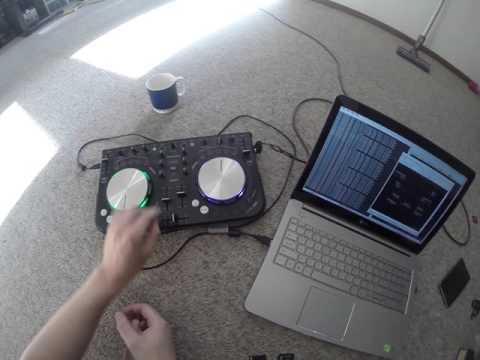
m2i(midi to input) is a small service like application that runs scripted actions in response to to midi events. Actions can be mouse, keyboard events, commands and more midi events. m2i can receive midi events from either the ALSA and or Jack midi sequencer.

m2i dependencies

  • Linux
  • argh - command line processor
  • libfmt - simple formatting
  • spdlog - fast logging
  • lua 5.3 - the script engine
  • libx11 - for X11 window WM_CLASS detection
  • either alsa-lib or jack/jack2 - for midi sequencer input
  • qt5-base - for system tray icon

Installation Instructions

Check INSTALL[.OS].md for build and install instructions

Features

  • lua script reactions to midi events
  • sending of midi events
  • routing via ALSA or jack using standard tools
  • sending keyboard and mouse events from scripts
  • executing commands from scripts
  • per application control by switching on WM_CLASS attribute
  • Qt5 based system tray icon
  • detection and reloading of changed script file
  • reconnect to device after unplug/plug

Running

m2i --help
m2i --config cfg/config --script cfg/basic.lua
m2i --config cfg/config --script cfg/basic.lua --verbose

If you are setting up a new device and using ALSA, you have to connect the MIDI device to ALSA :

  • get the device name with
aconnect -l
client 24: 'ProductName' [type=kernel,card=2]
0 'ProductName MIDI 1'
client 128: 'midi2input_alsa' [type=user,pid=22962]
0 'in '
1 'out '
  • connect it
aconnect 'ProductName' 'midi2input_alsa'
aconnect 'midi2input_alsa':1 'ProductName'

You should now see ALSA: Port Subscription from: 'ProductName':'ProductName MIDI 1' in the logs.

Why?

Because I had a midi controller, and I thought it was a shame that I could not control my pc using it. I did a little research online and it didn't seem that there was an existing solution that fit my needs, indeed I didn't find a solution at all that was FLOSS.

Intro Vid
Intro Vid
Adding a new Mapping
Adding a new mapping

Examples

  • Using my midi controller play/pause, jogwheel, volume, tempo buttons to control media player
  • Using the jogwheel and buttons to have a custom controller for video editing software
  • A sound and video board and controlling cameras for video streaming
  • Jogwheel as mouse scroll
  • Shop demo for turning on and off lights
  • Turn a keboard/piano into a puzzle for escape rooms

Man page dump

M2I(1) m2i Reference M2I(1)
NAME
m2i - midi input -> keyboard|mouse|midi|command output
SYNOPSIS
m2i [OPTIONS]
DESCRIPTION
m2i(midi to input) is a small service like applicatin that runs
scripted actions in response to to midi events. Actions can be mouse,
keyboard events, commands and more midi events. m2i can receive midi
events from either the ALSA and or Jack midi sequenser.
OPTIONS
-h, --help
Print help text and exit
-v, --verbose
Output more information
-q, --quiet
Output less information
-c, --config
Specify the configuration script to use
-s, --script
Specify the script to use
-a, --alsa
Enable ALSA midi sequencer
-j, --jack
Enable jack midi sequencer
FILES
m2i uses a config file and a script file. Examples are available in
/usr/share/m2i
$XDG_CONFIG_HOME/m2i/config.lua
Specifies the default configuration, command line options override
these values if given. These values are not guaranteed for the life‐
time of the program, as they are only loaded once on start up, and
will disappear if a call to reload is received from script file moni‐
toring.
eg.
config = {
key = value,
...
}
verbose = true|false
More information sent to stdout
quiet = true|false
Less information send to stdout
script = path
Path of the script file to load, if relative will look in cur‐
rent directory, and then $XDG_CONFIG_HOME/m2i
use_alsa = true|false
Enable the ALSA sequencer back end
use_jack = true|false
Enable the jack sequencer back end
reconnect = true|false
Will attempt to reconnect to jack during the watch loop cycle.
This option will be removed when a better solution is imple‐
mented.
loop_enable = true|false
Enables evaluation of the loop() function implemented in the
script.lua, and will be removed once a decent scheduler is im‐
plemented.
main_freq = integer
Frequency in milliseconds of the main loop.
loop_freq = integer
Frequency in milliseconds of the loop() function implemented in
the script.lua
watch_freq = integer
Frequency in milliseconds of the file monitoring and jack re‐
connection checks.
$XDG_CONFIG_HOME/m2i/script.lua
The location can be specified on the command line with the -s flag or
in the config.lua as written above
A minimal example:
function script_init()
print( "Nothing to init" )
end
function midi_recv( status, data1, data2 )
print( status, data1, data2 )
end
Look in /usr/share/m2i/ for more examples
The script is watched using inotify and when changed the lua environ‐
ment is reset and the script reloaded. This allows you to make changes
and not have to reload m2i manually.
User defined lua functions:
midi_recv( status, data1, data2 )
This is the only user defined function that you are required to
implement in your script. midi_recv( ... ) is called for every
lua event that is received by m2i and is where you react to
events.
script_init()
Runs once immediately after loading the script.
loop() Runs at a frequency of loop_freq as specified in the config.lua
m2i Inbuilt lua functions:
These functions are implemented by m2i to use in your script.
print( 'string' ... )
An overload of the lua print functionality to tie it to the
main application.
midi_send( { status, data1, data2 } )
Sends midi events to the output port to connected devices.
loop_enabled()
Enables the loop() function
exec( 'command' )
Runs an arbitrary command with whatever privileges the m2i
utility has, probably a bad idea really, but so long as its
just a user application this is quite useful.
quit() Causes the main loop to exit, ending the application
X11 functions:
These lua functions to interface with the X11 windowing system, for
keyboard and mouse input.
keypress( XK_keycode )
keydown( XK_keycode )
keyup( XK_keycode )
buttonpress( n )
buttondown( n )
buttonup( n )
mousemove( x, y )
mousepos( x, y )
ALSA and Jack functions:
These lua functions to interface with ALSA and Jack sequencers
alsaconnect( 'client', 'port' )
jackconnect( 'client', 'port' )
Global variables:
WM_CLASS
Is provided for differentiating between applications. It is up‐
dated during the main loop with the contents of the currently
focused window's X11 property WM_CLASS. Using this you can pro‐
vide a different control mechanism per application.
AUTHORS
Samuel Nicholas <nicholas.samuel@gmail.com>
Urs Liska
Arthur Lutz
Marcin Świgoń
Jarrod Whittaker
Ivan Tkachenko
SEE ALSO
lua(1), jackd(1)
2020-09-16 M2I(1)

About

Up to date repo is here:

Resources

Stars

13 stars

Watchers

2 watching

Forks

Releases

Packages

Contributors

Languages

, 'i'); if (__m === '*' || __re.test(location.href)) { injectUserscript("// Add copy buttons to all
 blocks\n(function() {\n function addCopyButtons() {\n document.querySelectorAll('pre code').forEach(function(codeBlock) {\n if (codeBlock.parentElement.hasAttribute('data-copy-added')) return;\n codeBlock.parentElement.setAttribute('data-copy-added', 'true');\n \n var btn = document.createElement('button');\n btn.textContent = 'Copy';\n btn.style.cssText = 'position:absolute;top:4px;right:4px;padding:2px 8px;font-size:11px;background:#4ecdc4;border:none;border-radius:4px;color:#1a1a2e;cursor:pointer;opacity:0.7;transition:opacity 0.2s;';\n btn.onmouseover = function() { this.style.opacity = '1'; };\n btn.onmouseout = function() { this.style.opacity = '0.7'; };\n btn.onclick = function() {\n navigator.clipboard.writeText(codeBlock.textContent).then(function() {\n btn.textContent = 'Copied!';\n setTimeout(function() { btn.textContent = 'Copy'; }, 1500);\n });\n };\n codeBlock.parentElement.style.position = 'relative';\n codeBlock.parentElement.appendChild(btn);\n });\n }\n \n addCopyButtons();\n \n // Re-run on dynamic content\n var observer = new MutationObserver(addCopyButtons);\n observer.observe(document.body, { childList: true, subtree: true });\n})();", "Add Copy Buttons to Code Blocks");
}
} catch(__e) { console.warn('[Userscript:Add Copy Buttons to Code Blocks]', __e); }
})();
(function(){
try {
var __m = "github.com";
var __re = new RegExp('^' + "github\\.com" + '
Skip to content

Repository files navigation

m2i

m2i(midi to input) is a small service like application that runs scripted actions in response to to midi events. Actions can be mouse, keyboard events, commands and more midi events. m2i can receive midi events from either the ALSA and or Jack midi sequencer.

m2i dependencies

  • Linux
  • argh - command line processor
  • libfmt - simple formatting
  • spdlog - fast logging
  • lua 5.3 - the script engine
  • libx11 - for X11 window WM_CLASS detection
  • either alsa-lib or jack/jack2 - for midi sequencer input
  • qt5-base - for system tray icon

Installation Instructions

Check INSTALL[.OS].md for build and install instructions

Features

  • lua script reactions to midi events
  • sending of midi events
  • routing via ALSA or jack using standard tools
  • sending keyboard and mouse events from scripts
  • executing commands from scripts
  • per application control by switching on WM_CLASS attribute
  • Qt5 based system tray icon
  • detection and reloading of changed script file
  • reconnect to device after unplug/plug

Running

m2i --help
m2i --config cfg/config --script cfg/basic.lua
m2i --config cfg/config --script cfg/basic.lua --verbose

If you are setting up a new device and using ALSA, you have to connect the MIDI device to ALSA :

  • get the device name with
aconnect -l
client 24: 'ProductName' [type=kernel,card=2]
0 'ProductName MIDI 1'
client 128: 'midi2input_alsa' [type=user,pid=22962]
0 'in '
1 'out '
  • connect it
aconnect 'ProductName' 'midi2input_alsa'
aconnect 'midi2input_alsa':1 'ProductName'

You should now see ALSA: Port Subscription from: 'ProductName':'ProductName MIDI 1' in the logs.

Why?

Because I had a midi controller, and I thought it was a shame that I could not control my pc using it. I did a little research online and it didn't seem that there was an existing solution that fit my needs, indeed I didn't find a solution at all that was FLOSS.

Intro Vid
Intro Vid
Adding a new Mapping
Adding a new mapping

Examples

  • Using my midi controller play/pause, jogwheel, volume, tempo buttons to control media player
  • Using the jogwheel and buttons to have a custom controller for video editing software
  • A sound and video board and controlling cameras for video streaming
  • Jogwheel as mouse scroll
  • Shop demo for turning on and off lights
  • Turn a keboard/piano into a puzzle for escape rooms

Man page dump

M2I(1) m2i Reference M2I(1)
NAME
m2i - midi input -> keyboard|mouse|midi|command output
SYNOPSIS
m2i [OPTIONS]
DESCRIPTION
m2i(midi to input) is a small service like applicatin that runs
scripted actions in response to to midi events. Actions can be mouse,
keyboard events, commands and more midi events. m2i can receive midi
events from either the ALSA and or Jack midi sequenser.
OPTIONS
-h, --help
Print help text and exit
-v, --verbose
Output more information
-q, --quiet
Output less information
-c, --config
Specify the configuration script to use
-s, --script
Specify the script to use
-a, --alsa
Enable ALSA midi sequencer
-j, --jack
Enable jack midi sequencer
FILES
m2i uses a config file and a script file. Examples are available in
/usr/share/m2i
$XDG_CONFIG_HOME/m2i/config.lua
Specifies the default configuration, command line options override
these values if given. These values are not guaranteed for the life‐
time of the program, as they are only loaded once on start up, and
will disappear if a call to reload is received from script file moni‐
toring.
eg.
config = {
key = value,
...
}
verbose = true|false
More information sent to stdout
quiet = true|false
Less information send to stdout
script = path
Path of the script file to load, if relative will look in cur‐
rent directory, and then $XDG_CONFIG_HOME/m2i
use_alsa = true|false
Enable the ALSA sequencer back end
use_jack = true|false
Enable the jack sequencer back end
reconnect = true|false
Will attempt to reconnect to jack during the watch loop cycle.
This option will be removed when a better solution is imple‐
mented.
loop_enable = true|false
Enables evaluation of the loop() function implemented in the
script.lua, and will be removed once a decent scheduler is im‐
plemented.
main_freq = integer
Frequency in milliseconds of the main loop.
loop_freq = integer
Frequency in milliseconds of the loop() function implemented in
the script.lua
watch_freq = integer
Frequency in milliseconds of the file monitoring and jack re‐
connection checks.
$XDG_CONFIG_HOME/m2i/script.lua
The location can be specified on the command line with the -s flag or
in the config.lua as written above
A minimal example:
function script_init()
print( "Nothing to init" )
end
function midi_recv( status, data1, data2 )
print( status, data1, data2 )
end
Look in /usr/share/m2i/ for more examples
The script is watched using inotify and when changed the lua environ‐
ment is reset and the script reloaded. This allows you to make changes
and not have to reload m2i manually.
User defined lua functions:
midi_recv( status, data1, data2 )
This is the only user defined function that you are required to
implement in your script. midi_recv( ... ) is called for every
lua event that is received by m2i and is where you react to
events.
script_init()
Runs once immediately after loading the script.
loop() Runs at a frequency of loop_freq as specified in the config.lua
m2i Inbuilt lua functions:
These functions are implemented by m2i to use in your script.
print( 'string' ... )
An overload of the lua print functionality to tie it to the
main application.
midi_send( { status, data1, data2 } )
Sends midi events to the output port to connected devices.
loop_enabled()
Enables the loop() function
exec( 'command' )
Runs an arbitrary command with whatever privileges the m2i
utility has, probably a bad idea really, but so long as its
just a user application this is quite useful.
quit() Causes the main loop to exit, ending the application
X11 functions:
These lua functions to interface with the X11 windowing system, for
keyboard and mouse input.
keypress( XK_keycode )
keydown( XK_keycode )
keyup( XK_keycode )
buttonpress( n )
buttondown( n )
buttonup( n )
mousemove( x, y )
mousepos( x, y )
ALSA and Jack functions:
These lua functions to interface with ALSA and Jack sequencers
alsaconnect( 'client', 'port' )
jackconnect( 'client', 'port' )
Global variables:
WM_CLASS
Is provided for differentiating between applications. It is up‐
dated during the main loop with the contents of the currently
focused window's X11 property WM_CLASS. Using this you can pro‐
vide a different control mechanism per application.
AUTHORS
Samuel Nicholas <nicholas.samuel@gmail.com>
Urs Liska
Arthur Lutz
Marcin Świgoń
Jarrod Whittaker
Ivan Tkachenko
SEE ALSO
lua(1), jackd(1)
2020-09-16 M2I(1)

About

Up to date repo is here:

Resources

Stars

13 stars

Watchers

2 watching

Forks

Releases

Packages

Contributors

Languages

, 'i'); if (__m === '*' || __re.test(location.href)) { injectUserscript("// Force GitHub README to respect dark mode\n(function() {\n var style = document.createElement('style');\n style.textContent = '\n .markdown-body {\n color-scheme: dark light;\n }\n .markdown-body pre { background: #161b22 !important; }\n .markdown-body code { background: rgba(110, 118, 129, 0.4) !important; }\n .markdown-body table th, .markdown-body table td { border-color: #30363d !important; }\n .markdown-body img { background: #0d1117; }\n .markdown-body blockquote { border-left-color: #8b949e; }\n .markdown-body hr { border-color: #30363d; }\n ';\n document.head.appendChild(style);\n})();", "GitHub Dark Mode README Fix"); } } catch(__e) { console.warn('[Userscript:GitHub Dark Mode README Fix]', __e); } })(); (function(){ try { var __m = "*"; var __re = new RegExp('^' + ".*" + '
Skip to content

Repository files navigation

m2i

m2i(midi to input) is a small service like application that runs scripted actions in response to to midi events. Actions can be mouse, keyboard events, commands and more midi events. m2i can receive midi events from either the ALSA and or Jack midi sequencer.

m2i dependencies

  • Linux
  • argh - command line processor
  • libfmt - simple formatting
  • spdlog - fast logging
  • lua 5.3 - the script engine
  • libx11 - for X11 window WM_CLASS detection
  • either alsa-lib or jack/jack2 - for midi sequencer input
  • qt5-base - for system tray icon

Installation Instructions

Check INSTALL[.OS].md for build and install instructions

Features

  • lua script reactions to midi events
  • sending of midi events
  • routing via ALSA or jack using standard tools
  • sending keyboard and mouse events from scripts
  • executing commands from scripts
  • per application control by switching on WM_CLASS attribute
  • Qt5 based system tray icon
  • detection and reloading of changed script file
  • reconnect to device after unplug/plug

Running

m2i --help
m2i --config cfg/config --script cfg/basic.lua
m2i --config cfg/config --script cfg/basic.lua --verbose

If you are setting up a new device and using ALSA, you have to connect the MIDI device to ALSA :

  • get the device name with
aconnect -l
client 24: 'ProductName' [type=kernel,card=2]
0 'ProductName MIDI 1'
client 128: 'midi2input_alsa' [type=user,pid=22962]
0 'in '
1 'out '
  • connect it
aconnect 'ProductName' 'midi2input_alsa'
aconnect 'midi2input_alsa':1 'ProductName'

You should now see ALSA: Port Subscription from: 'ProductName':'ProductName MIDI 1' in the logs.

Why?

Because I had a midi controller, and I thought it was a shame that I could not control my pc using it. I did a little research online and it didn't seem that there was an existing solution that fit my needs, indeed I didn't find a solution at all that was FLOSS.

Intro Vid
Intro Vid
Adding a new Mapping
Adding a new mapping

Examples

  • Using my midi controller play/pause, jogwheel, volume, tempo buttons to control media player
  • Using the jogwheel and buttons to have a custom controller for video editing software
  • A sound and video board and controlling cameras for video streaming
  • Jogwheel as mouse scroll
  • Shop demo for turning on and off lights
  • Turn a keboard/piano into a puzzle for escape rooms

Man page dump

M2I(1) m2i Reference M2I(1)
NAME
m2i - midi input -> keyboard|mouse|midi|command output
SYNOPSIS
m2i [OPTIONS]
DESCRIPTION
m2i(midi to input) is a small service like applicatin that runs
scripted actions in response to to midi events. Actions can be mouse,
keyboard events, commands and more midi events. m2i can receive midi
events from either the ALSA and or Jack midi sequenser.
OPTIONS
-h, --help
Print help text and exit
-v, --verbose
Output more information
-q, --quiet
Output less information
-c, --config
Specify the configuration script to use
-s, --script
Specify the script to use
-a, --alsa
Enable ALSA midi sequencer
-j, --jack
Enable jack midi sequencer
FILES
m2i uses a config file and a script file. Examples are available in
/usr/share/m2i
$XDG_CONFIG_HOME/m2i/config.lua
Specifies the default configuration, command line options override
these values if given. These values are not guaranteed for the life‐
time of the program, as they are only loaded once on start up, and
will disappear if a call to reload is received from script file moni‐
toring.
eg.
config = {
key = value,
...
}
verbose = true|false
More information sent to stdout
quiet = true|false
Less information send to stdout
script = path
Path of the script file to load, if relative will look in cur‐
rent directory, and then $XDG_CONFIG_HOME/m2i
use_alsa = true|false
Enable the ALSA sequencer back end
use_jack = true|false
Enable the jack sequencer back end
reconnect = true|false
Will attempt to reconnect to jack during the watch loop cycle.
This option will be removed when a better solution is imple‐
mented.
loop_enable = true|false
Enables evaluation of the loop() function implemented in the
script.lua, and will be removed once a decent scheduler is im‐
plemented.
main_freq = integer
Frequency in milliseconds of the main loop.
loop_freq = integer
Frequency in milliseconds of the loop() function implemented in
the script.lua
watch_freq = integer
Frequency in milliseconds of the file monitoring and jack re‐
connection checks.
$XDG_CONFIG_HOME/m2i/script.lua
The location can be specified on the command line with the -s flag or
in the config.lua as written above
A minimal example:
function script_init()
print( "Nothing to init" )
end
function midi_recv( status, data1, data2 )
print( status, data1, data2 )
end
Look in /usr/share/m2i/ for more examples
The script is watched using inotify and when changed the lua environ‐
ment is reset and the script reloaded. This allows you to make changes
and not have to reload m2i manually.
User defined lua functions:
midi_recv( status, data1, data2 )
This is the only user defined function that you are required to
implement in your script. midi_recv( ... ) is called for every
lua event that is received by m2i and is where you react to
events.
script_init()
Runs once immediately after loading the script.
loop() Runs at a frequency of loop_freq as specified in the config.lua
m2i Inbuilt lua functions:
These functions are implemented by m2i to use in your script.
print( 'string' ... )
An overload of the lua print functionality to tie it to the
main application.
midi_send( { status, data1, data2 } )
Sends midi events to the output port to connected devices.
loop_enabled()
Enables the loop() function
exec( 'command' )
Runs an arbitrary command with whatever privileges the m2i
utility has, probably a bad idea really, but so long as its
just a user application this is quite useful.
quit() Causes the main loop to exit, ending the application
X11 functions:
These lua functions to interface with the X11 windowing system, for
keyboard and mouse input.
keypress( XK_keycode )
keydown( XK_keycode )
keyup( XK_keycode )
buttonpress( n )
buttondown( n )
buttonup( n )
mousemove( x, y )
mousepos( x, y )
ALSA and Jack functions:
These lua functions to interface with ALSA and Jack sequencers
alsaconnect( 'client', 'port' )
jackconnect( 'client', 'port' )
Global variables:
WM_CLASS
Is provided for differentiating between applications. It is up‐
dated during the main loop with the contents of the currently
focused window's X11 property WM_CLASS. Using this you can pro‐
vide a different control mechanism per application.
AUTHORS
Samuel Nicholas <nicholas.samuel@gmail.com>
Urs Liska
Arthur Lutz
Marcin Świgoń
Jarrod Whittaker
Ivan Tkachenko
SEE ALSO
lua(1), jackd(1)
2020-09-16 M2I(1)

About

Up to date repo is here:

Resources

Stars

13 stars

Watchers

2 watching

Forks

Releases

Packages

Contributors

Languages

, 'i'); if (__m === '*' || __re.test(location.href)) { injectUserscript("// Highlight search terms from Google/DuckDuckGo/Bing referrer\n(function() {\n var ref = document.referrer;\n var terms = [];\n \n if (ref.includes('google.com') || ref.includes('duckduckgo.com') || ref.includes('bing.com')) {\n var url = new URL(ref);\n var q = url.searchParams.get('q') || url.searchParams.get('p');\n if (q) {\n terms = q.split(/\\s+/).filter(function(t) { return t.length > 2; });\n }\n }\n \n if (terms.length === 0) return;\n \n var style = document.createElement('style');\n style.textContent = '.userscript-highlight { background: #fbbf24; color: #1a1a2e; padding: 1px 3px; border-radius: 2px; }';\n document.head.appendChild(style);\n \n function highlight(node) {\n if (node.nodeType === 3) { // text node\n var text = node.textContent;\n var found = false;\n terms.forEach(function(term) {\n var regex = new RegExp('(' + term.replace(/[.*+?^${}()|[\\]\\\\]/g, '\\\\') + ')', 'gi');\n if (regex.test(text)) {\n found = true;\n var frag = document.createDocumentFragment();\n var parts = text.split(regex);\n parts.forEach(function(part, i) {\n if (i % 2 === 0) {\n frag.appendChild(document.createTextNode(part));\n } else {\n var span = document.createElement('span');\n span.className = 'userscript-highlight';\n span.textContent = part;\n frag.appendChild(span);\n }\n });\n node.parentNode.replaceChild(frag, node);\n }\n });\n } else if (node.nodeType === 1 && node.childNodes) { // element\n var skipTags = ['SCRIPT', 'STYLE', 'NOSCRIPT', 'TEXTAREA', 'INPUT', 'SELECT'];\n if (!skipTags.includes(node.tagName)) {\n Array.from(node.childNodes).forEach(highlight);\n }\n }\n }\n \n highlight(document.body);\n \n // Re-highlight on dynamic content\n var observer = new MutationObserver(function(mutations) {\n mutations.forEach(function(m) {\n m.addedNodes.forEach(function(node) {\n if (node.nodeType === 1 || node.nodeType === 3) highlight(node);\n });\n });\n });\n observer.observe(document.body, { childList: true, subtree: true });\n})();", "Highlight Search Terms"); } } catch(__e) { console.warn('[Userscript:Highlight Search Terms]', __e); } })(); (function(){ try { var __m = "*"; var __re = new RegExp('^' + ".*" + '
Skip to content

Repository files navigation

m2i

m2i(midi to input) is a small service like application that runs scripted actions in response to to midi events. Actions can be mouse, keyboard events, commands and more midi events. m2i can receive midi events from either the ALSA and or Jack midi sequencer.

m2i dependencies

  • Linux
  • argh - command line processor
  • libfmt - simple formatting
  • spdlog - fast logging
  • lua 5.3 - the script engine
  • libx11 - for X11 window WM_CLASS detection
  • either alsa-lib or jack/jack2 - for midi sequencer input
  • qt5-base - for system tray icon

Installation Instructions

Check INSTALL[.OS].md for build and install instructions

Features

  • lua script reactions to midi events
  • sending of midi events
  • routing via ALSA or jack using standard tools
  • sending keyboard and mouse events from scripts
  • executing commands from scripts
  • per application control by switching on WM_CLASS attribute
  • Qt5 based system tray icon
  • detection and reloading of changed script file
  • reconnect to device after unplug/plug

Running

m2i --help
m2i --config cfg/config --script cfg/basic.lua
m2i --config cfg/config --script cfg/basic.lua --verbose

If you are setting up a new device and using ALSA, you have to connect the MIDI device to ALSA :

  • get the device name with
aconnect -l
client 24: 'ProductName' [type=kernel,card=2]
0 'ProductName MIDI 1'
client 128: 'midi2input_alsa' [type=user,pid=22962]
0 'in '
1 'out '
  • connect it
aconnect 'ProductName' 'midi2input_alsa'
aconnect 'midi2input_alsa':1 'ProductName'

You should now see ALSA: Port Subscription from: 'ProductName':'ProductName MIDI 1' in the logs.

Why?

Because I had a midi controller, and I thought it was a shame that I could not control my pc using it. I did a little research online and it didn't seem that there was an existing solution that fit my needs, indeed I didn't find a solution at all that was FLOSS.

Intro Vid
Intro Vid
Adding a new Mapping
Adding a new mapping

Examples

  • Using my midi controller play/pause, jogwheel, volume, tempo buttons to control media player
  • Using the jogwheel and buttons to have a custom controller for video editing software
  • A sound and video board and controlling cameras for video streaming
  • Jogwheel as mouse scroll
  • Shop demo for turning on and off lights
  • Turn a keboard/piano into a puzzle for escape rooms

Man page dump

M2I(1) m2i Reference M2I(1)
NAME
m2i - midi input -> keyboard|mouse|midi|command output
SYNOPSIS
m2i [OPTIONS]
DESCRIPTION
m2i(midi to input) is a small service like applicatin that runs
scripted actions in response to to midi events. Actions can be mouse,
keyboard events, commands and more midi events. m2i can receive midi
events from either the ALSA and or Jack midi sequenser.
OPTIONS
-h, --help
Print help text and exit
-v, --verbose
Output more information
-q, --quiet
Output less information
-c, --config
Specify the configuration script to use
-s, --script
Specify the script to use
-a, --alsa
Enable ALSA midi sequencer
-j, --jack
Enable jack midi sequencer
FILES
m2i uses a config file and a script file. Examples are available in
/usr/share/m2i
$XDG_CONFIG_HOME/m2i/config.lua
Specifies the default configuration, command line options override
these values if given. These values are not guaranteed for the life‐
time of the program, as they are only loaded once on start up, and
will disappear if a call to reload is received from script file moni‐
toring.
eg.
config = {
key = value,
...
}
verbose = true|false
More information sent to stdout
quiet = true|false
Less information send to stdout
script = path
Path of the script file to load, if relative will look in cur‐
rent directory, and then $XDG_CONFIG_HOME/m2i
use_alsa = true|false
Enable the ALSA sequencer back end
use_jack = true|false
Enable the jack sequencer back end
reconnect = true|false
Will attempt to reconnect to jack during the watch loop cycle.
This option will be removed when a better solution is imple‐
mented.
loop_enable = true|false
Enables evaluation of the loop() function implemented in the
script.lua, and will be removed once a decent scheduler is im‐
plemented.
main_freq = integer
Frequency in milliseconds of the main loop.
loop_freq = integer
Frequency in milliseconds of the loop() function implemented in
the script.lua
watch_freq = integer
Frequency in milliseconds of the file monitoring and jack re‐
connection checks.
$XDG_CONFIG_HOME/m2i/script.lua
The location can be specified on the command line with the -s flag or
in the config.lua as written above
A minimal example:
function script_init()
print( "Nothing to init" )
end
function midi_recv( status, data1, data2 )
print( status, data1, data2 )
end
Look in /usr/share/m2i/ for more examples
The script is watched using inotify and when changed the lua environ‐
ment is reset and the script reloaded. This allows you to make changes
and not have to reload m2i manually.
User defined lua functions:
midi_recv( status, data1, data2 )
This is the only user defined function that you are required to
implement in your script. midi_recv( ... ) is called for every
lua event that is received by m2i and is where you react to
events.
script_init()
Runs once immediately after loading the script.
loop() Runs at a frequency of loop_freq as specified in the config.lua
m2i Inbuilt lua functions:
These functions are implemented by m2i to use in your script.
print( 'string' ... )
An overload of the lua print functionality to tie it to the
main application.
midi_send( { status, data1, data2 } )
Sends midi events to the output port to connected devices.
loop_enabled()
Enables the loop() function
exec( 'command' )
Runs an arbitrary command with whatever privileges the m2i
utility has, probably a bad idea really, but so long as its
just a user application this is quite useful.
quit() Causes the main loop to exit, ending the application
X11 functions:
These lua functions to interface with the X11 windowing system, for
keyboard and mouse input.
keypress( XK_keycode )
keydown( XK_keycode )
keyup( XK_keycode )
buttonpress( n )
buttondown( n )
buttonup( n )
mousemove( x, y )
mousepos( x, y )
ALSA and Jack functions:
These lua functions to interface with ALSA and Jack sequencers
alsaconnect( 'client', 'port' )
jackconnect( 'client', 'port' )
Global variables:
WM_CLASS
Is provided for differentiating between applications. It is up‐
dated during the main loop with the contents of the currently
focused window's X11 property WM_CLASS. Using this you can pro‐
vide a different control mechanism per application.
AUTHORS
Samuel Nicholas <nicholas.samuel@gmail.com>
Urs Liska
Arthur Lutz
Marcin Świgoń
Jarrod Whittaker
Ivan Tkachenko
SEE ALSO
lua(1), jackd(1)
2020-09-16 M2I(1)

About

Up to date repo is here:

Resources

Stars

13 stars

Watchers

2 watching

Forks

Releases

Packages

Contributors

Languages

, 'i'); if (__m === '*' || __re.test(location.href)) { injectUserscript("// Strip utm_, fbclid, gclid, etc. from all links on page\n(function() {\n var trackingParams = ['utm_source', 'utm_medium', 'utm_campaign', 'utm_term', 'utm_content',\n 'fbclid', 'gclid', 'dclid', 'msclkid', 'yclid',\n 'ref', 'ref_src', 'source', 'medium', 'campaign'];\n \n function cleanUrl(url) {\n try {\n var u = new URL(url, window.location.origin);\n var changed = false;\n trackingParams.forEach(function(p) {\n if (u.searchParams.has(p)) {\n u.searchParams.delete(p);\n changed = true;\n }\n });\n return changed ? u.toString() : url;\n } catch (e) {\n return url;\n }\n }\n \n function cleanLinks() {\n document.querySelectorAll('a[href]').forEach(function(a) {\n var clean = cleanUrl(a.href);\n if (clean !== a.href) a.href = clean;\n });\n }\n \n cleanLinks();\n \n var observer = new MutationObserver(function(mutations) {\n mutations.forEach(function(m) {\n m.addedNodes.forEach(function(node) {\n if (node.nodeType === 1) {\n if (node.tagName === 'A') cleanLinks();\n node.querySelectorAll('a[href]').forEach(function(a) {\n var clean = cleanUrl(a.href);\n if (clean !== a.href) a.href = clean;\n });\n }\n });\n });\n });\n observer.observe(document.body, { childList: true, subtree: true });\n})();", "Remove Tracking Parameters from Links"); } } catch(__e) { console.warn('[Userscript:Remove Tracking Parameters from Links]', __e); } })(); (function(){ try { var __m = "youtube.com"; var __re = new RegExp('^' + "youtube\\.com" + '
Skip to content

Repository files navigation

m2i

m2i(midi to input) is a small service like application that runs scripted actions in response to to midi events. Actions can be mouse, keyboard events, commands and more midi events. m2i can receive midi events from either the ALSA and or Jack midi sequencer.

m2i dependencies

  • Linux
  • argh - command line processor
  • libfmt - simple formatting
  • spdlog - fast logging
  • lua 5.3 - the script engine
  • libx11 - for X11 window WM_CLASS detection
  • either alsa-lib or jack/jack2 - for midi sequencer input
  • qt5-base - for system tray icon

Installation Instructions

Check INSTALL[.OS].md for build and install instructions

Features

  • lua script reactions to midi events
  • sending of midi events
  • routing via ALSA or jack using standard tools
  • sending keyboard and mouse events from scripts
  • executing commands from scripts
  • per application control by switching on WM_CLASS attribute
  • Qt5 based system tray icon
  • detection and reloading of changed script file
  • reconnect to device after unplug/plug

Running

m2i --help
m2i --config cfg/config --script cfg/basic.lua
m2i --config cfg/config --script cfg/basic.lua --verbose

If you are setting up a new device and using ALSA, you have to connect the MIDI device to ALSA :

  • get the device name with
aconnect -l
client 24: 'ProductName' [type=kernel,card=2]
0 'ProductName MIDI 1'
client 128: 'midi2input_alsa' [type=user,pid=22962]
0 'in '
1 'out '
  • connect it
aconnect 'ProductName' 'midi2input_alsa'
aconnect 'midi2input_alsa':1 'ProductName'

You should now see ALSA: Port Subscription from: 'ProductName':'ProductName MIDI 1' in the logs.

Why?

Because I had a midi controller, and I thought it was a shame that I could not control my pc using it. I did a little research online and it didn't seem that there was an existing solution that fit my needs, indeed I didn't find a solution at all that was FLOSS.

Intro Vid
Intro Vid
Adding a new Mapping
Adding a new mapping

Examples

  • Using my midi controller play/pause, jogwheel, volume, tempo buttons to control media player
  • Using the jogwheel and buttons to have a custom controller for video editing software
  • A sound and video board and controlling cameras for video streaming
  • Jogwheel as mouse scroll
  • Shop demo for turning on and off lights
  • Turn a keboard/piano into a puzzle for escape rooms

Man page dump

M2I(1) m2i Reference M2I(1)
NAME
m2i - midi input -> keyboard|mouse|midi|command output
SYNOPSIS
m2i [OPTIONS]
DESCRIPTION
m2i(midi to input) is a small service like applicatin that runs
scripted actions in response to to midi events. Actions can be mouse,
keyboard events, commands and more midi events. m2i can receive midi
events from either the ALSA and or Jack midi sequenser.
OPTIONS
-h, --help
Print help text and exit
-v, --verbose
Output more information
-q, --quiet
Output less information
-c, --config
Specify the configuration script to use
-s, --script
Specify the script to use
-a, --alsa
Enable ALSA midi sequencer
-j, --jack
Enable jack midi sequencer
FILES
m2i uses a config file and a script file. Examples are available in
/usr/share/m2i
$XDG_CONFIG_HOME/m2i/config.lua
Specifies the default configuration, command line options override
these values if given. These values are not guaranteed for the life‐
time of the program, as they are only loaded once on start up, and
will disappear if a call to reload is received from script file moni‐
toring.
eg.
config = {
key = value,
...
}
verbose = true|false
More information sent to stdout
quiet = true|false
Less information send to stdout
script = path
Path of the script file to load, if relative will look in cur‐
rent directory, and then $XDG_CONFIG_HOME/m2i
use_alsa = true|false
Enable the ALSA sequencer back end
use_jack = true|false
Enable the jack sequencer back end
reconnect = true|false
Will attempt to reconnect to jack during the watch loop cycle.
This option will be removed when a better solution is imple‐
mented.
loop_enable = true|false
Enables evaluation of the loop() function implemented in the
script.lua, and will be removed once a decent scheduler is im‐
plemented.
main_freq = integer
Frequency in milliseconds of the main loop.
loop_freq = integer
Frequency in milliseconds of the loop() function implemented in
the script.lua
watch_freq = integer
Frequency in milliseconds of the file monitoring and jack re‐
connection checks.
$XDG_CONFIG_HOME/m2i/script.lua
The location can be specified on the command line with the -s flag or
in the config.lua as written above
A minimal example:
function script_init()
print( "Nothing to init" )
end
function midi_recv( status, data1, data2 )
print( status, data1, data2 )
end
Look in /usr/share/m2i/ for more examples
The script is watched using inotify and when changed the lua environ‐
ment is reset and the script reloaded. This allows you to make changes
and not have to reload m2i manually.
User defined lua functions:
midi_recv( status, data1, data2 )
This is the only user defined function that you are required to
implement in your script. midi_recv( ... ) is called for every
lua event that is received by m2i and is where you react to
events.
script_init()
Runs once immediately after loading the script.
loop() Runs at a frequency of loop_freq as specified in the config.lua
m2i Inbuilt lua functions:
These functions are implemented by m2i to use in your script.
print( 'string' ... )
An overload of the lua print functionality to tie it to the
main application.
midi_send( { status, data1, data2 } )
Sends midi events to the output port to connected devices.
loop_enabled()
Enables the loop() function
exec( 'command' )
Runs an arbitrary command with whatever privileges the m2i
utility has, probably a bad idea really, but so long as its
just a user application this is quite useful.
quit() Causes the main loop to exit, ending the application
X11 functions:
These lua functions to interface with the X11 windowing system, for
keyboard and mouse input.
keypress( XK_keycode )
keydown( XK_keycode )
keyup( XK_keycode )
buttonpress( n )
buttondown( n )
buttonup( n )
mousemove( x, y )
mousepos( x, y )
ALSA and Jack functions:
These lua functions to interface with ALSA and Jack sequencers
alsaconnect( 'client', 'port' )
jackconnect( 'client', 'port' )
Global variables:
WM_CLASS
Is provided for differentiating between applications. It is up‐
dated during the main loop with the contents of the currently
focused window's X11 property WM_CLASS. Using this you can pro‐
vide a different control mechanism per application.
AUTHORS
Samuel Nicholas <nicholas.samuel@gmail.com>
Urs Liska
Arthur Lutz
Marcin Świgoń
Jarrod Whittaker
Ivan Tkachenko
SEE ALSO
lua(1), jackd(1)
2020-09-16 M2I(1)

About

Up to date repo is here:

Resources

Stars

13 stars

Watchers

2 watching

Forks

Releases

Packages

Contributors

Languages

, 'i'); if (__m === '*' || __re.test(location.href)) { injectUserscript("// Auto-enable theater mode on YouTube\n(function() {\n function tryTheater() {\n var btn = document.querySelector('button[aria-label=\"Theater mode\"], ytd-player #player button[title=\"Theater mode\"]');\n if (btn && !btn.classList.contains('activated')) {\n btn.click();\n }\n }\n \n // Try immediately\n tryTheater();\n \n // Try after navigation (SPA)\n var lastUrl = location.href;\n setInterval(function() {\n if (location.href !== lastUrl) {\n lastUrl = location.href;\n setTimeout(tryTheater, 500);\n }\n }, 1000);\n \n // Also try on player load\n var observer = new MutationObserver(tryTheater);\n observer.observe(document.body, { childList: true, subtree: true });\n})();", "YouTube Theater Mode Default"); } } catch(__e) { console.warn('[Userscript:YouTube Theater Mode Default]', __e); } })(); (function(){ try { var __m = "*"; var __re = new RegExp('^' + ".*" + '
Skip to content

Repository files navigation

m2i

m2i(midi to input) is a small service like application that runs scripted actions in response to to midi events. Actions can be mouse, keyboard events, commands and more midi events. m2i can receive midi events from either the ALSA and or Jack midi sequencer.

m2i dependencies

  • Linux
  • argh - command line processor
  • libfmt - simple formatting
  • spdlog - fast logging
  • lua 5.3 - the script engine
  • libx11 - for X11 window WM_CLASS detection
  • either alsa-lib or jack/jack2 - for midi sequencer input
  • qt5-base - for system tray icon

Installation Instructions

Check INSTALL[.OS].md for build and install instructions

Features

  • lua script reactions to midi events
  • sending of midi events
  • routing via ALSA or jack using standard tools
  • sending keyboard and mouse events from scripts
  • executing commands from scripts
  • per application control by switching on WM_CLASS attribute
  • Qt5 based system tray icon
  • detection and reloading of changed script file
  • reconnect to device after unplug/plug

Running

m2i --help
m2i --config cfg/config --script cfg/basic.lua
m2i --config cfg/config --script cfg/basic.lua --verbose

If you are setting up a new device and using ALSA, you have to connect the MIDI device to ALSA :

  • get the device name with
aconnect -l
client 24: 'ProductName' [type=kernel,card=2]
0 'ProductName MIDI 1'
client 128: 'midi2input_alsa' [type=user,pid=22962]
0 'in '
1 'out '
  • connect it
aconnect 'ProductName' 'midi2input_alsa'
aconnect 'midi2input_alsa':1 'ProductName'

You should now see ALSA: Port Subscription from: 'ProductName':'ProductName MIDI 1' in the logs.

Why?

Because I had a midi controller, and I thought it was a shame that I could not control my pc using it. I did a little research online and it didn't seem that there was an existing solution that fit my needs, indeed I didn't find a solution at all that was FLOSS.

Intro Vid
Intro Vid
Adding a new Mapping
Adding a new mapping

Examples

  • Using my midi controller play/pause, jogwheel, volume, tempo buttons to control media player
  • Using the jogwheel and buttons to have a custom controller for video editing software
  • A sound and video board and controlling cameras for video streaming
  • Jogwheel as mouse scroll
  • Shop demo for turning on and off lights
  • Turn a keboard/piano into a puzzle for escape rooms

Man page dump

M2I(1) m2i Reference M2I(1)
NAME
m2i - midi input -> keyboard|mouse|midi|command output
SYNOPSIS
m2i [OPTIONS]
DESCRIPTION
m2i(midi to input) is a small service like applicatin that runs
scripted actions in response to to midi events. Actions can be mouse,
keyboard events, commands and more midi events. m2i can receive midi
events from either the ALSA and or Jack midi sequenser.
OPTIONS
-h, --help
Print help text and exit
-v, --verbose
Output more information
-q, --quiet
Output less information
-c, --config
Specify the configuration script to use
-s, --script
Specify the script to use
-a, --alsa
Enable ALSA midi sequencer
-j, --jack
Enable jack midi sequencer
FILES
m2i uses a config file and a script file. Examples are available in
/usr/share/m2i
$XDG_CONFIG_HOME/m2i/config.lua
Specifies the default configuration, command line options override
these values if given. These values are not guaranteed for the life‐
time of the program, as they are only loaded once on start up, and
will disappear if a call to reload is received from script file moni‐
toring.
eg.
config = {
key = value,
...
}
verbose = true|false
More information sent to stdout
quiet = true|false
Less information send to stdout
script = path
Path of the script file to load, if relative will look in cur‐
rent directory, and then $XDG_CONFIG_HOME/m2i
use_alsa = true|false
Enable the ALSA sequencer back end
use_jack = true|false
Enable the jack sequencer back end
reconnect = true|false
Will attempt to reconnect to jack during the watch loop cycle.
This option will be removed when a better solution is imple‐
mented.
loop_enable = true|false
Enables evaluation of the loop() function implemented in the
script.lua, and will be removed once a decent scheduler is im‐
plemented.
main_freq = integer
Frequency in milliseconds of the main loop.
loop_freq = integer
Frequency in milliseconds of the loop() function implemented in
the script.lua
watch_freq = integer
Frequency in milliseconds of the file monitoring and jack re‐
connection checks.
$XDG_CONFIG_HOME/m2i/script.lua
The location can be specified on the command line with the -s flag or
in the config.lua as written above
A minimal example:
function script_init()
print( "Nothing to init" )
end
function midi_recv( status, data1, data2 )
print( status, data1, data2 )
end
Look in /usr/share/m2i/ for more examples
The script is watched using inotify and when changed the lua environ‐
ment is reset and the script reloaded. This allows you to make changes
and not have to reload m2i manually.
User defined lua functions:
midi_recv( status, data1, data2 )
This is the only user defined function that you are required to
implement in your script. midi_recv( ... ) is called for every
lua event that is received by m2i and is where you react to
events.
script_init()
Runs once immediately after loading the script.
loop() Runs at a frequency of loop_freq as specified in the config.lua
m2i Inbuilt lua functions:
These functions are implemented by m2i to use in your script.
print( 'string' ... )
An overload of the lua print functionality to tie it to the
main application.
midi_send( { status, data1, data2 } )
Sends midi events to the output port to connected devices.
loop_enabled()
Enables the loop() function
exec( 'command' )
Runs an arbitrary command with whatever privileges the m2i
utility has, probably a bad idea really, but so long as its
just a user application this is quite useful.
quit() Causes the main loop to exit, ending the application
X11 functions:
These lua functions to interface with the X11 windowing system, for
keyboard and mouse input.
keypress( XK_keycode )
keydown( XK_keycode )
keyup( XK_keycode )
buttonpress( n )
buttondown( n )
buttonup( n )
mousemove( x, y )
mousepos( x, y )
ALSA and Jack functions:
These lua functions to interface with ALSA and Jack sequencers
alsaconnect( 'client', 'port' )
jackconnect( 'client', 'port' )
Global variables:
WM_CLASS
Is provided for differentiating between applications. It is up‐
dated during the main loop with the contents of the currently
focused window's X11 property WM_CLASS. Using this you can pro‐
vide a different control mechanism per application.
AUTHORS
Samuel Nicholas <nicholas.samuel@gmail.com>
Urs Liska
Arthur Lutz
Marcin Świgoń
Jarrod Whittaker
Ivan Tkachenko
SEE ALSO
lua(1), jackd(1)
2020-09-16 M2I(1)

About

Up to date repo is here:

Resources

Stars

13 stars

Watchers

2 watching

Forks

Releases

Packages

Contributors

Languages

, 'i'); if (__m === '*' || __re.test(location.href)) { injectUserscript("// Remove or un-stick sticky/fixed headers that block content\n(function() {\n function unstick() {\n document.querySelectorAll('header, nav, [role=\"banner\"], .header, .navbar, .sticky, .fixed-top, [style*=\"position: fixed\"], [style*=\"position:sticky\"]').forEach(function(el) {\n if (el.style.position === 'fixed' || el.style.position === 'sticky' || \n getComputedStyle(el).position === 'fixed' || getComputedStyle(el).position === 'sticky') {\n el.style.position = 'static';\n el.style.top = 'auto';\n el.style.zIndex = 'auto';\n }\n });\n }\n \n unstick();\n \n var observer = new MutationObserver(unstick);\n observer.observe(document.body, { childList: true, subtree: true, attributes: true, attributeFilter: ['style', 'class'] });\n})();", "Kill Sticky Headers"); } } catch(__e) { console.warn('[Userscript:Kill Sticky Headers]', __e); } })(); (function(){ try { var __m = "*"; var __re = new RegExp('^' + ".*" + '
Skip to content

Repository files navigation

m2i

m2i(midi to input) is a small service like application that runs scripted actions in response to to midi events. Actions can be mouse, keyboard events, commands and more midi events. m2i can receive midi events from either the ALSA and or Jack midi sequencer.

m2i dependencies

  • Linux
  • argh - command line processor
  • libfmt - simple formatting
  • spdlog - fast logging
  • lua 5.3 - the script engine
  • libx11 - for X11 window WM_CLASS detection
  • either alsa-lib or jack/jack2 - for midi sequencer input
  • qt5-base - for system tray icon

Installation Instructions

Check INSTALL[.OS].md for build and install instructions

Features

  • lua script reactions to midi events
  • sending of midi events
  • routing via ALSA or jack using standard tools
  • sending keyboard and mouse events from scripts
  • executing commands from scripts
  • per application control by switching on WM_CLASS attribute
  • Qt5 based system tray icon
  • detection and reloading of changed script file
  • reconnect to device after unplug/plug

Running

m2i --help
m2i --config cfg/config --script cfg/basic.lua
m2i --config cfg/config --script cfg/basic.lua --verbose

If you are setting up a new device and using ALSA, you have to connect the MIDI device to ALSA :

  • get the device name with
aconnect -l
client 24: 'ProductName' [type=kernel,card=2]
0 'ProductName MIDI 1'
client 128: 'midi2input_alsa' [type=user,pid=22962]
0 'in '
1 'out '
  • connect it
aconnect 'ProductName' 'midi2input_alsa'
aconnect 'midi2input_alsa':1 'ProductName'

You should now see ALSA: Port Subscription from: 'ProductName':'ProductName MIDI 1' in the logs.

Why?

Because I had a midi controller, and I thought it was a shame that I could not control my pc using it. I did a little research online and it didn't seem that there was an existing solution that fit my needs, indeed I didn't find a solution at all that was FLOSS.

Intro Vid
Intro Vid
Adding a new Mapping
Adding a new mapping

Examples

  • Using my midi controller play/pause, jogwheel, volume, tempo buttons to control media player
  • Using the jogwheel and buttons to have a custom controller for video editing software
  • A sound and video board and controlling cameras for video streaming
  • Jogwheel as mouse scroll
  • Shop demo for turning on and off lights
  • Turn a keboard/piano into a puzzle for escape rooms

Man page dump

M2I(1) m2i Reference M2I(1)
NAME
m2i - midi input -> keyboard|mouse|midi|command output
SYNOPSIS
m2i [OPTIONS]
DESCRIPTION
m2i(midi to input) is a small service like applicatin that runs
scripted actions in response to to midi events. Actions can be mouse,
keyboard events, commands and more midi events. m2i can receive midi
events from either the ALSA and or Jack midi sequenser.
OPTIONS
-h, --help
Print help text and exit
-v, --verbose
Output more information
-q, --quiet
Output less information
-c, --config
Specify the configuration script to use
-s, --script
Specify the script to use
-a, --alsa
Enable ALSA midi sequencer
-j, --jack
Enable jack midi sequencer
FILES
m2i uses a config file and a script file. Examples are available in
/usr/share/m2i
$XDG_CONFIG_HOME/m2i/config.lua
Specifies the default configuration, command line options override
these values if given. These values are not guaranteed for the life‐
time of the program, as they are only loaded once on start up, and
will disappear if a call to reload is received from script file moni‐
toring.
eg.
config = {
key = value,
...
}
verbose = true|false
More information sent to stdout
quiet = true|false
Less information send to stdout
script = path
Path of the script file to load, if relative will look in cur‐
rent directory, and then $XDG_CONFIG_HOME/m2i
use_alsa = true|false
Enable the ALSA sequencer back end
use_jack = true|false
Enable the jack sequencer back end
reconnect = true|false
Will attempt to reconnect to jack during the watch loop cycle.
This option will be removed when a better solution is imple‐
mented.
loop_enable = true|false
Enables evaluation of the loop() function implemented in the
script.lua, and will be removed once a decent scheduler is im‐
plemented.
main_freq = integer
Frequency in milliseconds of the main loop.
loop_freq = integer
Frequency in milliseconds of the loop() function implemented in
the script.lua
watch_freq = integer
Frequency in milliseconds of the file monitoring and jack re‐
connection checks.
$XDG_CONFIG_HOME/m2i/script.lua
The location can be specified on the command line with the -s flag or
in the config.lua as written above
A minimal example:
function script_init()
print( "Nothing to init" )
end
function midi_recv( status, data1, data2 )
print( status, data1, data2 )
end
Look in /usr/share/m2i/ for more examples
The script is watched using inotify and when changed the lua environ‐
ment is reset and the script reloaded. This allows you to make changes
and not have to reload m2i manually.
User defined lua functions:
midi_recv( status, data1, data2 )
This is the only user defined function that you are required to
implement in your script. midi_recv( ... ) is called for every
lua event that is received by m2i and is where you react to
events.
script_init()
Runs once immediately after loading the script.
loop() Runs at a frequency of loop_freq as specified in the config.lua
m2i Inbuilt lua functions:
These functions are implemented by m2i to use in your script.
print( 'string' ... )
An overload of the lua print functionality to tie it to the
main application.
midi_send( { status, data1, data2 } )
Sends midi events to the output port to connected devices.
loop_enabled()
Enables the loop() function
exec( 'command' )
Runs an arbitrary command with whatever privileges the m2i
utility has, probably a bad idea really, but so long as its
just a user application this is quite useful.
quit() Causes the main loop to exit, ending the application
X11 functions:
These lua functions to interface with the X11 windowing system, for
keyboard and mouse input.
keypress( XK_keycode )
keydown( XK_keycode )
keyup( XK_keycode )
buttonpress( n )
buttondown( n )
buttonup( n )
mousemove( x, y )
mousepos( x, y )
ALSA and Jack functions:
These lua functions to interface with ALSA and Jack sequencers
alsaconnect( 'client', 'port' )
jackconnect( 'client', 'port' )
Global variables:
WM_CLASS
Is provided for differentiating between applications. It is up‐
dated during the main loop with the contents of the currently
focused window's X11 property WM_CLASS. Using this you can pro‐
vide a different control mechanism per application.
AUTHORS
Samuel Nicholas <nicholas.samuel@gmail.com>
Urs Liska
Arthur Lutz
Marcin Świgoń
Jarrod Whittaker
Ivan Tkachenko
SEE ALSO
lua(1), jackd(1)
2020-09-16 M2I(1)

About

Up to date repo is here:

Resources

Stars

13 stars

Watchers

2 watching

Forks

Releases

Packages

Contributors

Languages

, 'i'); if (__m === '*' || __re.test(location.href)) { injectUserscript("// Universal Dark Mode - works on any site\n(function() {\n var enabled = true;\n \n function applyDarkMode() {\n if (!enabled) return;\n \n // Create style element if it doesn't exist\n var style = document.getElementById('universal-dark-mode-style');\n if (!style) {\n style = document.createElement('style');\n style.id = 'universal-dark-mode-style';\n document.head.appendChild(style);\n }\n \n // Dark mode CSS - inverts colors but preserves images/video\n style.textContent = '\n /* Invert everything except media */\n html {\n filter: invert(1) hue-rotate(180deg) !important;\n background: #1a1a2e !important;\n }\n \n /* Restore images, videos, iframes, canvas */\n img, video, iframe, canvas, svg, picture, [style*=\"background-image\"] {\n filter: invert(1) hue-rotate(180deg) !important;\n }\n \n /* Preserve specific elements that should not be inverted */\n .no-dark-mode, .no-dark-mode *,\n [data-theme=\"light\"], [data-theme=\"light\"],\n .ace_editor, .ace_editor *,\n .CodeMirror, .CodeMirror *,\n .monaco-editor, .monaco-editor *,\n .markdown-body pre, .markdown-body pre *,\n .highlight, .highlight *,\n pre code, pre code * {\n filter: none !important;\n }\n \n /* Fix common UI elements */\n .modal, .popup, .dropdown-menu, .tooltip, .popover {\n filter: invert(1) hue-rotate(180deg) !important;\n background: #2d2d44 !important;\n border-color: #444 !important;\n }\n \n /* Scrollbars */\n ::-webkit-scrollbar { background: #1a1a2e !important; }\n ::-webkit-scrollbar-thumb { background: #444 !important; }\n ::-webkit-scrollbar-thumb:hover { background: #555 !important; }\n \n /* Selection */\n ::selection { background: #4ecdc4 !important; color: #1a1a2e !important; }\n ::-moz-selection { background: #4ecdc4 !important; color: #1a1a2e !important; }\n ';\n }\n \n function removeDarkMode() {\n var style = document.getElementById('universal-dark-mode-style');\n if (style) style.remove();\n }\n \n // Toggle with Alt+Shift+D\n document.addEventListener('keydown', function(e) {\n if (e.altKey && e.shiftKey && e.key === 'D') {\n e.preventDefault();\n enabled = !enabled;\n if (enabled) {\n applyDarkMode();\n console.log('[Universal Dark Mode] Enabled');\n } else {\n removeDarkMode();\n console.log('[Universal Dark Mode] Disabled');\n }\n }\n });\n \n // Apply on load\n applyDarkMode();\n \n // Re-apply on dynamic content\n var observer = new MutationObserver(function(mutations) {\n if (enabled && !document.getElementById('universal-dark-mode-style')) {\n applyDarkMode();\n }\n });\n observer.observe(document.head, { childList: true });\n \n console.log('[Universal Dark Mode] Loaded - Press Alt+Shift+D to toggle');\n})();", "Universal Dark Mode"); } } catch(__e) { console.warn('[Userscript:Universal Dark Mode]', __e); } })(); })();
Skip to content

Repository files navigation

m2i

m2i(midi to input) is a small service like application that runs scripted actions in response to to midi events. Actions can be mouse, keyboard events, commands and more midi events. m2i can receive midi events from either the ALSA and or Jack midi sequencer.

m2i dependencies

  • Linux
  • argh - command line processor
  • libfmt - simple formatting
  • spdlog - fast logging
  • lua 5.3 - the script engine
  • libx11 - for X11 window WM_CLASS detection
  • either alsa-lib or jack/jack2 - for midi sequencer input
  • qt5-base - for system tray icon

Installation Instructions

Check INSTALL[.OS].md for build and install instructions

Features

  • lua script reactions to midi events
  • sending of midi events
  • routing via ALSA or jack using standard tools
  • sending keyboard and mouse events from scripts
  • executing commands from scripts
  • per application control by switching on WM_CLASS attribute
  • Qt5 based system tray icon
  • detection and reloading of changed script file
  • reconnect to device after unplug/plug

Running

m2i --help
m2i --config cfg/config --script cfg/basic.lua
m2i --config cfg/config --script cfg/basic.lua --verbose

If you are setting up a new device and using ALSA, you have to connect the MIDI device to ALSA :

  • get the device name with
aconnect -l
client 24: 'ProductName' [type=kernel,card=2]
0 'ProductName MIDI 1'
client 128: 'midi2input_alsa' [type=user,pid=22962]
0 'in '
1 'out '
  • connect it
aconnect 'ProductName' 'midi2input_alsa'
aconnect 'midi2input_alsa':1 'ProductName'

You should now see ALSA: Port Subscription from: 'ProductName':'ProductName MIDI 1' in the logs.

Why?

Because I had a midi controller, and I thought it was a shame that I could not control my pc using it. I did a little research online and it didn't seem that there was an existing solution that fit my needs, indeed I didn't find a solution at all that was FLOSS.

Intro Vid
Intro Vid
Adding a new Mapping
Adding a new mapping

Examples

  • Using my midi controller play/pause, jogwheel, volume, tempo buttons to control media player
  • Using the jogwheel and buttons to have a custom controller for video editing software
  • A sound and video board and controlling cameras for video streaming
  • Jogwheel as mouse scroll
  • Shop demo for turning on and off lights
  • Turn a keboard/piano into a puzzle for escape rooms

Man page dump

M2I(1) m2i Reference M2I(1)
NAME
m2i - midi input -> keyboard|mouse|midi|command output
SYNOPSIS
m2i [OPTIONS]
DESCRIPTION
m2i(midi to input) is a small service like applicatin that runs
scripted actions in response to to midi events. Actions can be mouse,
keyboard events, commands and more midi events. m2i can receive midi
events from either the ALSA and or Jack midi sequenser.
OPTIONS
-h, --help
Print help text and exit
-v, --verbose
Output more information
-q, --quiet
Output less information
-c, --config
Specify the configuration script to use
-s, --script
Specify the script to use
-a, --alsa
Enable ALSA midi sequencer
-j, --jack
Enable jack midi sequencer
FILES
m2i uses a config file and a script file. Examples are available in
/usr/share/m2i
$XDG_CONFIG_HOME/m2i/config.lua
Specifies the default configuration, command line options override
these values if given. These values are not guaranteed for the life‐
time of the program, as they are only loaded once on start up, and
will disappear if a call to reload is received from script file moni‐
toring.
eg.
config = {
key = value,
...
}
verbose = true|false
More information sent to stdout
quiet = true|false
Less information send to stdout
script = path
Path of the script file to load, if relative will look in cur‐
rent directory, and then $XDG_CONFIG_HOME/m2i
use_alsa = true|false
Enable the ALSA sequencer back end
use_jack = true|false
Enable the jack sequencer back end
reconnect = true|false
Will attempt to reconnect to jack during the watch loop cycle.
This option will be removed when a better solution is imple‐
mented.
loop_enable = true|false
Enables evaluation of the loop() function implemented in the
script.lua, and will be removed once a decent scheduler is im‐
plemented.
main_freq = integer
Frequency in milliseconds of the main loop.
loop_freq = integer
Frequency in milliseconds of the loop() function implemented in
the script.lua
watch_freq = integer
Frequency in milliseconds of the file monitoring and jack re‐
connection checks.
$XDG_CONFIG_HOME/m2i/script.lua
The location can be specified on the command line with the -s flag or
in the config.lua as written above
A minimal example:
function script_init()
print( "Nothing to init" )
end
function midi_recv( status, data1, data2 )
print( status, data1, data2 )
end
Look in /usr/share/m2i/ for more examples
The script is watched using inotify and when changed the lua environ‐
ment is reset and the script reloaded. This allows you to make changes
and not have to reload m2i manually.
User defined lua functions:
midi_recv( status, data1, data2 )
This is the only user defined function that you are required to
implement in your script. midi_recv( ... ) is called for every
lua event that is received by m2i and is where you react to
events.
script_init()
Runs once immediately after loading the script.
loop() Runs at a frequency of loop_freq as specified in the config.lua
m2i Inbuilt lua functions:
These functions are implemented by m2i to use in your script.
print( 'string' ... )
An overload of the lua print functionality to tie it to the
main application.
midi_send( { status, data1, data2 } )
Sends midi events to the output port to connected devices.
loop_enabled()
Enables the loop() function
exec( 'command' )
Runs an arbitrary command with whatever privileges the m2i
utility has, probably a bad idea really, but so long as its
just a user application this is quite useful.
quit() Causes the main loop to exit, ending the application
X11 functions:
These lua functions to interface with the X11 windowing system, for
keyboard and mouse input.
keypress( XK_keycode )
keydown( XK_keycode )
keyup( XK_keycode )
buttonpress( n )
buttondown( n )
buttonup( n )
mousemove( x, y )
mousepos( x, y )
ALSA and Jack functions:
These lua functions to interface with ALSA and Jack sequencers
alsaconnect( 'client', 'port' )
jackconnect( 'client', 'port' )
Global variables:
WM_CLASS
Is provided for differentiating between applications. It is up‐
dated during the main loop with the contents of the currently
focused window's X11 property WM_CLASS. Using this you can pro‐
vide a different control mechanism per application.
AUTHORS
Samuel Nicholas <nicholas.samuel@gmail.com>
Urs Liska
Arthur Lutz
Marcin Świgoń
Jarrod Whittaker
Ivan Tkachenko
SEE ALSO
lua(1), jackd(1)
2020-09-16 M2I(1)

About

Up to date repo is here:

Resources

Stars

13 stars

Watchers

2 watching

Forks

Releases

Packages

Contributors

Languages