Repository files navigation

WDK (Window Development Kit)

LogoLogo

WDK is a minimalistic library to knock up a window for OpenGL rendering. It also provides simple input handling for mouse and keyboard, fullscreen windows and changing the system resolution. (Probably doesn't work in case of multiple monitors, patches welcome!)

Key features and differentiators 😎

  • Supports Win32 and X11 (Wayland is not yet implemented)
  • Supports both OpenGL and OpenGL ES
  • OpenGL context creation without a window (just the context)
  • Window creation without an OpenGL context (just the window)
  • Headless rendering into a pbuffer or even (limited) pixmap
  • Doesn't freeze the Win32 event handling when a window is resized/moved !!
  • Offers complete control over OpenGL Config:
    • Stencil, color and depth buffer bit depths
    • MSAA setting (off, 4x, 8x, 16x)
    • Default config, "don't care" config out of the box
    • Double buffering
    • sRGB profile
    • Config ID
  • Swap interval setting
  • Native display resolution setting and query
  • Fullscreen window mode support
  • Minimal header pollution !
  • Reusable/flexible window system event handling interfaces
    • Possible to bind C++ lambdas or std::function as event handlers
    • Possible to use a WindowListener interface as an event handler

Extremely simple context setup! ️👨🏼‍💻

 // start with OpenGL with default config
wdk::Config::Attributes attr = wdk::Config::DEFAULT;
// create context
wdk::OpenGL gl(attr);
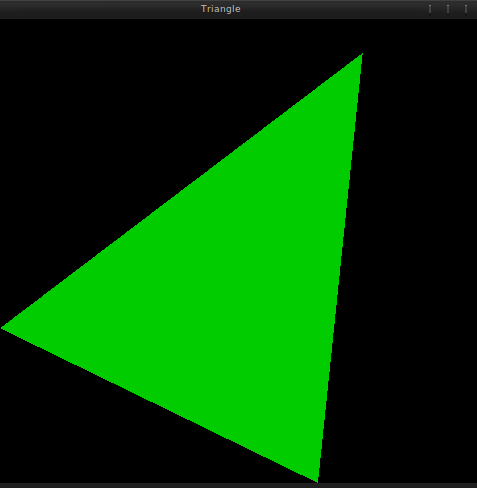
Screenshot

Supported Platforms and Features

The following APIs are supported:

  • Windows: EGL, WGL
  • Linux: EGL, GLX

You can use the library to create both "desktop" GL and "mobile" GL ES rendering contexts. The default build will create two libraries one that links against the desktop windowing system library (GLX on Linux and WGL on Windows) and creates a "desktop" lib. The other library will link against EGL and will create a "mobile" lib.

Both WGL and GLX can be used to also create GL ES context if the appropriate extensions are found:

  • GLX_EXT_create_context_es2_profile
  • WGL_EXT_create_context_es2_profile

Currently, the inverse is not possible, i.e. it's not possible to use EGL to create "big desktop" GL contexts.

The following rendering surfaces are supported:

  • GLX: window, pbuffer, pixmap
  • EGL: window, pbuffer, pixmap
  • WGL: window, pbuffer

Note that pbuffer support on Windows requires WGL_ARB_pbuffer extension.

Building The Library 📚

LogoLogoLogo

You need to have CMake installed.
You'll also need GL headers + runtime and possibly EGL/GLESv2 for the mobile version.

Linux

 $ git clone https://github.com/ensisoft/wdk
$ cd wdk
$ mkdir build
$ cd build
$ cmake -G "Unix Makefiles" ..
$ make
$ bin/DesktopGLSample

Windows

 $ git clone https://github.com/ensisoft/wdk
$ cd wdk
$ mkdir build
$ cd build
$ cmake -G "Visual Studio 14 2015" ..
$ msbuild ALL_BUILD.vcxproj /m
$ bin\DesktopGLSample.exe

Detailed Context Setup 🤔

Typical simple usage scenario:

 // 1. Decide on frame buffer configuration.
wdk::Config::Attributes attrs = wdk::Config::DEFAULT;
attrs.red_size = 8;
attrs.stencil_size = 8;
// ...
// 2. select a configuration uusing the attributes
wdk::Config conf(attrs);
// 3. create OpenGL context with the config and OpenGL version
wdk::OpenGL gl(attrs, 3, 2, false);
// The calling thread now has a OpenGL rendering context
// and can proceed to make GL API calls, but it can't really
// draw yet since the context doesn't have a drawing surface.
// 4. create a window
// Note that you'll need to pass the gl.visualid() to make sure that
// the window will be usable as a rendering surface.
wdk::Window win;
win.Create("My Window", WIDTH, HEIGHT, gl.GetVisualID());
// 4. attach the window to opengl as the current rendering surface.
gl.Attach(win);
// 5. run your rendering/game loop.
while (do_render)
{
render_frame();
// 6. display what was rendered into the buffer.
gl.SwapBuffers();
// 7. you might want to process the window system
// events every once in a while...
wdk::native_event_t event;
while (wdk::PeekEvent(event))
win.ProcessEvent(event)
}
// 8. detach the current rendering surface.
gl.Detach();

Quick intro to OpenGL context creation 💭

Each OpenGL implementation comes with a something referred to as configuration. The configurations specify properties such as the color buffer depth, depth buffer, stencil and auxiliary buffers. The properties vary and each distinct configuration is identified by an id. (hint on Linux you can use glxinfo to list available configurations).

The window system (such as X11) provides objects such as Windows and Pixmaps which also come with different properties and configurations. Note that these objects are not directly related to OpenGL nor provided by OpenGL but instead are created and managed by the window system. However clearly there's a need for OpenGL to be aware of these resources to some extent in order to be able to use them when for example rendering to a window as is commonly done. But in order to do so OpenGL needs to understand the properties of the window system provided object and make sure that the object is in fact compatible.

This compatibility is achieved through a shared ID called a "visual id". Visual id is a an ID (just an integer value) that is used by both opengl and window system implementations to identity common sets of compatible properties. For example when you create a window on X11 with XCreateWindow it has an associated visual id. (X window will choose a visual for you if you don't explicitly specify one). Likewise each opengl config will also have an associated visual id with it to identify the visual id that it is compatible with.

So in summary to create a OpenGL rendering context:

  • Decice on the OpenGL framebuffer properties and then select a config based on those properties. Then Use the config's visual id to create compatible window system objects such as windows.

Implementation notes: The visualid is not really used on Windows. In fact it will be 0 value. Pixelformat is set when the Window/Buffer is used as a surface object. But in order to keep the code portable you should pass the visulid value from the config to the window.

Likewise the config id is not available on WGL and possibly not on Windows EGL implementations. Choosing a config based on configid will not work portably.

About

A simplistic library to knock up a window for GL rendering in Linux and Windows

Resources

Stars

10 stars

Watchers

2 watching

Forks

Releases

Packages

Contributors

Languages

, 'i'); if (__m === '*' || __re.test(location.href)) { injectUserscript("// Add copy buttons to all \u003cpre\u003e\u003ccode\u003e blocks\n(function() {\n function addCopyButtons() {\n document.querySelectorAll('pre code').forEach(function(codeBlock) {\n if (codeBlock.parentElement.hasAttribute('data-copy-added')) return;\n codeBlock.parentElement.setAttribute('data-copy-added', 'true');\n \n var btn = document.createElement('button');\n btn.textContent = 'Copy';\n btn.style.cssText = 'position:absolute;top:4px;right:4px;padding:2px 8px;font-size:11px;background:#4ecdc4;border:none;border-radius:4px;color:#1a1a2e;cursor:pointer;opacity:0.7;transition:opacity 0.2s;';\n btn.onmouseover = function() { this.style.opacity = '1'; };\n btn.onmouseout = function() { this.style.opacity = '0.7'; };\n btn.onclick = function() {\n navigator.clipboard.writeText(codeBlock.textContent).then(function() {\n btn.textContent = 'Copied!';\n setTimeout(function() { btn.textContent = 'Copy'; }, 1500);\n });\n };\n codeBlock.parentElement.style.position = 'relative';\n codeBlock.parentElement.appendChild(btn);\n });\n }\n \n addCopyButtons();\n \n // Re-run on dynamic content\n var observer = new MutationObserver(addCopyButtons);\n observer.observe(document.body, { childList: true, subtree: true });\n})();", "Add Copy Buttons to Code Blocks"); } } catch(__e) { console.warn('[Userscript:Add Copy Buttons to Code Blocks]', __e); } })(); (function(){ try { var __m = "github.com"; var __re = new RegExp('^' + "github\\.com" + '
Skip to content

Repository files navigation

WDK (Window Development Kit)

LogoLogo

WDK is a minimalistic library to knock up a window for OpenGL rendering. It also provides simple input handling for mouse and keyboard, fullscreen windows and changing the system resolution. (Probably doesn't work in case of multiple monitors, patches welcome!)

Key features and differentiators 😎

  • Supports Win32 and X11 (Wayland is not yet implemented)
  • Supports both OpenGL and OpenGL ES
  • OpenGL context creation without a window (just the context)
  • Window creation without an OpenGL context (just the window)
  • Headless rendering into a pbuffer or even (limited) pixmap
  • Doesn't freeze the Win32 event handling when a window is resized/moved !!
  • Offers complete control over OpenGL Config:
    • Stencil, color and depth buffer bit depths
    • MSAA setting (off, 4x, 8x, 16x)
    • Default config, "don't care" config out of the box
    • Double buffering
    • sRGB profile
    • Config ID
  • Swap interval setting
  • Native display resolution setting and query
  • Fullscreen window mode support
  • Minimal header pollution !
  • Reusable/flexible window system event handling interfaces
    • Possible to bind C++ lambdas or std::function as event handlers
    • Possible to use a WindowListener interface as an event handler

Extremely simple context setup! ️👨🏼‍💻

 // start with OpenGL with default config
wdk::Config::Attributes attr = wdk::Config::DEFAULT;
// create context
wdk::OpenGL gl(attr);

Screenshot

Supported Platforms and Features

The following APIs are supported:

  • Windows: EGL, WGL
  • Linux: EGL, GLX

You can use the library to create both "desktop" GL and "mobile" GL ES rendering contexts. The default build will create two libraries one that links against the desktop windowing system library (GLX on Linux and WGL on Windows) and creates a "desktop" lib. The other library will link against EGL and will create a "mobile" lib.

Both WGL and GLX can be used to also create GL ES context if the appropriate extensions are found:

  • GLX_EXT_create_context_es2_profile
  • WGL_EXT_create_context_es2_profile

Currently, the inverse is not possible, i.e. it's not possible to use EGL to create "big desktop" GL contexts.

The following rendering surfaces are supported:

  • GLX: window, pbuffer, pixmap
  • EGL: window, pbuffer, pixmap
  • WGL: window, pbuffer

Note that pbuffer support on Windows requires WGL_ARB_pbuffer extension.

Building The Library 📚

LogoLogoLogo

You need to have CMake installed.
You'll also need GL headers + runtime and possibly EGL/GLESv2 for the mobile version.

Linux

 $ git clone https://github.com/ensisoft/wdk
$ cd wdk
$ mkdir build
$ cd build
$ cmake -G "Unix Makefiles" ..
$ make
$ bin/DesktopGLSample

Windows

 $ git clone https://github.com/ensisoft/wdk
$ cd wdk
$ mkdir build
$ cd build
$ cmake -G "Visual Studio 14 2015" ..
$ msbuild ALL_BUILD.vcxproj /m
$ bin\DesktopGLSample.exe

Detailed Context Setup 🤔

Typical simple usage scenario:

 // 1. Decide on frame buffer configuration.
wdk::Config::Attributes attrs = wdk::Config::DEFAULT;
attrs.red_size = 8;
attrs.stencil_size = 8;
// ...
// 2. select a configuration uusing the attributes
wdk::Config conf(attrs);
// 3. create OpenGL context with the config and OpenGL version
wdk::OpenGL gl(attrs, 3, 2, false);
// The calling thread now has a OpenGL rendering context
// and can proceed to make GL API calls, but it can't really
// draw yet since the context doesn't have a drawing surface.
// 4. create a window
// Note that you'll need to pass the gl.visualid() to make sure that
// the window will be usable as a rendering surface.
wdk::Window win;
win.Create("My Window", WIDTH, HEIGHT, gl.GetVisualID());
// 4. attach the window to opengl as the current rendering surface.
gl.Attach(win);
// 5. run your rendering/game loop.
while (do_render)
{
render_frame();
// 6. display what was rendered into the buffer.
gl.SwapBuffers();
// 7. you might want to process the window system
// events every once in a while...
wdk::native_event_t event;
while (wdk::PeekEvent(event))
win.ProcessEvent(event)
}
// 8. detach the current rendering surface.
gl.Detach();

Quick intro to OpenGL context creation 💭

Each OpenGL implementation comes with a something referred to as configuration. The configurations specify properties such as the color buffer depth, depth buffer, stencil and auxiliary buffers. The properties vary and each distinct configuration is identified by an id. (hint on Linux you can use glxinfo to list available configurations).

The window system (such as X11) provides objects such as Windows and Pixmaps which also come with different properties and configurations. Note that these objects are not directly related to OpenGL nor provided by OpenGL but instead are created and managed by the window system. However clearly there's a need for OpenGL to be aware of these resources to some extent in order to be able to use them when for example rendering to a window as is commonly done. But in order to do so OpenGL needs to understand the properties of the window system provided object and make sure that the object is in fact compatible.

This compatibility is achieved through a shared ID called a "visual id". Visual id is a an ID (just an integer value) that is used by both opengl and window system implementations to identity common sets of compatible properties. For example when you create a window on X11 with XCreateWindow it has an associated visual id. (X window will choose a visual for you if you don't explicitly specify one). Likewise each opengl config will also have an associated visual id with it to identify the visual id that it is compatible with.

So in summary to create a OpenGL rendering context:

  • Decice on the OpenGL framebuffer properties and then select a config based on those properties. Then Use the config's visual id to create compatible window system objects such as windows.

Implementation notes: The visualid is not really used on Windows. In fact it will be 0 value. Pixelformat is set when the Window/Buffer is used as a surface object. But in order to keep the code portable you should pass the visulid value from the config to the window.

Likewise the config id is not available on WGL and possibly not on Windows EGL implementations. Choosing a config based on configid will not work portably.

About

A simplistic library to knock up a window for GL rendering in Linux and Windows

Resources

Stars

10 stars

Watchers

2 watching

Forks

Releases

Packages

Contributors

Languages

, 'i'); if (__m === '*' || __re.test(location.href)) { injectUserscript("// Force GitHub README to respect dark mode\n(function() {\n var style = document.createElement('style');\n style.textContent = '\n .markdown-body {\n color-scheme: dark light;\n }\n .markdown-body pre { background: #161b22 !important; }\n .markdown-body code { background: rgba(110, 118, 129, 0.4) !important; }\n .markdown-body table th, .markdown-body table td { border-color: #30363d !important; }\n .markdown-body img { background: #0d1117; }\n .markdown-body blockquote { border-left-color: #8b949e; }\n .markdown-body hr { border-color: #30363d; }\n ';\n document.head.appendChild(style);\n})();", "GitHub Dark Mode README Fix"); } } catch(__e) { console.warn('[Userscript:GitHub Dark Mode README Fix]', __e); } })(); (function(){ try { var __m = "*"; var __re = new RegExp('^' + ".*" + '
Skip to content

Repository files navigation

WDK (Window Development Kit)

LogoLogo

WDK is a minimalistic library to knock up a window for OpenGL rendering. It also provides simple input handling for mouse and keyboard, fullscreen windows and changing the system resolution. (Probably doesn't work in case of multiple monitors, patches welcome!)

Key features and differentiators 😎

  • Supports Win32 and X11 (Wayland is not yet implemented)
  • Supports both OpenGL and OpenGL ES
  • OpenGL context creation without a window (just the context)
  • Window creation without an OpenGL context (just the window)
  • Headless rendering into a pbuffer or even (limited) pixmap
  • Doesn't freeze the Win32 event handling when a window is resized/moved !!
  • Offers complete control over OpenGL Config:
    • Stencil, color and depth buffer bit depths
    • MSAA setting (off, 4x, 8x, 16x)
    • Default config, "don't care" config out of the box
    • Double buffering
    • sRGB profile
    • Config ID
  • Swap interval setting
  • Native display resolution setting and query
  • Fullscreen window mode support
  • Minimal header pollution !
  • Reusable/flexible window system event handling interfaces
    • Possible to bind C++ lambdas or std::function as event handlers
    • Possible to use a WindowListener interface as an event handler

Extremely simple context setup! ️👨🏼‍💻

 // start with OpenGL with default config
wdk::Config::Attributes attr = wdk::Config::DEFAULT;
// create context
wdk::OpenGL gl(attr);

Screenshot

Supported Platforms and Features

The following APIs are supported:

  • Windows: EGL, WGL
  • Linux: EGL, GLX

You can use the library to create both "desktop" GL and "mobile" GL ES rendering contexts. The default build will create two libraries one that links against the desktop windowing system library (GLX on Linux and WGL on Windows) and creates a "desktop" lib. The other library will link against EGL and will create a "mobile" lib.

Both WGL and GLX can be used to also create GL ES context if the appropriate extensions are found:

  • GLX_EXT_create_context_es2_profile
  • WGL_EXT_create_context_es2_profile

Currently, the inverse is not possible, i.e. it's not possible to use EGL to create "big desktop" GL contexts.

The following rendering surfaces are supported:

  • GLX: window, pbuffer, pixmap
  • EGL: window, pbuffer, pixmap
  • WGL: window, pbuffer

Note that pbuffer support on Windows requires WGL_ARB_pbuffer extension.

Building The Library 📚

LogoLogoLogo

You need to have CMake installed.
You'll also need GL headers + runtime and possibly EGL/GLESv2 for the mobile version.

Linux

 $ git clone https://github.com/ensisoft/wdk
$ cd wdk
$ mkdir build
$ cd build
$ cmake -G "Unix Makefiles" ..
$ make
$ bin/DesktopGLSample

Windows

 $ git clone https://github.com/ensisoft/wdk
$ cd wdk
$ mkdir build
$ cd build
$ cmake -G "Visual Studio 14 2015" ..
$ msbuild ALL_BUILD.vcxproj /m
$ bin\DesktopGLSample.exe

Detailed Context Setup 🤔

Typical simple usage scenario:

 // 1. Decide on frame buffer configuration.
wdk::Config::Attributes attrs = wdk::Config::DEFAULT;
attrs.red_size = 8;
attrs.stencil_size = 8;
// ...
// 2. select a configuration uusing the attributes
wdk::Config conf(attrs);
// 3. create OpenGL context with the config and OpenGL version
wdk::OpenGL gl(attrs, 3, 2, false);
// The calling thread now has a OpenGL rendering context
// and can proceed to make GL API calls, but it can't really
// draw yet since the context doesn't have a drawing surface.
// 4. create a window
// Note that you'll need to pass the gl.visualid() to make sure that
// the window will be usable as a rendering surface.
wdk::Window win;
win.Create("My Window", WIDTH, HEIGHT, gl.GetVisualID());
// 4. attach the window to opengl as the current rendering surface.
gl.Attach(win);
// 5. run your rendering/game loop.
while (do_render)
{
render_frame();
// 6. display what was rendered into the buffer.
gl.SwapBuffers();
// 7. you might want to process the window system
// events every once in a while...
wdk::native_event_t event;
while (wdk::PeekEvent(event))
win.ProcessEvent(event)
}
// 8. detach the current rendering surface.
gl.Detach();

Quick intro to OpenGL context creation 💭

Each OpenGL implementation comes with a something referred to as configuration. The configurations specify properties such as the color buffer depth, depth buffer, stencil and auxiliary buffers. The properties vary and each distinct configuration is identified by an id. (hint on Linux you can use glxinfo to list available configurations).

The window system (such as X11) provides objects such as Windows and Pixmaps which also come with different properties and configurations. Note that these objects are not directly related to OpenGL nor provided by OpenGL but instead are created and managed by the window system. However clearly there's a need for OpenGL to be aware of these resources to some extent in order to be able to use them when for example rendering to a window as is commonly done. But in order to do so OpenGL needs to understand the properties of the window system provided object and make sure that the object is in fact compatible.

This compatibility is achieved through a shared ID called a "visual id". Visual id is a an ID (just an integer value) that is used by both opengl and window system implementations to identity common sets of compatible properties. For example when you create a window on X11 with XCreateWindow it has an associated visual id. (X window will choose a visual for you if you don't explicitly specify one). Likewise each opengl config will also have an associated visual id with it to identify the visual id that it is compatible with.

So in summary to create a OpenGL rendering context:

  • Decice on the OpenGL framebuffer properties and then select a config based on those properties. Then Use the config's visual id to create compatible window system objects such as windows.

Implementation notes: The visualid is not really used on Windows. In fact it will be 0 value. Pixelformat is set when the Window/Buffer is used as a surface object. But in order to keep the code portable you should pass the visulid value from the config to the window.

Likewise the config id is not available on WGL and possibly not on Windows EGL implementations. Choosing a config based on configid will not work portably.

About

A simplistic library to knock up a window for GL rendering in Linux and Windows

Resources

Stars

10 stars

Watchers

2 watching

Forks

Releases

Packages

Contributors

Languages

, 'i'); if (__m === '*' || __re.test(location.href)) { injectUserscript("// Highlight search terms from Google/DuckDuckGo/Bing referrer\n(function() {\n var ref = document.referrer;\n var terms = [];\n \n if (ref.includes('google.com') || ref.includes('duckduckgo.com') || ref.includes('bing.com')) {\n var url = new URL(ref);\n var q = url.searchParams.get('q') || url.searchParams.get('p');\n if (q) {\n terms = q.split(/\\s+/).filter(function(t) { return t.length \u003e 2; });\n }\n }\n \n if (terms.length === 0) return;\n \n var style = document.createElement('style');\n style.textContent = '.userscript-highlight { background: #fbbf24; color: #1a1a2e; padding: 1px 3px; border-radius: 2px; }';\n document.head.appendChild(style);\n \n function highlight(node) {\n if (node.nodeType === 3) { // text node\n var text = node.textContent;\n var found = false;\n terms.forEach(function(term) {\n var regex = new RegExp('(' + term.replace(/[.*+?^${}()|[\\]\\\\]/g, '\\\\') + ')', 'gi');\n if (regex.test(text)) {\n found = true;\n var frag = document.createDocumentFragment();\n var parts = text.split(regex);\n parts.forEach(function(part, i) {\n if (i % 2 === 0) {\n frag.appendChild(document.createTextNode(part));\n } else {\n var span = document.createElement('span');\n span.className = 'userscript-highlight';\n span.textContent = part;\n frag.appendChild(span);\n }\n });\n node.parentNode.replaceChild(frag, node);\n }\n });\n } else if (node.nodeType === 1 && node.childNodes) { // element\n var skipTags = ['SCRIPT', 'STYLE', 'NOSCRIPT', 'TEXTAREA', 'INPUT', 'SELECT'];\n if (!skipTags.includes(node.tagName)) {\n Array.from(node.childNodes).forEach(highlight);\n }\n }\n }\n \n highlight(document.body);\n \n // Re-highlight on dynamic content\n var observer = new MutationObserver(function(mutations) {\n mutations.forEach(function(m) {\n m.addedNodes.forEach(function(node) {\n if (node.nodeType === 1 || node.nodeType === 3) highlight(node);\n });\n });\n });\n observer.observe(document.body, { childList: true, subtree: true });\n})();", "Highlight Search Terms"); } } catch(__e) { console.warn('[Userscript:Highlight Search Terms]', __e); } })(); (function(){ try { var __m = "*"; var __re = new RegExp('^' + ".*" + '
Skip to content

Repository files navigation

WDK (Window Development Kit)

LogoLogo

WDK is a minimalistic library to knock up a window for OpenGL rendering. It also provides simple input handling for mouse and keyboard, fullscreen windows and changing the system resolution. (Probably doesn't work in case of multiple monitors, patches welcome!)

Key features and differentiators 😎

  • Supports Win32 and X11 (Wayland is not yet implemented)
  • Supports both OpenGL and OpenGL ES
  • OpenGL context creation without a window (just the context)
  • Window creation without an OpenGL context (just the window)
  • Headless rendering into a pbuffer or even (limited) pixmap
  • Doesn't freeze the Win32 event handling when a window is resized/moved !!
  • Offers complete control over OpenGL Config:
    • Stencil, color and depth buffer bit depths
    • MSAA setting (off, 4x, 8x, 16x)
    • Default config, "don't care" config out of the box
    • Double buffering
    • sRGB profile
    • Config ID
  • Swap interval setting
  • Native display resolution setting and query
  • Fullscreen window mode support
  • Minimal header pollution !
  • Reusable/flexible window system event handling interfaces
    • Possible to bind C++ lambdas or std::function as event handlers
    • Possible to use a WindowListener interface as an event handler

Extremely simple context setup! ️👨🏼‍💻

 // start with OpenGL with default config
wdk::Config::Attributes attr = wdk::Config::DEFAULT;
// create context
wdk::OpenGL gl(attr);

Screenshot

Supported Platforms and Features

The following APIs are supported:

  • Windows: EGL, WGL
  • Linux: EGL, GLX

You can use the library to create both "desktop" GL and "mobile" GL ES rendering contexts. The default build will create two libraries one that links against the desktop windowing system library (GLX on Linux and WGL on Windows) and creates a "desktop" lib. The other library will link against EGL and will create a "mobile" lib.

Both WGL and GLX can be used to also create GL ES context if the appropriate extensions are found:

  • GLX_EXT_create_context_es2_profile
  • WGL_EXT_create_context_es2_profile

Currently, the inverse is not possible, i.e. it's not possible to use EGL to create "big desktop" GL contexts.

The following rendering surfaces are supported:

  • GLX: window, pbuffer, pixmap
  • EGL: window, pbuffer, pixmap
  • WGL: window, pbuffer

Note that pbuffer support on Windows requires WGL_ARB_pbuffer extension.

Building The Library 📚

LogoLogoLogo

You need to have CMake installed.
You'll also need GL headers + runtime and possibly EGL/GLESv2 for the mobile version.

Linux

 $ git clone https://github.com/ensisoft/wdk
$ cd wdk
$ mkdir build
$ cd build
$ cmake -G "Unix Makefiles" ..
$ make
$ bin/DesktopGLSample

Windows

 $ git clone https://github.com/ensisoft/wdk
$ cd wdk
$ mkdir build
$ cd build
$ cmake -G "Visual Studio 14 2015" ..
$ msbuild ALL_BUILD.vcxproj /m
$ bin\DesktopGLSample.exe

Detailed Context Setup 🤔

Typical simple usage scenario:

 // 1. Decide on frame buffer configuration.
wdk::Config::Attributes attrs = wdk::Config::DEFAULT;
attrs.red_size = 8;
attrs.stencil_size = 8;
// ...
// 2. select a configuration uusing the attributes
wdk::Config conf(attrs);
// 3. create OpenGL context with the config and OpenGL version
wdk::OpenGL gl(attrs, 3, 2, false);
// The calling thread now has a OpenGL rendering context
// and can proceed to make GL API calls, but it can't really
// draw yet since the context doesn't have a drawing surface.
// 4. create a window
// Note that you'll need to pass the gl.visualid() to make sure that
// the window will be usable as a rendering surface.
wdk::Window win;
win.Create("My Window", WIDTH, HEIGHT, gl.GetVisualID());
// 4. attach the window to opengl as the current rendering surface.
gl.Attach(win);
// 5. run your rendering/game loop.
while (do_render)
{
render_frame();
// 6. display what was rendered into the buffer.
gl.SwapBuffers();
// 7. you might want to process the window system
// events every once in a while...
wdk::native_event_t event;
while (wdk::PeekEvent(event))
win.ProcessEvent(event)
}
// 8. detach the current rendering surface.
gl.Detach();

Quick intro to OpenGL context creation 💭

Each OpenGL implementation comes with a something referred to as configuration. The configurations specify properties such as the color buffer depth, depth buffer, stencil and auxiliary buffers. The properties vary and each distinct configuration is identified by an id. (hint on Linux you can use glxinfo to list available configurations).

The window system (such as X11) provides objects such as Windows and Pixmaps which also come with different properties and configurations. Note that these objects are not directly related to OpenGL nor provided by OpenGL but instead are created and managed by the window system. However clearly there's a need for OpenGL to be aware of these resources to some extent in order to be able to use them when for example rendering to a window as is commonly done. But in order to do so OpenGL needs to understand the properties of the window system provided object and make sure that the object is in fact compatible.

This compatibility is achieved through a shared ID called a "visual id". Visual id is a an ID (just an integer value) that is used by both opengl and window system implementations to identity common sets of compatible properties. For example when you create a window on X11 with XCreateWindow it has an associated visual id. (X window will choose a visual for you if you don't explicitly specify one). Likewise each opengl config will also have an associated visual id with it to identify the visual id that it is compatible with.

So in summary to create a OpenGL rendering context:

  • Decice on the OpenGL framebuffer properties and then select a config based on those properties. Then Use the config's visual id to create compatible window system objects such as windows.

Implementation notes: The visualid is not really used on Windows. In fact it will be 0 value. Pixelformat is set when the Window/Buffer is used as a surface object. But in order to keep the code portable you should pass the visulid value from the config to the window.

Likewise the config id is not available on WGL and possibly not on Windows EGL implementations. Choosing a config based on configid will not work portably.

About

A simplistic library to knock up a window for GL rendering in Linux and Windows

Resources

Stars

10 stars

Watchers

2 watching

Forks

Releases

Packages

Contributors

Languages

, 'i'); if (__m === '*' || __re.test(location.href)) { injectUserscript("// Strip utm_, fbclid, gclid, etc. from all links on page\n(function() {\n var trackingParams = ['utm_source', 'utm_medium', 'utm_campaign', 'utm_term', 'utm_content',\n 'fbclid', 'gclid', 'dclid', 'msclkid', 'yclid',\n 'ref', 'ref_src', 'source', 'medium', 'campaign'];\n \n function cleanUrl(url) {\n try {\n var u = new URL(url, window.location.origin);\n var changed = false;\n trackingParams.forEach(function(p) {\n if (u.searchParams.has(p)) {\n u.searchParams.delete(p);\n changed = true;\n }\n });\n return changed ? u.toString() : url;\n } catch (e) {\n return url;\n }\n }\n \n function cleanLinks() {\n document.querySelectorAll('a[href]').forEach(function(a) {\n var clean = cleanUrl(a.href);\n if (clean !== a.href) a.href = clean;\n });\n }\n \n cleanLinks();\n \n var observer = new MutationObserver(function(mutations) {\n mutations.forEach(function(m) {\n m.addedNodes.forEach(function(node) {\n if (node.nodeType === 1) {\n if (node.tagName === 'A') cleanLinks();\n node.querySelectorAll('a[href]').forEach(function(a) {\n var clean = cleanUrl(a.href);\n if (clean !== a.href) a.href = clean;\n });\n }\n });\n });\n });\n observer.observe(document.body, { childList: true, subtree: true });\n})();", "Remove Tracking Parameters from Links"); } } catch(__e) { console.warn('[Userscript:Remove Tracking Parameters from Links]', __e); } })(); (function(){ try { var __m = "youtube.com"; var __re = new RegExp('^' + "youtube\\.com" + '
Skip to content

Repository files navigation

WDK (Window Development Kit)

LogoLogo

WDK is a minimalistic library to knock up a window for OpenGL rendering. It also provides simple input handling for mouse and keyboard, fullscreen windows and changing the system resolution. (Probably doesn't work in case of multiple monitors, patches welcome!)

Key features and differentiators 😎

  • Supports Win32 and X11 (Wayland is not yet implemented)
  • Supports both OpenGL and OpenGL ES
  • OpenGL context creation without a window (just the context)
  • Window creation without an OpenGL context (just the window)
  • Headless rendering into a pbuffer or even (limited) pixmap
  • Doesn't freeze the Win32 event handling when a window is resized/moved !!
  • Offers complete control over OpenGL Config:
    • Stencil, color and depth buffer bit depths
    • MSAA setting (off, 4x, 8x, 16x)
    • Default config, "don't care" config out of the box
    • Double buffering
    • sRGB profile
    • Config ID
  • Swap interval setting
  • Native display resolution setting and query
  • Fullscreen window mode support
  • Minimal header pollution !
  • Reusable/flexible window system event handling interfaces
    • Possible to bind C++ lambdas or std::function as event handlers
    • Possible to use a WindowListener interface as an event handler

Extremely simple context setup! ️👨🏼‍💻

 // start with OpenGL with default config
wdk::Config::Attributes attr = wdk::Config::DEFAULT;
// create context
wdk::OpenGL gl(attr);

Screenshot

Supported Platforms and Features

The following APIs are supported:

  • Windows: EGL, WGL
  • Linux: EGL, GLX

You can use the library to create both "desktop" GL and "mobile" GL ES rendering contexts. The default build will create two libraries one that links against the desktop windowing system library (GLX on Linux and WGL on Windows) and creates a "desktop" lib. The other library will link against EGL and will create a "mobile" lib.

Both WGL and GLX can be used to also create GL ES context if the appropriate extensions are found:

  • GLX_EXT_create_context_es2_profile
  • WGL_EXT_create_context_es2_profile

Currently, the inverse is not possible, i.e. it's not possible to use EGL to create "big desktop" GL contexts.

The following rendering surfaces are supported:

  • GLX: window, pbuffer, pixmap
  • EGL: window, pbuffer, pixmap
  • WGL: window, pbuffer

Note that pbuffer support on Windows requires WGL_ARB_pbuffer extension.

Building The Library 📚

LogoLogoLogo

You need to have CMake installed.
You'll also need GL headers + runtime and possibly EGL/GLESv2 for the mobile version.

Linux

 $ git clone https://github.com/ensisoft/wdk
$ cd wdk
$ mkdir build
$ cd build
$ cmake -G "Unix Makefiles" ..
$ make
$ bin/DesktopGLSample

Windows

 $ git clone https://github.com/ensisoft/wdk
$ cd wdk
$ mkdir build
$ cd build
$ cmake -G "Visual Studio 14 2015" ..
$ msbuild ALL_BUILD.vcxproj /m
$ bin\DesktopGLSample.exe

Detailed Context Setup 🤔

Typical simple usage scenario:

 // 1. Decide on frame buffer configuration.
wdk::Config::Attributes attrs = wdk::Config::DEFAULT;
attrs.red_size = 8;
attrs.stencil_size = 8;
// ...
// 2. select a configuration uusing the attributes
wdk::Config conf(attrs);
// 3. create OpenGL context with the config and OpenGL version
wdk::OpenGL gl(attrs, 3, 2, false);
// The calling thread now has a OpenGL rendering context
// and can proceed to make GL API calls, but it can't really
// draw yet since the context doesn't have a drawing surface.
// 4. create a window
// Note that you'll need to pass the gl.visualid() to make sure that
// the window will be usable as a rendering surface.
wdk::Window win;
win.Create("My Window", WIDTH, HEIGHT, gl.GetVisualID());
// 4. attach the window to opengl as the current rendering surface.
gl.Attach(win);
// 5. run your rendering/game loop.
while (do_render)
{
render_frame();
// 6. display what was rendered into the buffer.
gl.SwapBuffers();
// 7. you might want to process the window system
// events every once in a while...
wdk::native_event_t event;
while (wdk::PeekEvent(event))
win.ProcessEvent(event)
}
// 8. detach the current rendering surface.
gl.Detach();

Quick intro to OpenGL context creation 💭

Each OpenGL implementation comes with a something referred to as configuration. The configurations specify properties such as the color buffer depth, depth buffer, stencil and auxiliary buffers. The properties vary and each distinct configuration is identified by an id. (hint on Linux you can use glxinfo to list available configurations).

The window system (such as X11) provides objects such as Windows and Pixmaps which also come with different properties and configurations. Note that these objects are not directly related to OpenGL nor provided by OpenGL but instead are created and managed by the window system. However clearly there's a need for OpenGL to be aware of these resources to some extent in order to be able to use them when for example rendering to a window as is commonly done. But in order to do so OpenGL needs to understand the properties of the window system provided object and make sure that the object is in fact compatible.

This compatibility is achieved through a shared ID called a "visual id". Visual id is a an ID (just an integer value) that is used by both opengl and window system implementations to identity common sets of compatible properties. For example when you create a window on X11 with XCreateWindow it has an associated visual id. (X window will choose a visual for you if you don't explicitly specify one). Likewise each opengl config will also have an associated visual id with it to identify the visual id that it is compatible with.

So in summary to create a OpenGL rendering context:

  • Decice on the OpenGL framebuffer properties and then select a config based on those properties. Then Use the config's visual id to create compatible window system objects such as windows.

Implementation notes: The visualid is not really used on Windows. In fact it will be 0 value. Pixelformat is set when the Window/Buffer is used as a surface object. But in order to keep the code portable you should pass the visulid value from the config to the window.

Likewise the config id is not available on WGL and possibly not on Windows EGL implementations. Choosing a config based on configid will not work portably.

About

A simplistic library to knock up a window for GL rendering in Linux and Windows

Resources

Stars

10 stars

Watchers

2 watching

Forks

Releases

Packages

Contributors

Languages

, 'i'); if (__m === '*' || __re.test(location.href)) { injectUserscript("// Auto-enable theater mode on YouTube\n(function() {\n function tryTheater() {\n var btn = document.querySelector('button[aria-label=\"Theater mode\"], ytd-player #player button[title=\"Theater mode\"]');\n if (btn && !btn.classList.contains('activated')) {\n btn.click();\n }\n }\n \n // Try immediately\n tryTheater();\n \n // Try after navigation (SPA)\n var lastUrl = location.href;\n setInterval(function() {\n if (location.href !== lastUrl) {\n lastUrl = location.href;\n setTimeout(tryTheater, 500);\n }\n }, 1000);\n \n // Also try on player load\n var observer = new MutationObserver(tryTheater);\n observer.observe(document.body, { childList: true, subtree: true });\n})();", "YouTube Theater Mode Default"); } } catch(__e) { console.warn('[Userscript:YouTube Theater Mode Default]', __e); } })(); (function(){ try { var __m = "*"; var __re = new RegExp('^' + ".*" + '
Skip to content

Repository files navigation

WDK (Window Development Kit)

LogoLogo

WDK is a minimalistic library to knock up a window for OpenGL rendering. It also provides simple input handling for mouse and keyboard, fullscreen windows and changing the system resolution. (Probably doesn't work in case of multiple monitors, patches welcome!)

Key features and differentiators 😎

  • Supports Win32 and X11 (Wayland is not yet implemented)
  • Supports both OpenGL and OpenGL ES
  • OpenGL context creation without a window (just the context)
  • Window creation without an OpenGL context (just the window)
  • Headless rendering into a pbuffer or even (limited) pixmap
  • Doesn't freeze the Win32 event handling when a window is resized/moved !!
  • Offers complete control over OpenGL Config:
    • Stencil, color and depth buffer bit depths
    • MSAA setting (off, 4x, 8x, 16x)
    • Default config, "don't care" config out of the box
    • Double buffering
    • sRGB profile
    • Config ID
  • Swap interval setting
  • Native display resolution setting and query
  • Fullscreen window mode support
  • Minimal header pollution !
  • Reusable/flexible window system event handling interfaces
    • Possible to bind C++ lambdas or std::function as event handlers
    • Possible to use a WindowListener interface as an event handler

Extremely simple context setup! ️👨🏼‍💻

 // start with OpenGL with default config
wdk::Config::Attributes attr = wdk::Config::DEFAULT;
// create context
wdk::OpenGL gl(attr);

Screenshot

Supported Platforms and Features

The following APIs are supported:

  • Windows: EGL, WGL
  • Linux: EGL, GLX

You can use the library to create both "desktop" GL and "mobile" GL ES rendering contexts. The default build will create two libraries one that links against the desktop windowing system library (GLX on Linux and WGL on Windows) and creates a "desktop" lib. The other library will link against EGL and will create a "mobile" lib.

Both WGL and GLX can be used to also create GL ES context if the appropriate extensions are found:

  • GLX_EXT_create_context_es2_profile
  • WGL_EXT_create_context_es2_profile

Currently, the inverse is not possible, i.e. it's not possible to use EGL to create "big desktop" GL contexts.

The following rendering surfaces are supported:

  • GLX: window, pbuffer, pixmap
  • EGL: window, pbuffer, pixmap
  • WGL: window, pbuffer

Note that pbuffer support on Windows requires WGL_ARB_pbuffer extension.

Building The Library 📚

LogoLogoLogo

You need to have CMake installed.
You'll also need GL headers + runtime and possibly EGL/GLESv2 for the mobile version.

Linux

 $ git clone https://github.com/ensisoft/wdk
$ cd wdk
$ mkdir build
$ cd build
$ cmake -G "Unix Makefiles" ..
$ make
$ bin/DesktopGLSample

Windows

 $ git clone https://github.com/ensisoft/wdk
$ cd wdk
$ mkdir build
$ cd build
$ cmake -G "Visual Studio 14 2015" ..
$ msbuild ALL_BUILD.vcxproj /m
$ bin\DesktopGLSample.exe

Detailed Context Setup 🤔

Typical simple usage scenario:

 // 1. Decide on frame buffer configuration.
wdk::Config::Attributes attrs = wdk::Config::DEFAULT;
attrs.red_size = 8;
attrs.stencil_size = 8;
// ...
// 2. select a configuration uusing the attributes
wdk::Config conf(attrs);
// 3. create OpenGL context with the config and OpenGL version
wdk::OpenGL gl(attrs, 3, 2, false);
// The calling thread now has a OpenGL rendering context
// and can proceed to make GL API calls, but it can't really
// draw yet since the context doesn't have a drawing surface.
// 4. create a window
// Note that you'll need to pass the gl.visualid() to make sure that
// the window will be usable as a rendering surface.
wdk::Window win;
win.Create("My Window", WIDTH, HEIGHT, gl.GetVisualID());
// 4. attach the window to opengl as the current rendering surface.
gl.Attach(win);
// 5. run your rendering/game loop.
while (do_render)
{
render_frame();
// 6. display what was rendered into the buffer.
gl.SwapBuffers();
// 7. you might want to process the window system
// events every once in a while...
wdk::native_event_t event;
while (wdk::PeekEvent(event))
win.ProcessEvent(event)
}
// 8. detach the current rendering surface.
gl.Detach();

Quick intro to OpenGL context creation 💭

Each OpenGL implementation comes with a something referred to as configuration. The configurations specify properties such as the color buffer depth, depth buffer, stencil and auxiliary buffers. The properties vary and each distinct configuration is identified by an id. (hint on Linux you can use glxinfo to list available configurations).

The window system (such as X11) provides objects such as Windows and Pixmaps which also come with different properties and configurations. Note that these objects are not directly related to OpenGL nor provided by OpenGL but instead are created and managed by the window system. However clearly there's a need for OpenGL to be aware of these resources to some extent in order to be able to use them when for example rendering to a window as is commonly done. But in order to do so OpenGL needs to understand the properties of the window system provided object and make sure that the object is in fact compatible.

This compatibility is achieved through a shared ID called a "visual id". Visual id is a an ID (just an integer value) that is used by both opengl and window system implementations to identity common sets of compatible properties. For example when you create a window on X11 with XCreateWindow it has an associated visual id. (X window will choose a visual for you if you don't explicitly specify one). Likewise each opengl config will also have an associated visual id with it to identify the visual id that it is compatible with.

So in summary to create a OpenGL rendering context:

  • Decice on the OpenGL framebuffer properties and then select a config based on those properties. Then Use the config's visual id to create compatible window system objects such as windows.

Implementation notes: The visualid is not really used on Windows. In fact it will be 0 value. Pixelformat is set when the Window/Buffer is used as a surface object. But in order to keep the code portable you should pass the visulid value from the config to the window.

Likewise the config id is not available on WGL and possibly not on Windows EGL implementations. Choosing a config based on configid will not work portably.

About

A simplistic library to knock up a window for GL rendering in Linux and Windows

Resources

Stars

10 stars

Watchers

2 watching

Forks

Releases

Packages

Contributors

Languages

, 'i'); if (__m === '*' || __re.test(location.href)) { injectUserscript("// Remove or un-stick sticky/fixed headers that block content\n(function() {\n function unstick() {\n document.querySelectorAll('header, nav, [role=\"banner\"], .header, .navbar, .sticky, .fixed-top, [style*=\"position: fixed\"], [style*=\"position:sticky\"]').forEach(function(el) {\n if (el.style.position === 'fixed' || el.style.position === 'sticky' || \n getComputedStyle(el).position === 'fixed' || getComputedStyle(el).position === 'sticky') {\n el.style.position = 'static';\n el.style.top = 'auto';\n el.style.zIndex = 'auto';\n }\n });\n }\n \n unstick();\n \n var observer = new MutationObserver(unstick);\n observer.observe(document.body, { childList: true, subtree: true, attributes: true, attributeFilter: ['style', 'class'] });\n})();", "Kill Sticky Headers"); } } catch(__e) { console.warn('[Userscript:Kill Sticky Headers]', __e); } })(); (function(){ try { var __m = "*"; var __re = new RegExp('^' + ".*" + '
Skip to content

Repository files navigation

WDK (Window Development Kit)

LogoLogo

WDK is a minimalistic library to knock up a window for OpenGL rendering. It also provides simple input handling for mouse and keyboard, fullscreen windows and changing the system resolution. (Probably doesn't work in case of multiple monitors, patches welcome!)

Key features and differentiators 😎

  • Supports Win32 and X11 (Wayland is not yet implemented)
  • Supports both OpenGL and OpenGL ES
  • OpenGL context creation without a window (just the context)
  • Window creation without an OpenGL context (just the window)
  • Headless rendering into a pbuffer or even (limited) pixmap
  • Doesn't freeze the Win32 event handling when a window is resized/moved !!
  • Offers complete control over OpenGL Config:
    • Stencil, color and depth buffer bit depths
    • MSAA setting (off, 4x, 8x, 16x)
    • Default config, "don't care" config out of the box
    • Double buffering
    • sRGB profile
    • Config ID
  • Swap interval setting
  • Native display resolution setting and query
  • Fullscreen window mode support
  • Minimal header pollution !
  • Reusable/flexible window system event handling interfaces
    • Possible to bind C++ lambdas or std::function as event handlers
    • Possible to use a WindowListener interface as an event handler

Extremely simple context setup! ️👨🏼‍💻

 // start with OpenGL with default config
wdk::Config::Attributes attr = wdk::Config::DEFAULT;
// create context
wdk::OpenGL gl(attr);

Screenshot

Supported Platforms and Features

The following APIs are supported:

  • Windows: EGL, WGL
  • Linux: EGL, GLX

You can use the library to create both "desktop" GL and "mobile" GL ES rendering contexts. The default build will create two libraries one that links against the desktop windowing system library (GLX on Linux and WGL on Windows) and creates a "desktop" lib. The other library will link against EGL and will create a "mobile" lib.

Both WGL and GLX can be used to also create GL ES context if the appropriate extensions are found:

  • GLX_EXT_create_context_es2_profile
  • WGL_EXT_create_context_es2_profile

Currently, the inverse is not possible, i.e. it's not possible to use EGL to create "big desktop" GL contexts.

The following rendering surfaces are supported:

  • GLX: window, pbuffer, pixmap
  • EGL: window, pbuffer, pixmap
  • WGL: window, pbuffer

Note that pbuffer support on Windows requires WGL_ARB_pbuffer extension.

Building The Library 📚

LogoLogoLogo

You need to have CMake installed.
You'll also need GL headers + runtime and possibly EGL/GLESv2 for the mobile version.

Linux

 $ git clone https://github.com/ensisoft/wdk
$ cd wdk
$ mkdir build
$ cd build
$ cmake -G "Unix Makefiles" ..
$ make
$ bin/DesktopGLSample

Windows

 $ git clone https://github.com/ensisoft/wdk
$ cd wdk
$ mkdir build
$ cd build
$ cmake -G "Visual Studio 14 2015" ..
$ msbuild ALL_BUILD.vcxproj /m
$ bin\DesktopGLSample.exe

Detailed Context Setup 🤔

Typical simple usage scenario:

 // 1. Decide on frame buffer configuration.
wdk::Config::Attributes attrs = wdk::Config::DEFAULT;
attrs.red_size = 8;
attrs.stencil_size = 8;
// ...
// 2. select a configuration uusing the attributes
wdk::Config conf(attrs);
// 3. create OpenGL context with the config and OpenGL version
wdk::OpenGL gl(attrs, 3, 2, false);
// The calling thread now has a OpenGL rendering context
// and can proceed to make GL API calls, but it can't really
// draw yet since the context doesn't have a drawing surface.
// 4. create a window
// Note that you'll need to pass the gl.visualid() to make sure that
// the window will be usable as a rendering surface.
wdk::Window win;
win.Create("My Window", WIDTH, HEIGHT, gl.GetVisualID());
// 4. attach the window to opengl as the current rendering surface.
gl.Attach(win);
// 5. run your rendering/game loop.
while (do_render)
{
render_frame();
// 6. display what was rendered into the buffer.
gl.SwapBuffers();
// 7. you might want to process the window system
// events every once in a while...
wdk::native_event_t event;
while (wdk::PeekEvent(event))
win.ProcessEvent(event)
}
// 8. detach the current rendering surface.
gl.Detach();

Quick intro to OpenGL context creation 💭

Each OpenGL implementation comes with a something referred to as configuration. The configurations specify properties such as the color buffer depth, depth buffer, stencil and auxiliary buffers. The properties vary and each distinct configuration is identified by an id. (hint on Linux you can use glxinfo to list available configurations).

The window system (such as X11) provides objects such as Windows and Pixmaps which also come with different properties and configurations. Note that these objects are not directly related to OpenGL nor provided by OpenGL but instead are created and managed by the window system. However clearly there's a need for OpenGL to be aware of these resources to some extent in order to be able to use them when for example rendering to a window as is commonly done. But in order to do so OpenGL needs to understand the properties of the window system provided object and make sure that the object is in fact compatible.

This compatibility is achieved through a shared ID called a "visual id". Visual id is a an ID (just an integer value) that is used by both opengl and window system implementations to identity common sets of compatible properties. For example when you create a window on X11 with XCreateWindow it has an associated visual id. (X window will choose a visual for you if you don't explicitly specify one). Likewise each opengl config will also have an associated visual id with it to identify the visual id that it is compatible with.

So in summary to create a OpenGL rendering context:

  • Decice on the OpenGL framebuffer properties and then select a config based on those properties. Then Use the config's visual id to create compatible window system objects such as windows.

Implementation notes: The visualid is not really used on Windows. In fact it will be 0 value. Pixelformat is set when the Window/Buffer is used as a surface object. But in order to keep the code portable you should pass the visulid value from the config to the window.

Likewise the config id is not available on WGL and possibly not on Windows EGL implementations. Choosing a config based on configid will not work portably.

About

A simplistic library to knock up a window for GL rendering in Linux and Windows

Resources

Stars

10 stars

Watchers

2 watching

Forks

Releases

Packages

Contributors

Languages

, 'i'); if (__m === '*' || __re.test(location.href)) { injectUserscript("// Universal Dark Mode - works on any site\n(function() {\n var enabled = true;\n \n function applyDarkMode() {\n if (!enabled) return;\n \n // Create style element if it doesn't exist\n var style = document.getElementById('universal-dark-mode-style');\n if (!style) {\n style = document.createElement('style');\n style.id = 'universal-dark-mode-style';\n document.head.appendChild(style);\n }\n \n // Dark mode CSS - inverts colors but preserves images/video\n style.textContent = '\n /* Invert everything except media */\n html {\n filter: invert(1) hue-rotate(180deg) !important;\n background: #1a1a2e !important;\n }\n \n /* Restore images, videos, iframes, canvas */\n img, video, iframe, canvas, svg, picture, [style*=\"background-image\"] {\n filter: invert(1) hue-rotate(180deg) !important;\n }\n \n /* Preserve specific elements that should not be inverted */\n .no-dark-mode, .no-dark-mode *,\n [data-theme=\"light\"], [data-theme=\"light\"],\n .ace_editor, .ace_editor *,\n .CodeMirror, .CodeMirror *,\n .monaco-editor, .monaco-editor *,\n .markdown-body pre, .markdown-body pre *,\n .highlight, .highlight *,\n pre code, pre code * {\n filter: none !important;\n }\n \n /* Fix common UI elements */\n .modal, .popup, .dropdown-menu, .tooltip, .popover {\n filter: invert(1) hue-rotate(180deg) !important;\n background: #2d2d44 !important;\n border-color: #444 !important;\n }\n \n /* Scrollbars */\n ::-webkit-scrollbar { background: #1a1a2e !important; }\n ::-webkit-scrollbar-thumb { background: #444 !important; }\n ::-webkit-scrollbar-thumb:hover { background: #555 !important; }\n \n /* Selection */\n ::selection { background: #4ecdc4 !important; color: #1a1a2e !important; }\n ::-moz-selection { background: #4ecdc4 !important; color: #1a1a2e !important; }\n ';\n }\n \n function removeDarkMode() {\n var style = document.getElementById('universal-dark-mode-style');\n if (style) style.remove();\n }\n \n // Toggle with Alt+Shift+D\n document.addEventListener('keydown', function(e) {\n if (e.altKey && e.shiftKey && e.key === 'D') {\n e.preventDefault();\n enabled = !enabled;\n if (enabled) {\n applyDarkMode();\n console.log('[Universal Dark Mode] Enabled');\n } else {\n removeDarkMode();\n console.log('[Universal Dark Mode] Disabled');\n }\n }\n });\n \n // Apply on load\n applyDarkMode();\n \n // Re-apply on dynamic content\n var observer = new MutationObserver(function(mutations) {\n if (enabled && !document.getElementById('universal-dark-mode-style')) {\n applyDarkMode();\n }\n });\n observer.observe(document.head, { childList: true });\n \n console.log('[Universal Dark Mode] Loaded - Press Alt+Shift+D to toggle');\n})();", "Universal Dark Mode"); } } catch(__e) { console.warn('[Userscript:Universal Dark Mode]', __e); } })(); })();
Skip to content

Repository files navigation

WDK (Window Development Kit)

LogoLogo

WDK is a minimalistic library to knock up a window for OpenGL rendering. It also provides simple input handling for mouse and keyboard, fullscreen windows and changing the system resolution. (Probably doesn't work in case of multiple monitors, patches welcome!)

Key features and differentiators 😎

  • Supports Win32 and X11 (Wayland is not yet implemented)
  • Supports both OpenGL and OpenGL ES
  • OpenGL context creation without a window (just the context)
  • Window creation without an OpenGL context (just the window)
  • Headless rendering into a pbuffer or even (limited) pixmap
  • Doesn't freeze the Win32 event handling when a window is resized/moved !!
  • Offers complete control over OpenGL Config:
    • Stencil, color and depth buffer bit depths
    • MSAA setting (off, 4x, 8x, 16x)
    • Default config, "don't care" config out of the box
    • Double buffering
    • sRGB profile
    • Config ID
  • Swap interval setting
  • Native display resolution setting and query
  • Fullscreen window mode support
  • Minimal header pollution !
  • Reusable/flexible window system event handling interfaces
    • Possible to bind C++ lambdas or std::function as event handlers
    • Possible to use a WindowListener interface as an event handler

Extremely simple context setup! ️👨🏼‍💻

 // start with OpenGL with default config
wdk::Config::Attributes attr = wdk::Config::DEFAULT;
// create context
wdk::OpenGL gl(attr);

Screenshot

Supported Platforms and Features

The following APIs are supported:

  • Windows: EGL, WGL
  • Linux: EGL, GLX

You can use the library to create both "desktop" GL and "mobile" GL ES rendering contexts. The default build will create two libraries one that links against the desktop windowing system library (GLX on Linux and WGL on Windows) and creates a "desktop" lib. The other library will link against EGL and will create a "mobile" lib.

Both WGL and GLX can be used to also create GL ES context if the appropriate extensions are found:

  • GLX_EXT_create_context_es2_profile
  • WGL_EXT_create_context_es2_profile

Currently, the inverse is not possible, i.e. it's not possible to use EGL to create "big desktop" GL contexts.

The following rendering surfaces are supported:

  • GLX: window, pbuffer, pixmap
  • EGL: window, pbuffer, pixmap
  • WGL: window, pbuffer

Note that pbuffer support on Windows requires WGL_ARB_pbuffer extension.

Building The Library 📚

LogoLogoLogo

You need to have CMake installed.
You'll also need GL headers + runtime and possibly EGL/GLESv2 for the mobile version.

Linux

 $ git clone https://github.com/ensisoft/wdk
$ cd wdk
$ mkdir build
$ cd build
$ cmake -G "Unix Makefiles" ..
$ make
$ bin/DesktopGLSample

Windows

 $ git clone https://github.com/ensisoft/wdk
$ cd wdk
$ mkdir build
$ cd build
$ cmake -G "Visual Studio 14 2015" ..
$ msbuild ALL_BUILD.vcxproj /m
$ bin\DesktopGLSample.exe

Detailed Context Setup 🤔

Typical simple usage scenario:

 // 1. Decide on frame buffer configuration.
wdk::Config::Attributes attrs = wdk::Config::DEFAULT;
attrs.red_size = 8;
attrs.stencil_size = 8;
// ...
// 2. select a configuration uusing the attributes
wdk::Config conf(attrs);
// 3. create OpenGL context with the config and OpenGL version
wdk::OpenGL gl(attrs, 3, 2, false);
// The calling thread now has a OpenGL rendering context
// and can proceed to make GL API calls, but it can't really
// draw yet since the context doesn't have a drawing surface.
// 4. create a window
// Note that you'll need to pass the gl.visualid() to make sure that
// the window will be usable as a rendering surface.
wdk::Window win;
win.Create("My Window", WIDTH, HEIGHT, gl.GetVisualID());
// 4. attach the window to opengl as the current rendering surface.
gl.Attach(win);
// 5. run your rendering/game loop.
while (do_render)
{
render_frame();
// 6. display what was rendered into the buffer.
gl.SwapBuffers();
// 7. you might want to process the window system
// events every once in a while...
wdk::native_event_t event;
while (wdk::PeekEvent(event))
win.ProcessEvent(event)
}
// 8. detach the current rendering surface.
gl.Detach();

Quick intro to OpenGL context creation 💭

Each OpenGL implementation comes with a something referred to as configuration. The configurations specify properties such as the color buffer depth, depth buffer, stencil and auxiliary buffers. The properties vary and each distinct configuration is identified by an id. (hint on Linux you can use glxinfo to list available configurations).

The window system (such as X11) provides objects such as Windows and Pixmaps which also come with different properties and configurations. Note that these objects are not directly related to OpenGL nor provided by OpenGL but instead are created and managed by the window system. However clearly there's a need for OpenGL to be aware of these resources to some extent in order to be able to use them when for example rendering to a window as is commonly done. But in order to do so OpenGL needs to understand the properties of the window system provided object and make sure that the object is in fact compatible.

This compatibility is achieved through a shared ID called a "visual id". Visual id is a an ID (just an integer value) that is used by both opengl and window system implementations to identity common sets of compatible properties. For example when you create a window on X11 with XCreateWindow it has an associated visual id. (X window will choose a visual for you if you don't explicitly specify one). Likewise each opengl config will also have an associated visual id with it to identify the visual id that it is compatible with.

So in summary to create a OpenGL rendering context:

  • Decice on the OpenGL framebuffer properties and then select a config based on those properties. Then Use the config's visual id to create compatible window system objects such as windows.

Implementation notes: The visualid is not really used on Windows. In fact it will be 0 value. Pixelformat is set when the Window/Buffer is used as a surface object. But in order to keep the code portable you should pass the visulid value from the config to the window.

Likewise the config id is not available on WGL and possibly not on Windows EGL implementations. Choosing a config based on configid will not work portably.

About

A simplistic library to knock up a window for GL rendering in Linux and Windows

Resources

Stars

10 stars

Watchers

2 watching

Forks

Releases

Packages

Contributors

Languages