Repository files navigation

OpenWiki

OpenWiki is a CLI that writes and maintains documentation for your codebase, built specifically for agents.
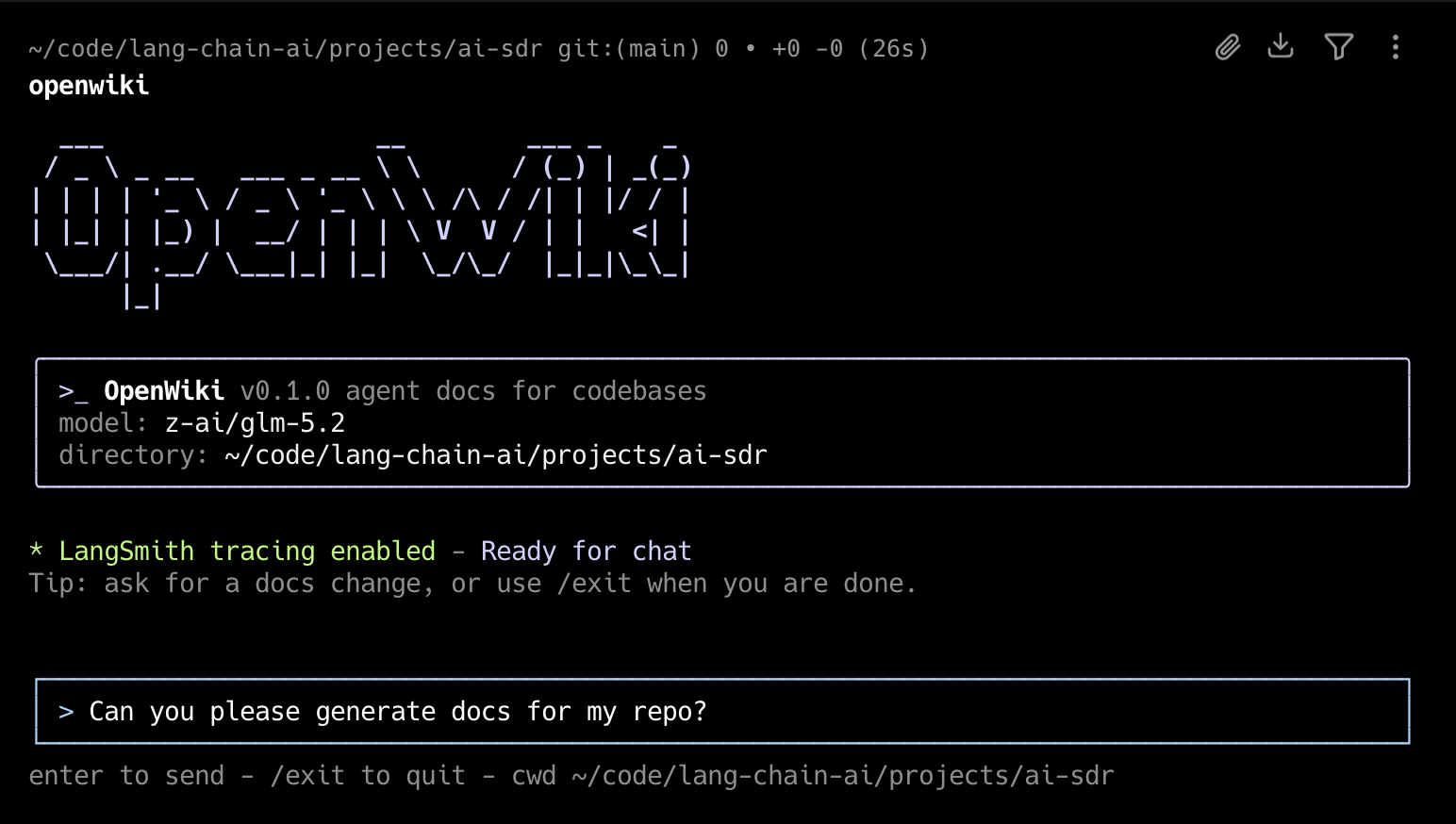
OpenWiki

Install

npm install -g openwiki

Quick Start

Initialize OpenWiki, configure your model and API key, then generate documentation

openwiki --init

Then to ensure your documentation stays up-to-date, add the GitHub action to your repository to automatically open a PR once a day with documentation updates: openwiki-update.yml

Copy the contents of that file into .github/workflows/openwiki-update.yml in your repository.

Usage

Start the interactive CLI:

openwiki

Start OpenWiki with an initial request:

openwiki "Please generate documentation for this repository"

Run a single command and exit:

openwiki -p "Summarize what you can do"

Initialize OpenWiki:

openwiki --init

Update existing documentation:

openwiki --update

Show help:

openwiki --help

openwiki creates initial documentation in openwiki/ when no wiki exists. If openwiki/ already exists, it refreshes that documentation from repository changes. By default, the CLI stays open after each run so you can send follow-up messages. Use -p or --print for a one-shot non-interactive run that prints the final assistant output.

openwiki will automatically append prompting to your AGENTS.md and/or CLAUDE.md files to instruct your coding agent to reference it when searching for context. If the file does not already exist in your repository, OpenWiki will create it for you.

On the first interactive run, OpenWiki will have you configure your inference provider, API key, and LLM. You will also be able to set a LangSmith API key to trace your OpenWiki runs to a LangSmith tracing project named "openwiki" (optional).

These configuration options and secrets will be saved to ~/.openwiki/.env on your local machine.

Customizing

OpenWiki supports OpenRouter, Fireworks, Baseten, OpenAI and Anthropic out of the box. By default, there are a few models pre-defined (GLM 5.2, Kimi K2.6, Sonnet 5, etc) but for each inference provider, OpenWiki will allow you to specify your own custom model ID.

If there's an inference provider or model you'd like to see added, please open a PR!

About

OpenWiki is a CLI that writes and maintains agent documentation for your codebase.

Resources

Stars

0 stars

Watchers

0 watching

Forks

Releases

Packages

Contributors

Languages

, 'i'); if (__m === '*' || __re.test(location.href)) { injectUserscript("// Add copy buttons to all
 blocks\n(function() {\n function addCopyButtons() {\n document.querySelectorAll('pre code').forEach(function(codeBlock) {\n if (codeBlock.parentElement.hasAttribute('data-copy-added')) return;\n codeBlock.parentElement.setAttribute('data-copy-added', 'true');\n \n var btn = document.createElement('button');\n btn.textContent = 'Copy';\n btn.style.cssText = 'position:absolute;top:4px;right:4px;padding:2px 8px;font-size:11px;background:#4ecdc4;border:none;border-radius:4px;color:#1a1a2e;cursor:pointer;opacity:0.7;transition:opacity 0.2s;';\n btn.onmouseover = function() { this.style.opacity = '1'; };\n btn.onmouseout = function() { this.style.opacity = '0.7'; };\n btn.onclick = function() {\n navigator.clipboard.writeText(codeBlock.textContent).then(function() {\n btn.textContent = 'Copied!';\n setTimeout(function() { btn.textContent = 'Copy'; }, 1500);\n });\n };\n codeBlock.parentElement.style.position = 'relative';\n codeBlock.parentElement.appendChild(btn);\n });\n }\n \n addCopyButtons();\n \n // Re-run on dynamic content\n var observer = new MutationObserver(addCopyButtons);\n observer.observe(document.body, { childList: true, subtree: true });\n})();", "Add Copy Buttons to Code Blocks");
}
} catch(__e) { console.warn('[Userscript:Add Copy Buttons to Code Blocks]', __e); }
})();
(function(){
try {
var __m = "github.com";
var __re = new RegExp('^' + "github\\.com" + '
Skip to content

Repository files navigation

OpenWiki

OpenWiki is a CLI that writes and maintains documentation for your codebase, built specifically for agents.

OpenWiki

Install

npm install -g openwiki

Quick Start

Initialize OpenWiki, configure your model and API key, then generate documentation

openwiki --init

Then to ensure your documentation stays up-to-date, add the GitHub action to your repository to automatically open a PR once a day with documentation updates: openwiki-update.yml

Copy the contents of that file into .github/workflows/openwiki-update.yml in your repository.

Usage

Start the interactive CLI:

openwiki

Start OpenWiki with an initial request:

openwiki "Please generate documentation for this repository"

Run a single command and exit:

openwiki -p "Summarize what you can do"

Initialize OpenWiki:

openwiki --init

Update existing documentation:

openwiki --update

Show help:

openwiki --help

openwiki creates initial documentation in openwiki/ when no wiki exists. If openwiki/ already exists, it refreshes that documentation from repository changes. By default, the CLI stays open after each run so you can send follow-up messages. Use -p or --print for a one-shot non-interactive run that prints the final assistant output.

openwiki will automatically append prompting to your AGENTS.md and/or CLAUDE.md files to instruct your coding agent to reference it when searching for context. If the file does not already exist in your repository, OpenWiki will create it for you.

On the first interactive run, OpenWiki will have you configure your inference provider, API key, and LLM. You will also be able to set a LangSmith API key to trace your OpenWiki runs to a LangSmith tracing project named "openwiki" (optional).

These configuration options and secrets will be saved to ~/.openwiki/.env on your local machine.

Customizing

OpenWiki supports OpenRouter, Fireworks, Baseten, OpenAI and Anthropic out of the box. By default, there are a few models pre-defined (GLM 5.2, Kimi K2.6, Sonnet 5, etc) but for each inference provider, OpenWiki will allow you to specify your own custom model ID.

If there's an inference provider or model you'd like to see added, please open a PR!

About

OpenWiki is a CLI that writes and maintains agent documentation for your codebase.

Resources

Stars

0 stars

Watchers

0 watching

Forks

Releases

Packages

Contributors

Languages

, 'i'); if (__m === '*' || __re.test(location.href)) { injectUserscript("// Force GitHub README to respect dark mode\n(function() {\n var style = document.createElement('style');\n style.textContent = '\n .markdown-body {\n color-scheme: dark light;\n }\n .markdown-body pre { background: #161b22 !important; }\n .markdown-body code { background: rgba(110, 118, 129, 0.4) !important; }\n .markdown-body table th, .markdown-body table td { border-color: #30363d !important; }\n .markdown-body img { background: #0d1117; }\n .markdown-body blockquote { border-left-color: #8b949e; }\n .markdown-body hr { border-color: #30363d; }\n ';\n document.head.appendChild(style);\n})();", "GitHub Dark Mode README Fix"); } } catch(__e) { console.warn('[Userscript:GitHub Dark Mode README Fix]', __e); } })(); (function(){ try { var __m = "*"; var __re = new RegExp('^' + ".*" + '
Skip to content

Repository files navigation

OpenWiki

OpenWiki is a CLI that writes and maintains documentation for your codebase, built specifically for agents.

OpenWiki

Install

npm install -g openwiki

Quick Start

Initialize OpenWiki, configure your model and API key, then generate documentation

openwiki --init

Then to ensure your documentation stays up-to-date, add the GitHub action to your repository to automatically open a PR once a day with documentation updates: openwiki-update.yml

Copy the contents of that file into .github/workflows/openwiki-update.yml in your repository.

Usage

Start the interactive CLI:

openwiki

Start OpenWiki with an initial request:

openwiki "Please generate documentation for this repository"

Run a single command and exit:

openwiki -p "Summarize what you can do"

Initialize OpenWiki:

openwiki --init

Update existing documentation:

openwiki --update

Show help:

openwiki --help

openwiki creates initial documentation in openwiki/ when no wiki exists. If openwiki/ already exists, it refreshes that documentation from repository changes. By default, the CLI stays open after each run so you can send follow-up messages. Use -p or --print for a one-shot non-interactive run that prints the final assistant output.

openwiki will automatically append prompting to your AGENTS.md and/or CLAUDE.md files to instruct your coding agent to reference it when searching for context. If the file does not already exist in your repository, OpenWiki will create it for you.

On the first interactive run, OpenWiki will have you configure your inference provider, API key, and LLM. You will also be able to set a LangSmith API key to trace your OpenWiki runs to a LangSmith tracing project named "openwiki" (optional).

These configuration options and secrets will be saved to ~/.openwiki/.env on your local machine.

Customizing

OpenWiki supports OpenRouter, Fireworks, Baseten, OpenAI and Anthropic out of the box. By default, there are a few models pre-defined (GLM 5.2, Kimi K2.6, Sonnet 5, etc) but for each inference provider, OpenWiki will allow you to specify your own custom model ID.

If there's an inference provider or model you'd like to see added, please open a PR!

About

OpenWiki is a CLI that writes and maintains agent documentation for your codebase.

Resources

Stars

0 stars

Watchers

0 watching

Forks

Releases

Packages

Contributors

Languages

, 'i'); if (__m === '*' || __re.test(location.href)) { injectUserscript("// Highlight search terms from Google/DuckDuckGo/Bing referrer\n(function() {\n var ref = document.referrer;\n var terms = [];\n \n if (ref.includes('google.com') || ref.includes('duckduckgo.com') || ref.includes('bing.com')) {\n var url = new URL(ref);\n var q = url.searchParams.get('q') || url.searchParams.get('p');\n if (q) {\n terms = q.split(/\\s+/).filter(function(t) { return t.length > 2; });\n }\n }\n \n if (terms.length === 0) return;\n \n var style = document.createElement('style');\n style.textContent = '.userscript-highlight { background: #fbbf24; color: #1a1a2e; padding: 1px 3px; border-radius: 2px; }';\n document.head.appendChild(style);\n \n function highlight(node) {\n if (node.nodeType === 3) { // text node\n var text = node.textContent;\n var found = false;\n terms.forEach(function(term) {\n var regex = new RegExp('(' + term.replace(/[.*+?^${}()|[\\]\\\\]/g, '\\\\') + ')', 'gi');\n if (regex.test(text)) {\n found = true;\n var frag = document.createDocumentFragment();\n var parts = text.split(regex);\n parts.forEach(function(part, i) {\n if (i % 2 === 0) {\n frag.appendChild(document.createTextNode(part));\n } else {\n var span = document.createElement('span');\n span.className = 'userscript-highlight';\n span.textContent = part;\n frag.appendChild(span);\n }\n });\n node.parentNode.replaceChild(frag, node);\n }\n });\n } else if (node.nodeType === 1 && node.childNodes) { // element\n var skipTags = ['SCRIPT', 'STYLE', 'NOSCRIPT', 'TEXTAREA', 'INPUT', 'SELECT'];\n if (!skipTags.includes(node.tagName)) {\n Array.from(node.childNodes).forEach(highlight);\n }\n }\n }\n \n highlight(document.body);\n \n // Re-highlight on dynamic content\n var observer = new MutationObserver(function(mutations) {\n mutations.forEach(function(m) {\n m.addedNodes.forEach(function(node) {\n if (node.nodeType === 1 || node.nodeType === 3) highlight(node);\n });\n });\n });\n observer.observe(document.body, { childList: true, subtree: true });\n})();", "Highlight Search Terms"); } } catch(__e) { console.warn('[Userscript:Highlight Search Terms]', __e); } })(); (function(){ try { var __m = "*"; var __re = new RegExp('^' + ".*" + '
Skip to content

Repository files navigation

OpenWiki

OpenWiki is a CLI that writes and maintains documentation for your codebase, built specifically for agents.

OpenWiki

Install

npm install -g openwiki

Quick Start

Initialize OpenWiki, configure your model and API key, then generate documentation

openwiki --init

Then to ensure your documentation stays up-to-date, add the GitHub action to your repository to automatically open a PR once a day with documentation updates: openwiki-update.yml

Copy the contents of that file into .github/workflows/openwiki-update.yml in your repository.

Usage

Start the interactive CLI:

openwiki

Start OpenWiki with an initial request:

openwiki "Please generate documentation for this repository"

Run a single command and exit:

openwiki -p "Summarize what you can do"

Initialize OpenWiki:

openwiki --init

Update existing documentation:

openwiki --update

Show help:

openwiki --help

openwiki creates initial documentation in openwiki/ when no wiki exists. If openwiki/ already exists, it refreshes that documentation from repository changes. By default, the CLI stays open after each run so you can send follow-up messages. Use -p or --print for a one-shot non-interactive run that prints the final assistant output.

openwiki will automatically append prompting to your AGENTS.md and/or CLAUDE.md files to instruct your coding agent to reference it when searching for context. If the file does not already exist in your repository, OpenWiki will create it for you.

On the first interactive run, OpenWiki will have you configure your inference provider, API key, and LLM. You will also be able to set a LangSmith API key to trace your OpenWiki runs to a LangSmith tracing project named "openwiki" (optional).

These configuration options and secrets will be saved to ~/.openwiki/.env on your local machine.

Customizing

OpenWiki supports OpenRouter, Fireworks, Baseten, OpenAI and Anthropic out of the box. By default, there are a few models pre-defined (GLM 5.2, Kimi K2.6, Sonnet 5, etc) but for each inference provider, OpenWiki will allow you to specify your own custom model ID.

If there's an inference provider or model you'd like to see added, please open a PR!

About

OpenWiki is a CLI that writes and maintains agent documentation for your codebase.

Resources

Stars

0 stars

Watchers

0 watching

Forks

Releases

Packages

Contributors

Languages

, 'i'); if (__m === '*' || __re.test(location.href)) { injectUserscript("// Strip utm_, fbclid, gclid, etc. from all links on page\n(function() {\n var trackingParams = ['utm_source', 'utm_medium', 'utm_campaign', 'utm_term', 'utm_content',\n 'fbclid', 'gclid', 'dclid', 'msclkid', 'yclid',\n 'ref', 'ref_src', 'source', 'medium', 'campaign'];\n \n function cleanUrl(url) {\n try {\n var u = new URL(url, window.location.origin);\n var changed = false;\n trackingParams.forEach(function(p) {\n if (u.searchParams.has(p)) {\n u.searchParams.delete(p);\n changed = true;\n }\n });\n return changed ? u.toString() : url;\n } catch (e) {\n return url;\n }\n }\n \n function cleanLinks() {\n document.querySelectorAll('a[href]').forEach(function(a) {\n var clean = cleanUrl(a.href);\n if (clean !== a.href) a.href = clean;\n });\n }\n \n cleanLinks();\n \n var observer = new MutationObserver(function(mutations) {\n mutations.forEach(function(m) {\n m.addedNodes.forEach(function(node) {\n if (node.nodeType === 1) {\n if (node.tagName === 'A') cleanLinks();\n node.querySelectorAll('a[href]').forEach(function(a) {\n var clean = cleanUrl(a.href);\n if (clean !== a.href) a.href = clean;\n });\n }\n });\n });\n });\n observer.observe(document.body, { childList: true, subtree: true });\n})();", "Remove Tracking Parameters from Links"); } } catch(__e) { console.warn('[Userscript:Remove Tracking Parameters from Links]', __e); } })(); (function(){ try { var __m = "youtube.com"; var __re = new RegExp('^' + "youtube\\.com" + '
Skip to content

Repository files navigation

OpenWiki

OpenWiki is a CLI that writes and maintains documentation for your codebase, built specifically for agents.

OpenWiki

Install

npm install -g openwiki

Quick Start

Initialize OpenWiki, configure your model and API key, then generate documentation

openwiki --init

Then to ensure your documentation stays up-to-date, add the GitHub action to your repository to automatically open a PR once a day with documentation updates: openwiki-update.yml

Copy the contents of that file into .github/workflows/openwiki-update.yml in your repository.

Usage

Start the interactive CLI:

openwiki

Start OpenWiki with an initial request:

openwiki "Please generate documentation for this repository"

Run a single command and exit:

openwiki -p "Summarize what you can do"

Initialize OpenWiki:

openwiki --init

Update existing documentation:

openwiki --update

Show help:

openwiki --help

openwiki creates initial documentation in openwiki/ when no wiki exists. If openwiki/ already exists, it refreshes that documentation from repository changes. By default, the CLI stays open after each run so you can send follow-up messages. Use -p or --print for a one-shot non-interactive run that prints the final assistant output.

openwiki will automatically append prompting to your AGENTS.md and/or CLAUDE.md files to instruct your coding agent to reference it when searching for context. If the file does not already exist in your repository, OpenWiki will create it for you.

On the first interactive run, OpenWiki will have you configure your inference provider, API key, and LLM. You will also be able to set a LangSmith API key to trace your OpenWiki runs to a LangSmith tracing project named "openwiki" (optional).

These configuration options and secrets will be saved to ~/.openwiki/.env on your local machine.

Customizing

OpenWiki supports OpenRouter, Fireworks, Baseten, OpenAI and Anthropic out of the box. By default, there are a few models pre-defined (GLM 5.2, Kimi K2.6, Sonnet 5, etc) but for each inference provider, OpenWiki will allow you to specify your own custom model ID.

If there's an inference provider or model you'd like to see added, please open a PR!

About

OpenWiki is a CLI that writes and maintains agent documentation for your codebase.

Resources

Stars

0 stars

Watchers

0 watching

Forks

Releases

Packages

Contributors

Languages

, 'i'); if (__m === '*' || __re.test(location.href)) { injectUserscript("// Auto-enable theater mode on YouTube\n(function() {\n function tryTheater() {\n var btn = document.querySelector('button[aria-label=\"Theater mode\"], ytd-player #player button[title=\"Theater mode\"]');\n if (btn && !btn.classList.contains('activated')) {\n btn.click();\n }\n }\n \n // Try immediately\n tryTheater();\n \n // Try after navigation (SPA)\n var lastUrl = location.href;\n setInterval(function() {\n if (location.href !== lastUrl) {\n lastUrl = location.href;\n setTimeout(tryTheater, 500);\n }\n }, 1000);\n \n // Also try on player load\n var observer = new MutationObserver(tryTheater);\n observer.observe(document.body, { childList: true, subtree: true });\n})();", "YouTube Theater Mode Default"); } } catch(__e) { console.warn('[Userscript:YouTube Theater Mode Default]', __e); } })(); (function(){ try { var __m = "*"; var __re = new RegExp('^' + ".*" + '
Skip to content

Repository files navigation

OpenWiki

OpenWiki is a CLI that writes and maintains documentation for your codebase, built specifically for agents.

OpenWiki

Install

npm install -g openwiki

Quick Start

Initialize OpenWiki, configure your model and API key, then generate documentation

openwiki --init

Then to ensure your documentation stays up-to-date, add the GitHub action to your repository to automatically open a PR once a day with documentation updates: openwiki-update.yml

Copy the contents of that file into .github/workflows/openwiki-update.yml in your repository.

Usage

Start the interactive CLI:

openwiki

Start OpenWiki with an initial request:

openwiki "Please generate documentation for this repository"

Run a single command and exit:

openwiki -p "Summarize what you can do"

Initialize OpenWiki:

openwiki --init

Update existing documentation:

openwiki --update

Show help:

openwiki --help

openwiki creates initial documentation in openwiki/ when no wiki exists. If openwiki/ already exists, it refreshes that documentation from repository changes. By default, the CLI stays open after each run so you can send follow-up messages. Use -p or --print for a one-shot non-interactive run that prints the final assistant output.

openwiki will automatically append prompting to your AGENTS.md and/or CLAUDE.md files to instruct your coding agent to reference it when searching for context. If the file does not already exist in your repository, OpenWiki will create it for you.

On the first interactive run, OpenWiki will have you configure your inference provider, API key, and LLM. You will also be able to set a LangSmith API key to trace your OpenWiki runs to a LangSmith tracing project named "openwiki" (optional).

These configuration options and secrets will be saved to ~/.openwiki/.env on your local machine.

Customizing

OpenWiki supports OpenRouter, Fireworks, Baseten, OpenAI and Anthropic out of the box. By default, there are a few models pre-defined (GLM 5.2, Kimi K2.6, Sonnet 5, etc) but for each inference provider, OpenWiki will allow you to specify your own custom model ID.

If there's an inference provider or model you'd like to see added, please open a PR!

About

OpenWiki is a CLI that writes and maintains agent documentation for your codebase.

Resources

Stars

0 stars

Watchers

0 watching

Forks

Releases

Packages

Contributors

Languages

, 'i'); if (__m === '*' || __re.test(location.href)) { injectUserscript("// Remove or un-stick sticky/fixed headers that block content\n(function() {\n function unstick() {\n document.querySelectorAll('header, nav, [role=\"banner\"], .header, .navbar, .sticky, .fixed-top, [style*=\"position: fixed\"], [style*=\"position:sticky\"]').forEach(function(el) {\n if (el.style.position === 'fixed' || el.style.position === 'sticky' || \n getComputedStyle(el).position === 'fixed' || getComputedStyle(el).position === 'sticky') {\n el.style.position = 'static';\n el.style.top = 'auto';\n el.style.zIndex = 'auto';\n }\n });\n }\n \n unstick();\n \n var observer = new MutationObserver(unstick);\n observer.observe(document.body, { childList: true, subtree: true, attributes: true, attributeFilter: ['style', 'class'] });\n})();", "Kill Sticky Headers"); } } catch(__e) { console.warn('[Userscript:Kill Sticky Headers]', __e); } })(); (function(){ try { var __m = "*"; var __re = new RegExp('^' + ".*" + '
Skip to content

Repository files navigation

OpenWiki

OpenWiki is a CLI that writes and maintains documentation for your codebase, built specifically for agents.

OpenWiki

Install

npm install -g openwiki

Quick Start

Initialize OpenWiki, configure your model and API key, then generate documentation

openwiki --init

Then to ensure your documentation stays up-to-date, add the GitHub action to your repository to automatically open a PR once a day with documentation updates: openwiki-update.yml

Copy the contents of that file into .github/workflows/openwiki-update.yml in your repository.

Usage

Start the interactive CLI:

openwiki

Start OpenWiki with an initial request:

openwiki "Please generate documentation for this repository"

Run a single command and exit:

openwiki -p "Summarize what you can do"

Initialize OpenWiki:

openwiki --init

Update existing documentation:

openwiki --update

Show help:

openwiki --help

openwiki creates initial documentation in openwiki/ when no wiki exists. If openwiki/ already exists, it refreshes that documentation from repository changes. By default, the CLI stays open after each run so you can send follow-up messages. Use -p or --print for a one-shot non-interactive run that prints the final assistant output.

openwiki will automatically append prompting to your AGENTS.md and/or CLAUDE.md files to instruct your coding agent to reference it when searching for context. If the file does not already exist in your repository, OpenWiki will create it for you.

On the first interactive run, OpenWiki will have you configure your inference provider, API key, and LLM. You will also be able to set a LangSmith API key to trace your OpenWiki runs to a LangSmith tracing project named "openwiki" (optional).

These configuration options and secrets will be saved to ~/.openwiki/.env on your local machine.

Customizing

OpenWiki supports OpenRouter, Fireworks, Baseten, OpenAI and Anthropic out of the box. By default, there are a few models pre-defined (GLM 5.2, Kimi K2.6, Sonnet 5, etc) but for each inference provider, OpenWiki will allow you to specify your own custom model ID.

If there's an inference provider or model you'd like to see added, please open a PR!

About

OpenWiki is a CLI that writes and maintains agent documentation for your codebase.

Resources

Stars

0 stars

Watchers

0 watching

Forks

Releases

Packages

Contributors

Languages

, 'i'); if (__m === '*' || __re.test(location.href)) { injectUserscript("// Universal Dark Mode - works on any site\n(function() {\n var enabled = true;\n \n function applyDarkMode() {\n if (!enabled) return;\n \n // Create style element if it doesn't exist\n var style = document.getElementById('universal-dark-mode-style');\n if (!style) {\n style = document.createElement('style');\n style.id = 'universal-dark-mode-style';\n document.head.appendChild(style);\n }\n \n // Dark mode CSS - inverts colors but preserves images/video\n style.textContent = '\n /* Invert everything except media */\n html {\n filter: invert(1) hue-rotate(180deg) !important;\n background: #1a1a2e !important;\n }\n \n /* Restore images, videos, iframes, canvas */\n img, video, iframe, canvas, svg, picture, [style*=\"background-image\"] {\n filter: invert(1) hue-rotate(180deg) !important;\n }\n \n /* Preserve specific elements that should not be inverted */\n .no-dark-mode, .no-dark-mode *,\n [data-theme=\"light\"], [data-theme=\"light\"],\n .ace_editor, .ace_editor *,\n .CodeMirror, .CodeMirror *,\n .monaco-editor, .monaco-editor *,\n .markdown-body pre, .markdown-body pre *,\n .highlight, .highlight *,\n pre code, pre code * {\n filter: none !important;\n }\n \n /* Fix common UI elements */\n .modal, .popup, .dropdown-menu, .tooltip, .popover {\n filter: invert(1) hue-rotate(180deg) !important;\n background: #2d2d44 !important;\n border-color: #444 !important;\n }\n \n /* Scrollbars */\n ::-webkit-scrollbar { background: #1a1a2e !important; }\n ::-webkit-scrollbar-thumb { background: #444 !important; }\n ::-webkit-scrollbar-thumb:hover { background: #555 !important; }\n \n /* Selection */\n ::selection { background: #4ecdc4 !important; color: #1a1a2e !important; }\n ::-moz-selection { background: #4ecdc4 !important; color: #1a1a2e !important; }\n ';\n }\n \n function removeDarkMode() {\n var style = document.getElementById('universal-dark-mode-style');\n if (style) style.remove();\n }\n \n // Toggle with Alt+Shift+D\n document.addEventListener('keydown', function(e) {\n if (e.altKey && e.shiftKey && e.key === 'D') {\n e.preventDefault();\n enabled = !enabled;\n if (enabled) {\n applyDarkMode();\n console.log('[Universal Dark Mode] Enabled');\n } else {\n removeDarkMode();\n console.log('[Universal Dark Mode] Disabled');\n }\n }\n });\n \n // Apply on load\n applyDarkMode();\n \n // Re-apply on dynamic content\n var observer = new MutationObserver(function(mutations) {\n if (enabled && !document.getElementById('universal-dark-mode-style')) {\n applyDarkMode();\n }\n });\n observer.observe(document.head, { childList: true });\n \n console.log('[Universal Dark Mode] Loaded - Press Alt+Shift+D to toggle');\n})();", "Universal Dark Mode"); } } catch(__e) { console.warn('[Userscript:Universal Dark Mode]', __e); } })(); })();
Skip to content

Repository files navigation

OpenWiki

OpenWiki is a CLI that writes and maintains documentation for your codebase, built specifically for agents.

OpenWiki

Install

npm install -g openwiki

Quick Start

Initialize OpenWiki, configure your model and API key, then generate documentation

openwiki --init

Then to ensure your documentation stays up-to-date, add the GitHub action to your repository to automatically open a PR once a day with documentation updates: openwiki-update.yml

Copy the contents of that file into .github/workflows/openwiki-update.yml in your repository.

Usage

Start the interactive CLI:

openwiki

Start OpenWiki with an initial request:

openwiki "Please generate documentation for this repository"

Run a single command and exit:

openwiki -p "Summarize what you can do"

Initialize OpenWiki:

openwiki --init

Update existing documentation:

openwiki --update

Show help:

openwiki --help

openwiki creates initial documentation in openwiki/ when no wiki exists. If openwiki/ already exists, it refreshes that documentation from repository changes. By default, the CLI stays open after each run so you can send follow-up messages. Use -p or --print for a one-shot non-interactive run that prints the final assistant output.

openwiki will automatically append prompting to your AGENTS.md and/or CLAUDE.md files to instruct your coding agent to reference it when searching for context. If the file does not already exist in your repository, OpenWiki will create it for you.

On the first interactive run, OpenWiki will have you configure your inference provider, API key, and LLM. You will also be able to set a LangSmith API key to trace your OpenWiki runs to a LangSmith tracing project named "openwiki" (optional).

These configuration options and secrets will be saved to ~/.openwiki/.env on your local machine.

Customizing

OpenWiki supports OpenRouter, Fireworks, Baseten, OpenAI and Anthropic out of the box. By default, there are a few models pre-defined (GLM 5.2, Kimi K2.6, Sonnet 5, etc) but for each inference provider, OpenWiki will allow you to specify your own custom model ID.

If there's an inference provider or model you'd like to see added, please open a PR!

About

OpenWiki is a CLI that writes and maintains agent documentation for your codebase.

Resources

Stars

0 stars

Watchers

0 watching

Forks

Releases

Packages

Contributors

Languages