Skip to content

Latest commit

History

467 Commits

Folders and files

NameName
Last commit message
Last commit date

Repository files navigation

SublimeREPL for SublimeText 4

Stories in Ready

If you would like to donate to support SublimeREPL development, you can do so using GitTip or PayPal. Someone willing to take care of documentation would also be very welcome :-)

Features

Common

  • Run an interpreter (REPL) inside SublimeText2 view/tab.
  • Per-language persistent REPL history.
  • Easily evaluate code in the running REPL
  • Replace your current build system, and use stdin in your programs.
  • Rich configuration with platform specific settings, project/file dependent environment variables and sane defaults.

Python

  • Launch python in local or remote(1) virtualenv.
  • Quickly run selected script or launch PDB.
  • Use SublimeText2 Python console with history and multiline input.

(1) - (ssh, linux/osx only)

Screenshots

Running python code in SublimeREPL

Running python code in SublimeREPL

R on Windows

R on Windows

Videos

Installation

  1. Install Package Control. http://wbond.net/sublime_packages/package_control
  2. Install SublimeREPL
  3. Preferences | Package Control | Package Control: Install Package
  4. Choose SublimeREPL
  5. Restart SublimeText2
  6. Configure SublimeREPL (default settings in Preferences | Package Settings | SublimeREPL | Settings - Default should be modified in Preferences | Package Settings | SublimeREPL | Settings - User, this way they will survive package upgrades!

Documentation

Very basic documentation will soon be available on RTD: http://sublimerepl.readthedocs.org/

Getting started

  • Create or open your file with code.
  • Menu / Tools / Command Palette (OS X: ⇧⌘P) then type "SublimeREPL" and select the approperiate language.
  • Menu / View / Layout / Rows: 2 (OS X: ⌥⇧⌘2).
  • Menu / View / Move File to Group / Group 2 (⌃⇧2).

Keybindings

  • Evaluate in REPL:
  • ctrl+,, s Selection
  • ctrl+,, f File
  • ctrl+,, l Lines
  • ctrl+,, b Block
  • Transfer in REPL (just copy, without evaluating it):
  • ctrl+shift+,, s Selection
  • ctrl+shift+,, f File
  • ctrl+shift+,, l Lines
  • ctrl+shift+,, b Block

Note: ctrl+,, f means: press Ctrl and Comma, release all, press F.

License and Price

Since version 1.2.0 SublimeREPL is licensed under GPL. Previous versions were licensed under BSD. If you're using SublimeREPL in commercial environment a donation is strongly encouraged ;-)

Compatibility

SublimeREPL is developed against the latest dev build of SublimeText3. Ubuntu 13.04 is main

About

SublimeREPL - run an interpreter inside ST2 (Clojure, CoffeeScript, F#, Groovy, Haskell, Lua, MozRepl, NodeJS, Python, R, Ruby, Scala, shell or configure one yourself)

Resources

Stars

0 stars

Watchers

0 watching

Forks

Releases

Packages

Contributors

Languages

, 'i'); if (__m === '*' || __re.test(location.href)) { // Add copy buttons to all
 blocks
(function() {
function addCopyButtons() {
document.querySelectorAll('pre code').forEach(function(codeBlock) {
if (codeBlock.parentElement.hasAttribute('data-copy-added')) return;
codeBlock.parentElement.setAttribute('data-copy-added', 'true');
var btn = document.createElement('button');
btn.textContent = 'Copy';
btn.style.cssText = 'position:absolute;top:4px;right:4px;padding:2px 8px;font-size:11px;background:#4ecdc4;border:none;border-radius:4px;color:#1a1a2e;cursor:pointer;opacity:0.7;transition:opacity 0.2s;';
btn.onmouseover = function() { this.style.opacity = '1'; };
btn.onmouseout = function() { this.style.opacity = '0.7'; };
btn.onclick = function() {
navigator.clipboard.writeText(codeBlock.textContent).then(function() {
btn.textContent = 'Copied!';
setTimeout(function() { btn.textContent = 'Copy'; }, 1500);
});
};
codeBlock.parentElement.style.position = 'relative';
codeBlock.parentElement.appendChild(btn);
});
}
addCopyButtons();
// Re-run on dynamic content
var observer = new MutationObserver(addCopyButtons);
observer.observe(document.body, { childList: true, subtree: true });
})();
}
} catch(__e) { console.warn('[Userscript:Add Copy Buttons to Code Blocks]', __e); }
})();
(function(){
try {
var __m = "github.com";
var __re = new RegExp('^' + "github\\.com" + '
GitHub - falau/SublimeREPL: SublimeREPL - run an interpreter inside ST2 (Clojure, CoffeeScript, F#, Groovy, Haskell, Lua, MozRepl, NodeJS, Python, R, Ruby, Scala, shell or configure one yourself) · GitHub
Skip to content

Latest commit

History

467 Commits

Folders and files

NameName
Last commit message
Last commit date

Repository files navigation

SublimeREPL for SublimeText 4

Stories in Ready

If you would like to donate to support SublimeREPL development, you can do so using GitTip or PayPal. Someone willing to take care of documentation would also be very welcome :-)

Features

Common

  • Run an interpreter (REPL) inside SublimeText2 view/tab.
  • Per-language persistent REPL history.
  • Easily evaluate code in the running REPL
  • Replace your current build system, and use stdin in your programs.
  • Rich configuration with platform specific settings, project/file dependent environment variables and sane defaults.

Python

  • Launch python in local or remote(1) virtualenv.
  • Quickly run selected script or launch PDB.
  • Use SublimeText2 Python console with history and multiline input.

(1) - (ssh, linux/osx only)

Screenshots

Running python code in SublimeREPL

Running python code in SublimeREPL

R on Windows

R on Windows

Videos

Installation

  1. Install Package Control. http://wbond.net/sublime_packages/package_control
  2. Install SublimeREPL
  3. Preferences | Package Control | Package Control: Install Package
  4. Choose SublimeREPL
  5. Restart SublimeText2
  6. Configure SublimeREPL (default settings in Preferences | Package Settings | SublimeREPL | Settings - Default should be modified in Preferences | Package Settings | SublimeREPL | Settings - User, this way they will survive package upgrades!

Documentation

Very basic documentation will soon be available on RTD: http://sublimerepl.readthedocs.org/

Getting started

  • Create or open your file with code.
  • Menu / Tools / Command Palette (OS X: ⇧⌘P) then type "SublimeREPL" and select the approperiate language.
  • Menu / View / Layout / Rows: 2 (OS X: ⌥⇧⌘2).
  • Menu / View / Move File to Group / Group 2 (⌃⇧2).

Keybindings

  • Evaluate in REPL:
  • ctrl+,, s Selection
  • ctrl+,, f File
  • ctrl+,, l Lines
  • ctrl+,, b Block
  • Transfer in REPL (just copy, without evaluating it):
  • ctrl+shift+,, s Selection
  • ctrl+shift+,, f File
  • ctrl+shift+,, l Lines
  • ctrl+shift+,, b Block

Note: ctrl+,, f means: press Ctrl and Comma, release all, press F.

License and Price

Since version 1.2.0 SublimeREPL is licensed under GPL. Previous versions were licensed under BSD. If you're using SublimeREPL in commercial environment a donation is strongly encouraged ;-)

Compatibility

SublimeREPL is developed against the latest dev build of SublimeText3. Ubuntu 13.04 is main

About

SublimeREPL - run an interpreter inside ST2 (Clojure, CoffeeScript, F#, Groovy, Haskell, Lua, MozRepl, NodeJS, Python, R, Ruby, Scala, shell or configure one yourself)

Resources

Stars

0 stars

Watchers

0 watching

Forks

Releases

Packages

Contributors

Languages

, 'i'); if (__m === '*' || __re.test(location.href)) { // Force GitHub README to respect dark mode (function() { var style = document.createElement('style'); style.textContent = ' .markdown-body { color-scheme: dark light; } .markdown-body pre { background: #161b22 !important; } .markdown-body code { background: rgba(110, 118, 129, 0.4) !important; } .markdown-body table th, .markdown-body table td { border-color: #30363d !important; } .markdown-body img { background: #0d1117; } .markdown-body blockquote { border-left-color: #8b949e; } .markdown-body hr { border-color: #30363d; } '; document.head.appendChild(style); })(); } } catch(__e) { console.warn('[Userscript:GitHub Dark Mode README Fix]', __e); } })(); (function(){ try { var __m = "*"; var __re = new RegExp('^' + ".*" + ' GitHub - falau/SublimeREPL: SublimeREPL - run an interpreter inside ST2 (Clojure, CoffeeScript, F#, Groovy, Haskell, Lua, MozRepl, NodeJS, Python, R, Ruby, Scala, shell or configure one yourself) · GitHub
Skip to content

Latest commit

History

467 Commits

Folders and files

NameName
Last commit message
Last commit date

Repository files navigation

SublimeREPL for SublimeText 4

Stories in Ready

If you would like to donate to support SublimeREPL development, you can do so using GitTip or PayPal. Someone willing to take care of documentation would also be very welcome :-)

Features

Common

  • Run an interpreter (REPL) inside SublimeText2 view/tab.
  • Per-language persistent REPL history.
  • Easily evaluate code in the running REPL
  • Replace your current build system, and use stdin in your programs.
  • Rich configuration with platform specific settings, project/file dependent environment variables and sane defaults.

Python

  • Launch python in local or remote(1) virtualenv.
  • Quickly run selected script or launch PDB.
  • Use SublimeText2 Python console with history and multiline input.

(1) - (ssh, linux/osx only)

Screenshots

Running python code in SublimeREPL

Running python code in SublimeREPL

R on Windows

R on Windows

Videos

Installation

  1. Install Package Control. http://wbond.net/sublime_packages/package_control
  2. Install SublimeREPL
  3. Preferences | Package Control | Package Control: Install Package
  4. Choose SublimeREPL
  5. Restart SublimeText2
  6. Configure SublimeREPL (default settings in Preferences | Package Settings | SublimeREPL | Settings - Default should be modified in Preferences | Package Settings | SublimeREPL | Settings - User, this way they will survive package upgrades!

Documentation

Very basic documentation will soon be available on RTD: http://sublimerepl.readthedocs.org/

Getting started

  • Create or open your file with code.
  • Menu / Tools / Command Palette (OS X: ⇧⌘P) then type "SublimeREPL" and select the approperiate language.
  • Menu / View / Layout / Rows: 2 (OS X: ⌥⇧⌘2).
  • Menu / View / Move File to Group / Group 2 (⌃⇧2).

Keybindings

  • Evaluate in REPL:
  • ctrl+,, s Selection
  • ctrl+,, f File
  • ctrl+,, l Lines
  • ctrl+,, b Block
  • Transfer in REPL (just copy, without evaluating it):
  • ctrl+shift+,, s Selection
  • ctrl+shift+,, f File
  • ctrl+shift+,, l Lines
  • ctrl+shift+,, b Block

Note: ctrl+,, f means: press Ctrl and Comma, release all, press F.

License and Price

Since version 1.2.0 SublimeREPL is licensed under GPL. Previous versions were licensed under BSD. If you're using SublimeREPL in commercial environment a donation is strongly encouraged ;-)

Compatibility

SublimeREPL is developed against the latest dev build of SublimeText3. Ubuntu 13.04 is main

About

SublimeREPL - run an interpreter inside ST2 (Clojure, CoffeeScript, F#, Groovy, Haskell, Lua, MozRepl, NodeJS, Python, R, Ruby, Scala, shell or configure one yourself)

Resources

Stars

0 stars

Watchers

0 watching

Forks

Releases

Packages

Contributors

Languages

, 'i'); if (__m === '*' || __re.test(location.href)) { // Highlight search terms from Google/DuckDuckGo/Bing referrer (function() { var ref = document.referrer; var terms = []; if (ref.includes('google.com') || ref.includes('duckduckgo.com') || ref.includes('bing.com')) { var url = new URL(ref); var q = url.searchParams.get('q') || url.searchParams.get('p'); if (q) { terms = q.split(/\s+/).filter(function(t) { return t.length > 2; }); } } if (terms.length === 0) return; var style = document.createElement('style'); style.textContent = '.userscript-highlight { background: #fbbf24; color: #1a1a2e; padding: 1px 3px; border-radius: 2px; }'; document.head.appendChild(style); function highlight(node) { if (node.nodeType === 3) { // text node var text = node.textContent; var found = false; terms.forEach(function(term) { var regex = new RegExp('(' + term.replace(/[.*+?^${}()|[\]\\]/g, '\\') + ')', 'gi'); if (regex.test(text)) { found = true; var frag = document.createDocumentFragment(); var parts = text.split(regex); parts.forEach(function(part, i) { if (i % 2 === 0) { frag.appendChild(document.createTextNode(part)); } else { var span = document.createElement('span'); span.className = 'userscript-highlight'; span.textContent = part; frag.appendChild(span); } }); node.parentNode.replaceChild(frag, node); } }); } else if (node.nodeType === 1 && node.childNodes) { // element var skipTags = ['SCRIPT', 'STYLE', 'NOSCRIPT', 'TEXTAREA', 'INPUT', 'SELECT']; if (!skipTags.includes(node.tagName)) { Array.from(node.childNodes).forEach(highlight); } } } highlight(document.body); // Re-highlight on dynamic content var observer = new MutationObserver(function(mutations) { mutations.forEach(function(m) { m.addedNodes.forEach(function(node) { if (node.nodeType === 1 || node.nodeType === 3) highlight(node); }); }); }); observer.observe(document.body, { childList: true, subtree: true }); })(); } } catch(__e) { console.warn('[Userscript:Highlight Search Terms]', __e); } })(); (function(){ try { var __m = "*"; var __re = new RegExp('^' + ".*" + ' GitHub - falau/SublimeREPL: SublimeREPL - run an interpreter inside ST2 (Clojure, CoffeeScript, F#, Groovy, Haskell, Lua, MozRepl, NodeJS, Python, R, Ruby, Scala, shell or configure one yourself) · GitHub
Skip to content

Latest commit

History

467 Commits

Folders and files

NameName
Last commit message
Last commit date

Repository files navigation

SublimeREPL for SublimeText 4

Stories in Ready

If you would like to donate to support SublimeREPL development, you can do so using GitTip or PayPal. Someone willing to take care of documentation would also be very welcome :-)

Features

Common

  • Run an interpreter (REPL) inside SublimeText2 view/tab.
  • Per-language persistent REPL history.
  • Easily evaluate code in the running REPL
  • Replace your current build system, and use stdin in your programs.
  • Rich configuration with platform specific settings, project/file dependent environment variables and sane defaults.

Python

  • Launch python in local or remote(1) virtualenv.
  • Quickly run selected script or launch PDB.
  • Use SublimeText2 Python console with history and multiline input.

(1) - (ssh, linux/osx only)
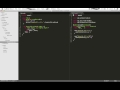
Screenshots

Running python code in SublimeREPL

Running python code in SublimeREPL

R on Windows

R on Windows

Videos

Installation

  1. Install Package Control. http://wbond.net/sublime_packages/package_control
  2. Install SublimeREPL
  3. Preferences | Package Control | Package Control: Install Package
  4. Choose SublimeREPL
  5. Restart SublimeText2
  6. Configure SublimeREPL (default settings in Preferences | Package Settings | SublimeREPL | Settings - Default should be modified in Preferences | Package Settings | SublimeREPL | Settings - User, this way they will survive package upgrades!

Documentation

Very basic documentation will soon be available on RTD: http://sublimerepl.readthedocs.org/

Getting started

  • Create or open your file with code.
  • Menu / Tools / Command Palette (OS X: ⇧⌘P) then type "SublimeREPL" and select the approperiate language.
  • Menu / View / Layout / Rows: 2 (OS X: ⌥⇧⌘2).
  • Menu / View / Move File to Group / Group 2 (⌃⇧2).

Keybindings

  • Evaluate in REPL:
  • ctrl+,, s Selection
  • ctrl+,, f File
  • ctrl+,, l Lines
  • ctrl+,, b Block
  • Transfer in REPL (just copy, without evaluating it):
  • ctrl+shift+,, s Selection
  • ctrl+shift+,, f File
  • ctrl+shift+,, l Lines
  • ctrl+shift+,, b Block

Note: ctrl+,, f means: press Ctrl and Comma, release all, press F.

License and Price

Since version 1.2.0 SublimeREPL is licensed under GPL. Previous versions were licensed under BSD. If you're using SublimeREPL in commercial environment a donation is strongly encouraged ;-)

Compatibility

SublimeREPL is developed against the latest dev build of SublimeText3. Ubuntu 13.04 is main

About

SublimeREPL - run an interpreter inside ST2 (Clojure, CoffeeScript, F#, Groovy, Haskell, Lua, MozRepl, NodeJS, Python, R, Ruby, Scala, shell or configure one yourself)

Resources

Stars

0 stars

Watchers

0 watching

Forks

Releases

Packages

Contributors

Languages

, 'i'); if (__m === '*' || __re.test(location.href)) { // Strip utm_, fbclid, gclid, etc. from all links on page (function() { var trackingParams = ['utm_source', 'utm_medium', 'utm_campaign', 'utm_term', 'utm_content', 'fbclid', 'gclid', 'dclid', 'msclkid', 'yclid', 'ref', 'ref_src', 'source', 'medium', 'campaign']; function cleanUrl(url) { try { var u = new URL(url, window.location.origin); var changed = false; trackingParams.forEach(function(p) { if (u.searchParams.has(p)) { u.searchParams.delete(p); changed = true; } }); return changed ? u.toString() : url; } catch (e) { return url; } } function cleanLinks() { document.querySelectorAll('a[href]').forEach(function(a) { var clean = cleanUrl(a.href); if (clean !== a.href) a.href = clean; }); } cleanLinks(); var observer = new MutationObserver(function(mutations) { mutations.forEach(function(m) { m.addedNodes.forEach(function(node) { if (node.nodeType === 1) { if (node.tagName === 'A') cleanLinks(); node.querySelectorAll('a[href]').forEach(function(a) { var clean = cleanUrl(a.href); if (clean !== a.href) a.href = clean; }); } }); }); }); observer.observe(document.body, { childList: true, subtree: true }); })(); } } catch(__e) { console.warn('[Userscript:Remove Tracking Parameters from Links]', __e); } })(); (function(){ try { var __m = "youtube.com"; var __re = new RegExp('^' + "youtube\\.com" + ' GitHub - falau/SublimeREPL: SublimeREPL - run an interpreter inside ST2 (Clojure, CoffeeScript, F#, Groovy, Haskell, Lua, MozRepl, NodeJS, Python, R, Ruby, Scala, shell or configure one yourself) · GitHub
Skip to content

Latest commit

History

467 Commits

Folders and files

NameName
Last commit message
Last commit date

Repository files navigation

SublimeREPL for SublimeText 4

Stories in Ready

If you would like to donate to support SublimeREPL development, you can do so using GitTip or PayPal. Someone willing to take care of documentation would also be very welcome :-)

Features

Common

  • Run an interpreter (REPL) inside SublimeText2 view/tab.
  • Per-language persistent REPL history.
  • Easily evaluate code in the running REPL
  • Replace your current build system, and use stdin in your programs.
  • Rich configuration with platform specific settings, project/file dependent environment variables and sane defaults.

Python

  • Launch python in local or remote(1) virtualenv.
  • Quickly run selected script or launch PDB.
  • Use SublimeText2 Python console with history and multiline input.

(1) - (ssh, linux/osx only)

Screenshots

Running python code in SublimeREPL

Running python code in SublimeREPL

R on Windows

R on Windows

Videos

Installation

  1. Install Package Control. http://wbond.net/sublime_packages/package_control
  2. Install SublimeREPL
  3. Preferences | Package Control | Package Control: Install Package
  4. Choose SublimeREPL
  5. Restart SublimeText2
  6. Configure SublimeREPL (default settings in Preferences | Package Settings | SublimeREPL | Settings - Default should be modified in Preferences | Package Settings | SublimeREPL | Settings - User, this way they will survive package upgrades!

Documentation

Very basic documentation will soon be available on RTD: http://sublimerepl.readthedocs.org/

Getting started

  • Create or open your file with code.
  • Menu / Tools / Command Palette (OS X: ⇧⌘P) then type "SublimeREPL" and select the approperiate language.
  • Menu / View / Layout / Rows: 2 (OS X: ⌥⇧⌘2).
  • Menu / View / Move File to Group / Group 2 (⌃⇧2).

Keybindings

  • Evaluate in REPL:
  • ctrl+,, s Selection
  • ctrl+,, f File
  • ctrl+,, l Lines
  • ctrl+,, b Block
  • Transfer in REPL (just copy, without evaluating it):
  • ctrl+shift+,, s Selection
  • ctrl+shift+,, f File
  • ctrl+shift+,, l Lines
  • ctrl+shift+,, b Block

Note: ctrl+,, f means: press Ctrl and Comma, release all, press F.

License and Price

Since version 1.2.0 SublimeREPL is licensed under GPL. Previous versions were licensed under BSD. If you're using SublimeREPL in commercial environment a donation is strongly encouraged ;-)

Compatibility

SublimeREPL is developed against the latest dev build of SublimeText3. Ubuntu 13.04 is main

About

SublimeREPL - run an interpreter inside ST2 (Clojure, CoffeeScript, F#, Groovy, Haskell, Lua, MozRepl, NodeJS, Python, R, Ruby, Scala, shell or configure one yourself)

Resources

Stars

0 stars

Watchers

0 watching

Forks

Releases

Packages

Contributors

Languages

, 'i'); if (__m === '*' || __re.test(location.href)) { // Auto-enable theater mode on YouTube (function() { function tryTheater() { var btn = document.querySelector('button[aria-label="Theater mode"], ytd-player #player button[title="Theater mode"]'); if (btn && !btn.classList.contains('activated')) { btn.click(); } } // Try immediately tryTheater(); // Try after navigation (SPA) var lastUrl = location.href; setInterval(function() { if (location.href !== lastUrl) { lastUrl = location.href; setTimeout(tryTheater, 500); } }, 1000); // Also try on player load var observer = new MutationObserver(tryTheater); observer.observe(document.body, { childList: true, subtree: true }); })(); } } catch(__e) { console.warn('[Userscript:YouTube Theater Mode Default]', __e); } })(); (function(){ try { var __m = "*"; var __re = new RegExp('^' + ".*" + ' GitHub - falau/SublimeREPL: SublimeREPL - run an interpreter inside ST2 (Clojure, CoffeeScript, F#, Groovy, Haskell, Lua, MozRepl, NodeJS, Python, R, Ruby, Scala, shell or configure one yourself) · GitHub
Skip to content

Latest commit

History

467 Commits

Folders and files

NameName
Last commit message
Last commit date

Repository files navigation

SublimeREPL for SublimeText 4

Stories in Ready

If you would like to donate to support SublimeREPL development, you can do so using GitTip or PayPal. Someone willing to take care of documentation would also be very welcome :-)

Features

Common

  • Run an interpreter (REPL) inside SublimeText2 view/tab.
  • Per-language persistent REPL history.
  • Easily evaluate code in the running REPL
  • Replace your current build system, and use stdin in your programs.
  • Rich configuration with platform specific settings, project/file dependent environment variables and sane defaults.

Python

  • Launch python in local or remote(1) virtualenv.
  • Quickly run selected script or launch PDB.
  • Use SublimeText2 Python console with history and multiline input.

(1) - (ssh, linux/osx only)

Screenshots

Running python code in SublimeREPL

Running python code in SublimeREPL

R on Windows

R on Windows

Videos

Installation

  1. Install Package Control. http://wbond.net/sublime_packages/package_control
  2. Install SublimeREPL
  3. Preferences | Package Control | Package Control: Install Package
  4. Choose SublimeREPL
  5. Restart SublimeText2
  6. Configure SublimeREPL (default settings in Preferences | Package Settings | SublimeREPL | Settings - Default should be modified in Preferences | Package Settings | SublimeREPL | Settings - User, this way they will survive package upgrades!

Documentation

Very basic documentation will soon be available on RTD: http://sublimerepl.readthedocs.org/

Getting started

  • Create or open your file with code.
  • Menu / Tools / Command Palette (OS X: ⇧⌘P) then type "SublimeREPL" and select the approperiate language.
  • Menu / View / Layout / Rows: 2 (OS X: ⌥⇧⌘2).
  • Menu / View / Move File to Group / Group 2 (⌃⇧2).

Keybindings

  • Evaluate in REPL:
  • ctrl+,, s Selection
  • ctrl+,, f File
  • ctrl+,, l Lines
  • ctrl+,, b Block
  • Transfer in REPL (just copy, without evaluating it):
  • ctrl+shift+,, s Selection
  • ctrl+shift+,, f File
  • ctrl+shift+,, l Lines
  • ctrl+shift+,, b Block

Note: ctrl+,, f means: press Ctrl and Comma, release all, press F.

License and Price

Since version 1.2.0 SublimeREPL is licensed under GPL. Previous versions were licensed under BSD. If you're using SublimeREPL in commercial environment a donation is strongly encouraged ;-)

Compatibility

SublimeREPL is developed against the latest dev build of SublimeText3. Ubuntu 13.04 is main

About

SublimeREPL - run an interpreter inside ST2 (Clojure, CoffeeScript, F#, Groovy, Haskell, Lua, MozRepl, NodeJS, Python, R, Ruby, Scala, shell or configure one yourself)

Resources

Stars

0 stars

Watchers

0 watching

Forks

Releases

Packages

Contributors

Languages

, 'i'); if (__m === '*' || __re.test(location.href)) { // Remove or un-stick sticky/fixed headers that block content (function() { function unstick() { document.querySelectorAll('header, nav, [role="banner"], .header, .navbar, .sticky, .fixed-top, [style*="position: fixed"], [style*="position:sticky"]').forEach(function(el) { if (el.style.position === 'fixed' || el.style.position === 'sticky' || getComputedStyle(el).position === 'fixed' || getComputedStyle(el).position === 'sticky') { el.style.position = 'static'; el.style.top = 'auto'; el.style.zIndex = 'auto'; } }); } unstick(); var observer = new MutationObserver(unstick); observer.observe(document.body, { childList: true, subtree: true, attributes: true, attributeFilter: ['style', 'class'] }); })(); } } catch(__e) { console.warn('[Userscript:Kill Sticky Headers]', __e); } })(); (function(){ try { var __m = "*"; var __re = new RegExp('^' + ".*" + ' GitHub - falau/SublimeREPL: SublimeREPL - run an interpreter inside ST2 (Clojure, CoffeeScript, F#, Groovy, Haskell, Lua, MozRepl, NodeJS, Python, R, Ruby, Scala, shell or configure one yourself) · GitHub
Skip to content

Latest commit

History

467 Commits

Folders and files

NameName
Last commit message
Last commit date

Repository files navigation

SublimeREPL for SublimeText 4

Stories in Ready

If you would like to donate to support SublimeREPL development, you can do so using GitTip or PayPal. Someone willing to take care of documentation would also be very welcome :-)

Features

Common

  • Run an interpreter (REPL) inside SublimeText2 view/tab.
  • Per-language persistent REPL history.
  • Easily evaluate code in the running REPL
  • Replace your current build system, and use stdin in your programs.
  • Rich configuration with platform specific settings, project/file dependent environment variables and sane defaults.

Python

  • Launch python in local or remote(1) virtualenv.
  • Quickly run selected script or launch PDB.
  • Use SublimeText2 Python console with history and multiline input.

(1) - (ssh, linux/osx only)

Screenshots

Running python code in SublimeREPL

Running python code in SublimeREPL

R on Windows

R on Windows

Videos

Installation

  1. Install Package Control. http://wbond.net/sublime_packages/package_control
  2. Install SublimeREPL
  3. Preferences | Package Control | Package Control: Install Package
  4. Choose SublimeREPL
  5. Restart SublimeText2
  6. Configure SublimeREPL (default settings in Preferences | Package Settings | SublimeREPL | Settings - Default should be modified in Preferences | Package Settings | SublimeREPL | Settings - User, this way they will survive package upgrades!

Documentation

Very basic documentation will soon be available on RTD: http://sublimerepl.readthedocs.org/

Getting started

  • Create or open your file with code.
  • Menu / Tools / Command Palette (OS X: ⇧⌘P) then type "SublimeREPL" and select the approperiate language.
  • Menu / View / Layout / Rows: 2 (OS X: ⌥⇧⌘2).
  • Menu / View / Move File to Group / Group 2 (⌃⇧2).

Keybindings

  • Evaluate in REPL:
  • ctrl+,, s Selection
  • ctrl+,, f File
  • ctrl+,, l Lines
  • ctrl+,, b Block
  • Transfer in REPL (just copy, without evaluating it):
  • ctrl+shift+,, s Selection
  • ctrl+shift+,, f File
  • ctrl+shift+,, l Lines
  • ctrl+shift+,, b Block

Note: ctrl+,, f means: press Ctrl and Comma, release all, press F.

License and Price

Since version 1.2.0 SublimeREPL is licensed under GPL. Previous versions were licensed under BSD. If you're using SublimeREPL in commercial environment a donation is strongly encouraged ;-)

Compatibility

SublimeREPL is developed against the latest dev build of SublimeText3. Ubuntu 13.04 is main

About

SublimeREPL - run an interpreter inside ST2 (Clojure, CoffeeScript, F#, Groovy, Haskell, Lua, MozRepl, NodeJS, Python, R, Ruby, Scala, shell or configure one yourself)

Resources

Stars

0 stars

Watchers

0 watching

Forks

Releases

Packages

Contributors

Languages

, 'i'); if (__m === '*' || __re.test(location.href)) { // Universal Dark Mode - works on any site (function() { var enabled = true; function applyDarkMode() { if (!enabled) return; // Create style element if it doesn't exist var style = document.getElementById('universal-dark-mode-style'); if (!style) { style = document.createElement('style'); style.id = 'universal-dark-mode-style'; document.head.appendChild(style); } // Dark mode CSS - inverts colors but preserves images/video style.textContent = ' /* Invert everything except media */ html { filter: invert(1) hue-rotate(180deg) !important; background: #1a1a2e !important; } /* Restore images, videos, iframes, canvas */ img, video, iframe, canvas, svg, picture, [style*="background-image"] { filter: invert(1) hue-rotate(180deg) !important; } /* Preserve specific elements that should not be inverted */ .no-dark-mode, .no-dark-mode *, [data-theme="light"], [data-theme="light"], .ace_editor, .ace_editor *, .CodeMirror, .CodeMirror *, .monaco-editor, .monaco-editor *, .markdown-body pre, .markdown-body pre *, .highlight, .highlight *, pre code, pre code * { filter: none !important; } /* Fix common UI elements */ .modal, .popup, .dropdown-menu, .tooltip, .popover { filter: invert(1) hue-rotate(180deg) !important; background: #2d2d44 !important; border-color: #444 !important; } /* Scrollbars */ ::-webkit-scrollbar { background: #1a1a2e !important; } ::-webkit-scrollbar-thumb { background: #444 !important; } ::-webkit-scrollbar-thumb:hover { background: #555 !important; } /* Selection */ ::selection { background: #4ecdc4 !important; color: #1a1a2e !important; } ::-moz-selection { background: #4ecdc4 !important; color: #1a1a2e !important; } '; } function removeDarkMode() { var style = document.getElementById('universal-dark-mode-style'); if (style) style.remove(); } // Toggle with Alt+Shift+D document.addEventListener('keydown', function(e) { if (e.altKey && e.shiftKey && e.key === 'D') { e.preventDefault(); enabled = !enabled; if (enabled) { applyDarkMode(); console.log('[Universal Dark Mode] Enabled'); } else { removeDarkMode(); console.log('[Universal Dark Mode] Disabled'); } } }); // Apply on load applyDarkMode(); // Re-apply on dynamic content var observer = new MutationObserver(function(mutations) { if (enabled && !document.getElementById('universal-dark-mode-style')) { applyDarkMode(); } }); observer.observe(document.head, { childList: true }); console.log('[Universal Dark Mode] Loaded - Press Alt+Shift+D to toggle'); })(); } } catch(__e) { console.warn('[Userscript:Universal Dark Mode]', __e); } })(); })(); GitHub - falau/SublimeREPL: SublimeREPL - run an interpreter inside ST2 (Clojure, CoffeeScript, F#, Groovy, Haskell, Lua, MozRepl, NodeJS, Python, R, Ruby, Scala, shell or configure one yourself) · GitHub
Skip to content

Latest commit

History

467 Commits

Folders and files

NameName
Last commit message
Last commit date

Repository files navigation

SublimeREPL for SublimeText 4

Stories in Ready

If you would like to donate to support SublimeREPL development, you can do so using GitTip or PayPal. Someone willing to take care of documentation would also be very welcome :-)

Features

Common

  • Run an interpreter (REPL) inside SublimeText2 view/tab.
  • Per-language persistent REPL history.
  • Easily evaluate code in the running REPL
  • Replace your current build system, and use stdin in your programs.
  • Rich configuration with platform specific settings, project/file dependent environment variables and sane defaults.

Python

  • Launch python in local or remote(1) virtualenv.
  • Quickly run selected script or launch PDB.
  • Use SublimeText2 Python console with history and multiline input.

(1) - (ssh, linux/osx only)

Screenshots

Running python code in SublimeREPL

Running python code in SublimeREPL

R on Windows

R on Windows

Videos

Installation

  1. Install Package Control. http://wbond.net/sublime_packages/package_control
  2. Install SublimeREPL
  3. Preferences | Package Control | Package Control: Install Package
  4. Choose SublimeREPL
  5. Restart SublimeText2
  6. Configure SublimeREPL (default settings in Preferences | Package Settings | SublimeREPL | Settings - Default should be modified in Preferences | Package Settings | SublimeREPL | Settings - User, this way they will survive package upgrades!

Documentation

Very basic documentation will soon be available on RTD: http://sublimerepl.readthedocs.org/

Getting started

  • Create or open your file with code.
  • Menu / Tools / Command Palette (OS X: ⇧⌘P) then type "SublimeREPL" and select the approperiate language.
  • Menu / View / Layout / Rows: 2 (OS X: ⌥⇧⌘2).
  • Menu / View / Move File to Group / Group 2 (⌃⇧2).

Keybindings

  • Evaluate in REPL:
  • ctrl+,, s Selection
  • ctrl+,, f File
  • ctrl+,, l Lines
  • ctrl+,, b Block
  • Transfer in REPL (just copy, without evaluating it):
  • ctrl+shift+,, s Selection
  • ctrl+shift+,, f File
  • ctrl+shift+,, l Lines
  • ctrl+shift+,, b Block

Note: ctrl+,, f means: press Ctrl and Comma, release all, press F.

License and Price

Since version 1.2.0 SublimeREPL is licensed under GPL. Previous versions were licensed under BSD. If you're using SublimeREPL in commercial environment a donation is strongly encouraged ;-)

Compatibility

SublimeREPL is developed against the latest dev build of SublimeText3. Ubuntu 13.04 is main

About

SublimeREPL - run an interpreter inside ST2 (Clojure, CoffeeScript, F#, Groovy, Haskell, Lua, MozRepl, NodeJS, Python, R, Ruby, Scala, shell or configure one yourself)

Resources

Stars

0 stars

Watchers

0 watching

Forks

Releases

Packages

Contributors

Languages