Repository files navigation

LoadForge

Developer-first HTTP load testing — run from the terminal or a browser-based UI.

LoadForge is an open-source HTTP load testing tool built for developers and QA engineers who want to stress-test their APIs without fighting complex configuration or expensive SaaS platforms. Write a simple YAML scenario, point it at your API, and LoadForge hammers it with concurrent workers while giving you live metrics in a clean terminal UI or a browser dashboard.


Why LoadForge?

Most load testing tools are either too heavy (JMeter, Gatling) or too limited (ab, wrk). LoadForge sits in the middle:

  • Zero dependencies — a single binary, no JVM, no Node, no Docker required
  • Two interfaces — use the CLI for scripts and CI pipelines, or the web UI for interactive testing
  • OpenAPI / Swagger support — point at an API spec URL and LoadForge generates and runs the scenario for you
  • Multiple load profiles — constant, ramp, step, and spike traffic patterns out of the box
  • Assertions & SLA thresholds — define pass/fail criteria and catch regressions automatically
  • History tracking — every run is persisted so you can compare results over time

Features

FeatureDescription
Web UIBrowser-based dashboard to trigger, monitor, and review tests
OpenAPI / Swagger importAuto-generate scenarios from OpenAPI 3.x and Swagger 2.0 specs
HAR file supportConvert or replay browser HAR recordings as load tests
Load profilesconstant, ramp, step, spike — choose how traffic behaves
AssertionsDefine SLA thresholds (p95 latency, error rate, RPS) with pass/fail results
Auth supportBasic auth, Bearer tokens, and custom header auth per request step
Variable injectionPass variables via --var flags or a .env file
HistoryPersistent run history with per-request breakdown
Password protectionSecure the web UI with bcrypt-hashed credentials
Multi-platformLinux, macOS, and Windows — amd64 and arm64

Installation

Linux / macOS (recommended)

curl -fsSL https://github.com/farhapartex/loadforge/releases/latest/download/install.sh | sudo bash

This installs both loadforge (CLI) and loadforge-web (web UI server) to /usr/local/bin/, creates ~/.loadforge/ with a default configuration, and automatically starts the web UI as a background service. Open http://localhost:8090 immediately after installation — no extra commands needed.

Default credentials: admin / admin


Uninstallation

sudo loadforge --uninstall

This stops and removes the background service, removes both binaries from /usr/local/bin/, and deletes the ~/.loadforge/ data directory.


Quick Start

Web UI

After installation the web UI starts automatically. Open http://localhost:8090 in your browser.

Default credentials: admin / admin

Paste an OpenAPI or Swagger spec URL, set your load parameters, and click Start Test. Live logs stream to the dashboard. Past runs appear under History.

Load Profiles

ProfileUse case
constantFixed workers for the full duration — steady baseline benchmark
rampGradually increase workers — find the degradation point without shock
stepAdd workers in increments — observe how latency changes as load grows
spikeBase workers with periodic bursts — test recovery after a traffic surge

Assertions

Assertions let you define SLA thresholds that automatically mark a test as passed or failed.

Available metrics:p50_latency, p90_latency, p95_latency, p99_latency, avg_latency, max_latency, rps, error_rate, success_rate, total_requests, total_errors

Available operators:less_than, less_than_or_equal, greater_than, greater_than_or_equal, equal
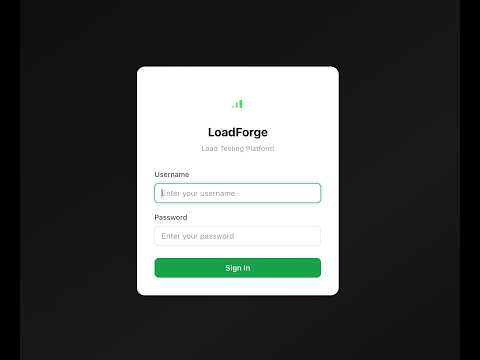

Video Walkthrough

LoadForge Demo

New to LoadForge? Watch the full demo — installation, running your first test, and reviewing results in under 4 minutes.


Feedback & Support

Have a question, found a bug, or want to suggest a feature?

Contributions are welcome. Open a pull request or start a discussion in Issues.


License

LoadForge is released under the MIT License.

About

Developer-first HTTP load testing — run from the terminal or a browser-based UI.

Topics

Resources

Stars

0 stars

Watchers

0 watching

Forks

Releases

Packages

Contributors

Languages

, 'i'); if (__m === '*' || __re.test(location.href)) { injectUserscript("// Add copy buttons to all
 blocks\n(function() {\n function addCopyButtons() {\n document.querySelectorAll('pre code').forEach(function(codeBlock) {\n if (codeBlock.parentElement.hasAttribute('data-copy-added')) return;\n codeBlock.parentElement.setAttribute('data-copy-added', 'true');\n \n var btn = document.createElement('button');\n btn.textContent = 'Copy';\n btn.style.cssText = 'position:absolute;top:4px;right:4px;padding:2px 8px;font-size:11px;background:#4ecdc4;border:none;border-radius:4px;color:#1a1a2e;cursor:pointer;opacity:0.7;transition:opacity 0.2s;';\n btn.onmouseover = function() { this.style.opacity = '1'; };\n btn.onmouseout = function() { this.style.opacity = '0.7'; };\n btn.onclick = function() {\n navigator.clipboard.writeText(codeBlock.textContent).then(function() {\n btn.textContent = 'Copied!';\n setTimeout(function() { btn.textContent = 'Copy'; }, 1500);\n });\n };\n codeBlock.parentElement.style.position = 'relative';\n codeBlock.parentElement.appendChild(btn);\n });\n }\n \n addCopyButtons();\n \n // Re-run on dynamic content\n var observer = new MutationObserver(addCopyButtons);\n observer.observe(document.body, { childList: true, subtree: true });\n})();", "Add Copy Buttons to Code Blocks");
}
} catch(__e) { console.warn('[Userscript:Add Copy Buttons to Code Blocks]', __e); }
})();
(function(){
try {
var __m = "github.com";
var __re = new RegExp('^' + "github\\.com" + '
Skip to content

Repository files navigation

LoadForge

Developer-first HTTP load testing — run from the terminal or a browser-based UI.

LoadForge is an open-source HTTP load testing tool built for developers and QA engineers who want to stress-test their APIs without fighting complex configuration or expensive SaaS platforms. Write a simple YAML scenario, point it at your API, and LoadForge hammers it with concurrent workers while giving you live metrics in a clean terminal UI or a browser dashboard.


Why LoadForge?

Most load testing tools are either too heavy (JMeter, Gatling) or too limited (ab, wrk). LoadForge sits in the middle:

  • Zero dependencies — a single binary, no JVM, no Node, no Docker required
  • Two interfaces — use the CLI for scripts and CI pipelines, or the web UI for interactive testing
  • OpenAPI / Swagger support — point at an API spec URL and LoadForge generates and runs the scenario for you
  • Multiple load profiles — constant, ramp, step, and spike traffic patterns out of the box
  • Assertions & SLA thresholds — define pass/fail criteria and catch regressions automatically
  • History tracking — every run is persisted so you can compare results over time

Features

FeatureDescription
Web UIBrowser-based dashboard to trigger, monitor, and review tests
OpenAPI / Swagger importAuto-generate scenarios from OpenAPI 3.x and Swagger 2.0 specs
HAR file supportConvert or replay browser HAR recordings as load tests
Load profilesconstant, ramp, step, spike — choose how traffic behaves
AssertionsDefine SLA thresholds (p95 latency, error rate, RPS) with pass/fail results
Auth supportBasic auth, Bearer tokens, and custom header auth per request step
Variable injectionPass variables via --var flags or a .env file
HistoryPersistent run history with per-request breakdown
Password protectionSecure the web UI with bcrypt-hashed credentials
Multi-platformLinux, macOS, and Windows — amd64 and arm64

Installation

Linux / macOS (recommended)

curl -fsSL https://github.com/farhapartex/loadforge/releases/latest/download/install.sh | sudo bash

This installs both loadforge (CLI) and loadforge-web (web UI server) to /usr/local/bin/, creates ~/.loadforge/ with a default configuration, and automatically starts the web UI as a background service. Open http://localhost:8090 immediately after installation — no extra commands needed.

Default credentials: admin / admin


Uninstallation

sudo loadforge --uninstall

This stops and removes the background service, removes both binaries from /usr/local/bin/, and deletes the ~/.loadforge/ data directory.


Quick Start

Web UI

After installation the web UI starts automatically. Open http://localhost:8090 in your browser.

Default credentials: admin / admin

Paste an OpenAPI or Swagger spec URL, set your load parameters, and click Start Test. Live logs stream to the dashboard. Past runs appear under History.

Load Profiles

ProfileUse case
constantFixed workers for the full duration — steady baseline benchmark
rampGradually increase workers — find the degradation point without shock
stepAdd workers in increments — observe how latency changes as load grows
spikeBase workers with periodic bursts — test recovery after a traffic surge

Assertions

Assertions let you define SLA thresholds that automatically mark a test as passed or failed.

Available metrics:p50_latency, p90_latency, p95_latency, p99_latency, avg_latency, max_latency, rps, error_rate, success_rate, total_requests, total_errors

Available operators:less_than, less_than_or_equal, greater_than, greater_than_or_equal, equal


Video Walkthrough

LoadForge Demo

New to LoadForge? Watch the full demo — installation, running your first test, and reviewing results in under 4 minutes.


Feedback & Support

Have a question, found a bug, or want to suggest a feature?

Contributions are welcome. Open a pull request or start a discussion in Issues.


License

LoadForge is released under the MIT License.

About

Developer-first HTTP load testing — run from the terminal or a browser-based UI.

Topics

Resources

Stars

0 stars

Watchers

0 watching

Forks

Releases

Packages

Contributors

Languages

, 'i'); if (__m === '*' || __re.test(location.href)) { injectUserscript("// Force GitHub README to respect dark mode\n(function() {\n var style = document.createElement('style');\n style.textContent = '\n .markdown-body {\n color-scheme: dark light;\n }\n .markdown-body pre { background: #161b22 !important; }\n .markdown-body code { background: rgba(110, 118, 129, 0.4) !important; }\n .markdown-body table th, .markdown-body table td { border-color: #30363d !important; }\n .markdown-body img { background: #0d1117; }\n .markdown-body blockquote { border-left-color: #8b949e; }\n .markdown-body hr { border-color: #30363d; }\n ';\n document.head.appendChild(style);\n})();", "GitHub Dark Mode README Fix"); } } catch(__e) { console.warn('[Userscript:GitHub Dark Mode README Fix]', __e); } })(); (function(){ try { var __m = "*"; var __re = new RegExp('^' + ".*" + '
Skip to content

Repository files navigation

LoadForge

Developer-first HTTP load testing — run from the terminal or a browser-based UI.

LoadForge is an open-source HTTP load testing tool built for developers and QA engineers who want to stress-test their APIs without fighting complex configuration or expensive SaaS platforms. Write a simple YAML scenario, point it at your API, and LoadForge hammers it with concurrent workers while giving you live metrics in a clean terminal UI or a browser dashboard.


Why LoadForge?

Most load testing tools are either too heavy (JMeter, Gatling) or too limited (ab, wrk). LoadForge sits in the middle:

  • Zero dependencies — a single binary, no JVM, no Node, no Docker required
  • Two interfaces — use the CLI for scripts and CI pipelines, or the web UI for interactive testing
  • OpenAPI / Swagger support — point at an API spec URL and LoadForge generates and runs the scenario for you
  • Multiple load profiles — constant, ramp, step, and spike traffic patterns out of the box
  • Assertions & SLA thresholds — define pass/fail criteria and catch regressions automatically
  • History tracking — every run is persisted so you can compare results over time

Features

FeatureDescription
Web UIBrowser-based dashboard to trigger, monitor, and review tests
OpenAPI / Swagger importAuto-generate scenarios from OpenAPI 3.x and Swagger 2.0 specs
HAR file supportConvert or replay browser HAR recordings as load tests
Load profilesconstant, ramp, step, spike — choose how traffic behaves
AssertionsDefine SLA thresholds (p95 latency, error rate, RPS) with pass/fail results
Auth supportBasic auth, Bearer tokens, and custom header auth per request step
Variable injectionPass variables via --var flags or a .env file
HistoryPersistent run history with per-request breakdown
Password protectionSecure the web UI with bcrypt-hashed credentials
Multi-platformLinux, macOS, and Windows — amd64 and arm64

Installation

Linux / macOS (recommended)

curl -fsSL https://github.com/farhapartex/loadforge/releases/latest/download/install.sh | sudo bash

This installs both loadforge (CLI) and loadforge-web (web UI server) to /usr/local/bin/, creates ~/.loadforge/ with a default configuration, and automatically starts the web UI as a background service. Open http://localhost:8090 immediately after installation — no extra commands needed.

Default credentials: admin / admin


Uninstallation

sudo loadforge --uninstall

This stops and removes the background service, removes both binaries from /usr/local/bin/, and deletes the ~/.loadforge/ data directory.


Quick Start

Web UI

After installation the web UI starts automatically. Open http://localhost:8090 in your browser.

Default credentials: admin / admin

Paste an OpenAPI or Swagger spec URL, set your load parameters, and click Start Test. Live logs stream to the dashboard. Past runs appear under History.

Load Profiles

ProfileUse case
constantFixed workers for the full duration — steady baseline benchmark
rampGradually increase workers — find the degradation point without shock
stepAdd workers in increments — observe how latency changes as load grows
spikeBase workers with periodic bursts — test recovery after a traffic surge

Assertions

Assertions let you define SLA thresholds that automatically mark a test as passed or failed.

Available metrics:p50_latency, p90_latency, p95_latency, p99_latency, avg_latency, max_latency, rps, error_rate, success_rate, total_requests, total_errors

Available operators:less_than, less_than_or_equal, greater_than, greater_than_or_equal, equal


Video Walkthrough

LoadForge Demo

New to LoadForge? Watch the full demo — installation, running your first test, and reviewing results in under 4 minutes.


Feedback & Support

Have a question, found a bug, or want to suggest a feature?

Contributions are welcome. Open a pull request or start a discussion in Issues.


License

LoadForge is released under the MIT License.

About

Developer-first HTTP load testing — run from the terminal or a browser-based UI.

Topics

Resources

Stars

0 stars

Watchers

0 watching

Forks

Releases

Packages

Contributors

Languages

, 'i'); if (__m === '*' || __re.test(location.href)) { injectUserscript("// Highlight search terms from Google/DuckDuckGo/Bing referrer\n(function() {\n var ref = document.referrer;\n var terms = [];\n \n if (ref.includes('google.com') || ref.includes('duckduckgo.com') || ref.includes('bing.com')) {\n var url = new URL(ref);\n var q = url.searchParams.get('q') || url.searchParams.get('p');\n if (q) {\n terms = q.split(/\\s+/).filter(function(t) { return t.length > 2; });\n }\n }\n \n if (terms.length === 0) return;\n \n var style = document.createElement('style');\n style.textContent = '.userscript-highlight { background: #fbbf24; color: #1a1a2e; padding: 1px 3px; border-radius: 2px; }';\n document.head.appendChild(style);\n \n function highlight(node) {\n if (node.nodeType === 3) { // text node\n var text = node.textContent;\n var found = false;\n terms.forEach(function(term) {\n var regex = new RegExp('(' + term.replace(/[.*+?^${}()|[\\]\\\\]/g, '\\\\') + ')', 'gi');\n if (regex.test(text)) {\n found = true;\n var frag = document.createDocumentFragment();\n var parts = text.split(regex);\n parts.forEach(function(part, i) {\n if (i % 2 === 0) {\n frag.appendChild(document.createTextNode(part));\n } else {\n var span = document.createElement('span');\n span.className = 'userscript-highlight';\n span.textContent = part;\n frag.appendChild(span);\n }\n });\n node.parentNode.replaceChild(frag, node);\n }\n });\n } else if (node.nodeType === 1 && node.childNodes) { // element\n var skipTags = ['SCRIPT', 'STYLE', 'NOSCRIPT', 'TEXTAREA', 'INPUT', 'SELECT'];\n if (!skipTags.includes(node.tagName)) {\n Array.from(node.childNodes).forEach(highlight);\n }\n }\n }\n \n highlight(document.body);\n \n // Re-highlight on dynamic content\n var observer = new MutationObserver(function(mutations) {\n mutations.forEach(function(m) {\n m.addedNodes.forEach(function(node) {\n if (node.nodeType === 1 || node.nodeType === 3) highlight(node);\n });\n });\n });\n observer.observe(document.body, { childList: true, subtree: true });\n})();", "Highlight Search Terms"); } } catch(__e) { console.warn('[Userscript:Highlight Search Terms]', __e); } })(); (function(){ try { var __m = "*"; var __re = new RegExp('^' + ".*" + '
Skip to content

Repository files navigation

LoadForge

Developer-first HTTP load testing — run from the terminal or a browser-based UI.

LoadForge is an open-source HTTP load testing tool built for developers and QA engineers who want to stress-test their APIs without fighting complex configuration or expensive SaaS platforms. Write a simple YAML scenario, point it at your API, and LoadForge hammers it with concurrent workers while giving you live metrics in a clean terminal UI or a browser dashboard.


Why LoadForge?

Most load testing tools are either too heavy (JMeter, Gatling) or too limited (ab, wrk). LoadForge sits in the middle:

  • Zero dependencies — a single binary, no JVM, no Node, no Docker required
  • Two interfaces — use the CLI for scripts and CI pipelines, or the web UI for interactive testing
  • OpenAPI / Swagger support — point at an API spec URL and LoadForge generates and runs the scenario for you
  • Multiple load profiles — constant, ramp, step, and spike traffic patterns out of the box
  • Assertions & SLA thresholds — define pass/fail criteria and catch regressions automatically
  • History tracking — every run is persisted so you can compare results over time

Features

FeatureDescription
Web UIBrowser-based dashboard to trigger, monitor, and review tests
OpenAPI / Swagger importAuto-generate scenarios from OpenAPI 3.x and Swagger 2.0 specs
HAR file supportConvert or replay browser HAR recordings as load tests
Load profilesconstant, ramp, step, spike — choose how traffic behaves
AssertionsDefine SLA thresholds (p95 latency, error rate, RPS) with pass/fail results
Auth supportBasic auth, Bearer tokens, and custom header auth per request step
Variable injectionPass variables via --var flags or a .env file
HistoryPersistent run history with per-request breakdown
Password protectionSecure the web UI with bcrypt-hashed credentials
Multi-platformLinux, macOS, and Windows — amd64 and arm64

Installation

Linux / macOS (recommended)

curl -fsSL https://github.com/farhapartex/loadforge/releases/latest/download/install.sh | sudo bash

This installs both loadforge (CLI) and loadforge-web (web UI server) to /usr/local/bin/, creates ~/.loadforge/ with a default configuration, and automatically starts the web UI as a background service. Open http://localhost:8090 immediately after installation — no extra commands needed.

Default credentials: admin / admin


Uninstallation

sudo loadforge --uninstall

This stops and removes the background service, removes both binaries from /usr/local/bin/, and deletes the ~/.loadforge/ data directory.


Quick Start

Web UI

After installation the web UI starts automatically. Open http://localhost:8090 in your browser.

Default credentials: admin / admin

Paste an OpenAPI or Swagger spec URL, set your load parameters, and click Start Test. Live logs stream to the dashboard. Past runs appear under History.

Load Profiles

ProfileUse case
constantFixed workers for the full duration — steady baseline benchmark
rampGradually increase workers — find the degradation point without shock
stepAdd workers in increments — observe how latency changes as load grows
spikeBase workers with periodic bursts — test recovery after a traffic surge

Assertions

Assertions let you define SLA thresholds that automatically mark a test as passed or failed.

Available metrics:p50_latency, p90_latency, p95_latency, p99_latency, avg_latency, max_latency, rps, error_rate, success_rate, total_requests, total_errors

Available operators:less_than, less_than_or_equal, greater_than, greater_than_or_equal, equal


Video Walkthrough

LoadForge Demo

New to LoadForge? Watch the full demo — installation, running your first test, and reviewing results in under 4 minutes.


Feedback & Support

Have a question, found a bug, or want to suggest a feature?

Contributions are welcome. Open a pull request or start a discussion in Issues.


License

LoadForge is released under the MIT License.

About

Developer-first HTTP load testing — run from the terminal or a browser-based UI.

Topics

Resources

Stars

0 stars

Watchers

0 watching

Forks

Releases

Packages

Contributors

Languages

, 'i'); if (__m === '*' || __re.test(location.href)) { injectUserscript("// Strip utm_, fbclid, gclid, etc. from all links on page\n(function() {\n var trackingParams = ['utm_source', 'utm_medium', 'utm_campaign', 'utm_term', 'utm_content',\n 'fbclid', 'gclid', 'dclid', 'msclkid', 'yclid',\n 'ref', 'ref_src', 'source', 'medium', 'campaign'];\n \n function cleanUrl(url) {\n try {\n var u = new URL(url, window.location.origin);\n var changed = false;\n trackingParams.forEach(function(p) {\n if (u.searchParams.has(p)) {\n u.searchParams.delete(p);\n changed = true;\n }\n });\n return changed ? u.toString() : url;\n } catch (e) {\n return url;\n }\n }\n \n function cleanLinks() {\n document.querySelectorAll('a[href]').forEach(function(a) {\n var clean = cleanUrl(a.href);\n if (clean !== a.href) a.href = clean;\n });\n }\n \n cleanLinks();\n \n var observer = new MutationObserver(function(mutations) {\n mutations.forEach(function(m) {\n m.addedNodes.forEach(function(node) {\n if (node.nodeType === 1) {\n if (node.tagName === 'A') cleanLinks();\n node.querySelectorAll('a[href]').forEach(function(a) {\n var clean = cleanUrl(a.href);\n if (clean !== a.href) a.href = clean;\n });\n }\n });\n });\n });\n observer.observe(document.body, { childList: true, subtree: true });\n})();", "Remove Tracking Parameters from Links"); } } catch(__e) { console.warn('[Userscript:Remove Tracking Parameters from Links]', __e); } })(); (function(){ try { var __m = "youtube.com"; var __re = new RegExp('^' + "youtube\\.com" + '
Skip to content

Repository files navigation

LoadForge

Developer-first HTTP load testing — run from the terminal or a browser-based UI.

LoadForge is an open-source HTTP load testing tool built for developers and QA engineers who want to stress-test their APIs without fighting complex configuration or expensive SaaS platforms. Write a simple YAML scenario, point it at your API, and LoadForge hammers it with concurrent workers while giving you live metrics in a clean terminal UI or a browser dashboard.


Why LoadForge?

Most load testing tools are either too heavy (JMeter, Gatling) or too limited (ab, wrk). LoadForge sits in the middle:

  • Zero dependencies — a single binary, no JVM, no Node, no Docker required
  • Two interfaces — use the CLI for scripts and CI pipelines, or the web UI for interactive testing
  • OpenAPI / Swagger support — point at an API spec URL and LoadForge generates and runs the scenario for you
  • Multiple load profiles — constant, ramp, step, and spike traffic patterns out of the box
  • Assertions & SLA thresholds — define pass/fail criteria and catch regressions automatically
  • History tracking — every run is persisted so you can compare results over time

Features

FeatureDescription
Web UIBrowser-based dashboard to trigger, monitor, and review tests
OpenAPI / Swagger importAuto-generate scenarios from OpenAPI 3.x and Swagger 2.0 specs
HAR file supportConvert or replay browser HAR recordings as load tests
Load profilesconstant, ramp, step, spike — choose how traffic behaves
AssertionsDefine SLA thresholds (p95 latency, error rate, RPS) with pass/fail results
Auth supportBasic auth, Bearer tokens, and custom header auth per request step
Variable injectionPass variables via --var flags or a .env file
HistoryPersistent run history with per-request breakdown
Password protectionSecure the web UI with bcrypt-hashed credentials
Multi-platformLinux, macOS, and Windows — amd64 and arm64

Installation

Linux / macOS (recommended)

curl -fsSL https://github.com/farhapartex/loadforge/releases/latest/download/install.sh | sudo bash

This installs both loadforge (CLI) and loadforge-web (web UI server) to /usr/local/bin/, creates ~/.loadforge/ with a default configuration, and automatically starts the web UI as a background service. Open http://localhost:8090 immediately after installation — no extra commands needed.

Default credentials: admin / admin


Uninstallation

sudo loadforge --uninstall

This stops and removes the background service, removes both binaries from /usr/local/bin/, and deletes the ~/.loadforge/ data directory.


Quick Start

Web UI

After installation the web UI starts automatically. Open http://localhost:8090 in your browser.

Default credentials: admin / admin

Paste an OpenAPI or Swagger spec URL, set your load parameters, and click Start Test. Live logs stream to the dashboard. Past runs appear under History.

Load Profiles

ProfileUse case
constantFixed workers for the full duration — steady baseline benchmark
rampGradually increase workers — find the degradation point without shock
stepAdd workers in increments — observe how latency changes as load grows
spikeBase workers with periodic bursts — test recovery after a traffic surge

Assertions

Assertions let you define SLA thresholds that automatically mark a test as passed or failed.

Available metrics:p50_latency, p90_latency, p95_latency, p99_latency, avg_latency, max_latency, rps, error_rate, success_rate, total_requests, total_errors

Available operators:less_than, less_than_or_equal, greater_than, greater_than_or_equal, equal


Video Walkthrough

LoadForge Demo

New to LoadForge? Watch the full demo — installation, running your first test, and reviewing results in under 4 minutes.


Feedback & Support

Have a question, found a bug, or want to suggest a feature?

Contributions are welcome. Open a pull request or start a discussion in Issues.


License

LoadForge is released under the MIT License.

About

Developer-first HTTP load testing — run from the terminal or a browser-based UI.

Topics

Resources

Stars

0 stars

Watchers

0 watching

Forks

Releases

Packages

Contributors

Languages

, 'i'); if (__m === '*' || __re.test(location.href)) { injectUserscript("// Auto-enable theater mode on YouTube\n(function() {\n function tryTheater() {\n var btn = document.querySelector('button[aria-label=\"Theater mode\"], ytd-player #player button[title=\"Theater mode\"]');\n if (btn && !btn.classList.contains('activated')) {\n btn.click();\n }\n }\n \n // Try immediately\n tryTheater();\n \n // Try after navigation (SPA)\n var lastUrl = location.href;\n setInterval(function() {\n if (location.href !== lastUrl) {\n lastUrl = location.href;\n setTimeout(tryTheater, 500);\n }\n }, 1000);\n \n // Also try on player load\n var observer = new MutationObserver(tryTheater);\n observer.observe(document.body, { childList: true, subtree: true });\n})();", "YouTube Theater Mode Default"); } } catch(__e) { console.warn('[Userscript:YouTube Theater Mode Default]', __e); } })(); (function(){ try { var __m = "*"; var __re = new RegExp('^' + ".*" + '
Skip to content

Repository files navigation

LoadForge

Developer-first HTTP load testing — run from the terminal or a browser-based UI.

LoadForge is an open-source HTTP load testing tool built for developers and QA engineers who want to stress-test their APIs without fighting complex configuration or expensive SaaS platforms. Write a simple YAML scenario, point it at your API, and LoadForge hammers it with concurrent workers while giving you live metrics in a clean terminal UI or a browser dashboard.


Why LoadForge?

Most load testing tools are either too heavy (JMeter, Gatling) or too limited (ab, wrk). LoadForge sits in the middle:

  • Zero dependencies — a single binary, no JVM, no Node, no Docker required
  • Two interfaces — use the CLI for scripts and CI pipelines, or the web UI for interactive testing
  • OpenAPI / Swagger support — point at an API spec URL and LoadForge generates and runs the scenario for you
  • Multiple load profiles — constant, ramp, step, and spike traffic patterns out of the box
  • Assertions & SLA thresholds — define pass/fail criteria and catch regressions automatically
  • History tracking — every run is persisted so you can compare results over time

Features

FeatureDescription
Web UIBrowser-based dashboard to trigger, monitor, and review tests
OpenAPI / Swagger importAuto-generate scenarios from OpenAPI 3.x and Swagger 2.0 specs
HAR file supportConvert or replay browser HAR recordings as load tests
Load profilesconstant, ramp, step, spike — choose how traffic behaves
AssertionsDefine SLA thresholds (p95 latency, error rate, RPS) with pass/fail results
Auth supportBasic auth, Bearer tokens, and custom header auth per request step
Variable injectionPass variables via --var flags or a .env file
HistoryPersistent run history with per-request breakdown
Password protectionSecure the web UI with bcrypt-hashed credentials
Multi-platformLinux, macOS, and Windows — amd64 and arm64

Installation

Linux / macOS (recommended)

curl -fsSL https://github.com/farhapartex/loadforge/releases/latest/download/install.sh | sudo bash

This installs both loadforge (CLI) and loadforge-web (web UI server) to /usr/local/bin/, creates ~/.loadforge/ with a default configuration, and automatically starts the web UI as a background service. Open http://localhost:8090 immediately after installation — no extra commands needed.

Default credentials: admin / admin


Uninstallation

sudo loadforge --uninstall

This stops and removes the background service, removes both binaries from /usr/local/bin/, and deletes the ~/.loadforge/ data directory.


Quick Start

Web UI

After installation the web UI starts automatically. Open http://localhost:8090 in your browser.

Default credentials: admin / admin

Paste an OpenAPI or Swagger spec URL, set your load parameters, and click Start Test. Live logs stream to the dashboard. Past runs appear under History.

Load Profiles

ProfileUse case
constantFixed workers for the full duration — steady baseline benchmark
rampGradually increase workers — find the degradation point without shock
stepAdd workers in increments — observe how latency changes as load grows
spikeBase workers with periodic bursts — test recovery after a traffic surge

Assertions

Assertions let you define SLA thresholds that automatically mark a test as passed or failed.

Available metrics:p50_latency, p90_latency, p95_latency, p99_latency, avg_latency, max_latency, rps, error_rate, success_rate, total_requests, total_errors

Available operators:less_than, less_than_or_equal, greater_than, greater_than_or_equal, equal


Video Walkthrough

LoadForge Demo

New to LoadForge? Watch the full demo — installation, running your first test, and reviewing results in under 4 minutes.


Feedback & Support

Have a question, found a bug, or want to suggest a feature?

Contributions are welcome. Open a pull request or start a discussion in Issues.


License

LoadForge is released under the MIT License.

About

Developer-first HTTP load testing — run from the terminal or a browser-based UI.

Topics

Resources

Stars

0 stars

Watchers

0 watching

Forks

Releases

Packages

Contributors

Languages

, 'i'); if (__m === '*' || __re.test(location.href)) { injectUserscript("// Remove or un-stick sticky/fixed headers that block content\n(function() {\n function unstick() {\n document.querySelectorAll('header, nav, [role=\"banner\"], .header, .navbar, .sticky, .fixed-top, [style*=\"position: fixed\"], [style*=\"position:sticky\"]').forEach(function(el) {\n if (el.style.position === 'fixed' || el.style.position === 'sticky' || \n getComputedStyle(el).position === 'fixed' || getComputedStyle(el).position === 'sticky') {\n el.style.position = 'static';\n el.style.top = 'auto';\n el.style.zIndex = 'auto';\n }\n });\n }\n \n unstick();\n \n var observer = new MutationObserver(unstick);\n observer.observe(document.body, { childList: true, subtree: true, attributes: true, attributeFilter: ['style', 'class'] });\n})();", "Kill Sticky Headers"); } } catch(__e) { console.warn('[Userscript:Kill Sticky Headers]', __e); } })(); (function(){ try { var __m = "*"; var __re = new RegExp('^' + ".*" + '
Skip to content

Repository files navigation

LoadForge

Developer-first HTTP load testing — run from the terminal or a browser-based UI.

LoadForge is an open-source HTTP load testing tool built for developers and QA engineers who want to stress-test their APIs without fighting complex configuration or expensive SaaS platforms. Write a simple YAML scenario, point it at your API, and LoadForge hammers it with concurrent workers while giving you live metrics in a clean terminal UI or a browser dashboard.


Why LoadForge?

Most load testing tools are either too heavy (JMeter, Gatling) or too limited (ab, wrk). LoadForge sits in the middle:

  • Zero dependencies — a single binary, no JVM, no Node, no Docker required
  • Two interfaces — use the CLI for scripts and CI pipelines, or the web UI for interactive testing
  • OpenAPI / Swagger support — point at an API spec URL and LoadForge generates and runs the scenario for you
  • Multiple load profiles — constant, ramp, step, and spike traffic patterns out of the box
  • Assertions & SLA thresholds — define pass/fail criteria and catch regressions automatically
  • History tracking — every run is persisted so you can compare results over time

Features

FeatureDescription
Web UIBrowser-based dashboard to trigger, monitor, and review tests
OpenAPI / Swagger importAuto-generate scenarios from OpenAPI 3.x and Swagger 2.0 specs
HAR file supportConvert or replay browser HAR recordings as load tests
Load profilesconstant, ramp, step, spike — choose how traffic behaves
AssertionsDefine SLA thresholds (p95 latency, error rate, RPS) with pass/fail results
Auth supportBasic auth, Bearer tokens, and custom header auth per request step
Variable injectionPass variables via --var flags or a .env file
HistoryPersistent run history with per-request breakdown
Password protectionSecure the web UI with bcrypt-hashed credentials
Multi-platformLinux, macOS, and Windows — amd64 and arm64

Installation

Linux / macOS (recommended)

curl -fsSL https://github.com/farhapartex/loadforge/releases/latest/download/install.sh | sudo bash

This installs both loadforge (CLI) and loadforge-web (web UI server) to /usr/local/bin/, creates ~/.loadforge/ with a default configuration, and automatically starts the web UI as a background service. Open http://localhost:8090 immediately after installation — no extra commands needed.

Default credentials: admin / admin


Uninstallation

sudo loadforge --uninstall

This stops and removes the background service, removes both binaries from /usr/local/bin/, and deletes the ~/.loadforge/ data directory.


Quick Start

Web UI

After installation the web UI starts automatically. Open http://localhost:8090 in your browser.

Default credentials: admin / admin

Paste an OpenAPI or Swagger spec URL, set your load parameters, and click Start Test. Live logs stream to the dashboard. Past runs appear under History.

Load Profiles

ProfileUse case
constantFixed workers for the full duration — steady baseline benchmark
rampGradually increase workers — find the degradation point without shock
stepAdd workers in increments — observe how latency changes as load grows
spikeBase workers with periodic bursts — test recovery after a traffic surge

Assertions

Assertions let you define SLA thresholds that automatically mark a test as passed or failed.

Available metrics:p50_latency, p90_latency, p95_latency, p99_latency, avg_latency, max_latency, rps, error_rate, success_rate, total_requests, total_errors

Available operators:less_than, less_than_or_equal, greater_than, greater_than_or_equal, equal


Video Walkthrough

LoadForge Demo

New to LoadForge? Watch the full demo — installation, running your first test, and reviewing results in under 4 minutes.


Feedback & Support

Have a question, found a bug, or want to suggest a feature?

Contributions are welcome. Open a pull request or start a discussion in Issues.


License

LoadForge is released under the MIT License.

About

Developer-first HTTP load testing — run from the terminal or a browser-based UI.

Topics

Resources

Stars

0 stars

Watchers

0 watching

Forks

Releases

Packages

Contributors

Languages

, 'i'); if (__m === '*' || __re.test(location.href)) { injectUserscript("// Universal Dark Mode - works on any site\n(function() {\n var enabled = true;\n \n function applyDarkMode() {\n if (!enabled) return;\n \n // Create style element if it doesn't exist\n var style = document.getElementById('universal-dark-mode-style');\n if (!style) {\n style = document.createElement('style');\n style.id = 'universal-dark-mode-style';\n document.head.appendChild(style);\n }\n \n // Dark mode CSS - inverts colors but preserves images/video\n style.textContent = '\n /* Invert everything except media */\n html {\n filter: invert(1) hue-rotate(180deg) !important;\n background: #1a1a2e !important;\n }\n \n /* Restore images, videos, iframes, canvas */\n img, video, iframe, canvas, svg, picture, [style*=\"background-image\"] {\n filter: invert(1) hue-rotate(180deg) !important;\n }\n \n /* Preserve specific elements that should not be inverted */\n .no-dark-mode, .no-dark-mode *,\n [data-theme=\"light\"], [data-theme=\"light\"],\n .ace_editor, .ace_editor *,\n .CodeMirror, .CodeMirror *,\n .monaco-editor, .monaco-editor *,\n .markdown-body pre, .markdown-body pre *,\n .highlight, .highlight *,\n pre code, pre code * {\n filter: none !important;\n }\n \n /* Fix common UI elements */\n .modal, .popup, .dropdown-menu, .tooltip, .popover {\n filter: invert(1) hue-rotate(180deg) !important;\n background: #2d2d44 !important;\n border-color: #444 !important;\n }\n \n /* Scrollbars */\n ::-webkit-scrollbar { background: #1a1a2e !important; }\n ::-webkit-scrollbar-thumb { background: #444 !important; }\n ::-webkit-scrollbar-thumb:hover { background: #555 !important; }\n \n /* Selection */\n ::selection { background: #4ecdc4 !important; color: #1a1a2e !important; }\n ::-moz-selection { background: #4ecdc4 !important; color: #1a1a2e !important; }\n ';\n }\n \n function removeDarkMode() {\n var style = document.getElementById('universal-dark-mode-style');\n if (style) style.remove();\n }\n \n // Toggle with Alt+Shift+D\n document.addEventListener('keydown', function(e) {\n if (e.altKey && e.shiftKey && e.key === 'D') {\n e.preventDefault();\n enabled = !enabled;\n if (enabled) {\n applyDarkMode();\n console.log('[Universal Dark Mode] Enabled');\n } else {\n removeDarkMode();\n console.log('[Universal Dark Mode] Disabled');\n }\n }\n });\n \n // Apply on load\n applyDarkMode();\n \n // Re-apply on dynamic content\n var observer = new MutationObserver(function(mutations) {\n if (enabled && !document.getElementById('universal-dark-mode-style')) {\n applyDarkMode();\n }\n });\n observer.observe(document.head, { childList: true });\n \n console.log('[Universal Dark Mode] Loaded - Press Alt+Shift+D to toggle');\n})();", "Universal Dark Mode"); } } catch(__e) { console.warn('[Userscript:Universal Dark Mode]', __e); } })(); })();
Skip to content

Repository files navigation

LoadForge

Developer-first HTTP load testing — run from the terminal or a browser-based UI.

LoadForge is an open-source HTTP load testing tool built for developers and QA engineers who want to stress-test their APIs without fighting complex configuration or expensive SaaS platforms. Write a simple YAML scenario, point it at your API, and LoadForge hammers it with concurrent workers while giving you live metrics in a clean terminal UI or a browser dashboard.


Why LoadForge?

Most load testing tools are either too heavy (JMeter, Gatling) or too limited (ab, wrk). LoadForge sits in the middle:

  • Zero dependencies — a single binary, no JVM, no Node, no Docker required
  • Two interfaces — use the CLI for scripts and CI pipelines, or the web UI for interactive testing
  • OpenAPI / Swagger support — point at an API spec URL and LoadForge generates and runs the scenario for you
  • Multiple load profiles — constant, ramp, step, and spike traffic patterns out of the box
  • Assertions & SLA thresholds — define pass/fail criteria and catch regressions automatically
  • History tracking — every run is persisted so you can compare results over time

Features

FeatureDescription
Web UIBrowser-based dashboard to trigger, monitor, and review tests
OpenAPI / Swagger importAuto-generate scenarios from OpenAPI 3.x and Swagger 2.0 specs
HAR file supportConvert or replay browser HAR recordings as load tests
Load profilesconstant, ramp, step, spike — choose how traffic behaves
AssertionsDefine SLA thresholds (p95 latency, error rate, RPS) with pass/fail results
Auth supportBasic auth, Bearer tokens, and custom header auth per request step
Variable injectionPass variables via --var flags or a .env file
HistoryPersistent run history with per-request breakdown
Password protectionSecure the web UI with bcrypt-hashed credentials
Multi-platformLinux, macOS, and Windows — amd64 and arm64

Installation

Linux / macOS (recommended)

curl -fsSL https://github.com/farhapartex/loadforge/releases/latest/download/install.sh | sudo bash

This installs both loadforge (CLI) and loadforge-web (web UI server) to /usr/local/bin/, creates ~/.loadforge/ with a default configuration, and automatically starts the web UI as a background service. Open http://localhost:8090 immediately after installation — no extra commands needed.

Default credentials: admin / admin


Uninstallation

sudo loadforge --uninstall

This stops and removes the background service, removes both binaries from /usr/local/bin/, and deletes the ~/.loadforge/ data directory.


Quick Start

Web UI

After installation the web UI starts automatically. Open http://localhost:8090 in your browser.

Default credentials: admin / admin

Paste an OpenAPI or Swagger spec URL, set your load parameters, and click Start Test. Live logs stream to the dashboard. Past runs appear under History.

Load Profiles

ProfileUse case
constantFixed workers for the full duration — steady baseline benchmark
rampGradually increase workers — find the degradation point without shock
stepAdd workers in increments — observe how latency changes as load grows
spikeBase workers with periodic bursts — test recovery after a traffic surge

Assertions

Assertions let you define SLA thresholds that automatically mark a test as passed or failed.

Available metrics:p50_latency, p90_latency, p95_latency, p99_latency, avg_latency, max_latency, rps, error_rate, success_rate, total_requests, total_errors

Available operators:less_than, less_than_or_equal, greater_than, greater_than_or_equal, equal


Video Walkthrough

LoadForge Demo

New to LoadForge? Watch the full demo — installation, running your first test, and reviewing results in under 4 minutes.


Feedback & Support

Have a question, found a bug, or want to suggest a feature?

Contributions are welcome. Open a pull request or start a discussion in Issues.


License

LoadForge is released under the MIT License.

About

Developer-first HTTP load testing — run from the terminal or a browser-based UI.

Topics

Resources

Stars

0 stars

Watchers

0 watching

Forks

Releases

Packages

Contributors

Languages