
Simple view controller that provides a way to configure a table view with multiple types of cells while keeping type safety. To learn what and whys I encourage you to read the associated blog post.
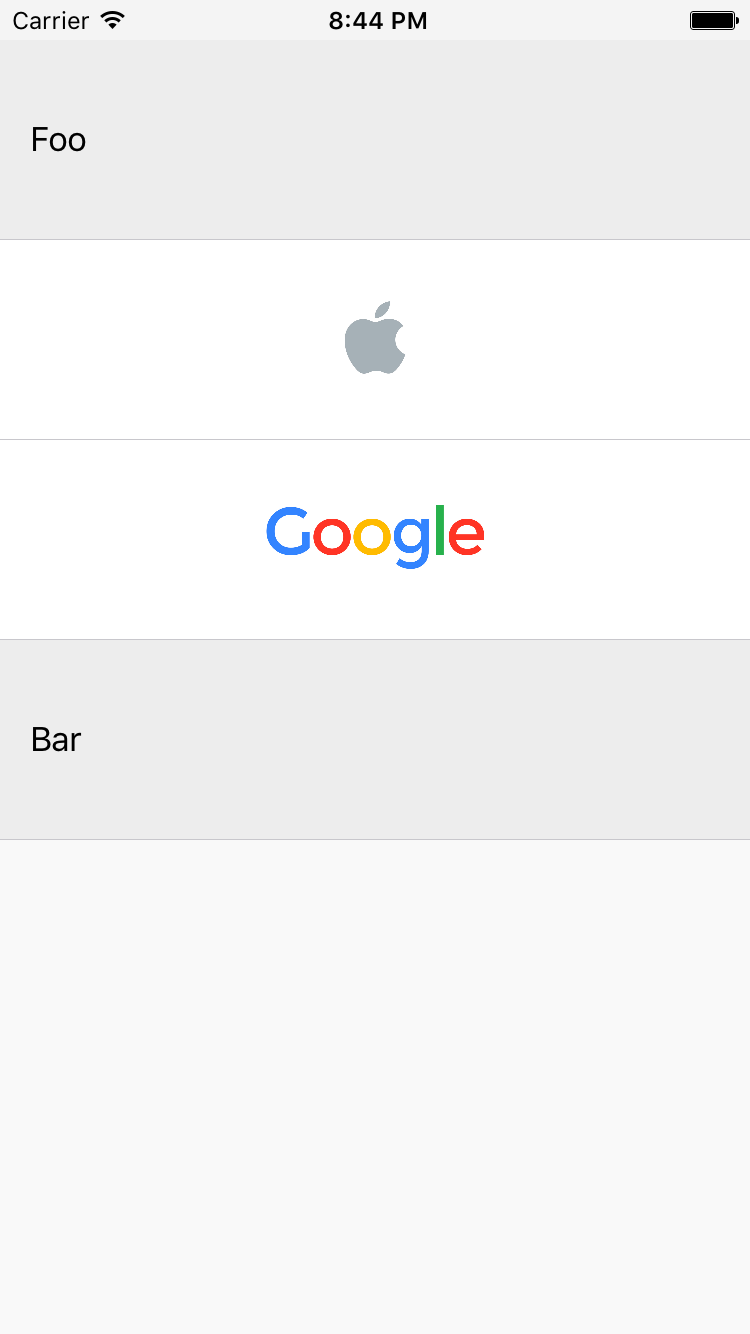
Let's say we want to present a table view controller with four rows: two with text and two with images. We start by creating view data structures that cells will be configurable with:
structTextCellViewData{lettitle:String}structImageCellViewData{letimage:UIImage}and the cells themselves:
classTextTableViewCell:UITableViewCell{func updateWithViewData(viewData:TextCellViewData){
textLabel?.text = viewData.title
}}classImageTableViewCell:UITableViewCell{func updateWithViewData(viewData:ImageCellViewData){
imageView?.image = viewData.image
}}
Now to present a table view controller with those cells, we simply configure it in the following way:
import ConfigurableTableViewController
...letviewController=ConfigurableTableViewController(items:[CellConfigurator<TextTableViewCell>(viewData:TextCellViewData(title:"Foo")),CellConfigurator<ImageTableViewCell>(viewData:ImageCellViewData(image: apple)),CellConfigurator<ImageTableViewCell>(viewData:ImageCellViewData(image: google)),CellConfigurator<TextTableViewCell>(viewData:TextCellViewData(title:"Bar")),])presentViewController(viewController, animated:true, completion:nil)
And ta-da 🎈:
I encourage you to check both the implementation and an example app.
To run the example project; clone the repo, open the project and run ExampleApp target.
iOS 8 and above.
Arkadiusz Holko: