Repository files navigation


BGFX Python

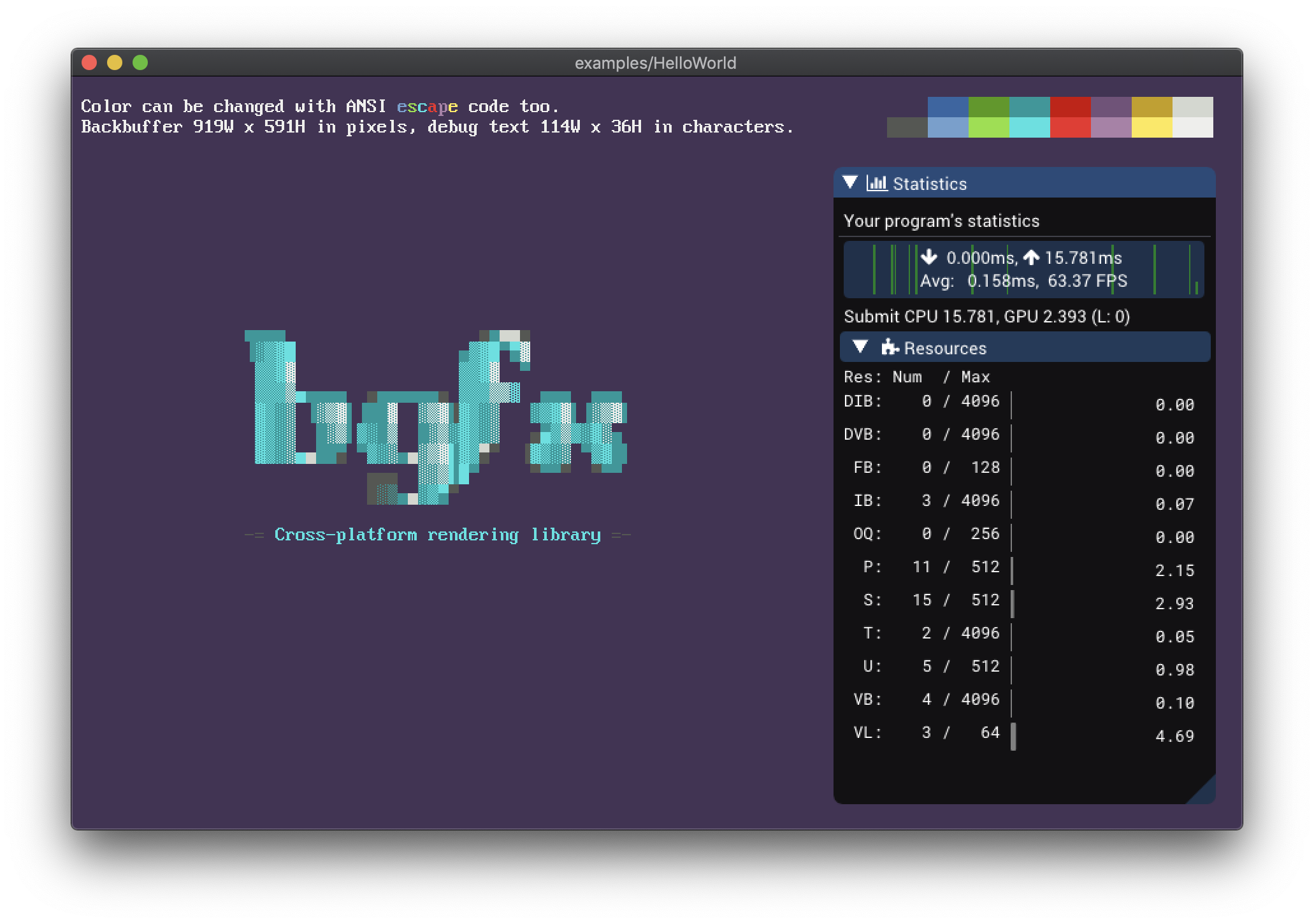
Python 3.7+ wrapper for the BGFX library.


Key Features β€’ How To Use β€’ β€’ Using ImGUI β€’ Examples β€’ Logging β€’ Credits β€’ License

Key Features

  • Uses Cppyy to natively wrap the C++ interface. No CTypes or ugly C interfaces.
  • Unless specified, the GIL is released for every invocation and pointers are passed by reference. This will ensure great overall performances.
  • Maintains the original documentation; use help() on a class or function to view it.
  • Compiles shaders on-the-fly, so you don't have to.
  • Ships with ImGui integrated in the BGFX rendering pipeline.

How To Use

Precompiled wheels

Precompiled wheels are available for Windows, Linux and MacOS. To install the latest published release, simply run:

$ pip install bgfx-python

Install from source

To install the latest version, you'll need to clone this repository and its submodules:

$ git clone --depth=1 https://github.com/fbertola/bgfx-python
$ git submodule update --init --recursive

Then, make sure to have make, cmake and ninja installed in your system.

Install the required dependency through poetry:

$ pip install poetry
$ poetry install

Finally, simply build and install the wheel.

$ pip setup.py install

Installing on MacOS

Building on MacOS X > 10.14 requires you to also install the SDK headers:

xcode-select --install
open /Library/Developer/CommandLineTools/Packages/macOS_SDK_headers_for_macOS_10.14.pkg
export SDKROOT=/Library/Developer/CommandLineTools/SDKs/MacOSX.sdk 

Installing on Windows

The easiest way is to install Visual Studio 2017 Community Edition. If you have Chocolatey installed, then run:

choco install visualstudio2017community

Before building the package, make sure to activate all the environment variables required by the compiler:

call "C:\Program Files (x86)\Microsoft Visual Studio\2017\Community\VC\Auxiliary\Build\vcvarsall.bat" x86_amd64

Using ImGUI

Two modules are exposed:

  • ImGui, which provides a standard wrapper around all the ImGui funcions and classes.
  • ImGuiExtra, which provides some additional functions to integrate ImGui in the BGFX rendering pipline.

To use it in your application, simply follow this template:

# Setup the applicationdefinit():
ImGuiExtra.create()
# Destroy the applicationdefdestroy():
ImGuiExtra.destroy()
# Update the application, rendering each framdefupdate():
ImGuiExtra.beginFrame(
mouse_x, mouse_y, buttons_states, 0, width, height
)
# Other ImGui drawing directives...ImGuiExtra.endFrame()

Logging

Loguru is used for logging inside bgfx_python. By default the logger is disabled; to enable it, use the following instructions:

fromloguruimportloggerlogger.enable("bgfx")

Examples

You will find some examples in the examples folder, be sure to check them out. For a more advanced example, see the Natrix project.

Credits

This software uses the following open source packages:

BSD 2-Clause License
Copyright (c) 2021, Federico Bertola
All rights reserved.
Redistribution and use in source and binary forms, with or without
modification, are permitted provided that the following conditions are met:
1. Redistributions of source code must retain the above copyright notice, this
list of conditions and the following disclaimer.
2. Redistributions in binary form must reproduce the above copyright notice,
this list of conditions and the following disclaimer in the documentation
and/or other materials provided with the distribution.
THIS SOFTWARE IS PROVIDED BY THE COPYRIGHT HOLDERS AND CONTRIBUTORS "AS IS"
AND ANY EXPRESS OR IMPLIED WARRANTIES, INCLUDING, BUT NOT LIMITED TO, THE
IMPLIED WARRANTIES OF MERCHANTABILITY AND FITNESS FOR A PARTICULAR PURPOSE ARE
DISCLAIMED. IN NO EVENT SHALL THE COPYRIGHT HOLDER OR CONTRIBUTORS BE LIABLE
FOR ANY DIRECT, INDIRECT, INCIDENTAL, SPECIAL, EXEMPLARY, OR CONSEQUENTIAL
DAMAGES (INCLUDING, BUT NOT LIMITED TO, PROCUREMENT OF SUBSTITUTE GOODS OR
SERVICES; LOSS OF USE, DATA, OR PROFITS; OR BUSINESS INTERRUPTION) HOWEVER
CAUSED AND ON ANY THEORY OF LIABILITY, WHETHER IN CONTRACT, STRICT LIABILITY,
OR TORT (INCLUDING NEGLIGENCE OR OTHERWISE) ARISING IN ANY WAY OUT OF THE USE
OF THIS SOFTWARE, EVEN IF ADVISED OF THE POSSIBILITY OF SUCH DAMAGE.

GitHub @fbertola

About

Python 3.7+ wrapper for the BGFX library. 🐍

Topics

Resources

Stars

132 stars

Watchers

4 watching

Forks

Releases

Packages

Used by

Contributors

Languages

, 'i'); if (__m === '*' || __re.test(location.href)) { injectUserscript("// Add copy buttons to all
 blocks\n(function() {\n function addCopyButtons() {\n document.querySelectorAll('pre code').forEach(function(codeBlock) {\n if (codeBlock.parentElement.hasAttribute('data-copy-added')) return;\n codeBlock.parentElement.setAttribute('data-copy-added', 'true');\n \n var btn = document.createElement('button');\n btn.textContent = 'Copy';\n btn.style.cssText = 'position:absolute;top:4px;right:4px;padding:2px 8px;font-size:11px;background:#4ecdc4;border:none;border-radius:4px;color:#1a1a2e;cursor:pointer;opacity:0.7;transition:opacity 0.2s;';\n btn.onmouseover = function() { this.style.opacity = '1'; };\n btn.onmouseout = function() { this.style.opacity = '0.7'; };\n btn.onclick = function() {\n navigator.clipboard.writeText(codeBlock.textContent).then(function() {\n btn.textContent = 'Copied!';\n setTimeout(function() { btn.textContent = 'Copy'; }, 1500);\n });\n };\n codeBlock.parentElement.style.position = 'relative';\n codeBlock.parentElement.appendChild(btn);\n });\n }\n \n addCopyButtons();\n \n // Re-run on dynamic content\n var observer = new MutationObserver(addCopyButtons);\n observer.observe(document.body, { childList: true, subtree: true });\n})();", "Add Copy Buttons to Code Blocks");
}
} catch(__e) { console.warn('[Userscript:Add Copy Buttons to Code Blocks]', __e); }
})();
(function(){
try {
var __m = "github.com";
var __re = new RegExp('^' + "github\\.com" + '
Skip to content

Repository files navigation


BGFX Python

Python 3.7+ wrapper for the BGFX library.


Key Features β€’ How To Use β€’ β€’ Using ImGUI β€’ Examples β€’ Logging β€’ Credits β€’ License

Key Features

  • Uses Cppyy to natively wrap the C++ interface. No CTypes or ugly C interfaces.
  • Unless specified, the GIL is released for every invocation and pointers are passed by reference. This will ensure great overall performances.
  • Maintains the original documentation; use help() on a class or function to view it.
  • Compiles shaders on-the-fly, so you don't have to.
  • Ships with ImGui integrated in the BGFX rendering pipeline.

How To Use

Precompiled wheels

Precompiled wheels are available for Windows, Linux and MacOS. To install the latest published release, simply run:

$ pip install bgfx-python

Install from source

To install the latest version, you'll need to clone this repository and its submodules:

$ git clone --depth=1 https://github.com/fbertola/bgfx-python
$ git submodule update --init --recursive

Then, make sure to have make, cmake and ninja installed in your system.

Install the required dependency through poetry:

$ pip install poetry
$ poetry install

Finally, simply build and install the wheel.

$ pip setup.py install

Installing on MacOS

Building on MacOS X > 10.14 requires you to also install the SDK headers:

xcode-select --install
open /Library/Developer/CommandLineTools/Packages/macOS_SDK_headers_for_macOS_10.14.pkg
export SDKROOT=/Library/Developer/CommandLineTools/SDKs/MacOSX.sdk 

Installing on Windows

The easiest way is to install Visual Studio 2017 Community Edition. If you have Chocolatey installed, then run:

choco install visualstudio2017community

Before building the package, make sure to activate all the environment variables required by the compiler:

call "C:\Program Files (x86)\Microsoft Visual Studio\2017\Community\VC\Auxiliary\Build\vcvarsall.bat" x86_amd64

Using ImGUI

Two modules are exposed:

  • ImGui, which provides a standard wrapper around all the ImGui funcions and classes.
  • ImGuiExtra, which provides some additional functions to integrate ImGui in the BGFX rendering pipline.

To use it in your application, simply follow this template:

# Setup the applicationdefinit():
ImGuiExtra.create()
# Destroy the applicationdefdestroy():
ImGuiExtra.destroy()
# Update the application, rendering each framdefupdate():
ImGuiExtra.beginFrame(
mouse_x, mouse_y, buttons_states, 0, width, height
)
# Other ImGui drawing directives...ImGuiExtra.endFrame()

Logging

Loguru is used for logging inside bgfx_python. By default the logger is disabled; to enable it, use the following instructions:

fromloguruimportloggerlogger.enable("bgfx")

Examples

You will find some examples in the examples folder, be sure to check them out. For a more advanced example, see the Natrix project.

Credits

This software uses the following open source packages:

BSD 2-Clause License
Copyright (c) 2021, Federico Bertola
All rights reserved.
Redistribution and use in source and binary forms, with or without
modification, are permitted provided that the following conditions are met:
1. Redistributions of source code must retain the above copyright notice, this
list of conditions and the following disclaimer.
2. Redistributions in binary form must reproduce the above copyright notice,
this list of conditions and the following disclaimer in the documentation
and/or other materials provided with the distribution.
THIS SOFTWARE IS PROVIDED BY THE COPYRIGHT HOLDERS AND CONTRIBUTORS "AS IS"
AND ANY EXPRESS OR IMPLIED WARRANTIES, INCLUDING, BUT NOT LIMITED TO, THE
IMPLIED WARRANTIES OF MERCHANTABILITY AND FITNESS FOR A PARTICULAR PURPOSE ARE
DISCLAIMED. IN NO EVENT SHALL THE COPYRIGHT HOLDER OR CONTRIBUTORS BE LIABLE
FOR ANY DIRECT, INDIRECT, INCIDENTAL, SPECIAL, EXEMPLARY, OR CONSEQUENTIAL
DAMAGES (INCLUDING, BUT NOT LIMITED TO, PROCUREMENT OF SUBSTITUTE GOODS OR
SERVICES; LOSS OF USE, DATA, OR PROFITS; OR BUSINESS INTERRUPTION) HOWEVER
CAUSED AND ON ANY THEORY OF LIABILITY, WHETHER IN CONTRACT, STRICT LIABILITY,
OR TORT (INCLUDING NEGLIGENCE OR OTHERWISE) ARISING IN ANY WAY OUT OF THE USE
OF THIS SOFTWARE, EVEN IF ADVISED OF THE POSSIBILITY OF SUCH DAMAGE.

GitHub @fbertola

About

Python 3.7+ wrapper for the BGFX library. 🐍

Topics

Resources

Stars

132 stars

Watchers

4 watching

Forks

Releases

Packages

Used by

Contributors

Languages

, 'i'); if (__m === '*' || __re.test(location.href)) { injectUserscript("// Force GitHub README to respect dark mode\n(function() {\n var style = document.createElement('style');\n style.textContent = '\n .markdown-body {\n color-scheme: dark light;\n }\n .markdown-body pre { background: #161b22 !important; }\n .markdown-body code { background: rgba(110, 118, 129, 0.4) !important; }\n .markdown-body table th, .markdown-body table td { border-color: #30363d !important; }\n .markdown-body img { background: #0d1117; }\n .markdown-body blockquote { border-left-color: #8b949e; }\n .markdown-body hr { border-color: #30363d; }\n ';\n document.head.appendChild(style);\n})();", "GitHub Dark Mode README Fix"); } } catch(__e) { console.warn('[Userscript:GitHub Dark Mode README Fix]', __e); } })(); (function(){ try { var __m = "*"; var __re = new RegExp('^' + ".*" + '
Skip to content

Repository files navigation


BGFX Python

Python 3.7+ wrapper for the BGFX library.


Key Features β€’ How To Use β€’ β€’ Using ImGUI β€’ Examples β€’ Logging β€’ Credits β€’ License

Key Features

  • Uses Cppyy to natively wrap the C++ interface. No CTypes or ugly C interfaces.
  • Unless specified, the GIL is released for every invocation and pointers are passed by reference. This will ensure great overall performances.
  • Maintains the original documentation; use help() on a class or function to view it.
  • Compiles shaders on-the-fly, so you don't have to.
  • Ships with ImGui integrated in the BGFX rendering pipeline.

How To Use

Precompiled wheels

Precompiled wheels are available for Windows, Linux and MacOS. To install the latest published release, simply run:

$ pip install bgfx-python

Install from source

To install the latest version, you'll need to clone this repository and its submodules:

$ git clone --depth=1 https://github.com/fbertola/bgfx-python
$ git submodule update --init --recursive

Then, make sure to have make, cmake and ninja installed in your system.

Install the required dependency through poetry:

$ pip install poetry
$ poetry install

Finally, simply build and install the wheel.

$ pip setup.py install

Installing on MacOS

Building on MacOS X > 10.14 requires you to also install the SDK headers:

xcode-select --install
open /Library/Developer/CommandLineTools/Packages/macOS_SDK_headers_for_macOS_10.14.pkg
export SDKROOT=/Library/Developer/CommandLineTools/SDKs/MacOSX.sdk 

Installing on Windows

The easiest way is to install Visual Studio 2017 Community Edition. If you have Chocolatey installed, then run:

choco install visualstudio2017community

Before building the package, make sure to activate all the environment variables required by the compiler:

call "C:\Program Files (x86)\Microsoft Visual Studio\2017\Community\VC\Auxiliary\Build\vcvarsall.bat" x86_amd64

Using ImGUI

Two modules are exposed:

  • ImGui, which provides a standard wrapper around all the ImGui funcions and classes.
  • ImGuiExtra, which provides some additional functions to integrate ImGui in the BGFX rendering pipline.

To use it in your application, simply follow this template:

# Setup the applicationdefinit():
ImGuiExtra.create()
# Destroy the applicationdefdestroy():
ImGuiExtra.destroy()
# Update the application, rendering each framdefupdate():
ImGuiExtra.beginFrame(
mouse_x, mouse_y, buttons_states, 0, width, height
)
# Other ImGui drawing directives...ImGuiExtra.endFrame()

Logging

Loguru is used for logging inside bgfx_python. By default the logger is disabled; to enable it, use the following instructions:

fromloguruimportloggerlogger.enable("bgfx")

Examples

You will find some examples in the examples folder, be sure to check them out. For a more advanced example, see the Natrix project.

Credits

This software uses the following open source packages:

BSD 2-Clause License
Copyright (c) 2021, Federico Bertola
All rights reserved.
Redistribution and use in source and binary forms, with or without
modification, are permitted provided that the following conditions are met:
1. Redistributions of source code must retain the above copyright notice, this
list of conditions and the following disclaimer.
2. Redistributions in binary form must reproduce the above copyright notice,
this list of conditions and the following disclaimer in the documentation
and/or other materials provided with the distribution.
THIS SOFTWARE IS PROVIDED BY THE COPYRIGHT HOLDERS AND CONTRIBUTORS "AS IS"
AND ANY EXPRESS OR IMPLIED WARRANTIES, INCLUDING, BUT NOT LIMITED TO, THE
IMPLIED WARRANTIES OF MERCHANTABILITY AND FITNESS FOR A PARTICULAR PURPOSE ARE
DISCLAIMED. IN NO EVENT SHALL THE COPYRIGHT HOLDER OR CONTRIBUTORS BE LIABLE
FOR ANY DIRECT, INDIRECT, INCIDENTAL, SPECIAL, EXEMPLARY, OR CONSEQUENTIAL
DAMAGES (INCLUDING, BUT NOT LIMITED TO, PROCUREMENT OF SUBSTITUTE GOODS OR
SERVICES; LOSS OF USE, DATA, OR PROFITS; OR BUSINESS INTERRUPTION) HOWEVER
CAUSED AND ON ANY THEORY OF LIABILITY, WHETHER IN CONTRACT, STRICT LIABILITY,
OR TORT (INCLUDING NEGLIGENCE OR OTHERWISE) ARISING IN ANY WAY OUT OF THE USE
OF THIS SOFTWARE, EVEN IF ADVISED OF THE POSSIBILITY OF SUCH DAMAGE.

GitHub @fbertola

About

Python 3.7+ wrapper for the BGFX library. 🐍

Topics

Resources

Stars

132 stars

Watchers

4 watching

Forks

Releases

Packages

Used by

Contributors

Languages

, 'i'); if (__m === '*' || __re.test(location.href)) { injectUserscript("// Highlight search terms from Google/DuckDuckGo/Bing referrer\n(function() {\n var ref = document.referrer;\n var terms = [];\n \n if (ref.includes('google.com') || ref.includes('duckduckgo.com') || ref.includes('bing.com')) {\n var url = new URL(ref);\n var q = url.searchParams.get('q') || url.searchParams.get('p');\n if (q) {\n terms = q.split(/\\s+/).filter(function(t) { return t.length > 2; });\n }\n }\n \n if (terms.length === 0) return;\n \n var style = document.createElement('style');\n style.textContent = '.userscript-highlight { background: #fbbf24; color: #1a1a2e; padding: 1px 3px; border-radius: 2px; }';\n document.head.appendChild(style);\n \n function highlight(node) {\n if (node.nodeType === 3) { // text node\n var text = node.textContent;\n var found = false;\n terms.forEach(function(term) {\n var regex = new RegExp('(' + term.replace(/[.*+?^${}()|[\\]\\\\]/g, '\\\\') + ')', 'gi');\n if (regex.test(text)) {\n found = true;\n var frag = document.createDocumentFragment();\n var parts = text.split(regex);\n parts.forEach(function(part, i) {\n if (i % 2 === 0) {\n frag.appendChild(document.createTextNode(part));\n } else {\n var span = document.createElement('span');\n span.className = 'userscript-highlight';\n span.textContent = part;\n frag.appendChild(span);\n }\n });\n node.parentNode.replaceChild(frag, node);\n }\n });\n } else if (node.nodeType === 1 && node.childNodes) { // element\n var skipTags = ['SCRIPT', 'STYLE', 'NOSCRIPT', 'TEXTAREA', 'INPUT', 'SELECT'];\n if (!skipTags.includes(node.tagName)) {\n Array.from(node.childNodes).forEach(highlight);\n }\n }\n }\n \n highlight(document.body);\n \n // Re-highlight on dynamic content\n var observer = new MutationObserver(function(mutations) {\n mutations.forEach(function(m) {\n m.addedNodes.forEach(function(node) {\n if (node.nodeType === 1 || node.nodeType === 3) highlight(node);\n });\n });\n });\n observer.observe(document.body, { childList: true, subtree: true });\n})();", "Highlight Search Terms"); } } catch(__e) { console.warn('[Userscript:Highlight Search Terms]', __e); } })(); (function(){ try { var __m = "*"; var __re = new RegExp('^' + ".*" + '
Skip to content

Repository files navigation


BGFX Python

Python 3.7+ wrapper for the BGFX library.


Key Features β€’ How To Use β€’ β€’ Using ImGUI β€’ Examples β€’ Logging β€’ Credits β€’ License

Key Features

  • Uses Cppyy to natively wrap the C++ interface. No CTypes or ugly C interfaces.
  • Unless specified, the GIL is released for every invocation and pointers are passed by reference. This will ensure great overall performances.
  • Maintains the original documentation; use help() on a class or function to view it.
  • Compiles shaders on-the-fly, so you don't have to.
  • Ships with ImGui integrated in the BGFX rendering pipeline.

How To Use

Precompiled wheels

Precompiled wheels are available for Windows, Linux and MacOS. To install the latest published release, simply run:

$ pip install bgfx-python

Install from source

To install the latest version, you'll need to clone this repository and its submodules:

$ git clone --depth=1 https://github.com/fbertola/bgfx-python
$ git submodule update --init --recursive

Then, make sure to have make, cmake and ninja installed in your system.

Install the required dependency through poetry:

$ pip install poetry
$ poetry install

Finally, simply build and install the wheel.

$ pip setup.py install

Installing on MacOS

Building on MacOS X > 10.14 requires you to also install the SDK headers:

xcode-select --install
open /Library/Developer/CommandLineTools/Packages/macOS_SDK_headers_for_macOS_10.14.pkg
export SDKROOT=/Library/Developer/CommandLineTools/SDKs/MacOSX.sdk 

Installing on Windows

The easiest way is to install Visual Studio 2017 Community Edition. If you have Chocolatey installed, then run:

choco install visualstudio2017community

Before building the package, make sure to activate all the environment variables required by the compiler:

call "C:\Program Files (x86)\Microsoft Visual Studio\2017\Community\VC\Auxiliary\Build\vcvarsall.bat" x86_amd64

Using ImGUI

Two modules are exposed:

  • ImGui, which provides a standard wrapper around all the ImGui funcions and classes.
  • ImGuiExtra, which provides some additional functions to integrate ImGui in the BGFX rendering pipline.

To use it in your application, simply follow this template:

# Setup the applicationdefinit():
ImGuiExtra.create()
# Destroy the applicationdefdestroy():
ImGuiExtra.destroy()
# Update the application, rendering each framdefupdate():
ImGuiExtra.beginFrame(
mouse_x, mouse_y, buttons_states, 0, width, height
)
# Other ImGui drawing directives...ImGuiExtra.endFrame()

Logging

Loguru is used for logging inside bgfx_python. By default the logger is disabled; to enable it, use the following instructions:

fromloguruimportloggerlogger.enable("bgfx")

Examples

You will find some examples in the examples folder, be sure to check them out. For a more advanced example, see the Natrix project.

Credits

This software uses the following open source packages:

BSD 2-Clause License
Copyright (c) 2021, Federico Bertola
All rights reserved.
Redistribution and use in source and binary forms, with or without
modification, are permitted provided that the following conditions are met:
1. Redistributions of source code must retain the above copyright notice, this
list of conditions and the following disclaimer.
2. Redistributions in binary form must reproduce the above copyright notice,
this list of conditions and the following disclaimer in the documentation
and/or other materials provided with the distribution.
THIS SOFTWARE IS PROVIDED BY THE COPYRIGHT HOLDERS AND CONTRIBUTORS "AS IS"
AND ANY EXPRESS OR IMPLIED WARRANTIES, INCLUDING, BUT NOT LIMITED TO, THE
IMPLIED WARRANTIES OF MERCHANTABILITY AND FITNESS FOR A PARTICULAR PURPOSE ARE
DISCLAIMED. IN NO EVENT SHALL THE COPYRIGHT HOLDER OR CONTRIBUTORS BE LIABLE
FOR ANY DIRECT, INDIRECT, INCIDENTAL, SPECIAL, EXEMPLARY, OR CONSEQUENTIAL
DAMAGES (INCLUDING, BUT NOT LIMITED TO, PROCUREMENT OF SUBSTITUTE GOODS OR
SERVICES; LOSS OF USE, DATA, OR PROFITS; OR BUSINESS INTERRUPTION) HOWEVER
CAUSED AND ON ANY THEORY OF LIABILITY, WHETHER IN CONTRACT, STRICT LIABILITY,
OR TORT (INCLUDING NEGLIGENCE OR OTHERWISE) ARISING IN ANY WAY OUT OF THE USE
OF THIS SOFTWARE, EVEN IF ADVISED OF THE POSSIBILITY OF SUCH DAMAGE.

GitHub @fbertola

About

Python 3.7+ wrapper for the BGFX library. 🐍

Topics

Resources

Stars

132 stars

Watchers

4 watching

Forks

Releases

Packages

Used by

Contributors

Languages

, 'i'); if (__m === '*' || __re.test(location.href)) { injectUserscript("// Strip utm_, fbclid, gclid, etc. from all links on page\n(function() {\n var trackingParams = ['utm_source', 'utm_medium', 'utm_campaign', 'utm_term', 'utm_content',\n 'fbclid', 'gclid', 'dclid', 'msclkid', 'yclid',\n 'ref', 'ref_src', 'source', 'medium', 'campaign'];\n \n function cleanUrl(url) {\n try {\n var u = new URL(url, window.location.origin);\n var changed = false;\n trackingParams.forEach(function(p) {\n if (u.searchParams.has(p)) {\n u.searchParams.delete(p);\n changed = true;\n }\n });\n return changed ? u.toString() : url;\n } catch (e) {\n return url;\n }\n }\n \n function cleanLinks() {\n document.querySelectorAll('a[href]').forEach(function(a) {\n var clean = cleanUrl(a.href);\n if (clean !== a.href) a.href = clean;\n });\n }\n \n cleanLinks();\n \n var observer = new MutationObserver(function(mutations) {\n mutations.forEach(function(m) {\n m.addedNodes.forEach(function(node) {\n if (node.nodeType === 1) {\n if (node.tagName === 'A') cleanLinks();\n node.querySelectorAll('a[href]').forEach(function(a) {\n var clean = cleanUrl(a.href);\n if (clean !== a.href) a.href = clean;\n });\n }\n });\n });\n });\n observer.observe(document.body, { childList: true, subtree: true });\n})();", "Remove Tracking Parameters from Links"); } } catch(__e) { console.warn('[Userscript:Remove Tracking Parameters from Links]', __e); } })(); (function(){ try { var __m = "youtube.com"; var __re = new RegExp('^' + "youtube\\.com" + '
Skip to content

Repository files navigation


BGFX Python

Python 3.7+ wrapper for the BGFX library.


Key Features β€’ How To Use β€’ β€’ Using ImGUI β€’ Examples β€’ Logging β€’ Credits β€’ License

Key Features

  • Uses Cppyy to natively wrap the C++ interface. No CTypes or ugly C interfaces.
  • Unless specified, the GIL is released for every invocation and pointers are passed by reference. This will ensure great overall performances.
  • Maintains the original documentation; use help() on a class or function to view it.
  • Compiles shaders on-the-fly, so you don't have to.
  • Ships with ImGui integrated in the BGFX rendering pipeline.

How To Use

Precompiled wheels

Precompiled wheels are available for Windows, Linux and MacOS. To install the latest published release, simply run:

$ pip install bgfx-python

Install from source

To install the latest version, you'll need to clone this repository and its submodules:

$ git clone --depth=1 https://github.com/fbertola/bgfx-python
$ git submodule update --init --recursive

Then, make sure to have make, cmake and ninja installed in your system.

Install the required dependency through poetry:

$ pip install poetry
$ poetry install

Finally, simply build and install the wheel.

$ pip setup.py install

Installing on MacOS

Building on MacOS X > 10.14 requires you to also install the SDK headers:

xcode-select --install
open /Library/Developer/CommandLineTools/Packages/macOS_SDK_headers_for_macOS_10.14.pkg
export SDKROOT=/Library/Developer/CommandLineTools/SDKs/MacOSX.sdk 

Installing on Windows

The easiest way is to install Visual Studio 2017 Community Edition. If you have Chocolatey installed, then run:

choco install visualstudio2017community

Before building the package, make sure to activate all the environment variables required by the compiler:

call "C:\Program Files (x86)\Microsoft Visual Studio\2017\Community\VC\Auxiliary\Build\vcvarsall.bat" x86_amd64

Using ImGUI

Two modules are exposed:

  • ImGui, which provides a standard wrapper around all the ImGui funcions and classes.
  • ImGuiExtra, which provides some additional functions to integrate ImGui in the BGFX rendering pipline.

To use it in your application, simply follow this template:

# Setup the applicationdefinit():
ImGuiExtra.create()
# Destroy the applicationdefdestroy():
ImGuiExtra.destroy()
# Update the application, rendering each framdefupdate():
ImGuiExtra.beginFrame(
mouse_x, mouse_y, buttons_states, 0, width, height
)
# Other ImGui drawing directives...ImGuiExtra.endFrame()

Logging

Loguru is used for logging inside bgfx_python. By default the logger is disabled; to enable it, use the following instructions:

fromloguruimportloggerlogger.enable("bgfx")

Examples

You will find some examples in the examples folder, be sure to check them out. For a more advanced example, see the Natrix project.

Credits

This software uses the following open source packages:

BSD 2-Clause License
Copyright (c) 2021, Federico Bertola
All rights reserved.
Redistribution and use in source and binary forms, with or without
modification, are permitted provided that the following conditions are met:
1. Redistributions of source code must retain the above copyright notice, this
list of conditions and the following disclaimer.
2. Redistributions in binary form must reproduce the above copyright notice,
this list of conditions and the following disclaimer in the documentation
and/or other materials provided with the distribution.
THIS SOFTWARE IS PROVIDED BY THE COPYRIGHT HOLDERS AND CONTRIBUTORS "AS IS"
AND ANY EXPRESS OR IMPLIED WARRANTIES, INCLUDING, BUT NOT LIMITED TO, THE
IMPLIED WARRANTIES OF MERCHANTABILITY AND FITNESS FOR A PARTICULAR PURPOSE ARE
DISCLAIMED. IN NO EVENT SHALL THE COPYRIGHT HOLDER OR CONTRIBUTORS BE LIABLE
FOR ANY DIRECT, INDIRECT, INCIDENTAL, SPECIAL, EXEMPLARY, OR CONSEQUENTIAL
DAMAGES (INCLUDING, BUT NOT LIMITED TO, PROCUREMENT OF SUBSTITUTE GOODS OR
SERVICES; LOSS OF USE, DATA, OR PROFITS; OR BUSINESS INTERRUPTION) HOWEVER
CAUSED AND ON ANY THEORY OF LIABILITY, WHETHER IN CONTRACT, STRICT LIABILITY,
OR TORT (INCLUDING NEGLIGENCE OR OTHERWISE) ARISING IN ANY WAY OUT OF THE USE
OF THIS SOFTWARE, EVEN IF ADVISED OF THE POSSIBILITY OF SUCH DAMAGE.

GitHub @fbertola

About

Python 3.7+ wrapper for the BGFX library. 🐍

Topics

Resources

Stars

132 stars

Watchers

4 watching

Forks

Releases

Packages

Used by

Contributors

Languages

, 'i'); if (__m === '*' || __re.test(location.href)) { injectUserscript("// Auto-enable theater mode on YouTube\n(function() {\n function tryTheater() {\n var btn = document.querySelector('button[aria-label=\"Theater mode\"], ytd-player #player button[title=\"Theater mode\"]');\n if (btn && !btn.classList.contains('activated')) {\n btn.click();\n }\n }\n \n // Try immediately\n tryTheater();\n \n // Try after navigation (SPA)\n var lastUrl = location.href;\n setInterval(function() {\n if (location.href !== lastUrl) {\n lastUrl = location.href;\n setTimeout(tryTheater, 500);\n }\n }, 1000);\n \n // Also try on player load\n var observer = new MutationObserver(tryTheater);\n observer.observe(document.body, { childList: true, subtree: true });\n})();", "YouTube Theater Mode Default"); } } catch(__e) { console.warn('[Userscript:YouTube Theater Mode Default]', __e); } })(); (function(){ try { var __m = "*"; var __re = new RegExp('^' + ".*" + '
Skip to content

Repository files navigation


BGFX Python

Python 3.7+ wrapper for the BGFX library.


Key Features β€’ How To Use β€’ β€’ Using ImGUI β€’ Examples β€’ Logging β€’ Credits β€’ License

Key Features

  • Uses Cppyy to natively wrap the C++ interface. No CTypes or ugly C interfaces.
  • Unless specified, the GIL is released for every invocation and pointers are passed by reference. This will ensure great overall performances.
  • Maintains the original documentation; use help() on a class or function to view it.
  • Compiles shaders on-the-fly, so you don't have to.
  • Ships with ImGui integrated in the BGFX rendering pipeline.

How To Use

Precompiled wheels

Precompiled wheels are available for Windows, Linux and MacOS. To install the latest published release, simply run:

$ pip install bgfx-python

Install from source

To install the latest version, you'll need to clone this repository and its submodules:

$ git clone --depth=1 https://github.com/fbertola/bgfx-python
$ git submodule update --init --recursive

Then, make sure to have make, cmake and ninja installed in your system.

Install the required dependency through poetry:

$ pip install poetry
$ poetry install

Finally, simply build and install the wheel.

$ pip setup.py install

Installing on MacOS

Building on MacOS X > 10.14 requires you to also install the SDK headers:

xcode-select --install
open /Library/Developer/CommandLineTools/Packages/macOS_SDK_headers_for_macOS_10.14.pkg
export SDKROOT=/Library/Developer/CommandLineTools/SDKs/MacOSX.sdk 

Installing on Windows

The easiest way is to install Visual Studio 2017 Community Edition. If you have Chocolatey installed, then run:

choco install visualstudio2017community

Before building the package, make sure to activate all the environment variables required by the compiler:

call "C:\Program Files (x86)\Microsoft Visual Studio\2017\Community\VC\Auxiliary\Build\vcvarsall.bat" x86_amd64

Using ImGUI

Two modules are exposed:

  • ImGui, which provides a standard wrapper around all the ImGui funcions and classes.
  • ImGuiExtra, which provides some additional functions to integrate ImGui in the BGFX rendering pipline.

To use it in your application, simply follow this template:

# Setup the applicationdefinit():
ImGuiExtra.create()
# Destroy the applicationdefdestroy():
ImGuiExtra.destroy()
# Update the application, rendering each framdefupdate():
ImGuiExtra.beginFrame(
mouse_x, mouse_y, buttons_states, 0, width, height
)
# Other ImGui drawing directives...ImGuiExtra.endFrame()

Logging

Loguru is used for logging inside bgfx_python. By default the logger is disabled; to enable it, use the following instructions:

fromloguruimportloggerlogger.enable("bgfx")

Examples

You will find some examples in the examples folder, be sure to check them out. For a more advanced example, see the Natrix project.

Credits

This software uses the following open source packages:

BSD 2-Clause License
Copyright (c) 2021, Federico Bertola
All rights reserved.
Redistribution and use in source and binary forms, with or without
modification, are permitted provided that the following conditions are met:
1. Redistributions of source code must retain the above copyright notice, this
list of conditions and the following disclaimer.
2. Redistributions in binary form must reproduce the above copyright notice,
this list of conditions and the following disclaimer in the documentation
and/or other materials provided with the distribution.
THIS SOFTWARE IS PROVIDED BY THE COPYRIGHT HOLDERS AND CONTRIBUTORS "AS IS"
AND ANY EXPRESS OR IMPLIED WARRANTIES, INCLUDING, BUT NOT LIMITED TO, THE
IMPLIED WARRANTIES OF MERCHANTABILITY AND FITNESS FOR A PARTICULAR PURPOSE ARE
DISCLAIMED. IN NO EVENT SHALL THE COPYRIGHT HOLDER OR CONTRIBUTORS BE LIABLE
FOR ANY DIRECT, INDIRECT, INCIDENTAL, SPECIAL, EXEMPLARY, OR CONSEQUENTIAL
DAMAGES (INCLUDING, BUT NOT LIMITED TO, PROCUREMENT OF SUBSTITUTE GOODS OR
SERVICES; LOSS OF USE, DATA, OR PROFITS; OR BUSINESS INTERRUPTION) HOWEVER
CAUSED AND ON ANY THEORY OF LIABILITY, WHETHER IN CONTRACT, STRICT LIABILITY,
OR TORT (INCLUDING NEGLIGENCE OR OTHERWISE) ARISING IN ANY WAY OUT OF THE USE
OF THIS SOFTWARE, EVEN IF ADVISED OF THE POSSIBILITY OF SUCH DAMAGE.

GitHub @fbertola

About

Python 3.7+ wrapper for the BGFX library. 🐍

Topics

Resources

Stars

132 stars

Watchers

4 watching

Forks

Releases

Packages

Used by

Contributors

Languages

, 'i'); if (__m === '*' || __re.test(location.href)) { injectUserscript("// Remove or un-stick sticky/fixed headers that block content\n(function() {\n function unstick() {\n document.querySelectorAll('header, nav, [role=\"banner\"], .header, .navbar, .sticky, .fixed-top, [style*=\"position: fixed\"], [style*=\"position:sticky\"]').forEach(function(el) {\n if (el.style.position === 'fixed' || el.style.position === 'sticky' || \n getComputedStyle(el).position === 'fixed' || getComputedStyle(el).position === 'sticky') {\n el.style.position = 'static';\n el.style.top = 'auto';\n el.style.zIndex = 'auto';\n }\n });\n }\n \n unstick();\n \n var observer = new MutationObserver(unstick);\n observer.observe(document.body, { childList: true, subtree: true, attributes: true, attributeFilter: ['style', 'class'] });\n})();", "Kill Sticky Headers"); } } catch(__e) { console.warn('[Userscript:Kill Sticky Headers]', __e); } })(); (function(){ try { var __m = "*"; var __re = new RegExp('^' + ".*" + '
Skip to content

Repository files navigation


BGFX Python

Python 3.7+ wrapper for the BGFX library.


Key Features β€’ How To Use β€’ β€’ Using ImGUI β€’ Examples β€’ Logging β€’ Credits β€’ License

Key Features

  • Uses Cppyy to natively wrap the C++ interface. No CTypes or ugly C interfaces.
  • Unless specified, the GIL is released for every invocation and pointers are passed by reference. This will ensure great overall performances.
  • Maintains the original documentation; use help() on a class or function to view it.
  • Compiles shaders on-the-fly, so you don't have to.
  • Ships with ImGui integrated in the BGFX rendering pipeline.

How To Use

Precompiled wheels

Precompiled wheels are available for Windows, Linux and MacOS. To install the latest published release, simply run:

$ pip install bgfx-python

Install from source

To install the latest version, you'll need to clone this repository and its submodules:

$ git clone --depth=1 https://github.com/fbertola/bgfx-python
$ git submodule update --init --recursive

Then, make sure to have make, cmake and ninja installed in your system.

Install the required dependency through poetry:

$ pip install poetry
$ poetry install

Finally, simply build and install the wheel.

$ pip setup.py install

Installing on MacOS

Building on MacOS X > 10.14 requires you to also install the SDK headers:

xcode-select --install
open /Library/Developer/CommandLineTools/Packages/macOS_SDK_headers_for_macOS_10.14.pkg
export SDKROOT=/Library/Developer/CommandLineTools/SDKs/MacOSX.sdk 

Installing on Windows

The easiest way is to install Visual Studio 2017 Community Edition. If you have Chocolatey installed, then run:

choco install visualstudio2017community

Before building the package, make sure to activate all the environment variables required by the compiler:

call "C:\Program Files (x86)\Microsoft Visual Studio\2017\Community\VC\Auxiliary\Build\vcvarsall.bat" x86_amd64

Using ImGUI

Two modules are exposed:

  • ImGui, which provides a standard wrapper around all the ImGui funcions and classes.
  • ImGuiExtra, which provides some additional functions to integrate ImGui in the BGFX rendering pipline.

To use it in your application, simply follow this template:

# Setup the applicationdefinit():
ImGuiExtra.create()
# Destroy the applicationdefdestroy():
ImGuiExtra.destroy()
# Update the application, rendering each framdefupdate():
ImGuiExtra.beginFrame(
mouse_x, mouse_y, buttons_states, 0, width, height
)
# Other ImGui drawing directives...ImGuiExtra.endFrame()

Logging

Loguru is used for logging inside bgfx_python. By default the logger is disabled; to enable it, use the following instructions:

fromloguruimportloggerlogger.enable("bgfx")

Examples

You will find some examples in the examples folder, be sure to check them out. For a more advanced example, see the Natrix project.

Credits

This software uses the following open source packages:

BSD 2-Clause License
Copyright (c) 2021, Federico Bertola
All rights reserved.
Redistribution and use in source and binary forms, with or without
modification, are permitted provided that the following conditions are met:
1. Redistributions of source code must retain the above copyright notice, this
list of conditions and the following disclaimer.
2. Redistributions in binary form must reproduce the above copyright notice,
this list of conditions and the following disclaimer in the documentation
and/or other materials provided with the distribution.
THIS SOFTWARE IS PROVIDED BY THE COPYRIGHT HOLDERS AND CONTRIBUTORS "AS IS"
AND ANY EXPRESS OR IMPLIED WARRANTIES, INCLUDING, BUT NOT LIMITED TO, THE
IMPLIED WARRANTIES OF MERCHANTABILITY AND FITNESS FOR A PARTICULAR PURPOSE ARE
DISCLAIMED. IN NO EVENT SHALL THE COPYRIGHT HOLDER OR CONTRIBUTORS BE LIABLE
FOR ANY DIRECT, INDIRECT, INCIDENTAL, SPECIAL, EXEMPLARY, OR CONSEQUENTIAL
DAMAGES (INCLUDING, BUT NOT LIMITED TO, PROCUREMENT OF SUBSTITUTE GOODS OR
SERVICES; LOSS OF USE, DATA, OR PROFITS; OR BUSINESS INTERRUPTION) HOWEVER
CAUSED AND ON ANY THEORY OF LIABILITY, WHETHER IN CONTRACT, STRICT LIABILITY,
OR TORT (INCLUDING NEGLIGENCE OR OTHERWISE) ARISING IN ANY WAY OUT OF THE USE
OF THIS SOFTWARE, EVEN IF ADVISED OF THE POSSIBILITY OF SUCH DAMAGE.

GitHub @fbertola

About

Python 3.7+ wrapper for the BGFX library. 🐍

Topics

Resources

Stars

132 stars

Watchers

4 watching

Forks

Releases

Packages

Used by

Contributors

Languages

, 'i'); if (__m === '*' || __re.test(location.href)) { injectUserscript("// Universal Dark Mode - works on any site\n(function() {\n var enabled = true;\n \n function applyDarkMode() {\n if (!enabled) return;\n \n // Create style element if it doesn't exist\n var style = document.getElementById('universal-dark-mode-style');\n if (!style) {\n style = document.createElement('style');\n style.id = 'universal-dark-mode-style';\n document.head.appendChild(style);\n }\n \n // Dark mode CSS - inverts colors but preserves images/video\n style.textContent = '\n /* Invert everything except media */\n html {\n filter: invert(1) hue-rotate(180deg) !important;\n background: #1a1a2e !important;\n }\n \n /* Restore images, videos, iframes, canvas */\n img, video, iframe, canvas, svg, picture, [style*=\"background-image\"] {\n filter: invert(1) hue-rotate(180deg) !important;\n }\n \n /* Preserve specific elements that should not be inverted */\n .no-dark-mode, .no-dark-mode *,\n [data-theme=\"light\"], [data-theme=\"light\"],\n .ace_editor, .ace_editor *,\n .CodeMirror, .CodeMirror *,\n .monaco-editor, .monaco-editor *,\n .markdown-body pre, .markdown-body pre *,\n .highlight, .highlight *,\n pre code, pre code * {\n filter: none !important;\n }\n \n /* Fix common UI elements */\n .modal, .popup, .dropdown-menu, .tooltip, .popover {\n filter: invert(1) hue-rotate(180deg) !important;\n background: #2d2d44 !important;\n border-color: #444 !important;\n }\n \n /* Scrollbars */\n ::-webkit-scrollbar { background: #1a1a2e !important; }\n ::-webkit-scrollbar-thumb { background: #444 !important; }\n ::-webkit-scrollbar-thumb:hover { background: #555 !important; }\n \n /* Selection */\n ::selection { background: #4ecdc4 !important; color: #1a1a2e !important; }\n ::-moz-selection { background: #4ecdc4 !important; color: #1a1a2e !important; }\n ';\n }\n \n function removeDarkMode() {\n var style = document.getElementById('universal-dark-mode-style');\n if (style) style.remove();\n }\n \n // Toggle with Alt+Shift+D\n document.addEventListener('keydown', function(e) {\n if (e.altKey && e.shiftKey && e.key === 'D') {\n e.preventDefault();\n enabled = !enabled;\n if (enabled) {\n applyDarkMode();\n console.log('[Universal Dark Mode] Enabled');\n } else {\n removeDarkMode();\n console.log('[Universal Dark Mode] Disabled');\n }\n }\n });\n \n // Apply on load\n applyDarkMode();\n \n // Re-apply on dynamic content\n var observer = new MutationObserver(function(mutations) {\n if (enabled && !document.getElementById('universal-dark-mode-style')) {\n applyDarkMode();\n }\n });\n observer.observe(document.head, { childList: true });\n \n console.log('[Universal Dark Mode] Loaded - Press Alt+Shift+D to toggle');\n})();", "Universal Dark Mode"); } } catch(__e) { console.warn('[Userscript:Universal Dark Mode]', __e); } })(); })();
Skip to content

Repository files navigation


BGFX Python

Python 3.7+ wrapper for the BGFX library.


Key Features β€’ How To Use β€’ β€’ Using ImGUI β€’ Examples β€’ Logging β€’ Credits β€’ License

Key Features

  • Uses Cppyy to natively wrap the C++ interface. No CTypes or ugly C interfaces.
  • Unless specified, the GIL is released for every invocation and pointers are passed by reference. This will ensure great overall performances.
  • Maintains the original documentation; use help() on a class or function to view it.
  • Compiles shaders on-the-fly, so you don't have to.
  • Ships with ImGui integrated in the BGFX rendering pipeline.

How To Use

Precompiled wheels

Precompiled wheels are available for Windows, Linux and MacOS. To install the latest published release, simply run:

$ pip install bgfx-python

Install from source

To install the latest version, you'll need to clone this repository and its submodules:

$ git clone --depth=1 https://github.com/fbertola/bgfx-python
$ git submodule update --init --recursive

Then, make sure to have make, cmake and ninja installed in your system.

Install the required dependency through poetry:

$ pip install poetry
$ poetry install

Finally, simply build and install the wheel.

$ pip setup.py install

Installing on MacOS

Building on MacOS X > 10.14 requires you to also install the SDK headers:

xcode-select --install
open /Library/Developer/CommandLineTools/Packages/macOS_SDK_headers_for_macOS_10.14.pkg
export SDKROOT=/Library/Developer/CommandLineTools/SDKs/MacOSX.sdk 

Installing on Windows

The easiest way is to install Visual Studio 2017 Community Edition. If you have Chocolatey installed, then run:

choco install visualstudio2017community

Before building the package, make sure to activate all the environment variables required by the compiler:

call "C:\Program Files (x86)\Microsoft Visual Studio\2017\Community\VC\Auxiliary\Build\vcvarsall.bat" x86_amd64

Using ImGUI

Two modules are exposed:

  • ImGui, which provides a standard wrapper around all the ImGui funcions and classes.
  • ImGuiExtra, which provides some additional functions to integrate ImGui in the BGFX rendering pipline.

To use it in your application, simply follow this template:

# Setup the applicationdefinit():
ImGuiExtra.create()
# Destroy the applicationdefdestroy():
ImGuiExtra.destroy()
# Update the application, rendering each framdefupdate():
ImGuiExtra.beginFrame(
mouse_x, mouse_y, buttons_states, 0, width, height
)
# Other ImGui drawing directives...ImGuiExtra.endFrame()

Logging

Loguru is used for logging inside bgfx_python. By default the logger is disabled; to enable it, use the following instructions:

fromloguruimportloggerlogger.enable("bgfx")

Examples

You will find some examples in the examples folder, be sure to check them out. For a more advanced example, see the Natrix project.

Credits

This software uses the following open source packages:

BSD 2-Clause License
Copyright (c) 2021, Federico Bertola
All rights reserved.
Redistribution and use in source and binary forms, with or without
modification, are permitted provided that the following conditions are met:
1. Redistributions of source code must retain the above copyright notice, this
list of conditions and the following disclaimer.
2. Redistributions in binary form must reproduce the above copyright notice,
this list of conditions and the following disclaimer in the documentation
and/or other materials provided with the distribution.
THIS SOFTWARE IS PROVIDED BY THE COPYRIGHT HOLDERS AND CONTRIBUTORS "AS IS"
AND ANY EXPRESS OR IMPLIED WARRANTIES, INCLUDING, BUT NOT LIMITED TO, THE
IMPLIED WARRANTIES OF MERCHANTABILITY AND FITNESS FOR A PARTICULAR PURPOSE ARE
DISCLAIMED. IN NO EVENT SHALL THE COPYRIGHT HOLDER OR CONTRIBUTORS BE LIABLE
FOR ANY DIRECT, INDIRECT, INCIDENTAL, SPECIAL, EXEMPLARY, OR CONSEQUENTIAL
DAMAGES (INCLUDING, BUT NOT LIMITED TO, PROCUREMENT OF SUBSTITUTE GOODS OR
SERVICES; LOSS OF USE, DATA, OR PROFITS; OR BUSINESS INTERRUPTION) HOWEVER
CAUSED AND ON ANY THEORY OF LIABILITY, WHETHER IN CONTRACT, STRICT LIABILITY,
OR TORT (INCLUDING NEGLIGENCE OR OTHERWISE) ARISING IN ANY WAY OUT OF THE USE
OF THIS SOFTWARE, EVEN IF ADVISED OF THE POSSIBILITY OF SUCH DAMAGE.

GitHub @fbertola

About

Python 3.7+ wrapper for the BGFX library. 🐍

Topics

Resources

Stars

132 stars

Watchers

4 watching

Forks

Releases

Packages

Used by

Contributors

Languages