A Flutter plugin to show incoming call in your Flutter app(Custom for Android/Callkit for iOS).





Our top sponsors are shown below!
Try the Flutter Video Tutorial 📹


Show an incoming call
Start an outgoing call
Custom UI Android/Callkit for iOS
Example using Pushkit/VoIP for iOS
iOS: ONLY WORKING ON REAL DEVICE PLEASE MAKE SURE SETUP/USING PUSHKIT FOR VOIP
- please not using on simulator(Callkit framework not working on simulator)
- Install Packages(for version >=v2.5.0, please make sure install and use java sdk version >= 17(Android))
- Run this command:
flutter pub add flutter_callkit_incoming- Add pubspec.yaml:
dependencies: flutter_callkit_incoming: any
- Add pubspec.yaml:
Configure Project
- Android
- AndroidManifest.xml
The following rule needs to be added in the proguard-rules.pro to avoid obfuscated keys.<manifest...> ... <!-- Using for load image from internet --> <uses-permission android:name="android.permission.INTERNET"/> <application ...> <activity ... android:name=".MainActivity" android:launchMode="singleInstance"> ... ... </manifest>-keep class com.hiennv.flutter_callkit_incoming.** { *; } - iOS
- Info.plist
<key>UIBackgroundModes</key>
<array>
<string>voip</string>
<string>remote-notification</string>
<string>processing</string> //you can add this if needed
</array>
- Info.plist
- Android
Usage
Import
import 'package:flutter_callkit_incoming/flutter_callkit_incoming.dart';Received an incoming call
this._currentUuid = _uuid.v4();
CallKitParams callKitParams =CallKitParams(
id: _currentUuid,
nameCaller:'Hien Nguyen',
appName:'Callkit',
avatar:'https://i.pravatar.cc/100',
handle:'0123456789',
type:0,
textAccept:'Accept',
textDecline:'Decline',
missedCallNotification:NotificationParams(
showNotification:true,
isShowCallback:true,
subtitle:'Missed call',
callbackText:'Call back',
),
callingNotification:constNotificationParams(
showNotification:true,
isShowCallback:true,
subtitle:'Calling...',
callbackText:'Hang Up',
),
duration:30000,
extra:<String, dynamic>{'userId':'1a2b3c4d'},
headers:<String, dynamic>{'apiKey':'Abc@123!', 'platform':'flutter'},
android:constAndroidParams(
isCustomNotification:true,
isShowLogo:false,
logoUrl:'https://i.pravatar.cc/100',
ringtonePath:'system_ringtone_default',
backgroundColor:'#0955fa',
backgroundUrl:'https://i.pravatar.cc/500',
actionColor:'#4CAF50',
textColor:'#ffffff',
incomingCallNotificationChannelName:"Incoming Call",
missedCallNotificationChannelName:"Missed Call",
isShowCallID:false
),
ios:IOSParams(
iconName:'CallKitLogo',
handleType:'generic',
supportsVideo:true,
maximumCallGroups:2,
maximumCallsPerCallGroup:1,
audioSessionMode:'default',
audioSessionActive:true,
audioSessionPreferredSampleRate:44100.0,
audioSessionPreferredIOBufferDuration:0.005,
supportsDTMF:true,
supportsHolding:true,
supportsGrouping:false,
supportsUngrouping:false,
ringtonePath:'system_ringtone_default',
),
);
awaitFlutterCallkitIncoming.showCallkitIncoming(callKitParams);
Note: Firebase Message:
@pragma('vm:entry-point')
https://github.com/firebase/flutterfire/blob/master/docs/cloud-messaging/receive.md#apple-platforms-and-androidrequest permission for post Notification Android 13+ For Android 13+, please
requestNotificationPermissionor requestPermission of firebase_messaging beforeshowCallkitIncomingawaitFlutterCallkitIncoming.requestNotificationPermission({ "rationaleMessagePermission":"Notification permission is required, to show notification.", "postNotificationMessageRequired":"Notification permission is required, Please allow notification permission from setting." });
request permission for full intent Notification/full screen locked screen Android 14+ For Android 14+, please
requestFullIntentPermissionawaitFlutterCallkitIncoming.requestFullIntentPermission();
Show miss call notification
this._currentUuid = _uuid.v4();
CallKitParams params =CallKitParams(
id: _currentUuid,
nameCaller:'Hien Nguyen',
handle:'0123456789',
type:1,
missedCallNotification:constNotificationParams(
showNotification:true,
isShowCallback:true,
subtitle:'Missed call',
callbackText:'Call back',
),
android:constAndroidParams(
isCustomNotification:true,
isShowCallID:true,
)
extra:<String, dynamic>{'userId':'1a2b3c4d'},
);
awaitFlutterCallkitIncoming.showMissCallNotification(params);
Hide notification call for Android
 CallKitParams params = CallKitParams(
id: _currentUuid,
);
await FlutterCallkitIncoming.hideCallkitIncoming(params);
Started an outgoing call
this._currentUuid = _uuid.v4();
CallKitParams params =CallKitParams(
id:this._currentUuid,
nameCaller:'Hien Nguyen',
handle:'0123456789',
type:1,
extra:<String, dynamic>{'userId':'1a2b3c4d'},
ios:IOSParams(handleType:'generic'),
callingNotification:constNotificationParams(
showNotification:true,
isShowCallback:true,
subtitle:'Calling...',
callbackText:'Hang Up',
),
android:constAndroidParams(
isCustomNotification:true,
isShowCallID:true,
)
);
awaitFlutterCallkitIncoming.startCall(params);
Ended an incoming/outgoing call
awaitFlutterCallkitIncoming.endCall(this._currentUuid);
Ended all calls
awaitFlutterCallkitIncoming.endAllCalls();
Get active calls. iOS: return active calls from Callkit(only id), Android: only return last call
awaitFlutterCallkitIncoming.activeCalls();
Output
[{"id": "8BAA2B26-47AD-42C1-9197-1D75F662DF78", ...}]Set status call connected (only for iOS - used to determine Incoming Call or Outgoing Call status in phone book)
await FlutterCallkitIncoming.setCallConnected(this._currentUuid);After the call is ACCEPT or startCall please call this func. normally it should be called when webrtc/p2p.... is established.
Get device push token VoIP. iOS: return deviceToken, Android: none
awaitFlutterCallkitIncoming.getDevicePushTokenVoIP();
Output
<device token>//Exampled6a77ca80c5f09f87f353cdd328ec8d7d34e92eb108d046c91906f27f54949cd
Make sure using
SwiftFlutterCallkitIncomingPlugin.sharedInstance?.setDevicePushTokenVoIP(deviceToken)inside AppDelegate.swift (Example)func pushRegistry(_ registry:PKPushRegistry, didUpdate credentials:PKPushCredentials, for type:PKPushType){print(credentials.token)letdeviceToken= credentials.token.map{String(format:"%02x", $0)}.joined() //Save deviceToken to your server SwiftFlutterCallkitIncomingPlugin.sharedInstance?.setDevicePushTokenVoIP(deviceToken)}func pushRegistry(_ registry:PKPushRegistry, didInvalidatePushTokenFor type:PKPushType){print("didInvalidatePushTokenFor")SwiftFlutterCallkitIncomingPlugin.sharedInstance?.setDevicePushTokenVoIP("")}
Listen events
FlutterCallkitIncoming.onEvent.listen((CallEvent event) {
switch (event!.event) {
caseEvent.actionCallIncoming:// TODO: received an incoming callbreak;
caseEvent.actionCallStart:// TODO: started an outgoing call// TODO: show screen calling in Flutterbreak;
caseEvent.actionCallAccept:// TODO: accepted an incoming call// TODO: show screen calling in Flutterbreak;
caseEvent.actionCallDecline:// TODO: declined an incoming callbreak;
caseEvent.actionCallEnded:// TODO: ended an incoming/outgoing callbreak;
caseEvent.actionCallTimeout:// TODO: missed an incoming callbreak;
caseEvent.actionCallCallback:// TODO: only Android - click action `Call back` from missed call notificationbreak;
caseEvent.actionCallToggleHold:// TODO: only iOSbreak;
caseEvent.actionCallToggleMute:// TODO: only iOSbreak;
caseEvent.actionCallToggleDmtf:// TODO: only iOSbreak;
caseEvent.actionCallToggleGroup:// TODO: only iOSbreak;
caseEvent.actionCallToggleAudioSession:// TODO: only iOSbreak;
caseEvent.actionDidUpdateDevicePushTokenVoip:// TODO: only iOSbreak;
caseEvent.actionCallCustom:// TODO: for custom actionbreak;
}
});
Call from Native (iOS/Android)
 //Swift iOS
varinfo=[String: Any?]()info["id"]="44d915e1-5ff4-4bed-bf13-c423048ec97a"info["nameCaller"]="Hien Nguyen"info["handle"]="0123456789"info["type"]=1
//... set more data
SwiftFlutterCallkitIncomingPlugin.sharedInstance?.showCallkitIncoming(flutter_callkit_incoming.Data(args: info), fromPushKit:true)
//please make sure call `completion()` at the end of the pushRegistry(......, completion: @escaping () -> Void)
// or `DispatchQueue.main.asyncAfter(deadline: .now() + 1.5) { completion() }`
// if you don't call completion() in pushRegistry(......, completion: @escaping () -> Void), there may be app crash by system when receiving voIP
//Kotlin/Java AndroidFlutterCallkitIncomingPlugin.getInstance().showIncomingNotification(...)
 //OR
letdata= flutter_callkit_incoming.Data(id:"44d915e1-5ff4-4bed-bf13-c423048ec97a", nameCaller:"Hien Nguyen", handle:"0123456789", type:0)
data.nameCaller ="Johnny"
data.extra =["user":"abc@123","platform":"ios"]
//... set more data
SwiftFlutterCallkitIncomingPlugin.sharedInstance?.showCallkitIncoming(data, fromPushKit:true)
//Objective-C
#if __has_include(<flutter_callkit_incoming/flutter_callkit_incoming-Swift.h>)
#import<flutter_callkit_incoming/flutter_callkit_incoming-Swift.h>
#else
#import"flutter_callkit_incoming-Swift.h"
#endif
Data * data = [[Data alloc]initWithId:@"44d915e1-5ff4-4bed-bf13-c423048ec97a"nameCaller:@"Hien Nguyen"handle:@"0123456789"type:1];
[data setNameCaller:@"Johnny"];
[data setExtra:@{ @"userId" : @"HelloXXXX", @"key2" : @"value2"}];
//... set more data
[SwiftFlutterCallkitIncomingPlugin.sharedInstance showCallkitIncoming:data fromPushKit:YES];
 //send custom event from native
SwiftFlutterCallkitIncomingPlugin.sharedInstance?.sendEventCustom(body:["customKey":"customValue"])
//Kotlin/Java AndroidFlutterCallkitIncomingPlugin.getInstance().sendEventCustom(body:Map<String, Any>)
- 3.1 Call API when accept/decline/end/timeout
//Appdelegate
...@UIApplicationMain@objcclassAppDelegate:FlutterAppDelegate,PKPushRegistryDelegate,CallkitIncomingAppDelegate{...overridefunc application(
_ application:UIApplication,
didFinishLaunchingWithOptions launchOptions:[UIApplication.LaunchOptionsKey:Any]?)->Bool{GeneratedPluginRegistrant.register(with:self)
//Setup VOIP
letmainQueue=DispatchQueue.main
letvoipRegistry:PKPushRegistry=PKPushRegistry(queue: mainQueue)
voipRegistry.delegate =self
voipRegistry.desiredPushTypes =[PKPushType.voIP]
//Use if using WebRTC
//RTCAudioSession.sharedInstance().useManualAudio = true
//RTCAudioSession.sharedInstance().isAudioEnabled = false
return super.application(application, didFinishLaunchingWithOptions: launchOptions)}
// Func Call api for Accept
func onAccept(_ call:Call, _ action:CXAnswerCallAction){letjson=["action":"ACCEPT","data": call.data.toJSON()]as[String:Any]print("LOG: onAccept")self.performRequest(parameters: json){ result inswitch result {case.success(let data):print("Received data: \(data)")
//Make sure call action.fulfill() when you are done(connected WebRTC - Start counting seconds)
action.fulfill()case.failure(let error):print("Error: \(error.localizedDescription)")}}}
// Func Call API for Decline
func onDecline(_ call:Call, _ action:CXEndCallAction){letjson=["action":"DECLINE","data": call.data.toJSON()]as[String:Any]print("LOG: onDecline")self.performRequest(parameters: json){ result inswitch result {case.success(let data):print("Received data: \(data)")
//Make sure call action.fulfill() when you are done
action.fulfill()case.failure(let error):print("Error: \(error.localizedDescription)")}}}
// Func Call API for End
func onEnd(_ call:Call, _ action:CXEndCallAction){letjson=["action":"END","data": call.data.toJSON()]as[String:Any]print("LOG: onEnd")self.performRequest(parameters: json){ result inswitch result {case.success(let data):print("Received data: \(data)")
//Make sure call action.fulfill() when you are done
action.fulfill()case.failure(let error):print("Error: \(error.localizedDescription)")}}}func onTimeOut(_ call:Call){letjson=["action":"TIMEOUT","data": call.data.toJSON()]as[String:Any]print("LOG: onTimeOut")self.performRequest(parameters: json){ result inswitch result {case.success(let data):print("Received data: \(data)")case.failure(let error):print("Error: \(error.localizedDescription)")}}}func didActivateAudioSession(_ audioSession:AVAudioSession){
//Use if using WebRTC
//RTCAudioSession.sharedInstance().audioSessionDidActivate(audioSession)
//RTCAudioSession.sharedInstance().isAudioEnabled = true
}func didDeactivateAudioSession(_ audioSession:AVAudioSession){
//Use if using WebRTC
//RTCAudioSession.sharedInstance().audioSessionDidDeactivate(audioSession)
//RTCAudioSession.sharedInstance().isAudioEnabled = false
}...
Properties
| Prop | Description | Default |
| --------------- | ----------------------------------------------------------------------- | ----------- |
| **`id`** | UUID identifier for each call. UUID should be unique for every call and when the call is ended, the same UUID for that call to be used. suggest using <a href='https://pub.dev/packages/uuid'>uuid.</a> ACCEPT ONLY UUID | Required |
| **`nameCaller`**| Caller's name. | _None_ |
| **`appName`** | App's name. using for display inside Callkit(iOS). | App Name, `Deprecated for iOS > 14, default using App name` |
| **`avatar`** | Avatar's URL used for display for Android. `/android/src/main/res/drawable-xxxhdpi/ic_default_avatar.png` | _None_ |
| **`handle`** | Phone number/Email/Any. | _None_ |
| **`type`** | 0 - Audio Call, 1 - Video Call | `0` |
| **`duration`** | Incoming call/Outgoing call display time (second). If the time is over, the call will be missed. | `30000` |
| textAccept | Text Accept used in Android | Accept |
| textDecline | Text Decline used in Android | Decline |
| extra | Any data added to the event when received. | {} |
| headers | Any data for custom header avatar/background image. | {} |
| missedCallNotification | Android data needed to customize Miss Call Notification. | Below |
| callingNotification | Android data needed to customize Calling Notification. | Below |
| android | Android data needed to customize UI. | Below |
| ios | iOS data needed. | Below |
<br>
Missed Call Notification
Prop Description Default subtitleText Missed Callused in Android (show in miss call notification)Missed CallcallbackTextText Call backused in Android (show in miss call notification action)Call backshowNotificationShow missed call notification when timeout trueisShowCallbackShow callback action from miss call notification. trueCalling Notification
| Prop | Description | Default | | --------------- |------------------------------------------------------------------------|--------------| |
subtitle| TextMissed Callused in Android (show in calling notification) |Calling...| |callbackText| TextCall backused in Android (show in calling notification action) |Hang up| |showNotification| Show calling notification when start call/accept call |true| |isShowCallback| Show hang up action from calling notification. |true|Android
Prop Description Default isCustomNotificationUsing custom notifications. falseisCustomSmallExNotificationUsing custom notification small on some devices clipped out in android. falseisShowLogoShow logo app inside full screen. /android/src/main/res/drawable-xxxhdpi/ic_logo.pngfalselogoUrlLogo app inside full screen. example: http://... https://... or "assets/abc.png" None ringtonePathFile name of a ringtone ex: ringtone_default. Put file into/android/app/src/main/res/raw/ringtone_default.mp3system_ringtone_default
using ringtone default of the phonebackgroundColorIncoming call screen background color. #0955fabackgroundUrlUsing image background for Incoming call screen. example: http://... https://... or "assets/abc.png" None actionColorColor used in button/text on notification. #4CAF50textColorColor used for the text in full screen notification. #ffffffincomingCallNotificationChannelNameNotification channel name of incoming call. Incoming callmissedCallNotificationChannelNameNotification channel name of missed call. Missed callisShowCallIDShow call id app inside full screen/notification. false isShowFullLockedScreenShow full screen on Locked Screen(please make sure call requestFullIntentPermissionfor android 14+).true iOS
Prop Description Default iconNameApp's Icon. using for display inside Callkit(iOS) CallKitLogo
using fromImages.xcassets/CallKitLogohandleTypeType handle call generic,number,emailgenericsupportsVideotruemaximumCallGroups2maximumCallsPerCallGroup1audioSessionModeNone, gameChat,measurement,moviePlayback,spokenAudio,videoChat,videoRecording,voiceChat,voicePromptaudioSessionActivetrueaudioSessionPreferredSampleRate44100.0audioSessionPreferredIOBufferDuration0.005supportsDTMFtruesupportsHoldingtruesupportsGroupingtruesupportsUngroupingtrueringtonePathAdd file to root project xcode /ios/Runner/Ringtone.cafand Copy Bundle Resources(Build Phases)Ringtone.cafsystem_ringtone_default
using ringtone default of the phone
Source code
please checkout repo github
https://github.com/hiennguyen92/flutter_callkit_incoming
- Pushkit - Received VoIP and Wake app from Terminated State (only for IOS)
- Please check PUSHKIT.md setup Pushkit for IOS
- Todo
- Run background
- Simplify the setup process
- Custom notification for iOS(Missing notification)
- Keep notification when calling
- Demo Illustration:
- Image
| iOS(Lockscreen) | iOS(full screen) | iOS(Alert) |
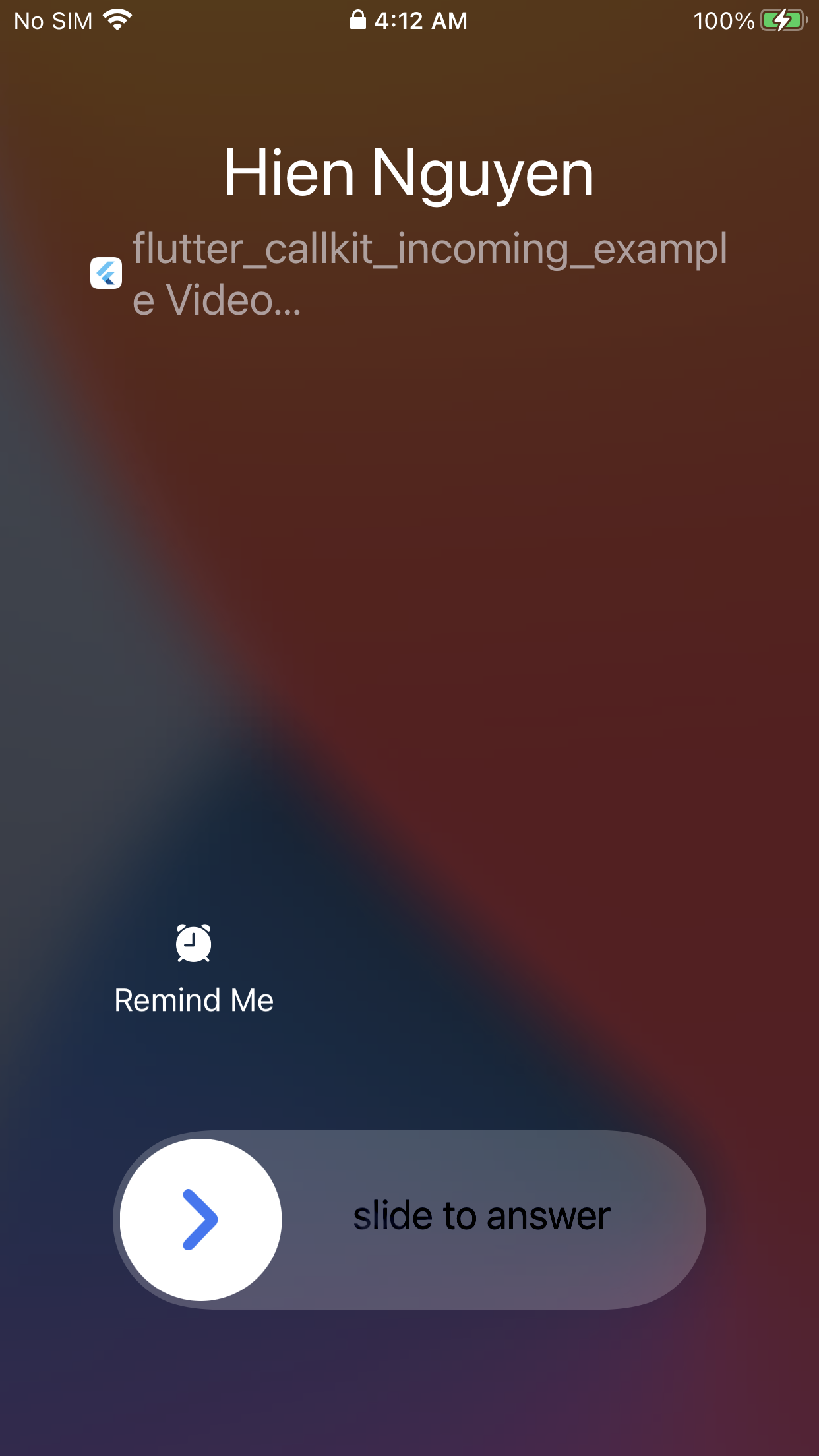 | 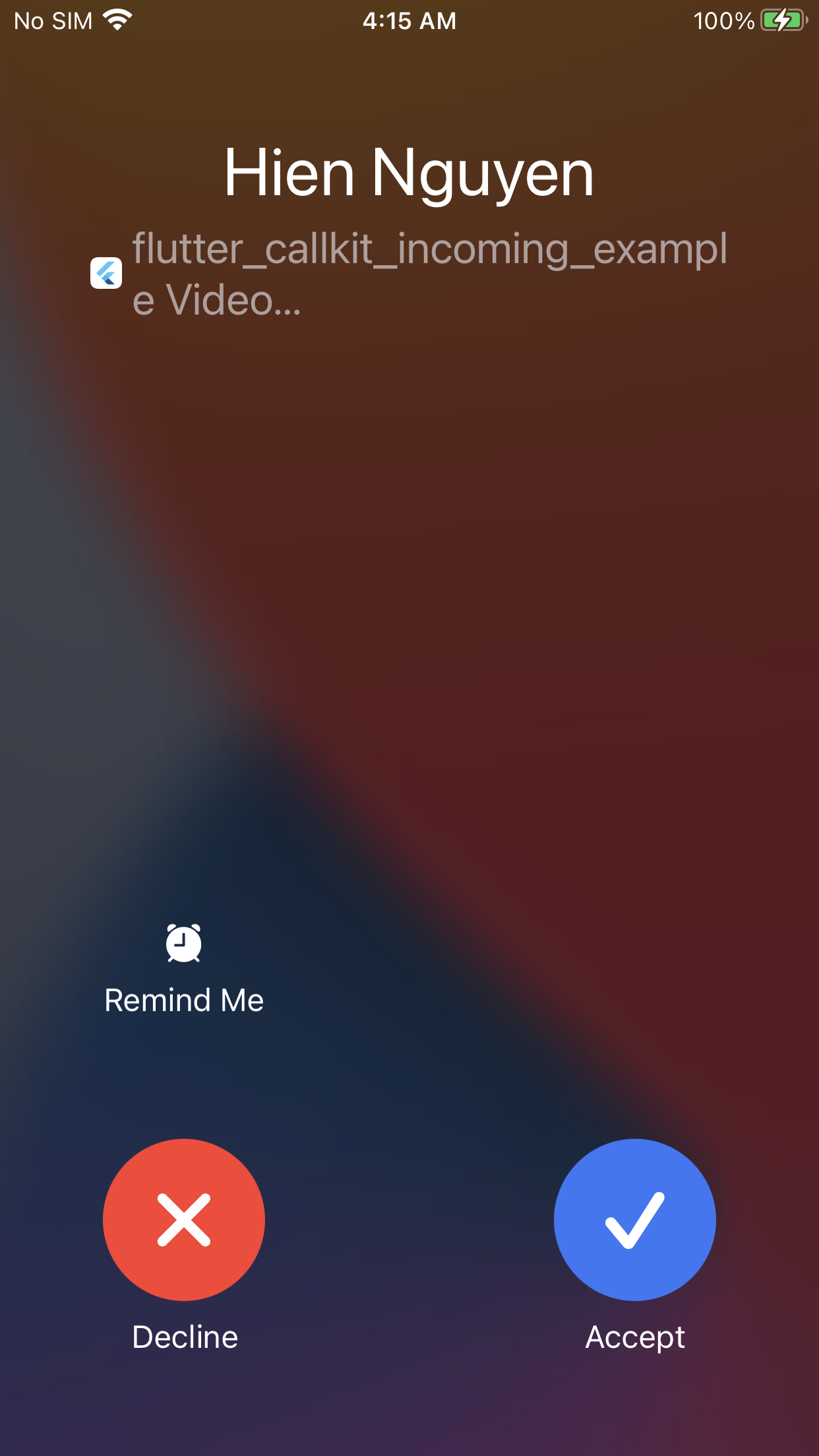 | 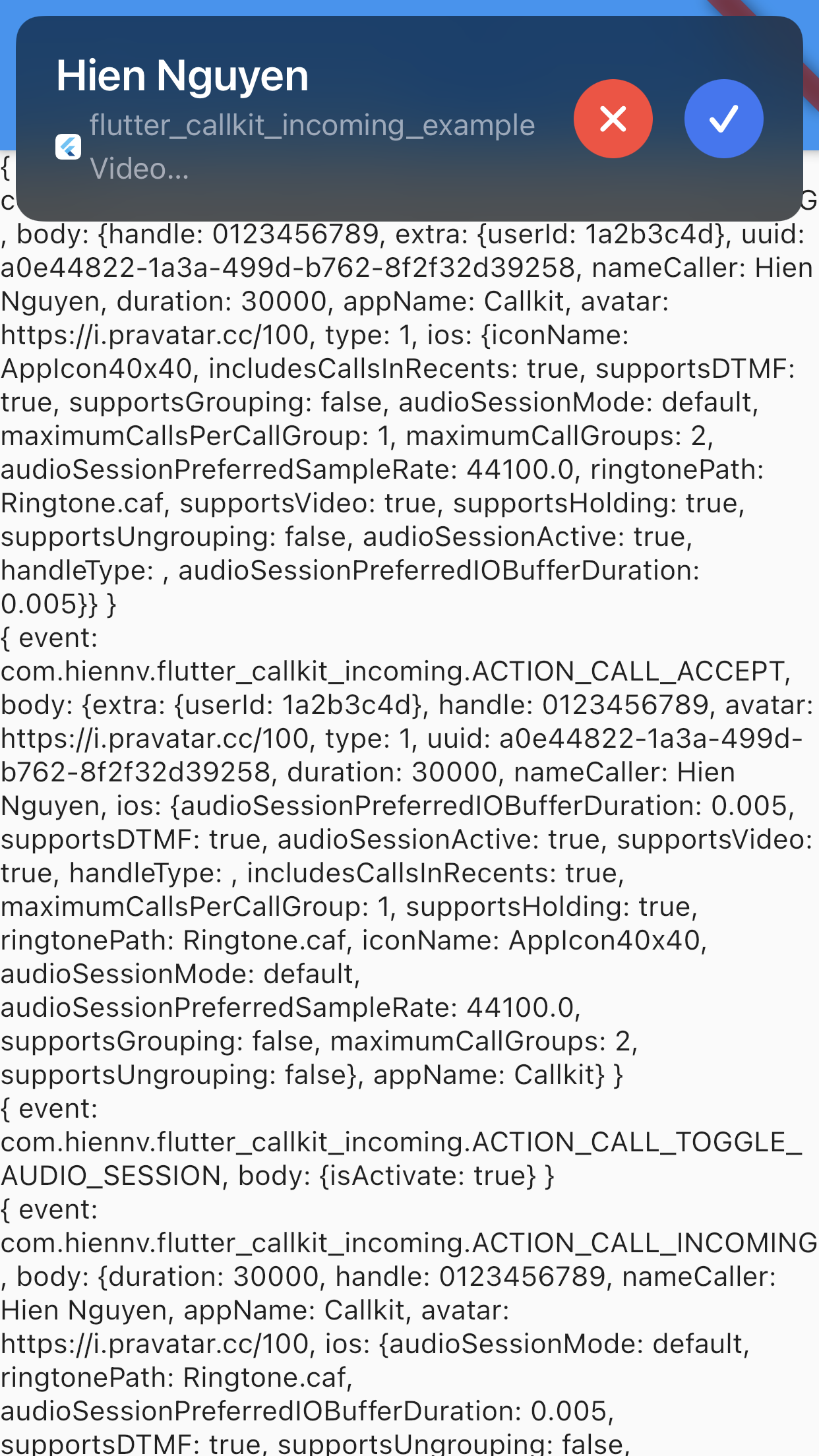 |
| Android(Lockscreen) - Audio | Android(Alert) - Audio | Android(Lockscreen) - Video |
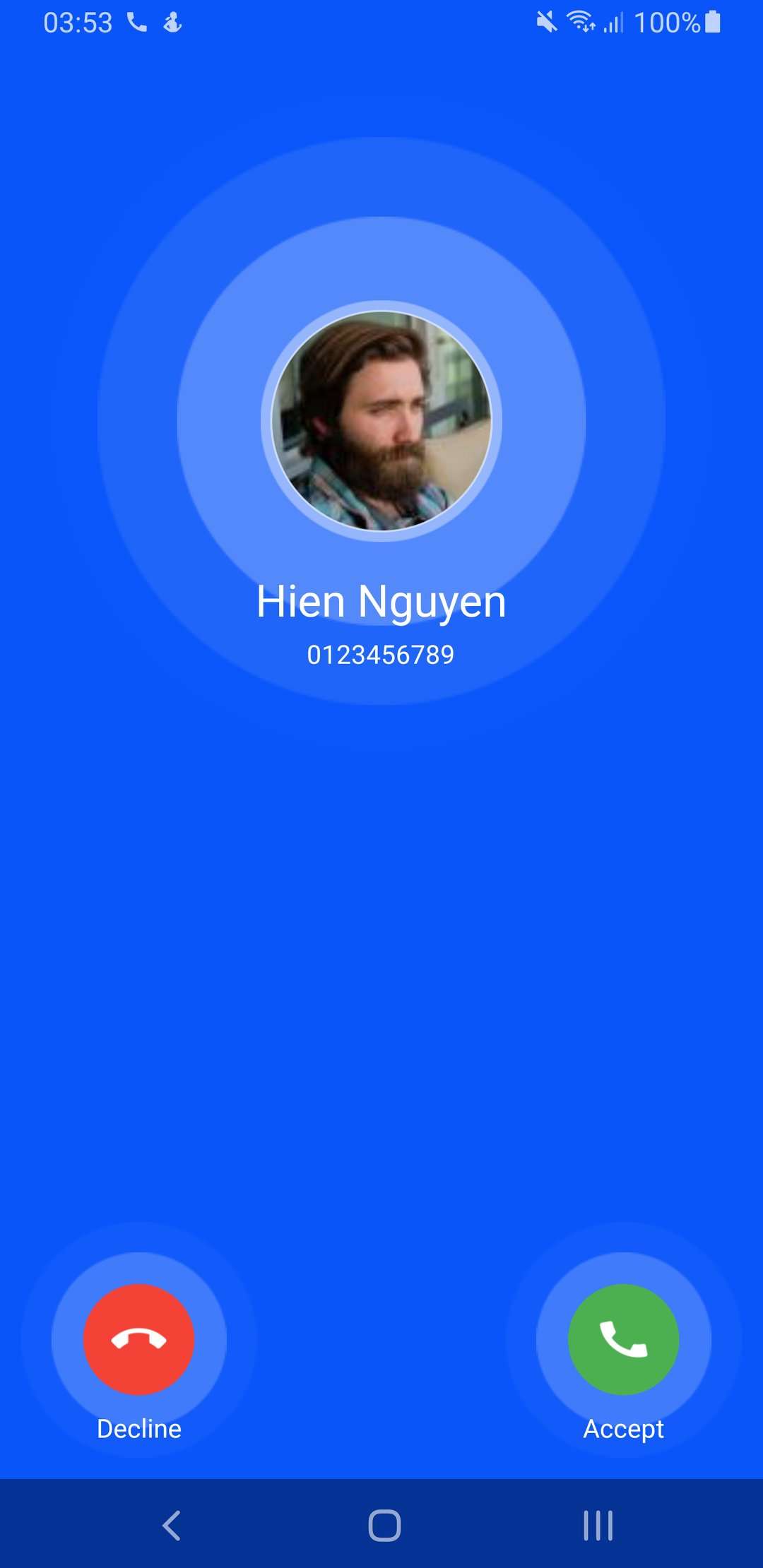 | 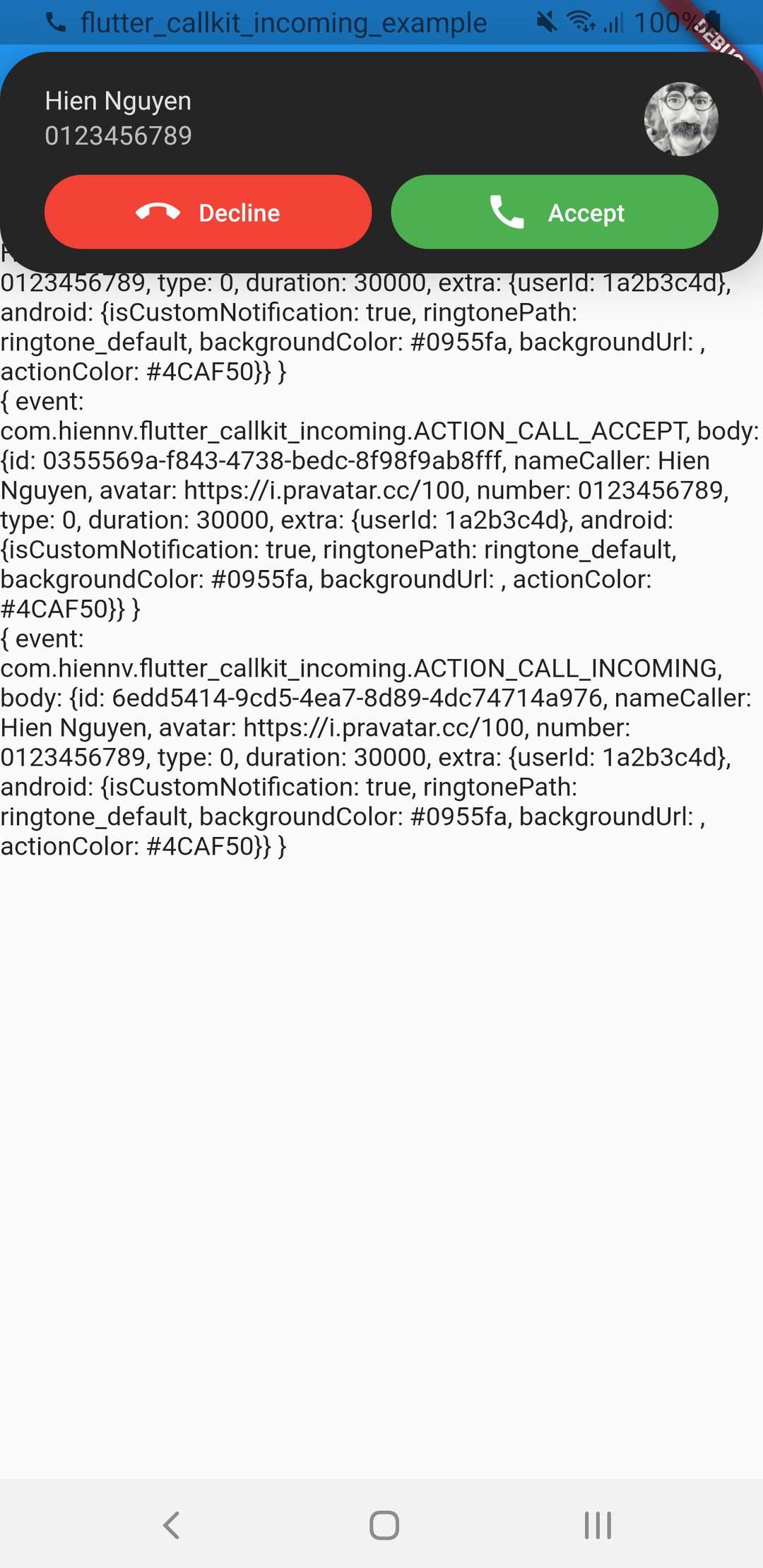 | 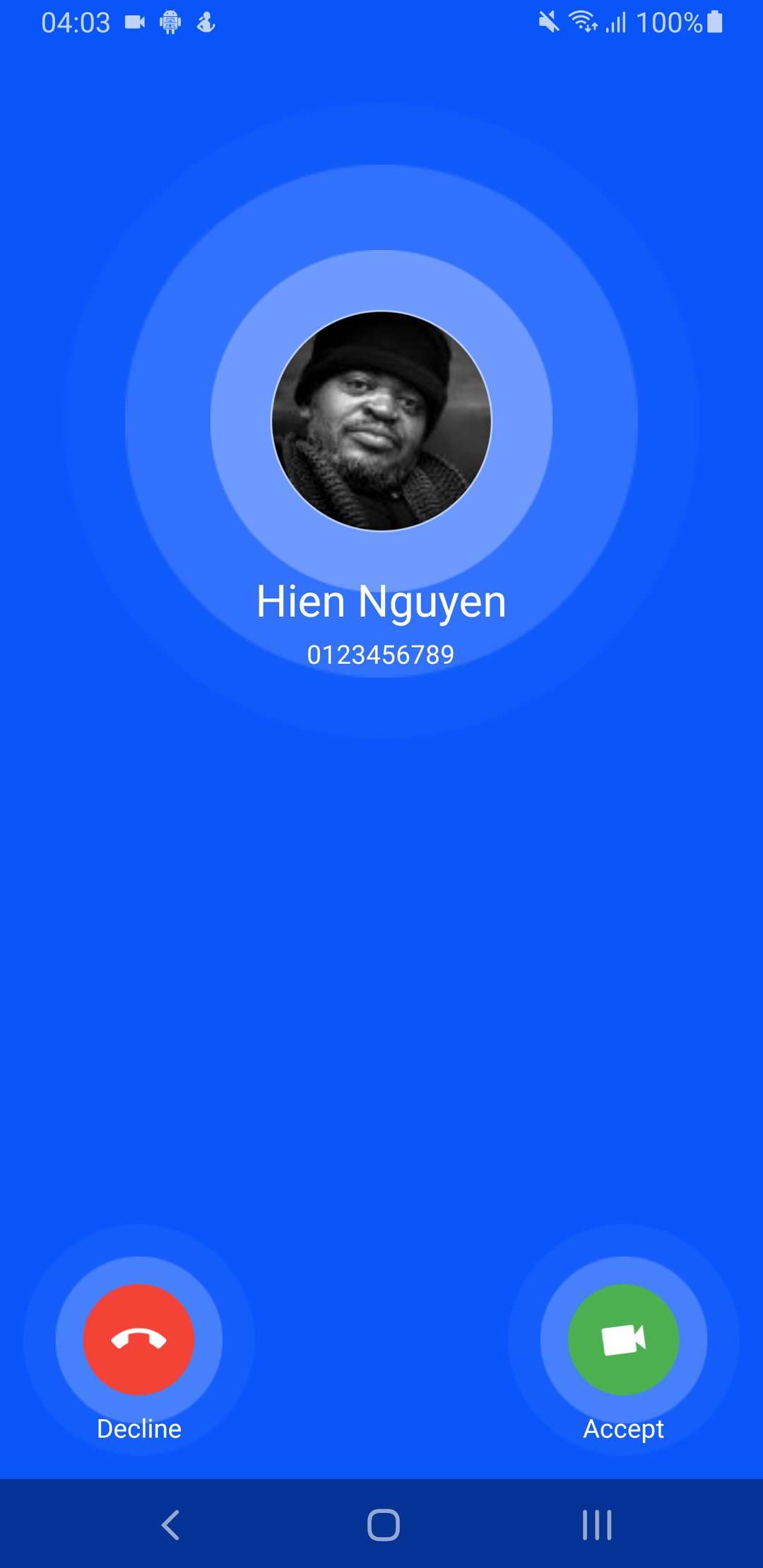 |
| Android(Alert) - Video | isCustomNotification: false | |
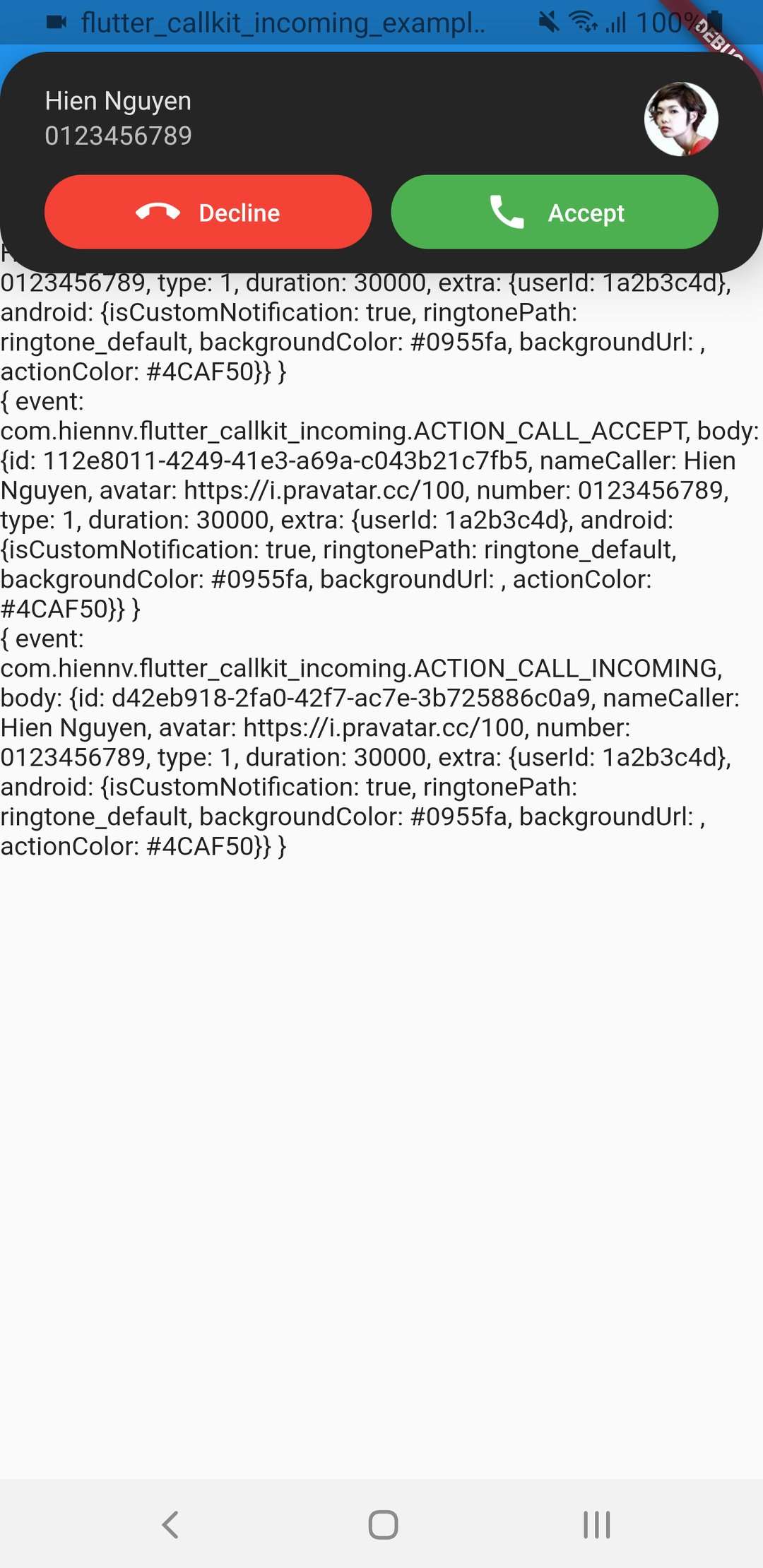 | 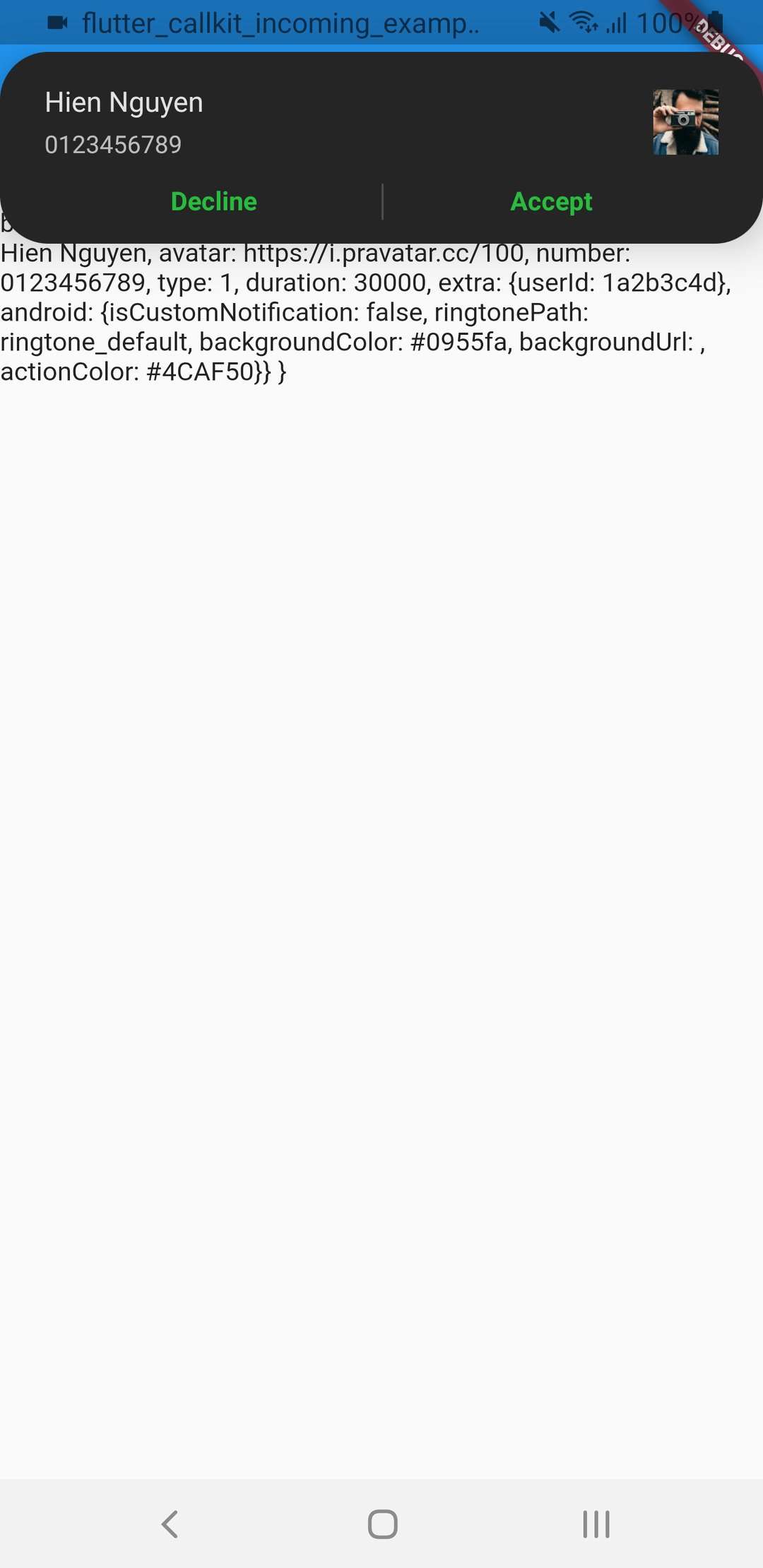 |