这是一个react在线代码编辑器,可实时运行react代码,支持动态引入自定义文件和第三方依赖包,支持ts,tsx,可嵌入项目使用
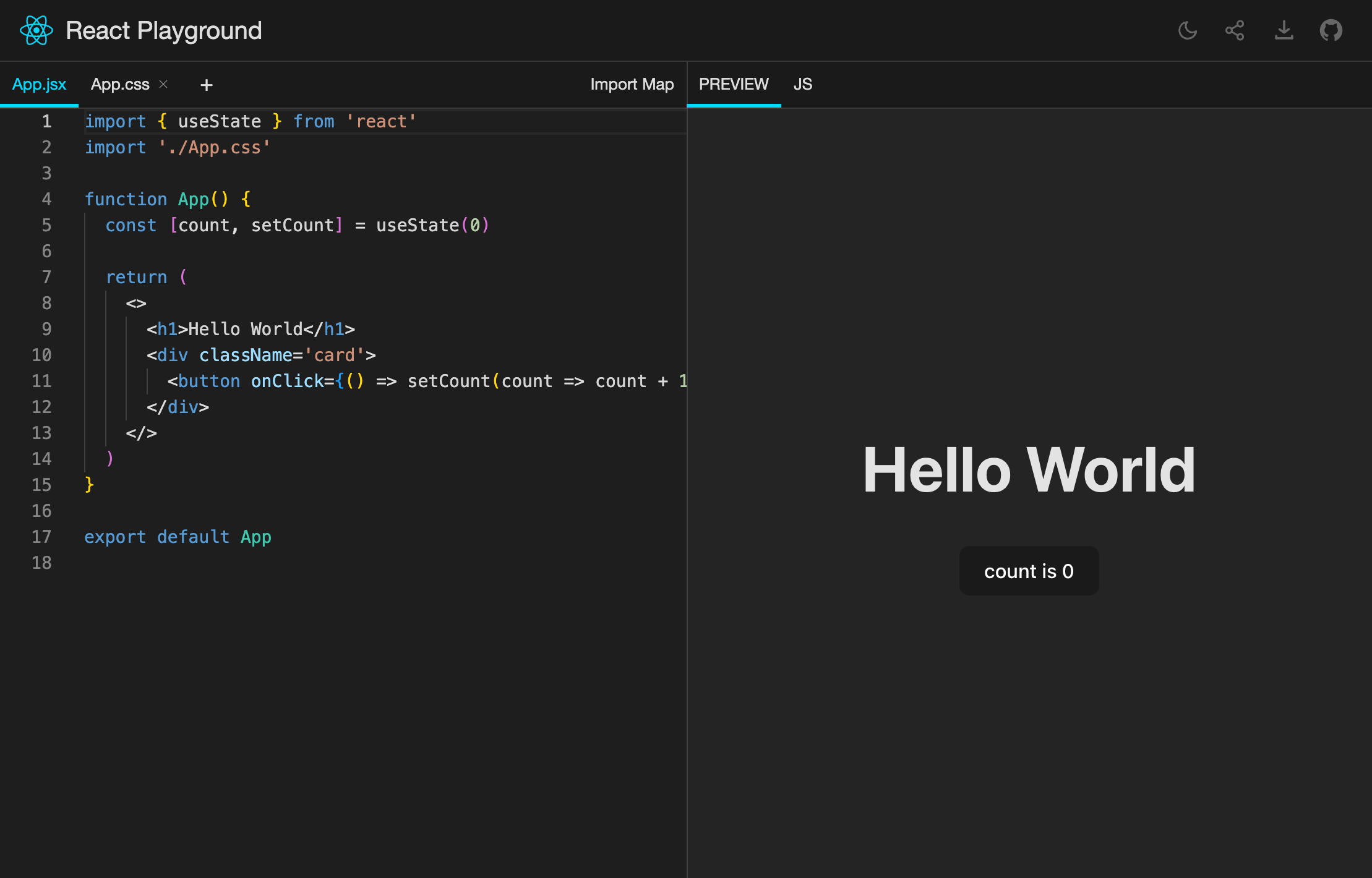
- 可以在线编辑react代码,提供实时交互式演示
- 支持引入第三方库(ESM格式)
- 自动加载第三库ts类型文件,提供友好的编码提示
- 自定义文件并动态引入,支持ts/tsx/js/jsx/css/json
- 代码自动保存到 URL 上, 分享网址即可分享代码
- 纯前端部署, 不依赖服务器,可公司内部署使用内部包
发布npm包,支持项目内嵌入使用提供场景示例- 丰富实用文档
支持ts,tsx支持第三方依赖ts类型自动导入- 发布1.0版本
- 编译器改为esbuild-wasm,提升预览速度
- 待定:将playground和sandbox包分离
1.0版本之前可能会有一些API变动和功能新增,我会尽快修复并稳定,如果兴趣的可以关注一下
npm install react-exercise-playground --save
# or
pnpm install react-exercise-playground --saveimport{Playground}from'react-exercise-playground'exportconstDemo1=()=>{return<Playground/>}
Playground是页面组件,使用时对宿主环境有侵入性(会动态加载一些js和css且默认会改变url hash,可以通过配置saveOnUrl={false}属性取消对url的改变)。
PlaygroundSandbox是对 Playground 做了沙盒封装,功能和配置项完全一致,且完全隔离宿主环境的组件。
仅仅是在文档或者项目中使用的话,推荐使用PlaygroundSandbox组件
引用命令:import {PlaygroundSandbox} from 'react-exercise-playground/PlaygroundSandbox'
PlaygroundSandbox会从CDN下载包,体积仅有10kb+,gzip后2kb+
后续会增加一个完整包,无外网环境下也可使用,体积会大很多
示例代码:
import{PlaygroundSandbox}from'react-exercise-playground'// import {PlaygroundSandbox} from 'react-exercise-playground/PlaygroundSandbox'exportconstDemo2=()=>{constfiles={'App.tsx': `import {title} from './const'function App() { return <h1>this is {title}</h1>}export default App`,'const.ts': {code: 'export const title = "demo2"',},}return(<><h1>作为组件使用:</h1><PlaygroundSandboxshowHeader={false}showCompileOutput={false}fileSelectorReadOnlywidth={700}height={400}files={files}bordertheme='dark'options={{lineNumbers: false,}}/><divstyle={{height: '60vh'}}></div><div>滚动到可视范围内才会加载</div><PlaygroundSandboxshowHeader={false}showCompileOutput={false}fileSelectorReadOnlywidth={700}height={400}files={files}bordertheme='dark'options={{lineNumbers: false,}}/></>)}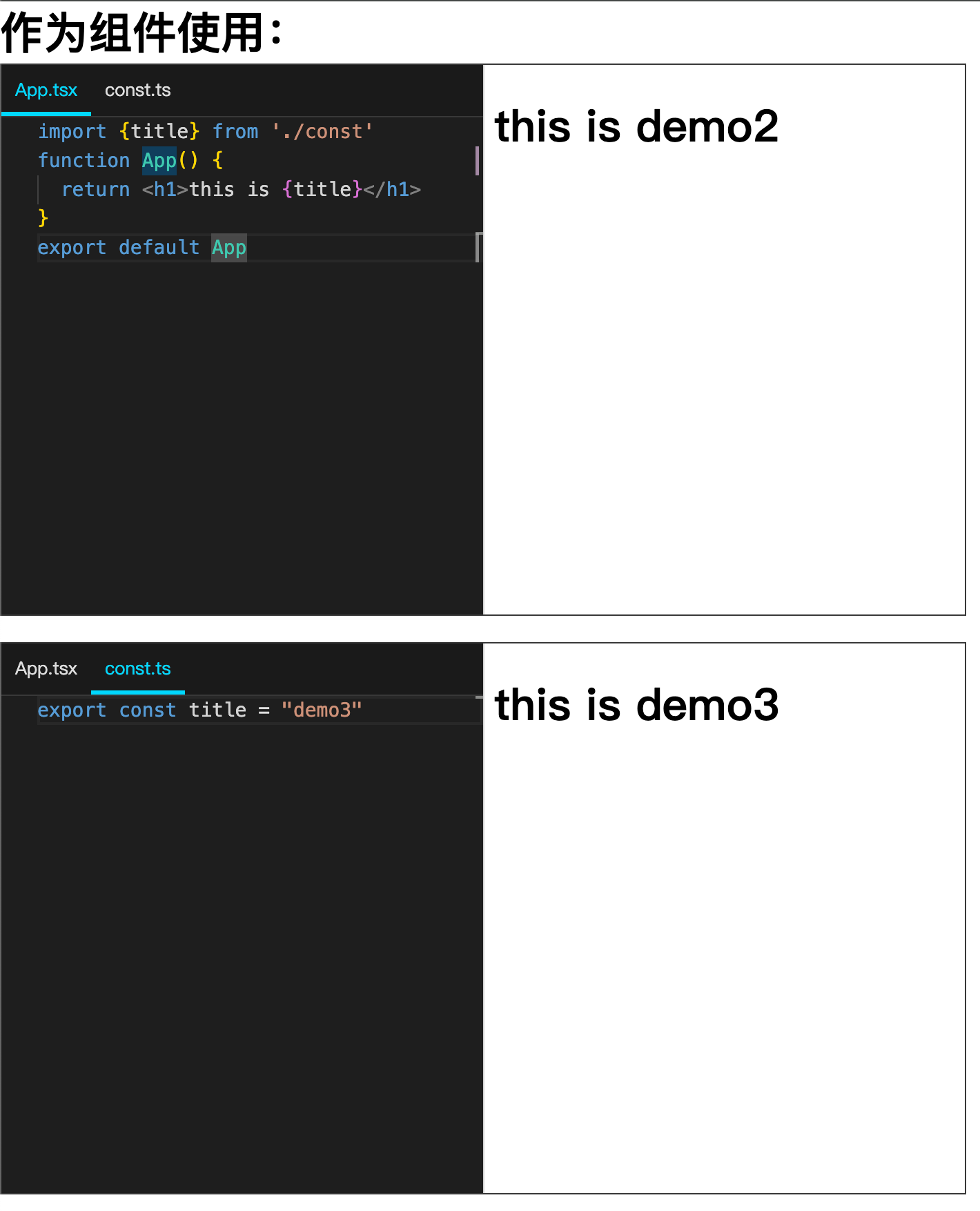
| Name | Type | Default | Description |
|---|---|---|---|
| width | string丨number丨undefined | 100vw | 宽度 |
| height | string丨number丨undefined | 100vh | 高度 |
| theme | 'dark'丨'light'丨undefined | 'light' | 主题 |
| showHeader | boolean丨undefined | true | 是否显示头部 |
| border | boolean丨undefined | false | 是否显示边框 |
| showFileSelector | boolean丨undefined | true | 是否显示文件tab |
| fileSelectorReadOnly | boolean丨undefined | false | 文件tab是否只读 |
| showCompileOutput | boolean丨undefined | true | 是否显示编译后代码 |
| defaultSizes | number[]丨undefined | [100,100] | 编辑器和预览区宽度比例 |
| options | { lineNumbers?: boolean;fontSize?: number;tabSize?: number}丨undefined | undefined | 编辑器配置 |
| files | File | Object | 初始化代码 |
| importMap | { imports: Record<string, string> } | defaultImportMap | 初始化importmap |
| saveOnUrl | boolean | true | 代码是否存储到url上 |
| onFilesChange | (hash:string)=>void | undefined | 代码变更后的回调,回调参数为文件hash值 |
interfaceFile{[key: string]:
|string|{code: stringactive?: booleanhidden?: boolean}}{
"imports": {
"react": "https://esm.sh/react@18.2.0",
"react-dom/client": "https://esm.sh/react-dom@18.2.0"
}
}对于这个组件的实现原理和过程我写了一篇文章,感兴趣的可以看一看 React终于也有playground了:一个能实时运行React代码的在线编辑器
- 单独拆分PlaygroundSandbox组件,支持按需加载
- 修复PlaygroundSandbox的一些bug
- 更新版本
- 修复types路径错误
- 新增types文件加载提示
- 新增PlaygroundSandbox组件(功能与原Playground组件一致,只是在iframe中渲染,不影响宿主环境,推荐使用)
- 优化打包和代码
- 修复主题配置初始化错误