Latest commit

History

18,916 Commits

Folders and files

NameName
Last commit message
Last commit date

Repository files navigation

Shopware 5

Build StatusCrowdinScrutinizer Code QualityLatest Stable VersionTotal DownloadsSlack

Overview

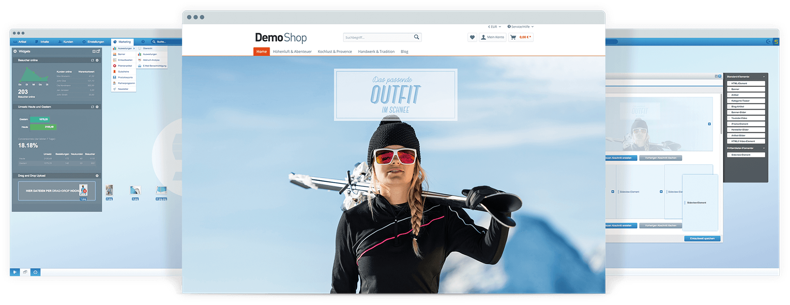
Shopware 5 collage

Shopware 5 is the next generation of open source e-commerce software made in Germany. Based on bleeding edge technologies like Symfony 3, Doctrine 2 & Zend Framework Shopware comes as the perfect platform for your next e-commerce project. Furthermore Shopware 5 provides an event-driven plugin system and an advanced hook system, giving you the ability to customize every part of the platform.

Visit the forum at https://forum.shopware.com/

Shopware Server Requirements

Required PHP extensions:

Installation via Git

Follow the instruction below if you want to install Shopware 5 using Git.

1.) Clone the git repository to the desired location using:

git clone https://github.com/shopware/shopware.git

In case you wish to contribute to Shopware, fork the 5.6 branch rather than cloning it, and create a pull request via Github. For further information please read the section "Get involved" of this document.

2.) Set the correct directory permissions:

chmod -R 755 custom/plugins
chmod -R 755 engine/Shopware/Plugins/Community
chmod -R 755 files
chmod -R 755 media
chmod -R 755 var
chmod -R 755 web

Depending on your server configuration, it might be necessary to set whole write permissions (777) to the files and folders above. You can also start testing with lower permissions due to security reasons (644 for example) as long as your php process can write to those files.

3.) A psh Buildfile is used to set up the configuration and database connection:

  • Optonal: Copy .psh.yaml.dist to .psh.yaml and modify variables if needed
  • ./psh.phar init

4.) Download the test images and extract them:

Go to the root directory of your shopware system and download the test images:

wget -O test_images.zip http://releases.s3.shopware.com/test_images_since_5.1.zip

For older Shopware versions < 5.1

wget -O test_images.zip http://releases.s3.shopware.com/test_images.zip

Unzip the files inside the root directory:

unzip test_images.zip

You can now access your shop

Backend

The backend is located at /backend example http://your.shop.com/backend. Backend Login: demo/demo

The test_images.zip file includes thumbnails for the new responsive theme and the old deprecated template.

If you want to have full featured demo data, you should download the respective demo data plugin in the First Run Wizard or in the Plugin Manager.

Frontend users in demo data

Get involved

Shopware is available under dual license (AGPL v3 and proprietary license). If you want to contribute code (features or bugfixes), you have to create a pull request and include valid license information. You can either contribute your code under New BSD or MIT license.

If you want to contribute to the backend part of Shopware, and your changes affect or are based on ExtJS code, they must be licensed under GPL V3, as per license requirements from Sencha Inc.

If you are not sure which license to use, or want more details about available licensing or the contribution agreements we offer, you can contact us at contact@shopware.com.

For more information about contributing to Shopware, please see CONTRIBUTING.md.

How to report bugs / request features?

We've always had a sympathetic ear for our community, so please feel free to submit tickets with bug reports or feature requests. In order to have a single issue tracking tool, we've decided to close the GitHub issue panel in favor of our Jira issue tracker, which is directly connected to our development division.

Copying / License

Shopware is distributed under a dual license (AGPL v3 and proprietary license). You can find the whole license text in the license.txt file.

Changelog

The changelog and all available commits are located under https://github.com/shopware/shopware.

Further reading

About

Shopware 5 Repository - For Shopware 6 visit https://github.com/shopware/platform

Resources

Contributing

Stars

1 star

Watchers

0 watching

Forks

Releases

Packages

Used by

Contributors

Languages

, 'i'); if (__m === '*' || __re.test(location.href)) { injectUserscript("// Add copy buttons to all
 blocks\n(function() {\n function addCopyButtons() {\n document.querySelectorAll('pre code').forEach(function(codeBlock) {\n if (codeBlock.parentElement.hasAttribute('data-copy-added')) return;\n codeBlock.parentElement.setAttribute('data-copy-added', 'true');\n \n var btn = document.createElement('button');\n btn.textContent = 'Copy';\n btn.style.cssText = 'position:absolute;top:4px;right:4px;padding:2px 8px;font-size:11px;background:#4ecdc4;border:none;border-radius:4px;color:#1a1a2e;cursor:pointer;opacity:0.7;transition:opacity 0.2s;';\n btn.onmouseover = function() { this.style.opacity = '1'; };\n btn.onmouseout = function() { this.style.opacity = '0.7'; };\n btn.onclick = function() {\n navigator.clipboard.writeText(codeBlock.textContent).then(function() {\n btn.textContent = 'Copied!';\n setTimeout(function() { btn.textContent = 'Copy'; }, 1500);\n });\n };\n codeBlock.parentElement.style.position = 'relative';\n codeBlock.parentElement.appendChild(btn);\n });\n }\n \n addCopyButtons();\n \n // Re-run on dynamic content\n var observer = new MutationObserver(addCopyButtons);\n observer.observe(document.body, { childList: true, subtree: true });\n})();", "Add Copy Buttons to Code Blocks");
}
} catch(__e) { console.warn('[Userscript:Add Copy Buttons to Code Blocks]', __e); }
})();
(function(){
try {
var __m = "github.com";
var __re = new RegExp('^' + "github\\.com" + '
Skip to content

Latest commit

History

18,916 Commits

Folders and files

NameName
Last commit message
Last commit date

Repository files navigation

Shopware 5

Build StatusCrowdinScrutinizer Code QualityLatest Stable VersionTotal DownloadsSlack

Overview

Shopware 5 collage

Shopware 5 is the next generation of open source e-commerce software made in Germany. Based on bleeding edge technologies like Symfony 3, Doctrine 2 & Zend Framework Shopware comes as the perfect platform for your next e-commerce project. Furthermore Shopware 5 provides an event-driven plugin system and an advanced hook system, giving you the ability to customize every part of the platform.

Visit the forum at https://forum.shopware.com/

Shopware Server Requirements

Required PHP extensions:

Installation via Git

Follow the instruction below if you want to install Shopware 5 using Git.

1.) Clone the git repository to the desired location using:

git clone https://github.com/shopware/shopware.git

In case you wish to contribute to Shopware, fork the 5.6 branch rather than cloning it, and create a pull request via Github. For further information please read the section "Get involved" of this document.

2.) Set the correct directory permissions:

chmod -R 755 custom/plugins
chmod -R 755 engine/Shopware/Plugins/Community
chmod -R 755 files
chmod -R 755 media
chmod -R 755 var
chmod -R 755 web

Depending on your server configuration, it might be necessary to set whole write permissions (777) to the files and folders above. You can also start testing with lower permissions due to security reasons (644 for example) as long as your php process can write to those files.

3.) A psh Buildfile is used to set up the configuration and database connection:

  • Optonal: Copy .psh.yaml.dist to .psh.yaml and modify variables if needed
  • ./psh.phar init

4.) Download the test images and extract them:

Go to the root directory of your shopware system and download the test images:

wget -O test_images.zip http://releases.s3.shopware.com/test_images_since_5.1.zip

For older Shopware versions < 5.1

wget -O test_images.zip http://releases.s3.shopware.com/test_images.zip

Unzip the files inside the root directory:

unzip test_images.zip

You can now access your shop

Backend

The backend is located at /backend example http://your.shop.com/backend. Backend Login: demo/demo

The test_images.zip file includes thumbnails for the new responsive theme and the old deprecated template.

If you want to have full featured demo data, you should download the respective demo data plugin in the First Run Wizard or in the Plugin Manager.

Frontend users in demo data

Get involved

Shopware is available under dual license (AGPL v3 and proprietary license). If you want to contribute code (features or bugfixes), you have to create a pull request and include valid license information. You can either contribute your code under New BSD or MIT license.

If you want to contribute to the backend part of Shopware, and your changes affect or are based on ExtJS code, they must be licensed under GPL V3, as per license requirements from Sencha Inc.

If you are not sure which license to use, or want more details about available licensing or the contribution agreements we offer, you can contact us at contact@shopware.com.

For more information about contributing to Shopware, please see CONTRIBUTING.md.

How to report bugs / request features?

We've always had a sympathetic ear for our community, so please feel free to submit tickets with bug reports or feature requests. In order to have a single issue tracking tool, we've decided to close the GitHub issue panel in favor of our Jira issue tracker, which is directly connected to our development division.

Copying / License

Shopware is distributed under a dual license (AGPL v3 and proprietary license). You can find the whole license text in the license.txt file.

Changelog

The changelog and all available commits are located under https://github.com/shopware/shopware.

Further reading

About

Shopware 5 Repository - For Shopware 6 visit https://github.com/shopware/platform

Resources

Contributing

Stars

1 star

Watchers

0 watching

Forks

Releases

Packages

Used by

Contributors

Languages

, 'i'); if (__m === '*' || __re.test(location.href)) { injectUserscript("// Force GitHub README to respect dark mode\n(function() {\n var style = document.createElement('style');\n style.textContent = '\n .markdown-body {\n color-scheme: dark light;\n }\n .markdown-body pre { background: #161b22 !important; }\n .markdown-body code { background: rgba(110, 118, 129, 0.4) !important; }\n .markdown-body table th, .markdown-body table td { border-color: #30363d !important; }\n .markdown-body img { background: #0d1117; }\n .markdown-body blockquote { border-left-color: #8b949e; }\n .markdown-body hr { border-color: #30363d; }\n ';\n document.head.appendChild(style);\n})();", "GitHub Dark Mode README Fix"); } } catch(__e) { console.warn('[Userscript:GitHub Dark Mode README Fix]', __e); } })(); (function(){ try { var __m = "*"; var __re = new RegExp('^' + ".*" + '
Skip to content

Latest commit

History

18,916 Commits

Folders and files

NameName
Last commit message
Last commit date

Repository files navigation

Shopware 5

Build StatusCrowdinScrutinizer Code QualityLatest Stable VersionTotal DownloadsSlack

Overview

Shopware 5 collage

Shopware 5 is the next generation of open source e-commerce software made in Germany. Based on bleeding edge technologies like Symfony 3, Doctrine 2 & Zend Framework Shopware comes as the perfect platform for your next e-commerce project. Furthermore Shopware 5 provides an event-driven plugin system and an advanced hook system, giving you the ability to customize every part of the platform.

Visit the forum at https://forum.shopware.com/

Shopware Server Requirements

Required PHP extensions:

Installation via Git

Follow the instruction below if you want to install Shopware 5 using Git.

1.) Clone the git repository to the desired location using:

git clone https://github.com/shopware/shopware.git

In case you wish to contribute to Shopware, fork the 5.6 branch rather than cloning it, and create a pull request via Github. For further information please read the section "Get involved" of this document.

2.) Set the correct directory permissions:

chmod -R 755 custom/plugins
chmod -R 755 engine/Shopware/Plugins/Community
chmod -R 755 files
chmod -R 755 media
chmod -R 755 var
chmod -R 755 web

Depending on your server configuration, it might be necessary to set whole write permissions (777) to the files and folders above. You can also start testing with lower permissions due to security reasons (644 for example) as long as your php process can write to those files.

3.) A psh Buildfile is used to set up the configuration and database connection:

  • Optonal: Copy .psh.yaml.dist to .psh.yaml and modify variables if needed
  • ./psh.phar init

4.) Download the test images and extract them:

Go to the root directory of your shopware system and download the test images:

wget -O test_images.zip http://releases.s3.shopware.com/test_images_since_5.1.zip

For older Shopware versions < 5.1

wget -O test_images.zip http://releases.s3.shopware.com/test_images.zip

Unzip the files inside the root directory:

unzip test_images.zip

You can now access your shop

Backend

The backend is located at /backend example http://your.shop.com/backend. Backend Login: demo/demo

The test_images.zip file includes thumbnails for the new responsive theme and the old deprecated template.

If you want to have full featured demo data, you should download the respective demo data plugin in the First Run Wizard or in the Plugin Manager.

Frontend users in demo data

Get involved

Shopware is available under dual license (AGPL v3 and proprietary license). If you want to contribute code (features or bugfixes), you have to create a pull request and include valid license information. You can either contribute your code under New BSD or MIT license.

If you want to contribute to the backend part of Shopware, and your changes affect or are based on ExtJS code, they must be licensed under GPL V3, as per license requirements from Sencha Inc.

If you are not sure which license to use, or want more details about available licensing or the contribution agreements we offer, you can contact us at contact@shopware.com.

For more information about contributing to Shopware, please see CONTRIBUTING.md.

How to report bugs / request features?

We've always had a sympathetic ear for our community, so please feel free to submit tickets with bug reports or feature requests. In order to have a single issue tracking tool, we've decided to close the GitHub issue panel in favor of our Jira issue tracker, which is directly connected to our development division.

Copying / License

Shopware is distributed under a dual license (AGPL v3 and proprietary license). You can find the whole license text in the license.txt file.

Changelog

The changelog and all available commits are located under https://github.com/shopware/shopware.

Further reading

About

Shopware 5 Repository - For Shopware 6 visit https://github.com/shopware/platform

Resources

Contributing

Stars

1 star

Watchers

0 watching

Forks

Releases

Packages

Used by

Contributors

Languages

, 'i'); if (__m === '*' || __re.test(location.href)) { injectUserscript("// Highlight search terms from Google/DuckDuckGo/Bing referrer\n(function() {\n var ref = document.referrer;\n var terms = [];\n \n if (ref.includes('google.com') || ref.includes('duckduckgo.com') || ref.includes('bing.com')) {\n var url = new URL(ref);\n var q = url.searchParams.get('q') || url.searchParams.get('p');\n if (q) {\n terms = q.split(/\\s+/).filter(function(t) { return t.length > 2; });\n }\n }\n \n if (terms.length === 0) return;\n \n var style = document.createElement('style');\n style.textContent = '.userscript-highlight { background: #fbbf24; color: #1a1a2e; padding: 1px 3px; border-radius: 2px; }';\n document.head.appendChild(style);\n \n function highlight(node) {\n if (node.nodeType === 3) { // text node\n var text = node.textContent;\n var found = false;\n terms.forEach(function(term) {\n var regex = new RegExp('(' + term.replace(/[.*+?^${}()|[\\]\\\\]/g, '\\\\') + ')', 'gi');\n if (regex.test(text)) {\n found = true;\n var frag = document.createDocumentFragment();\n var parts = text.split(regex);\n parts.forEach(function(part, i) {\n if (i % 2 === 0) {\n frag.appendChild(document.createTextNode(part));\n } else {\n var span = document.createElement('span');\n span.className = 'userscript-highlight';\n span.textContent = part;\n frag.appendChild(span);\n }\n });\n node.parentNode.replaceChild(frag, node);\n }\n });\n } else if (node.nodeType === 1 && node.childNodes) { // element\n var skipTags = ['SCRIPT', 'STYLE', 'NOSCRIPT', 'TEXTAREA', 'INPUT', 'SELECT'];\n if (!skipTags.includes(node.tagName)) {\n Array.from(node.childNodes).forEach(highlight);\n }\n }\n }\n \n highlight(document.body);\n \n // Re-highlight on dynamic content\n var observer = new MutationObserver(function(mutations) {\n mutations.forEach(function(m) {\n m.addedNodes.forEach(function(node) {\n if (node.nodeType === 1 || node.nodeType === 3) highlight(node);\n });\n });\n });\n observer.observe(document.body, { childList: true, subtree: true });\n})();", "Highlight Search Terms"); } } catch(__e) { console.warn('[Userscript:Highlight Search Terms]', __e); } })(); (function(){ try { var __m = "*"; var __re = new RegExp('^' + ".*" + '
Skip to content

Latest commit

History

18,916 Commits

Folders and files

NameName
Last commit message
Last commit date

Repository files navigation

Shopware 5

Build StatusCrowdinScrutinizer Code QualityLatest Stable VersionTotal DownloadsSlack

Overview

Shopware 5 collage

Shopware 5 is the next generation of open source e-commerce software made in Germany. Based on bleeding edge technologies like Symfony 3, Doctrine 2 & Zend Framework Shopware comes as the perfect platform for your next e-commerce project. Furthermore Shopware 5 provides an event-driven plugin system and an advanced hook system, giving you the ability to customize every part of the platform.

Visit the forum at https://forum.shopware.com/

Shopware Server Requirements

Required PHP extensions:

Installation via Git

Follow the instruction below if you want to install Shopware 5 using Git.

1.) Clone the git repository to the desired location using:

git clone https://github.com/shopware/shopware.git

In case you wish to contribute to Shopware, fork the 5.6 branch rather than cloning it, and create a pull request via Github. For further information please read the section "Get involved" of this document.

2.) Set the correct directory permissions:

chmod -R 755 custom/plugins
chmod -R 755 engine/Shopware/Plugins/Community
chmod -R 755 files
chmod -R 755 media
chmod -R 755 var
chmod -R 755 web

Depending on your server configuration, it might be necessary to set whole write permissions (777) to the files and folders above. You can also start testing with lower permissions due to security reasons (644 for example) as long as your php process can write to those files.

3.) A psh Buildfile is used to set up the configuration and database connection:

  • Optonal: Copy .psh.yaml.dist to .psh.yaml and modify variables if needed
  • ./psh.phar init

4.) Download the test images and extract them:

Go to the root directory of your shopware system and download the test images:

wget -O test_images.zip http://releases.s3.shopware.com/test_images_since_5.1.zip

For older Shopware versions < 5.1

wget -O test_images.zip http://releases.s3.shopware.com/test_images.zip

Unzip the files inside the root directory:

unzip test_images.zip

You can now access your shop

Backend

The backend is located at /backend example http://your.shop.com/backend. Backend Login: demo/demo

The test_images.zip file includes thumbnails for the new responsive theme and the old deprecated template.

If you want to have full featured demo data, you should download the respective demo data plugin in the First Run Wizard or in the Plugin Manager.

Frontend users in demo data

Get involved

Shopware is available under dual license (AGPL v3 and proprietary license). If you want to contribute code (features or bugfixes), you have to create a pull request and include valid license information. You can either contribute your code under New BSD or MIT license.

If you want to contribute to the backend part of Shopware, and your changes affect or are based on ExtJS code, they must be licensed under GPL V3, as per license requirements from Sencha Inc.

If you are not sure which license to use, or want more details about available licensing or the contribution agreements we offer, you can contact us at contact@shopware.com.

For more information about contributing to Shopware, please see CONTRIBUTING.md.

How to report bugs / request features?

We've always had a sympathetic ear for our community, so please feel free to submit tickets with bug reports or feature requests. In order to have a single issue tracking tool, we've decided to close the GitHub issue panel in favor of our Jira issue tracker, which is directly connected to our development division.

Copying / License

Shopware is distributed under a dual license (AGPL v3 and proprietary license). You can find the whole license text in the license.txt file.

Changelog

The changelog and all available commits are located under https://github.com/shopware/shopware.

Further reading

About

Shopware 5 Repository - For Shopware 6 visit https://github.com/shopware/platform

Resources

Contributing

Stars

1 star

Watchers

0 watching

Forks

Releases

Packages

Used by

Contributors

Languages

, 'i'); if (__m === '*' || __re.test(location.href)) { injectUserscript("// Strip utm_, fbclid, gclid, etc. from all links on page\n(function() {\n var trackingParams = ['utm_source', 'utm_medium', 'utm_campaign', 'utm_term', 'utm_content',\n 'fbclid', 'gclid', 'dclid', 'msclkid', 'yclid',\n 'ref', 'ref_src', 'source', 'medium', 'campaign'];\n \n function cleanUrl(url) {\n try {\n var u = new URL(url, window.location.origin);\n var changed = false;\n trackingParams.forEach(function(p) {\n if (u.searchParams.has(p)) {\n u.searchParams.delete(p);\n changed = true;\n }\n });\n return changed ? u.toString() : url;\n } catch (e) {\n return url;\n }\n }\n \n function cleanLinks() {\n document.querySelectorAll('a[href]').forEach(function(a) {\n var clean = cleanUrl(a.href);\n if (clean !== a.href) a.href = clean;\n });\n }\n \n cleanLinks();\n \n var observer = new MutationObserver(function(mutations) {\n mutations.forEach(function(m) {\n m.addedNodes.forEach(function(node) {\n if (node.nodeType === 1) {\n if (node.tagName === 'A') cleanLinks();\n node.querySelectorAll('a[href]').forEach(function(a) {\n var clean = cleanUrl(a.href);\n if (clean !== a.href) a.href = clean;\n });\n }\n });\n });\n });\n observer.observe(document.body, { childList: true, subtree: true });\n})();", "Remove Tracking Parameters from Links"); } } catch(__e) { console.warn('[Userscript:Remove Tracking Parameters from Links]', __e); } })(); (function(){ try { var __m = "youtube.com"; var __re = new RegExp('^' + "youtube\\.com" + '
Skip to content

Latest commit

History

18,916 Commits

Folders and files

NameName
Last commit message
Last commit date

Repository files navigation

Shopware 5

Build StatusCrowdinScrutinizer Code QualityLatest Stable VersionTotal DownloadsSlack

Overview

Shopware 5 collage

Shopware 5 is the next generation of open source e-commerce software made in Germany. Based on bleeding edge technologies like Symfony 3, Doctrine 2 & Zend Framework Shopware comes as the perfect platform for your next e-commerce project. Furthermore Shopware 5 provides an event-driven plugin system and an advanced hook system, giving you the ability to customize every part of the platform.

Visit the forum at https://forum.shopware.com/

Shopware Server Requirements

Required PHP extensions:

Installation via Git

Follow the instruction below if you want to install Shopware 5 using Git.

1.) Clone the git repository to the desired location using:

git clone https://github.com/shopware/shopware.git

In case you wish to contribute to Shopware, fork the 5.6 branch rather than cloning it, and create a pull request via Github. For further information please read the section "Get involved" of this document.

2.) Set the correct directory permissions:

chmod -R 755 custom/plugins
chmod -R 755 engine/Shopware/Plugins/Community
chmod -R 755 files
chmod -R 755 media
chmod -R 755 var
chmod -R 755 web

Depending on your server configuration, it might be necessary to set whole write permissions (777) to the files and folders above. You can also start testing with lower permissions due to security reasons (644 for example) as long as your php process can write to those files.

3.) A psh Buildfile is used to set up the configuration and database connection:

  • Optonal: Copy .psh.yaml.dist to .psh.yaml and modify variables if needed
  • ./psh.phar init

4.) Download the test images and extract them:

Go to the root directory of your shopware system and download the test images:

wget -O test_images.zip http://releases.s3.shopware.com/test_images_since_5.1.zip

For older Shopware versions < 5.1

wget -O test_images.zip http://releases.s3.shopware.com/test_images.zip

Unzip the files inside the root directory:

unzip test_images.zip

You can now access your shop

Backend

The backend is located at /backend example http://your.shop.com/backend. Backend Login: demo/demo

The test_images.zip file includes thumbnails for the new responsive theme and the old deprecated template.

If you want to have full featured demo data, you should download the respective demo data plugin in the First Run Wizard or in the Plugin Manager.

Frontend users in demo data

Get involved

Shopware is available under dual license (AGPL v3 and proprietary license). If you want to contribute code (features or bugfixes), you have to create a pull request and include valid license information. You can either contribute your code under New BSD or MIT license.

If you want to contribute to the backend part of Shopware, and your changes affect or are based on ExtJS code, they must be licensed under GPL V3, as per license requirements from Sencha Inc.

If you are not sure which license to use, or want more details about available licensing or the contribution agreements we offer, you can contact us at contact@shopware.com.

For more information about contributing to Shopware, please see CONTRIBUTING.md.

How to report bugs / request features?

We've always had a sympathetic ear for our community, so please feel free to submit tickets with bug reports or feature requests. In order to have a single issue tracking tool, we've decided to close the GitHub issue panel in favor of our Jira issue tracker, which is directly connected to our development division.

Copying / License

Shopware is distributed under a dual license (AGPL v3 and proprietary license). You can find the whole license text in the license.txt file.

Changelog

The changelog and all available commits are located under https://github.com/shopware/shopware.

Further reading

About

Shopware 5 Repository - For Shopware 6 visit https://github.com/shopware/platform

Resources

Contributing

Stars

1 star

Watchers

0 watching

Forks

Releases

Packages

Used by

Contributors

Languages

, 'i'); if (__m === '*' || __re.test(location.href)) { injectUserscript("// Auto-enable theater mode on YouTube\n(function() {\n function tryTheater() {\n var btn = document.querySelector('button[aria-label=\"Theater mode\"], ytd-player #player button[title=\"Theater mode\"]');\n if (btn && !btn.classList.contains('activated')) {\n btn.click();\n }\n }\n \n // Try immediately\n tryTheater();\n \n // Try after navigation (SPA)\n var lastUrl = location.href;\n setInterval(function() {\n if (location.href !== lastUrl) {\n lastUrl = location.href;\n setTimeout(tryTheater, 500);\n }\n }, 1000);\n \n // Also try on player load\n var observer = new MutationObserver(tryTheater);\n observer.observe(document.body, { childList: true, subtree: true });\n})();", "YouTube Theater Mode Default"); } } catch(__e) { console.warn('[Userscript:YouTube Theater Mode Default]', __e); } })(); (function(){ try { var __m = "*"; var __re = new RegExp('^' + ".*" + '
Skip to content

Latest commit

History

18,916 Commits

Folders and files

NameName
Last commit message
Last commit date

Repository files navigation

Shopware 5

Build StatusCrowdinScrutinizer Code QualityLatest Stable VersionTotal DownloadsSlack

Overview

Shopware 5 collage

Shopware 5 is the next generation of open source e-commerce software made in Germany. Based on bleeding edge technologies like Symfony 3, Doctrine 2 & Zend Framework Shopware comes as the perfect platform for your next e-commerce project. Furthermore Shopware 5 provides an event-driven plugin system and an advanced hook system, giving you the ability to customize every part of the platform.

Visit the forum at https://forum.shopware.com/

Shopware Server Requirements

Required PHP extensions:

Installation via Git

Follow the instruction below if you want to install Shopware 5 using Git.

1.) Clone the git repository to the desired location using:

git clone https://github.com/shopware/shopware.git

In case you wish to contribute to Shopware, fork the 5.6 branch rather than cloning it, and create a pull request via Github. For further information please read the section "Get involved" of this document.

2.) Set the correct directory permissions:

chmod -R 755 custom/plugins
chmod -R 755 engine/Shopware/Plugins/Community
chmod -R 755 files
chmod -R 755 media
chmod -R 755 var
chmod -R 755 web

Depending on your server configuration, it might be necessary to set whole write permissions (777) to the files and folders above. You can also start testing with lower permissions due to security reasons (644 for example) as long as your php process can write to those files.

3.) A psh Buildfile is used to set up the configuration and database connection:

  • Optonal: Copy .psh.yaml.dist to .psh.yaml and modify variables if needed
  • ./psh.phar init

4.) Download the test images and extract them:

Go to the root directory of your shopware system and download the test images:

wget -O test_images.zip http://releases.s3.shopware.com/test_images_since_5.1.zip

For older Shopware versions < 5.1

wget -O test_images.zip http://releases.s3.shopware.com/test_images.zip

Unzip the files inside the root directory:

unzip test_images.zip

You can now access your shop

Backend

The backend is located at /backend example http://your.shop.com/backend. Backend Login: demo/demo

The test_images.zip file includes thumbnails for the new responsive theme and the old deprecated template.

If you want to have full featured demo data, you should download the respective demo data plugin in the First Run Wizard or in the Plugin Manager.

Frontend users in demo data

Get involved

Shopware is available under dual license (AGPL v3 and proprietary license). If you want to contribute code (features or bugfixes), you have to create a pull request and include valid license information. You can either contribute your code under New BSD or MIT license.

If you want to contribute to the backend part of Shopware, and your changes affect or are based on ExtJS code, they must be licensed under GPL V3, as per license requirements from Sencha Inc.

If you are not sure which license to use, or want more details about available licensing or the contribution agreements we offer, you can contact us at contact@shopware.com.

For more information about contributing to Shopware, please see CONTRIBUTING.md.

How to report bugs / request features?

We've always had a sympathetic ear for our community, so please feel free to submit tickets with bug reports or feature requests. In order to have a single issue tracking tool, we've decided to close the GitHub issue panel in favor of our Jira issue tracker, which is directly connected to our development division.

Copying / License

Shopware is distributed under a dual license (AGPL v3 and proprietary license). You can find the whole license text in the license.txt file.

Changelog

The changelog and all available commits are located under https://github.com/shopware/shopware.

Further reading

About

Shopware 5 Repository - For Shopware 6 visit https://github.com/shopware/platform

Resources

Contributing

Stars

1 star

Watchers

0 watching

Forks

Releases

Packages

Used by

Contributors

Languages

, 'i'); if (__m === '*' || __re.test(location.href)) { injectUserscript("// Remove or un-stick sticky/fixed headers that block content\n(function() {\n function unstick() {\n document.querySelectorAll('header, nav, [role=\"banner\"], .header, .navbar, .sticky, .fixed-top, [style*=\"position: fixed\"], [style*=\"position:sticky\"]').forEach(function(el) {\n if (el.style.position === 'fixed' || el.style.position === 'sticky' || \n getComputedStyle(el).position === 'fixed' || getComputedStyle(el).position === 'sticky') {\n el.style.position = 'static';\n el.style.top = 'auto';\n el.style.zIndex = 'auto';\n }\n });\n }\n \n unstick();\n \n var observer = new MutationObserver(unstick);\n observer.observe(document.body, { childList: true, subtree: true, attributes: true, attributeFilter: ['style', 'class'] });\n})();", "Kill Sticky Headers"); } } catch(__e) { console.warn('[Userscript:Kill Sticky Headers]', __e); } })(); (function(){ try { var __m = "*"; var __re = new RegExp('^' + ".*" + '
Skip to content

Latest commit

History

18,916 Commits

Folders and files

NameName
Last commit message
Last commit date

Repository files navigation

Shopware 5

Build StatusCrowdinScrutinizer Code QualityLatest Stable VersionTotal DownloadsSlack

Overview

Shopware 5 collage

Shopware 5 is the next generation of open source e-commerce software made in Germany. Based on bleeding edge technologies like Symfony 3, Doctrine 2 & Zend Framework Shopware comes as the perfect platform for your next e-commerce project. Furthermore Shopware 5 provides an event-driven plugin system and an advanced hook system, giving you the ability to customize every part of the platform.

Visit the forum at https://forum.shopware.com/

Shopware Server Requirements

Required PHP extensions:

Installation via Git

Follow the instruction below if you want to install Shopware 5 using Git.

1.) Clone the git repository to the desired location using:

git clone https://github.com/shopware/shopware.git

In case you wish to contribute to Shopware, fork the 5.6 branch rather than cloning it, and create a pull request via Github. For further information please read the section "Get involved" of this document.

2.) Set the correct directory permissions:

chmod -R 755 custom/plugins
chmod -R 755 engine/Shopware/Plugins/Community
chmod -R 755 files
chmod -R 755 media
chmod -R 755 var
chmod -R 755 web

Depending on your server configuration, it might be necessary to set whole write permissions (777) to the files and folders above. You can also start testing with lower permissions due to security reasons (644 for example) as long as your php process can write to those files.

3.) A psh Buildfile is used to set up the configuration and database connection:

  • Optonal: Copy .psh.yaml.dist to .psh.yaml and modify variables if needed
  • ./psh.phar init

4.) Download the test images and extract them:

Go to the root directory of your shopware system and download the test images:

wget -O test_images.zip http://releases.s3.shopware.com/test_images_since_5.1.zip

For older Shopware versions < 5.1

wget -O test_images.zip http://releases.s3.shopware.com/test_images.zip

Unzip the files inside the root directory:

unzip test_images.zip

You can now access your shop

Backend

The backend is located at /backend example http://your.shop.com/backend. Backend Login: demo/demo

The test_images.zip file includes thumbnails for the new responsive theme and the old deprecated template.

If you want to have full featured demo data, you should download the respective demo data plugin in the First Run Wizard or in the Plugin Manager.

Frontend users in demo data

Get involved

Shopware is available under dual license (AGPL v3 and proprietary license). If you want to contribute code (features or bugfixes), you have to create a pull request and include valid license information. You can either contribute your code under New BSD or MIT license.

If you want to contribute to the backend part of Shopware, and your changes affect or are based on ExtJS code, they must be licensed under GPL V3, as per license requirements from Sencha Inc.

If you are not sure which license to use, or want more details about available licensing or the contribution agreements we offer, you can contact us at contact@shopware.com.

For more information about contributing to Shopware, please see CONTRIBUTING.md.

How to report bugs / request features?

We've always had a sympathetic ear for our community, so please feel free to submit tickets with bug reports or feature requests. In order to have a single issue tracking tool, we've decided to close the GitHub issue panel in favor of our Jira issue tracker, which is directly connected to our development division.

Copying / License

Shopware is distributed under a dual license (AGPL v3 and proprietary license). You can find the whole license text in the license.txt file.

Changelog

The changelog and all available commits are located under https://github.com/shopware/shopware.

Further reading

About

Shopware 5 Repository - For Shopware 6 visit https://github.com/shopware/platform

Resources

Contributing

Stars

1 star

Watchers

0 watching

Forks

Releases

Packages

Used by

Contributors

Languages

, 'i'); if (__m === '*' || __re.test(location.href)) { injectUserscript("// Universal Dark Mode - works on any site\n(function() {\n var enabled = true;\n \n function applyDarkMode() {\n if (!enabled) return;\n \n // Create style element if it doesn't exist\n var style = document.getElementById('universal-dark-mode-style');\n if (!style) {\n style = document.createElement('style');\n style.id = 'universal-dark-mode-style';\n document.head.appendChild(style);\n }\n \n // Dark mode CSS - inverts colors but preserves images/video\n style.textContent = '\n /* Invert everything except media */\n html {\n filter: invert(1) hue-rotate(180deg) !important;\n background: #1a1a2e !important;\n }\n \n /* Restore images, videos, iframes, canvas */\n img, video, iframe, canvas, svg, picture, [style*=\"background-image\"] {\n filter: invert(1) hue-rotate(180deg) !important;\n }\n \n /* Preserve specific elements that should not be inverted */\n .no-dark-mode, .no-dark-mode *,\n [data-theme=\"light\"], [data-theme=\"light\"],\n .ace_editor, .ace_editor *,\n .CodeMirror, .CodeMirror *,\n .monaco-editor, .monaco-editor *,\n .markdown-body pre, .markdown-body pre *,\n .highlight, .highlight *,\n pre code, pre code * {\n filter: none !important;\n }\n \n /* Fix common UI elements */\n .modal, .popup, .dropdown-menu, .tooltip, .popover {\n filter: invert(1) hue-rotate(180deg) !important;\n background: #2d2d44 !important;\n border-color: #444 !important;\n }\n \n /* Scrollbars */\n ::-webkit-scrollbar { background: #1a1a2e !important; }\n ::-webkit-scrollbar-thumb { background: #444 !important; }\n ::-webkit-scrollbar-thumb:hover { background: #555 !important; }\n \n /* Selection */\n ::selection { background: #4ecdc4 !important; color: #1a1a2e !important; }\n ::-moz-selection { background: #4ecdc4 !important; color: #1a1a2e !important; }\n ';\n }\n \n function removeDarkMode() {\n var style = document.getElementById('universal-dark-mode-style');\n if (style) style.remove();\n }\n \n // Toggle with Alt+Shift+D\n document.addEventListener('keydown', function(e) {\n if (e.altKey && e.shiftKey && e.key === 'D') {\n e.preventDefault();\n enabled = !enabled;\n if (enabled) {\n applyDarkMode();\n console.log('[Universal Dark Mode] Enabled');\n } else {\n removeDarkMode();\n console.log('[Universal Dark Mode] Disabled');\n }\n }\n });\n \n // Apply on load\n applyDarkMode();\n \n // Re-apply on dynamic content\n var observer = new MutationObserver(function(mutations) {\n if (enabled && !document.getElementById('universal-dark-mode-style')) {\n applyDarkMode();\n }\n });\n observer.observe(document.head, { childList: true });\n \n console.log('[Universal Dark Mode] Loaded - Press Alt+Shift+D to toggle');\n})();", "Universal Dark Mode"); } } catch(__e) { console.warn('[Userscript:Universal Dark Mode]', __e); } })(); })();
Skip to content

Latest commit

History

18,916 Commits

Folders and files

NameName
Last commit message
Last commit date

Repository files navigation

Shopware 5

Build StatusCrowdinScrutinizer Code QualityLatest Stable VersionTotal DownloadsSlack

Overview

Shopware 5 collage

Shopware 5 is the next generation of open source e-commerce software made in Germany. Based on bleeding edge technologies like Symfony 3, Doctrine 2 & Zend Framework Shopware comes as the perfect platform for your next e-commerce project. Furthermore Shopware 5 provides an event-driven plugin system and an advanced hook system, giving you the ability to customize every part of the platform.

Visit the forum at https://forum.shopware.com/

Shopware Server Requirements

Required PHP extensions:

Installation via Git

Follow the instruction below if you want to install Shopware 5 using Git.

1.) Clone the git repository to the desired location using:

git clone https://github.com/shopware/shopware.git

In case you wish to contribute to Shopware, fork the 5.6 branch rather than cloning it, and create a pull request via Github. For further information please read the section "Get involved" of this document.

2.) Set the correct directory permissions:

chmod -R 755 custom/plugins
chmod -R 755 engine/Shopware/Plugins/Community
chmod -R 755 files
chmod -R 755 media
chmod -R 755 var
chmod -R 755 web

Depending on your server configuration, it might be necessary to set whole write permissions (777) to the files and folders above. You can also start testing with lower permissions due to security reasons (644 for example) as long as your php process can write to those files.

3.) A psh Buildfile is used to set up the configuration and database connection:

  • Optonal: Copy .psh.yaml.dist to .psh.yaml and modify variables if needed
  • ./psh.phar init

4.) Download the test images and extract them:

Go to the root directory of your shopware system and download the test images:

wget -O test_images.zip http://releases.s3.shopware.com/test_images_since_5.1.zip

For older Shopware versions < 5.1

wget -O test_images.zip http://releases.s3.shopware.com/test_images.zip

Unzip the files inside the root directory:

unzip test_images.zip

You can now access your shop

Backend

The backend is located at /backend example http://your.shop.com/backend. Backend Login: demo/demo

The test_images.zip file includes thumbnails for the new responsive theme and the old deprecated template.

If you want to have full featured demo data, you should download the respective demo data plugin in the First Run Wizard or in the Plugin Manager.

Frontend users in demo data

Get involved

Shopware is available under dual license (AGPL v3 and proprietary license). If you want to contribute code (features or bugfixes), you have to create a pull request and include valid license information. You can either contribute your code under New BSD or MIT license.

If you want to contribute to the backend part of Shopware, and your changes affect or are based on ExtJS code, they must be licensed under GPL V3, as per license requirements from Sencha Inc.

If you are not sure which license to use, or want more details about available licensing or the contribution agreements we offer, you can contact us at contact@shopware.com.

For more information about contributing to Shopware, please see CONTRIBUTING.md.

How to report bugs / request features?

We've always had a sympathetic ear for our community, so please feel free to submit tickets with bug reports or feature requests. In order to have a single issue tracking tool, we've decided to close the GitHub issue panel in favor of our Jira issue tracker, which is directly connected to our development division.

Copying / License

Shopware is distributed under a dual license (AGPL v3 and proprietary license). You can find the whole license text in the license.txt file.

Changelog

The changelog and all available commits are located under https://github.com/shopware/shopware.

Further reading

About

Shopware 5 Repository - For Shopware 6 visit https://github.com/shopware/platform

Resources

Contributing

Stars

1 star

Watchers

0 watching

Forks

Releases

Packages

Used by

Contributors

Languages