
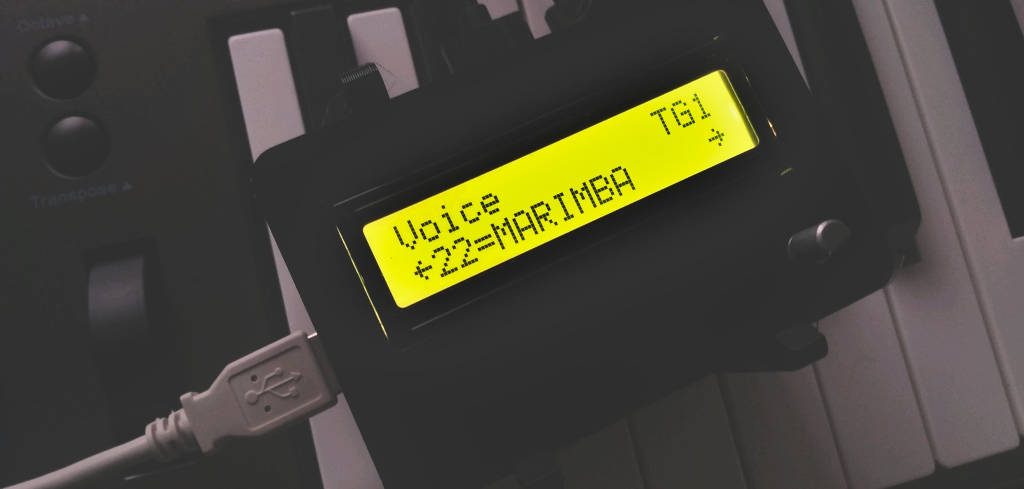
MiniDexed is a FM synthesizer closely modeled on the famous DX7 by a well-known Japanese manufacturer running on a bare metal Raspberry Pi (without a Linux kernel or operating system). On Raspberry Pi 2 and larger, it can run 8 tone generators, not unlike the TX816/TX802 (8 DX7 instances without the keyboard in one box). Featured by HACKADAY and adafruit.
- Uses Synth_Dexed with circle-stdlib
- SD card contents can be downloaded from GitHub Releases
- Runs on all Raspberry Pi models (except Pico); see below for details
- Produces sound on the headphone jack, HDMI display or audio extractor (better), or a dedicated DAC (best)
- Supports multiple voices through Program Change and Bank Change LSB/MSB MIDI messages
- Loads voices from
.syxfiles from SD card (e.g., usinggetsysex.shor from Dexed_cart_1.0.zip) - Menu structure on optional HD44780 display and rotary encoder
- Runs up to 8 Dexed instances simultaneously (like in a TX816) and mixes their output together
- Allows for each Dexed instance to be detuned and stereo shifted
- Allows to configure multiple Dexed instances through
performance.inifiles - Compressor effect
- Reverb effect
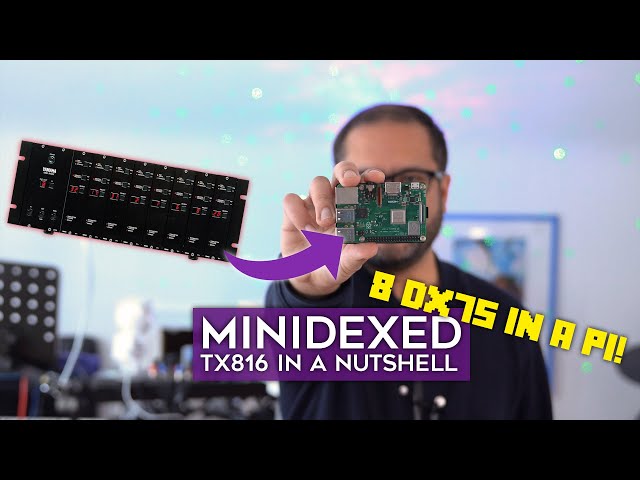
Video about this project by Floyd Steinberg:
- Raspberry Pi 1, 2, 3, 4, or 400 (Zero and Zero 2 can be used but need HDMI or a supported i2s DAC for audio out). On Raspberry Pi 1 and on Raspberry Pi Zero there will be severely limited functionality (only one tone generator instead of 8)
- A PCM5102A or PCM5122 based DAC, HDMI display or audio extractor for good sound quality. If you don't have this, you can use the headphone jack on the Raspberry Pi but on anything but the Raspberry 4 the sound quality will be seriously limited
- Optionally (but highly recommended), an LCDC1602 Display (not i2c) and a KY-040 rotary encoder
- In the case of Raspberry Pi 4, Update the firmware and bootloader to the latest version (not doing this may cause USB reliability issues)
- Download from GitHub Releases
- Unzip
- Put the files into the root directory of a FAT32 formatted partition on SD/microSD card (Note for small SD cards which are no longer sold: If less than 65525 clusters, you may need to format as FAT16.)
- Put SD/microSD card into Raspberry Pi 1, 2, 3 or 4, or 400 (Zero and Zero 2 can be used but need HDMI or a supported i2c DAC for audio out)
- Attach headphones to the headphone jack using
SoundDevice=pwminminidexed.ini(default) (poor audio quality) - Alternatively, attach a PCM5102A or PCM5122 based DAC and select i2c sound output using
SoundDevice=i2sinminidexed.ini(best audio quality) - Alternatively, attach a HDMI display with sound and select HDMI sound output using
SoundDevice=hdmiinminidexed.ini(this may introduce slight latency) - Attach a MIDI keyboard via USB (alternatively you can build a circuit that allows you to attach a "traditional" MIDI keyboard using a DIN connector, or use a DIN-MIDI-to-USB adapter)
- Boot
- Start playing
- If the system seems to become unresponsive after a few seconds, remove
usbspeed=fullfromcmdline.txtand repeat (details) - Optionally, put voices in
.syxfiles onto the SD card (e.g., usinggetsysex.sh) - See the Wiki for Menu operation
- If something is unclear or does not work, don't hesitate to ask!
All devices on Raspberry Pi GPIOs are optional.
CAUTION: All GPIO numbers are chip numbers, not header positions.
| GPIO | Device | Function | Direction | Comment | |
|---|---|---|---|---|---|
| 14 | UART | TXD | OUT | ||
| 15 | UART | RXD | IN | ||
| 18 | DAC | CLK | OUT | ||
| 19 | DAC | FS | OUT | ||
| 21 | DAC | DOUT | OUT | ||
| 02 | I2C | SDA | IN/OUT | ||
| 03 | I2C | SCL | OUT | ||
| 17 | LCD | EN | OUT | ||
| 27 | LCD | RS | OUT | ||
| 16 | LCD | RW | OUT | ||
| 22 | LCD | D4 | OUT | ||
| 23 | LCD | D5 | OUT | ||
| 24 | LCD | D6 | OUT | ||
| 25 | LCD | D7 | OUT | ||
| 05 | ROTARY ENCODER | CLK (ENC A) | IN | default setting | |
| 06 | ROTARY ENCODER | DT (ENC B) | IN | default setting | |
| 26 | ROTARY ENCODER | SW | IN | ||
| 12 | PWM AUDIO | PWM0 | OUT | ||
| 13 | PWM AUDIO | PWM1 | OUT | ||
| 07 | SPI | /CE1 | OUT | ||
| 08 | SPI | /CE0 | OUT | ||
| 09 | SPI | MISO | IN | ||
| 10 | SPI | MOSI | OUT | ||
| 11 | SPI | SCLK | OUT | ||
| 04 | NONE | ||||
| 20 | NONE |
Compiled versions are available on GitHub Releases. Just download and put on a FAT32 formatted SD card.
Please see the wiki on how to compile the code yourself.
This project lives from the contributions of skilled C++ developers, testers, writers, etc. Please see https://github.com/probonopd/MiniDexed/issues.
We are happy to hear from you. Please join the discussions on https://github.com/probonopd/MiniDexed/discussions.
Project documentation is at https://github.com/probonopd/MiniDexed/wiki.
This project stands on the shoulders of giants. Special thanks to:
- raphlinus for the MSFA sound engine
- asb2m10 for the Dexed software
- dcoredump for https://codeberg.org/dcoredump/Synth_Dexed, a port of Dexed for embedded systems
- rsta2 for https://github.com/rsta2/circle, the library to run code on bare metal Raspberry Pi (without a Linux kernel or operating system) and for the bulk of the MiniDexed code
- smuehlst for https://github.com/smuehlst/circle-stdlib, a version with Standard C and C++ library support