LiteDB is a small, fast and lightweight .NET NoSQL embedded database.
- Serverless NoSQL Document Store
- Simple API, similar to MongoDB
- 100% C# code for .NET 4.5 / NETStandard 1.3/2.0 in a single DLL (less than 450kb)
- Thread-safe
- ACID with full transaction support
- Data recovery after write failure (WAL log file)
- Datafile encryption using DES (AES) cryptography
- Map your POCO classes to
BsonDocumentusing attributes or fluent mapper API - Store files and stream data (like GridFS in MongoDB)
- Single data file storage (like SQLite)
- Index document fields for fast search
- LINQ support for queries
- SQL-Like commands to access/transform data
- LiteDB Studio - Nice UI for data access
- Open source and free for everyone - including commercial use
- Install from NuGet:
Install-Package LiteDB
- New storage engine
- No locks for
readoperations (multiple readers) Writelocks per collection (multiple writers)- Internal/System collections
- New
SQL-Like Syntax - New query engine (support projection, sort, filter, query)
- Partial document load (root level)
- and much, much more!
New UI to manage and visualize your database:
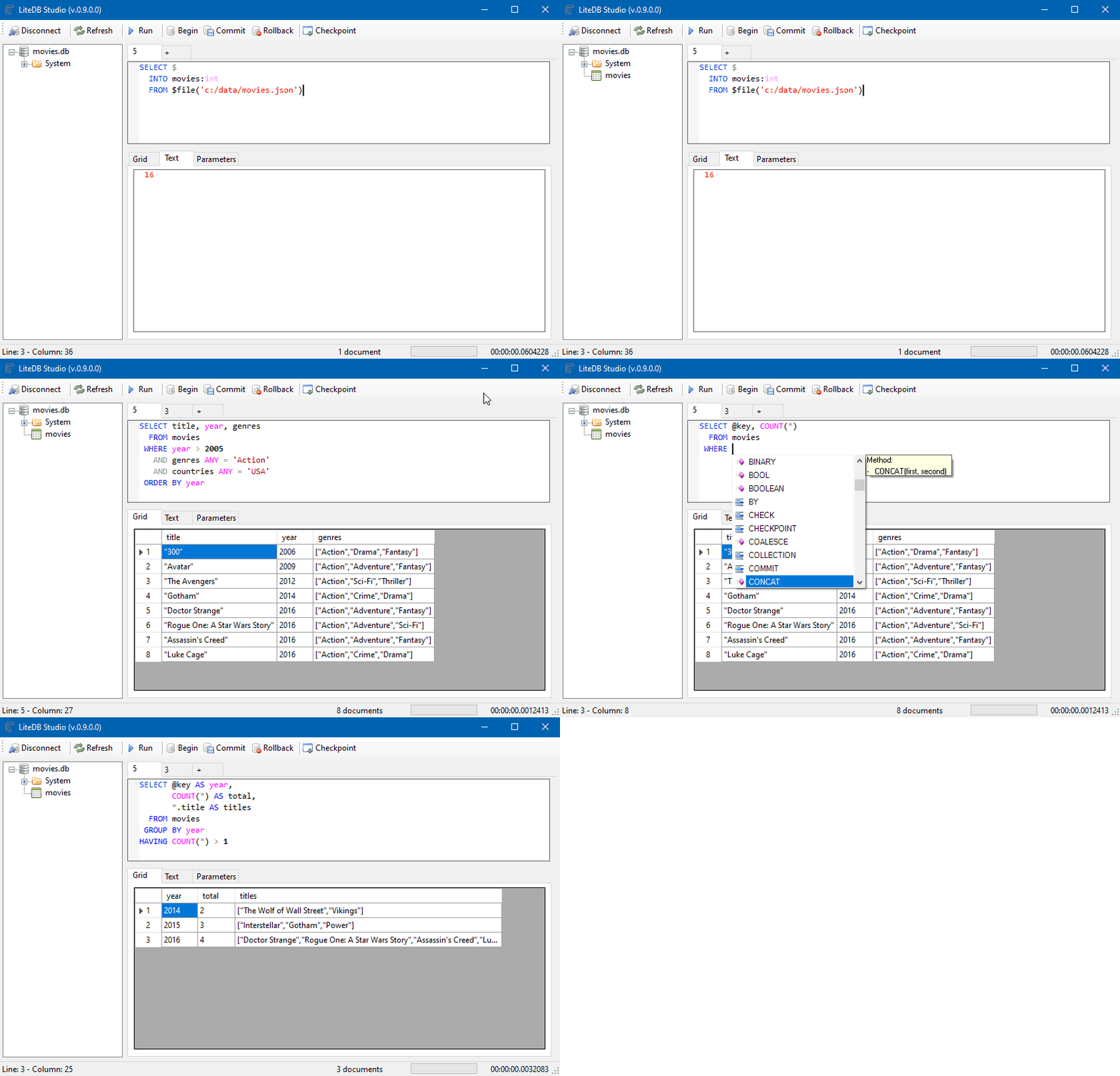

Visit the Wiki for full documentation. For simplified chinese version, check here.
Help LiteDB grow its user community by answering this simple survey
A quick example for storing and searching documents:
// Create your POCO classpublicclassCustomer{publicintId{get;set;}publicstringName{get;set;}publicintAge{get;set;}publicstring[]Phones{get;set;}publicboolIsActive{get;set;}}// Open database (or create if doesn't exist)using(vardb=newLiteDatabase(@"MyData.db")){// Get customer collectionvarcol=db.GetCollection<Customer>("customers");// Create your new customer instancevarcustomer=newCustomer{Name="John Doe",Phones=newstring[]{"8000-0000","9000-0000"},Age=39,IsActive=true};// Create unique index in Name fieldcol.EnsureIndex(x =>x.Name,true);// Insert new customer document (Id will be auto-incremented)col.Insert(customer);// Update a document inside a collectioncustomer.Name="Joana Doe";col.Update(customer);// Use LINQ to query documents (with no index)varresults=col.Find(x =>x.Age>20);}Using fluent mapper and cross document reference for more complex data models
// DbRef to cross referencespublicclassOrder{publicObjectIdId{get;set;}publicDateTimeOrderDate{get;set;}publicAddressShippingAddress{get;set;}publicCustomerCustomer{get;set;}publicList<Product>Products{get;set;}}// Re-use mapper from global instancevarmapper=BsonMapper.Global;// "Products" and "Customer" are from other collections (not embedded document)mapper.Entity<Order>().DbRef(x =>x.Customer,"customers")// 1 to 1/0 reference.DbRef(x =>x.Products,"products")// 1 to Many reference.Field(x =>x.ShippingAddress,"addr");// Embedded sub documentusing(vardb=newLiteDatabase("MyOrderDatafile.db")){varorders=db.GetCollection<Order>("orders");// When query Order, includes referencesvarquery=orders.Include(x =>x.Customer).Include(x =>x.Products)// 1 to many reference.Find(x =>x.OrderDate<=DateTime.Now);// Each instance of Order will load Customer/Products referencesforeach(varorderinquery){varname=order.Customer.Name;
...}}- Desktop/local small applications
- Application file format
- Small web sites/applications
- One database per account/user data store
- A GUI viewer tool: https://github.com/falahati/LiteDBViewer (v4)
- A GUI editor tool: https://github.com/JosefNemec/LiteDbExplorer (v4)
- Lucene.NET directory: https://github.com/sheryever/LiteDBDirectory
- LINQPad support: https://github.com/adospace/litedbpad
- F# Support: https://github.com/Zaid-Ajaj/LiteDB.FSharp (v4)
- UltraLiteDB (for Unity or IOT): https://github.com/rejemy/UltraLiteDB
- OneBella - cross platform (windows, macos, linux) GUI tool : https://github.com/namigop/OneBella
- LiteDB.Migration: Framework that makes schema migrations easier: https://github.com/JKamsker/LiteDB.Migration/
Change details for each release are documented in the release notes.
LiteDB is digitally signed courtesy of SignPath
