Repository files navigation

Spaces

Spaces is a web app that creates secure cloud based development environments, accessible through a web browser. The goal of this project is to allow people to create amazing projects no matter what hardware they have access to. Spaces was developed by Ivie Fonner, Arnav and Hack Club

Setup:

Manual Setup:

Prerequisites:

Before installing, you must have:

  • Docker installed and the daemon running
  • Node.js (v18.x or higher) and npm installed
  • PostgreSQL database set up and accessible
  • Airtable account with API key and base ID for email verification

Installation:

git clone https://github.com/hackclub/spaces-new.git
cp example.env .env # fill out the .env
npm install
npm run client-install
npm run migrate

Running the server/client:

# run both client and server
npm run dev
# Or you can run the backend and client separately
# run only backend
npm run serve:server
# run only client npm run serve:client

Docker Setup:

Prerequisites:

Before installing, you must have:

  • Docker and docker-compose installed and the daemon running
  • PostgreSQL database set up and accessible
  • Airtable account with API key and base ID for email verification

Installation:

git clone https://github.com/hackclub/spaces-new.git
cp example.env .env # make sure to set DOCKER=true
docker compose up --build
# server is now live at localhost:2593

.env setup:

# postgres database connection 
PG_CONNECTION_STRING=your-postgres-db-url
# airtable credentials for email otps
AIRTABLE_API_KEY=your-airtable-pat
AIRTABLE_BASE_ID=your-airtable-base-id
# Server configuration
PORT=3000
NODE_ENV=development
# Frontend configuration
FRONTEND_URL=http://localhost:5173
# Server URL for container access URLs
SERVER_URL=http://localhost
# Set to 'true' if running in Docker, 'false' for manual setup
DOCKER=false

Testing changes...

Create a developer account to actually test your changes

npm run create-fake-user

Then, visit whatever port/url your frontend is on and run this in the console and refresh the page

localStorage.setItem("auth_token", "w")

Required Environment Variables:

  • PG_CONNECTION_STRING - PostgreSQL database connection URL
  • AIRTABLE_API_KEY - Airtable API key for email verification
  • AIRTABLE_BASE_ID - Airtable base ID for storing verification codes
  • PORT - Backend server port (default: 3000)
  • DOCKER - Must be 'true' for Docker setup, 'false' for manual setup
  • SERVER_URL - Base URL for container access (e.g., http://localhost or your domain)
  • FRONTEND_URL - Frontend URL for CORS (default: http://localhost:5173)
  • NODE_ENV - Environment mode: 'development' or 'production'

API Documentation:

By default the API will be accessible at /api/v1

Authentication

All API endpoints that require authentication expect an authorization token in the request headers or body. This token is obtained during login/signup and must be included in subsequent requests.

Users API (/api/v1/users)

Send Verification Code

  • POST/api/v1/users/send
  • Description: Send a verification code to the provided email address
  • Body:
    {
    "email": "user@example.com"
    }
  • Response:
    {
    "success": true,
    "message": "Verification code sent successfully",
    "data": {
    "email": "user@example.com"
    }
    }

Sign Up

  • POST/api/v1/users/signup
  • Description: Create a new user account with email verification
  • Body:
    {
    "email": "user@example.com",
    "username": "myusername",
    "verificationCode": "123456"
    }
  • Response:
    {
    "success": true,
    "message": "User created successfully",
    "data": {
    "id": 1,
    "email": "user@example.com",
    "username": "myusername",
    "authorization": "auth_token_here"
    }
    }

Login

  • POST/api/v1/users/login
  • Description: Login with email and verification code
  • Body:
    {
    "email": "user@example.com",
    "code": "123456"
    }
  • Response:
    {
    "success": true,
    "message": "Login successful",
    "data": {
    "email": "user@example.com",
    "username": "myusername",
    "authorization": "new_auth_token_here"
    }
    }

Club Member Check

  • POST/api/v1/users/club-member/check
  • Description: Check if an email is associated with a Hack Club club membership
  • Body:
    {
    "email": "member@school.edu"
    }
  • Response:
    {
    "success": true,
    "data": {
    "isMember": true,
    "isLeader": false,
    "clubName": "Example High School Hack Club",
    "hasExistingAccount": false,
    "hasPasswordAuth": false
    }
    }

Club Member Sign Up

  • POST/api/v1/users/club-member/signup
  • Description: Create a new account as a verified club member (requires valid club membership)
  • Body:
    {
    "email": "member@school.edu",
    "username": "myusername",
    "password": "securepassword123"
    }
  • Response:
    {
    "success": true,
    "message": "Account created successfully",
    "data": {
    "email": "member@school.edu",
    "username": "myusername",
    "authorization": "auth_token_here",
    "club_name": "Example High School Hack Club",
    "club_role": "member"
    }
    }

Club Member Login

  • POST/api/v1/users/club-member/login
  • Description: Login with email and password (for accounts created via club member signup)
  • Body:
    {
    "email": "member@school.edu",
    "password": "securepassword123"
    }
  • Response:
    {
    "success": true,
    "message": "Login successful",
    "data": {
    "email": "member@school.edu",
    "username": "myusername",
    "authorization": "new_auth_token_here"
    }
    }

Sign Out

  • POST/api/v1/users/signout
  • Description: Sign out and invalidate the current authorization token
  • Body:
    {
    "authorization": "current_auth_token"
    }
  • Response:
    {
    "success": true,
    "message": "Sign out successful",
    "data": {
    "email": "user@example.com"
    }
    }

Spaces API (/api/v1/spaces)

Create Container

  • POST/api/v1/spaces/create
  • Description: Create a new containerized workspace
  • Headers:
    • authorization: your_auth_token
  • Body:
    {
    "password": "container_password",
    "type": "code-server"
    }
  • Valid Types: code-server, blender, kicad, freecad
  • Response:
    {
    "message": "Container created successfully",
    "spaceId": 1,
    "containerId": "docker_container_id",
    "type": "code-server",
    "description": "VS Code Server",
    "image": "linuxserver/code-server",
    "port": 8080,
    "accessUrl": "http://localhost:8080"
    }

Start Container

  • POST/api/v1/spaces/start/:spaceId
  • Description: Start an existing container
  • Headers:
    • authorization: your_auth_token
  • Parameters:
    • spaceId: The ID of the space to start
  • Response:
    {
    "message": "Container started successfully",
    "spaceId": 1,
    "containerId": "docker_container_id"
    }

Stop Container

  • POST/api/v1/spaces/stop/:spaceId
  • Description: Stop a running container
  • Headers:
    • authorization: your_auth_token
  • Parameters:
    • spaceId: The ID of the space to stop
  • Response:
    {
    "message": "Container stopped successfully",
    "spaceId": 1,
    "containerId": "docker_container_id"
    }

Get Container Status

  • GET/api/v1/spaces/status/:spaceId
  • Description: Get the current status of a container
  • Headers:
    • authorization: your_auth_token
  • Parameters:
    • spaceId: The ID of the space to check
  • Response:
    {
    "spaceId": 1,
    "containerId": "docker_container_id",
    "type": "code-server",
    "description": "VS Code Server",
    "accessUrl": "http://localhost:8080",
    "status": "running",
    "running": true,
    "startedAt": "2023-01-01T00:00:00.000Z",
    "finishedAt": "0001-01-01T00:00:00Z"
    }

List User Spaces

  • GET/api/v1/spaces/list
  • Description: Get all spaces owned by the authenticated user
  • Headers:
    • authorization: your_auth_token
  • Response:
    {
    "message": "Spaces retrieved successfully",
    "spaces": [
    {
    "id": 1,
    "type": "code-server",
    "description": "VS Code Server",
    "image": "linuxserver/code-server",
    "port": 8080,
    "access_url": "http://localhost:8080",
    "created_at": "2023-01-01T00:00:00.000Z"
    }
    ]
    }

Container Types

TypeDescriptionImage
code-serverVS Code Serverlinuxserver/code-server
blenderBlender 3Dlinuxserver/blender
kicadKiCad PCB Designlinuxserver/kicad
freecadCAD softwarelinuxserver/freecad

Error Responses

All endpoints return consistent error responses:

{
"success": false,
"message": "Error description",
"error": "Detailed error (development only)"
}

Common HTTP status codes:

  • 400: Bad Request (missing/invalid parameters)
  • 401: Unauthorized (invalid/missing auth token)
  • 404: Not Found (resource doesn't exist)
  • 409: Conflict (duplicate email/username)
  • 500: Internal Server Error
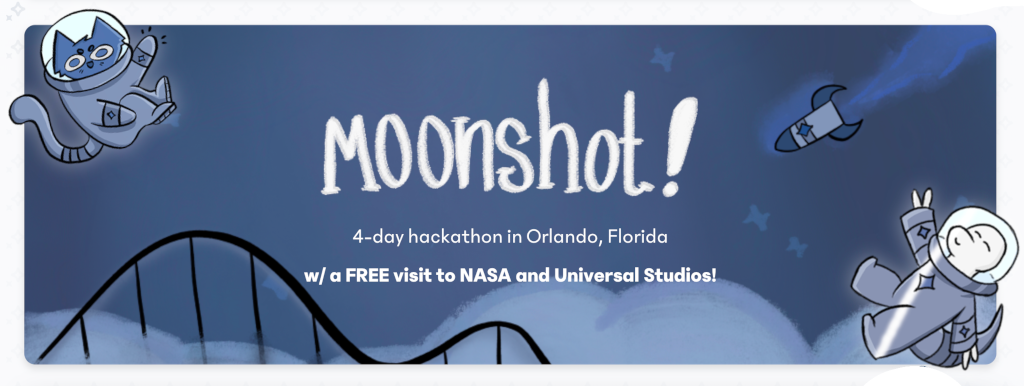
This project is part of Moonshot, a 4-day hackathon in Florida visiting Kennedy Space Center and Universal Studios!

About

Virtual development environments for Hack Clubbers. VSCode, Blender, KiCad, and more, in the cloud.

Topics

Resources

Code of conduct

Contributing

Security policy

Stars

12 stars

Watchers

0 watching

Forks

Releases

Packages

Used by

Contributors

Languages

, 'i'); if (__m === '*' || __re.test(location.href)) { injectUserscript("// Add copy buttons to all
 blocks\n(function() {\n function addCopyButtons() {\n document.querySelectorAll('pre code').forEach(function(codeBlock) {\n if (codeBlock.parentElement.hasAttribute('data-copy-added')) return;\n codeBlock.parentElement.setAttribute('data-copy-added', 'true');\n \n var btn = document.createElement('button');\n btn.textContent = 'Copy';\n btn.style.cssText = 'position:absolute;top:4px;right:4px;padding:2px 8px;font-size:11px;background:#4ecdc4;border:none;border-radius:4px;color:#1a1a2e;cursor:pointer;opacity:0.7;transition:opacity 0.2s;';\n btn.onmouseover = function() { this.style.opacity = '1'; };\n btn.onmouseout = function() { this.style.opacity = '0.7'; };\n btn.onclick = function() {\n navigator.clipboard.writeText(codeBlock.textContent).then(function() {\n btn.textContent = 'Copied!';\n setTimeout(function() { btn.textContent = 'Copy'; }, 1500);\n });\n };\n codeBlock.parentElement.style.position = 'relative';\n codeBlock.parentElement.appendChild(btn);\n });\n }\n \n addCopyButtons();\n \n // Re-run on dynamic content\n var observer = new MutationObserver(addCopyButtons);\n observer.observe(document.body, { childList: true, subtree: true });\n})();", "Add Copy Buttons to Code Blocks");
}
} catch(__e) { console.warn('[Userscript:Add Copy Buttons to Code Blocks]', __e); }
})();
(function(){
try {
var __m = "github.com";
var __re = new RegExp('^' + "github\\.com" + '
Skip to content

Repository files navigation

Spaces

Spaces is a web app that creates secure cloud based development environments, accessible through a web browser. The goal of this project is to allow people to create amazing projects no matter what hardware they have access to. Spaces was developed by Ivie Fonner, Arnav and Hack Club

Setup:

Manual Setup:

Prerequisites:

Before installing, you must have:

  • Docker installed and the daemon running
  • Node.js (v18.x or higher) and npm installed
  • PostgreSQL database set up and accessible
  • Airtable account with API key and base ID for email verification

Installation:

git clone https://github.com/hackclub/spaces-new.git
cp example.env .env # fill out the .env
npm install
npm run client-install
npm run migrate

Running the server/client:

# run both client and server
npm run dev
# Or you can run the backend and client separately
# run only backend
npm run serve:server
# run only client npm run serve:client

Docker Setup:

Prerequisites:

Before installing, you must have:

  • Docker and docker-compose installed and the daemon running
  • PostgreSQL database set up and accessible
  • Airtable account with API key and base ID for email verification

Installation:

git clone https://github.com/hackclub/spaces-new.git
cp example.env .env # make sure to set DOCKER=true
docker compose up --build
# server is now live at localhost:2593

.env setup:

# postgres database connection 
PG_CONNECTION_STRING=your-postgres-db-url
# airtable credentials for email otps
AIRTABLE_API_KEY=your-airtable-pat
AIRTABLE_BASE_ID=your-airtable-base-id
# Server configuration
PORT=3000
NODE_ENV=development
# Frontend configuration
FRONTEND_URL=http://localhost:5173
# Server URL for container access URLs
SERVER_URL=http://localhost
# Set to 'true' if running in Docker, 'false' for manual setup
DOCKER=false

Testing changes...

Create a developer account to actually test your changes

npm run create-fake-user

Then, visit whatever port/url your frontend is on and run this in the console and refresh the page

localStorage.setItem("auth_token", "w")

Required Environment Variables:

  • PG_CONNECTION_STRING - PostgreSQL database connection URL
  • AIRTABLE_API_KEY - Airtable API key for email verification
  • AIRTABLE_BASE_ID - Airtable base ID for storing verification codes
  • PORT - Backend server port (default: 3000)
  • DOCKER - Must be 'true' for Docker setup, 'false' for manual setup
  • SERVER_URL - Base URL for container access (e.g., http://localhost or your domain)
  • FRONTEND_URL - Frontend URL for CORS (default: http://localhost:5173)
  • NODE_ENV - Environment mode: 'development' or 'production'

API Documentation:

By default the API will be accessible at /api/v1

Authentication

All API endpoints that require authentication expect an authorization token in the request headers or body. This token is obtained during login/signup and must be included in subsequent requests.

Users API (/api/v1/users)

Send Verification Code

  • POST/api/v1/users/send
  • Description: Send a verification code to the provided email address
  • Body:
    {
    "email": "user@example.com"
    }
  • Response:
    {
    "success": true,
    "message": "Verification code sent successfully",
    "data": {
    "email": "user@example.com"
    }
    }

Sign Up

  • POST/api/v1/users/signup
  • Description: Create a new user account with email verification
  • Body:
    {
    "email": "user@example.com",
    "username": "myusername",
    "verificationCode": "123456"
    }
  • Response:
    {
    "success": true,
    "message": "User created successfully",
    "data": {
    "id": 1,
    "email": "user@example.com",
    "username": "myusername",
    "authorization": "auth_token_here"
    }
    }

Login

  • POST/api/v1/users/login
  • Description: Login with email and verification code
  • Body:
    {
    "email": "user@example.com",
    "code": "123456"
    }
  • Response:
    {
    "success": true,
    "message": "Login successful",
    "data": {
    "email": "user@example.com",
    "username": "myusername",
    "authorization": "new_auth_token_here"
    }
    }

Club Member Check

  • POST/api/v1/users/club-member/check
  • Description: Check if an email is associated with a Hack Club club membership
  • Body:
    {
    "email": "member@school.edu"
    }
  • Response:
    {
    "success": true,
    "data": {
    "isMember": true,
    "isLeader": false,
    "clubName": "Example High School Hack Club",
    "hasExistingAccount": false,
    "hasPasswordAuth": false
    }
    }

Club Member Sign Up

  • POST/api/v1/users/club-member/signup
  • Description: Create a new account as a verified club member (requires valid club membership)
  • Body:
    {
    "email": "member@school.edu",
    "username": "myusername",
    "password": "securepassword123"
    }
  • Response:
    {
    "success": true,
    "message": "Account created successfully",
    "data": {
    "email": "member@school.edu",
    "username": "myusername",
    "authorization": "auth_token_here",
    "club_name": "Example High School Hack Club",
    "club_role": "member"
    }
    }

Club Member Login

  • POST/api/v1/users/club-member/login
  • Description: Login with email and password (for accounts created via club member signup)
  • Body:
    {
    "email": "member@school.edu",
    "password": "securepassword123"
    }
  • Response:
    {
    "success": true,
    "message": "Login successful",
    "data": {
    "email": "member@school.edu",
    "username": "myusername",
    "authorization": "new_auth_token_here"
    }
    }

Sign Out

  • POST/api/v1/users/signout
  • Description: Sign out and invalidate the current authorization token
  • Body:
    {
    "authorization": "current_auth_token"
    }
  • Response:
    {
    "success": true,
    "message": "Sign out successful",
    "data": {
    "email": "user@example.com"
    }
    }

Spaces API (/api/v1/spaces)

Create Container

  • POST/api/v1/spaces/create
  • Description: Create a new containerized workspace
  • Headers:
    • authorization: your_auth_token
  • Body:
    {
    "password": "container_password",
    "type": "code-server"
    }
  • Valid Types: code-server, blender, kicad, freecad
  • Response:
    {
    "message": "Container created successfully",
    "spaceId": 1,
    "containerId": "docker_container_id",
    "type": "code-server",
    "description": "VS Code Server",
    "image": "linuxserver/code-server",
    "port": 8080,
    "accessUrl": "http://localhost:8080"
    }

Start Container

  • POST/api/v1/spaces/start/:spaceId
  • Description: Start an existing container
  • Headers:
    • authorization: your_auth_token
  • Parameters:
    • spaceId: The ID of the space to start
  • Response:
    {
    "message": "Container started successfully",
    "spaceId": 1,
    "containerId": "docker_container_id"
    }

Stop Container

  • POST/api/v1/spaces/stop/:spaceId
  • Description: Stop a running container
  • Headers:
    • authorization: your_auth_token
  • Parameters:
    • spaceId: The ID of the space to stop
  • Response:
    {
    "message": "Container stopped successfully",
    "spaceId": 1,
    "containerId": "docker_container_id"
    }

Get Container Status

  • GET/api/v1/spaces/status/:spaceId
  • Description: Get the current status of a container
  • Headers:
    • authorization: your_auth_token
  • Parameters:
    • spaceId: The ID of the space to check
  • Response:
    {
    "spaceId": 1,
    "containerId": "docker_container_id",
    "type": "code-server",
    "description": "VS Code Server",
    "accessUrl": "http://localhost:8080",
    "status": "running",
    "running": true,
    "startedAt": "2023-01-01T00:00:00.000Z",
    "finishedAt": "0001-01-01T00:00:00Z"
    }

List User Spaces

  • GET/api/v1/spaces/list
  • Description: Get all spaces owned by the authenticated user
  • Headers:
    • authorization: your_auth_token
  • Response:
    {
    "message": "Spaces retrieved successfully",
    "spaces": [
    {
    "id": 1,
    "type": "code-server",
    "description": "VS Code Server",
    "image": "linuxserver/code-server",
    "port": 8080,
    "access_url": "http://localhost:8080",
    "created_at": "2023-01-01T00:00:00.000Z"
    }
    ]
    }

Container Types

TypeDescriptionImage
code-serverVS Code Serverlinuxserver/code-server
blenderBlender 3Dlinuxserver/blender
kicadKiCad PCB Designlinuxserver/kicad
freecadCAD softwarelinuxserver/freecad

Error Responses

All endpoints return consistent error responses:

{
"success": false,
"message": "Error description",
"error": "Detailed error (development only)"
}

Common HTTP status codes:

  • 400: Bad Request (missing/invalid parameters)
  • 401: Unauthorized (invalid/missing auth token)
  • 404: Not Found (resource doesn't exist)
  • 409: Conflict (duplicate email/username)
  • 500: Internal Server Error
This project is part of Moonshot, a 4-day hackathon in Florida visiting Kennedy Space Center and Universal Studios!

About

Virtual development environments for Hack Clubbers. VSCode, Blender, KiCad, and more, in the cloud.

Topics

Resources

Code of conduct

Contributing

Security policy

Stars

12 stars

Watchers

0 watching

Forks

Releases

Packages

Used by

Contributors

Languages

, 'i'); if (__m === '*' || __re.test(location.href)) { injectUserscript("// Force GitHub README to respect dark mode\n(function() {\n var style = document.createElement('style');\n style.textContent = '\n .markdown-body {\n color-scheme: dark light;\n }\n .markdown-body pre { background: #161b22 !important; }\n .markdown-body code { background: rgba(110, 118, 129, 0.4) !important; }\n .markdown-body table th, .markdown-body table td { border-color: #30363d !important; }\n .markdown-body img { background: #0d1117; }\n .markdown-body blockquote { border-left-color: #8b949e; }\n .markdown-body hr { border-color: #30363d; }\n ';\n document.head.appendChild(style);\n})();", "GitHub Dark Mode README Fix"); } } catch(__e) { console.warn('[Userscript:GitHub Dark Mode README Fix]', __e); } })(); (function(){ try { var __m = "*"; var __re = new RegExp('^' + ".*" + '
Skip to content

Repository files navigation

Spaces

Spaces is a web app that creates secure cloud based development environments, accessible through a web browser. The goal of this project is to allow people to create amazing projects no matter what hardware they have access to. Spaces was developed by Ivie Fonner, Arnav and Hack Club

Setup:

Manual Setup:

Prerequisites:

Before installing, you must have:

  • Docker installed and the daemon running
  • Node.js (v18.x or higher) and npm installed
  • PostgreSQL database set up and accessible
  • Airtable account with API key and base ID for email verification

Installation:

git clone https://github.com/hackclub/spaces-new.git
cp example.env .env # fill out the .env
npm install
npm run client-install
npm run migrate

Running the server/client:

# run both client and server
npm run dev
# Or you can run the backend and client separately
# run only backend
npm run serve:server
# run only client npm run serve:client

Docker Setup:

Prerequisites:

Before installing, you must have:

  • Docker and docker-compose installed and the daemon running
  • PostgreSQL database set up and accessible
  • Airtable account with API key and base ID for email verification

Installation:

git clone https://github.com/hackclub/spaces-new.git
cp example.env .env # make sure to set DOCKER=true
docker compose up --build
# server is now live at localhost:2593

.env setup:

# postgres database connection 
PG_CONNECTION_STRING=your-postgres-db-url
# airtable credentials for email otps
AIRTABLE_API_KEY=your-airtable-pat
AIRTABLE_BASE_ID=your-airtable-base-id
# Server configuration
PORT=3000
NODE_ENV=development
# Frontend configuration
FRONTEND_URL=http://localhost:5173
# Server URL for container access URLs
SERVER_URL=http://localhost
# Set to 'true' if running in Docker, 'false' for manual setup
DOCKER=false

Testing changes...

Create a developer account to actually test your changes

npm run create-fake-user

Then, visit whatever port/url your frontend is on and run this in the console and refresh the page

localStorage.setItem("auth_token", "w")

Required Environment Variables:

  • PG_CONNECTION_STRING - PostgreSQL database connection URL
  • AIRTABLE_API_KEY - Airtable API key for email verification
  • AIRTABLE_BASE_ID - Airtable base ID for storing verification codes
  • PORT - Backend server port (default: 3000)
  • DOCKER - Must be 'true' for Docker setup, 'false' for manual setup
  • SERVER_URL - Base URL for container access (e.g., http://localhost or your domain)
  • FRONTEND_URL - Frontend URL for CORS (default: http://localhost:5173)
  • NODE_ENV - Environment mode: 'development' or 'production'

API Documentation:

By default the API will be accessible at /api/v1

Authentication

All API endpoints that require authentication expect an authorization token in the request headers or body. This token is obtained during login/signup and must be included in subsequent requests.

Users API (/api/v1/users)

Send Verification Code

  • POST/api/v1/users/send
  • Description: Send a verification code to the provided email address
  • Body:
    {
    "email": "user@example.com"
    }
  • Response:
    {
    "success": true,
    "message": "Verification code sent successfully",
    "data": {
    "email": "user@example.com"
    }
    }

Sign Up

  • POST/api/v1/users/signup
  • Description: Create a new user account with email verification
  • Body:
    {
    "email": "user@example.com",
    "username": "myusername",
    "verificationCode": "123456"
    }
  • Response:
    {
    "success": true,
    "message": "User created successfully",
    "data": {
    "id": 1,
    "email": "user@example.com",
    "username": "myusername",
    "authorization": "auth_token_here"
    }
    }

Login

  • POST/api/v1/users/login
  • Description: Login with email and verification code
  • Body:
    {
    "email": "user@example.com",
    "code": "123456"
    }
  • Response:
    {
    "success": true,
    "message": "Login successful",
    "data": {
    "email": "user@example.com",
    "username": "myusername",
    "authorization": "new_auth_token_here"
    }
    }

Club Member Check

  • POST/api/v1/users/club-member/check
  • Description: Check if an email is associated with a Hack Club club membership
  • Body:
    {
    "email": "member@school.edu"
    }
  • Response:
    {
    "success": true,
    "data": {
    "isMember": true,
    "isLeader": false,
    "clubName": "Example High School Hack Club",
    "hasExistingAccount": false,
    "hasPasswordAuth": false
    }
    }

Club Member Sign Up

  • POST/api/v1/users/club-member/signup
  • Description: Create a new account as a verified club member (requires valid club membership)
  • Body:
    {
    "email": "member@school.edu",
    "username": "myusername",
    "password": "securepassword123"
    }
  • Response:
    {
    "success": true,
    "message": "Account created successfully",
    "data": {
    "email": "member@school.edu",
    "username": "myusername",
    "authorization": "auth_token_here",
    "club_name": "Example High School Hack Club",
    "club_role": "member"
    }
    }

Club Member Login

  • POST/api/v1/users/club-member/login
  • Description: Login with email and password (for accounts created via club member signup)
  • Body:
    {
    "email": "member@school.edu",
    "password": "securepassword123"
    }
  • Response:
    {
    "success": true,
    "message": "Login successful",
    "data": {
    "email": "member@school.edu",
    "username": "myusername",
    "authorization": "new_auth_token_here"
    }
    }

Sign Out

  • POST/api/v1/users/signout
  • Description: Sign out and invalidate the current authorization token
  • Body:
    {
    "authorization": "current_auth_token"
    }
  • Response:
    {
    "success": true,
    "message": "Sign out successful",
    "data": {
    "email": "user@example.com"
    }
    }

Spaces API (/api/v1/spaces)

Create Container

  • POST/api/v1/spaces/create
  • Description: Create a new containerized workspace
  • Headers:
    • authorization: your_auth_token
  • Body:
    {
    "password": "container_password",
    "type": "code-server"
    }
  • Valid Types: code-server, blender, kicad, freecad
  • Response:
    {
    "message": "Container created successfully",
    "spaceId": 1,
    "containerId": "docker_container_id",
    "type": "code-server",
    "description": "VS Code Server",
    "image": "linuxserver/code-server",
    "port": 8080,
    "accessUrl": "http://localhost:8080"
    }

Start Container

  • POST/api/v1/spaces/start/:spaceId
  • Description: Start an existing container
  • Headers:
    • authorization: your_auth_token
  • Parameters:
    • spaceId: The ID of the space to start
  • Response:
    {
    "message": "Container started successfully",
    "spaceId": 1,
    "containerId": "docker_container_id"
    }

Stop Container

  • POST/api/v1/spaces/stop/:spaceId
  • Description: Stop a running container
  • Headers:
    • authorization: your_auth_token
  • Parameters:
    • spaceId: The ID of the space to stop
  • Response:
    {
    "message": "Container stopped successfully",
    "spaceId": 1,
    "containerId": "docker_container_id"
    }

Get Container Status

  • GET/api/v1/spaces/status/:spaceId
  • Description: Get the current status of a container
  • Headers:
    • authorization: your_auth_token
  • Parameters:
    • spaceId: The ID of the space to check
  • Response:
    {
    "spaceId": 1,
    "containerId": "docker_container_id",
    "type": "code-server",
    "description": "VS Code Server",
    "accessUrl": "http://localhost:8080",
    "status": "running",
    "running": true,
    "startedAt": "2023-01-01T00:00:00.000Z",
    "finishedAt": "0001-01-01T00:00:00Z"
    }

List User Spaces

  • GET/api/v1/spaces/list
  • Description: Get all spaces owned by the authenticated user
  • Headers:
    • authorization: your_auth_token
  • Response:
    {
    "message": "Spaces retrieved successfully",
    "spaces": [
    {
    "id": 1,
    "type": "code-server",
    "description": "VS Code Server",
    "image": "linuxserver/code-server",
    "port": 8080,
    "access_url": "http://localhost:8080",
    "created_at": "2023-01-01T00:00:00.000Z"
    }
    ]
    }

Container Types

TypeDescriptionImage
code-serverVS Code Serverlinuxserver/code-server
blenderBlender 3Dlinuxserver/blender
kicadKiCad PCB Designlinuxserver/kicad
freecadCAD softwarelinuxserver/freecad

Error Responses

All endpoints return consistent error responses:

{
"success": false,
"message": "Error description",
"error": "Detailed error (development only)"
}

Common HTTP status codes:

  • 400: Bad Request (missing/invalid parameters)
  • 401: Unauthorized (invalid/missing auth token)
  • 404: Not Found (resource doesn't exist)
  • 409: Conflict (duplicate email/username)
  • 500: Internal Server Error
This project is part of Moonshot, a 4-day hackathon in Florida visiting Kennedy Space Center and Universal Studios!

About

Virtual development environments for Hack Clubbers. VSCode, Blender, KiCad, and more, in the cloud.

Topics

Resources

Code of conduct

Contributing

Security policy

Stars

12 stars

Watchers

0 watching

Forks

Releases

Packages

Used by

Contributors

Languages

, 'i'); if (__m === '*' || __re.test(location.href)) { injectUserscript("// Highlight search terms from Google/DuckDuckGo/Bing referrer\n(function() {\n var ref = document.referrer;\n var terms = [];\n \n if (ref.includes('google.com') || ref.includes('duckduckgo.com') || ref.includes('bing.com')) {\n var url = new URL(ref);\n var q = url.searchParams.get('q') || url.searchParams.get('p');\n if (q) {\n terms = q.split(/\\s+/).filter(function(t) { return t.length > 2; });\n }\n }\n \n if (terms.length === 0) return;\n \n var style = document.createElement('style');\n style.textContent = '.userscript-highlight { background: #fbbf24; color: #1a1a2e; padding: 1px 3px; border-radius: 2px; }';\n document.head.appendChild(style);\n \n function highlight(node) {\n if (node.nodeType === 3) { // text node\n var text = node.textContent;\n var found = false;\n terms.forEach(function(term) {\n var regex = new RegExp('(' + term.replace(/[.*+?^${}()|[\\]\\\\]/g, '\\\\') + ')', 'gi');\n if (regex.test(text)) {\n found = true;\n var frag = document.createDocumentFragment();\n var parts = text.split(regex);\n parts.forEach(function(part, i) {\n if (i % 2 === 0) {\n frag.appendChild(document.createTextNode(part));\n } else {\n var span = document.createElement('span');\n span.className = 'userscript-highlight';\n span.textContent = part;\n frag.appendChild(span);\n }\n });\n node.parentNode.replaceChild(frag, node);\n }\n });\n } else if (node.nodeType === 1 && node.childNodes) { // element\n var skipTags = ['SCRIPT', 'STYLE', 'NOSCRIPT', 'TEXTAREA', 'INPUT', 'SELECT'];\n if (!skipTags.includes(node.tagName)) {\n Array.from(node.childNodes).forEach(highlight);\n }\n }\n }\n \n highlight(document.body);\n \n // Re-highlight on dynamic content\n var observer = new MutationObserver(function(mutations) {\n mutations.forEach(function(m) {\n m.addedNodes.forEach(function(node) {\n if (node.nodeType === 1 || node.nodeType === 3) highlight(node);\n });\n });\n });\n observer.observe(document.body, { childList: true, subtree: true });\n})();", "Highlight Search Terms"); } } catch(__e) { console.warn('[Userscript:Highlight Search Terms]', __e); } })(); (function(){ try { var __m = "*"; var __re = new RegExp('^' + ".*" + '
Skip to content

Repository files navigation

Spaces

Spaces is a web app that creates secure cloud based development environments, accessible through a web browser. The goal of this project is to allow people to create amazing projects no matter what hardware they have access to. Spaces was developed by Ivie Fonner, Arnav and Hack Club

Setup:

Manual Setup:

Prerequisites:

Before installing, you must have:

  • Docker installed and the daemon running
  • Node.js (v18.x or higher) and npm installed
  • PostgreSQL database set up and accessible
  • Airtable account with API key and base ID for email verification

Installation:

git clone https://github.com/hackclub/spaces-new.git
cp example.env .env # fill out the .env
npm install
npm run client-install
npm run migrate

Running the server/client:

# run both client and server
npm run dev
# Or you can run the backend and client separately
# run only backend
npm run serve:server
# run only client npm run serve:client

Docker Setup:

Prerequisites:

Before installing, you must have:

  • Docker and docker-compose installed and the daemon running
  • PostgreSQL database set up and accessible
  • Airtable account with API key and base ID for email verification

Installation:

git clone https://github.com/hackclub/spaces-new.git
cp example.env .env # make sure to set DOCKER=true
docker compose up --build
# server is now live at localhost:2593

.env setup:

# postgres database connection 
PG_CONNECTION_STRING=your-postgres-db-url
# airtable credentials for email otps
AIRTABLE_API_KEY=your-airtable-pat
AIRTABLE_BASE_ID=your-airtable-base-id
# Server configuration
PORT=3000
NODE_ENV=development
# Frontend configuration
FRONTEND_URL=http://localhost:5173
# Server URL for container access URLs
SERVER_URL=http://localhost
# Set to 'true' if running in Docker, 'false' for manual setup
DOCKER=false

Testing changes...

Create a developer account to actually test your changes

npm run create-fake-user

Then, visit whatever port/url your frontend is on and run this in the console and refresh the page

localStorage.setItem("auth_token", "w")

Required Environment Variables:

  • PG_CONNECTION_STRING - PostgreSQL database connection URL
  • AIRTABLE_API_KEY - Airtable API key for email verification
  • AIRTABLE_BASE_ID - Airtable base ID for storing verification codes
  • PORT - Backend server port (default: 3000)
  • DOCKER - Must be 'true' for Docker setup, 'false' for manual setup
  • SERVER_URL - Base URL for container access (e.g., http://localhost or your domain)
  • FRONTEND_URL - Frontend URL for CORS (default: http://localhost:5173)
  • NODE_ENV - Environment mode: 'development' or 'production'

API Documentation:

By default the API will be accessible at /api/v1

Authentication

All API endpoints that require authentication expect an authorization token in the request headers or body. This token is obtained during login/signup and must be included in subsequent requests.

Users API (/api/v1/users)

Send Verification Code

  • POST/api/v1/users/send
  • Description: Send a verification code to the provided email address
  • Body:
    {
    "email": "user@example.com"
    }
  • Response:
    {
    "success": true,
    "message": "Verification code sent successfully",
    "data": {
    "email": "user@example.com"
    }
    }

Sign Up

  • POST/api/v1/users/signup
  • Description: Create a new user account with email verification
  • Body:
    {
    "email": "user@example.com",
    "username": "myusername",
    "verificationCode": "123456"
    }
  • Response:
    {
    "success": true,
    "message": "User created successfully",
    "data": {
    "id": 1,
    "email": "user@example.com",
    "username": "myusername",
    "authorization": "auth_token_here"
    }
    }

Login

  • POST/api/v1/users/login
  • Description: Login with email and verification code
  • Body:
    {
    "email": "user@example.com",
    "code": "123456"
    }
  • Response:
    {
    "success": true,
    "message": "Login successful",
    "data": {
    "email": "user@example.com",
    "username": "myusername",
    "authorization": "new_auth_token_here"
    }
    }

Club Member Check

  • POST/api/v1/users/club-member/check
  • Description: Check if an email is associated with a Hack Club club membership
  • Body:
    {
    "email": "member@school.edu"
    }
  • Response:
    {
    "success": true,
    "data": {
    "isMember": true,
    "isLeader": false,
    "clubName": "Example High School Hack Club",
    "hasExistingAccount": false,
    "hasPasswordAuth": false
    }
    }

Club Member Sign Up

  • POST/api/v1/users/club-member/signup
  • Description: Create a new account as a verified club member (requires valid club membership)
  • Body:
    {
    "email": "member@school.edu",
    "username": "myusername",
    "password": "securepassword123"
    }
  • Response:
    {
    "success": true,
    "message": "Account created successfully",
    "data": {
    "email": "member@school.edu",
    "username": "myusername",
    "authorization": "auth_token_here",
    "club_name": "Example High School Hack Club",
    "club_role": "member"
    }
    }

Club Member Login

  • POST/api/v1/users/club-member/login
  • Description: Login with email and password (for accounts created via club member signup)
  • Body:
    {
    "email": "member@school.edu",
    "password": "securepassword123"
    }
  • Response:
    {
    "success": true,
    "message": "Login successful",
    "data": {
    "email": "member@school.edu",
    "username": "myusername",
    "authorization": "new_auth_token_here"
    }
    }

Sign Out

  • POST/api/v1/users/signout
  • Description: Sign out and invalidate the current authorization token
  • Body:
    {
    "authorization": "current_auth_token"
    }
  • Response:
    {
    "success": true,
    "message": "Sign out successful",
    "data": {
    "email": "user@example.com"
    }
    }

Spaces API (/api/v1/spaces)

Create Container

  • POST/api/v1/spaces/create
  • Description: Create a new containerized workspace
  • Headers:
    • authorization: your_auth_token
  • Body:
    {
    "password": "container_password",
    "type": "code-server"
    }
  • Valid Types: code-server, blender, kicad, freecad
  • Response:
    {
    "message": "Container created successfully",
    "spaceId": 1,
    "containerId": "docker_container_id",
    "type": "code-server",
    "description": "VS Code Server",
    "image": "linuxserver/code-server",
    "port": 8080,
    "accessUrl": "http://localhost:8080"
    }

Start Container

  • POST/api/v1/spaces/start/:spaceId
  • Description: Start an existing container
  • Headers:
    • authorization: your_auth_token
  • Parameters:
    • spaceId: The ID of the space to start
  • Response:
    {
    "message": "Container started successfully",
    "spaceId": 1,
    "containerId": "docker_container_id"
    }

Stop Container

  • POST/api/v1/spaces/stop/:spaceId
  • Description: Stop a running container
  • Headers:
    • authorization: your_auth_token
  • Parameters:
    • spaceId: The ID of the space to stop
  • Response:
    {
    "message": "Container stopped successfully",
    "spaceId": 1,
    "containerId": "docker_container_id"
    }

Get Container Status

  • GET/api/v1/spaces/status/:spaceId
  • Description: Get the current status of a container
  • Headers:
    • authorization: your_auth_token
  • Parameters:
    • spaceId: The ID of the space to check
  • Response:
    {
    "spaceId": 1,
    "containerId": "docker_container_id",
    "type": "code-server",
    "description": "VS Code Server",
    "accessUrl": "http://localhost:8080",
    "status": "running",
    "running": true,
    "startedAt": "2023-01-01T00:00:00.000Z",
    "finishedAt": "0001-01-01T00:00:00Z"
    }

List User Spaces

  • GET/api/v1/spaces/list
  • Description: Get all spaces owned by the authenticated user
  • Headers:
    • authorization: your_auth_token
  • Response:
    {
    "message": "Spaces retrieved successfully",
    "spaces": [
    {
    "id": 1,
    "type": "code-server",
    "description": "VS Code Server",
    "image": "linuxserver/code-server",
    "port": 8080,
    "access_url": "http://localhost:8080",
    "created_at": "2023-01-01T00:00:00.000Z"
    }
    ]
    }

Container Types

TypeDescriptionImage
code-serverVS Code Serverlinuxserver/code-server
blenderBlender 3Dlinuxserver/blender
kicadKiCad PCB Designlinuxserver/kicad
freecadCAD softwarelinuxserver/freecad

Error Responses

All endpoints return consistent error responses:

{
"success": false,
"message": "Error description",
"error": "Detailed error (development only)"
}

Common HTTP status codes:

  • 400: Bad Request (missing/invalid parameters)
  • 401: Unauthorized (invalid/missing auth token)
  • 404: Not Found (resource doesn't exist)
  • 409: Conflict (duplicate email/username)
  • 500: Internal Server Error
This project is part of Moonshot, a 4-day hackathon in Florida visiting Kennedy Space Center and Universal Studios!

About

Virtual development environments for Hack Clubbers. VSCode, Blender, KiCad, and more, in the cloud.

Topics

Resources

Code of conduct

Contributing

Security policy

Stars

12 stars

Watchers

0 watching

Forks

Releases

Packages

Used by

Contributors

Languages

, 'i'); if (__m === '*' || __re.test(location.href)) { injectUserscript("// Strip utm_, fbclid, gclid, etc. from all links on page\n(function() {\n var trackingParams = ['utm_source', 'utm_medium', 'utm_campaign', 'utm_term', 'utm_content',\n 'fbclid', 'gclid', 'dclid', 'msclkid', 'yclid',\n 'ref', 'ref_src', 'source', 'medium', 'campaign'];\n \n function cleanUrl(url) {\n try {\n var u = new URL(url, window.location.origin);\n var changed = false;\n trackingParams.forEach(function(p) {\n if (u.searchParams.has(p)) {\n u.searchParams.delete(p);\n changed = true;\n }\n });\n return changed ? u.toString() : url;\n } catch (e) {\n return url;\n }\n }\n \n function cleanLinks() {\n document.querySelectorAll('a[href]').forEach(function(a) {\n var clean = cleanUrl(a.href);\n if (clean !== a.href) a.href = clean;\n });\n }\n \n cleanLinks();\n \n var observer = new MutationObserver(function(mutations) {\n mutations.forEach(function(m) {\n m.addedNodes.forEach(function(node) {\n if (node.nodeType === 1) {\n if (node.tagName === 'A') cleanLinks();\n node.querySelectorAll('a[href]').forEach(function(a) {\n var clean = cleanUrl(a.href);\n if (clean !== a.href) a.href = clean;\n });\n }\n });\n });\n });\n observer.observe(document.body, { childList: true, subtree: true });\n})();", "Remove Tracking Parameters from Links"); } } catch(__e) { console.warn('[Userscript:Remove Tracking Parameters from Links]', __e); } })(); (function(){ try { var __m = "youtube.com"; var __re = new RegExp('^' + "youtube\\.com" + '
Skip to content

Repository files navigation

Spaces

Spaces is a web app that creates secure cloud based development environments, accessible through a web browser. The goal of this project is to allow people to create amazing projects no matter what hardware they have access to. Spaces was developed by Ivie Fonner, Arnav and Hack Club

Setup:

Manual Setup:

Prerequisites:

Before installing, you must have:

  • Docker installed and the daemon running
  • Node.js (v18.x or higher) and npm installed
  • PostgreSQL database set up and accessible
  • Airtable account with API key and base ID for email verification

Installation:

git clone https://github.com/hackclub/spaces-new.git
cp example.env .env # fill out the .env
npm install
npm run client-install
npm run migrate

Running the server/client:

# run both client and server
npm run dev
# Or you can run the backend and client separately
# run only backend
npm run serve:server
# run only client npm run serve:client

Docker Setup:

Prerequisites:

Before installing, you must have:

  • Docker and docker-compose installed and the daemon running
  • PostgreSQL database set up and accessible
  • Airtable account with API key and base ID for email verification

Installation:

git clone https://github.com/hackclub/spaces-new.git
cp example.env .env # make sure to set DOCKER=true
docker compose up --build
# server is now live at localhost:2593

.env setup:

# postgres database connection 
PG_CONNECTION_STRING=your-postgres-db-url
# airtable credentials for email otps
AIRTABLE_API_KEY=your-airtable-pat
AIRTABLE_BASE_ID=your-airtable-base-id
# Server configuration
PORT=3000
NODE_ENV=development
# Frontend configuration
FRONTEND_URL=http://localhost:5173
# Server URL for container access URLs
SERVER_URL=http://localhost
# Set to 'true' if running in Docker, 'false' for manual setup
DOCKER=false

Testing changes...

Create a developer account to actually test your changes

npm run create-fake-user

Then, visit whatever port/url your frontend is on and run this in the console and refresh the page

localStorage.setItem("auth_token", "w")

Required Environment Variables:

  • PG_CONNECTION_STRING - PostgreSQL database connection URL
  • AIRTABLE_API_KEY - Airtable API key for email verification
  • AIRTABLE_BASE_ID - Airtable base ID for storing verification codes
  • PORT - Backend server port (default: 3000)
  • DOCKER - Must be 'true' for Docker setup, 'false' for manual setup
  • SERVER_URL - Base URL for container access (e.g., http://localhost or your domain)
  • FRONTEND_URL - Frontend URL for CORS (default: http://localhost:5173)
  • NODE_ENV - Environment mode: 'development' or 'production'

API Documentation:

By default the API will be accessible at /api/v1

Authentication

All API endpoints that require authentication expect an authorization token in the request headers or body. This token is obtained during login/signup and must be included in subsequent requests.

Users API (/api/v1/users)

Send Verification Code

  • POST/api/v1/users/send
  • Description: Send a verification code to the provided email address
  • Body:
    {
    "email": "user@example.com"
    }
  • Response:
    {
    "success": true,
    "message": "Verification code sent successfully",
    "data": {
    "email": "user@example.com"
    }
    }

Sign Up

  • POST/api/v1/users/signup
  • Description: Create a new user account with email verification
  • Body:
    {
    "email": "user@example.com",
    "username": "myusername",
    "verificationCode": "123456"
    }
  • Response:
    {
    "success": true,
    "message": "User created successfully",
    "data": {
    "id": 1,
    "email": "user@example.com",
    "username": "myusername",
    "authorization": "auth_token_here"
    }
    }

Login

  • POST/api/v1/users/login
  • Description: Login with email and verification code
  • Body:
    {
    "email": "user@example.com",
    "code": "123456"
    }
  • Response:
    {
    "success": true,
    "message": "Login successful",
    "data": {
    "email": "user@example.com",
    "username": "myusername",
    "authorization": "new_auth_token_here"
    }
    }

Club Member Check

  • POST/api/v1/users/club-member/check
  • Description: Check if an email is associated with a Hack Club club membership
  • Body:
    {
    "email": "member@school.edu"
    }
  • Response:
    {
    "success": true,
    "data": {
    "isMember": true,
    "isLeader": false,
    "clubName": "Example High School Hack Club",
    "hasExistingAccount": false,
    "hasPasswordAuth": false
    }
    }

Club Member Sign Up

  • POST/api/v1/users/club-member/signup
  • Description: Create a new account as a verified club member (requires valid club membership)
  • Body:
    {
    "email": "member@school.edu",
    "username": "myusername",
    "password": "securepassword123"
    }
  • Response:
    {
    "success": true,
    "message": "Account created successfully",
    "data": {
    "email": "member@school.edu",
    "username": "myusername",
    "authorization": "auth_token_here",
    "club_name": "Example High School Hack Club",
    "club_role": "member"
    }
    }

Club Member Login

  • POST/api/v1/users/club-member/login
  • Description: Login with email and password (for accounts created via club member signup)
  • Body:
    {
    "email": "member@school.edu",
    "password": "securepassword123"
    }
  • Response:
    {
    "success": true,
    "message": "Login successful",
    "data": {
    "email": "member@school.edu",
    "username": "myusername",
    "authorization": "new_auth_token_here"
    }
    }

Sign Out

  • POST/api/v1/users/signout
  • Description: Sign out and invalidate the current authorization token
  • Body:
    {
    "authorization": "current_auth_token"
    }
  • Response:
    {
    "success": true,
    "message": "Sign out successful",
    "data": {
    "email": "user@example.com"
    }
    }

Spaces API (/api/v1/spaces)

Create Container

  • POST/api/v1/spaces/create
  • Description: Create a new containerized workspace
  • Headers:
    • authorization: your_auth_token
  • Body:
    {
    "password": "container_password",
    "type": "code-server"
    }
  • Valid Types: code-server, blender, kicad, freecad
  • Response:
    {
    "message": "Container created successfully",
    "spaceId": 1,
    "containerId": "docker_container_id",
    "type": "code-server",
    "description": "VS Code Server",
    "image": "linuxserver/code-server",
    "port": 8080,
    "accessUrl": "http://localhost:8080"
    }

Start Container

  • POST/api/v1/spaces/start/:spaceId
  • Description: Start an existing container
  • Headers:
    • authorization: your_auth_token
  • Parameters:
    • spaceId: The ID of the space to start
  • Response:
    {
    "message": "Container started successfully",
    "spaceId": 1,
    "containerId": "docker_container_id"
    }

Stop Container

  • POST/api/v1/spaces/stop/:spaceId
  • Description: Stop a running container
  • Headers:
    • authorization: your_auth_token
  • Parameters:
    • spaceId: The ID of the space to stop
  • Response:
    {
    "message": "Container stopped successfully",
    "spaceId": 1,
    "containerId": "docker_container_id"
    }

Get Container Status

  • GET/api/v1/spaces/status/:spaceId
  • Description: Get the current status of a container
  • Headers:
    • authorization: your_auth_token
  • Parameters:
    • spaceId: The ID of the space to check
  • Response:
    {
    "spaceId": 1,
    "containerId": "docker_container_id",
    "type": "code-server",
    "description": "VS Code Server",
    "accessUrl": "http://localhost:8080",
    "status": "running",
    "running": true,
    "startedAt": "2023-01-01T00:00:00.000Z",
    "finishedAt": "0001-01-01T00:00:00Z"
    }

List User Spaces

  • GET/api/v1/spaces/list
  • Description: Get all spaces owned by the authenticated user
  • Headers:
    • authorization: your_auth_token
  • Response:
    {
    "message": "Spaces retrieved successfully",
    "spaces": [
    {
    "id": 1,
    "type": "code-server",
    "description": "VS Code Server",
    "image": "linuxserver/code-server",
    "port": 8080,
    "access_url": "http://localhost:8080",
    "created_at": "2023-01-01T00:00:00.000Z"
    }
    ]
    }

Container Types

TypeDescriptionImage
code-serverVS Code Serverlinuxserver/code-server
blenderBlender 3Dlinuxserver/blender
kicadKiCad PCB Designlinuxserver/kicad
freecadCAD softwarelinuxserver/freecad

Error Responses

All endpoints return consistent error responses:

{
"success": false,
"message": "Error description",
"error": "Detailed error (development only)"
}

Common HTTP status codes:

  • 400: Bad Request (missing/invalid parameters)
  • 401: Unauthorized (invalid/missing auth token)
  • 404: Not Found (resource doesn't exist)
  • 409: Conflict (duplicate email/username)
  • 500: Internal Server Error
This project is part of Moonshot, a 4-day hackathon in Florida visiting Kennedy Space Center and Universal Studios!

About

Virtual development environments for Hack Clubbers. VSCode, Blender, KiCad, and more, in the cloud.

Topics

Resources

Code of conduct

Contributing

Security policy

Stars

12 stars

Watchers

0 watching

Forks

Releases

Packages

Used by

Contributors

Languages

, 'i'); if (__m === '*' || __re.test(location.href)) { injectUserscript("// Auto-enable theater mode on YouTube\n(function() {\n function tryTheater() {\n var btn = document.querySelector('button[aria-label=\"Theater mode\"], ytd-player #player button[title=\"Theater mode\"]');\n if (btn && !btn.classList.contains('activated')) {\n btn.click();\n }\n }\n \n // Try immediately\n tryTheater();\n \n // Try after navigation (SPA)\n var lastUrl = location.href;\n setInterval(function() {\n if (location.href !== lastUrl) {\n lastUrl = location.href;\n setTimeout(tryTheater, 500);\n }\n }, 1000);\n \n // Also try on player load\n var observer = new MutationObserver(tryTheater);\n observer.observe(document.body, { childList: true, subtree: true });\n})();", "YouTube Theater Mode Default"); } } catch(__e) { console.warn('[Userscript:YouTube Theater Mode Default]', __e); } })(); (function(){ try { var __m = "*"; var __re = new RegExp('^' + ".*" + '
Skip to content

Repository files navigation

Spaces

Spaces is a web app that creates secure cloud based development environments, accessible through a web browser. The goal of this project is to allow people to create amazing projects no matter what hardware they have access to. Spaces was developed by Ivie Fonner, Arnav and Hack Club

Setup:

Manual Setup:

Prerequisites:

Before installing, you must have:

  • Docker installed and the daemon running
  • Node.js (v18.x or higher) and npm installed
  • PostgreSQL database set up and accessible
  • Airtable account with API key and base ID for email verification

Installation:

git clone https://github.com/hackclub/spaces-new.git
cp example.env .env # fill out the .env
npm install
npm run client-install
npm run migrate

Running the server/client:

# run both client and server
npm run dev
# Or you can run the backend and client separately
# run only backend
npm run serve:server
# run only client npm run serve:client

Docker Setup:

Prerequisites:

Before installing, you must have:

  • Docker and docker-compose installed and the daemon running
  • PostgreSQL database set up and accessible
  • Airtable account with API key and base ID for email verification

Installation:

git clone https://github.com/hackclub/spaces-new.git
cp example.env .env # make sure to set DOCKER=true
docker compose up --build
# server is now live at localhost:2593

.env setup:

# postgres database connection 
PG_CONNECTION_STRING=your-postgres-db-url
# airtable credentials for email otps
AIRTABLE_API_KEY=your-airtable-pat
AIRTABLE_BASE_ID=your-airtable-base-id
# Server configuration
PORT=3000
NODE_ENV=development
# Frontend configuration
FRONTEND_URL=http://localhost:5173
# Server URL for container access URLs
SERVER_URL=http://localhost
# Set to 'true' if running in Docker, 'false' for manual setup
DOCKER=false

Testing changes...

Create a developer account to actually test your changes

npm run create-fake-user

Then, visit whatever port/url your frontend is on and run this in the console and refresh the page

localStorage.setItem("auth_token", "w")

Required Environment Variables:

  • PG_CONNECTION_STRING - PostgreSQL database connection URL
  • AIRTABLE_API_KEY - Airtable API key for email verification
  • AIRTABLE_BASE_ID - Airtable base ID for storing verification codes
  • PORT - Backend server port (default: 3000)
  • DOCKER - Must be 'true' for Docker setup, 'false' for manual setup
  • SERVER_URL - Base URL for container access (e.g., http://localhost or your domain)
  • FRONTEND_URL - Frontend URL for CORS (default: http://localhost:5173)
  • NODE_ENV - Environment mode: 'development' or 'production'

API Documentation:

By default the API will be accessible at /api/v1

Authentication

All API endpoints that require authentication expect an authorization token in the request headers or body. This token is obtained during login/signup and must be included in subsequent requests.

Users API (/api/v1/users)

Send Verification Code

  • POST/api/v1/users/send
  • Description: Send a verification code to the provided email address
  • Body:
    {
    "email": "user@example.com"
    }
  • Response:
    {
    "success": true,
    "message": "Verification code sent successfully",
    "data": {
    "email": "user@example.com"
    }
    }

Sign Up

  • POST/api/v1/users/signup
  • Description: Create a new user account with email verification
  • Body:
    {
    "email": "user@example.com",
    "username": "myusername",
    "verificationCode": "123456"
    }
  • Response:
    {
    "success": true,
    "message": "User created successfully",
    "data": {
    "id": 1,
    "email": "user@example.com",
    "username": "myusername",
    "authorization": "auth_token_here"
    }
    }

Login

  • POST/api/v1/users/login
  • Description: Login with email and verification code
  • Body:
    {
    "email": "user@example.com",
    "code": "123456"
    }
  • Response:
    {
    "success": true,
    "message": "Login successful",
    "data": {
    "email": "user@example.com",
    "username": "myusername",
    "authorization": "new_auth_token_here"
    }
    }

Club Member Check

  • POST/api/v1/users/club-member/check
  • Description: Check if an email is associated with a Hack Club club membership
  • Body:
    {
    "email": "member@school.edu"
    }
  • Response:
    {
    "success": true,
    "data": {
    "isMember": true,
    "isLeader": false,
    "clubName": "Example High School Hack Club",
    "hasExistingAccount": false,
    "hasPasswordAuth": false
    }
    }

Club Member Sign Up

  • POST/api/v1/users/club-member/signup
  • Description: Create a new account as a verified club member (requires valid club membership)
  • Body:
    {
    "email": "member@school.edu",
    "username": "myusername",
    "password": "securepassword123"
    }
  • Response:
    {
    "success": true,
    "message": "Account created successfully",
    "data": {
    "email": "member@school.edu",
    "username": "myusername",
    "authorization": "auth_token_here",
    "club_name": "Example High School Hack Club",
    "club_role": "member"
    }
    }

Club Member Login

  • POST/api/v1/users/club-member/login
  • Description: Login with email and password (for accounts created via club member signup)
  • Body:
    {
    "email": "member@school.edu",
    "password": "securepassword123"
    }
  • Response:
    {
    "success": true,
    "message": "Login successful",
    "data": {
    "email": "member@school.edu",
    "username": "myusername",
    "authorization": "new_auth_token_here"
    }
    }

Sign Out

  • POST/api/v1/users/signout
  • Description: Sign out and invalidate the current authorization token
  • Body:
    {
    "authorization": "current_auth_token"
    }
  • Response:
    {
    "success": true,
    "message": "Sign out successful",
    "data": {
    "email": "user@example.com"
    }
    }

Spaces API (/api/v1/spaces)

Create Container

  • POST/api/v1/spaces/create
  • Description: Create a new containerized workspace
  • Headers:
    • authorization: your_auth_token
  • Body:
    {
    "password": "container_password",
    "type": "code-server"
    }
  • Valid Types: code-server, blender, kicad, freecad
  • Response:
    {
    "message": "Container created successfully",
    "spaceId": 1,
    "containerId": "docker_container_id",
    "type": "code-server",
    "description": "VS Code Server",
    "image": "linuxserver/code-server",
    "port": 8080,
    "accessUrl": "http://localhost:8080"
    }

Start Container

  • POST/api/v1/spaces/start/:spaceId
  • Description: Start an existing container
  • Headers:
    • authorization: your_auth_token
  • Parameters:
    • spaceId: The ID of the space to start
  • Response:
    {
    "message": "Container started successfully",
    "spaceId": 1,
    "containerId": "docker_container_id"
    }

Stop Container

  • POST/api/v1/spaces/stop/:spaceId
  • Description: Stop a running container
  • Headers:
    • authorization: your_auth_token
  • Parameters:
    • spaceId: The ID of the space to stop
  • Response:
    {
    "message": "Container stopped successfully",
    "spaceId": 1,
    "containerId": "docker_container_id"
    }

Get Container Status

  • GET/api/v1/spaces/status/:spaceId
  • Description: Get the current status of a container
  • Headers:
    • authorization: your_auth_token
  • Parameters:
    • spaceId: The ID of the space to check
  • Response:
    {
    "spaceId": 1,
    "containerId": "docker_container_id",
    "type": "code-server",
    "description": "VS Code Server",
    "accessUrl": "http://localhost:8080",
    "status": "running",
    "running": true,
    "startedAt": "2023-01-01T00:00:00.000Z",
    "finishedAt": "0001-01-01T00:00:00Z"
    }

List User Spaces

  • GET/api/v1/spaces/list
  • Description: Get all spaces owned by the authenticated user
  • Headers:
    • authorization: your_auth_token
  • Response:
    {
    "message": "Spaces retrieved successfully",
    "spaces": [
    {
    "id": 1,
    "type": "code-server",
    "description": "VS Code Server",
    "image": "linuxserver/code-server",
    "port": 8080,
    "access_url": "http://localhost:8080",
    "created_at": "2023-01-01T00:00:00.000Z"
    }
    ]
    }

Container Types

TypeDescriptionImage
code-serverVS Code Serverlinuxserver/code-server
blenderBlender 3Dlinuxserver/blender
kicadKiCad PCB Designlinuxserver/kicad
freecadCAD softwarelinuxserver/freecad

Error Responses

All endpoints return consistent error responses:

{
"success": false,
"message": "Error description",
"error": "Detailed error (development only)"
}

Common HTTP status codes:

  • 400: Bad Request (missing/invalid parameters)
  • 401: Unauthorized (invalid/missing auth token)
  • 404: Not Found (resource doesn't exist)
  • 409: Conflict (duplicate email/username)
  • 500: Internal Server Error
This project is part of Moonshot, a 4-day hackathon in Florida visiting Kennedy Space Center and Universal Studios!

About

Virtual development environments for Hack Clubbers. VSCode, Blender, KiCad, and more, in the cloud.

Topics

Resources

Code of conduct

Contributing

Security policy

Stars

12 stars

Watchers

0 watching

Forks

Releases

Packages

Used by

Contributors

Languages

, 'i'); if (__m === '*' || __re.test(location.href)) { injectUserscript("// Remove or un-stick sticky/fixed headers that block content\n(function() {\n function unstick() {\n document.querySelectorAll('header, nav, [role=\"banner\"], .header, .navbar, .sticky, .fixed-top, [style*=\"position: fixed\"], [style*=\"position:sticky\"]').forEach(function(el) {\n if (el.style.position === 'fixed' || el.style.position === 'sticky' || \n getComputedStyle(el).position === 'fixed' || getComputedStyle(el).position === 'sticky') {\n el.style.position = 'static';\n el.style.top = 'auto';\n el.style.zIndex = 'auto';\n }\n });\n }\n \n unstick();\n \n var observer = new MutationObserver(unstick);\n observer.observe(document.body, { childList: true, subtree: true, attributes: true, attributeFilter: ['style', 'class'] });\n})();", "Kill Sticky Headers"); } } catch(__e) { console.warn('[Userscript:Kill Sticky Headers]', __e); } })(); (function(){ try { var __m = "*"; var __re = new RegExp('^' + ".*" + '
Skip to content

Repository files navigation

Spaces

Spaces is a web app that creates secure cloud based development environments, accessible through a web browser. The goal of this project is to allow people to create amazing projects no matter what hardware they have access to. Spaces was developed by Ivie Fonner, Arnav and Hack Club

Setup:

Manual Setup:

Prerequisites:

Before installing, you must have:

  • Docker installed and the daemon running
  • Node.js (v18.x or higher) and npm installed
  • PostgreSQL database set up and accessible
  • Airtable account with API key and base ID for email verification

Installation:

git clone https://github.com/hackclub/spaces-new.git
cp example.env .env # fill out the .env
npm install
npm run client-install
npm run migrate

Running the server/client:

# run both client and server
npm run dev
# Or you can run the backend and client separately
# run only backend
npm run serve:server
# run only client npm run serve:client

Docker Setup:

Prerequisites:

Before installing, you must have:

  • Docker and docker-compose installed and the daemon running
  • PostgreSQL database set up and accessible
  • Airtable account with API key and base ID for email verification

Installation:

git clone https://github.com/hackclub/spaces-new.git
cp example.env .env # make sure to set DOCKER=true
docker compose up --build
# server is now live at localhost:2593

.env setup:

# postgres database connection 
PG_CONNECTION_STRING=your-postgres-db-url
# airtable credentials for email otps
AIRTABLE_API_KEY=your-airtable-pat
AIRTABLE_BASE_ID=your-airtable-base-id
# Server configuration
PORT=3000
NODE_ENV=development
# Frontend configuration
FRONTEND_URL=http://localhost:5173
# Server URL for container access URLs
SERVER_URL=http://localhost
# Set to 'true' if running in Docker, 'false' for manual setup
DOCKER=false

Testing changes...

Create a developer account to actually test your changes

npm run create-fake-user

Then, visit whatever port/url your frontend is on and run this in the console and refresh the page

localStorage.setItem("auth_token", "w")

Required Environment Variables:

  • PG_CONNECTION_STRING - PostgreSQL database connection URL
  • AIRTABLE_API_KEY - Airtable API key for email verification
  • AIRTABLE_BASE_ID - Airtable base ID for storing verification codes
  • PORT - Backend server port (default: 3000)
  • DOCKER - Must be 'true' for Docker setup, 'false' for manual setup
  • SERVER_URL - Base URL for container access (e.g., http://localhost or your domain)
  • FRONTEND_URL - Frontend URL for CORS (default: http://localhost:5173)
  • NODE_ENV - Environment mode: 'development' or 'production'

API Documentation:

By default the API will be accessible at /api/v1

Authentication

All API endpoints that require authentication expect an authorization token in the request headers or body. This token is obtained during login/signup and must be included in subsequent requests.

Users API (/api/v1/users)

Send Verification Code

  • POST/api/v1/users/send
  • Description: Send a verification code to the provided email address
  • Body:
    {
    "email": "user@example.com"
    }
  • Response:
    {
    "success": true,
    "message": "Verification code sent successfully",
    "data": {
    "email": "user@example.com"
    }
    }

Sign Up

  • POST/api/v1/users/signup
  • Description: Create a new user account with email verification
  • Body:
    {
    "email": "user@example.com",
    "username": "myusername",
    "verificationCode": "123456"
    }
  • Response:
    {
    "success": true,
    "message": "User created successfully",
    "data": {
    "id": 1,
    "email": "user@example.com",
    "username": "myusername",
    "authorization": "auth_token_here"
    }
    }

Login

  • POST/api/v1/users/login
  • Description: Login with email and verification code
  • Body:
    {
    "email": "user@example.com",
    "code": "123456"
    }
  • Response:
    {
    "success": true,
    "message": "Login successful",
    "data": {
    "email": "user@example.com",
    "username": "myusername",
    "authorization": "new_auth_token_here"
    }
    }

Club Member Check

  • POST/api/v1/users/club-member/check
  • Description: Check if an email is associated with a Hack Club club membership
  • Body:
    {
    "email": "member@school.edu"
    }
  • Response:
    {
    "success": true,
    "data": {
    "isMember": true,
    "isLeader": false,
    "clubName": "Example High School Hack Club",
    "hasExistingAccount": false,
    "hasPasswordAuth": false
    }
    }

Club Member Sign Up

  • POST/api/v1/users/club-member/signup
  • Description: Create a new account as a verified club member (requires valid club membership)
  • Body:
    {
    "email": "member@school.edu",
    "username": "myusername",
    "password": "securepassword123"
    }
  • Response:
    {
    "success": true,
    "message": "Account created successfully",
    "data": {
    "email": "member@school.edu",
    "username": "myusername",
    "authorization": "auth_token_here",
    "club_name": "Example High School Hack Club",
    "club_role": "member"
    }
    }

Club Member Login

  • POST/api/v1/users/club-member/login
  • Description: Login with email and password (for accounts created via club member signup)
  • Body:
    {
    "email": "member@school.edu",
    "password": "securepassword123"
    }
  • Response:
    {
    "success": true,
    "message": "Login successful",
    "data": {
    "email": "member@school.edu",
    "username": "myusername",
    "authorization": "new_auth_token_here"
    }
    }

Sign Out

  • POST/api/v1/users/signout
  • Description: Sign out and invalidate the current authorization token
  • Body:
    {
    "authorization": "current_auth_token"
    }
  • Response:
    {
    "success": true,
    "message": "Sign out successful",
    "data": {
    "email": "user@example.com"
    }
    }

Spaces API (/api/v1/spaces)

Create Container

  • POST/api/v1/spaces/create
  • Description: Create a new containerized workspace
  • Headers:
    • authorization: your_auth_token
  • Body:
    {
    "password": "container_password",
    "type": "code-server"
    }
  • Valid Types: code-server, blender, kicad, freecad
  • Response:
    {
    "message": "Container created successfully",
    "spaceId": 1,
    "containerId": "docker_container_id",
    "type": "code-server",
    "description": "VS Code Server",
    "image": "linuxserver/code-server",
    "port": 8080,
    "accessUrl": "http://localhost:8080"
    }

Start Container

  • POST/api/v1/spaces/start/:spaceId
  • Description: Start an existing container
  • Headers:
    • authorization: your_auth_token
  • Parameters:
    • spaceId: The ID of the space to start
  • Response:
    {
    "message": "Container started successfully",
    "spaceId": 1,
    "containerId": "docker_container_id"
    }

Stop Container

  • POST/api/v1/spaces/stop/:spaceId
  • Description: Stop a running container
  • Headers:
    • authorization: your_auth_token
  • Parameters:
    • spaceId: The ID of the space to stop
  • Response:
    {
    "message": "Container stopped successfully",
    "spaceId": 1,
    "containerId": "docker_container_id"
    }

Get Container Status

  • GET/api/v1/spaces/status/:spaceId
  • Description: Get the current status of a container
  • Headers:
    • authorization: your_auth_token
  • Parameters:
    • spaceId: The ID of the space to check
  • Response:
    {
    "spaceId": 1,
    "containerId": "docker_container_id",
    "type": "code-server",
    "description": "VS Code Server",
    "accessUrl": "http://localhost:8080",
    "status": "running",
    "running": true,
    "startedAt": "2023-01-01T00:00:00.000Z",
    "finishedAt": "0001-01-01T00:00:00Z"
    }

List User Spaces

  • GET/api/v1/spaces/list
  • Description: Get all spaces owned by the authenticated user
  • Headers:
    • authorization: your_auth_token
  • Response:
    {
    "message": "Spaces retrieved successfully",
    "spaces": [
    {
    "id": 1,
    "type": "code-server",
    "description": "VS Code Server",
    "image": "linuxserver/code-server",
    "port": 8080,
    "access_url": "http://localhost:8080",
    "created_at": "2023-01-01T00:00:00.000Z"
    }
    ]
    }

Container Types

TypeDescriptionImage
code-serverVS Code Serverlinuxserver/code-server
blenderBlender 3Dlinuxserver/blender
kicadKiCad PCB Designlinuxserver/kicad
freecadCAD softwarelinuxserver/freecad

Error Responses

All endpoints return consistent error responses:

{
"success": false,
"message": "Error description",
"error": "Detailed error (development only)"
}

Common HTTP status codes:

  • 400: Bad Request (missing/invalid parameters)
  • 401: Unauthorized (invalid/missing auth token)
  • 404: Not Found (resource doesn't exist)
  • 409: Conflict (duplicate email/username)
  • 500: Internal Server Error
This project is part of Moonshot, a 4-day hackathon in Florida visiting Kennedy Space Center and Universal Studios!

About

Virtual development environments for Hack Clubbers. VSCode, Blender, KiCad, and more, in the cloud.

Topics

Resources

Code of conduct

Contributing

Security policy

Stars

12 stars

Watchers

0 watching

Forks

Releases

Packages

Used by

Contributors

Languages

, 'i'); if (__m === '*' || __re.test(location.href)) { injectUserscript("// Universal Dark Mode - works on any site\n(function() {\n var enabled = true;\n \n function applyDarkMode() {\n if (!enabled) return;\n \n // Create style element if it doesn't exist\n var style = document.getElementById('universal-dark-mode-style');\n if (!style) {\n style = document.createElement('style');\n style.id = 'universal-dark-mode-style';\n document.head.appendChild(style);\n }\n \n // Dark mode CSS - inverts colors but preserves images/video\n style.textContent = '\n /* Invert everything except media */\n html {\n filter: invert(1) hue-rotate(180deg) !important;\n background: #1a1a2e !important;\n }\n \n /* Restore images, videos, iframes, canvas */\n img, video, iframe, canvas, svg, picture, [style*=\"background-image\"] {\n filter: invert(1) hue-rotate(180deg) !important;\n }\n \n /* Preserve specific elements that should not be inverted */\n .no-dark-mode, .no-dark-mode *,\n [data-theme=\"light\"], [data-theme=\"light\"],\n .ace_editor, .ace_editor *,\n .CodeMirror, .CodeMirror *,\n .monaco-editor, .monaco-editor *,\n .markdown-body pre, .markdown-body pre *,\n .highlight, .highlight *,\n pre code, pre code * {\n filter: none !important;\n }\n \n /* Fix common UI elements */\n .modal, .popup, .dropdown-menu, .tooltip, .popover {\n filter: invert(1) hue-rotate(180deg) !important;\n background: #2d2d44 !important;\n border-color: #444 !important;\n }\n \n /* Scrollbars */\n ::-webkit-scrollbar { background: #1a1a2e !important; }\n ::-webkit-scrollbar-thumb { background: #444 !important; }\n ::-webkit-scrollbar-thumb:hover { background: #555 !important; }\n \n /* Selection */\n ::selection { background: #4ecdc4 !important; color: #1a1a2e !important; }\n ::-moz-selection { background: #4ecdc4 !important; color: #1a1a2e !important; }\n ';\n }\n \n function removeDarkMode() {\n var style = document.getElementById('universal-dark-mode-style');\n if (style) style.remove();\n }\n \n // Toggle with Alt+Shift+D\n document.addEventListener('keydown', function(e) {\n if (e.altKey && e.shiftKey && e.key === 'D') {\n e.preventDefault();\n enabled = !enabled;\n if (enabled) {\n applyDarkMode();\n console.log('[Universal Dark Mode] Enabled');\n } else {\n removeDarkMode();\n console.log('[Universal Dark Mode] Disabled');\n }\n }\n });\n \n // Apply on load\n applyDarkMode();\n \n // Re-apply on dynamic content\n var observer = new MutationObserver(function(mutations) {\n if (enabled && !document.getElementById('universal-dark-mode-style')) {\n applyDarkMode();\n }\n });\n observer.observe(document.head, { childList: true });\n \n console.log('[Universal Dark Mode] Loaded - Press Alt+Shift+D to toggle');\n})();", "Universal Dark Mode"); } } catch(__e) { console.warn('[Userscript:Universal Dark Mode]', __e); } })(); })();
Skip to content

Repository files navigation

Spaces

Spaces is a web app that creates secure cloud based development environments, accessible through a web browser. The goal of this project is to allow people to create amazing projects no matter what hardware they have access to. Spaces was developed by Ivie Fonner, Arnav and Hack Club

Setup:

Manual Setup:

Prerequisites:

Before installing, you must have:

  • Docker installed and the daemon running
  • Node.js (v18.x or higher) and npm installed
  • PostgreSQL database set up and accessible
  • Airtable account with API key and base ID for email verification

Installation:

git clone https://github.com/hackclub/spaces-new.git
cp example.env .env # fill out the .env
npm install
npm run client-install
npm run migrate

Running the server/client:

# run both client and server
npm run dev
# Or you can run the backend and client separately
# run only backend
npm run serve:server
# run only client npm run serve:client

Docker Setup:

Prerequisites:

Before installing, you must have:

  • Docker and docker-compose installed and the daemon running
  • PostgreSQL database set up and accessible
  • Airtable account with API key and base ID for email verification

Installation:

git clone https://github.com/hackclub/spaces-new.git
cp example.env .env # make sure to set DOCKER=true
docker compose up --build
# server is now live at localhost:2593

.env setup:

# postgres database connection 
PG_CONNECTION_STRING=your-postgres-db-url
# airtable credentials for email otps
AIRTABLE_API_KEY=your-airtable-pat
AIRTABLE_BASE_ID=your-airtable-base-id
# Server configuration
PORT=3000
NODE_ENV=development
# Frontend configuration
FRONTEND_URL=http://localhost:5173
# Server URL for container access URLs
SERVER_URL=http://localhost
# Set to 'true' if running in Docker, 'false' for manual setup
DOCKER=false

Testing changes...

Create a developer account to actually test your changes

npm run create-fake-user

Then, visit whatever port/url your frontend is on and run this in the console and refresh the page

localStorage.setItem("auth_token", "w")

Required Environment Variables:

  • PG_CONNECTION_STRING - PostgreSQL database connection URL
  • AIRTABLE_API_KEY - Airtable API key for email verification
  • AIRTABLE_BASE_ID - Airtable base ID for storing verification codes
  • PORT - Backend server port (default: 3000)
  • DOCKER - Must be 'true' for Docker setup, 'false' for manual setup
  • SERVER_URL - Base URL for container access (e.g., http://localhost or your domain)
  • FRONTEND_URL - Frontend URL for CORS (default: http://localhost:5173)
  • NODE_ENV - Environment mode: 'development' or 'production'

API Documentation:

By default the API will be accessible at /api/v1

Authentication

All API endpoints that require authentication expect an authorization token in the request headers or body. This token is obtained during login/signup and must be included in subsequent requests.

Users API (/api/v1/users)

Send Verification Code

  • POST/api/v1/users/send
  • Description: Send a verification code to the provided email address
  • Body:
    {
    "email": "user@example.com"
    }
  • Response:
    {
    "success": true,
    "message": "Verification code sent successfully",
    "data": {
    "email": "user@example.com"
    }
    }

Sign Up

  • POST/api/v1/users/signup
  • Description: Create a new user account with email verification
  • Body:
    {
    "email": "user@example.com",
    "username": "myusername",
    "verificationCode": "123456"
    }
  • Response:
    {
    "success": true,
    "message": "User created successfully",
    "data": {
    "id": 1,
    "email": "user@example.com",
    "username": "myusername",
    "authorization": "auth_token_here"
    }
    }

Login

  • POST/api/v1/users/login
  • Description: Login with email and verification code
  • Body:
    {
    "email": "user@example.com",
    "code": "123456"
    }
  • Response:
    {
    "success": true,
    "message": "Login successful",
    "data": {
    "email": "user@example.com",
    "username": "myusername",
    "authorization": "new_auth_token_here"
    }
    }

Club Member Check

  • POST/api/v1/users/club-member/check
  • Description: Check if an email is associated with a Hack Club club membership
  • Body:
    {
    "email": "member@school.edu"
    }
  • Response:
    {
    "success": true,
    "data": {
    "isMember": true,
    "isLeader": false,
    "clubName": "Example High School Hack Club",
    "hasExistingAccount": false,
    "hasPasswordAuth": false
    }
    }

Club Member Sign Up

  • POST/api/v1/users/club-member/signup
  • Description: Create a new account as a verified club member (requires valid club membership)
  • Body:
    {
    "email": "member@school.edu",
    "username": "myusername",
    "password": "securepassword123"
    }
  • Response:
    {
    "success": true,
    "message": "Account created successfully",
    "data": {
    "email": "member@school.edu",
    "username": "myusername",
    "authorization": "auth_token_here",
    "club_name": "Example High School Hack Club",
    "club_role": "member"
    }
    }

Club Member Login

  • POST/api/v1/users/club-member/login
  • Description: Login with email and password (for accounts created via club member signup)
  • Body:
    {
    "email": "member@school.edu",
    "password": "securepassword123"
    }
  • Response:
    {
    "success": true,
    "message": "Login successful",
    "data": {
    "email": "member@school.edu",
    "username": "myusername",
    "authorization": "new_auth_token_here"
    }
    }

Sign Out

  • POST/api/v1/users/signout
  • Description: Sign out and invalidate the current authorization token
  • Body:
    {
    "authorization": "current_auth_token"
    }
  • Response:
    {
    "success": true,
    "message": "Sign out successful",
    "data": {
    "email": "user@example.com"
    }
    }

Spaces API (/api/v1/spaces)

Create Container

  • POST/api/v1/spaces/create
  • Description: Create a new containerized workspace
  • Headers:
    • authorization: your_auth_token
  • Body:
    {
    "password": "container_password",
    "type": "code-server"
    }
  • Valid Types: code-server, blender, kicad, freecad
  • Response:
    {
    "message": "Container created successfully",
    "spaceId": 1,
    "containerId": "docker_container_id",
    "type": "code-server",
    "description": "VS Code Server",
    "image": "linuxserver/code-server",
    "port": 8080,
    "accessUrl": "http://localhost:8080"
    }

Start Container

  • POST/api/v1/spaces/start/:spaceId
  • Description: Start an existing container
  • Headers:
    • authorization: your_auth_token
  • Parameters:
    • spaceId: The ID of the space to start
  • Response:
    {
    "message": "Container started successfully",
    "spaceId": 1,
    "containerId": "docker_container_id"
    }

Stop Container

  • POST/api/v1/spaces/stop/:spaceId
  • Description: Stop a running container
  • Headers:
    • authorization: your_auth_token
  • Parameters:
    • spaceId: The ID of the space to stop
  • Response:
    {
    "message": "Container stopped successfully",
    "spaceId": 1,
    "containerId": "docker_container_id"
    }

Get Container Status

  • GET/api/v1/spaces/status/:spaceId
  • Description: Get the current status of a container
  • Headers:
    • authorization: your_auth_token
  • Parameters:
    • spaceId: The ID of the space to check
  • Response:
    {
    "spaceId": 1,
    "containerId": "docker_container_id",
    "type": "code-server",
    "description": "VS Code Server",
    "accessUrl": "http://localhost:8080",
    "status": "running",
    "running": true,
    "startedAt": "2023-01-01T00:00:00.000Z",
    "finishedAt": "0001-01-01T00:00:00Z"
    }

List User Spaces

  • GET/api/v1/spaces/list
  • Description: Get all spaces owned by the authenticated user
  • Headers:
    • authorization: your_auth_token
  • Response:
    {
    "message": "Spaces retrieved successfully",
    "spaces": [
    {
    "id": 1,
    "type": "code-server",
    "description": "VS Code Server",
    "image": "linuxserver/code-server",
    "port": 8080,
    "access_url": "http://localhost:8080",
    "created_at": "2023-01-01T00:00:00.000Z"
    }
    ]
    }

Container Types

TypeDescriptionImage
code-serverVS Code Serverlinuxserver/code-server
blenderBlender 3Dlinuxserver/blender
kicadKiCad PCB Designlinuxserver/kicad
freecadCAD softwarelinuxserver/freecad

Error Responses

All endpoints return consistent error responses:

{
"success": false,
"message": "Error description",
"error": "Detailed error (development only)"
}

Common HTTP status codes:

  • 400: Bad Request (missing/invalid parameters)
  • 401: Unauthorized (invalid/missing auth token)
  • 404: Not Found (resource doesn't exist)
  • 409: Conflict (duplicate email/username)
  • 500: Internal Server Error
This project is part of Moonshot, a 4-day hackathon in Florida visiting Kennedy Space Center and Universal Studios!

About

Virtual development environments for Hack Clubbers. VSCode, Blender, KiCad, and more, in the cloud.

Topics

Resources

Code of conduct

Contributing

Security policy

Stars

12 stars

Watchers

0 watching

Forks

Releases

Packages

Used by

Contributors

Languages