




Simple LinkedIn login library for React-Native with WebView into a Modal
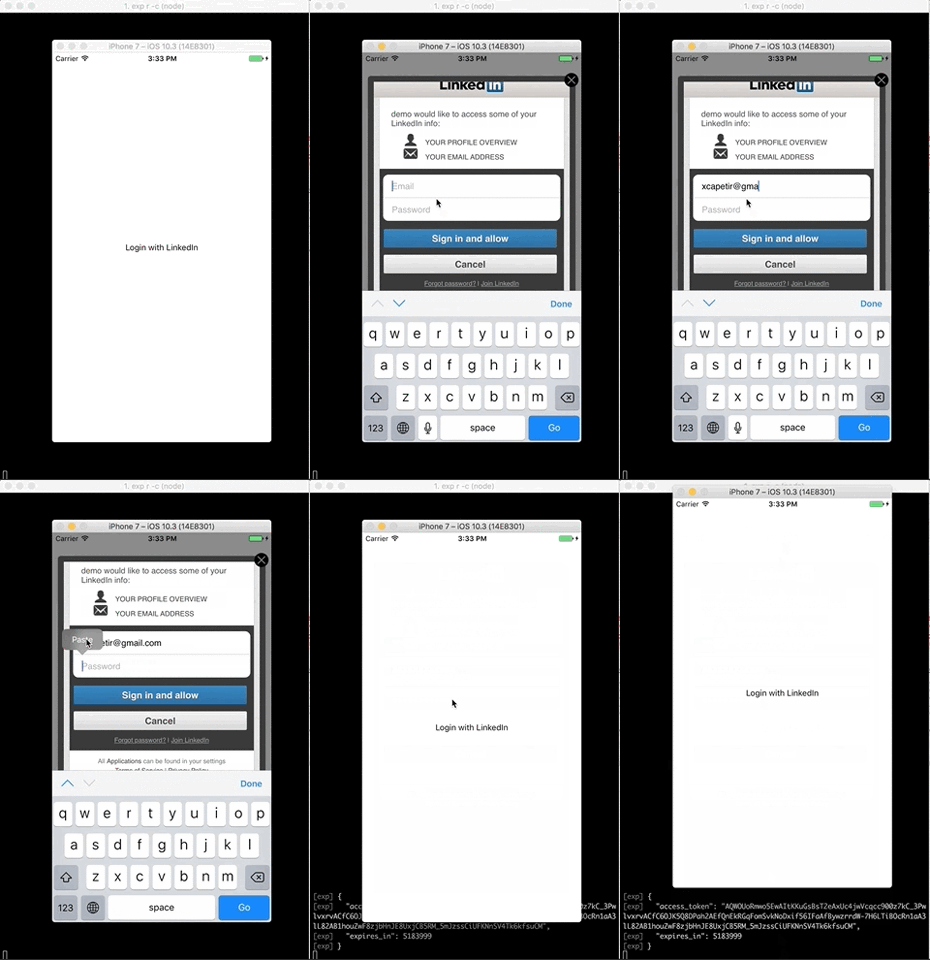
- Light: No need to link a native library like others alternatives
- Simple: Get the token and the expires, you handle your own login with the access_token
- Sure: open-source
- Almost readable & understandable code: JavaScript & React
$ yarn add react-native-linkedinor
$ npm i react-native-linkedin --save| Name | Type | Required | Default | Description |
|---|---|---|---|---|
| clientID | string | required | Your client id | |
| clientSecret | string | required | Your client secret | |
| redirectUri | string | required | Your redirectUri | |
| onSuccess | function | required | Function will be call back on success | |
| authState | string | optional | require('uuid').v4() | The state of auth, to be more secure |
| onError | function | optional | console.error(err) | Function will be call back on error |
| onClose | function | optional | Function will be call back on close modal | |
| onOpen | function | optional | Function will be call back on open modal | |
| permissions | array | optional | ['r_basicprofile', 'r_emailaddress'] | The LinkedIn access token permissions |
| renderButton | function | optional | Render function for customize LinkedIn button | |
| renderClose | function | optional | Render function for customize close button | |
| linkText | string | optional | 'Login with LinkedIn' | Link label |
| containerStyle | ViewPropTypes.style | optional | Customize container style | |
| wrapperStyle | ViewPropTypes.style | optional | Customize wrapper style | |
| closeStyle | ViewPropTypes.style | optional | Customize close style | |
| animationType | Modal.propTypes.animationType | optional | fade | Customize animationType style: 'none', 'slide' or 'fade' |
// See ./example folder for detailsimportReactfrom'react'import{StyleSheet,View}from'react-native'importLinkedInModalfrom'react-native-linkedin'conststyles=StyleSheet.create({container: {flex: 1,backgroundColor: '#fff',justifyContent: 'center',alignItems: 'center',},})exportdefaultclassAppContainerextendsReact.Component{render(){return(<Viewstyle={styles.container}><LinkedInModalclientID="[ Your client id from https://www.linkedin.com/developer/apps ]"clientSecret="[ Your client secret from https://www.linkedin.com/developer/apps ]"redirectUri="[ Your redirect uri set into https://www.linkedin.com/developer/apps ]"onSuccess={token=>console.log(token)}/></View>)}}Please not that you should pass your linkedin client id and you secret key to the component. You should be aware that key can be found if you store it directly to your code. I strongly recommand to not declare both on your code but found a way to keep it secret (ie. get it from server, encrypt it, ...)
- Better style for modal: border, padding, transparency
- Button to close the modal
- Test every line of code
- Better catch of error into login url
- Add gif example in README
- Publish example to expo
- Add props or other function to fetch more informations like basic profile information
- @xcapentier The main author.
PRs are welcome!
YES
Feel free to contact me or create an issue
made with ♥