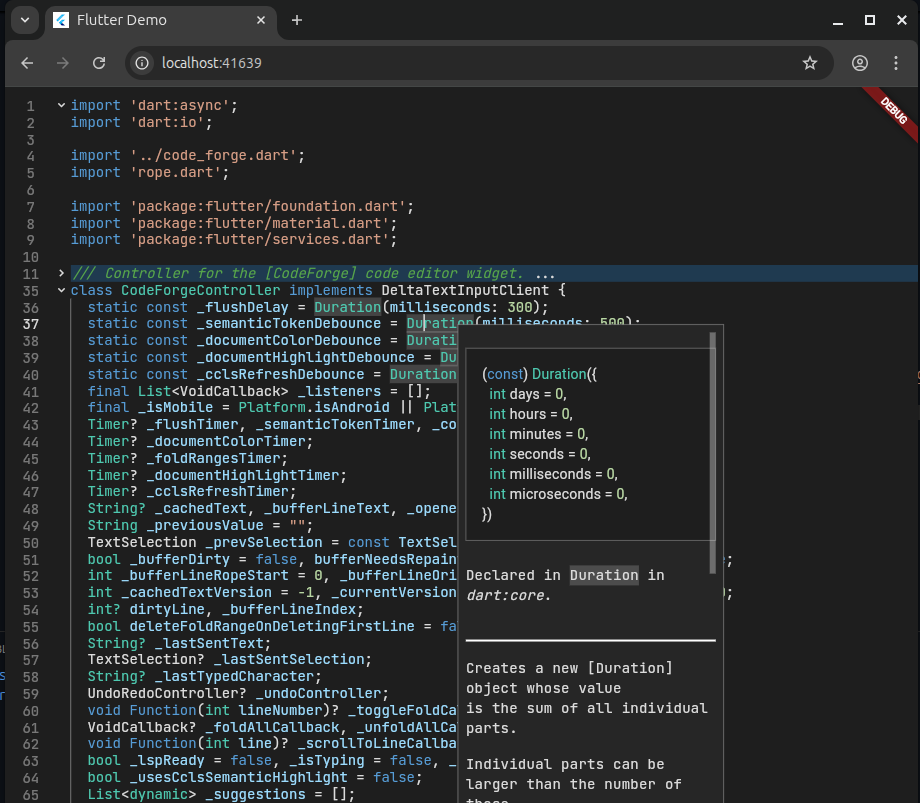
This is the web version of the powerful code_forge package.
This package can load files from raw URLs and the LspSocketConfig() class can be used to enable LSP features, which makes the code_forge_web the ideal choice for browser based code editors.
Almost all features in the code_forge are same in this package except the file handling and the LSP initialization.
The CodeForgeWeb has a fileUrl parameter instead of the filePath parameter of the CodeForge, where the user can pass raw file URLs.
classMyAppextendsStatefulWidget {
constMyApp({super.key});
@overrideState<MyApp> createState() =>_MyAppState();
}
class_MyAppStateextendsState<MyApp> {
latefinalCodeForgeWebController controller;
@overridevoidinitState() {
super.initState();
controller =CodeForgeWebController(
lspConfig:LspSocketConfig(
workspacePath:"file:///workspace", // Virtual workspace name
languageId:"dart", // Language id
serverUrl:"ws://localhost:9000"// The LSP server url.
)
);
}
@overrideWidgetbuild(BuildContext context) {
returnMaterialApp(
title:'Flutter Demo',
home:Scaffold(
body:SafeArea(
child:CodeForgeWeb(
// Working url of any file.
fileUrl:"https://raw.githubusercontent.com/heckmon/code_forge/main/lib/code_forge/controller.dart",
controller: controller,
textStyle:GoogleFonts.jetBrainsMono(fontSize:20),
innerPadding:EdgeInsets.only(top:10),
)
),
),
);
}
}
To host a LSP server, you can use the lsp-ws-proxy package.
Here is an example of running dart language server via websocket:
./lsp-ws-proxy --listen 0.0.0.0:9000 -- dart language-server --protocol=lsp
This will start and run the LSP server on the localhost:9000. You can pass the link ws://localhost:9000 to the LspSocketConfig() to enable LSP features like in the above example.