


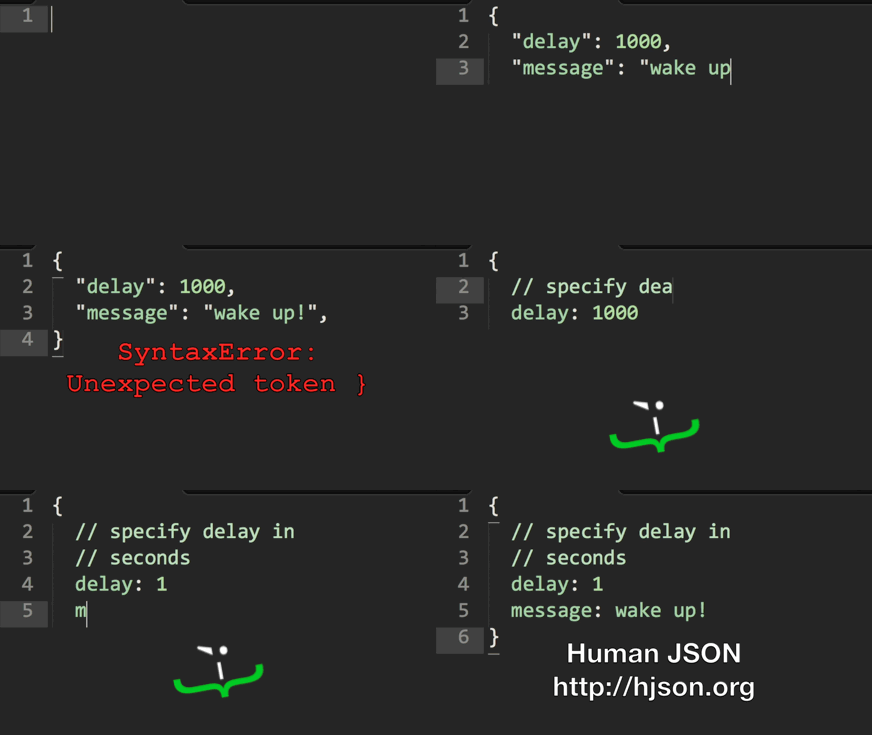
Hjson, the Human JSON. A configuration file format for humans. Relaxed syntax, fewer mistakes, more comments.
{
# specify rate in requests/second (because comments are helpful!)
rate: 1000
// prefer c-style comments?
/* feeling old fashioned? */
# did you notice that rate doesn't need quotes?
hey: look ma, no quotes for strings either!
# best of all
notice: []
anything: ?
# yes, commas are optional!
}
The Java implementation of Hjson is based on minimal-json. For other platforms see hjson.github.io.
You can install the Hjson command line tool by downloading and unpacking the latest hjson.zip.
- run
hjson -hfor help hjson file.jsonwill convert to Hjson.hjson -j file.hjsonwill convert to JSON.
Add a dependency to your build.gradle:
dependencies {
compile 'org.hjson:hjson:3.1.0'
}
Add a dependency to your pom.xml:
<dependency>
<groupId>org.hjson</groupId>
<artifactId>hjson</artifactId>
<version>3.1.0</version>
</dependency>Add a dependency to your ivy.xml:
<dependencies>
<dependencyorg="org.hjson"name="hjson"rev="3.1.0"/>
</dependencies>You can either
- use this libary directly
- or just convert Hjson to JSON and use it with your favorite JSON library.
// convert Hjson to JSONStringjsonString = JsonValue.readHjson(readerOrHjsonString).toString();
// convert JSON to HjsonStringhjsonString = JsonValue.readHjson(readerOrJSONString).toString(Stringify.HJSON);JsonObjectjsonObject = JsonValue.readHjson(string).asObject();
JsonArrayjsonArray = JsonValue.readHjson(reader).asArray();JsonValue.readHjson() will accept both Hjson and JSON. You can use JsonValue.readJSON() to accept JSON input only.
Stringname = jsonObject.get("name").asString();
intage = jsonObject.get("age").asInt(); // asLong(), asFloat(), asDouble(), ...// or iterate over the membersfor (Membermember : jsonObject) {
Stringname = member.getName();
JsonValuevalue = member.getValue();
// ...
}Stringname = jsonArray.get(0).asString();
intage = jsonArray.get(1).asInt(); // asLong(), asFloat(), asDouble(), ...// or iterate over the valuesfor(JsonValuevalue : jsonArray) {
// ...
}// Example: { "friends": [ { "name": "John", "age": 23 }, ... ], ... }JsonArrayfriends = jsonObject.get("friends").asArray();
Stringname = friends.get(0).asObject().get("name").asString();
intage = friends.get(0).asObject().get("age").asInt();JsonObjectjsonObject = newJsonObject().add("name", "John").add("age", 23);
// -> { "name": "John", "age", 23 }JsonArrayjsonArray = newJsonArray().add("John").add(23);
// -> [ "John", 23 ]jsonObject.set("age", 24);
jsonArray.set(1, 24); // access element by indexjsonObject.remove("age");
jsonArray.remove(1);Writing is not buffered (to avoid buffering twice), so you should use a BufferedWriter.
jsonObject.writeTo(writer);
jsonObject.writeTo(writer, Stringify.HJSON);jsonObject.toString(Stringify.HJSON); // Hjson outputjsonObject.toString(Stringify.FORMATTED); // formatted JSON outputjsonObject.toString(Stringify.PLAIN); // plain JSON output, defaultjsonObject.toString(); // plain