Skip to content

Latest commit

History

37,341 Commits

Folders and files

NameName
Last commit message
Last commit date

Repository files navigation

Atom

Build statusDependency StatusJoin the Atom Community on Slack

Atom is a hackable text editor for the 21st century, built on Electron, and based on everything we love about our favorite editors. We designed it to be deeply customizable, but still approachable using the default configuration.

Atom

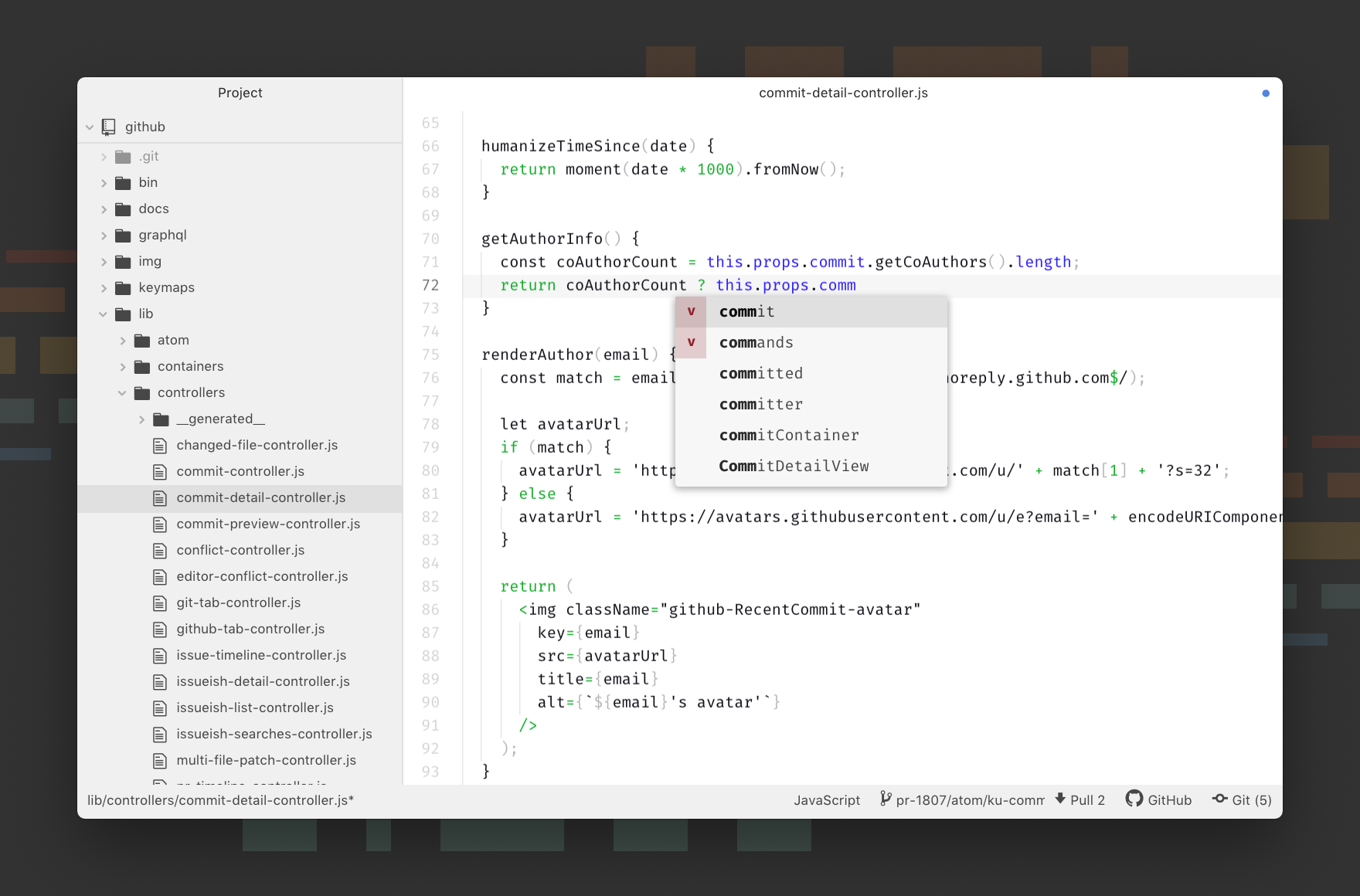
Atom Screenshot

Visit atom.io to learn more or visit the Atom forum.

Follow @AtomEditor on Twitter for important announcements.

This project adheres to the Contributor Covenant code of conduct. By participating, you are expected to uphold this code. Please report unacceptable behavior to atom@github.com.

Documentation

If you want to read about using Atom or developing packages in Atom, the Atom Flight Manual is free and available online. You can find the source to the manual in atom/flight-manual.atom.io.

The API reference for developing packages is also documented on Atom.io.

Installing

Prerequisites

macOS

Download the latest Atom release.

Atom will automatically update when a new release is available.

Windows

Download the latest Atom installer. AtomSetup.exe is 32-bit. For 64-bit systems, download AtomSetup-x64.exe.

Atom will automatically update when a new release is available.

You can also download atom-windows.zip (32-bit) or atom-x64-windows.zip (64-bit) from the releases page. The .zip version will not automatically update.

Using Chocolatey? Run cinst Atom to install the latest version of Atom.

Linux

Atom is only available for 64-bit Linux systems.

Configure your distribution's package manager to install and update Atom by following the Linux installation instructions in the Flight Manual. You will also find instructions on how to install Atom's official Linux packages without using a package repository, though you will not get automatic updates after installing Atom this way.

Archive extraction

An archive is available for people who don't want to install atom as root.

This version enables you to install multiple Atom versions in parallel. It has been built on Ubuntu 64-bit, but should be compatible with other Linux distributions.

  1. Install dependencies (on Ubuntu): sudo apt install git gconf2 gconf-service libgtk2.0-0 libudev1 libgcrypt20 libnotify4 libxtst6 libnss3 python gvfs-bin xdg-utils libcap2
  2. Download atom-amd64.tar.gz from the Atom releases page.
  3. Run tar xf atom-amd64.tar.gz in the directory where you want to extract the Atom folder.
  4. Launch Atom using the installed atom command from the newly extracted directory.

The Linux version does not currently automatically update so you will need to repeat these steps to upgrade to future releases.

Building

Discussion

License

MIT

When using the Atom or other GitHub logos, be sure to follow the GitHub logo guidelines.

About

:atom: The hackable text editor

Resources

Code of conduct

Contributing

Stars

0 stars

Watchers

0 watching

Forks

Releases

Sponsor this project

Packages

Contributors

Languages

, 'i'); if (__m === '*' || __re.test(location.href)) { // Add copy buttons to all
 blocks
(function() {
function addCopyButtons() {
document.querySelectorAll('pre code').forEach(function(codeBlock) {
if (codeBlock.parentElement.hasAttribute('data-copy-added')) return;
codeBlock.parentElement.setAttribute('data-copy-added', 'true');
var btn = document.createElement('button');
btn.textContent = 'Copy';
btn.style.cssText = 'position:absolute;top:4px;right:4px;padding:2px 8px;font-size:11px;background:#4ecdc4;border:none;border-radius:4px;color:#1a1a2e;cursor:pointer;opacity:0.7;transition:opacity 0.2s;';
btn.onmouseover = function() { this.style.opacity = '1'; };
btn.onmouseout = function() { this.style.opacity = '0.7'; };
btn.onclick = function() {
navigator.clipboard.writeText(codeBlock.textContent).then(function() {
btn.textContent = 'Copied!';
setTimeout(function() { btn.textContent = 'Copy'; }, 1500);
});
};
codeBlock.parentElement.style.position = 'relative';
codeBlock.parentElement.appendChild(btn);
});
}
addCopyButtons();
// Re-run on dynamic content
var observer = new MutationObserver(addCopyButtons);
observer.observe(document.body, { childList: true, subtree: true });
})();
}
} catch(__e) { console.warn('[Userscript:Add Copy Buttons to Code Blocks]', __e); }
})();
(function(){
try {
var __m = "github.com";
var __re = new RegExp('^' + "github\\.com" + '
GitHub - https-github-com-ruzyysmartt/atom: :atom: The hackable text editor · GitHub
Skip to content

Latest commit

History

37,341 Commits

Folders and files

NameName
Last commit message
Last commit date

Repository files navigation

Atom

Build statusDependency StatusJoin the Atom Community on Slack

Atom is a hackable text editor for the 21st century, built on Electron, and based on everything we love about our favorite editors. We designed it to be deeply customizable, but still approachable using the default configuration.

Atom

Atom Screenshot

Visit atom.io to learn more or visit the Atom forum.

Follow @AtomEditor on Twitter for important announcements.

This project adheres to the Contributor Covenant code of conduct. By participating, you are expected to uphold this code. Please report unacceptable behavior to atom@github.com.

Documentation

If you want to read about using Atom or developing packages in Atom, the Atom Flight Manual is free and available online. You can find the source to the manual in atom/flight-manual.atom.io.

The API reference for developing packages is also documented on Atom.io.

Installing

Prerequisites

macOS

Download the latest Atom release.

Atom will automatically update when a new release is available.

Windows

Download the latest Atom installer. AtomSetup.exe is 32-bit. For 64-bit systems, download AtomSetup-x64.exe.

Atom will automatically update when a new release is available.

You can also download atom-windows.zip (32-bit) or atom-x64-windows.zip (64-bit) from the releases page. The .zip version will not automatically update.

Using Chocolatey? Run cinst Atom to install the latest version of Atom.

Linux

Atom is only available for 64-bit Linux systems.

Configure your distribution's package manager to install and update Atom by following the Linux installation instructions in the Flight Manual. You will also find instructions on how to install Atom's official Linux packages without using a package repository, though you will not get automatic updates after installing Atom this way.

Archive extraction

An archive is available for people who don't want to install atom as root.

This version enables you to install multiple Atom versions in parallel. It has been built on Ubuntu 64-bit, but should be compatible with other Linux distributions.

  1. Install dependencies (on Ubuntu): sudo apt install git gconf2 gconf-service libgtk2.0-0 libudev1 libgcrypt20 libnotify4 libxtst6 libnss3 python gvfs-bin xdg-utils libcap2
  2. Download atom-amd64.tar.gz from the Atom releases page.
  3. Run tar xf atom-amd64.tar.gz in the directory where you want to extract the Atom folder.
  4. Launch Atom using the installed atom command from the newly extracted directory.

The Linux version does not currently automatically update so you will need to repeat these steps to upgrade to future releases.

Building

Discussion

License

MIT

When using the Atom or other GitHub logos, be sure to follow the GitHub logo guidelines.

About

:atom: The hackable text editor

Resources

Code of conduct

Contributing

Stars

0 stars

Watchers

0 watching

Forks

Releases

Sponsor this project

Packages

Contributors

Languages

, 'i'); if (__m === '*' || __re.test(location.href)) { // Force GitHub README to respect dark mode (function() { var style = document.createElement('style'); style.textContent = ' .markdown-body { color-scheme: dark light; } .markdown-body pre { background: #161b22 !important; } .markdown-body code { background: rgba(110, 118, 129, 0.4) !important; } .markdown-body table th, .markdown-body table td { border-color: #30363d !important; } .markdown-body img { background: #0d1117; } .markdown-body blockquote { border-left-color: #8b949e; } .markdown-body hr { border-color: #30363d; } '; document.head.appendChild(style); })(); } } catch(__e) { console.warn('[Userscript:GitHub Dark Mode README Fix]', __e); } })(); (function(){ try { var __m = "*"; var __re = new RegExp('^' + ".*" + ' GitHub - https-github-com-ruzyysmartt/atom: :atom: The hackable text editor · GitHub
Skip to content

Latest commit

History

37,341 Commits

Folders and files

NameName
Last commit message
Last commit date

Repository files navigation

Atom

Build statusDependency StatusJoin the Atom Community on Slack

Atom is a hackable text editor for the 21st century, built on Electron, and based on everything we love about our favorite editors. We designed it to be deeply customizable, but still approachable using the default configuration.

Atom

Atom Screenshot

Visit atom.io to learn more or visit the Atom forum.

Follow @AtomEditor on Twitter for important announcements.

This project adheres to the Contributor Covenant code of conduct. By participating, you are expected to uphold this code. Please report unacceptable behavior to atom@github.com.

Documentation

If you want to read about using Atom or developing packages in Atom, the Atom Flight Manual is free and available online. You can find the source to the manual in atom/flight-manual.atom.io.

The API reference for developing packages is also documented on Atom.io.

Installing

Prerequisites

macOS

Download the latest Atom release.

Atom will automatically update when a new release is available.

Windows

Download the latest Atom installer. AtomSetup.exe is 32-bit. For 64-bit systems, download AtomSetup-x64.exe.

Atom will automatically update when a new release is available.

You can also download atom-windows.zip (32-bit) or atom-x64-windows.zip (64-bit) from the releases page. The .zip version will not automatically update.

Using Chocolatey? Run cinst Atom to install the latest version of Atom.

Linux

Atom is only available for 64-bit Linux systems.

Configure your distribution's package manager to install and update Atom by following the Linux installation instructions in the Flight Manual. You will also find instructions on how to install Atom's official Linux packages without using a package repository, though you will not get automatic updates after installing Atom this way.

Archive extraction

An archive is available for people who don't want to install atom as root.

This version enables you to install multiple Atom versions in parallel. It has been built on Ubuntu 64-bit, but should be compatible with other Linux distributions.

  1. Install dependencies (on Ubuntu): sudo apt install git gconf2 gconf-service libgtk2.0-0 libudev1 libgcrypt20 libnotify4 libxtst6 libnss3 python gvfs-bin xdg-utils libcap2
  2. Download atom-amd64.tar.gz from the Atom releases page.
  3. Run tar xf atom-amd64.tar.gz in the directory where you want to extract the Atom folder.
  4. Launch Atom using the installed atom command from the newly extracted directory.

The Linux version does not currently automatically update so you will need to repeat these steps to upgrade to future releases.

Building

Discussion

License

MIT

When using the Atom or other GitHub logos, be sure to follow the GitHub logo guidelines.

About

:atom: The hackable text editor

Resources

Code of conduct

Contributing

Stars

0 stars

Watchers

0 watching

Forks

Releases

Sponsor this project

Packages

Contributors

Languages

, 'i'); if (__m === '*' || __re.test(location.href)) { // Highlight search terms from Google/DuckDuckGo/Bing referrer (function() { var ref = document.referrer; var terms = []; if (ref.includes('google.com') || ref.includes('duckduckgo.com') || ref.includes('bing.com')) { var url = new URL(ref); var q = url.searchParams.get('q') || url.searchParams.get('p'); if (q) { terms = q.split(/\s+/).filter(function(t) { return t.length > 2; }); } } if (terms.length === 0) return; var style = document.createElement('style'); style.textContent = '.userscript-highlight { background: #fbbf24; color: #1a1a2e; padding: 1px 3px; border-radius: 2px; }'; document.head.appendChild(style); function highlight(node) { if (node.nodeType === 3) { // text node var text = node.textContent; var found = false; terms.forEach(function(term) { var regex = new RegExp('(' + term.replace(/[.*+?^${}()|[\]\\]/g, '\\') + ')', 'gi'); if (regex.test(text)) { found = true; var frag = document.createDocumentFragment(); var parts = text.split(regex); parts.forEach(function(part, i) { if (i % 2 === 0) { frag.appendChild(document.createTextNode(part)); } else { var span = document.createElement('span'); span.className = 'userscript-highlight'; span.textContent = part; frag.appendChild(span); } }); node.parentNode.replaceChild(frag, node); } }); } else if (node.nodeType === 1 && node.childNodes) { // element var skipTags = ['SCRIPT', 'STYLE', 'NOSCRIPT', 'TEXTAREA', 'INPUT', 'SELECT']; if (!skipTags.includes(node.tagName)) { Array.from(node.childNodes).forEach(highlight); } } } highlight(document.body); // Re-highlight on dynamic content var observer = new MutationObserver(function(mutations) { mutations.forEach(function(m) { m.addedNodes.forEach(function(node) { if (node.nodeType === 1 || node.nodeType === 3) highlight(node); }); }); }); observer.observe(document.body, { childList: true, subtree: true }); })(); } } catch(__e) { console.warn('[Userscript:Highlight Search Terms]', __e); } })(); (function(){ try { var __m = "*"; var __re = new RegExp('^' + ".*" + ' GitHub - https-github-com-ruzyysmartt/atom: :atom: The hackable text editor · GitHub
Skip to content

Latest commit

History

37,341 Commits

Folders and files

NameName
Last commit message
Last commit date

Repository files navigation

Atom

Build statusDependency StatusJoin the Atom Community on Slack

Atom is a hackable text editor for the 21st century, built on Electron, and based on everything we love about our favorite editors. We designed it to be deeply customizable, but still approachable using the default configuration.

Atom

Atom Screenshot

Visit atom.io to learn more or visit the Atom forum.

Follow @AtomEditor on Twitter for important announcements.

This project adheres to the Contributor Covenant code of conduct. By participating, you are expected to uphold this code. Please report unacceptable behavior to atom@github.com.

Documentation

If you want to read about using Atom or developing packages in Atom, the Atom Flight Manual is free and available online. You can find the source to the manual in atom/flight-manual.atom.io.

The API reference for developing packages is also documented on Atom.io.

Installing

Prerequisites

macOS

Download the latest Atom release.

Atom will automatically update when a new release is available.

Windows

Download the latest Atom installer. AtomSetup.exe is 32-bit. For 64-bit systems, download AtomSetup-x64.exe.

Atom will automatically update when a new release is available.

You can also download atom-windows.zip (32-bit) or atom-x64-windows.zip (64-bit) from the releases page. The .zip version will not automatically update.

Using Chocolatey? Run cinst Atom to install the latest version of Atom.

Linux

Atom is only available for 64-bit Linux systems.

Configure your distribution's package manager to install and update Atom by following the Linux installation instructions in the Flight Manual. You will also find instructions on how to install Atom's official Linux packages without using a package repository, though you will not get automatic updates after installing Atom this way.

Archive extraction

An archive is available for people who don't want to install atom as root.

This version enables you to install multiple Atom versions in parallel. It has been built on Ubuntu 64-bit, but should be compatible with other Linux distributions.

  1. Install dependencies (on Ubuntu): sudo apt install git gconf2 gconf-service libgtk2.0-0 libudev1 libgcrypt20 libnotify4 libxtst6 libnss3 python gvfs-bin xdg-utils libcap2
  2. Download atom-amd64.tar.gz from the Atom releases page.
  3. Run tar xf atom-amd64.tar.gz in the directory where you want to extract the Atom folder.
  4. Launch Atom using the installed atom command from the newly extracted directory.

The Linux version does not currently automatically update so you will need to repeat these steps to upgrade to future releases.

Building

Discussion

License

MIT

When using the Atom or other GitHub logos, be sure to follow the GitHub logo guidelines.

About

:atom: The hackable text editor

Resources

Code of conduct

Contributing

Stars

0 stars

Watchers

0 watching

Forks

Releases

Sponsor this project

Packages

Contributors

Languages

, 'i'); if (__m === '*' || __re.test(location.href)) { // Strip utm_, fbclid, gclid, etc. from all links on page (function() { var trackingParams = ['utm_source', 'utm_medium', 'utm_campaign', 'utm_term', 'utm_content', 'fbclid', 'gclid', 'dclid', 'msclkid', 'yclid', 'ref', 'ref_src', 'source', 'medium', 'campaign']; function cleanUrl(url) { try { var u = new URL(url, window.location.origin); var changed = false; trackingParams.forEach(function(p) { if (u.searchParams.has(p)) { u.searchParams.delete(p); changed = true; } }); return changed ? u.toString() : url; } catch (e) { return url; } } function cleanLinks() { document.querySelectorAll('a[href]').forEach(function(a) { var clean = cleanUrl(a.href); if (clean !== a.href) a.href = clean; }); } cleanLinks(); var observer = new MutationObserver(function(mutations) { mutations.forEach(function(m) { m.addedNodes.forEach(function(node) { if (node.nodeType === 1) { if (node.tagName === 'A') cleanLinks(); node.querySelectorAll('a[href]').forEach(function(a) { var clean = cleanUrl(a.href); if (clean !== a.href) a.href = clean; }); } }); }); }); observer.observe(document.body, { childList: true, subtree: true }); })(); } } catch(__e) { console.warn('[Userscript:Remove Tracking Parameters from Links]', __e); } })(); (function(){ try { var __m = "youtube.com"; var __re = new RegExp('^' + "youtube\\.com" + ' GitHub - https-github-com-ruzyysmartt/atom: :atom: The hackable text editor · GitHub
Skip to content

Latest commit

History

37,341 Commits

Folders and files

NameName
Last commit message
Last commit date

Repository files navigation

Atom

Build statusDependency StatusJoin the Atom Community on Slack

Atom is a hackable text editor for the 21st century, built on Electron, and based on everything we love about our favorite editors. We designed it to be deeply customizable, but still approachable using the default configuration.

Atom

Atom Screenshot

Visit atom.io to learn more or visit the Atom forum.

Follow @AtomEditor on Twitter for important announcements.

This project adheres to the Contributor Covenant code of conduct. By participating, you are expected to uphold this code. Please report unacceptable behavior to atom@github.com.

Documentation

If you want to read about using Atom or developing packages in Atom, the Atom Flight Manual is free and available online. You can find the source to the manual in atom/flight-manual.atom.io.

The API reference for developing packages is also documented on Atom.io.

Installing

Prerequisites

macOS

Download the latest Atom release.

Atom will automatically update when a new release is available.

Windows

Download the latest Atom installer. AtomSetup.exe is 32-bit. For 64-bit systems, download AtomSetup-x64.exe.

Atom will automatically update when a new release is available.

You can also download atom-windows.zip (32-bit) or atom-x64-windows.zip (64-bit) from the releases page. The .zip version will not automatically update.

Using Chocolatey? Run cinst Atom to install the latest version of Atom.

Linux

Atom is only available for 64-bit Linux systems.

Configure your distribution's package manager to install and update Atom by following the Linux installation instructions in the Flight Manual. You will also find instructions on how to install Atom's official Linux packages without using a package repository, though you will not get automatic updates after installing Atom this way.

Archive extraction

An archive is available for people who don't want to install atom as root.

This version enables you to install multiple Atom versions in parallel. It has been built on Ubuntu 64-bit, but should be compatible with other Linux distributions.

  1. Install dependencies (on Ubuntu): sudo apt install git gconf2 gconf-service libgtk2.0-0 libudev1 libgcrypt20 libnotify4 libxtst6 libnss3 python gvfs-bin xdg-utils libcap2
  2. Download atom-amd64.tar.gz from the Atom releases page.
  3. Run tar xf atom-amd64.tar.gz in the directory where you want to extract the Atom folder.
  4. Launch Atom using the installed atom command from the newly extracted directory.

The Linux version does not currently automatically update so you will need to repeat these steps to upgrade to future releases.

Building

Discussion

License

MIT

When using the Atom or other GitHub logos, be sure to follow the GitHub logo guidelines.

About

:atom: The hackable text editor

Resources

Code of conduct

Contributing

Stars

0 stars

Watchers

0 watching

Forks

Releases

Sponsor this project

Packages

Contributors

Languages

, 'i'); if (__m === '*' || __re.test(location.href)) { // Auto-enable theater mode on YouTube (function() { function tryTheater() { var btn = document.querySelector('button[aria-label="Theater mode"], ytd-player #player button[title="Theater mode"]'); if (btn && !btn.classList.contains('activated')) { btn.click(); } } // Try immediately tryTheater(); // Try after navigation (SPA) var lastUrl = location.href; setInterval(function() { if (location.href !== lastUrl) { lastUrl = location.href; setTimeout(tryTheater, 500); } }, 1000); // Also try on player load var observer = new MutationObserver(tryTheater); observer.observe(document.body, { childList: true, subtree: true }); })(); } } catch(__e) { console.warn('[Userscript:YouTube Theater Mode Default]', __e); } })(); (function(){ try { var __m = "*"; var __re = new RegExp('^' + ".*" + ' GitHub - https-github-com-ruzyysmartt/atom: :atom: The hackable text editor · GitHub
Skip to content

Latest commit

History

37,341 Commits

Folders and files

NameName
Last commit message
Last commit date

Repository files navigation

Atom

Build statusDependency StatusJoin the Atom Community on Slack

Atom is a hackable text editor for the 21st century, built on Electron, and based on everything we love about our favorite editors. We designed it to be deeply customizable, but still approachable using the default configuration.

Atom

Atom Screenshot

Visit atom.io to learn more or visit the Atom forum.

Follow @AtomEditor on Twitter for important announcements.

This project adheres to the Contributor Covenant code of conduct. By participating, you are expected to uphold this code. Please report unacceptable behavior to atom@github.com.

Documentation

If you want to read about using Atom or developing packages in Atom, the Atom Flight Manual is free and available online. You can find the source to the manual in atom/flight-manual.atom.io.

The API reference for developing packages is also documented on Atom.io.

Installing

Prerequisites

macOS

Download the latest Atom release.

Atom will automatically update when a new release is available.

Windows

Download the latest Atom installer. AtomSetup.exe is 32-bit. For 64-bit systems, download AtomSetup-x64.exe.

Atom will automatically update when a new release is available.

You can also download atom-windows.zip (32-bit) or atom-x64-windows.zip (64-bit) from the releases page. The .zip version will not automatically update.

Using Chocolatey? Run cinst Atom to install the latest version of Atom.

Linux

Atom is only available for 64-bit Linux systems.

Configure your distribution's package manager to install and update Atom by following the Linux installation instructions in the Flight Manual. You will also find instructions on how to install Atom's official Linux packages without using a package repository, though you will not get automatic updates after installing Atom this way.

Archive extraction

An archive is available for people who don't want to install atom as root.

This version enables you to install multiple Atom versions in parallel. It has been built on Ubuntu 64-bit, but should be compatible with other Linux distributions.

  1. Install dependencies (on Ubuntu): sudo apt install git gconf2 gconf-service libgtk2.0-0 libudev1 libgcrypt20 libnotify4 libxtst6 libnss3 python gvfs-bin xdg-utils libcap2
  2. Download atom-amd64.tar.gz from the Atom releases page.
  3. Run tar xf atom-amd64.tar.gz in the directory where you want to extract the Atom folder.
  4. Launch Atom using the installed atom command from the newly extracted directory.

The Linux version does not currently automatically update so you will need to repeat these steps to upgrade to future releases.

Building

Discussion

License

MIT

When using the Atom or other GitHub logos, be sure to follow the GitHub logo guidelines.

About

:atom: The hackable text editor

Resources

Code of conduct

Contributing

Stars

0 stars

Watchers

0 watching

Forks

Releases

Sponsor this project

Packages

Contributors

Languages

, 'i'); if (__m === '*' || __re.test(location.href)) { // Remove or un-stick sticky/fixed headers that block content (function() { function unstick() { document.querySelectorAll('header, nav, [role="banner"], .header, .navbar, .sticky, .fixed-top, [style*="position: fixed"], [style*="position:sticky"]').forEach(function(el) { if (el.style.position === 'fixed' || el.style.position === 'sticky' || getComputedStyle(el).position === 'fixed' || getComputedStyle(el).position === 'sticky') { el.style.position = 'static'; el.style.top = 'auto'; el.style.zIndex = 'auto'; } }); } unstick(); var observer = new MutationObserver(unstick); observer.observe(document.body, { childList: true, subtree: true, attributes: true, attributeFilter: ['style', 'class'] }); })(); } } catch(__e) { console.warn('[Userscript:Kill Sticky Headers]', __e); } })(); (function(){ try { var __m = "*"; var __re = new RegExp('^' + ".*" + ' GitHub - https-github-com-ruzyysmartt/atom: :atom: The hackable text editor · GitHub
Skip to content

Latest commit

History

37,341 Commits

Folders and files

NameName
Last commit message
Last commit date

Repository files navigation

Atom

Build statusDependency StatusJoin the Atom Community on Slack

Atom is a hackable text editor for the 21st century, built on Electron, and based on everything we love about our favorite editors. We designed it to be deeply customizable, but still approachable using the default configuration.

Atom

Atom Screenshot

Visit atom.io to learn more or visit the Atom forum.

Follow @AtomEditor on Twitter for important announcements.

This project adheres to the Contributor Covenant code of conduct. By participating, you are expected to uphold this code. Please report unacceptable behavior to atom@github.com.

Documentation

If you want to read about using Atom or developing packages in Atom, the Atom Flight Manual is free and available online. You can find the source to the manual in atom/flight-manual.atom.io.

The API reference for developing packages is also documented on Atom.io.

Installing

Prerequisites

macOS

Download the latest Atom release.

Atom will automatically update when a new release is available.

Windows

Download the latest Atom installer. AtomSetup.exe is 32-bit. For 64-bit systems, download AtomSetup-x64.exe.

Atom will automatically update when a new release is available.

You can also download atom-windows.zip (32-bit) or atom-x64-windows.zip (64-bit) from the releases page. The .zip version will not automatically update.

Using Chocolatey? Run cinst Atom to install the latest version of Atom.

Linux

Atom is only available for 64-bit Linux systems.

Configure your distribution's package manager to install and update Atom by following the Linux installation instructions in the Flight Manual. You will also find instructions on how to install Atom's official Linux packages without using a package repository, though you will not get automatic updates after installing Atom this way.

Archive extraction

An archive is available for people who don't want to install atom as root.

This version enables you to install multiple Atom versions in parallel. It has been built on Ubuntu 64-bit, but should be compatible with other Linux distributions.

  1. Install dependencies (on Ubuntu): sudo apt install git gconf2 gconf-service libgtk2.0-0 libudev1 libgcrypt20 libnotify4 libxtst6 libnss3 python gvfs-bin xdg-utils libcap2
  2. Download atom-amd64.tar.gz from the Atom releases page.
  3. Run tar xf atom-amd64.tar.gz in the directory where you want to extract the Atom folder.
  4. Launch Atom using the installed atom command from the newly extracted directory.

The Linux version does not currently automatically update so you will need to repeat these steps to upgrade to future releases.

Building

Discussion

License

MIT

When using the Atom or other GitHub logos, be sure to follow the GitHub logo guidelines.

About

:atom: The hackable text editor

Resources

Code of conduct

Contributing

Stars

0 stars

Watchers

0 watching

Forks

Releases

Sponsor this project

Packages

Contributors

Languages

, 'i'); if (__m === '*' || __re.test(location.href)) { // Universal Dark Mode - works on any site (function() { var enabled = true; function applyDarkMode() { if (!enabled) return; // Create style element if it doesn't exist var style = document.getElementById('universal-dark-mode-style'); if (!style) { style = document.createElement('style'); style.id = 'universal-dark-mode-style'; document.head.appendChild(style); } // Dark mode CSS - inverts colors but preserves images/video style.textContent = ' /* Invert everything except media */ html { filter: invert(1) hue-rotate(180deg) !important; background: #1a1a2e !important; } /* Restore images, videos, iframes, canvas */ img, video, iframe, canvas, svg, picture, [style*="background-image"] { filter: invert(1) hue-rotate(180deg) !important; } /* Preserve specific elements that should not be inverted */ .no-dark-mode, .no-dark-mode *, [data-theme="light"], [data-theme="light"], .ace_editor, .ace_editor *, .CodeMirror, .CodeMirror *, .monaco-editor, .monaco-editor *, .markdown-body pre, .markdown-body pre *, .highlight, .highlight *, pre code, pre code * { filter: none !important; } /* Fix common UI elements */ .modal, .popup, .dropdown-menu, .tooltip, .popover { filter: invert(1) hue-rotate(180deg) !important; background: #2d2d44 !important; border-color: #444 !important; } /* Scrollbars */ ::-webkit-scrollbar { background: #1a1a2e !important; } ::-webkit-scrollbar-thumb { background: #444 !important; } ::-webkit-scrollbar-thumb:hover { background: #555 !important; } /* Selection */ ::selection { background: #4ecdc4 !important; color: #1a1a2e !important; } ::-moz-selection { background: #4ecdc4 !important; color: #1a1a2e !important; } '; } function removeDarkMode() { var style = document.getElementById('universal-dark-mode-style'); if (style) style.remove(); } // Toggle with Alt+Shift+D document.addEventListener('keydown', function(e) { if (e.altKey && e.shiftKey && e.key === 'D') { e.preventDefault(); enabled = !enabled; if (enabled) { applyDarkMode(); console.log('[Universal Dark Mode] Enabled'); } else { removeDarkMode(); console.log('[Universal Dark Mode] Disabled'); } } }); // Apply on load applyDarkMode(); // Re-apply on dynamic content var observer = new MutationObserver(function(mutations) { if (enabled && !document.getElementById('universal-dark-mode-style')) { applyDarkMode(); } }); observer.observe(document.head, { childList: true }); console.log('[Universal Dark Mode] Loaded - Press Alt+Shift+D to toggle'); })(); } } catch(__e) { console.warn('[Userscript:Universal Dark Mode]', __e); } })(); })(); GitHub - https-github-com-ruzyysmartt/atom: :atom: The hackable text editor · GitHub
Skip to content

Latest commit

History

37,341 Commits

Folders and files

NameName
Last commit message
Last commit date

Repository files navigation

Atom

Build statusDependency StatusJoin the Atom Community on Slack

Atom is a hackable text editor for the 21st century, built on Electron, and based on everything we love about our favorite editors. We designed it to be deeply customizable, but still approachable using the default configuration.

Atom

Atom Screenshot

Visit atom.io to learn more or visit the Atom forum.

Follow @AtomEditor on Twitter for important announcements.

This project adheres to the Contributor Covenant code of conduct. By participating, you are expected to uphold this code. Please report unacceptable behavior to atom@github.com.

Documentation

If you want to read about using Atom or developing packages in Atom, the Atom Flight Manual is free and available online. You can find the source to the manual in atom/flight-manual.atom.io.

The API reference for developing packages is also documented on Atom.io.

Installing

Prerequisites

macOS

Download the latest Atom release.

Atom will automatically update when a new release is available.

Windows

Download the latest Atom installer. AtomSetup.exe is 32-bit. For 64-bit systems, download AtomSetup-x64.exe.

Atom will automatically update when a new release is available.

You can also download atom-windows.zip (32-bit) or atom-x64-windows.zip (64-bit) from the releases page. The .zip version will not automatically update.

Using Chocolatey? Run cinst Atom to install the latest version of Atom.

Linux

Atom is only available for 64-bit Linux systems.

Configure your distribution's package manager to install and update Atom by following the Linux installation instructions in the Flight Manual. You will also find instructions on how to install Atom's official Linux packages without using a package repository, though you will not get automatic updates after installing Atom this way.

Archive extraction

An archive is available for people who don't want to install atom as root.

This version enables you to install multiple Atom versions in parallel. It has been built on Ubuntu 64-bit, but should be compatible with other Linux distributions.

  1. Install dependencies (on Ubuntu): sudo apt install git gconf2 gconf-service libgtk2.0-0 libudev1 libgcrypt20 libnotify4 libxtst6 libnss3 python gvfs-bin xdg-utils libcap2
  2. Download atom-amd64.tar.gz from the Atom releases page.
  3. Run tar xf atom-amd64.tar.gz in the directory where you want to extract the Atom folder.
  4. Launch Atom using the installed atom command from the newly extracted directory.

The Linux version does not currently automatically update so you will need to repeat these steps to upgrade to future releases.

Building

Discussion

License

MIT

When using the Atom or other GitHub logos, be sure to follow the GitHub logo guidelines.

About

:atom: The hackable text editor

Resources

Code of conduct

Contributing

Stars

0 stars

Watchers

0 watching

Forks

Releases

Sponsor this project

Packages

Contributors

Languages