



📚 React Native Step Navigation is a package that allows you to handle step-by-step navigation in React Native applications. It is designed to work seamlessly with Expo and Bare ReactNative, making it easy to integrate into your projects. 🚀
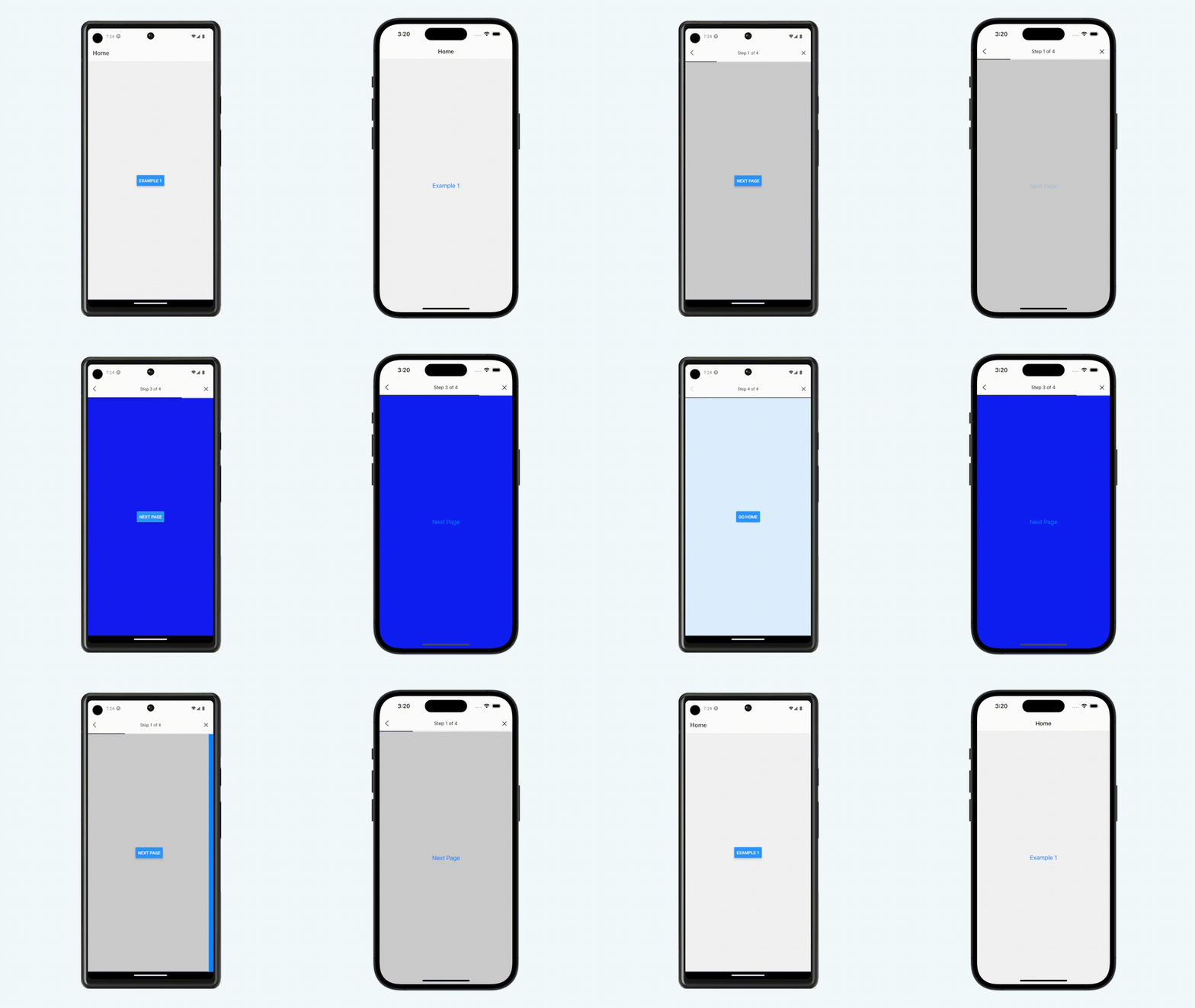
For a complete example and more advanced usage, please refer to the example folder in this repository. 📂
You can install this package using npm or yarn. Make sure you have Expo installed in your project. 📦
npm install react-native-step-navigationor
yarn add react-native-step-navigationTo get started, import the StepNavigationProvider component from the package and use it to wrap your application. ⚙️
Important: the StepNavigationProvider must be wrapping your NavigationContainer
import{StepNavigationProvider}from'./react-native-step-navigation'importAppRoutesfrom'./src/routes/app.routes'exportdefaultfunctionApp(){return(<StepNavigationProvider><AppRoutes/></StepNavigationProvider>)}Now, where your NavigationContainer is, add the onStateChange function, which is exported by the useStepNavigation() hook
...
import{useStepNavigation}from'../../react-native-step-navigation'constAppRoutes=()=>{const{ onStateChange }=useStepNavigation()return(<NavigationContaineronStateChange={onStateChange}>
[ ... your routes ... ]
</NavigationContainer>)}exportdefaultAppRoutes
Now to use the Step Navigation, is very similar to the Stack navgation usage, you just have to create your step navigation object, lets name it "Step", wrap your screens with Step.Navigator, and then create your screens with Step.Screen.
...
import{createStepNavigation}from'react-native-step-navigation'constStep=createStepNavigation()constStepRoutes=()=>{return(<Step.Navigator><Step.Screenname='Step1'component={StepScreen}/><Step.Screenname='Step2'component={StepScreen2}/><Step.Screenname='Step3'component={StepScreen3}/><Step.Screenname='Step4'component={StepScreen4}/></Step.Navigator>)}exportdefaultStepRoutes| Prop | Type | Description | Required |
|---|---|---|---|
closeRoute | string | Route to navigate when the close button is pressed. | No |
title | string | Title to display in the header. | No |
header | boolean | Flag to show/hide the header. | No |
progressBarStyle | IProgressBarStyle | Style object for customizing the progress bar appearance. | No |
headerStyle | ViewStyle | Style object for customizing the header container. | No |
titleStyle | TextStyle | Style object for customizing the title text. | No |
iconCloseColor | string | Color of the close button icon. | No |
iconBackColor | string | Color of the back button icon. | No |
| Prop | Type | Description | Required |
|---|---|---|---|
name | string | Name of the screen. | Yes |
component | any | Component to render for the step. | Yes |
header | boolean | Flag to show/hide the header for the step. | No |
progressBar | boolean | Flag to show/hide the progress bar for the step. | No |
style | ViewStyle | Style object for customizing the step container. | No |
backRoute | string | Route to navigate when the back button is pressed for the step. | No |
Contributions are welcome! If you have any bug reports, feature requests, or suggestions, please create an issue on GitHub.
If you want to contribute code, please follow the contribution guidelines in this repository.
This project is licensed under the MIT License. 📜