
A sleek, self-hosted dashboard for your *arr stack and Docker services.


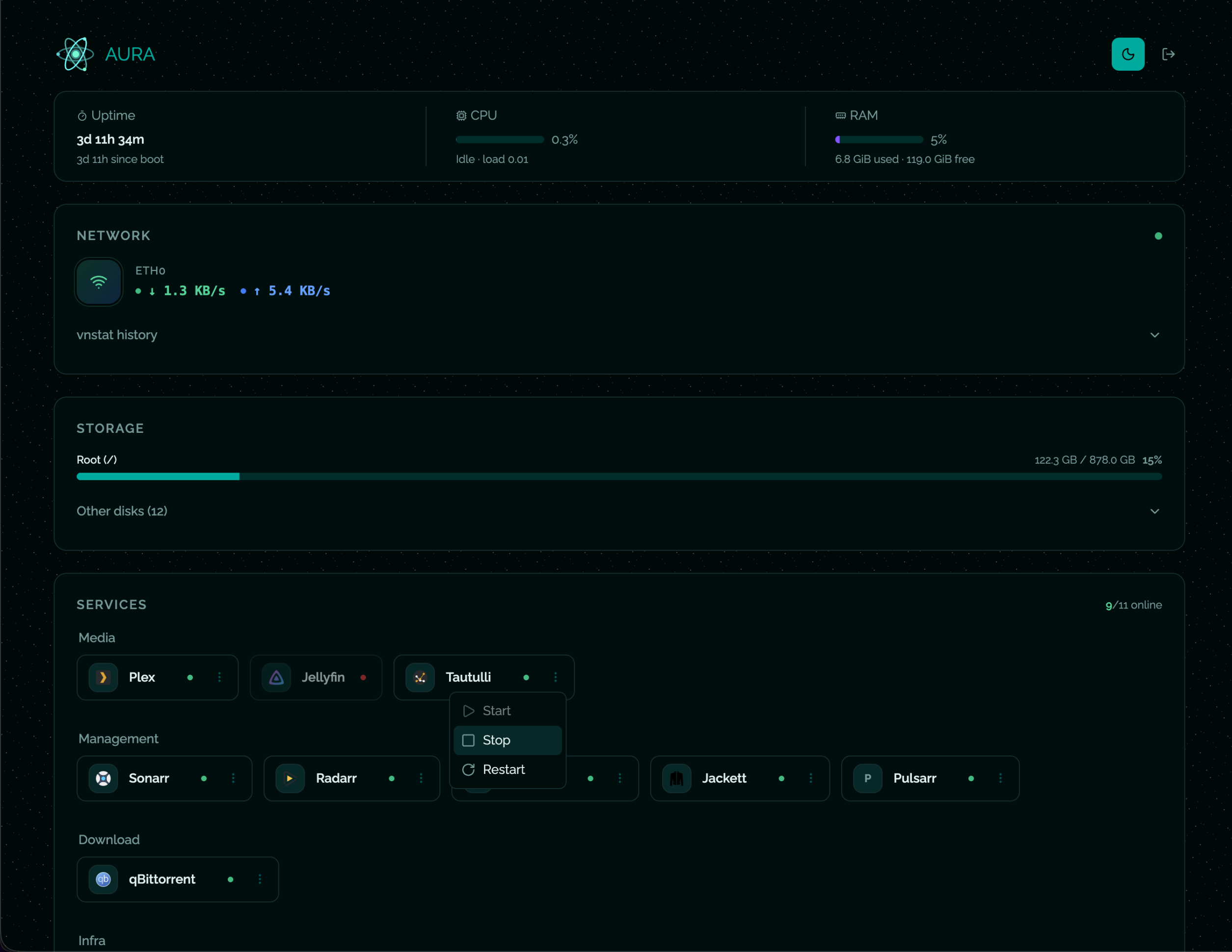
A self-hosted Docker services dashboard — monitor containers, system stats, network traffic and disk usage from a single page.
- Services — live Docker status for all your containers (start / stop / restart)
- System — CPU load, RAM usage, uptime
- Network — real-time bandwidth (WebSocket) + historical data via vnstat
- Storage — disk usage for
/and every/mnt/*mount point - Auth — username + password login with server-side sessions (SQLite)
- Themes — light / dark mode
No need to clone the repo. Just grab the image, drop in your config, and run.
Download the example and edit it:
curl -sL https://raw.githubusercontent.com/ioeldev/aura/main/config/services.example.json \
-o services.json
# Edit services.json — replace URLs with your ownCreate a docker-compose.yml:
services:
aura:
image: ghcr.io/ioeldev/aura:latestcontainer_name: aurarestart: unless-stoppednetwork_mode: hostvolumes:
- /var/lib/vnstat:/var/lib/vnstat:ro
- /var/run/docker.sock:/var/run/docker.sock:ro
- /mnt:/mnt:ro
- ./services.json:/app/config/services.json:roenvironment:
- ADMIN_USERNAME=admin
- ADMIN_PASSWORD=changeme
- SESSION_EXPIRE_HOURS=24
docker compose up -dOR
docker run -d \
--name aura \
--restart unless-stopped \
--network host \
-v /var/run/docker.sock:/var/run/docker.sock:ro \
-v /mnt:/mnt:ro \
-v $(pwd)/services.json:/app/config/services.json:ro \
-v /var/lib/vnstat:/var/lib/vnstat:ro \
-e ADMIN_USERNAME=admin \
-e ADMIN_PASSWORD=changeme \
ghcr.io/ioeldev/aura:latest
The panel is available at http://localhost:2655.
git clone https://github.com/ioeldev/aura.git
cd aura
cp .env.example .env # set ADMIN_PASSWORD
cp config/services.example.json config/services.json # edit URLs
docker compose up -d| Variable | Default | Description |
|---|---|---|
ADMIN_USERNAME | admin | Login username |
ADMIN_PASSWORD | (empty) | Login password — leave empty to disable auth |
SESSION_EXPIRE_HOURS | 24 | Session lifetime in hours |
If
ADMIN_PASSWORDis not set the panel is accessible without login. Suitable for a trusted local network, not for public exposure.
Changes are picked up automatically — no restart needed.
{
"services": [
{
"id": "sonarr",
"displayName": "Sonarr",
"dockerName": "sonarr",
"icon": "https://cdn.jsdelivr.net/gh/walkxcode/dashboard-icons/png/sonarr.png",
"url": "http://192.168.1.10:8989",
"category": "Management"
}
]
}| Field | Required | Description |
|---|---|---|
id | ✅ | Unique identifier |
displayName | ✅ | Label shown in the UI |
dockerName | ✅ | Container name as shown by docker ps |
icon | ✅ | URL to an icon image |
url | ✅ | URL opened when clicking the service |
category | — | Groups services: Media, Management, Download, Monitoring, Infra |
Icons: walkxcode/dashboard-icons — use https://cdn.jsdelivr.net/gh/walkxcode/dashboard-icons/png/<name>.png
| Mount | Purpose |
|---|---|
/var/run/docker.sock | Read container states from Docker |
./services.json:/app/config/services.json | Your services list |
/mnt | Host mount points for disk monitoring |
/var/lib/vnstat | Host vnstat database for network history |
./data:/app/data(optional) | Persist auth sessions across restarts |
The network history panel reads data from vnstat running on the host. The container mounts /var/lib/vnstat read-only and queries it directly, so vnstat must be installed and running on the host before starting Aura.
sudo apt update && sudo apt install vnstat
sudo systemctl enable --now vnstat
Give it a few minutes to start collecting data, then restart Aura.